
App
7 Best Google Keep Alternatives in 2026
7 Best Google Keep Alternatives in 2026

Google Keep is fast and free, but it has real limits. No folders, no formatting, no backlinks, no task scheduling. For simple sticky notes it works fine. But if you're trying to manage projects, build a knowledge base, or actually act on what you capture, Keep runs out of runway fast.
The good news: there are genuinely strong alternatives at every price point. Some do more with structure and databases. Others prioritize speed or privacy. A few are free forever. The right choice depends on whether you're replacing Keep's quick-capture habit, its checklists, or both.
We tested seven Google Keep alternatives across note capture, organization, task management, and cross-platform sync. Here's what we found.
Key Takeaways
Lifestack goes beyond note capture by turning your notes into scheduled tasks, matched to your daily energy peaks.
Apple Notes and Microsoft OneNote are the strongest free alternatives if you're already in the Apple or Microsoft ecosystem.
Obsidian is the best choice for users who want local-first, private notes with powerful cross-linking, but it has a steeper learning curve than Keep.
Quick Guide
Lifestack: best Google Keep alternative for capturing notes and turning them into scheduled tasks
Notion: best for structured notes, databases, and team wikis
Apple Notes: best free Keep alternative for iPhone and Mac users
Microsoft OneNote: best free Keep alternative for Windows and Office 365 users
Evernote: best for web clipping, email forwarding, and deep search
Obsidian: best for private, local-first notes with backlinks and knowledge graphs
Todoist: best Keep alternative if you mostly used Keep for checklists and tasks
How We Evaluated
Speed of capture (quick notes, voice, widgets)
Organization system (folders, tags, search, backlinks)
Cross-platform availability and sync reliability
Task management features beyond basic checklists
Free tier quality and paid plan value
Privacy and data ownership
1. Lifestack
Capture notes and schedule them around your energy

Most note apps let you write things down and leave you to figure out when to act on them. Lifestack does something different: it connects your notes to your calendar and schedules tasks based on your personal energy levels throughout the day. That means a note you capture becomes something you actually do, routed to the time when you're best equipped to handle it.
For users who relied on Google Keep's checklists and reminders, Lifestack is the most complete upgrade. It handles quick capture well, syncs across iOS, Android, and Chrome, and integrates directly with Google Calendar. If you've been looking for a daily planner that syncs with Google Calendar, Lifestack adds energy-awareness on top of that sync. It's particularly useful if you work with Google Tasks. Lifestack can pull those in and slot them into your day automatically.
Where Lifestack differs from every other app on this list: it's not just a place to store information. It's a system for acting on it.
Key Features
Energy-aware task scheduling that routes work to your peak hours
Quick note and task capture on iOS, Android, and Chrome
Google Calendar and Apple Calendar integration
Google Tasks and Apple Reminders sync
ADHD-friendly visual planning interface
What Works
Bridges the gap between note capture and actual execution
Calendar integration is tighter than any other app on this list
Works well as a standalone productivity system, not just a notes layer
Limitations
Not designed for long-form writing or rich document formatting
No web clipper or email forwarding (unlike Evernote)
Knowledge graph or backlink features are not in scope (Obsidian territory)
Pricing: $7/month, $50/year, or $120 lifetime
Best for: People who want to capture notes and actually act on them, with scheduling built in
2. Notion
From sticky notes to full wikis and databases
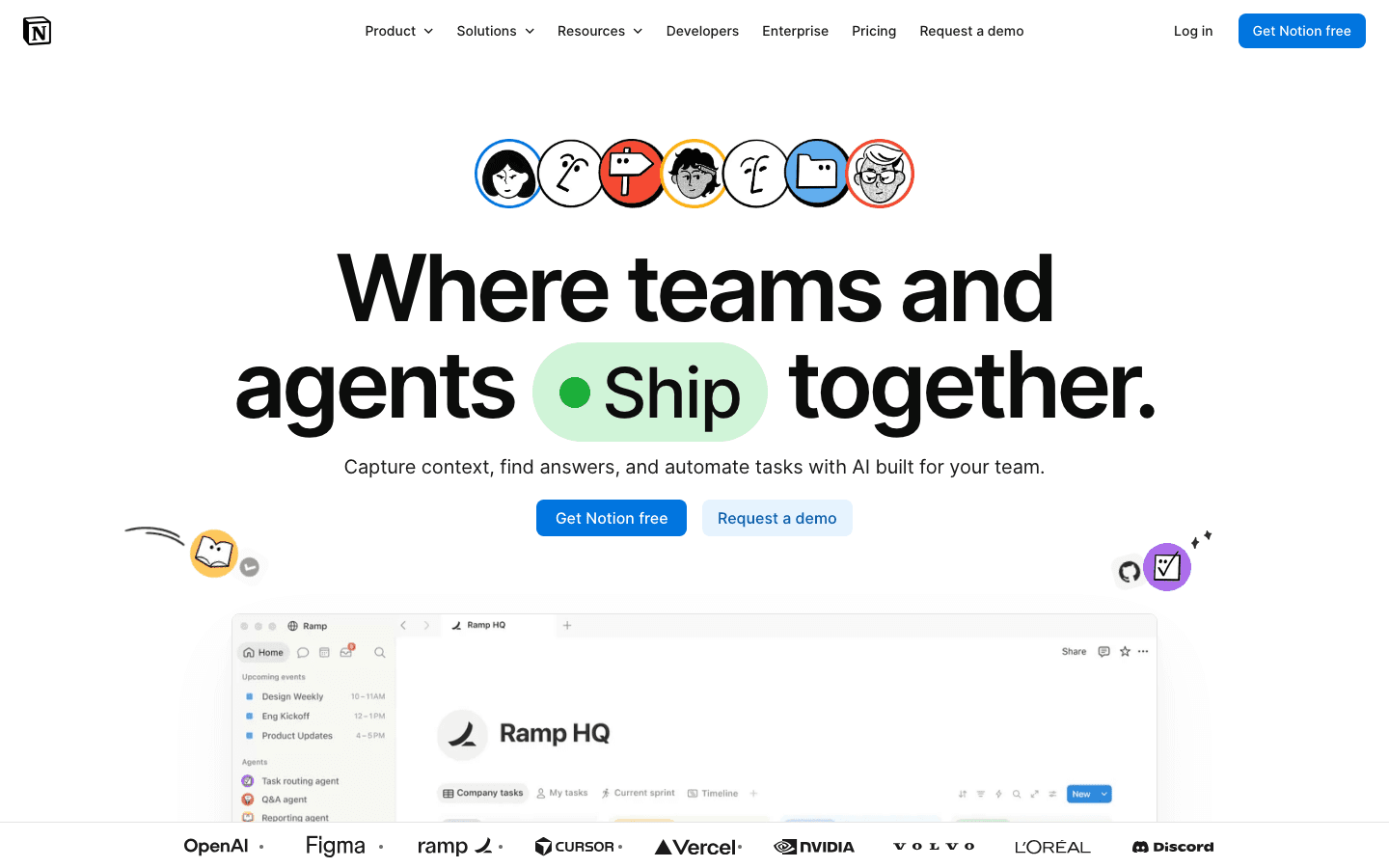
Notion sits at the opposite end of the spectrum from Google Keep. Where Keep is minimal, Notion is expansive. You can build anything from a simple note to a full team knowledge base with database views, kanban boards, calendars, and relational tables. The free plan covers unlimited pages and blocks, which is genuinely more than most users need.
The trade-off is speed. Opening Notion to jot a quick thought takes more friction than Keep's widget tap. For structured notes, project docs, and team wikis, Notion is hard to beat. For quick capture, it's slower than most alternatives on this list. Check our detailed Notion pricing breakdown if you're evaluating the paid tiers. The Plus plan at $10/month unlocks unlimited file uploads and collaboration features that Keep never had.
Key Features
Unlimited pages and blocks on the free plan
Database views: table, board, calendar, gallery, list
Notion AI for writing, summarizing, and answering questions
Team collaboration with comments, mentions, and shared pages
Available on iOS, Android, Mac, Windows, and web
What Works
Unmatched flexibility for structured notes and project documentation
Free plan is one of the most generous in the category
Notion AI adds real writing utility, especially on the Business plan
Limitations
Slower to open than Keep for quick capture
Can feel overwhelming without upfront setup
No energy awareness or calendar-based task scheduling
Pricing: Free; Plus $10/month (annual); Business $20/month (annual)
Best for: Users who outgrew Keep and want a structured workspace for notes, docs, and projects
3. Apple Notes
The fastest free Keep replacement for the Apple ecosystem
Apple Notes doesn't get enough credit. It's fast, syncs instantly across iPhone, iPad, Mac, and even the web, and it has gotten meaningfully better over the past two years. Inline images, scanned documents, checklists, tags, smart folders, and collaborative real-time editing are all included at no cost. For iPhone and Mac users looking for the closest functional equivalent to Google Keep, this is it.
The main limitation is ecosystem lock-in. Apple Notes works beautifully within Apple products and poorly outside them. There's no native Android app and no Windows desktop client. If your workflow touches Android or Windows, Apple Notes becomes a dead end quickly. But for users who are all-in on Apple devices, it's a compelling upgrade from Keep that costs nothing.
Key Features
Free, built-in on all Apple devices with instant iCloud sync
Checklists, tags, smart folders, and inline attachments
Document scanning with OCR and handwriting recognition
Real-time collaboration and shared notes
Available on iPhone, iPad, Mac, and iCloud.com
What Works
Fastest launch and capture speed of any app on this list
Deep system integration on Apple devices (Siri, Spotlight, widgets)
Completely free with no paid tiers to navigate
Limitations
No Android or Windows support (Apple ecosystem only)
No backlinks, knowledge graph, or advanced organization
No task scheduling or calendar integration
Pricing: Free (built into all Apple devices)
Best for: iPhone and Mac users who want a fast, free Google Keep replacement within the Apple ecosystem
4. Microsoft OneNote
Free, feature-rich notes for the Microsoft ecosystem
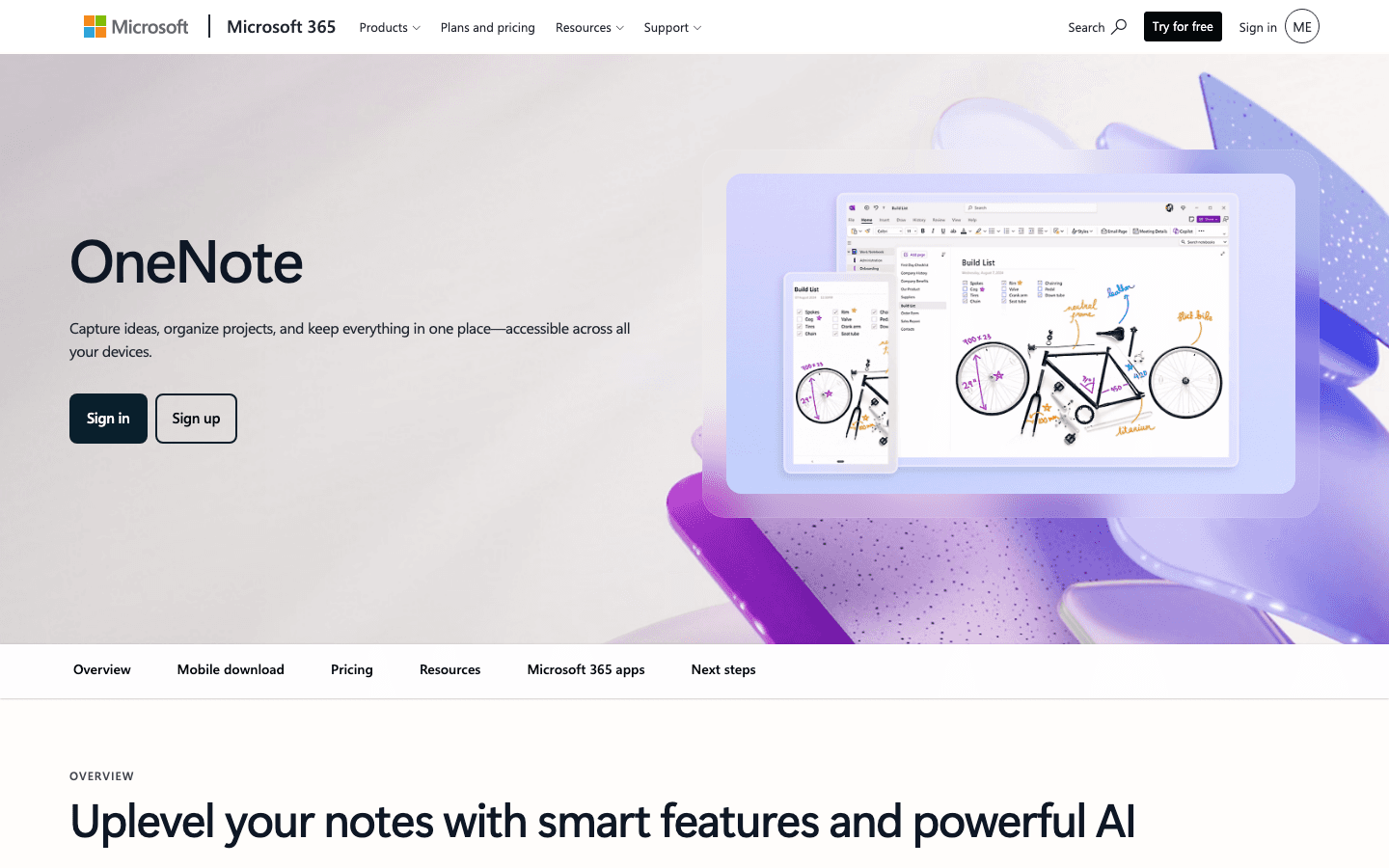
OneNote is the most generous free note-taking app for users inside the Microsoft orbit. Notebooks, sections, and pages give you a structured hierarchy that Google Keep completely lacks. You can type anywhere on a page, insert images, attach files, draw with a stylus, and record audio, all within a free account. It syncs through OneDrive and works on iOS, Android, Mac, Windows, and the web.
The desktop productivity story for OneNote is strong: the Windows version in particular has tight Office integration, and users who frequently paste content between Word, Excel, and their notes will find the workflow natural. The mobile apps are less polished than the desktop version, but they're functional. If you're already in Microsoft 365, OneNote is essentially free to try and covers most of what Keep did.
Key Features
Free with any Microsoft account, with generous storage via OneDrive
Hierarchical organization with notebooks, sections, and pages
Rich formatting, stylus drawing, audio recording, and file attachments
Available on iOS, Android, Mac, Windows, and web
Microsoft 365 Copilot integration for AI-assisted notes
What Works
Most powerful free note-taker for Windows and Office 365 users
Flexible canvas layout lets you place notes anywhere on a page
No storage limits beyond your OneDrive quota
Limitations
Mobile apps feel dated compared to newer note-taking apps
No energy-aware scheduling or calendar integration
Slower syncing than competitors on mobile
Pricing: Free with any Microsoft account
Best for: Windows users and anyone already in the Microsoft 365 ecosystem
5. Evernote
Web clipping, deep search, and AI-assisted notes
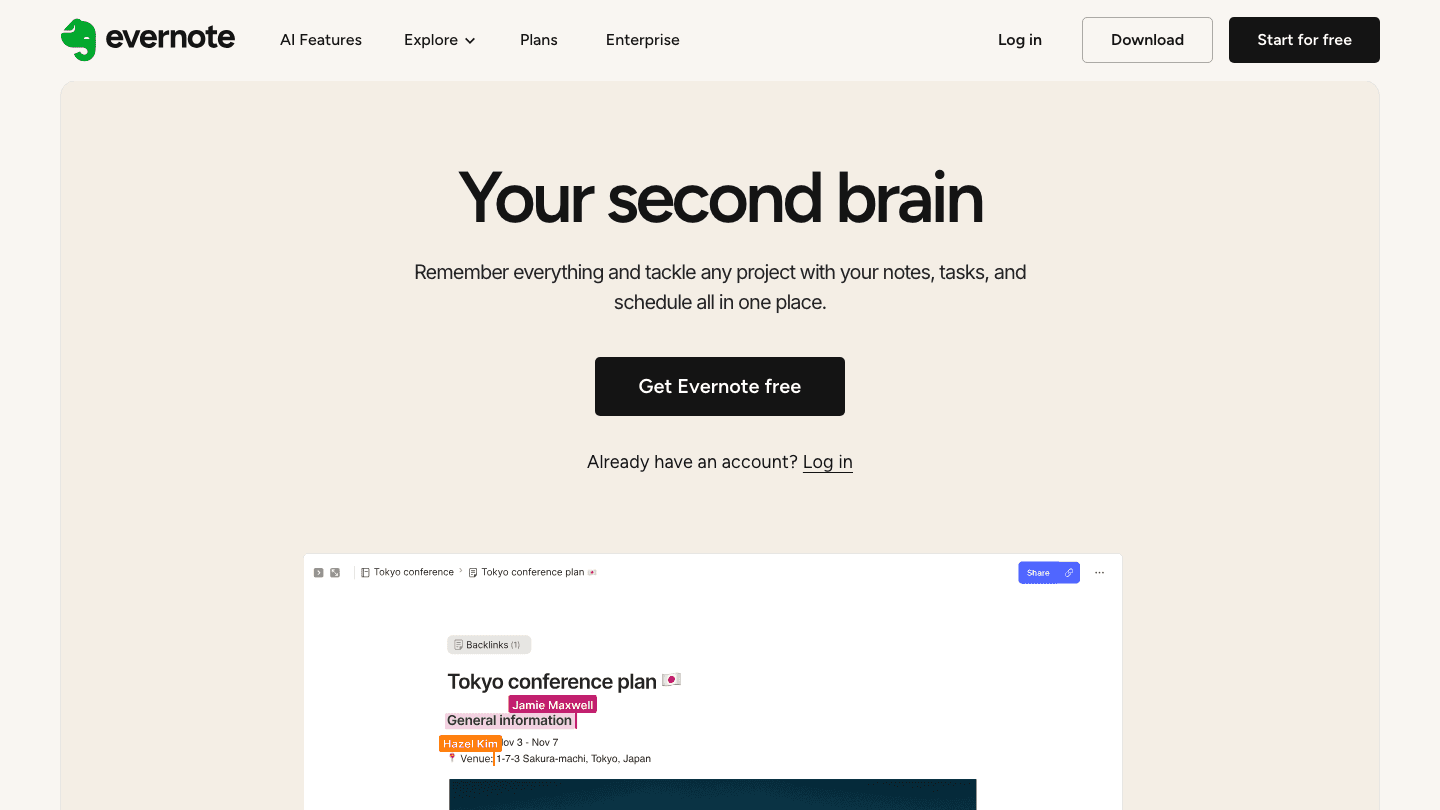
Evernote has been around long enough to feel like a safe bet, and in a few areas it still leads the category. The web clipper is the best in the business, letting you save full pages, articles, or selections directly into your notes with one click. Full-text search inside PDFs and scanned documents is another area where Evernote outperforms most alternatives. And the recent AI features add genuine utility for summarizing and processing long notes.
The catch is pricing. Evernote's free plan caps you at 50 notes and one notebook, which is far more restrictive than Keep. The Starter plan at $99/year unlocks more but still limits device count. The Advanced plan at $249.99/year has gotten expensive relative to what competitors now offer for less. If web clipping and document search are your primary use cases, Evernote earns the cost. For general note-taking, cheaper alternatives cover the same ground.
Key Features
Best-in-class web clipper for Chrome, Firefox, and Safari
Full-text search inside PDFs, images, and handwritten notes
AI features for summarizing and processing long-form content
Tasks and reminders built into notes
Available on iOS, Android, Mac, Windows, and web
What Works
Web clipper is genuinely excellent and unmatched in this category
Document and PDF search saves significant time for research-heavy users
AI note summarization is useful for long meeting notes and documents
Limitations
Free plan is severely limited compared to Google Keep
Pricing has increased significantly and is harder to justify at $250/year
No energy-aware scheduling or task automation
Pricing: Free (50 notes max); Starter $8.25/month ($99/year); Advanced $20.83/month ($249.99/year)
Best for: Power users who heavily clip web content and need deep document search
6. Obsidian
Local-first markdown notes with a knowledge graph
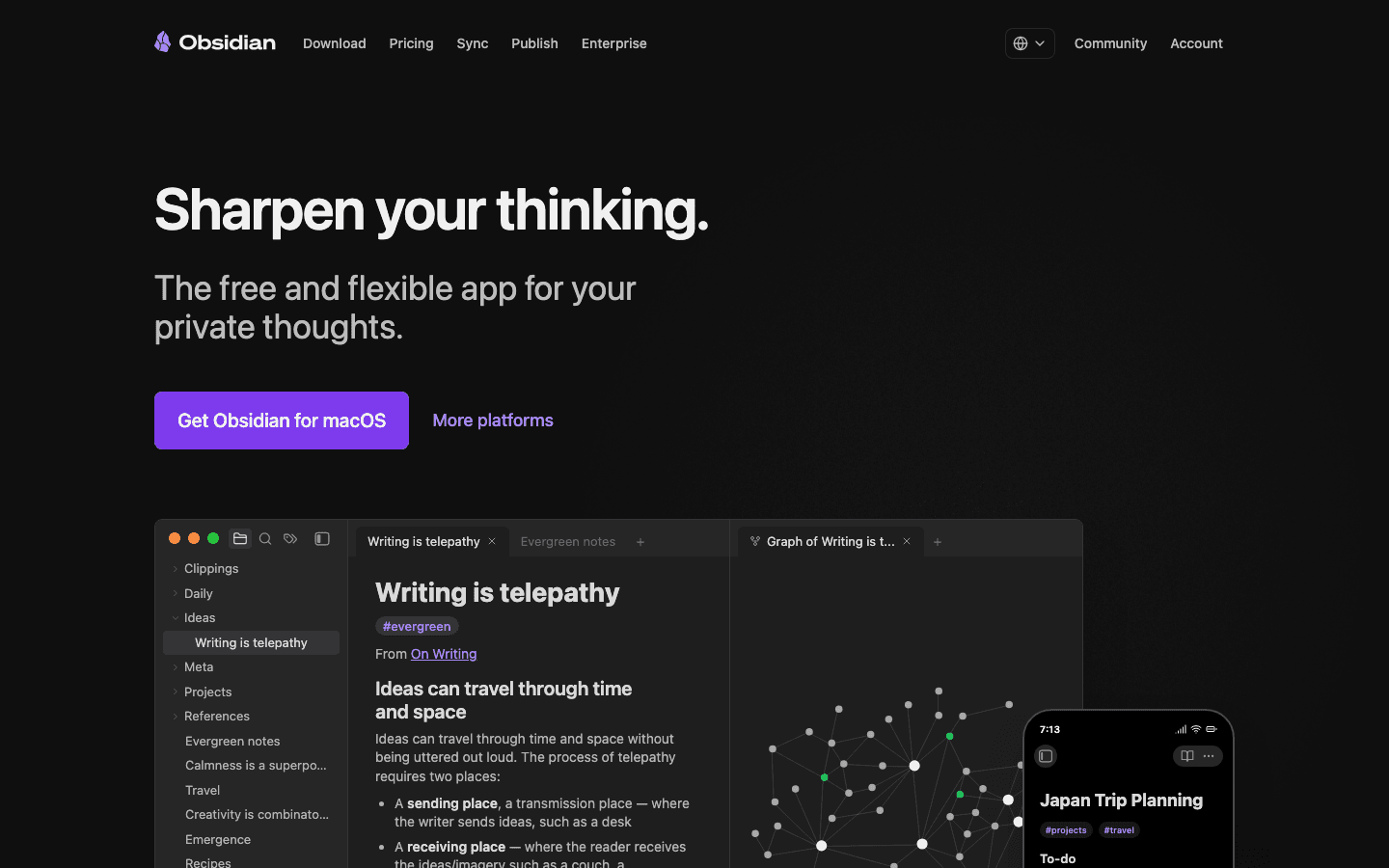
Obsidian is the most technically capable note app on this list. Notes are plain markdown files stored on your own device, with no proprietary format and no cloud dependency by default. Backlinks let you connect ideas across notes, and the graph view maps the relationships between everything you've written. For people who use notes to think, not just to store information, Obsidian can become something significantly more useful than any other app here.
It's not for everyone. There's no setup-free experience. You build your own structure, and the flexibility that makes Obsidian powerful also means you need to decide how to organize things yourself. The app is free for personal use, and the optional Sync add-on at $4/month lets you sync across devices. If you want to go deeper on building a second brain or knowledge base, Obsidian is worth the learning curve. It pairs naturally with Lifestack if you want local markdown notes plus a scheduling layer on top.
Key Features
Local-first plain markdown files with no proprietary lock-in
Backlinks and graph view for connecting ideas across notes
700+ community plugins including Kanban boards, calendars, and spaced repetition
Free for personal use; $4/month (annual) for cross-device sync
Available on iOS, Android, Mac, Windows, and Linux
What Works
Full data ownership: your notes are just files on your own drive
Backlink system is genuinely powerful for knowledge-building over time
Plugin ecosystem makes it extensible beyond any other app here
Limitations
Steeper learning curve than any other option on this list
No built-in collaboration (limited multi-user support)
Setup and organization entirely on you. There's no guided structure
Pricing: Free (personal use); Sync add-on $4/month (annual, ~$48/year)
Best for: Users who want private, local-first notes with powerful cross-linking and full data control
7. Todoist
The task-first alternative for Keep's checklist users
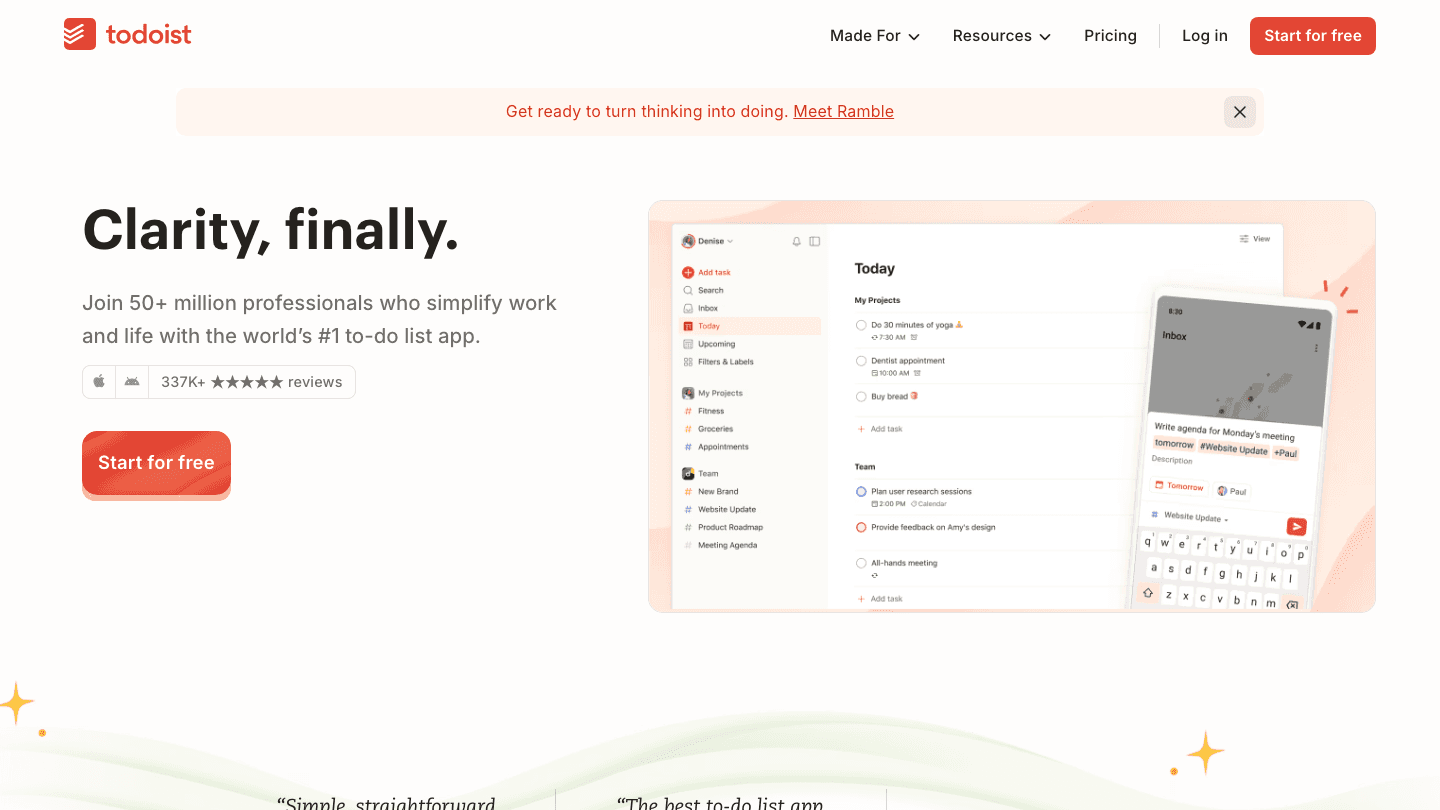
If you mostly used Google Keep for checklists and to-do lists, Todoist is where you should land. It's one of the cleanest, most reliable task managers available, with natural language input that turns "buy milk tomorrow at 9am" into a scheduled task instantly. The free plan covers 5 active projects, which handles most personal use cases.
Todoist doesn't try to be a note-taking app. You won't store long documents or clip web pages here. But if your Keep usage was 80% lists and 20% notes, Todoist handles the lists better than Keep ever did. See our Todoist pricing guide for a breakdown of what the Pro plan adds at $5/month. It also integrates well with Google Calendar, so your tasks appear alongside your events, a combination that gets you most of what Keep's reminders did, with better structure.
Key Features
Natural language task input with date and time parsing
Recurring tasks, priorities, labels, and filters
Google Calendar sync that shows tasks alongside events
Available on iOS, Android, Mac, Windows, web, and browser extension
Karma point system for tracking productivity streaks
What Works
Natural language input is the fastest capture experience for tasks
Google Calendar integration works reliably and stays in sync
Free plan genuinely covers most personal task management needs
Limitations
Not a note-taking app. No long-form writing or rich formatting
No backlinks, knowledge graph, or document attachments on lower tiers
No energy-aware scheduling (pairs well with Lifestack for that layer)
Pricing: Free (5 projects); Pro $5/month ($60/year); Business $8/user/month ($96/year)
Best for: Google Keep users who mainly used it for checklists and want a dedicated, reliable task manager
Which Google Keep Alternative Is Right for You?
The best choice depends on what you actually used Keep for:
You used Keep for quick notes and reminders: Lifestack if you want those reminders to become scheduled tasks. Apple Notes if you want the fastest free swap on iPhone and Mac.
You used Keep for checklists and to-dos: Todoist. It handles tasks better than Keep ever did, and the free plan covers most users.
You need rich documents and team collaboration: Notion. The free plan is expansive and the database features have no equivalent in Keep.
You're a Windows or Microsoft 365 user: OneNote. It's free, powerful, and already in your ecosystem.
You clip a lot of web content: Evernote's web clipper is still the best, though the price has gotten steep.
You want full data ownership and don't mind setup: Obsidian. Your notes are plain files, always under your control.
FAQ
What is the best free Google Keep alternative?
Apple Notes is the best free alternative if you use iPhone or Mac: it's fast, full-featured, and already installed. Microsoft OneNote is the best free option for Windows users. Notion's free plan is the most generous if you want structured databases and unlimited pages. Todoist free works well if your Keep usage was mostly checklists.
Which Google Keep alternative works on Android?
Lifestack, Notion, Evernote, Obsidian, and Todoist all have Android apps. Apple Notes is the only app on this list without Android support. OneNote on Android is functional, though the experience is better on Windows and Mac.
Is there a Google Keep alternative that also manages tasks?
Lifestack is the strongest option if you want both note capture and task management. It goes further than Keep by scheduling tasks around your daily energy levels. Todoist is the better pick if you want a dedicated task manager rather than a combined system. Both integrate with Google Tasks and sync with Google Calendar.
Can I export my Google Keep notes to another app?
Yes. Google Keep lets you export your notes through Google Takeout as a JSON or HTML archive. Most alternatives let you import plain text or HTML. Notion supports HTML import directly. Obsidian works with any plain text or markdown files. For Evernote, Keep exports don't use the ENEX format, so you may need a conversion tool.
What's the best Google Keep alternative for privacy?
Obsidian stores your notes locally by default, with no cloud sync unless you pay for the Sync add-on. Your data never touches a third-party server unless you choose it. Apple Notes with iCloud encryption is a strong second choice for privacy within the Apple ecosystem.
Does Lifestack replace Google Keep entirely?
Lifestack covers task capture and scheduling, but it's not built for long-form notes or web clipping. If you want to replace Keep's full feature set, Lifestack handles the action-oriented side, and pairing it with Notion or Obsidian for richer notes covers the full range of what Keep offered.
Google Keep is fast and free, but it has real limits. No folders, no formatting, no backlinks, no task scheduling. For simple sticky notes it works fine. But if you're trying to manage projects, build a knowledge base, or actually act on what you capture, Keep runs out of runway fast.
The good news: there are genuinely strong alternatives at every price point. Some do more with structure and databases. Others prioritize speed or privacy. A few are free forever. The right choice depends on whether you're replacing Keep's quick-capture habit, its checklists, or both.
We tested seven Google Keep alternatives across note capture, organization, task management, and cross-platform sync. Here's what we found.
Key Takeaways
Lifestack goes beyond note capture by turning your notes into scheduled tasks, matched to your daily energy peaks.
Apple Notes and Microsoft OneNote are the strongest free alternatives if you're already in the Apple or Microsoft ecosystem.
Obsidian is the best choice for users who want local-first, private notes with powerful cross-linking, but it has a steeper learning curve than Keep.
Quick Guide
Lifestack: best Google Keep alternative for capturing notes and turning them into scheduled tasks
Notion: best for structured notes, databases, and team wikis
Apple Notes: best free Keep alternative for iPhone and Mac users
Microsoft OneNote: best free Keep alternative for Windows and Office 365 users
Evernote: best for web clipping, email forwarding, and deep search
Obsidian: best for private, local-first notes with backlinks and knowledge graphs
Todoist: best Keep alternative if you mostly used Keep for checklists and tasks
How We Evaluated
Speed of capture (quick notes, voice, widgets)
Organization system (folders, tags, search, backlinks)
Cross-platform availability and sync reliability
Task management features beyond basic checklists
Free tier quality and paid plan value
Privacy and data ownership
1. Lifestack
Capture notes and schedule them around your energy
Most note apps let you write things down and leave you to figure out when to act on them. Lifestack does something different: it connects your notes to your calendar and schedules tasks based on your personal energy levels throughout the day. That means a note you capture becomes something you actually do, routed to the time when you're best equipped to handle it.
For users who relied on Google Keep's checklists and reminders, Lifestack is the most complete upgrade. It handles quick capture well, syncs across iOS, Android, and Chrome, and integrates directly with Google Calendar. If you've been looking for a daily planner that syncs with Google Calendar, Lifestack adds energy-awareness on top of that sync. It's particularly useful if you work with Google Tasks. Lifestack can pull those in and slot them into your day automatically.
Where Lifestack differs from every other app on this list: it's not just a place to store information. It's a system for acting on it.
Key Features
Energy-aware task scheduling that routes work to your peak hours
Quick note and task capture on iOS, Android, and Chrome
Google Calendar and Apple Calendar integration
Google Tasks and Apple Reminders sync
ADHD-friendly visual planning interface
What Works
Bridges the gap between note capture and actual execution
Calendar integration is tighter than any other app on this list
Works well as a standalone productivity system, not just a notes layer
Limitations
Not designed for long-form writing or rich document formatting
No web clipper or email forwarding (unlike Evernote)
Knowledge graph or backlink features are not in scope (Obsidian territory)
Pricing: $7/month, $50/year, or $120 lifetime
Best for: People who want to capture notes and actually act on them, with scheduling built in
2. Notion
From sticky notes to full wikis and databases
Notion sits at the opposite end of the spectrum from Google Keep. Where Keep is minimal, Notion is expansive. You can build anything from a simple note to a full team knowledge base with database views, kanban boards, calendars, and relational tables. The free plan covers unlimited pages and blocks, which is genuinely more than most users need.
The trade-off is speed. Opening Notion to jot a quick thought takes more friction than Keep's widget tap. For structured notes, project docs, and team wikis, Notion is hard to beat. For quick capture, it's slower than most alternatives on this list. Check our detailed Notion pricing breakdown if you're evaluating the paid tiers. The Plus plan at $10/month unlocks unlimited file uploads and collaboration features that Keep never had.
Key Features
Unlimited pages and blocks on the free plan
Database views: table, board, calendar, gallery, list
Notion AI for writing, summarizing, and answering questions
Team collaboration with comments, mentions, and shared pages
Available on iOS, Android, Mac, Windows, and web
What Works
Unmatched flexibility for structured notes and project documentation
Free plan is one of the most generous in the category
Notion AI adds real writing utility, especially on the Business plan
Limitations
Slower to open than Keep for quick capture
Can feel overwhelming without upfront setup
No energy awareness or calendar-based task scheduling
Pricing: Free; Plus $10/month (annual); Business $20/month (annual)
Best for: Users who outgrew Keep and want a structured workspace for notes, docs, and projects
3. Apple Notes
The fastest free Keep replacement for the Apple ecosystem
Apple Notes doesn't get enough credit. It's fast, syncs instantly across iPhone, iPad, Mac, and even the web, and it has gotten meaningfully better over the past two years. Inline images, scanned documents, checklists, tags, smart folders, and collaborative real-time editing are all included at no cost. For iPhone and Mac users looking for the closest functional equivalent to Google Keep, this is it.
The main limitation is ecosystem lock-in. Apple Notes works beautifully within Apple products and poorly outside them. There's no native Android app and no Windows desktop client. If your workflow touches Android or Windows, Apple Notes becomes a dead end quickly. But for users who are all-in on Apple devices, it's a compelling upgrade from Keep that costs nothing.
Key Features
Free, built-in on all Apple devices with instant iCloud sync
Checklists, tags, smart folders, and inline attachments
Document scanning with OCR and handwriting recognition
Real-time collaboration and shared notes
Available on iPhone, iPad, Mac, and iCloud.com
What Works
Fastest launch and capture speed of any app on this list
Deep system integration on Apple devices (Siri, Spotlight, widgets)
Completely free with no paid tiers to navigate
Limitations
No Android or Windows support (Apple ecosystem only)
No backlinks, knowledge graph, or advanced organization
No task scheduling or calendar integration
Pricing: Free (built into all Apple devices)
Best for: iPhone and Mac users who want a fast, free Google Keep replacement within the Apple ecosystem
4. Microsoft OneNote
Free, feature-rich notes for the Microsoft ecosystem
OneNote is the most generous free note-taking app for users inside the Microsoft orbit. Notebooks, sections, and pages give you a structured hierarchy that Google Keep completely lacks. You can type anywhere on a page, insert images, attach files, draw with a stylus, and record audio, all within a free account. It syncs through OneDrive and works on iOS, Android, Mac, Windows, and the web.
The desktop productivity story for OneNote is strong: the Windows version in particular has tight Office integration, and users who frequently paste content between Word, Excel, and their notes will find the workflow natural. The mobile apps are less polished than the desktop version, but they're functional. If you're already in Microsoft 365, OneNote is essentially free to try and covers most of what Keep did.
Key Features
Free with any Microsoft account, with generous storage via OneDrive
Hierarchical organization with notebooks, sections, and pages
Rich formatting, stylus drawing, audio recording, and file attachments
Available on iOS, Android, Mac, Windows, and web
Microsoft 365 Copilot integration for AI-assisted notes
What Works
Most powerful free note-taker for Windows and Office 365 users
Flexible canvas layout lets you place notes anywhere on a page
No storage limits beyond your OneDrive quota
Limitations
Mobile apps feel dated compared to newer note-taking apps
No energy-aware scheduling or calendar integration
Slower syncing than competitors on mobile
Pricing: Free with any Microsoft account
Best for: Windows users and anyone already in the Microsoft 365 ecosystem
5. Evernote
Web clipping, deep search, and AI-assisted notes
Evernote has been around long enough to feel like a safe bet, and in a few areas it still leads the category. The web clipper is the best in the business, letting you save full pages, articles, or selections directly into your notes with one click. Full-text search inside PDFs and scanned documents is another area where Evernote outperforms most alternatives. And the recent AI features add genuine utility for summarizing and processing long notes.
The catch is pricing. Evernote's free plan caps you at 50 notes and one notebook, which is far more restrictive than Keep. The Starter plan at $99/year unlocks more but still limits device count. The Advanced plan at $249.99/year has gotten expensive relative to what competitors now offer for less. If web clipping and document search are your primary use cases, Evernote earns the cost. For general note-taking, cheaper alternatives cover the same ground.
Key Features
Best-in-class web clipper for Chrome, Firefox, and Safari
Full-text search inside PDFs, images, and handwritten notes
AI features for summarizing and processing long-form content
Tasks and reminders built into notes
Available on iOS, Android, Mac, Windows, and web
What Works
Web clipper is genuinely excellent and unmatched in this category
Document and PDF search saves significant time for research-heavy users
AI note summarization is useful for long meeting notes and documents
Limitations
Free plan is severely limited compared to Google Keep
Pricing has increased significantly and is harder to justify at $250/year
No energy-aware scheduling or task automation
Pricing: Free (50 notes max); Starter $8.25/month ($99/year); Advanced $20.83/month ($249.99/year)
Best for: Power users who heavily clip web content and need deep document search
6. Obsidian
Local-first markdown notes with a knowledge graph
Obsidian is the most technically capable note app on this list. Notes are plain markdown files stored on your own device, with no proprietary format and no cloud dependency by default. Backlinks let you connect ideas across notes, and the graph view maps the relationships between everything you've written. For people who use notes to think, not just to store information, Obsidian can become something significantly more useful than any other app here.
It's not for everyone. There's no setup-free experience. You build your own structure, and the flexibility that makes Obsidian powerful also means you need to decide how to organize things yourself. The app is free for personal use, and the optional Sync add-on at $4/month lets you sync across devices. If you want to go deeper on building a second brain or knowledge base, Obsidian is worth the learning curve. It pairs naturally with Lifestack if you want local markdown notes plus a scheduling layer on top.
Key Features
Local-first plain markdown files with no proprietary lock-in
Backlinks and graph view for connecting ideas across notes
700+ community plugins including Kanban boards, calendars, and spaced repetition
Free for personal use; $4/month (annual) for cross-device sync
Available on iOS, Android, Mac, Windows, and Linux
What Works
Full data ownership: your notes are just files on your own drive
Backlink system is genuinely powerful for knowledge-building over time
Plugin ecosystem makes it extensible beyond any other app here
Limitations
Steeper learning curve than any other option on this list
No built-in collaboration (limited multi-user support)
Setup and organization entirely on you. There's no guided structure
Pricing: Free (personal use); Sync add-on $4/month (annual, ~$48/year)
Best for: Users who want private, local-first notes with powerful cross-linking and full data control
7. Todoist
The task-first alternative for Keep's checklist users
If you mostly used Google Keep for checklists and to-do lists, Todoist is where you should land. It's one of the cleanest, most reliable task managers available, with natural language input that turns "buy milk tomorrow at 9am" into a scheduled task instantly. The free plan covers 5 active projects, which handles most personal use cases.
Todoist doesn't try to be a note-taking app. You won't store long documents or clip web pages here. But if your Keep usage was 80% lists and 20% notes, Todoist handles the lists better than Keep ever did. See our Todoist pricing guide for a breakdown of what the Pro plan adds at $5/month. It also integrates well with Google Calendar, so your tasks appear alongside your events, a combination that gets you most of what Keep's reminders did, with better structure.
Key Features
Natural language task input with date and time parsing
Recurring tasks, priorities, labels, and filters
Google Calendar sync that shows tasks alongside events
Available on iOS, Android, Mac, Windows, web, and browser extension
Karma point system for tracking productivity streaks
What Works
Natural language input is the fastest capture experience for tasks
Google Calendar integration works reliably and stays in sync
Free plan genuinely covers most personal task management needs
Limitations
Not a note-taking app. No long-form writing or rich formatting
No backlinks, knowledge graph, or document attachments on lower tiers
No energy-aware scheduling (pairs well with Lifestack for that layer)
Pricing: Free (5 projects); Pro $5/month ($60/year); Business $8/user/month ($96/year)
Best for: Google Keep users who mainly used it for checklists and want a dedicated, reliable task manager
Which Google Keep Alternative Is Right for You?
The best choice depends on what you actually used Keep for:
You used Keep for quick notes and reminders: Lifestack if you want those reminders to become scheduled tasks. Apple Notes if you want the fastest free swap on iPhone and Mac.
You used Keep for checklists and to-dos: Todoist. It handles tasks better than Keep ever did, and the free plan covers most users.
You need rich documents and team collaboration: Notion. The free plan is expansive and the database features have no equivalent in Keep.
You're a Windows or Microsoft 365 user: OneNote. It's free, powerful, and already in your ecosystem.
You clip a lot of web content: Evernote's web clipper is still the best, though the price has gotten steep.
You want full data ownership and don't mind setup: Obsidian. Your notes are plain files, always under your control.
FAQ
What is the best free Google Keep alternative?
Apple Notes is the best free alternative if you use iPhone or Mac: it's fast, full-featured, and already installed. Microsoft OneNote is the best free option for Windows users. Notion's free plan is the most generous if you want structured databases and unlimited pages. Todoist free works well if your Keep usage was mostly checklists.
Which Google Keep alternative works on Android?
Lifestack, Notion, Evernote, Obsidian, and Todoist all have Android apps. Apple Notes is the only app on this list without Android support. OneNote on Android is functional, though the experience is better on Windows and Mac.
Is there a Google Keep alternative that also manages tasks?
Lifestack is the strongest option if you want both note capture and task management. It goes further than Keep by scheduling tasks around your daily energy levels. Todoist is the better pick if you want a dedicated task manager rather than a combined system. Both integrate with Google Tasks and sync with Google Calendar.
Can I export my Google Keep notes to another app?
Yes. Google Keep lets you export your notes through Google Takeout as a JSON or HTML archive. Most alternatives let you import plain text or HTML. Notion supports HTML import directly. Obsidian works with any plain text or markdown files. For Evernote, Keep exports don't use the ENEX format, so you may need a conversion tool.
What's the best Google Keep alternative for privacy?
Obsidian stores your notes locally by default, with no cloud sync unless you pay for the Sync add-on. Your data never touches a third-party server unless you choose it. Apple Notes with iCloud encryption is a strong second choice for privacy within the Apple ecosystem.
Does Lifestack replace Google Keep entirely?
Lifestack covers task capture and scheduling, but it's not built for long-form notes or web clipping. If you want to replace Keep's full feature set, Lifestack handles the action-oriented side, and pairing it with Notion or Obsidian for richer notes covers the full range of what Keep offered.



FOLLOW ON
FOLLOW ON
FOLLOW ON


Copyright 2026 © Lifestack. All rights reserved
Copyright 2026 © Lifestack. All rights reserved

