
App
Best Outlook Scheduling Assistant Apps in 2026
Best Outlook Scheduling Assistant Apps in 2026

Microsoft Outlook is the calendar of record for most professionals. If you're scheduling meetings, tracking deadlines, or managing a packed week, chances are Outlook is at the center of it. The problem is that Outlook's built-in scheduling tools are fairly basic: they show you when people are free, but they don't help you think about energy, focus, or what actually belongs on your calendar in the first place.
A good Outlook scheduling assistant fills that gap. Whether you need AI-powered time blocking, a booking page for clients, or a smarter interface for your existing calendar data, the right tool can change how much you actually get done each day.
We tested the leading options across individual planning, team scheduling, and client booking. Here's what each one does well, where it falls short, and who it's built for.
Key Takeaways
Lifestack is the best choice if you want AI scheduling that accounts for your energy levels, not just your free time slots
Motion and Calendly excel at different things: Motion auto-schedules your task list, Calendly handles external meeting booking
Fantastical and Acuity serve specific audiences: Fantastical for Apple users who want a premium calendar interface, Acuity for service businesses booking client appointments
Quick Guide: Best Outlook Scheduling Assistants
Lifestack: Best for energy-aware daily planning with Outlook
Motion: Best for AI auto-scheduling tasks around your meetings
Calendly: Best for external meeting booking and client scheduling
Fantastical: Best calendar interface for Apple users with Outlook accounts
Acuity Scheduling: Best for service businesses booking client appointments
How We Evaluated These Tools
Outlook calendar integration depth and reliability
AI scheduling capabilities: does it just find free time, or does it think about energy and priorities?
Task management integration
Mobile apps and cross-platform access
Pricing relative to what you actually get
1. Lifestack: Best Energy-Aware Outlook Scheduling Assistant
The AI daily planner that reads your calendar and your body.

Lifestack is an AI daily planner that connects to your calendar (including Microsoft 365 and Outlook) and uses data from your wearable devices to build a schedule that matches your cognitive energy. Instead of just blocking time when you're technically free, it puts demanding tasks in your peak focus windows and lighter tasks when your energy dips.
This is the meaningful difference between Lifestack and every other tool on this list. Outlook's Scheduling Assistant shows you when you're available. Lifestack tells you when you're actually ready to do good work. For anyone dealing with ADHD, energy crashes, or inconsistent focus, that distinction matters enormously.
It integrates with your task lists, pulls in your calendar events, and then automatically drafts a daily plan. You can adjust it, but the default output is already better than what most people manage manually.
Key Features: Energy-based scheduling, wearable integration (Oura, Whoop, Garmin, Apple Watch), calendar sync, task management, AI daily planning
What Works: The energy-aware scheduling is genuinely differentiated; setup is fast; works across iOS and Android
Limitations: Primarily a personal planning tool, not designed for team meeting scheduling or client booking
Pricing: $7/month, $50/year (7-day free trial on annual), or $120 lifetime.
Best for: Professionals and individuals who want their Outlook calendar turned into an energy-aware daily plan, not just a time-slot viewer.
2. Motion: Best for AI Task Auto-Scheduling
Builds your full day from tasks and meetings automatically.
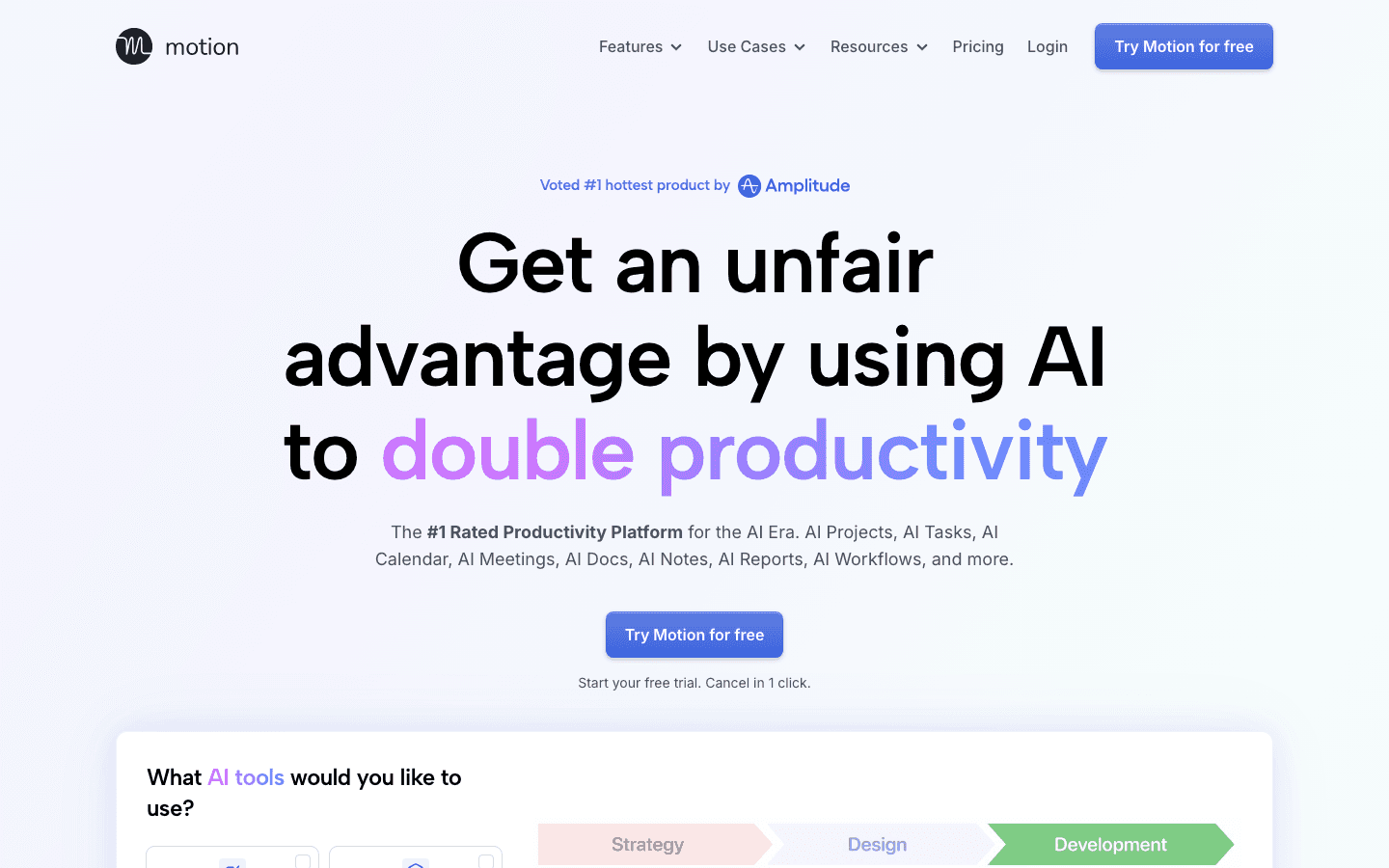
Motion connects to your calendar and your task list, then uses AI to schedule everything into your available time automatically. When a new meeting gets added or a task overruns, Motion reschedules the rest of your day in the background. The result is a calendar that always reflects current reality rather than your original plan from Monday morning.
Motion works with Outlook calendars and includes project management tools, docs, and a focus timer. For people who spend time manually figuring out when to do their tasks, Motion removes most of that mental overhead. The downside is that it doesn't account for how you feel. A block at 2pm looks the same as one at 9am, even if your focus is completely different.
Key Features: AI task auto-scheduling, calendar integration, project management, meeting templates, mobile and desktop apps
What Works: Genuine time-saving on daily planning; good for teams with shared projects
Limitations: No energy awareness; pricing is high for individuals; can feel overwhelming at first
Pricing: $19/seat/month (Pro AI), $29/seat/month (Business AI). Annual billing saves 33%.
Best for: Project managers and teams who want their tasks auto-scheduled around Outlook meetings without manual planning.
3. Calendly: Best for External Meeting Booking
Lets others book time on your calendar without the back-and-forth.
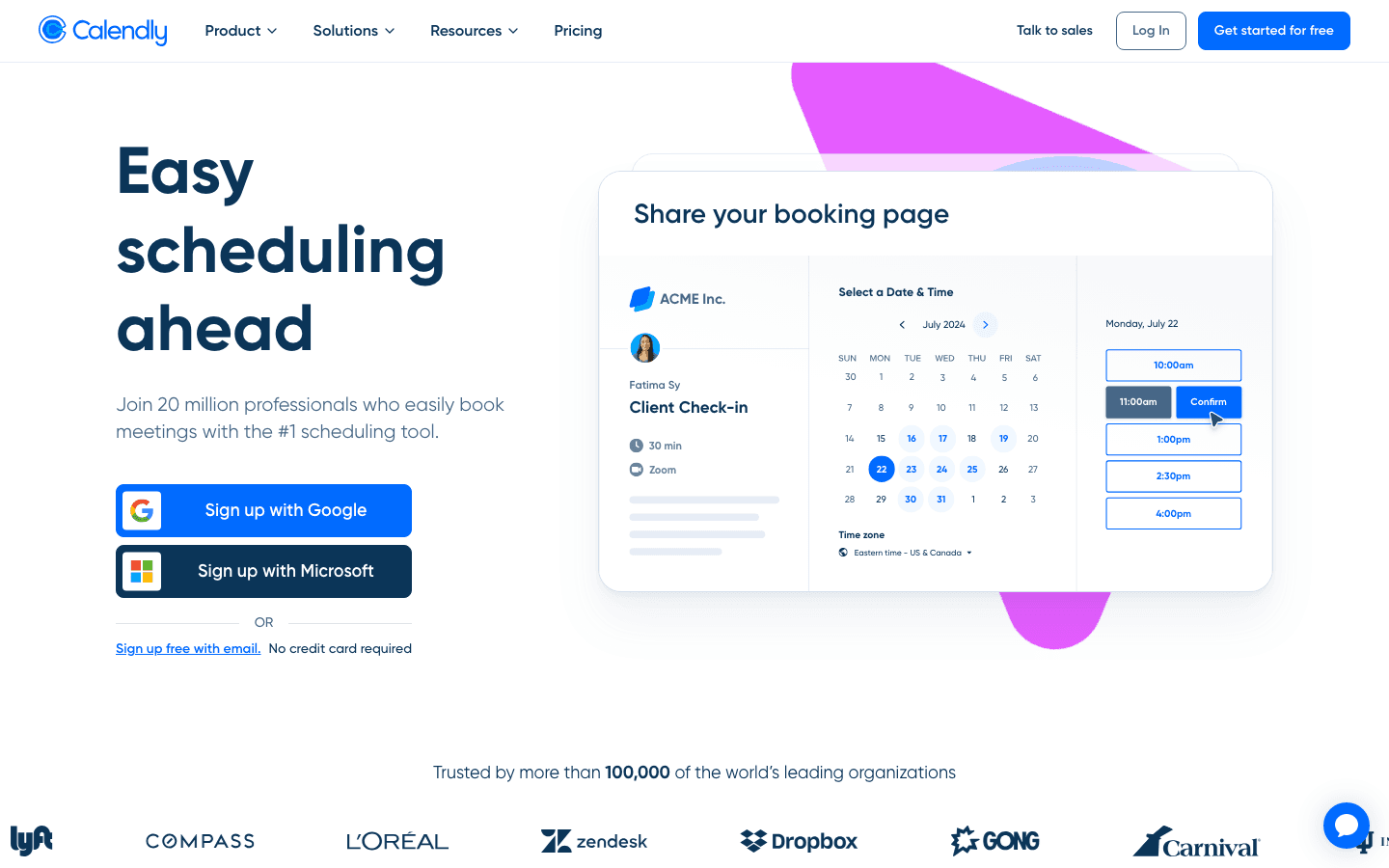
Calendly connects to your Outlook calendar and creates a booking page where contacts, clients, or colleagues can choose from your available time slots. When they book, the event lands directly in Outlook. No email threads, no "does Tuesday work?" It's one of the most widely adopted scheduling tools in use, trusted by over 20 million users.
The free plan covers the basics: one event type, one calendar connection, and unlimited meetings. Paid plans add multiple event types, payment collection, round-robin routing for teams, and integrations with tools like HubSpot and Salesforce. As a scheduling tool, Calendly is specifically built for the "finding a time with someone outside your company" problem. It's not a daily planner and doesn't help you decide what to do during the time you protect.
Key Features: Booking pages, Outlook calendar sync, event types, automated reminders, payment collection (paid plans)
What Works: Industry standard for external scheduling; easy to set up; free plan is genuinely useful
Limitations: No AI scheduling; no task management; doesn't help with personal planning or prioritization
Pricing: Free (1 event type). Standard $10/seat/month; Teams $16/seat/month. 14-day free trial on paid plans.
Best for: Anyone who regularly schedules meetings with people outside their organization and wants to eliminate scheduling back-and-forth.
4. Fantastical: Best Calendar Interface for Apple Users
Supercharges the Outlook experience on Mac and iPhone.
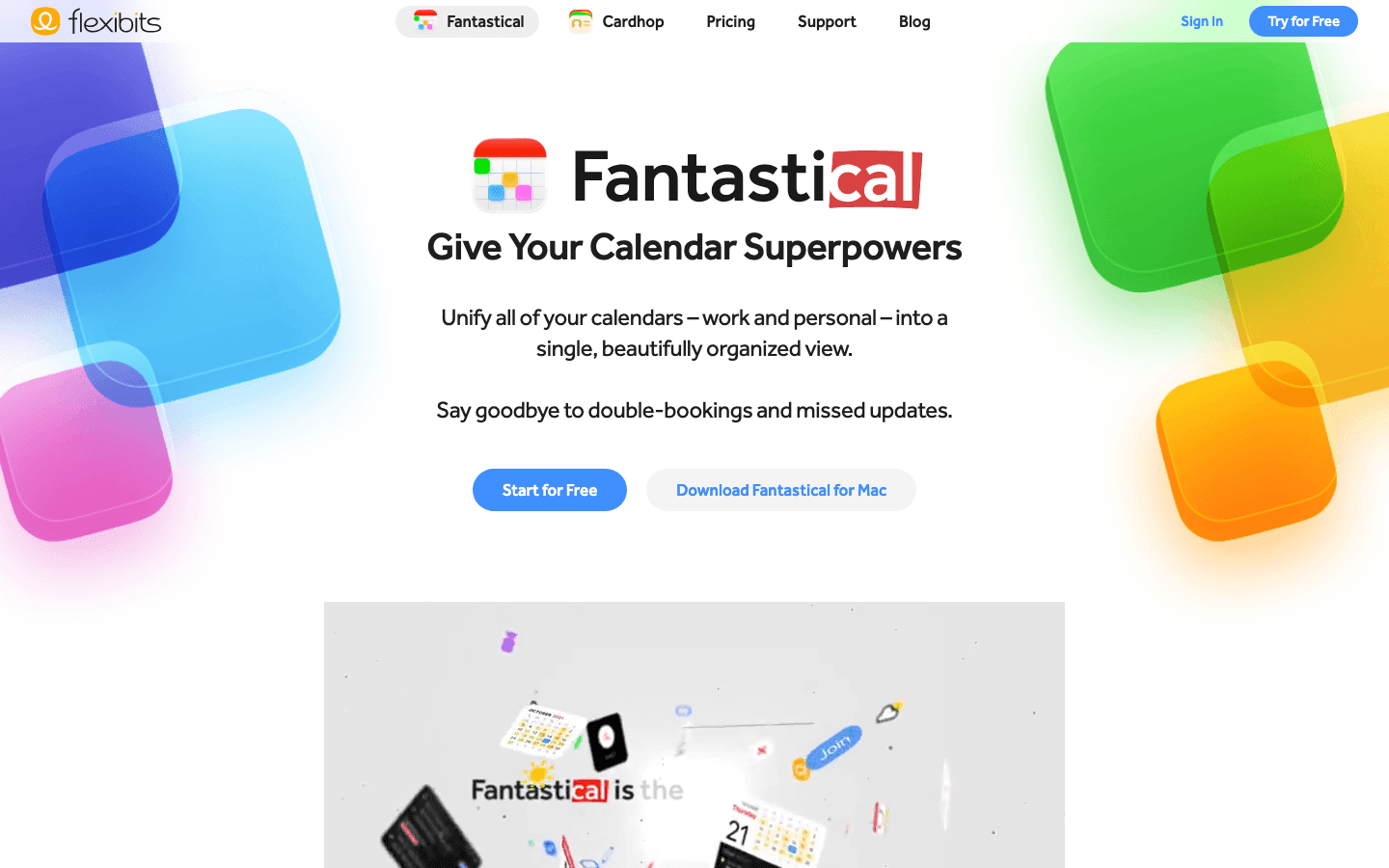
Fantastical is a premium calendar app for Apple devices that connects to your Outlook and Microsoft 365 accounts. It displays your calendar with a cleaner interface than Outlook's native apps, adds natural language event creation ("lunch with Alex next Friday at noon" creates the event automatically), and brings smart scheduling features including meeting proposal links so others can book time with you.
Where Fantastical shines is in the experience of actually using your calendar day to day. The week and month views are more readable than Outlook's. Task management integrates directly into the calendar view. The Scheduling feature generates a shareable link for finding meeting times, similar to Calendly but built into the app. For calendar management, Fantastical is one of the most polished options available on Apple platforms.
Key Features: Natural language input, Outlook/Exchange sync, scheduling links, task integration, weather overlays, Apple Watch support
What Works: Best-in-class interface for Apple users; natural language is genuinely faster; works with Outlook, Google, and iCloud simultaneously
Limitations: Apple only (no Windows or Android); no AI task scheduling; no energy awareness
Pricing: Free plan available. Individual from ~$4.75/month (billed annually, ~$40/year); Family and Team plans also available. 14-day free trial.
Best for: Mac and iPhone users who want a significantly better interface for their Outlook calendar.
5. Acuity Scheduling: Best for Client Appointment Booking
Appointment scheduling built for service businesses.
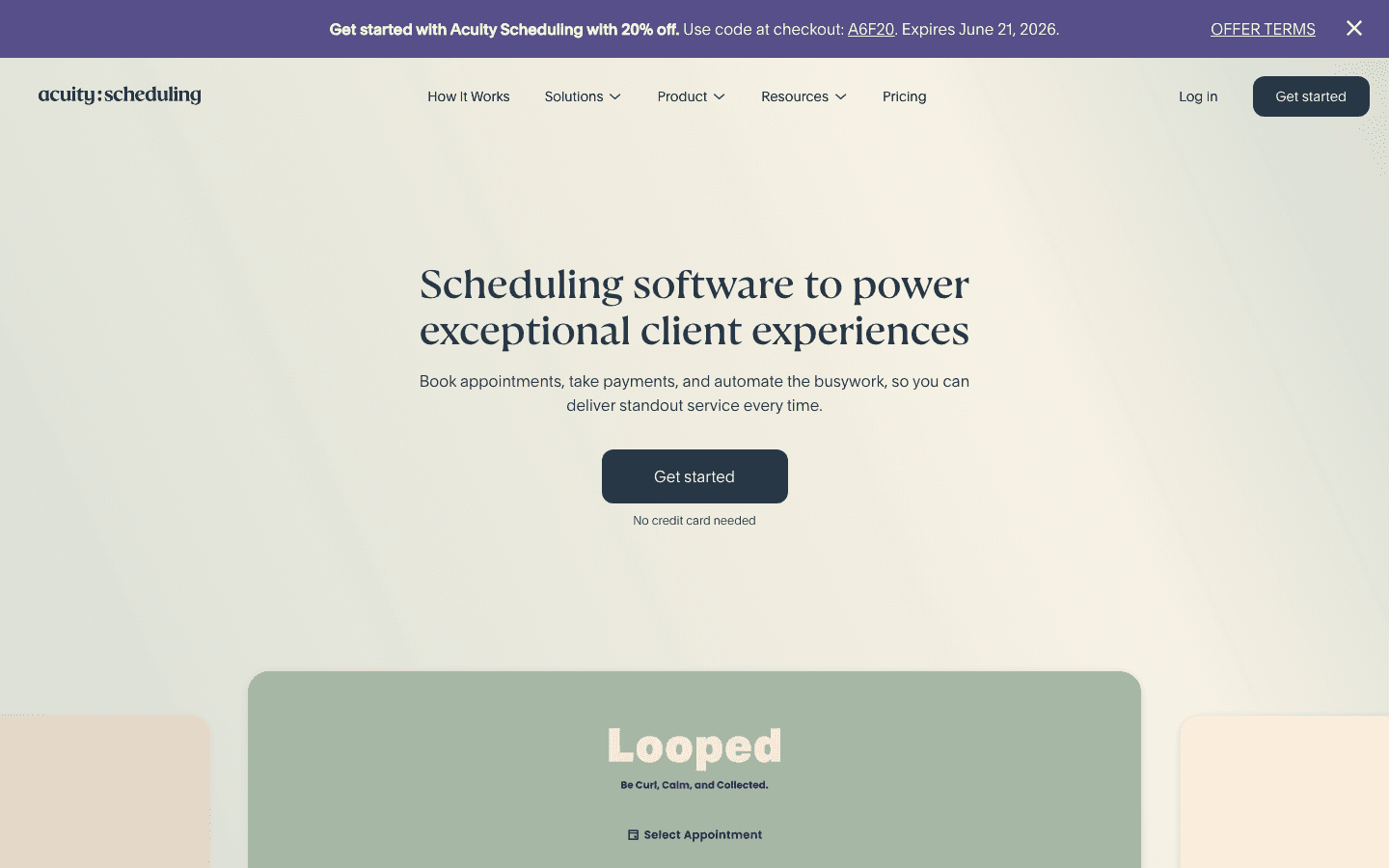
Acuity Scheduling is a dedicated appointment booking platform that integrates with Outlook to show your real availability, block time after appointments, and sync new bookings back to your calendar. It goes further than Calendly in one important area: client management. Acuity handles intake forms, waivers, payment processing, packages, gift certificates, and automated reminder sequences all in one tool.
For coaches, consultants, therapists, trainers, and service providers of any kind, Acuity is purpose-built for the workflows that matter. The client-facing booking experience is polished and highly customizable. Integrations with Squarespace websites are particularly strong. It's not built for internal team scheduling or personal planning, but for the appointment-booking workflow, it's hard to beat.
Key Features: Appointment booking, Outlook calendar sync, intake forms, payments, packages, automated reminders, group classes
What Works: Extremely thorough for service businesses; client management goes well beyond basic scheduling; integrates with Squarespace
Limitations: Overkill for individual professionals who just need a booking link; no AI scheduling; pricing jumps quickly
Pricing: Starter $20/month ($16/month billed annually); Standard $34/month ($27/month annually); Premium $61/month ($49/month annually). 7-day free trial.
Best for: Coaches, therapists, trainers, and other service providers who need appointment booking with client management and payments built in.
Which Outlook Scheduling Assistant Is Right for You?
You want AI-powered daily planning around your energy: Lifestack. Start a free trial on the annual plan.
You want your tasks auto-scheduled around your meetings: Motion. Best for project-heavy roles.
You need a booking link to share with clients or colleagues: Calendly. Start with the free plan.
You're on a Mac and want a better calendar experience: Fantastical. The free plan is worth trying first.
You run a service business and need appointment booking with payments: Acuity Scheduling.
If you're also thinking about how to manage your focus time alongside Outlook, the guide on time blocking apps goes deeper on protecting your calendar from meeting overload. And if you're evaluating AI schedulers more broadly, the best AI task manager comparison covers the full landscape.
Frequently Asked Questions
What is an Outlook scheduling assistant?
An Outlook scheduling assistant is a tool that extends or enhances Outlook's native calendar capabilities. This might mean AI-powered time blocking, external booking pages, energy-aware scheduling, or a better interface for managing your existing calendar data. Outlook's built-in Scheduling Assistant only shows attendee availability; third-party tools go further.
Does Lifestack work with Microsoft Outlook?
Yes. Lifestack integrates with Microsoft 365 and Outlook calendars, pulling in your existing events and scheduling tasks and focus time around them. It adds energy-aware planning on top of your Outlook data, something Outlook's native tools don't offer. Learn more about how Lifestack works.
Is Calendly better than Outlook's built-in scheduling?
For external meeting booking, yes. Outlook's Scheduling Assistant is designed for checking internal team availability. Calendly creates a shareable booking link you can send to anyone, including people outside your organization who don't have access to your calendar. They serve different use cases and work well together.
What's the difference between an AI scheduler and a booking tool?
A booking tool (Calendly, Acuity) lets others choose from your available slots. An AI scheduler (Lifestack, Motion) actively plans your day for you: it decides when to schedule your tasks, protects focus time, and adjusts as your calendar changes. Most people need both: an AI scheduler for personal planning and a booking tool for external meetings.
What is the best free Outlook scheduling assistant?
Calendly's free plan is the strongest free option for external scheduling. For internal planning and a better calendar interface, Fantastical has a usable free tier on Apple devices. Lifestack offers a 7-day free trial on its annual plan, which is enough to test whether the energy-aware scheduling makes a difference in your day.
Microsoft Outlook is the calendar of record for most professionals. If you're scheduling meetings, tracking deadlines, or managing a packed week, chances are Outlook is at the center of it. The problem is that Outlook's built-in scheduling tools are fairly basic: they show you when people are free, but they don't help you think about energy, focus, or what actually belongs on your calendar in the first place.
A good Outlook scheduling assistant fills that gap. Whether you need AI-powered time blocking, a booking page for clients, or a smarter interface for your existing calendar data, the right tool can change how much you actually get done each day.
We tested the leading options across individual planning, team scheduling, and client booking. Here's what each one does well, where it falls short, and who it's built for.
Key Takeaways
Lifestack is the best choice if you want AI scheduling that accounts for your energy levels, not just your free time slots
Motion and Calendly excel at different things: Motion auto-schedules your task list, Calendly handles external meeting booking
Fantastical and Acuity serve specific audiences: Fantastical for Apple users who want a premium calendar interface, Acuity for service businesses booking client appointments
Quick Guide: Best Outlook Scheduling Assistants
Lifestack: Best for energy-aware daily planning with Outlook
Motion: Best for AI auto-scheduling tasks around your meetings
Calendly: Best for external meeting booking and client scheduling
Fantastical: Best calendar interface for Apple users with Outlook accounts
Acuity Scheduling: Best for service businesses booking client appointments
How We Evaluated These Tools
Outlook calendar integration depth and reliability
AI scheduling capabilities: does it just find free time, or does it think about energy and priorities?
Task management integration
Mobile apps and cross-platform access
Pricing relative to what you actually get
1. Lifestack: Best Energy-Aware Outlook Scheduling Assistant
The AI daily planner that reads your calendar and your body.
Lifestack is an AI daily planner that connects to your calendar (including Microsoft 365 and Outlook) and uses data from your wearable devices to build a schedule that matches your cognitive energy. Instead of just blocking time when you're technically free, it puts demanding tasks in your peak focus windows and lighter tasks when your energy dips.
This is the meaningful difference between Lifestack and every other tool on this list. Outlook's Scheduling Assistant shows you when you're available. Lifestack tells you when you're actually ready to do good work. For anyone dealing with ADHD, energy crashes, or inconsistent focus, that distinction matters enormously.
It integrates with your task lists, pulls in your calendar events, and then automatically drafts a daily plan. You can adjust it, but the default output is already better than what most people manage manually.
Key Features: Energy-based scheduling, wearable integration (Oura, Whoop, Garmin, Apple Watch), calendar sync, task management, AI daily planning
What Works: The energy-aware scheduling is genuinely differentiated; setup is fast; works across iOS and Android
Limitations: Primarily a personal planning tool, not designed for team meeting scheduling or client booking
Pricing: $7/month, $50/year (7-day free trial on annual), or $120 lifetime.
Best for: Professionals and individuals who want their Outlook calendar turned into an energy-aware daily plan, not just a time-slot viewer.
2. Motion: Best for AI Task Auto-Scheduling
Builds your full day from tasks and meetings automatically.
Motion connects to your calendar and your task list, then uses AI to schedule everything into your available time automatically. When a new meeting gets added or a task overruns, Motion reschedules the rest of your day in the background. The result is a calendar that always reflects current reality rather than your original plan from Monday morning.
Motion works with Outlook calendars and includes project management tools, docs, and a focus timer. For people who spend time manually figuring out when to do their tasks, Motion removes most of that mental overhead. The downside is that it doesn't account for how you feel. A block at 2pm looks the same as one at 9am, even if your focus is completely different.
Key Features: AI task auto-scheduling, calendar integration, project management, meeting templates, mobile and desktop apps
What Works: Genuine time-saving on daily planning; good for teams with shared projects
Limitations: No energy awareness; pricing is high for individuals; can feel overwhelming at first
Pricing: $19/seat/month (Pro AI), $29/seat/month (Business AI). Annual billing saves 33%.
Best for: Project managers and teams who want their tasks auto-scheduled around Outlook meetings without manual planning.
3. Calendly: Best for External Meeting Booking
Lets others book time on your calendar without the back-and-forth.
Calendly connects to your Outlook calendar and creates a booking page where contacts, clients, or colleagues can choose from your available time slots. When they book, the event lands directly in Outlook. No email threads, no "does Tuesday work?" It's one of the most widely adopted scheduling tools in use, trusted by over 20 million users.
The free plan covers the basics: one event type, one calendar connection, and unlimited meetings. Paid plans add multiple event types, payment collection, round-robin routing for teams, and integrations with tools like HubSpot and Salesforce. As a scheduling tool, Calendly is specifically built for the "finding a time with someone outside your company" problem. It's not a daily planner and doesn't help you decide what to do during the time you protect.
Key Features: Booking pages, Outlook calendar sync, event types, automated reminders, payment collection (paid plans)
What Works: Industry standard for external scheduling; easy to set up; free plan is genuinely useful
Limitations: No AI scheduling; no task management; doesn't help with personal planning or prioritization
Pricing: Free (1 event type). Standard $10/seat/month; Teams $16/seat/month. 14-day free trial on paid plans.
Best for: Anyone who regularly schedules meetings with people outside their organization and wants to eliminate scheduling back-and-forth.
4. Fantastical: Best Calendar Interface for Apple Users
Supercharges the Outlook experience on Mac and iPhone.
Fantastical is a premium calendar app for Apple devices that connects to your Outlook and Microsoft 365 accounts. It displays your calendar with a cleaner interface than Outlook's native apps, adds natural language event creation ("lunch with Alex next Friday at noon" creates the event automatically), and brings smart scheduling features including meeting proposal links so others can book time with you.
Where Fantastical shines is in the experience of actually using your calendar day to day. The week and month views are more readable than Outlook's. Task management integrates directly into the calendar view. The Scheduling feature generates a shareable link for finding meeting times, similar to Calendly but built into the app. For calendar management, Fantastical is one of the most polished options available on Apple platforms.
Key Features: Natural language input, Outlook/Exchange sync, scheduling links, task integration, weather overlays, Apple Watch support
What Works: Best-in-class interface for Apple users; natural language is genuinely faster; works with Outlook, Google, and iCloud simultaneously
Limitations: Apple only (no Windows or Android); no AI task scheduling; no energy awareness
Pricing: Free plan available. Individual from ~$4.75/month (billed annually, ~$40/year); Family and Team plans also available. 14-day free trial.
Best for: Mac and iPhone users who want a significantly better interface for their Outlook calendar.
5. Acuity Scheduling: Best for Client Appointment Booking
Appointment scheduling built for service businesses.
Acuity Scheduling is a dedicated appointment booking platform that integrates with Outlook to show your real availability, block time after appointments, and sync new bookings back to your calendar. It goes further than Calendly in one important area: client management. Acuity handles intake forms, waivers, payment processing, packages, gift certificates, and automated reminder sequences all in one tool.
For coaches, consultants, therapists, trainers, and service providers of any kind, Acuity is purpose-built for the workflows that matter. The client-facing booking experience is polished and highly customizable. Integrations with Squarespace websites are particularly strong. It's not built for internal team scheduling or personal planning, but for the appointment-booking workflow, it's hard to beat.
Key Features: Appointment booking, Outlook calendar sync, intake forms, payments, packages, automated reminders, group classes
What Works: Extremely thorough for service businesses; client management goes well beyond basic scheduling; integrates with Squarespace
Limitations: Overkill for individual professionals who just need a booking link; no AI scheduling; pricing jumps quickly
Pricing: Starter $20/month ($16/month billed annually); Standard $34/month ($27/month annually); Premium $61/month ($49/month annually). 7-day free trial.
Best for: Coaches, therapists, trainers, and other service providers who need appointment booking with client management and payments built in.
Which Outlook Scheduling Assistant Is Right for You?
You want AI-powered daily planning around your energy: Lifestack. Start a free trial on the annual plan.
You want your tasks auto-scheduled around your meetings: Motion. Best for project-heavy roles.
You need a booking link to share with clients or colleagues: Calendly. Start with the free plan.
You're on a Mac and want a better calendar experience: Fantastical. The free plan is worth trying first.
You run a service business and need appointment booking with payments: Acuity Scheduling.
If you're also thinking about how to manage your focus time alongside Outlook, the guide on time blocking apps goes deeper on protecting your calendar from meeting overload. And if you're evaluating AI schedulers more broadly, the best AI task manager comparison covers the full landscape.
Frequently Asked Questions
What is an Outlook scheduling assistant?
An Outlook scheduling assistant is a tool that extends or enhances Outlook's native calendar capabilities. This might mean AI-powered time blocking, external booking pages, energy-aware scheduling, or a better interface for managing your existing calendar data. Outlook's built-in Scheduling Assistant only shows attendee availability; third-party tools go further.
Does Lifestack work with Microsoft Outlook?
Yes. Lifestack integrates with Microsoft 365 and Outlook calendars, pulling in your existing events and scheduling tasks and focus time around them. It adds energy-aware planning on top of your Outlook data, something Outlook's native tools don't offer. Learn more about how Lifestack works.
Is Calendly better than Outlook's built-in scheduling?
For external meeting booking, yes. Outlook's Scheduling Assistant is designed for checking internal team availability. Calendly creates a shareable booking link you can send to anyone, including people outside your organization who don't have access to your calendar. They serve different use cases and work well together.
What's the difference between an AI scheduler and a booking tool?
A booking tool (Calendly, Acuity) lets others choose from your available slots. An AI scheduler (Lifestack, Motion) actively plans your day for you: it decides when to schedule your tasks, protects focus time, and adjusts as your calendar changes. Most people need both: an AI scheduler for personal planning and a booking tool for external meetings.
What is the best free Outlook scheduling assistant?
Calendly's free plan is the strongest free option for external scheduling. For internal planning and a better calendar interface, Fantastical has a usable free tier on Apple devices. Lifestack offers a 7-day free trial on its annual plan, which is enough to test whether the energy-aware scheduling makes a difference in your day.



FOLLOW ON
FOLLOW ON
FOLLOW ON


Copyright 2026 © Lifestack. All rights reserved
Copyright 2026 © Lifestack. All rights reserved

