
App
Best Productivity Apps for iPhone in 2026
Best Productivity Apps for iPhone in 2026
The App Store has hundreds of apps that call themselves productivity tools. Most of them make your phone more complicated, not less. The best ones do the opposite: they take one part of how you manage your time, tasks, or focus and make it genuinely better than what you were doing before.
We tested the best productivity apps for iPhone in 2026 across six categories: AI scheduling, task management, workspace, calendar, habits, and focus. Each app on this list earns its place by solving a real problem well, not by offering the most features. Whether you're building a system from scratch or looking to upgrade one piece of your current setup, there's something worth trying here.
Key Takeaways
Lifestack is the standout for iPhone users who want AI to help them plan better, not just track more
Todoist and Notion handle task management and workspace respectively with the best-in-class iPhone apps
Streaks and Forest address the habit and focus sides of productivity without requiring heavy setups
Quick Guide: Best Productivity Apps for iPhone
Lifestack: Best AI-powered daily planning app for iPhone
Todoist: Best task manager for iPhone
Notion: Best workspace and notes app for iPhone
Fantastical: Best calendar app for iPhone
Streaks: Best habit tracker for iPhone
Forest: Best focus timer for iPhone
How We Evaluated
iPhone-native design quality and performance
How well the app solves its core problem
Sync reliability and integration with other tools
Value for money relative to free alternatives
1. Lifestack: Best AI Planner for iPhone
Turns your tasks and calendar into an energy-aware daily schedule, automatically

Lifestack is the iPhone productivity app that's hardest to explain and most useful once you try it. Every morning, it reads your calendar events, pending tasks, and focus energy patterns, then drafts a daily schedule that puts the right work at the right time. It's not just a calendar or a task list. It's a planning layer that connects the two and adapts to how you actually perform throughout the day.
The energy-aware scheduling is what separates Lifestack from other planning apps. Most apps treat 9am and 3pm as equivalent time slots. Lifestack doesn't. It pushes cognitively demanding work to your peak focus hours and lighter tasks to recovery windows, based on your patterns. This approach is explained further in our guide to energy-based calendar planning. The auto-schedule feature is the fastest way to understand how it works.
Key Features
AI-powered daily schedule that adapts to your energy and focus patterns
Unified view of tasks and calendar events
Google Calendar and Apple Calendar integration
iPhone and Android apps plus Chrome extension
What Works
The planning output is genuinely useful, not just a prettier display of what you already have
Clean design that doesn't require constant configuration
Best energy-aware planning of any iPhone productivity app
Limitations
No team or project management features
No native Apple Watch app
Pricing: $7/month or $50/year. 7-day free trial on the annual plan.
Best for: Anyone who wants their iPhone to help them plan their day, not just display their schedule
2. Todoist: Best Task Manager for iPhone
The most polished, reliable task manager across iPhone, iPad, and Mac
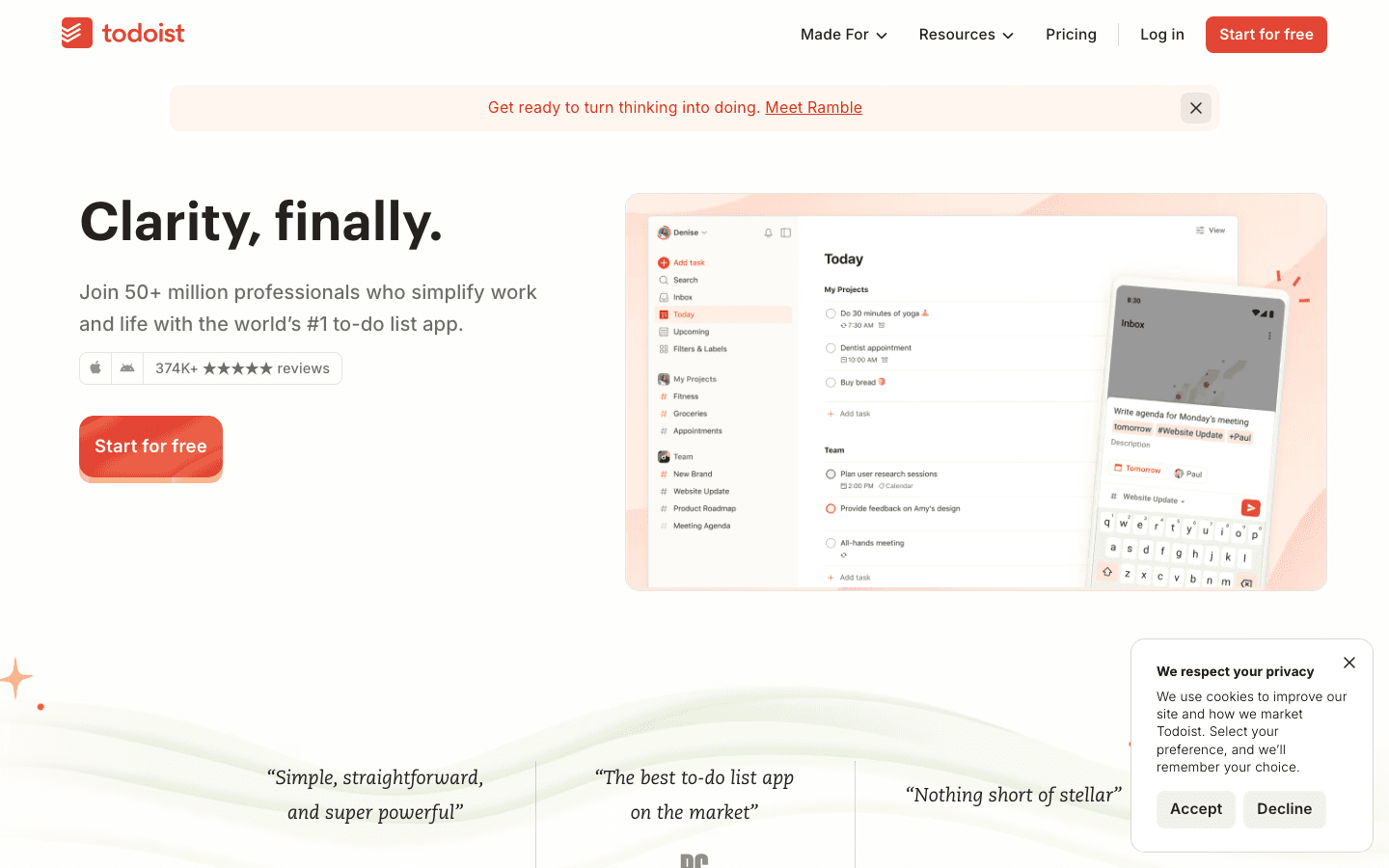
Todoist is the task manager most people eventually converge on after trying alternatives. The iPhone app is fast, the natural language task entry ("Email Sarah tomorrow at 3pm p1") works reliably, and the sync across devices is reliable. The free tier covers 5 personal projects with unlimited tasks, which is enough for many people without paying anything.
The Pro tier adds meaningful features: 300 projects, calendar layout so tasks appear alongside calendar events, task durations, and better filter views. Todoist is also one of the best options for iPhone task managers when you need to coordinate between multiple projects across work and personal life. Its Siri Shortcuts integration is particularly well-implemented for capturing tasks quickly on iPhone.
Key Features
Natural language task entry with smart date parsing
Projects, sections, labels, and priority levels
Calendar view (Pro) that shows tasks alongside scheduled events
Siri Shortcuts and Apple Watch support
500+ integrations including Gmail, Slack, and Zapier
What Works
Best natural language task entry of any iPhone task manager
Reliable sync across all Apple devices
Free tier is genuinely functional, not crippled
Limitations
No energy awareness or AI scheduling
Calendar integration is view-only, not full planning
Pricing: Free tier available. Pro: $5/month or $48/year.
Best for: People who need a reliable, full-featured task manager that works across all their Apple devices
3. Notion: Best Workspace for iPhone
A flexible all-in-one workspace for notes, databases, and lightweight project management
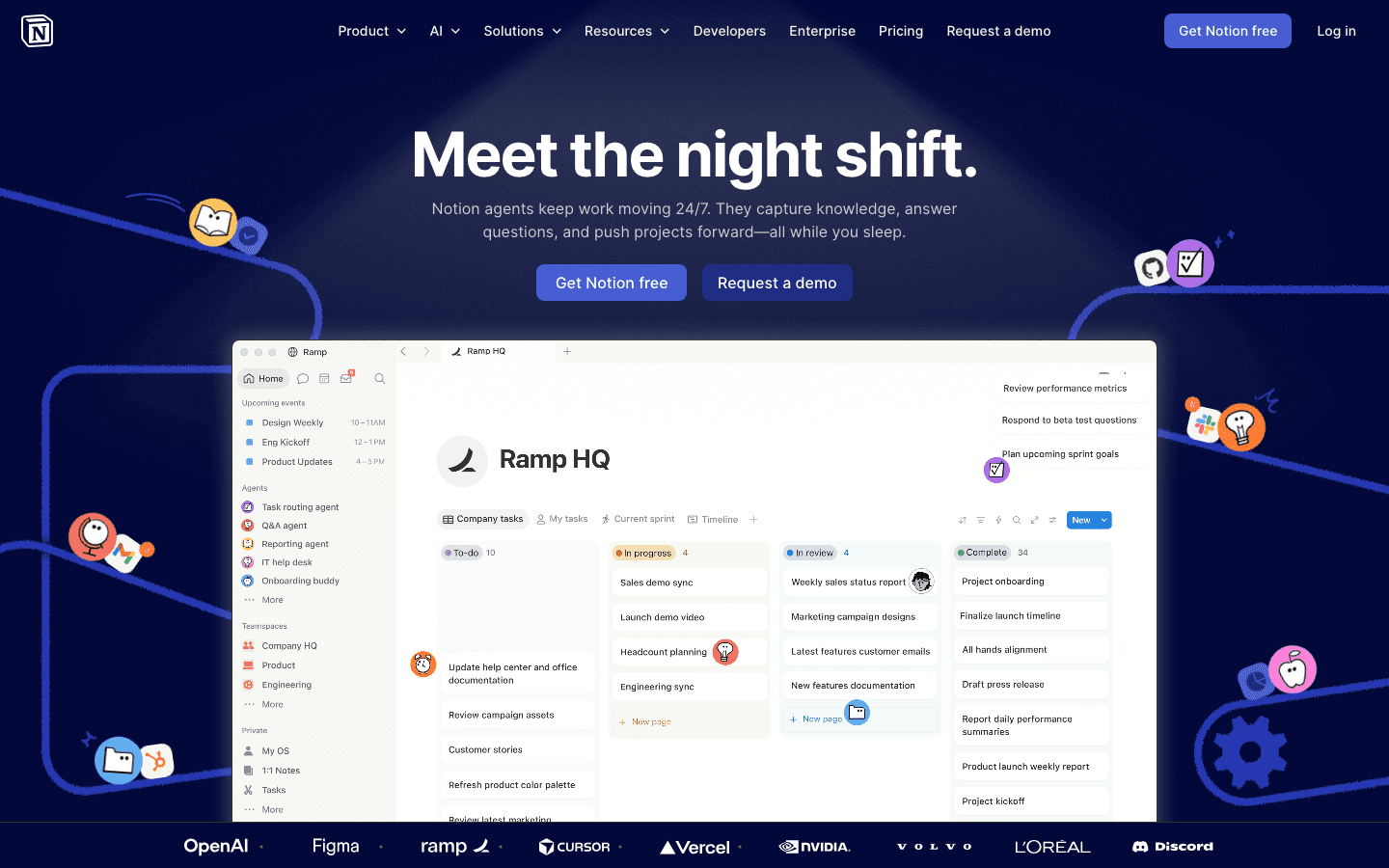
Notion is the closest thing to a second brain available on iPhone. Notes, documents, databases, project boards, and meeting templates all live in the same system. The iPhone app has improved significantly. It's now fast enough for actual mobile use, not just reference viewing. The AI features (writing assistant, autofill for databases) are available at a small additional cost but genuinely reduce friction for common tasks.
The free tier is generous: unlimited pages and blocks for individuals, which covers most personal productivity use cases without paying. Where Notion shines most is in building systems that work across devices. A meeting notes template you create on your Mac appears on your iPhone in the same format, ready to fill in on the go. It's the best AI productivity tool in the workspace category for iPhone users who need flexible structure.
Key Features
Pages, databases, boards, calendars, and galleries in one workspace
AI writing assistant and autofill for databases
Offline access on iPhone
Templates for projects, meeting notes, goals, and more
Sharing and collaboration on the free tier
What Works
Most flexible personal workspace available on iPhone
The free tier is enough for most individuals
Building and reading existing pages is fast and reliable now
Limitations
Can require significant setup time to get useful
Not a task manager; weak for action-item tracking
Pricing: Free for individuals. Plus: $10/month or $96/year.
Best for: People who want a flexible workspace for notes, projects, and knowledge management on iPhone
4. Fantastical: Best Calendar App for iPhone
The most polished, feature-rich calendar experience on any Apple device
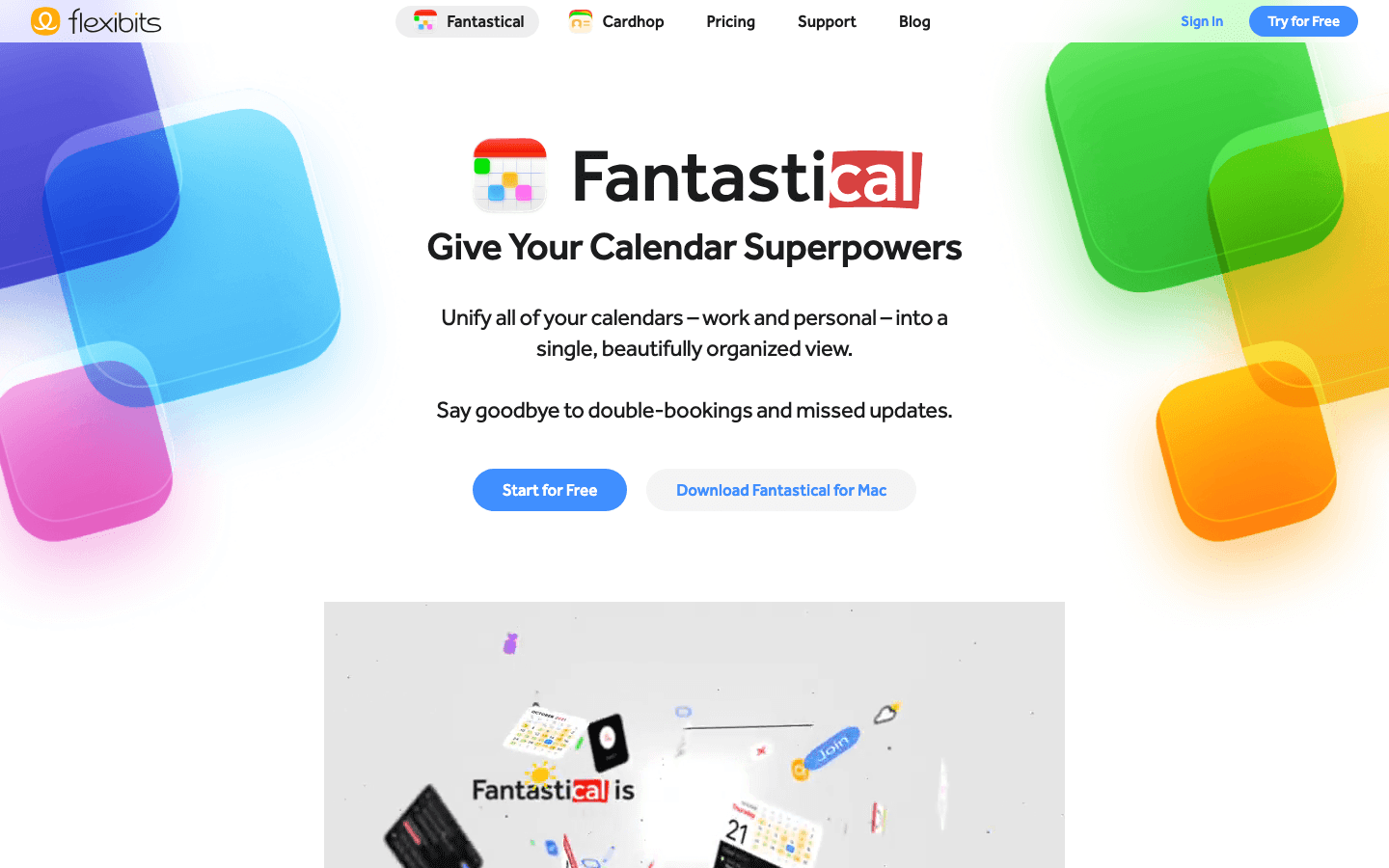
Fantastical has been the benchmark for iPhone calendar design for years. Day, week, month, and year views are all beautifully implemented, and the natural language event entry ("Lunch with Tim next Wednesday at noon at Cafe Flora") works more reliably than Apple Calendar's own parser. The free tier covers basic calendar use; the Premium tier adds meeting scheduling links, calendar sets, and video conferencing integration.
Calendar sets are worth mentioning specifically: they let you define named combinations of calendars (Work shows only your work Google Calendar and shared team calendars; Personal shows your iCloud) and switch between them with one tap. If you manage multiple calendar accounts, this alone is worth the subscription. Fantastical also works well alongside the best daily planner apps for a complete planning setup.
Key Features
Natural language event creation with smart parsing
Calendar sets for context switching between work and personal
Meeting scheduling links (similar to Calendly)
Video conferencing integration: Zoom, Google Meet, Teams
Apple Watch, iPad, and Mac apps with consistent design
What Works
Best-looking calendar app on iPhone by a significant margin
Calendar sets solve multi-account management elegantly
Natural language event entry that reliably works
Limitations
Premium price for a calendar display app
No task management beyond basic Todoist/Google Tasks integration
Pricing: Free tier available. Premium: $6.99/month or $56.99/year.
Best for: iPhone users who want the best-looking, most capable calendar experience available
5. Streaks: Best Habit Tracker for iPhone
An Apple Design Award winner that makes habit building feel natural on iPhone
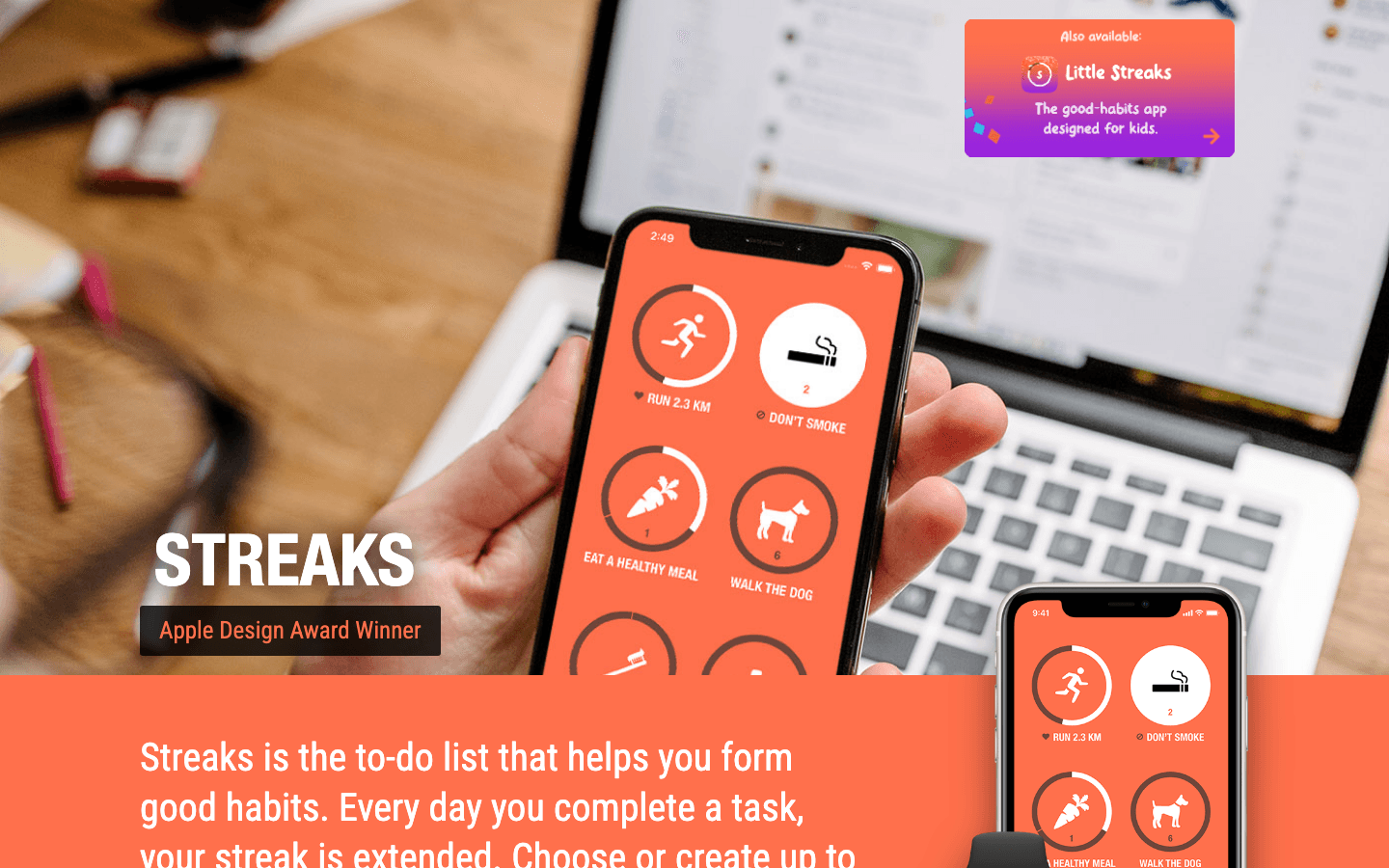
Streaks is an Apple Design Award winner and it shows. The interface is clean, the widget design is excellent, and the approach is focused: you pick up to 12 habits you want to build, set a daily or weekly frequency, and the app tracks your streak. It integrates with Apple Health so habits like "Walk 10,000 steps" or "Drink water" can be automatically completed when your Health data confirms them.
The one-time price makes Streaks unusual in a category dominated by subscription apps. $5.99 once, no recurring charge. The Apple Watch app is well-implemented for checking habits and marking them complete without opening your phone. If you want to build consistent routines, Streaks pairs well with a habit tracker and planner system for the bigger picture.
Key Features
Up to 12 habits tracked with streak visualization
Apple Health integration for automatic habit completion
Apple Watch app for quick habit checking
Customizable icons, colors, and frequencies
Home screen widgets in multiple sizes
What Works
One-time purchase stands out in a subscription-heavy category
Apple Health integration removes manual tracking for fitness habits
Clean, award-winning design that makes checking habits satisfying
Limitations
Limited to 12 habits; not designed for complex habit stacking
iPhone and Apple Watch only; no Android
Pricing: $5.99 one-time purchase.
Best for: iPhone users who want a clean, simple habit tracker without an ongoing subscription
6. Forest: Best Focus Timer for iPhone
A Pomodoro-style focus app that makes staying off your phone visually rewarding
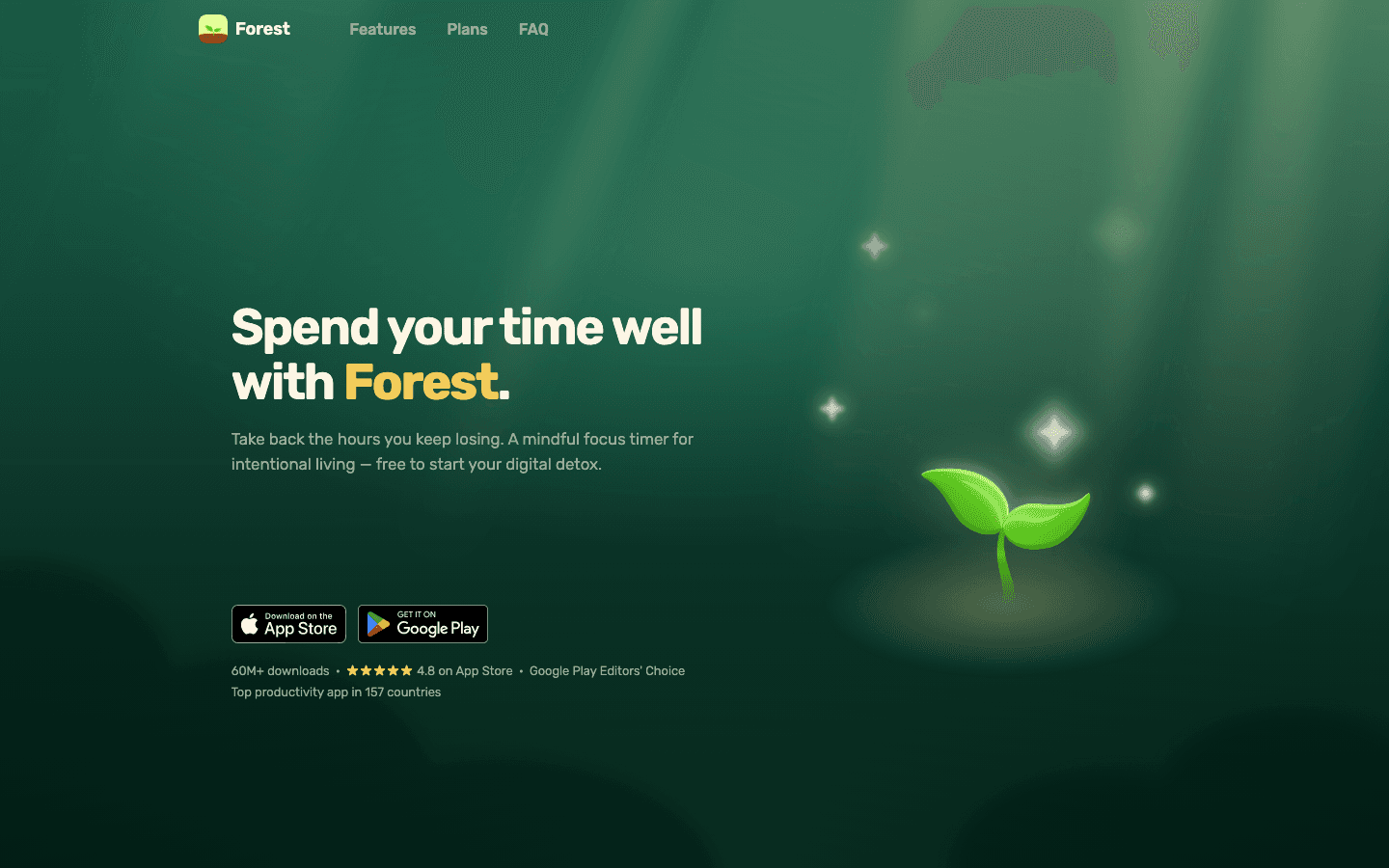
Forest works on a simple principle: you plant a virtual tree when you start a focus session. If you leave the app to check social media, the tree dies. Over time, your completed sessions grow into a forest that visualizes your cumulative focused work. It's a small psychological trick, but it works. The app has consistently high ratings and a large user base because the mechanics genuinely reduce the urge to check your phone mid-task.
Forest also partners with a real tree-planting organization; when you earn enough in-app coins through focus sessions, you can spend them to plant a real tree. The app supports customizable session lengths and works well with any time-blocking approach. The free tier covers basic use; paid unlocks more plant varieties and session analytics. For people with task initiation challenges, the "just start a forest" ritual can reduce the friction of getting started.
Key Features
Visual Pomodoro timer with tree-growing metaphor
Detects app switching and ends session on violation
Focus session history and forest visualization
Real tree planting through earned coins
Android and iPhone apps plus Chrome extension
What Works
The visual metaphor actually changes phone behavior during focus sessions
Free version is functional; no paywall for core features
Works cross-platform including Android and desktop
Limitations
Basic analytics require paid version
No integration with task managers or calendars
Pricing: Free to download. Plus version available for full analytics and features.
Best for: People who struggle with phone distraction during work sessions and want a light, visual solution
How to Build Your iPhone Productivity Stack
Start with planning: Lifestack for AI-powered daily scheduling
Add tasks: Todoist for capturing and organizing everything you need to do
Add calendar: Fantastical if you manage multiple calendars or need scheduling links
Add workspace: Notion for notes, projects, and knowledge management
Layer in habits: Streaks for the routines you want to build
Add focus: Forest when you need to minimize phone distraction during work
You don't need all six at once. Most people do best starting with a planning app and a task manager, then adding others as gaps become obvious. For more options in each category, see our full list of AI productivity tools and the best daily planner apps available in 2026.
Frequently Asked Questions
What is the best productivity app for iPhone?
For most people, the combination of Lifestack (for planning) and Todoist (for tasks) covers the most important productivity gaps. Lifestack helps you plan your day around your energy and priorities; Todoist makes sure nothing falls through the cracks. If you want a single app that does the most, Notion comes close but requires more setup to get useful.
Are there free productivity apps for iPhone?
Yes. Todoist's free tier is genuinely functional. Notion is free for individuals. Forest has a free tier that covers basic focus sessions. Lifestack offers a 7-day free trial on its annual plan. Fantastical has a free tier for basic calendar use. Only Streaks has no free version (it's a one-time purchase).
What is the best task management app for iPhone?
Todoist is the best standalone task manager for iPhone, with the best natural language input, reliable sync, and a strong free tier. For people who want tasks integrated with their daily schedule, Lifestack's unified task-and-calendar view is a better fit. See our full breakdown of the best task manager apps for iPhone for a more detailed comparison.
How many productivity apps should I have on my iPhone?
Most people do well with two to four apps: one for planning, one for tasks, and one for notes or workspace. Adding a habit tracker and focus timer can help if those are specific weak points. More than five productivity apps usually means you're optimizing the system rather than using it. Pick the smallest set that covers your actual gaps and stick with it.
Is Notion good for productivity on iPhone?
Yes, especially for reading and referencing existing pages. The mobile app has improved significantly in recent versions. For creating complex pages or databases, desktop is still faster. The best use of Notion on iPhone is capturing quick notes, checking project status, and reviewing meeting notes rather than building new systems from scratch.
The App Store has hundreds of apps that call themselves productivity tools. Most of them make your phone more complicated, not less. The best ones do the opposite: they take one part of how you manage your time, tasks, or focus and make it genuinely better than what you were doing before.
We tested the best productivity apps for iPhone in 2026 across six categories: AI scheduling, task management, workspace, calendar, habits, and focus. Each app on this list earns its place by solving a real problem well, not by offering the most features. Whether you're building a system from scratch or looking to upgrade one piece of your current setup, there's something worth trying here.
Key Takeaways
Lifestack is the standout for iPhone users who want AI to help them plan better, not just track more
Todoist and Notion handle task management and workspace respectively with the best-in-class iPhone apps
Streaks and Forest address the habit and focus sides of productivity without requiring heavy setups
Quick Guide: Best Productivity Apps for iPhone
Lifestack: Best AI-powered daily planning app for iPhone
Todoist: Best task manager for iPhone
Notion: Best workspace and notes app for iPhone
Fantastical: Best calendar app for iPhone
Streaks: Best habit tracker for iPhone
Forest: Best focus timer for iPhone
How We Evaluated
iPhone-native design quality and performance
How well the app solves its core problem
Sync reliability and integration with other tools
Value for money relative to free alternatives
1. Lifestack: Best AI Planner for iPhone
Turns your tasks and calendar into an energy-aware daily schedule, automatically
Lifestack is the iPhone productivity app that's hardest to explain and most useful once you try it. Every morning, it reads your calendar events, pending tasks, and focus energy patterns, then drafts a daily schedule that puts the right work at the right time. It's not just a calendar or a task list. It's a planning layer that connects the two and adapts to how you actually perform throughout the day.
The energy-aware scheduling is what separates Lifestack from other planning apps. Most apps treat 9am and 3pm as equivalent time slots. Lifestack doesn't. It pushes cognitively demanding work to your peak focus hours and lighter tasks to recovery windows, based on your patterns. This approach is explained further in our guide to energy-based calendar planning. The auto-schedule feature is the fastest way to understand how it works.
Key Features
AI-powered daily schedule that adapts to your energy and focus patterns
Unified view of tasks and calendar events
Google Calendar and Apple Calendar integration
iPhone and Android apps plus Chrome extension
What Works
The planning output is genuinely useful, not just a prettier display of what you already have
Clean design that doesn't require constant configuration
Best energy-aware planning of any iPhone productivity app
Limitations
No team or project management features
No native Apple Watch app
Pricing: $7/month or $50/year. 7-day free trial on the annual plan.
Best for: Anyone who wants their iPhone to help them plan their day, not just display their schedule
2. Todoist: Best Task Manager for iPhone
The most polished, reliable task manager across iPhone, iPad, and Mac
Todoist is the task manager most people eventually converge on after trying alternatives. The iPhone app is fast, the natural language task entry ("Email Sarah tomorrow at 3pm p1") works reliably, and the sync across devices is reliable. The free tier covers 5 personal projects with unlimited tasks, which is enough for many people without paying anything.
The Pro tier adds meaningful features: 300 projects, calendar layout so tasks appear alongside calendar events, task durations, and better filter views. Todoist is also one of the best options for iPhone task managers when you need to coordinate between multiple projects across work and personal life. Its Siri Shortcuts integration is particularly well-implemented for capturing tasks quickly on iPhone.
Key Features
Natural language task entry with smart date parsing
Projects, sections, labels, and priority levels
Calendar view (Pro) that shows tasks alongside scheduled events
Siri Shortcuts and Apple Watch support
500+ integrations including Gmail, Slack, and Zapier
What Works
Best natural language task entry of any iPhone task manager
Reliable sync across all Apple devices
Free tier is genuinely functional, not crippled
Limitations
No energy awareness or AI scheduling
Calendar integration is view-only, not full planning
Pricing: Free tier available. Pro: $5/month or $48/year.
Best for: People who need a reliable, full-featured task manager that works across all their Apple devices
3. Notion: Best Workspace for iPhone
A flexible all-in-one workspace for notes, databases, and lightweight project management
Notion is the closest thing to a second brain available on iPhone. Notes, documents, databases, project boards, and meeting templates all live in the same system. The iPhone app has improved significantly. It's now fast enough for actual mobile use, not just reference viewing. The AI features (writing assistant, autofill for databases) are available at a small additional cost but genuinely reduce friction for common tasks.
The free tier is generous: unlimited pages and blocks for individuals, which covers most personal productivity use cases without paying. Where Notion shines most is in building systems that work across devices. A meeting notes template you create on your Mac appears on your iPhone in the same format, ready to fill in on the go. It's the best AI productivity tool in the workspace category for iPhone users who need flexible structure.
Key Features
Pages, databases, boards, calendars, and galleries in one workspace
AI writing assistant and autofill for databases
Offline access on iPhone
Templates for projects, meeting notes, goals, and more
Sharing and collaboration on the free tier
What Works
Most flexible personal workspace available on iPhone
The free tier is enough for most individuals
Building and reading existing pages is fast and reliable now
Limitations
Can require significant setup time to get useful
Not a task manager; weak for action-item tracking
Pricing: Free for individuals. Plus: $10/month or $96/year.
Best for: People who want a flexible workspace for notes, projects, and knowledge management on iPhone
4. Fantastical: Best Calendar App for iPhone
The most polished, feature-rich calendar experience on any Apple device
Fantastical has been the benchmark for iPhone calendar design for years. Day, week, month, and year views are all beautifully implemented, and the natural language event entry ("Lunch with Tim next Wednesday at noon at Cafe Flora") works more reliably than Apple Calendar's own parser. The free tier covers basic calendar use; the Premium tier adds meeting scheduling links, calendar sets, and video conferencing integration.
Calendar sets are worth mentioning specifically: they let you define named combinations of calendars (Work shows only your work Google Calendar and shared team calendars; Personal shows your iCloud) and switch between them with one tap. If you manage multiple calendar accounts, this alone is worth the subscription. Fantastical also works well alongside the best daily planner apps for a complete planning setup.
Key Features
Natural language event creation with smart parsing
Calendar sets for context switching between work and personal
Meeting scheduling links (similar to Calendly)
Video conferencing integration: Zoom, Google Meet, Teams
Apple Watch, iPad, and Mac apps with consistent design
What Works
Best-looking calendar app on iPhone by a significant margin
Calendar sets solve multi-account management elegantly
Natural language event entry that reliably works
Limitations
Premium price for a calendar display app
No task management beyond basic Todoist/Google Tasks integration
Pricing: Free tier available. Premium: $6.99/month or $56.99/year.
Best for: iPhone users who want the best-looking, most capable calendar experience available
5. Streaks: Best Habit Tracker for iPhone
An Apple Design Award winner that makes habit building feel natural on iPhone
Streaks is an Apple Design Award winner and it shows. The interface is clean, the widget design is excellent, and the approach is focused: you pick up to 12 habits you want to build, set a daily or weekly frequency, and the app tracks your streak. It integrates with Apple Health so habits like "Walk 10,000 steps" or "Drink water" can be automatically completed when your Health data confirms them.
The one-time price makes Streaks unusual in a category dominated by subscription apps. $5.99 once, no recurring charge. The Apple Watch app is well-implemented for checking habits and marking them complete without opening your phone. If you want to build consistent routines, Streaks pairs well with a habit tracker and planner system for the bigger picture.
Key Features
Up to 12 habits tracked with streak visualization
Apple Health integration for automatic habit completion
Apple Watch app for quick habit checking
Customizable icons, colors, and frequencies
Home screen widgets in multiple sizes
What Works
One-time purchase stands out in a subscription-heavy category
Apple Health integration removes manual tracking for fitness habits
Clean, award-winning design that makes checking habits satisfying
Limitations
Limited to 12 habits; not designed for complex habit stacking
iPhone and Apple Watch only; no Android
Pricing: $5.99 one-time purchase.
Best for: iPhone users who want a clean, simple habit tracker without an ongoing subscription
6. Forest: Best Focus Timer for iPhone
A Pomodoro-style focus app that makes staying off your phone visually rewarding
Forest works on a simple principle: you plant a virtual tree when you start a focus session. If you leave the app to check social media, the tree dies. Over time, your completed sessions grow into a forest that visualizes your cumulative focused work. It's a small psychological trick, but it works. The app has consistently high ratings and a large user base because the mechanics genuinely reduce the urge to check your phone mid-task.
Forest also partners with a real tree-planting organization; when you earn enough in-app coins through focus sessions, you can spend them to plant a real tree. The app supports customizable session lengths and works well with any time-blocking approach. The free tier covers basic use; paid unlocks more plant varieties and session analytics. For people with task initiation challenges, the "just start a forest" ritual can reduce the friction of getting started.
Key Features
Visual Pomodoro timer with tree-growing metaphor
Detects app switching and ends session on violation
Focus session history and forest visualization
Real tree planting through earned coins
Android and iPhone apps plus Chrome extension
What Works
The visual metaphor actually changes phone behavior during focus sessions
Free version is functional; no paywall for core features
Works cross-platform including Android and desktop
Limitations
Basic analytics require paid version
No integration with task managers or calendars
Pricing: Free to download. Plus version available for full analytics and features.
Best for: People who struggle with phone distraction during work sessions and want a light, visual solution
How to Build Your iPhone Productivity Stack
Start with planning: Lifestack for AI-powered daily scheduling
Add tasks: Todoist for capturing and organizing everything you need to do
Add calendar: Fantastical if you manage multiple calendars or need scheduling links
Add workspace: Notion for notes, projects, and knowledge management
Layer in habits: Streaks for the routines you want to build
Add focus: Forest when you need to minimize phone distraction during work
You don't need all six at once. Most people do best starting with a planning app and a task manager, then adding others as gaps become obvious. For more options in each category, see our full list of AI productivity tools and the best daily planner apps available in 2026.
Frequently Asked Questions
What is the best productivity app for iPhone?
For most people, the combination of Lifestack (for planning) and Todoist (for tasks) covers the most important productivity gaps. Lifestack helps you plan your day around your energy and priorities; Todoist makes sure nothing falls through the cracks. If you want a single app that does the most, Notion comes close but requires more setup to get useful.
Are there free productivity apps for iPhone?
Yes. Todoist's free tier is genuinely functional. Notion is free for individuals. Forest has a free tier that covers basic focus sessions. Lifestack offers a 7-day free trial on its annual plan. Fantastical has a free tier for basic calendar use. Only Streaks has no free version (it's a one-time purchase).
What is the best task management app for iPhone?
Todoist is the best standalone task manager for iPhone, with the best natural language input, reliable sync, and a strong free tier. For people who want tasks integrated with their daily schedule, Lifestack's unified task-and-calendar view is a better fit. See our full breakdown of the best task manager apps for iPhone for a more detailed comparison.
How many productivity apps should I have on my iPhone?
Most people do well with two to four apps: one for planning, one for tasks, and one for notes or workspace. Adding a habit tracker and focus timer can help if those are specific weak points. More than five productivity apps usually means you're optimizing the system rather than using it. Pick the smallest set that covers your actual gaps and stick with it.
Is Notion good for productivity on iPhone?
Yes, especially for reading and referencing existing pages. The mobile app has improved significantly in recent versions. For creating complex pages or databases, desktop is still faster. The best use of Notion on iPhone is capturing quick notes, checking project status, and reviewing meeting notes rather than building new systems from scratch.



FOLLOW ON
FOLLOW ON
FOLLOW ON


Copyright 2026 © Lifestack. All rights reserved
Copyright 2026 © Lifestack. All rights reserved

