
App
5 Best Apps to Use with RingConn in 2026
5 Best Apps to Use with RingConn in 2026

The RingConn smart ring gives you a constant feed of health data: sleep stages, heart rate variability, resting heart rate, stress levels, blood oxygen, and daily activity. It does that job well. What it doesn't do is tell you what to actually change.
That's where companion apps come in. The right apps take the patterns RingConn surfaces and turn them into better workouts, smarter schedules, cleaner nutrition, and lower daily stress. We looked at what RingConn users actually need beyond the native app and picked five that each add something different.
Whether you're using RingConn to manage energy, track fitness, or keep tabs on recovery after illness, these pairings will get more out of the ring you're already wearing. If you've explored similar setups for other Ultrahuman or WHOOP users, many of the principles carry over.
Key Takeaways
Lifestack is the strongest pairing for anyone using RingConn data to improve daily energy and productivity
Strava and Cronometer fill the two biggest gaps in the native RingConn app: detailed fitness tracking and nutrition
Apple Health acts as the data hub for iOS users, letting all your apps share metrics without separate manual entry
Quick Guide: 5 Best RingConn Companion Apps
1. Lifestack: AI scheduler that plans your day around your real energy and recovery levels
2. Strava: GPS activity tracking with rich performance analytics and social features
3. Cronometer: Detailed nutrition tracking with verified food database and micronutrient breakdowns
4. Headspace: Guided meditation and stress management to complement RingConn's stress scores
5. Apple Health: Central health data hub for iOS users (free, built-in)
How We Evaluated
Fills a gap the native RingConn app doesn't cover (fitness depth, nutrition, scheduling, mindfulness)
Works with Apple Health or integrates directly with health data ecosystems
Available on iOS and Android (or clearly marked as iOS-only)
Actively maintained and not acquired or sunset
Adds meaningful value at each price point
1. Lifestack
The AI planner that schedules your day around your actual energy

RingConn tells you how recovered you are each morning. Lifestack tells you what to do about it. The app reads your energy and recovery patterns over time and builds a daily schedule that puts cognitively demanding work in your peak hours and protects your low-energy windows from meetings and decisions you'll regret making tired.
On a day when your RingConn score is low, you don't need to manually look at your data and make a judgment call. Lifestack has already shifted your schedule. It integrates with Google Calendar and Apple Calendar, so the changes show up wherever you manage your day. The energy calendar model it uses matches well with what HRV-based rings like RingConn measure.
AI-generated daily plans based on energy patterns
Calendar integration (Google, Apple, Outlook)
Task priority routing based on cognitive load
Available on iOS and Android
What Works:
Acts on health data rather than just displaying it
Works without manual input once initial setup is done
Pairs naturally with ring data for anyone managing chronic fatigue, ADHD, or burnout recovery
Limitations:
No direct RingConn API integration yet; energy input is manual or inferred from usage patterns
Requires some upfront calendar configuration to get accurate schedules
Pricing: $9.99/month or $49.99/year (7-day free trial on annual plan); $120 lifetime option
Best for: RingConn users who want their health data to actually change how they structure their days
2. Strava
GPS fitness tracking with the analytics and community RingConn can't replace

Strava covers the fitness layer that RingConn handles only lightly. The ring tracks that you moved and roughly how hard you worked. Strava tracks exactly where you ran, how your pace changed, what your best splits are, and how this week compares to the same period last year.
For anyone using RingConn alongside regular running, cycling, or walking, Strava fills in the precision that a ring can't offer. The segment leaderboards and training history give you the kind of data that actually changes workout behavior.
GPS route recording with pace, elevation, and split data
Segment leaderboards and personal records
Apple Health integration for shared workout data
Training history and fitness trend charts
What Works:
Best-in-class GPS accuracy and activity analytics
Large active community for motivation and accountability
Free tier covers most casual users
Limitations:
Advanced analytics locked behind the subscription
Primarily a sports tracker, not a general health dashboard
Pricing: Free plan available; Strava subscription at $79.99/year ($6.67/month billed annually)
Best for: Runners, cyclists, and walkers who want precise activity tracking alongside RingConn's recovery data
3. Cronometer
Nutrition tracking with the scientific precision ring users tend to want
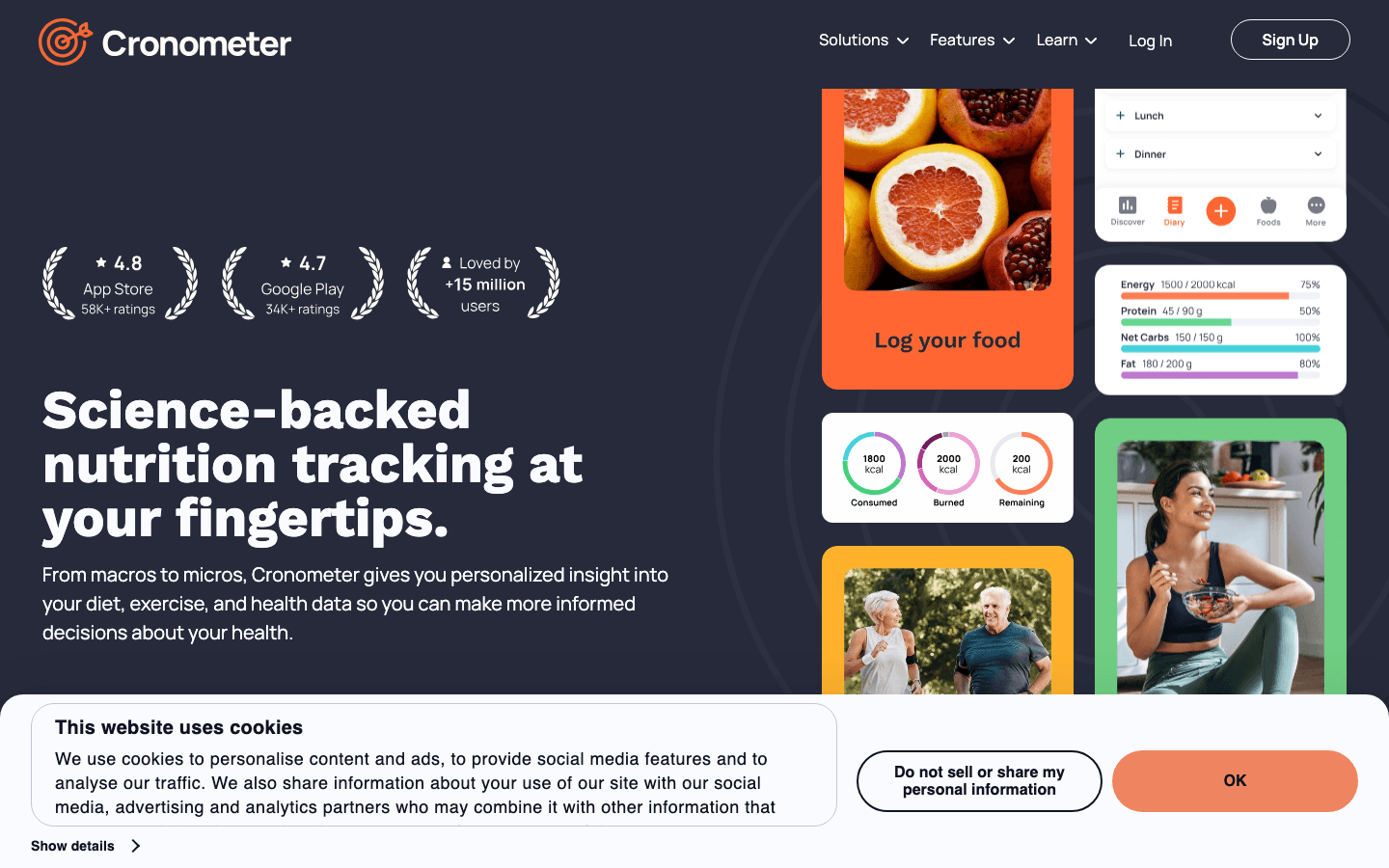
Cronometer fills the nutrition gap that RingConn, like all rings, can't touch. The app uses a verified food database and tracks full micronutrient profiles: not just calories and macros, but magnesium, zinc, B vitamins, omega-3s, and dozens of others that directly affect sleep quality and recovery scores.
If your RingConn scores are inconsistent and you're not sure why, nutrition is often the missing variable. Cronometer gives you the data to test that hypothesis and identify patterns between what you eat and how you recover.
Verified food database with 1 million-plus entries
Complete micronutrient tracking (vitamins, minerals, amino acids)
Apple Health sync for calorie and nutrient data
Biometric tracking and custom targets
What Works:
Nutrient accuracy is significantly higher than most food trackers
Free tier is genuinely useful without requiring an upgrade
Syncs with Apple Health so data flows into your health ecosystem
Limitations:
Manual food entry can be time-consuming
UI is dense and not particularly beginner-friendly
Pricing: Free with optional Gold upgrade (check the App Store for current Gold pricing)
Best for: Anyone who suspects nutrition is affecting their RingConn recovery scores and wants to test it rigorously
4. Headspace
Guided meditation to complement RingConn's stress and HRV data
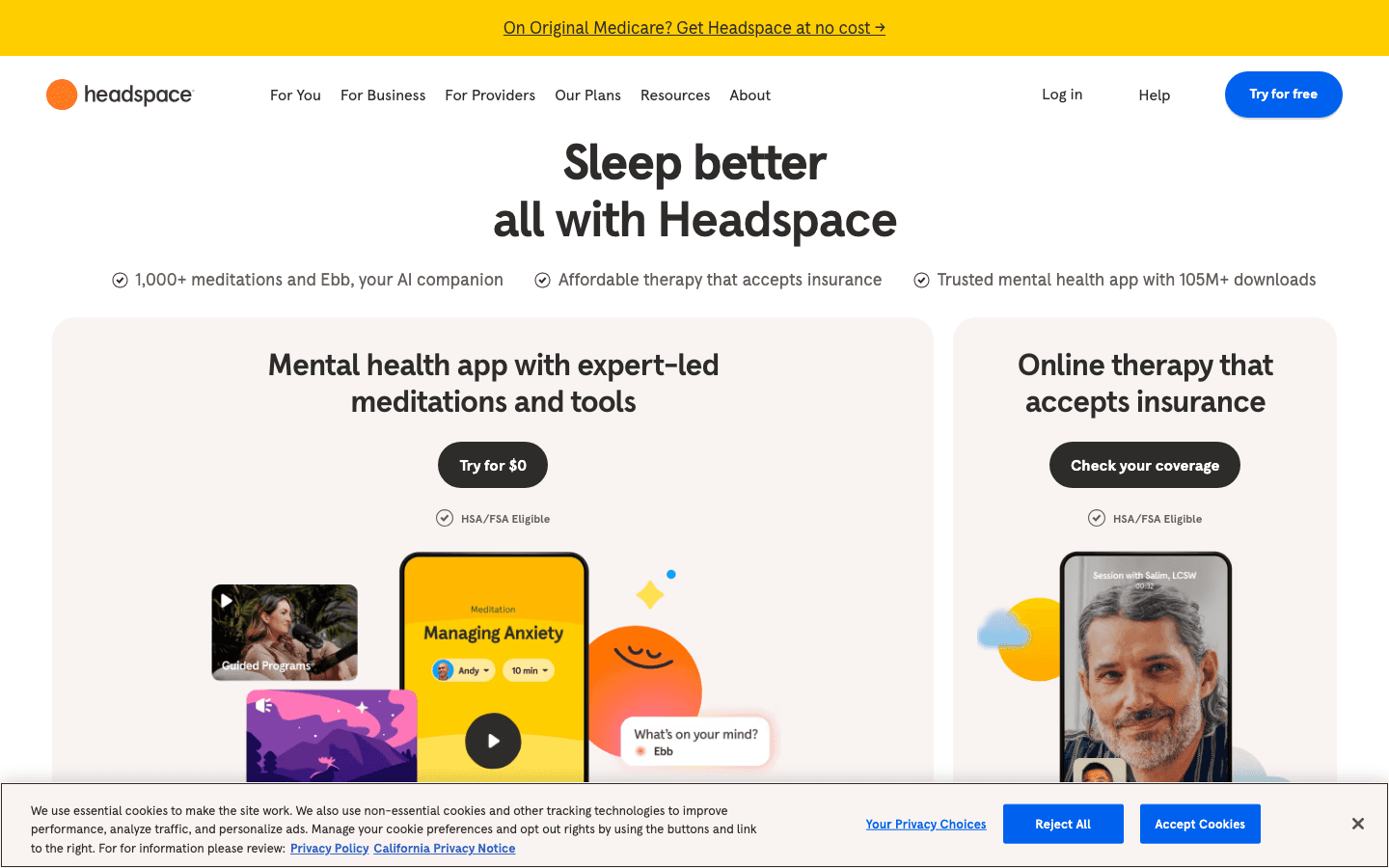
Headspace pairs particularly well with the stress monitoring that RingConn provides. If the ring is flagging high stress or lower HRV, a short meditation session is one of the few acute interventions that demonstrably moves those numbers. Headspace has the deepest guided meditation library of any general wellness app.
The sleep content is also worth noting. For RingConn users who are tracking sleep but struggling with slow sleep onset, Headspace's Sleepcasts and sleep meditations are genuinely different from standard white noise apps. Combined with circadian rhythm tracking, the two tools cover both the behavioral and physiological sides of sleep improvement.
1,000-plus guided meditation sessions
Sleepcasts and sleep music for wind-down routines
Stress management and focus courses
Apple Health mindfulness minutes integration
What Works:
Content quality is consistently high across beginner and advanced tracks
Short 3-5 minute sessions work well for mid-day stress resets
Mindfulness minutes sync to Apple Health and influence HRV trends over time
Limitations:
Full library requires a subscription; free content is limited
No direct RingConn integration
Pricing: Free trial available; subscription required for full library (check the App Store for current pricing)
Best for: RingConn users whose stress scores run high and want a structured way to lower them
5. Apple Health
The free iOS data hub that connects everything else
Apple Health is the infrastructure that makes iOS health apps actually talk to each other. RingConn exports sleep, heart rate, and activity data to Apple Health. Strava writes workout data there. Cronometer syncs nutrition. Headspace logs mindfulness minutes. Once everything flows into Apple Health, you get a consolidated view without maintaining four separate dashboards.
The Health app also generates trends across all connected data over weeks and months, which is where patterns between, say, your nutrition, sleep quality, and stress scores become visible. It's the connective layer that makes the other four apps work together rather than in isolation.
Aggregates data from hundreds of apps and wearables
Long-term trend analysis across all health categories
Crash detection and Medical ID emergency features
Cycle tracking, medications, and vision health logging
What Works:
Free and built into every iPhone
Broad third-party app support means most health apps integrate with it
Trend analysis improves significantly the more data sources you add
Limitations:
iOS only (Android users should look at Google Fit or Samsung Health)
Display is functional but not as visual or actionable as dedicated apps
Pricing: Free (built into iOS)
Best for: Any iPhone user who wants all their RingConn and companion app data in one place
Which RingConn Companion App Is Right for You?
You want to act on your recovery data, not just read it: Lifestack
You run, cycle, or walk regularly and want precise GPS tracking: Strava
Your sleep and recovery scores are inconsistent and you suspect diet is a factor: Cronometer
Your stress scores run high regularly and you want a structured way to reset: Headspace
You're on iOS and want all your health data in one dashboard: Apple Health (and all four above)
For most RingConn users, the best starting point is Lifestack alongside an AI planner and Apple Health as the data hub. Add Strava if you train regularly and Cronometer if you want to close the loop on nutrition. Headspace works best as an add-on for stress management rather than a standalone health tool. You can find similar companion app roundups for other wearables if you're using more than one device.
Frequently Asked Questions
Does RingConn connect to Apple Health?
Yes. The RingConn app exports sleep, heart rate, blood oxygen, and activity data to Apple Health on iOS. Once synced, that data is available to any other app in your Apple Health ecosystem.
What is the RingConn app missing compared to competitors?
The RingConn native app covers the basics well but lacks depth in GPS fitness tracking, nutrition, and AI-driven scheduling. The companion apps in this list fill those specific gaps without requiring you to switch rings.
Can I use Lifestack without RingConn data?
Yes. Lifestack works on its own as an energy-aware AI scheduler. RingConn users benefit from consistent recovery data feeding into their energy patterns, but the app is useful even without a wearable. It infers energy levels from your calendar, task completion, and usage patterns.
Is RingConn compatible with Android?
Yes. The RingConn app is available on both iOS and Android. Most of the companion apps in this list are cross-platform as well, with the exception of Apple Health, which is iOS only. Android users should use Google Fit or Samsung Health as their data hub instead.
What makes RingConn different from Oura or Ultrahuman?
RingConn distinguishes itself with no subscription fee for the base experience and HSA/FSA eligibility in the US. The Gen 3 model also adds vascular health monitoring. Oura and Ultrahuman have deeper third-party integrations and larger data science teams, but RingConn offers comparable sleep and HRV tracking at a lower total cost of ownership. See our full breakdown of apps to use with Ultrahuman for a comparison of the ecosystem differences.
The RingConn smart ring gives you a constant feed of health data: sleep stages, heart rate variability, resting heart rate, stress levels, blood oxygen, and daily activity. It does that job well. What it doesn't do is tell you what to actually change.
That's where companion apps come in. The right apps take the patterns RingConn surfaces and turn them into better workouts, smarter schedules, cleaner nutrition, and lower daily stress. We looked at what RingConn users actually need beyond the native app and picked five that each add something different.
Whether you're using RingConn to manage energy, track fitness, or keep tabs on recovery after illness, these pairings will get more out of the ring you're already wearing. If you've explored similar setups for other Ultrahuman or WHOOP users, many of the principles carry over.
Key Takeaways
Lifestack is the strongest pairing for anyone using RingConn data to improve daily energy and productivity
Strava and Cronometer fill the two biggest gaps in the native RingConn app: detailed fitness tracking and nutrition
Apple Health acts as the data hub for iOS users, letting all your apps share metrics without separate manual entry
Quick Guide: 5 Best RingConn Companion Apps
1. Lifestack: AI scheduler that plans your day around your real energy and recovery levels
2. Strava: GPS activity tracking with rich performance analytics and social features
3. Cronometer: Detailed nutrition tracking with verified food database and micronutrient breakdowns
4. Headspace: Guided meditation and stress management to complement RingConn's stress scores
5. Apple Health: Central health data hub for iOS users (free, built-in)
How We Evaluated
Fills a gap the native RingConn app doesn't cover (fitness depth, nutrition, scheduling, mindfulness)
Works with Apple Health or integrates directly with health data ecosystems
Available on iOS and Android (or clearly marked as iOS-only)
Actively maintained and not acquired or sunset
Adds meaningful value at each price point
1. Lifestack
The AI planner that schedules your day around your actual energy
RingConn tells you how recovered you are each morning. Lifestack tells you what to do about it. The app reads your energy and recovery patterns over time and builds a daily schedule that puts cognitively demanding work in your peak hours and protects your low-energy windows from meetings and decisions you'll regret making tired.
On a day when your RingConn score is low, you don't need to manually look at your data and make a judgment call. Lifestack has already shifted your schedule. It integrates with Google Calendar and Apple Calendar, so the changes show up wherever you manage your day. The energy calendar model it uses matches well with what HRV-based rings like RingConn measure.
AI-generated daily plans based on energy patterns
Calendar integration (Google, Apple, Outlook)
Task priority routing based on cognitive load
Available on iOS and Android
What Works:
Acts on health data rather than just displaying it
Works without manual input once initial setup is done
Pairs naturally with ring data for anyone managing chronic fatigue, ADHD, or burnout recovery
Limitations:
No direct RingConn API integration yet; energy input is manual or inferred from usage patterns
Requires some upfront calendar configuration to get accurate schedules
Pricing: $9.99/month or $49.99/year (7-day free trial on annual plan); $120 lifetime option
Best for: RingConn users who want their health data to actually change how they structure their days
2. Strava
GPS fitness tracking with the analytics and community RingConn can't replace
Strava covers the fitness layer that RingConn handles only lightly. The ring tracks that you moved and roughly how hard you worked. Strava tracks exactly where you ran, how your pace changed, what your best splits are, and how this week compares to the same period last year.
For anyone using RingConn alongside regular running, cycling, or walking, Strava fills in the precision that a ring can't offer. The segment leaderboards and training history give you the kind of data that actually changes workout behavior.
GPS route recording with pace, elevation, and split data
Segment leaderboards and personal records
Apple Health integration for shared workout data
Training history and fitness trend charts
What Works:
Best-in-class GPS accuracy and activity analytics
Large active community for motivation and accountability
Free tier covers most casual users
Limitations:
Advanced analytics locked behind the subscription
Primarily a sports tracker, not a general health dashboard
Pricing: Free plan available; Strava subscription at $79.99/year ($6.67/month billed annually)
Best for: Runners, cyclists, and walkers who want precise activity tracking alongside RingConn's recovery data
3. Cronometer
Nutrition tracking with the scientific precision ring users tend to want
Cronometer fills the nutrition gap that RingConn, like all rings, can't touch. The app uses a verified food database and tracks full micronutrient profiles: not just calories and macros, but magnesium, zinc, B vitamins, omega-3s, and dozens of others that directly affect sleep quality and recovery scores.
If your RingConn scores are inconsistent and you're not sure why, nutrition is often the missing variable. Cronometer gives you the data to test that hypothesis and identify patterns between what you eat and how you recover.
Verified food database with 1 million-plus entries
Complete micronutrient tracking (vitamins, minerals, amino acids)
Apple Health sync for calorie and nutrient data
Biometric tracking and custom targets
What Works:
Nutrient accuracy is significantly higher than most food trackers
Free tier is genuinely useful without requiring an upgrade
Syncs with Apple Health so data flows into your health ecosystem
Limitations:
Manual food entry can be time-consuming
UI is dense and not particularly beginner-friendly
Pricing: Free with optional Gold upgrade (check the App Store for current Gold pricing)
Best for: Anyone who suspects nutrition is affecting their RingConn recovery scores and wants to test it rigorously
4. Headspace
Guided meditation to complement RingConn's stress and HRV data
Headspace pairs particularly well with the stress monitoring that RingConn provides. If the ring is flagging high stress or lower HRV, a short meditation session is one of the few acute interventions that demonstrably moves those numbers. Headspace has the deepest guided meditation library of any general wellness app.
The sleep content is also worth noting. For RingConn users who are tracking sleep but struggling with slow sleep onset, Headspace's Sleepcasts and sleep meditations are genuinely different from standard white noise apps. Combined with circadian rhythm tracking, the two tools cover both the behavioral and physiological sides of sleep improvement.
1,000-plus guided meditation sessions
Sleepcasts and sleep music for wind-down routines
Stress management and focus courses
Apple Health mindfulness minutes integration
What Works:
Content quality is consistently high across beginner and advanced tracks
Short 3-5 minute sessions work well for mid-day stress resets
Mindfulness minutes sync to Apple Health and influence HRV trends over time
Limitations:
Full library requires a subscription; free content is limited
No direct RingConn integration
Pricing: Free trial available; subscription required for full library (check the App Store for current pricing)
Best for: RingConn users whose stress scores run high and want a structured way to lower them
5. Apple Health
The free iOS data hub that connects everything else
Apple Health is the infrastructure that makes iOS health apps actually talk to each other. RingConn exports sleep, heart rate, and activity data to Apple Health. Strava writes workout data there. Cronometer syncs nutrition. Headspace logs mindfulness minutes. Once everything flows into Apple Health, you get a consolidated view without maintaining four separate dashboards.
The Health app also generates trends across all connected data over weeks and months, which is where patterns between, say, your nutrition, sleep quality, and stress scores become visible. It's the connective layer that makes the other four apps work together rather than in isolation.
Aggregates data from hundreds of apps and wearables
Long-term trend analysis across all health categories
Crash detection and Medical ID emergency features
Cycle tracking, medications, and vision health logging
What Works:
Free and built into every iPhone
Broad third-party app support means most health apps integrate with it
Trend analysis improves significantly the more data sources you add
Limitations:
iOS only (Android users should look at Google Fit or Samsung Health)
Display is functional but not as visual or actionable as dedicated apps
Pricing: Free (built into iOS)
Best for: Any iPhone user who wants all their RingConn and companion app data in one place
Which RingConn Companion App Is Right for You?
You want to act on your recovery data, not just read it: Lifestack
You run, cycle, or walk regularly and want precise GPS tracking: Strava
Your sleep and recovery scores are inconsistent and you suspect diet is a factor: Cronometer
Your stress scores run high regularly and you want a structured way to reset: Headspace
You're on iOS and want all your health data in one dashboard: Apple Health (and all four above)
For most RingConn users, the best starting point is Lifestack alongside an AI planner and Apple Health as the data hub. Add Strava if you train regularly and Cronometer if you want to close the loop on nutrition. Headspace works best as an add-on for stress management rather than a standalone health tool. You can find similar companion app roundups for other wearables if you're using more than one device.
Frequently Asked Questions
Does RingConn connect to Apple Health?
Yes. The RingConn app exports sleep, heart rate, blood oxygen, and activity data to Apple Health on iOS. Once synced, that data is available to any other app in your Apple Health ecosystem.
What is the RingConn app missing compared to competitors?
The RingConn native app covers the basics well but lacks depth in GPS fitness tracking, nutrition, and AI-driven scheduling. The companion apps in this list fill those specific gaps without requiring you to switch rings.
Can I use Lifestack without RingConn data?
Yes. Lifestack works on its own as an energy-aware AI scheduler. RingConn users benefit from consistent recovery data feeding into their energy patterns, but the app is useful even without a wearable. It infers energy levels from your calendar, task completion, and usage patterns.
Is RingConn compatible with Android?
Yes. The RingConn app is available on both iOS and Android. Most of the companion apps in this list are cross-platform as well, with the exception of Apple Health, which is iOS only. Android users should use Google Fit or Samsung Health as their data hub instead.
What makes RingConn different from Oura or Ultrahuman?
RingConn distinguishes itself with no subscription fee for the base experience and HSA/FSA eligibility in the US. The Gen 3 model also adds vascular health monitoring. Oura and Ultrahuman have deeper third-party integrations and larger data science teams, but RingConn offers comparable sleep and HRV tracking at a lower total cost of ownership. See our full breakdown of apps to use with Ultrahuman for a comparison of the ecosystem differences.



FOLLOW ON
FOLLOW ON
FOLLOW ON


Copyright 2026 © Lifestack. All rights reserved
Copyright 2026 © Lifestack. All rights reserved

