
Tips
Superhuman Pricing: Plans, Costs and Is It Worth It
Superhuman Pricing: Plans, Costs and Is It Worth It
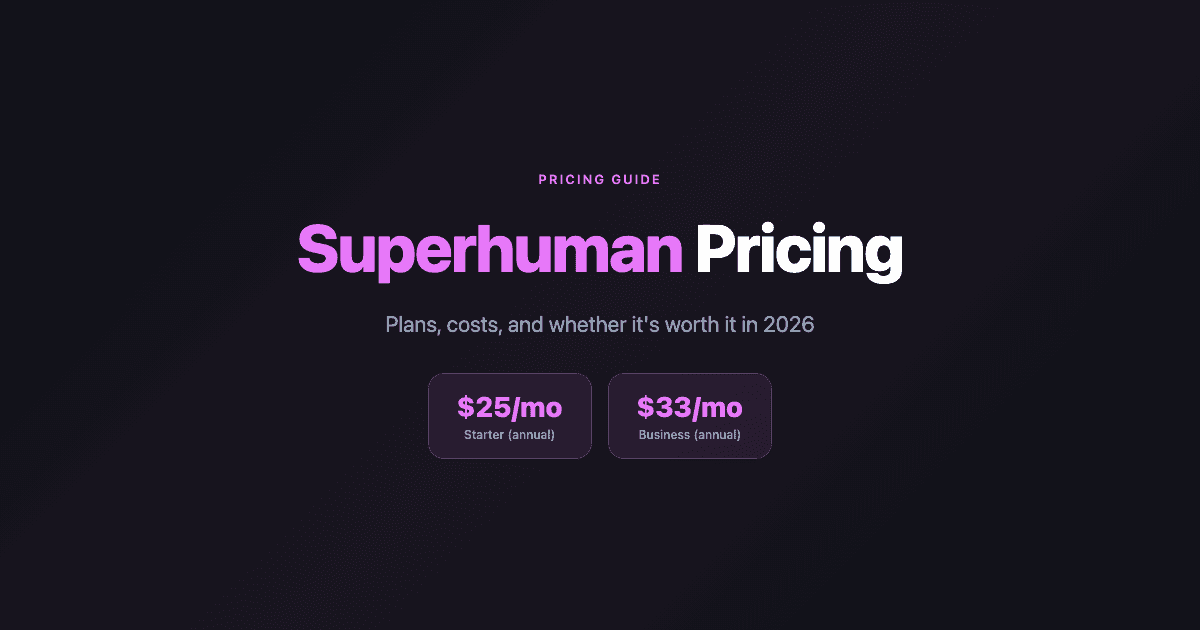
Superhuman is one of the most discussed productivity tools in tech circles, and its pricing is almost always part of the conversation. At $30/month for the monthly Starter plan, it costs more than most email clients. Whether that's reasonable depends entirely on how you use email and what you get in return.
This guide breaks down every Superhuman pricing tier, what's included at each level, the real cost of upgrading, and whether the premium is justified for different types of users. If you're evaluating Superhuman or trying to decide between tiers, this is the information you need before you commit.
Key Takeaways
Superhuman's Starter plan costs $30/month (or $25/month billed annually), covering the core email experience with keyboard shortcuts, AI writing, and calendar features
The Business plan at $40/month ($33/month annual) adds AI-powered drafting, Ask AI, custom auto-labeling, and full CRM integrations with HubSpot, Salesforce, and Pipedrive
The value case for Superhuman is strongest for high-volume email users, founders, sales professionals, and executives whose time-cost-of-email is genuinely high enough to justify the premium
Superhuman Pricing Plans in 2026
Starter: $30/month ($25/month billed annually)
The Starter plan is the entry point to the Superhuman experience. It covers:
Split Inbox for separating important from non-important email automatically
100+ keyboard shortcuts for mouse-free email navigation
AI writing assistance for drafting and editing
Auto Summarize for long email threads
Snippets (saved text shortcuts for common replies)
Built-in calendar view and Share Availability link generation
Integrations with Zoom, Google Meet, and Microsoft Teams
Works with Gmail and Outlook inboxes
The Starter plan delivers the speed optimizations Superhuman is primarily known for: fast search, instant keyboard navigation, and the overall performance layer on top of Gmail or Outlook. For users who want Superhuman for its email speed without CRM or advanced AI features, Starter covers it.
Business: $40/month ($33/month billed annually)
Business adds the AI-heavy and CRM-connected features on top of everything in Starter:
Auto Drafts: AI-generated draft replies based on your writing style and email history
Ask AI: conversational AI inside the inbox for searching, summarizing, and action items
Custom Auto Labels: intelligent automatic categorization beyond the standard split inbox
CRM integrations: native two-way sync with HubSpot, Salesforce, and Pipedrive, showing contact context and logging emails automatically
Priority support
Business is aimed at sales professionals, founders, and executives whose email workflow involves active CRM usage. The Auto Drafts feature alone is the primary reason many users upgrade: if Superhuman can write reasonably accurate first drafts of your replies, the time savings compounds across a high-volume inbox in a way that makes the additional $8/month easy to justify.
Enterprise
Superhuman's Enterprise tier is for teams and organizations that need centralized billing, admin controls, onboarding support, and custom security or compliance configurations. Pricing is available by contacting Superhuman's sales team directly. Enterprise is not self-serve and involves a sales conversation to scope the right configuration.
What Changed After Grammarly's Acquisition
In 2025, Grammarly acquired Superhuman. The core product and pricing structure remained largely intact, but some legacy pricing configurations (including older Starter tiers that new users could no longer access) were rolled into the current two-tier model. New users sign up to either Starter or Business. The acquisition hasn't meaningfully changed the day-to-day product for most users as of 2026.
Is Superhuman Worth the Cost?
The honest answer is: it depends on your email volume and what you do with it.
Likely worth it for: Founders and executives who spend 3+ hours a day in their inbox, sales professionals whose outreach volume is high enough that faster email directly translates to more pipeline, and anyone who has tried a free email client and finds that email friction is a genuine bottleneck in their day. The speed improvements are real and measurable. Superhuman users consistently report faster inbox zero and lower email-related cognitive load.
Probably not worth it for: Users with low to medium email volume, anyone whose primary bottleneck is task management or scheduling rather than email per se, and anyone who isn't fully committed to adopting the keyboard-shortcut-driven workflow that makes Superhuman fast. The tool rewards investment. Passive users don't get the value.
The premium also needs to be evaluated in context. If you're already using separate tools for calendar management, task scheduling, and email, Superhuman is an email-specific performance layer rather than an all-in-one productivity solution. The question is whether that layer is worth $25-33/month on top of your existing stack.
Superhuman Pros and Cons
Pros
Genuinely fast. The speed improvements over Gmail and Outlook are real and noticeable within days of adopting the keyboard shortcuts.
Strong AI writing. The AI drafting features are well-calibrated to match personal writing style better than generic AI tools.
Best-in-class read receipts. Superhuman's read receipt and follow-up reminder features are consistently cited as differentiators in sales and outreach workflows.
Calendar integration is practical. Share Availability works well for scheduling without back-and-forth.
Cons
High price for what it is. $25-33/month is a significant premium for what is fundamentally a performance layer on top of Gmail or Outlook.
No task or scheduling features. Superhuman handles email. It doesn't manage tasks, auto-schedule work, or provide a view of your commitments beyond calendar events.
CRM integrations are Business-only. Basic CRM workflows require upgrading to the higher tier.
Learning curve. The keyboard-shortcut model takes real investment to benefit from. Users who don't commit to learning it get generic email at a premium price.
What Superhuman Doesn't Do
Superhuman is an email-only tool. It does not manage tasks, schedule work based on priority, track energy levels, or provide a unified view of what needs to happen today. High-productivity users who use Superhuman for email typically pair it with a separate scheduling and task management tool for the rest of their workflow. Automatically scheduling that work is where a tool like an auto-scheduler makes the most difference.
Lifestack fills this gap: where Superhuman makes email fast, Lifestack makes scheduling automatic. Lifestack takes your task list and auto-schedules it into your calendar based on priority and energy levels, so the work that comes out of your Superhuman inbox gets time blocked on your calendar without manual planning. At $7/month ($50/year with a 7-day trial), it covers the scheduling and task layer that Superhuman doesn't touch. Our guide to AI tools for executive assistants covers how tools like these fit together for senior professionals managing high communication and work volume. For a broader look at AI productivity tools, that guide covers the full ecosystem beyond email.
FAQ
How much does Superhuman cost per month?
Superhuman costs $30/month on the monthly Starter plan or $25/month billed annually. The Business plan is $40/month or $33/month annually. Enterprise pricing requires contacting Superhuman's sales team.
Does Superhuman have a free plan?
No. Superhuman does not have a free tier. There is no freemium version. All access requires a paid subscription.
Is there a Superhuman free trial?
Superhuman has historically offered a limited onboarding period. Check the current terms at superhuman.com, since trial availability has changed over time and may vary by region or acquisition channel.
What email clients does Superhuman support?
Superhuman supports Gmail and Outlook inboxes. It also integrates with iCloud email. It does not support all email providers. If your organization uses a non-standard email host, verify compatibility before subscribing.
What is the difference between Superhuman Starter and Business?
Starter covers the core speed and AI writing features: keyboard shortcuts, Split Inbox, Auto Summarize, Snippets, and calendar. Business adds Auto Drafts (AI-generated replies), Ask AI, custom auto-labeling, and CRM integrations with HubSpot, Salesforce, and Pipedrive. The $8/month difference between annual tiers is worth it primarily for sales and CRM-heavy workflows.
What are the best alternatives to Superhuman?
Alternatives depend on what you value. Gmail with keyboard shortcuts enabled covers most of Superhuman's navigation features for free. Morgen combines calendar and email scheduling in a single tool. For the scheduling and task management layer specifically, Lifestack handles auto-scheduling in a way that complements any email client.
Superhuman is one of the most discussed productivity tools in tech circles, and its pricing is almost always part of the conversation. At $30/month for the monthly Starter plan, it costs more than most email clients. Whether that's reasonable depends entirely on how you use email and what you get in return.
This guide breaks down every Superhuman pricing tier, what's included at each level, the real cost of upgrading, and whether the premium is justified for different types of users. If you're evaluating Superhuman or trying to decide between tiers, this is the information you need before you commit.
Key Takeaways
Superhuman's Starter plan costs $30/month (or $25/month billed annually), covering the core email experience with keyboard shortcuts, AI writing, and calendar features
The Business plan at $40/month ($33/month annual) adds AI-powered drafting, Ask AI, custom auto-labeling, and full CRM integrations with HubSpot, Salesforce, and Pipedrive
The value case for Superhuman is strongest for high-volume email users, founders, sales professionals, and executives whose time-cost-of-email is genuinely high enough to justify the premium
Superhuman Pricing Plans in 2026
Starter: $30/month ($25/month billed annually)
The Starter plan is the entry point to the Superhuman experience. It covers:
Split Inbox for separating important from non-important email automatically
100+ keyboard shortcuts for mouse-free email navigation
AI writing assistance for drafting and editing
Auto Summarize for long email threads
Snippets (saved text shortcuts for common replies)
Built-in calendar view and Share Availability link generation
Integrations with Zoom, Google Meet, and Microsoft Teams
Works with Gmail and Outlook inboxes
The Starter plan delivers the speed optimizations Superhuman is primarily known for: fast search, instant keyboard navigation, and the overall performance layer on top of Gmail or Outlook. For users who want Superhuman for its email speed without CRM or advanced AI features, Starter covers it.
Business: $40/month ($33/month billed annually)
Business adds the AI-heavy and CRM-connected features on top of everything in Starter:
Auto Drafts: AI-generated draft replies based on your writing style and email history
Ask AI: conversational AI inside the inbox for searching, summarizing, and action items
Custom Auto Labels: intelligent automatic categorization beyond the standard split inbox
CRM integrations: native two-way sync with HubSpot, Salesforce, and Pipedrive, showing contact context and logging emails automatically
Priority support
Business is aimed at sales professionals, founders, and executives whose email workflow involves active CRM usage. The Auto Drafts feature alone is the primary reason many users upgrade: if Superhuman can write reasonably accurate first drafts of your replies, the time savings compounds across a high-volume inbox in a way that makes the additional $8/month easy to justify.
Enterprise
Superhuman's Enterprise tier is for teams and organizations that need centralized billing, admin controls, onboarding support, and custom security or compliance configurations. Pricing is available by contacting Superhuman's sales team directly. Enterprise is not self-serve and involves a sales conversation to scope the right configuration.
What Changed After Grammarly's Acquisition
In 2025, Grammarly acquired Superhuman. The core product and pricing structure remained largely intact, but some legacy pricing configurations (including older Starter tiers that new users could no longer access) were rolled into the current two-tier model. New users sign up to either Starter or Business. The acquisition hasn't meaningfully changed the day-to-day product for most users as of 2026.
Is Superhuman Worth the Cost?
The honest answer is: it depends on your email volume and what you do with it.
Likely worth it for: Founders and executives who spend 3+ hours a day in their inbox, sales professionals whose outreach volume is high enough that faster email directly translates to more pipeline, and anyone who has tried a free email client and finds that email friction is a genuine bottleneck in their day. The speed improvements are real and measurable. Superhuman users consistently report faster inbox zero and lower email-related cognitive load.
Probably not worth it for: Users with low to medium email volume, anyone whose primary bottleneck is task management or scheduling rather than email per se, and anyone who isn't fully committed to adopting the keyboard-shortcut-driven workflow that makes Superhuman fast. The tool rewards investment. Passive users don't get the value.
The premium also needs to be evaluated in context. If you're already using separate tools for calendar management, task scheduling, and email, Superhuman is an email-specific performance layer rather than an all-in-one productivity solution. The question is whether that layer is worth $25-33/month on top of your existing stack.
Superhuman Pros and Cons
Pros
Genuinely fast. The speed improvements over Gmail and Outlook are real and noticeable within days of adopting the keyboard shortcuts.
Strong AI writing. The AI drafting features are well-calibrated to match personal writing style better than generic AI tools.
Best-in-class read receipts. Superhuman's read receipt and follow-up reminder features are consistently cited as differentiators in sales and outreach workflows.
Calendar integration is practical. Share Availability works well for scheduling without back-and-forth.
Cons
High price for what it is. $25-33/month is a significant premium for what is fundamentally a performance layer on top of Gmail or Outlook.
No task or scheduling features. Superhuman handles email. It doesn't manage tasks, auto-schedule work, or provide a view of your commitments beyond calendar events.
CRM integrations are Business-only. Basic CRM workflows require upgrading to the higher tier.
Learning curve. The keyboard-shortcut model takes real investment to benefit from. Users who don't commit to learning it get generic email at a premium price.
What Superhuman Doesn't Do
Superhuman is an email-only tool. It does not manage tasks, schedule work based on priority, track energy levels, or provide a unified view of what needs to happen today. High-productivity users who use Superhuman for email typically pair it with a separate scheduling and task management tool for the rest of their workflow. Automatically scheduling that work is where a tool like an auto-scheduler makes the most difference.
Lifestack fills this gap: where Superhuman makes email fast, Lifestack makes scheduling automatic. Lifestack takes your task list and auto-schedules it into your calendar based on priority and energy levels, so the work that comes out of your Superhuman inbox gets time blocked on your calendar without manual planning. At $7/month ($50/year with a 7-day trial), it covers the scheduling and task layer that Superhuman doesn't touch. Our guide to AI tools for executive assistants covers how tools like these fit together for senior professionals managing high communication and work volume. For a broader look at AI productivity tools, that guide covers the full ecosystem beyond email.
FAQ
How much does Superhuman cost per month?
Superhuman costs $30/month on the monthly Starter plan or $25/month billed annually. The Business plan is $40/month or $33/month annually. Enterprise pricing requires contacting Superhuman's sales team.
Does Superhuman have a free plan?
No. Superhuman does not have a free tier. There is no freemium version. All access requires a paid subscription.
Is there a Superhuman free trial?
Superhuman has historically offered a limited onboarding period. Check the current terms at superhuman.com, since trial availability has changed over time and may vary by region or acquisition channel.
What email clients does Superhuman support?
Superhuman supports Gmail and Outlook inboxes. It also integrates with iCloud email. It does not support all email providers. If your organization uses a non-standard email host, verify compatibility before subscribing.
What is the difference between Superhuman Starter and Business?
Starter covers the core speed and AI writing features: keyboard shortcuts, Split Inbox, Auto Summarize, Snippets, and calendar. Business adds Auto Drafts (AI-generated replies), Ask AI, custom auto-labeling, and CRM integrations with HubSpot, Salesforce, and Pipedrive. The $8/month difference between annual tiers is worth it primarily for sales and CRM-heavy workflows.
What are the best alternatives to Superhuman?
Alternatives depend on what you value. Gmail with keyboard shortcuts enabled covers most of Superhuman's navigation features for free. Morgen combines calendar and email scheduling in a single tool. For the scheduling and task management layer specifically, Lifestack handles auto-scheduling in a way that complements any email client.



FOLLOW ON
FOLLOW ON
FOLLOW ON


Copyright 2026 © Lifestack. All rights reserved
Copyright 2026 © Lifestack. All rights reserved

