
App
6 Best Tiimo Alternatives for ADHD (2026)
6 Best Tiimo Alternatives for ADHD (2026)
Tiimo built its following by making time feel visible. The color-coded pictograms, the circular progress timer ticking down your next task, the way it turns a chaotic morning into something you can actually follow. For a lot of ADHD and autistic users, it clicked in ways that conventional to-do apps never did. And that is genuinely worth acknowledging.
But Tiimo is not the right fit for everyone. At $54/year, it sits above the mid-tier. The visual simplicity that makes it accessible can feel limiting for users who need deeper scheduling, calendar sync, or cross-device flexibility. If you want AI-generated plans, habit tracking, or anything beyond the daily task view, you end up reaching for a second app anyway. That gets expensive and fragmented fast.
The ADHD productivity app space has grown quickly in the last two years. A handful of tools now match or surpass what Tiimo does well, while adding the features it is missing. We tested six of the best, weighing each against what neurodivergent users actually need: time blindness support, flexible scheduling, energy awareness, and a design that does not feel like it was built for neurotypical productivity.
Whether you want AI to auto-schedule your day, a free task-breakdown tool, or a gamified approach to motivation, one of these six will fit better than Tiimo for your situation.
Key Takeaways
Best for AI + energy scheduling: Lifestack schedules your tasks around your energy levels, not just your open calendar slots. It is the only ADHD planner that treats your battery as a real input.
Best visual timeline: Structured is the closest thing to Tiimo's visual feel on iOS, with color-coded timeline blocks and a clean daily layout that makes time feel tangible.
Best free option: Goblin Tools is completely free on the web and breaks any task down into micro-steps using AI, which makes it essential for ADHD users who freeze at large, vague tasks.
Quick Guide: Best Tiimo Alternatives
1. Lifestack - Best overall for energy-aware ADHD scheduling
2. Structured - Best visual timeline planner for iOS users
3. Motion - Best AI auto-scheduler for power users
4. Brite - Best affordable cross-platform visual planner
5. Goblin Tools - Best free ADHD task breakdown tool
6. Finch - Best for motivation and gamified self-care routines
How We Evaluated
We scored each app across six dimensions that matter most for ADHD users looking to replace Tiimo:
Visual design: Does it make time feel tangible, not just listed?
ADHD support: Does it address time blindness, task paralysis, or executive function challenges?
AI features: Does it help plan and prioritize, not just record tasks?
Cross-platform: iOS, Android, web, and desktop availability
Integrations: Calendar sync, task imports, wearables
Pricing: Is it worth the cost relative to Tiimo at $54/year?
1. Lifestack: Best Overall Tiimo Alternative for ADHD
The only ADHD planner that schedules around your energy, not just your clock.

Lifestack takes a different approach to the ADHD planning problem. Instead of asking you to visually organize tasks (like Tiimo does), it asks you to rate your energy and then does the scheduling for you. The AI engine takes your tasks, your calendar events, and your energy pattern, then builds a day plan that puts your cognitively demanding work in your peak hours and your admin in your low-energy windows.
This matters more for ADHD than most apps acknowledge. The problem is rarely "I don't know what I need to do." It is "I have no idea when to do it, and I keep picking the wrong moment." Lifestack solves that. It pulls from Google Calendar and Apple Calendar, surfaces your tasks from your existing lists, and auto-schedules them into open slots that match your energy profile. The result feels less like planning and more like having an assistant who already knows how your brain works.
It also connects with energy-based planning concepts that ADHD researchers have been recommending for years, making it one of the few apps built around the science rather than just the aesthetics of productivity.
AI scheduling that accounts for your energy levels, not just your free time
Google Calendar and Apple Calendar sync
iOS and Android mobile apps with a Chrome extension for desktop
Task capture with time estimates and priority levels
Focus mode for single-task sessions
What Works:
Energy-aware scheduling is genuinely different from anything Tiimo offers
Reduces the daily planning overhead that drains ADHD executive function
Clean, low-distraction mobile interface
Limitations:
No pictogram or icon library like Tiimo has
No built-in habit tracker
Smaller feature set than Motion for teams
Pricing: $7/month, $50/year, or $120 lifetime. 7-day free trial on the annual plan.
Best for: ADHD adults who want their day planned for them based on how they actually feel, not just what is open on the calendar.
2. Structured: Best Visual Timeline Planner
A timeline-first daily planner that makes time blindness harder to miss.
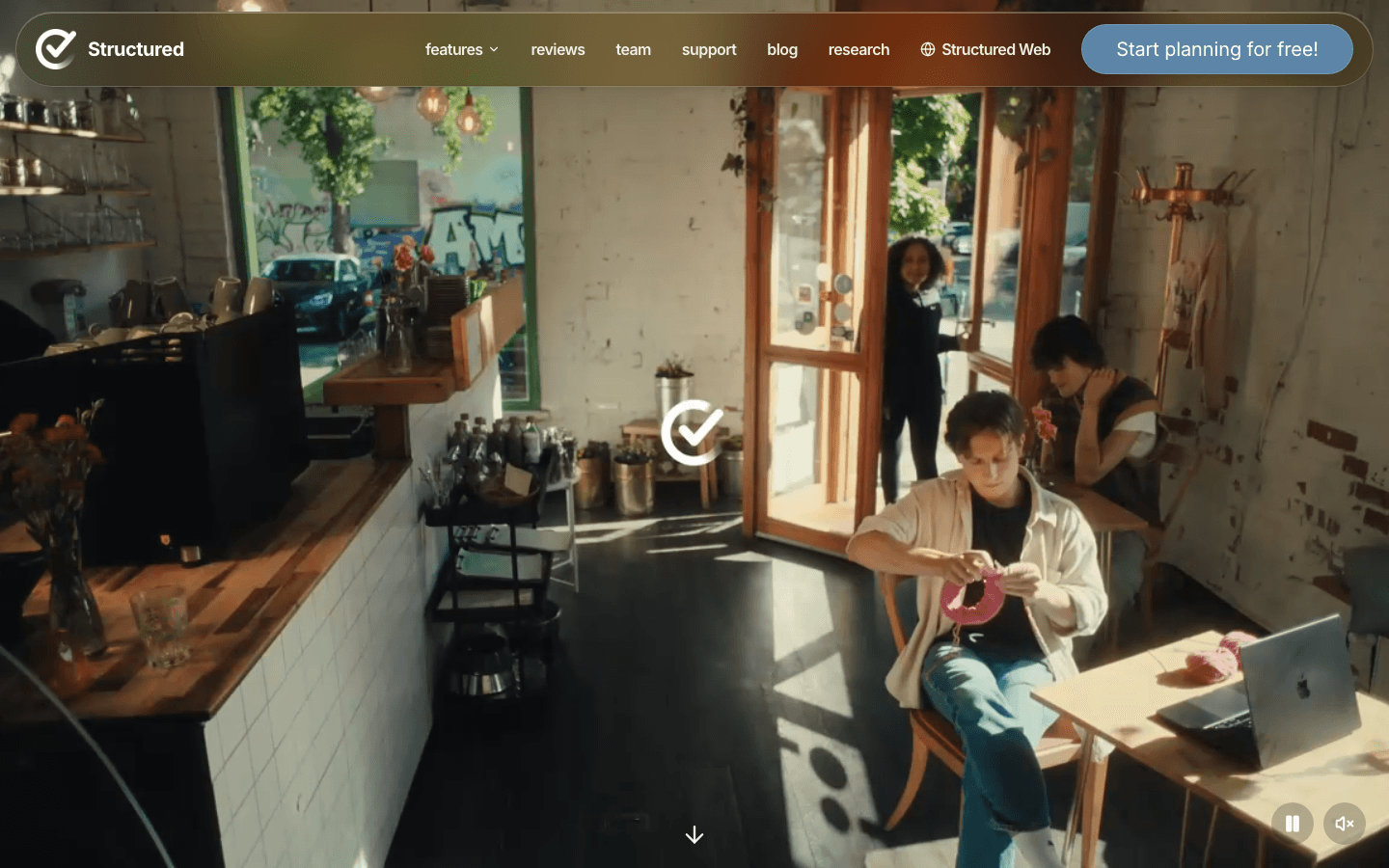
If what you love most about Tiimo is the visual timeline, Structured is the closest alternative. Each task and event sits as a color-coded block in a vertical timeline of your day, so you can see at a glance how packed things are and where your breathing room is. For ADHD users who struggle with time blindness, that visual density cue is the difference between a realistic day and an overscheduled mess.
Structured has quietly become one of the most polished daily planners on iOS, with over 400,000 five-star ratings and 1.5 million active users. The AI scanner in the Pro tier lets you photograph handwritten notes or a physical planner and import them as tasks, which is the kind of small friction-reducer that ADHD users genuinely appreciate. The app also handles recurring tasks, sub-tasks, and Google Calendar sync on the Pro plan.
Color-coded vertical timeline with drag-and-drop task placement
AI photo scanner to import handwritten to-do lists
Google Calendar sync (Pro)
Recurring tasks, sub-tasks, and an inbox for quick capture
Pomodoro focus timer built in
What Works:
The timeline layout is the most visually similar to Tiimo of any app on this list
Extremely polished iOS app with a fast, low-friction interface
Generous free tier for basic daily planning
Limitations:
Primarily iOS and iPadOS. Android and web are limited
No energy awareness or AI auto-scheduling
No mood tracking or wellbeing features like Tiimo has
Pricing: Free tier available. Pro from $2.99/month, $9.99/year, or $29.99 lifetime.
Best for: iPhone and iPad users who want Tiimo's visual timeline feel with better calendar integration and task depth.
3. Motion: Best AI Auto-Scheduler for Power Users
An AI that re-plans your entire day whenever something changes.
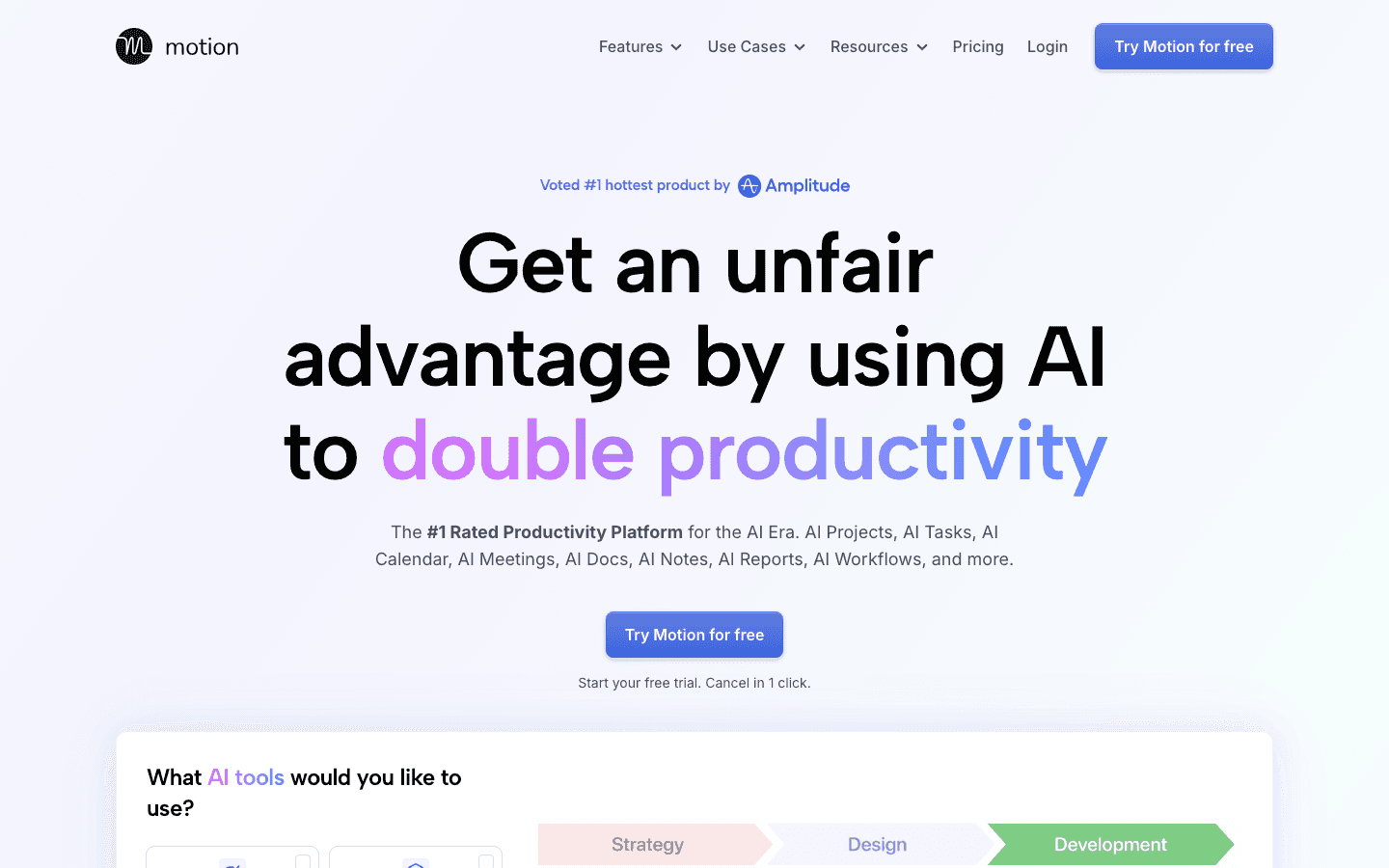
Motion takes the "visual timer" approach that Tiimo uses and replaces it with something more ambitious: an AI that automatically fills your calendar with tasks based on deadlines, priorities, and your available time. You tell it what needs to get done and by when, and it figures out the when. If a meeting runs long or you finish something early, it re-schedules everything in real time.
For ADHD users who have tried Tiimo and found they need more structure (not less), Motion is the step up. The auto-scheduling removes the daily decision fatigue of figuring out what to do next. The tradeoff is cost and complexity. Motion is built for professionals and small teams, and at $19/month on the annual plan, it costs significantly more than Tiimo. But if you are juggling deadlines, projects, and meetings, no other app on this list keeps all of that as organized as Motion does.
AI auto-scheduler that fills your calendar with tasks based on deadlines and priority
Real-time rescheduling when meetings run over or tasks complete early
Project and task management with dependencies
Meeting scheduling and AI meeting notes
iOS, Android, web, and desktop apps
What Works:
Eliminates the daily "what should I work on now?" question for ADHD users
Calendar + tasks in one place, which reduces app-switching
Real-time rescheduling reduces the anxiety of a day that falls apart
Limitations:
Steep learning curve compared to Tiimo's simplicity
No visual pictograms, mood tracking, or sensory-friendly design choices
$19/month annual ($34/month monthly) is a significant jump from Tiimo
Pricing: Pro AI at $19/seat/month (billed annually) or $34/month (monthly). No free tier. 7-day trial.
Best for: ADHD professionals who need deadline-driven AI scheduling and are willing to pay for it.
4. Brite: Best Budget Cross-Platform Visual Planner
Everything Tiimo does visually, across every device, for less than $4/month.
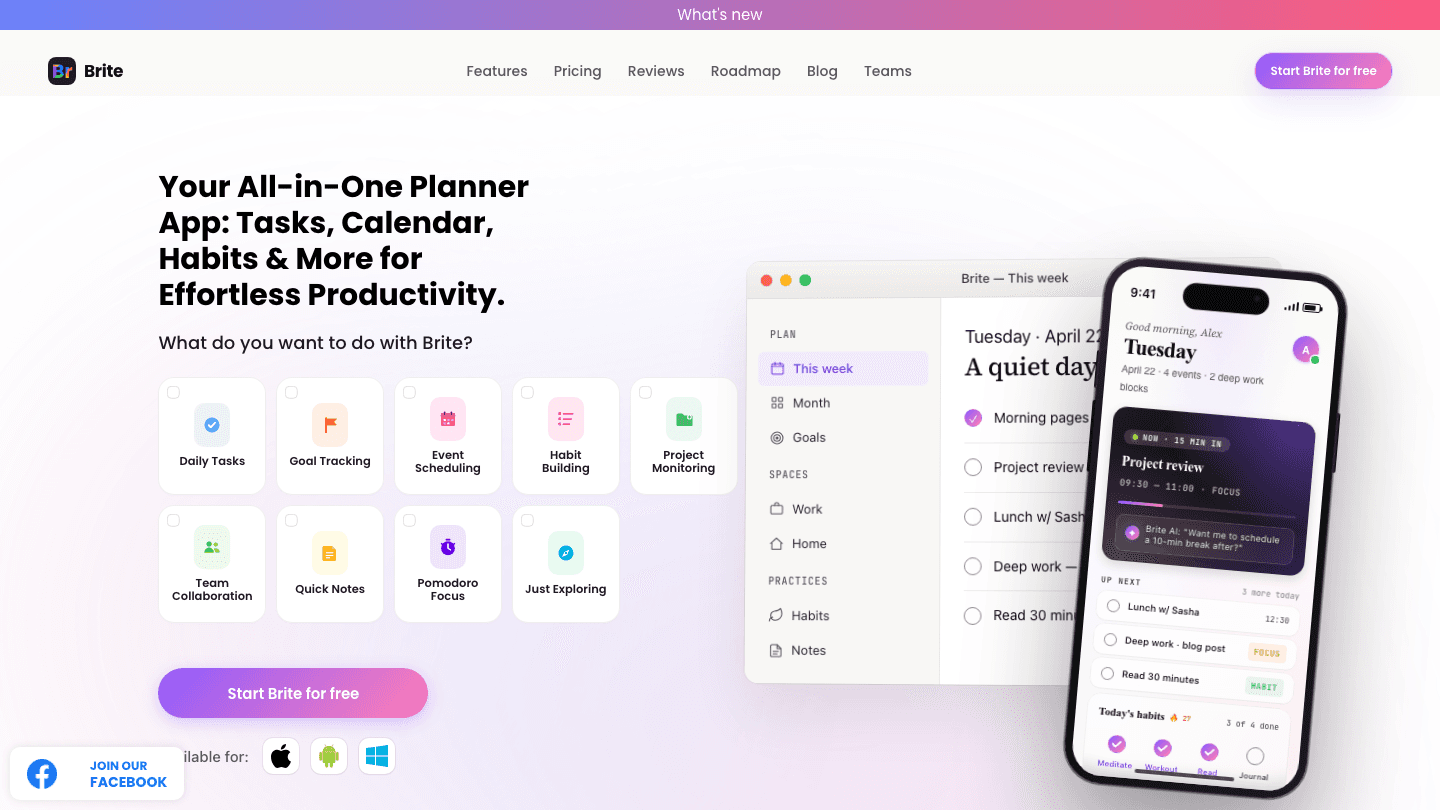
Brite is the most direct feature-for-feature Tiimo alternative on this list. You get a visual daily planner, a habit tracker, a Pomodoro focus timer, mood tracking, and Google Calendar sync on iOS, Android, Mac, Windows, and the web. Tiimo covers none of the desktop platforms. Brite covers all of them, and costs less than half as much on the Premium plan.
The app is particularly strong for users who are building routines around ADHD management. The habit tracker supports medication reminders, sleep tracking, and exercise goals alongside your tasks, and the AI assistant in the Premium tier can break down tasks for you when you are stuck. The free tier is genuinely useful for basic daily planning, which is rare. You only need to upgrade if you want unlimited habits, week and month views, or Kanban layout.
Visual daily calendar with color-coded task blocks
Habit tracker (up to 3 habits free, unlimited on Premium)
Pomodoro focus timer and mood diary
AI task assistant (Premium)
iOS, Android, Mac, Windows, and web apps
What Works:
Cross-platform parity is rare at this price point
Free tier works well for the core daily planning use case
Habit tracker + visual planner in one app removes the need for two subscriptions
Limitations:
AI features are basic compared to Lifestack or Motion
No energy-aware scheduling
Fewer icon and customization options than Tiimo's 3,000+ pictogram library
Pricing: Free tier available. Brite Premium at $3.29/month (billed annually) or $4.50/month (monthly). 3-day free trial.
Best for: Tiimo users who want a similar visual planning experience on Windows, Mac, or Android, without paying more for it.
5. Goblin Tools: Best Free ADHD Task Breakdown Tool
A free AI toolkit built for when tasks feel too big to start.
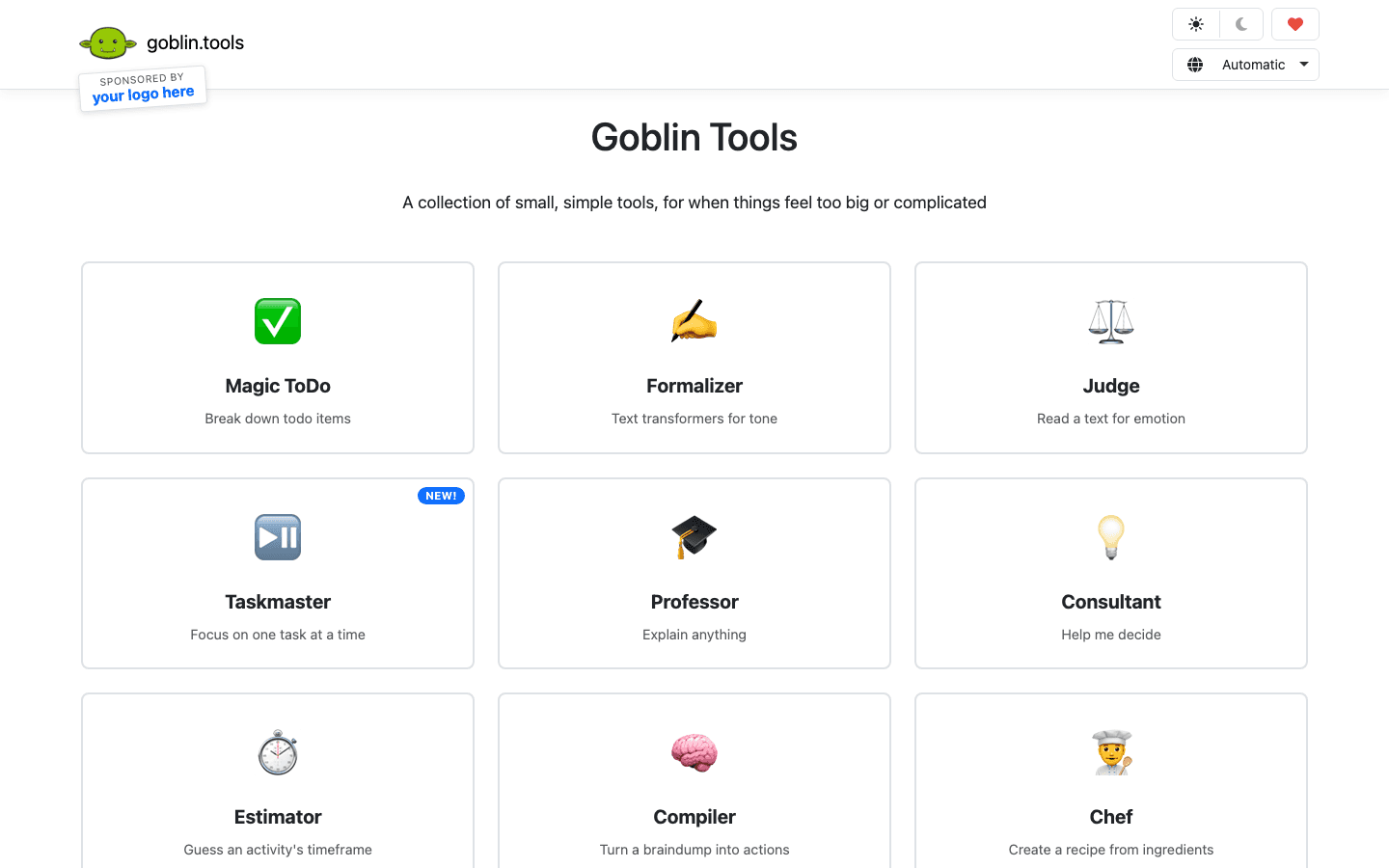
Goblin Tools is not a calendar or a daily planner. It is something different, and for a specific ADHD challenge it is the best free tool available. The core feature is Magic ToDo: you type any task, no matter how vague or overwhelming, and it breaks it into micro-steps small enough to actually start. "Clean the kitchen" becomes ten specific actions. "Write the report" becomes eight steps you can sequence through without freezing.
For ADHD users who experience task paralysis, this is not a nice-to-have. That said, Goblin Tools does not replace a visual planner like Tiimo. Think of it as the missing piece you run your tasks through before dropping them into your planner. The focus tools on the site (Taskmaster, Estimator, Compiler) add more ADHD-specific utility on top. The web app is completely free. The iOS and Android apps cost $3.49 as a one-time purchase.
Magic ToDo: AI-powered task breakdown into micro-steps
Taskmaster: single-task focus mode
Estimator: helps you guess how long tasks will take
Formalizer and Judge: tone-check and emotion-reading tools
No account required on the web
What Works:
Completely free with no paywalls on the web version
Magic ToDo is genuinely useful for breaking ADHD-driven task paralysis
No sign-up friction means you can use it in 10 seconds
Limitations:
Not a daily planner. No calendar, no scheduling, no reminders
Best used alongside another app, not instead of one
Mobile app requires a one-time purchase ($3.49)
Pricing: Free on the web. $3.49 one-time purchase for iOS and Android apps.
Best for: ADHD users who get stuck before tasks even start and need a free, frictionless tool to break them down.
6. Finch: Best for ADHD Motivation and Self-Care Gamification
A gamified self-care companion that turns daily goals into something you actually want to do.

Finch does not replace Tiimo's planning features. What it replaces is Tiimo's wellbeing component, and then some. The premise is simple: you have a virtual pet bird, and it grows when you complete your daily goals. The gamification is light enough that it does not feel childish, but strong enough that it activates the dopamine-seeking behavior ADHD brains respond to. Over 500,000 users have given it a 5.0 rating on the App Store.
The app lets you set daily goals across any area of life (medication, water intake, movement, work tasks, emotional check-ins) and tracks your streaks and progress. There is a mood check-in, a reflection journal, and a growing library of therapeutic exercises. For ADHD users who struggle not with planning but with motivation and follow-through, Finch pairs well with any of the other apps on this list. You use your planner to schedule, you use Finch to stay motivated to actually do the things. If you rely on Tiimo's mood and wellbeing features, this is the most thoughtful replacement.
Gamified virtual pet that grows when you complete daily goals
Daily self-care goals across work, health, and emotional wellbeing
Mood check-ins and reflection journal
Streak tracking and progress visualization
iOS and Android
What Works:
Gamification activates ADHD reward-seeking in a healthy direction
Covers the emotional and self-care angle that most productivity apps ignore
The free tier is genuinely usable for core daily goals
Limitations:
Not a calendar or task planner. No scheduling or time-blocking
Works best as a companion app, not a standalone Tiimo replacement
Premium plan is expensive at $9.99/month or $69.99/year
Pricing: Free tier available. Finch Plus at $9.99/month or $69.99/year.
Best for: ADHD users who need help with motivation, self-care habits, and emotional wellbeing alongside a more functional planner.
Which Tiimo Alternative Is Right for You?
The right pick depends on what you actually need from Tiimo vs. what you have been missing.
You want AI to handle the scheduling for you: Lifestack or Motion. Lifestack if energy awareness matters; Motion if you have heavy project and deadline management.
You love Tiimo's visual timeline and want something similar: Structured, especially if you are on iPhone or iPad.
You want cross-platform visual planning at a lower price: Brite is the answer. It runs on Windows, Mac, Android, iOS, and web for less than Tiimo.
You freeze before tasks and need something free: Goblin Tools. Run your big, vague tasks through Magic ToDo and drop the micro-steps into whatever planner you use.
You want the self-care and mood tracking side of Tiimo with more depth: Finch, paired with a planner like Lifestack or Structured for the actual scheduling.
You are on a budget and want the most features for free: Goblin Tools (web, free) plus Brite's free tier covers most of Tiimo without spending anything.
For most ADHD users, Lifestack is the most useful full-time Tiimo replacement. It handles the scheduling, removes daily planning overhead, and adapts to your energy in a way that Tiimo's visual timer approach never does. You can read more about the science behind it in our guide to ADHD daily planners and our breakdown of ADHD time management apps.
Frequently Asked Questions
What is the best free Tiimo alternative?
Goblin Tools is the best free option for ADHD users. The web version is completely free with no account required, and its Magic ToDo feature breaks down overwhelming tasks into micro-steps using AI. For free visual planning with a calendar and habits, Brite's free tier is also worth trying.
Is there a Tiimo alternative for Android and Windows?
Brite runs on iOS, Android, Mac, Windows, and web. It has the most complete cross-platform support of any visual planner on this list, and it costs less than Tiimo at $3.29/month on the annual plan. Motion also runs everywhere but costs significantly more.
Which Tiimo alternative is best for ADHD adults?
Lifestack is the top pick for ADHD adults who need more than a visual timer. Its energy-aware AI scheduling addresses one of the core ADHD challenges that Tiimo's timer-based approach does not: knowing not just what to do, but when your brain is actually ready to do it. You can learn more about how energy scheduling works in our guide to energy calendars.
Is Tiimo worth the price in 2026?
Tiimo at $54/year is reasonable if the pictogram library and visual timer are features you use heavily. If you do not need those specifically, Brite at $39.48/year gives you more platform coverage, habit tracking, and an AI assistant for less. If you need AI scheduling, Lifestack's $50/year plan is a more capable alternative at nearly the same price.
What do Tiimo alternatives have that Tiimo lacks?
Most Tiimo alternatives offer features the app does not: AI auto-scheduling (Lifestack, Motion), Windows and Android parity (Brite), free task breakdown tools (Goblin Tools), and gamified motivation (Finch). Tiimo's unique strength is its pictogram library and neurodivergent-first visual design. If that is not your primary use case, you will likely get more value from one of the alternatives above.
Can I use multiple apps alongside Tiimo?
Many users pair a planner with a focus tool. Goblin Tools works well alongside any planner since it only handles task breakdown, not scheduling. Finch pairs naturally with Lifestack or Structured since it handles motivation and self-care while they handle the calendar. You can explore the best ADHD focus apps to see what fits alongside your main planner.
Tiimo built its following by making time feel visible. The color-coded pictograms, the circular progress timer ticking down your next task, the way it turns a chaotic morning into something you can actually follow. For a lot of ADHD and autistic users, it clicked in ways that conventional to-do apps never did. And that is genuinely worth acknowledging.
But Tiimo is not the right fit for everyone. At $54/year, it sits above the mid-tier. The visual simplicity that makes it accessible can feel limiting for users who need deeper scheduling, calendar sync, or cross-device flexibility. If you want AI-generated plans, habit tracking, or anything beyond the daily task view, you end up reaching for a second app anyway. That gets expensive and fragmented fast.
The ADHD productivity app space has grown quickly in the last two years. A handful of tools now match or surpass what Tiimo does well, while adding the features it is missing. We tested six of the best, weighing each against what neurodivergent users actually need: time blindness support, flexible scheduling, energy awareness, and a design that does not feel like it was built for neurotypical productivity.
Whether you want AI to auto-schedule your day, a free task-breakdown tool, or a gamified approach to motivation, one of these six will fit better than Tiimo for your situation.
Key Takeaways
Best for AI + energy scheduling: Lifestack schedules your tasks around your energy levels, not just your open calendar slots. It is the only ADHD planner that treats your battery as a real input.
Best visual timeline: Structured is the closest thing to Tiimo's visual feel on iOS, with color-coded timeline blocks and a clean daily layout that makes time feel tangible.
Best free option: Goblin Tools is completely free on the web and breaks any task down into micro-steps using AI, which makes it essential for ADHD users who freeze at large, vague tasks.
Quick Guide: Best Tiimo Alternatives
1. Lifestack - Best overall for energy-aware ADHD scheduling
2. Structured - Best visual timeline planner for iOS users
3. Motion - Best AI auto-scheduler for power users
4. Brite - Best affordable cross-platform visual planner
5. Goblin Tools - Best free ADHD task breakdown tool
6. Finch - Best for motivation and gamified self-care routines
How We Evaluated
We scored each app across six dimensions that matter most for ADHD users looking to replace Tiimo:
Visual design: Does it make time feel tangible, not just listed?
ADHD support: Does it address time blindness, task paralysis, or executive function challenges?
AI features: Does it help plan and prioritize, not just record tasks?
Cross-platform: iOS, Android, web, and desktop availability
Integrations: Calendar sync, task imports, wearables
Pricing: Is it worth the cost relative to Tiimo at $54/year?
1. Lifestack: Best Overall Tiimo Alternative for ADHD
The only ADHD planner that schedules around your energy, not just your clock.
Lifestack takes a different approach to the ADHD planning problem. Instead of asking you to visually organize tasks (like Tiimo does), it asks you to rate your energy and then does the scheduling for you. The AI engine takes your tasks, your calendar events, and your energy pattern, then builds a day plan that puts your cognitively demanding work in your peak hours and your admin in your low-energy windows.
This matters more for ADHD than most apps acknowledge. The problem is rarely "I don't know what I need to do." It is "I have no idea when to do it, and I keep picking the wrong moment." Lifestack solves that. It pulls from Google Calendar and Apple Calendar, surfaces your tasks from your existing lists, and auto-schedules them into open slots that match your energy profile. The result feels less like planning and more like having an assistant who already knows how your brain works.
It also connects with energy-based planning concepts that ADHD researchers have been recommending for years, making it one of the few apps built around the science rather than just the aesthetics of productivity.
AI scheduling that accounts for your energy levels, not just your free time
Google Calendar and Apple Calendar sync
iOS and Android mobile apps with a Chrome extension for desktop
Task capture with time estimates and priority levels
Focus mode for single-task sessions
What Works:
Energy-aware scheduling is genuinely different from anything Tiimo offers
Reduces the daily planning overhead that drains ADHD executive function
Clean, low-distraction mobile interface
Limitations:
No pictogram or icon library like Tiimo has
No built-in habit tracker
Smaller feature set than Motion for teams
Pricing: $7/month, $50/year, or $120 lifetime. 7-day free trial on the annual plan.
Best for: ADHD adults who want their day planned for them based on how they actually feel, not just what is open on the calendar.
2. Structured: Best Visual Timeline Planner
A timeline-first daily planner that makes time blindness harder to miss.
If what you love most about Tiimo is the visual timeline, Structured is the closest alternative. Each task and event sits as a color-coded block in a vertical timeline of your day, so you can see at a glance how packed things are and where your breathing room is. For ADHD users who struggle with time blindness, that visual density cue is the difference between a realistic day and an overscheduled mess.
Structured has quietly become one of the most polished daily planners on iOS, with over 400,000 five-star ratings and 1.5 million active users. The AI scanner in the Pro tier lets you photograph handwritten notes or a physical planner and import them as tasks, which is the kind of small friction-reducer that ADHD users genuinely appreciate. The app also handles recurring tasks, sub-tasks, and Google Calendar sync on the Pro plan.
Color-coded vertical timeline with drag-and-drop task placement
AI photo scanner to import handwritten to-do lists
Google Calendar sync (Pro)
Recurring tasks, sub-tasks, and an inbox for quick capture
Pomodoro focus timer built in
What Works:
The timeline layout is the most visually similar to Tiimo of any app on this list
Extremely polished iOS app with a fast, low-friction interface
Generous free tier for basic daily planning
Limitations:
Primarily iOS and iPadOS. Android and web are limited
No energy awareness or AI auto-scheduling
No mood tracking or wellbeing features like Tiimo has
Pricing: Free tier available. Pro from $2.99/month, $9.99/year, or $29.99 lifetime.
Best for: iPhone and iPad users who want Tiimo's visual timeline feel with better calendar integration and task depth.
3. Motion: Best AI Auto-Scheduler for Power Users
An AI that re-plans your entire day whenever something changes.
Motion takes the "visual timer" approach that Tiimo uses and replaces it with something more ambitious: an AI that automatically fills your calendar with tasks based on deadlines, priorities, and your available time. You tell it what needs to get done and by when, and it figures out the when. If a meeting runs long or you finish something early, it re-schedules everything in real time.
For ADHD users who have tried Tiimo and found they need more structure (not less), Motion is the step up. The auto-scheduling removes the daily decision fatigue of figuring out what to do next. The tradeoff is cost and complexity. Motion is built for professionals and small teams, and at $19/month on the annual plan, it costs significantly more than Tiimo. But if you are juggling deadlines, projects, and meetings, no other app on this list keeps all of that as organized as Motion does.
AI auto-scheduler that fills your calendar with tasks based on deadlines and priority
Real-time rescheduling when meetings run over or tasks complete early
Project and task management with dependencies
Meeting scheduling and AI meeting notes
iOS, Android, web, and desktop apps
What Works:
Eliminates the daily "what should I work on now?" question for ADHD users
Calendar + tasks in one place, which reduces app-switching
Real-time rescheduling reduces the anxiety of a day that falls apart
Limitations:
Steep learning curve compared to Tiimo's simplicity
No visual pictograms, mood tracking, or sensory-friendly design choices
$19/month annual ($34/month monthly) is a significant jump from Tiimo
Pricing: Pro AI at $19/seat/month (billed annually) or $34/month (monthly). No free tier. 7-day trial.
Best for: ADHD professionals who need deadline-driven AI scheduling and are willing to pay for it.
4. Brite: Best Budget Cross-Platform Visual Planner
Everything Tiimo does visually, across every device, for less than $4/month.
Brite is the most direct feature-for-feature Tiimo alternative on this list. You get a visual daily planner, a habit tracker, a Pomodoro focus timer, mood tracking, and Google Calendar sync on iOS, Android, Mac, Windows, and the web. Tiimo covers none of the desktop platforms. Brite covers all of them, and costs less than half as much on the Premium plan.
The app is particularly strong for users who are building routines around ADHD management. The habit tracker supports medication reminders, sleep tracking, and exercise goals alongside your tasks, and the AI assistant in the Premium tier can break down tasks for you when you are stuck. The free tier is genuinely useful for basic daily planning, which is rare. You only need to upgrade if you want unlimited habits, week and month views, or Kanban layout.
Visual daily calendar with color-coded task blocks
Habit tracker (up to 3 habits free, unlimited on Premium)
Pomodoro focus timer and mood diary
AI task assistant (Premium)
iOS, Android, Mac, Windows, and web apps
What Works:
Cross-platform parity is rare at this price point
Free tier works well for the core daily planning use case
Habit tracker + visual planner in one app removes the need for two subscriptions
Limitations:
AI features are basic compared to Lifestack or Motion
No energy-aware scheduling
Fewer icon and customization options than Tiimo's 3,000+ pictogram library
Pricing: Free tier available. Brite Premium at $3.29/month (billed annually) or $4.50/month (monthly). 3-day free trial.
Best for: Tiimo users who want a similar visual planning experience on Windows, Mac, or Android, without paying more for it.
5. Goblin Tools: Best Free ADHD Task Breakdown Tool
A free AI toolkit built for when tasks feel too big to start.
Goblin Tools is not a calendar or a daily planner. It is something different, and for a specific ADHD challenge it is the best free tool available. The core feature is Magic ToDo: you type any task, no matter how vague or overwhelming, and it breaks it into micro-steps small enough to actually start. "Clean the kitchen" becomes ten specific actions. "Write the report" becomes eight steps you can sequence through without freezing.
For ADHD users who experience task paralysis, this is not a nice-to-have. That said, Goblin Tools does not replace a visual planner like Tiimo. Think of it as the missing piece you run your tasks through before dropping them into your planner. The focus tools on the site (Taskmaster, Estimator, Compiler) add more ADHD-specific utility on top. The web app is completely free. The iOS and Android apps cost $3.49 as a one-time purchase.
Magic ToDo: AI-powered task breakdown into micro-steps
Taskmaster: single-task focus mode
Estimator: helps you guess how long tasks will take
Formalizer and Judge: tone-check and emotion-reading tools
No account required on the web
What Works:
Completely free with no paywalls on the web version
Magic ToDo is genuinely useful for breaking ADHD-driven task paralysis
No sign-up friction means you can use it in 10 seconds
Limitations:
Not a daily planner. No calendar, no scheduling, no reminders
Best used alongside another app, not instead of one
Mobile app requires a one-time purchase ($3.49)
Pricing: Free on the web. $3.49 one-time purchase for iOS and Android apps.
Best for: ADHD users who get stuck before tasks even start and need a free, frictionless tool to break them down.
6. Finch: Best for ADHD Motivation and Self-Care Gamification
A gamified self-care companion that turns daily goals into something you actually want to do.
Finch does not replace Tiimo's planning features. What it replaces is Tiimo's wellbeing component, and then some. The premise is simple: you have a virtual pet bird, and it grows when you complete your daily goals. The gamification is light enough that it does not feel childish, but strong enough that it activates the dopamine-seeking behavior ADHD brains respond to. Over 500,000 users have given it a 5.0 rating on the App Store.
The app lets you set daily goals across any area of life (medication, water intake, movement, work tasks, emotional check-ins) and tracks your streaks and progress. There is a mood check-in, a reflection journal, and a growing library of therapeutic exercises. For ADHD users who struggle not with planning but with motivation and follow-through, Finch pairs well with any of the other apps on this list. You use your planner to schedule, you use Finch to stay motivated to actually do the things. If you rely on Tiimo's mood and wellbeing features, this is the most thoughtful replacement.
Gamified virtual pet that grows when you complete daily goals
Daily self-care goals across work, health, and emotional wellbeing
Mood check-ins and reflection journal
Streak tracking and progress visualization
iOS and Android
What Works:
Gamification activates ADHD reward-seeking in a healthy direction
Covers the emotional and self-care angle that most productivity apps ignore
The free tier is genuinely usable for core daily goals
Limitations:
Not a calendar or task planner. No scheduling or time-blocking
Works best as a companion app, not a standalone Tiimo replacement
Premium plan is expensive at $9.99/month or $69.99/year
Pricing: Free tier available. Finch Plus at $9.99/month or $69.99/year.
Best for: ADHD users who need help with motivation, self-care habits, and emotional wellbeing alongside a more functional planner.
Which Tiimo Alternative Is Right for You?
The right pick depends on what you actually need from Tiimo vs. what you have been missing.
You want AI to handle the scheduling for you: Lifestack or Motion. Lifestack if energy awareness matters; Motion if you have heavy project and deadline management.
You love Tiimo's visual timeline and want something similar: Structured, especially if you are on iPhone or iPad.
You want cross-platform visual planning at a lower price: Brite is the answer. It runs on Windows, Mac, Android, iOS, and web for less than Tiimo.
You freeze before tasks and need something free: Goblin Tools. Run your big, vague tasks through Magic ToDo and drop the micro-steps into whatever planner you use.
You want the self-care and mood tracking side of Tiimo with more depth: Finch, paired with a planner like Lifestack or Structured for the actual scheduling.
You are on a budget and want the most features for free: Goblin Tools (web, free) plus Brite's free tier covers most of Tiimo without spending anything.
For most ADHD users, Lifestack is the most useful full-time Tiimo replacement. It handles the scheduling, removes daily planning overhead, and adapts to your energy in a way that Tiimo's visual timer approach never does. You can read more about the science behind it in our guide to ADHD daily planners and our breakdown of ADHD time management apps.
Frequently Asked Questions
What is the best free Tiimo alternative?
Goblin Tools is the best free option for ADHD users. The web version is completely free with no account required, and its Magic ToDo feature breaks down overwhelming tasks into micro-steps using AI. For free visual planning with a calendar and habits, Brite's free tier is also worth trying.
Is there a Tiimo alternative for Android and Windows?
Brite runs on iOS, Android, Mac, Windows, and web. It has the most complete cross-platform support of any visual planner on this list, and it costs less than Tiimo at $3.29/month on the annual plan. Motion also runs everywhere but costs significantly more.
Which Tiimo alternative is best for ADHD adults?
Lifestack is the top pick for ADHD adults who need more than a visual timer. Its energy-aware AI scheduling addresses one of the core ADHD challenges that Tiimo's timer-based approach does not: knowing not just what to do, but when your brain is actually ready to do it. You can learn more about how energy scheduling works in our guide to energy calendars.
Is Tiimo worth the price in 2026?
Tiimo at $54/year is reasonable if the pictogram library and visual timer are features you use heavily. If you do not need those specifically, Brite at $39.48/year gives you more platform coverage, habit tracking, and an AI assistant for less. If you need AI scheduling, Lifestack's $50/year plan is a more capable alternative at nearly the same price.
What do Tiimo alternatives have that Tiimo lacks?
Most Tiimo alternatives offer features the app does not: AI auto-scheduling (Lifestack, Motion), Windows and Android parity (Brite), free task breakdown tools (Goblin Tools), and gamified motivation (Finch). Tiimo's unique strength is its pictogram library and neurodivergent-first visual design. If that is not your primary use case, you will likely get more value from one of the alternatives above.
Can I use multiple apps alongside Tiimo?
Many users pair a planner with a focus tool. Goblin Tools works well alongside any planner since it only handles task breakdown, not scheduling. Finch pairs naturally with Lifestack or Structured since it handles motivation and self-care while they handle the calendar. You can explore the best ADHD focus apps to see what fits alongside your main planner.



FOLLOW ON
FOLLOW ON
FOLLOW ON


Copyright 2026 © Lifestack. All rights reserved
Copyright 2026 © Lifestack. All rights reserved

