
App
Trello vs Asana: Which Is Right for Your Team?
Trello vs Asana: Which Is Right for Your Team?

Picking between Trello and Asana is one of the more common decisions growing teams face. Both are solid, both have been around long enough to earn trust, and both have free tiers that make the choice feel low-stakes until you realize you've built workflows around a tool that doesn't quite fit.
I spent time testing both apps with real projects (a product launch, a content calendar, and a team sprint) to see where each one actually shines. Trello's card-based simplicity is genuinely hard to beat for visual thinkers. Asana's depth of views, native task dependencies, and reporting make it the more capable tool for teams that need to coordinate work across multiple stakeholders.
The honest answer is that neither is "better" in the abstract. What matters is whether the tool matches how your team actually thinks about work. Below, I'll break down the key differences, compare their features head-to-head, and help you figure out which one fits your situation.
And if you're a solo professional or small team that wants AI to handle the actual scheduling (not just the organizing), I'll mention a third option worth knowing about at the end.
Key Takeaways
Trello is best for visual, card-based workflows and teams that want a low-friction setup with minimal onboarding.
Asana is better for teams managing complex projects with dependencies, multiple views, and cross-team reporting.
Trello's free plan is more generous for small teams; Asana's free plan caps at 2 users on paid features.
Quick Verdict
Trello: The visual, flexible pick for individuals and small teams who want boards without the learning curve.
Asana: The structured, scalable choice for growing teams that need timelines, goals, and project portfolios.
Trello Overview
Kanban-first project management that stays out of your way.
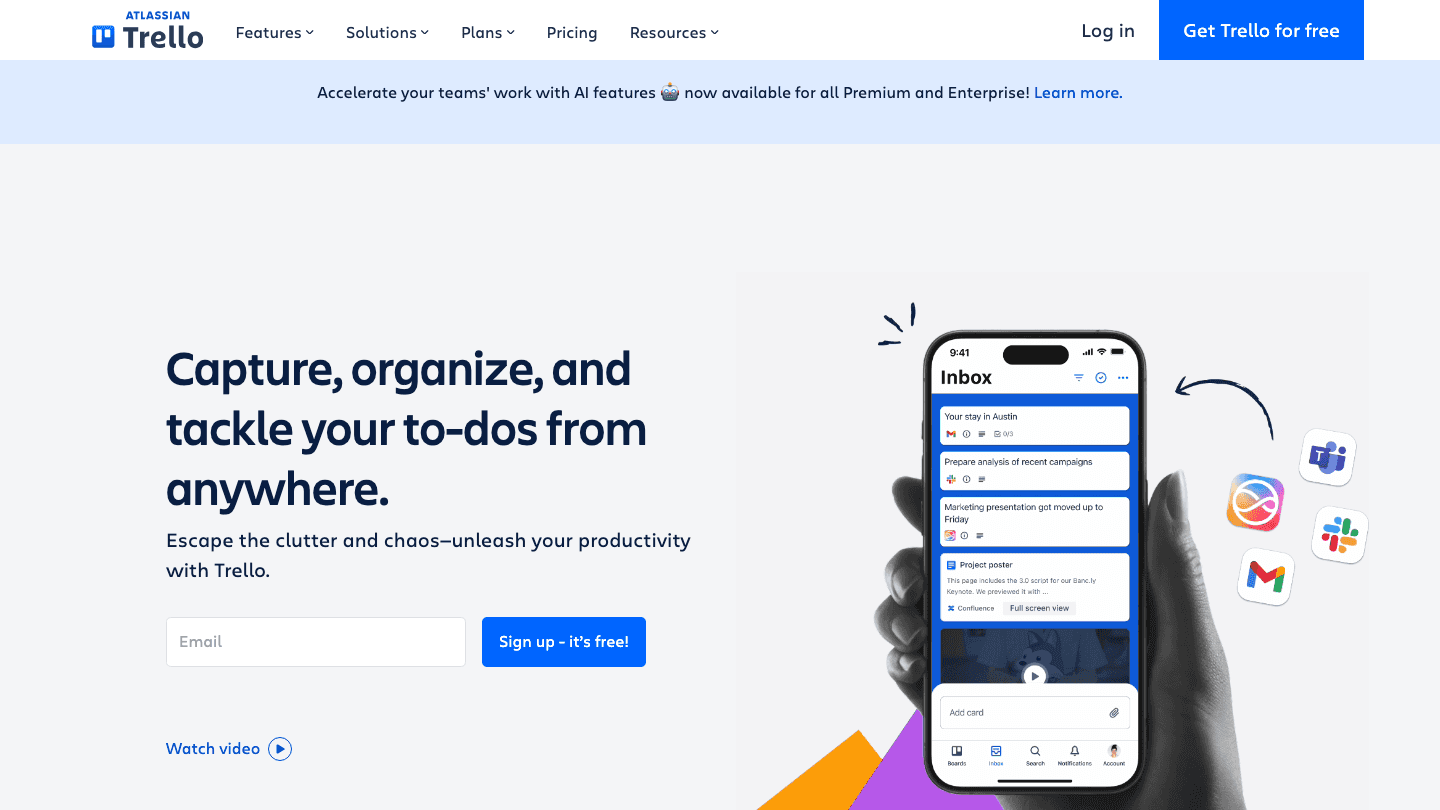
Trello built its reputation on the Kanban board. You drag cards through columns (To Do, In Progress, Done) and that simplicity is genuinely appealing. There's almost no onboarding required. You can get a working board in under five minutes, share it with a teammate, and start moving work through.
In 2026, Trello has added AI features (content generation, card summarization, automation suggestions) across its Premium and Enterprise plans. It has also expanded its views to include Timeline, Table, Calendar, Dashboard, and Map alongside the core Board view. Power-Ups extend the functionality significantly, with integrations for Slack, GitHub, Jira, Mailchimp, and hundreds of others.
The catch: Trello's core unit is the card, and the card-and-board metaphor doesn't scale naturally when projects get complex. Task dependencies, for example, require a Power-Up rather than being native. If you're running a simple content pipeline or a personal project board, Trello is excellent. If you're coordinating a product launch across five teams with blockers and milestones, you'll hit walls.
What Works
Immediate visual clarity. Boards are intuitive for anyone
Generous free plan for up to 10 collaborators per workspace
Huge Power-Up library for extending functionality
AI features now included across Premium and Enterprise tiers
Fast setup and low onboarding friction
Limitations
Task dependencies are not native; they require a Power-Up
Limited reporting and project portfolio visibility
Scales poorly when managing many interconnected projects
Timeline and Gantt views are Premium-only
Pricing: Free (up to 10 collaborators), Standard $5/user/month (annual) or $6 monthly, Premium $10/user/month (annual) or $12.50 monthly, Enterprise from $17.50/user/month.
Best for: Individuals, freelancers, small teams, and anyone who thinks visually and wants lightweight task management.
Asana Overview
Structured project management for teams that coordinate complex work.

Asana takes a different philosophy: work should be structured, trackable, and visible across the entire organization. Instead of Trello's single board metaphor, Asana gives you List, Board, Calendar, Timeline, Gantt, Goals, and Portfolio views, all for the same project, so different team members can look at the same data in the format that makes sense to them.
The killer feature is native task dependencies. You can chain tasks so that downstream work doesn't start until blockers are resolved. Combine that with goal tracking, portfolio-level project health dashboards, and AI-powered workflow automation (available across Starter and above), and Asana starts to look less like a task list and more like a full project operating system.
The trade-off is complexity. Getting the most out of Asana takes time. New users often feel overwhelmed by the options, and there's a real risk of spending more time configuring the tool than doing the work. The free plan also caps at 2 users on core features, which limits how much you can evaluate it with a team before committing to a paid plan.
What Works
Native task dependencies and blockers, no Power-Ups needed
More views per project than almost any other tool
Portfolio and goals views for cross-project visibility
AI workflows and automation across paid tiers
Strong reporting for teams that need progress visibility
Limitations
Free plan limited to 2 users on most features
Steeper learning curve than Trello
Can feel like overkill for simple personal projects
Price jumps significantly at the Advanced tier
Pricing: Personal (free, up to 2 users), Starter $10.99/user/month (annual) or $13.49 monthly, Advanced $24.99/user/month (annual) or $30.49 monthly, Enterprise (contact sales).
Best for: Growing teams and organizations that need structured project tracking, dependencies, and cross-team reporting.
Head-to-Head: Trello vs Asana
Here's how the two apps stack up across the features that matter most:
Free plan: Trello wins: 10 collaborators vs Asana's 2-user limit for core features.
Task dependencies: Asana wins: native support vs Trello's Power-Up requirement.
Views: Asana wins: more view types per project, including Portfolio and Goals.
Onboarding: Trello wins: most users are productive within minutes.
AI features: Roughly even. Trello offers content generation and grammar tools; Asana offers workflow automation and analysis. Both require paid tiers.
Integrations: Roughly even. Both connect with Slack, GitHub, Google Workspace, and most popular tools.
Pricing at scale: Trello is cheaper per user at equivalent tiers.
Reporting: Asana wins: dashboard and portfolio-level reporting is much more mature.
One thing neither app does: schedule your tasks for you based on when you actually have time and energy to do them. They track work. They don't plan it. If you're managing your own workload (not just a shared team board), that gap matters.
Which Should You Choose?
The right pick depends almost entirely on how complex your work actually is:
Choose Trello if you want a simple, visual board for personal projects, a small team, or a workflow that doesn't change much. It's also the better pick if budget is a concern. The free plan is more usable without hitting walls.
Choose Asana if your team has more than 5 people, your projects have multiple phases and dependencies, or you need a manager to have visibility into project health without asking for updates.
Don't choose either if your main problem is actually scheduling. Figuring out when tasks get done, not just what needs to get done. Both tools are project trackers, not schedulers.
For more context on Asana's pricing tiers, see our Asana pricing breakdown. For a deeper look at what Trello costs at scale, see our Trello pricing guide. If you're also evaluating AI-powered project tools, our guide to AI project management tools covers more options. And if you want to see how Trello fits into a broader productivity setup, check out apps that work well with Trello.
What About AI Scheduling?
If you're a solo professional or small team managing your own workload, there's a different kind of tool worth knowing about. Lifestack connects your task list and calendar, then automatically schedules tasks into your day based on your real available time, not a static project board. It's closer to having an AI scheduler than a project tracker.
The key difference: Trello and Asana tell you what work needs to happen. Lifestack tells you when you're actually going to do it, and adjusts the schedule as your day changes. For individuals managing their own output, that's often the more useful problem to solve. You can read more about the auto-scheduling approach here or compare it to other AI task managers.
Pricing: $7/month, $50/year (most popular), or $120 as a one-time lifetime purchase.
Frequently Asked Questions
Is Trello or Asana better for small teams?
Trello is generally better for small teams. Its free plan supports up to 10 collaborators, the board interface is immediately familiar, and there's no onboarding overhead. Asana's free plan caps at 2 users, which limits team-level testing before you pay.
Can Trello and Asana integrate with each other?
Yes, through third-party tools like Unito or Zapier you can sync cards and tasks between Trello and Asana. Native direct integration isn't built in, but the connectors are well-established and widely used.
Does Asana have a Kanban board like Trello?
Yes. Asana includes a Board view that functions like Trello's Kanban layout. The difference is that Asana lets you view the same project as a list, timeline, calendar, or Gantt chart simultaneously. Trello's alternative views are available but feel secondary to the board.
Which is cheaper: Trello or Asana?
Trello is cheaper at every paid tier. Standard is $5/user/month vs Asana Starter at $10.99/user/month. For large teams, that difference adds up quickly. Both have free plans, though Trello's is more permissive for team use.
What does Trello do better than Asana?
Trello is better at simplicity, visual clarity, and low-friction setup. If you want a board that works immediately without configuration, Trello gets there faster. Its free plan also covers more users.
What does Asana do better than Trello?
Asana handles task dependencies, multi-view projects, and cross-team reporting much better. If your work involves coordinating multiple people with blockers, milestones, and status reporting, Asana's additional structure pays off.
Picking between Trello and Asana is one of the more common decisions growing teams face. Both are solid, both have been around long enough to earn trust, and both have free tiers that make the choice feel low-stakes until you realize you've built workflows around a tool that doesn't quite fit.
I spent time testing both apps with real projects (a product launch, a content calendar, and a team sprint) to see where each one actually shines. Trello's card-based simplicity is genuinely hard to beat for visual thinkers. Asana's depth of views, native task dependencies, and reporting make it the more capable tool for teams that need to coordinate work across multiple stakeholders.
The honest answer is that neither is "better" in the abstract. What matters is whether the tool matches how your team actually thinks about work. Below, I'll break down the key differences, compare their features head-to-head, and help you figure out which one fits your situation.
And if you're a solo professional or small team that wants AI to handle the actual scheduling (not just the organizing), I'll mention a third option worth knowing about at the end.
Key Takeaways
Trello is best for visual, card-based workflows and teams that want a low-friction setup with minimal onboarding.
Asana is better for teams managing complex projects with dependencies, multiple views, and cross-team reporting.
Trello's free plan is more generous for small teams; Asana's free plan caps at 2 users on paid features.
Quick Verdict
Trello: The visual, flexible pick for individuals and small teams who want boards without the learning curve.
Asana: The structured, scalable choice for growing teams that need timelines, goals, and project portfolios.
Trello Overview
Kanban-first project management that stays out of your way.
Trello built its reputation on the Kanban board. You drag cards through columns (To Do, In Progress, Done) and that simplicity is genuinely appealing. There's almost no onboarding required. You can get a working board in under five minutes, share it with a teammate, and start moving work through.
In 2026, Trello has added AI features (content generation, card summarization, automation suggestions) across its Premium and Enterprise plans. It has also expanded its views to include Timeline, Table, Calendar, Dashboard, and Map alongside the core Board view. Power-Ups extend the functionality significantly, with integrations for Slack, GitHub, Jira, Mailchimp, and hundreds of others.
The catch: Trello's core unit is the card, and the card-and-board metaphor doesn't scale naturally when projects get complex. Task dependencies, for example, require a Power-Up rather than being native. If you're running a simple content pipeline or a personal project board, Trello is excellent. If you're coordinating a product launch across five teams with blockers and milestones, you'll hit walls.
What Works
Immediate visual clarity. Boards are intuitive for anyone
Generous free plan for up to 10 collaborators per workspace
Huge Power-Up library for extending functionality
AI features now included across Premium and Enterprise tiers
Fast setup and low onboarding friction
Limitations
Task dependencies are not native; they require a Power-Up
Limited reporting and project portfolio visibility
Scales poorly when managing many interconnected projects
Timeline and Gantt views are Premium-only
Pricing: Free (up to 10 collaborators), Standard $5/user/month (annual) or $6 monthly, Premium $10/user/month (annual) or $12.50 monthly, Enterprise from $17.50/user/month.
Best for: Individuals, freelancers, small teams, and anyone who thinks visually and wants lightweight task management.
Asana Overview
Structured project management for teams that coordinate complex work.
Asana takes a different philosophy: work should be structured, trackable, and visible across the entire organization. Instead of Trello's single board metaphor, Asana gives you List, Board, Calendar, Timeline, Gantt, Goals, and Portfolio views, all for the same project, so different team members can look at the same data in the format that makes sense to them.
The killer feature is native task dependencies. You can chain tasks so that downstream work doesn't start until blockers are resolved. Combine that with goal tracking, portfolio-level project health dashboards, and AI-powered workflow automation (available across Starter and above), and Asana starts to look less like a task list and more like a full project operating system.
The trade-off is complexity. Getting the most out of Asana takes time. New users often feel overwhelmed by the options, and there's a real risk of spending more time configuring the tool than doing the work. The free plan also caps at 2 users on core features, which limits how much you can evaluate it with a team before committing to a paid plan.
What Works
Native task dependencies and blockers, no Power-Ups needed
More views per project than almost any other tool
Portfolio and goals views for cross-project visibility
AI workflows and automation across paid tiers
Strong reporting for teams that need progress visibility
Limitations
Free plan limited to 2 users on most features
Steeper learning curve than Trello
Can feel like overkill for simple personal projects
Price jumps significantly at the Advanced tier
Pricing: Personal (free, up to 2 users), Starter $10.99/user/month (annual) or $13.49 monthly, Advanced $24.99/user/month (annual) or $30.49 monthly, Enterprise (contact sales).
Best for: Growing teams and organizations that need structured project tracking, dependencies, and cross-team reporting.
Head-to-Head: Trello vs Asana
Here's how the two apps stack up across the features that matter most:
Free plan: Trello wins: 10 collaborators vs Asana's 2-user limit for core features.
Task dependencies: Asana wins: native support vs Trello's Power-Up requirement.
Views: Asana wins: more view types per project, including Portfolio and Goals.
Onboarding: Trello wins: most users are productive within minutes.
AI features: Roughly even. Trello offers content generation and grammar tools; Asana offers workflow automation and analysis. Both require paid tiers.
Integrations: Roughly even. Both connect with Slack, GitHub, Google Workspace, and most popular tools.
Pricing at scale: Trello is cheaper per user at equivalent tiers.
Reporting: Asana wins: dashboard and portfolio-level reporting is much more mature.
One thing neither app does: schedule your tasks for you based on when you actually have time and energy to do them. They track work. They don't plan it. If you're managing your own workload (not just a shared team board), that gap matters.
Which Should You Choose?
The right pick depends almost entirely on how complex your work actually is:
Choose Trello if you want a simple, visual board for personal projects, a small team, or a workflow that doesn't change much. It's also the better pick if budget is a concern. The free plan is more usable without hitting walls.
Choose Asana if your team has more than 5 people, your projects have multiple phases and dependencies, or you need a manager to have visibility into project health without asking for updates.
Don't choose either if your main problem is actually scheduling. Figuring out when tasks get done, not just what needs to get done. Both tools are project trackers, not schedulers.
For more context on Asana's pricing tiers, see our Asana pricing breakdown. For a deeper look at what Trello costs at scale, see our Trello pricing guide. If you're also evaluating AI-powered project tools, our guide to AI project management tools covers more options. And if you want to see how Trello fits into a broader productivity setup, check out apps that work well with Trello.
What About AI Scheduling?
If you're a solo professional or small team managing your own workload, there's a different kind of tool worth knowing about. Lifestack connects your task list and calendar, then automatically schedules tasks into your day based on your real available time, not a static project board. It's closer to having an AI scheduler than a project tracker.
The key difference: Trello and Asana tell you what work needs to happen. Lifestack tells you when you're actually going to do it, and adjusts the schedule as your day changes. For individuals managing their own output, that's often the more useful problem to solve. You can read more about the auto-scheduling approach here or compare it to other AI task managers.
Pricing: $7/month, $50/year (most popular), or $120 as a one-time lifetime purchase.
Frequently Asked Questions
Is Trello or Asana better for small teams?
Trello is generally better for small teams. Its free plan supports up to 10 collaborators, the board interface is immediately familiar, and there's no onboarding overhead. Asana's free plan caps at 2 users, which limits team-level testing before you pay.
Can Trello and Asana integrate with each other?
Yes, through third-party tools like Unito or Zapier you can sync cards and tasks between Trello and Asana. Native direct integration isn't built in, but the connectors are well-established and widely used.
Does Asana have a Kanban board like Trello?
Yes. Asana includes a Board view that functions like Trello's Kanban layout. The difference is that Asana lets you view the same project as a list, timeline, calendar, or Gantt chart simultaneously. Trello's alternative views are available but feel secondary to the board.
Which is cheaper: Trello or Asana?
Trello is cheaper at every paid tier. Standard is $5/user/month vs Asana Starter at $10.99/user/month. For large teams, that difference adds up quickly. Both have free plans, though Trello's is more permissive for team use.
What does Trello do better than Asana?
Trello is better at simplicity, visual clarity, and low-friction setup. If you want a board that works immediately without configuration, Trello gets there faster. Its free plan also covers more users.
What does Asana do better than Trello?
Asana handles task dependencies, multi-view projects, and cross-team reporting much better. If your work involves coordinating multiple people with blockers, milestones, and status reporting, Asana's additional structure pays off.



FOLLOW ON
FOLLOW ON
FOLLOW ON


Copyright 2026 © Lifestack. All rights reserved
Copyright 2026 © Lifestack. All rights reserved

