
Tips
Vimcal Pricing in 2026: Is It Worth It?
Vimcal Pricing in 2026: Is It Worth It?

Vimcal has earned a loyal following among people who manage complex schedules, run on back-to-back meetings, and need a calendar that keeps up with them. But at $20 per month for the Standard plan, it sits noticeably above most calendar tools on the market. Whether that price makes sense depends heavily on what you actually need from a calendar app.
This guide breaks down every Vimcal pricing tier, what is actually included in each one, and who each plan is genuinely worth paying for. We also look at where Vimcal falls short and what alternatives exist if the price does not fit your use case.
Key Takeaways
Vimcal has a free iOS-only plan, a $20/month Standard plan for individuals and teams, and a $75/month EA plan built specifically for executive assistants managing multiple calendars.
The free plan is limited to iPhone and iPad only. If you work on a desktop, you need to pay.
For most individuals, the question is not whether Vimcal is good (it is) but whether its specific strengths justify $20/month when alternatives exist at lower price points.
Vimcal Pricing Plans at a Glance
Free (iOS only): $0/month. iOS calendar app with drag-to-copy availability slots, multi-timezone conversion, duplicate event merging, and dark mode.
Standard: $20/month or $16.67/month billed annually (saves about 16%). Adds desktop apps for Mac and PC, unlimited personal booking links, scheduling polls, team scheduling, a custom menu bar app, and signature removal from booking links.
Enterprise: Custom pricing. Everything in Standard plus dedicated support, SAML SSO, advanced security, and custom billing.
EA Scheduling: $75/month or $62.50/month billed annually. Designed specifically for executive assistants. Includes multi-exec support for up to 5 time zones, auto-created calendar holds, collaborative scheduling tools, time slot history, calendar audits, customizable exec preferences, and 1-on-1 onboarding.
What You Get on the Free Plan
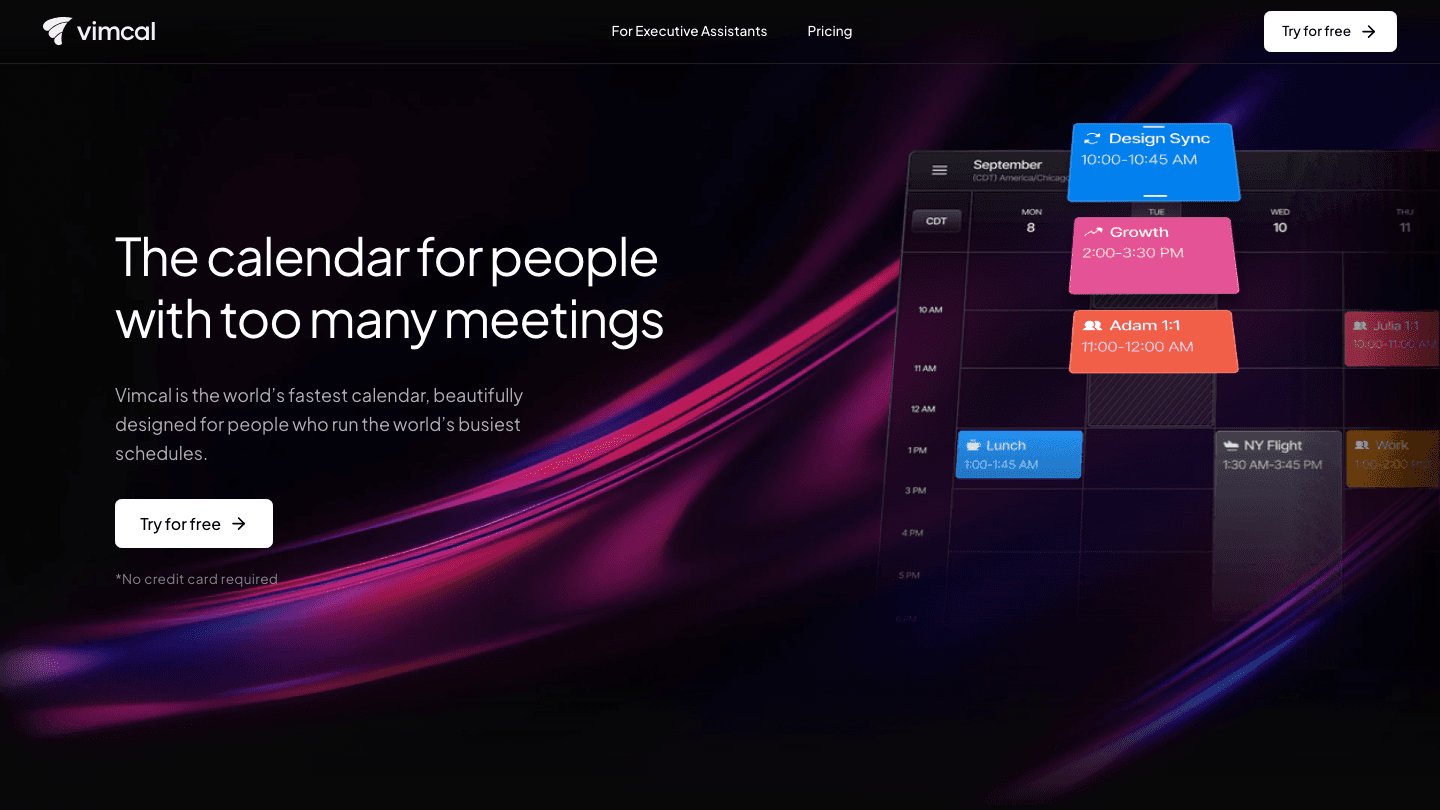
Vimcal's free plan is iOS-only, which is a meaningful restriction. You get the mobile calendar with smart availability features: drag to generate a list of open time slots, instant time zone conversion across cities, and automatic duplicate event detection. These are genuinely useful features that the native iOS Calendar app does not offer.
The free plan does not include any desktop experience. If you spend most of your day on a Mac or PC, the free tier is more of a preview than a functional product. It is best suited for people who primarily manage their calendar from their phone and just need occasional scheduling help on mobile.
Is Vimcal Standard Worth $20/Month?
The Standard plan is where Vimcal lives for most users, and $20/month is a meaningful commitment. To put it in context: Google Calendar is free, Fantastical costs $6.99/month, and Fantastical's pricing already includes natural language input and full cross-platform sync. What does Vimcal add for nearly three times the price?
The honest answer is that Vimcal is optimized for a specific type of user: someone who schedules a lot of external meetings, needs to share availability frequently, and values a keyboard-driven, speed-first calendar interface. The booking links are cleaner than Calendly for simple scheduling, the timezone tools are exceptional for people on global teams, and the overall design is genuinely fast.
If you schedule fewer than 5-10 external meetings per week and do not manage across multiple time zones, the Standard plan is likely overkill. The free alternatives cover your needs. If you are a consultant, founder, or anyone whose job involves constant scheduling, the time saved by Vimcal's workflow makes the price defensible.
Vimcal EA Pricing: Who It Is Actually For
At $75/month (or $62.50/month annually), the EA plan is Vimcal's most expensive tier and the most specialized. It is built for executive assistants who manage one or more executives' calendars full-time. The multi-exec support, calendar audit tools, and 1-on-1 onboarding reflect that. These are not features a typical individual user would need or know how to use.
If you are an EA managing a C-suite executive's schedule across multiple time zones, this plan pays for itself quickly. If you are anyone else, it is not relevant to you. The EA plan does not make sense as a productivity upgrade for individual knowledge workers. The Standard plan is what most professionals should evaluate.
Vimcal vs. Other Calendar Pricing
Google Calendar: Free. No booking links, no multi-timezone tools, no keyboard shortcuts. The benchmark for free.
Fantastical: $6.99/month. Natural language input, full cross-platform sync, task integration. Strong value at lower price. See the full Fantastical pricing breakdown.
Cron (by Notion): Free. Clean interface, keyboard-first. Less feature-rich than Vimcal but free.
Morgen: $9/month. Integrates tasks directly into the calendar, solid cross-platform support. See Morgen pricing details.
Vimcal Standard: $20/month. Best booking links, exceptional timezone tools, speed-first design. Premium pricing for a premium experience aimed at frequent external schedulers.
What Vimcal Does Not Do
Vimcal is a calendar, not a planning system. It shows you when things are and helps you schedule them efficiently. It does not tell you what to work on, protect time for deep work automatically, or adjust your schedule based on your energy levels. Most calendar apps have this limitation.
If scheduling around your energy is important to you, that is where Lifestack fits differently. Lifestack reads wearable data from Oura, Whoop, and Garmin and uses it to auto-schedule your tasks during your natural peak energy windows. It works on top of your existing calendar rather than replacing it. The two tools address different problems: Vimcal makes the scheduling workflow faster, while Lifestack makes the schedule itself smarter. Energy-based planning explains the distinction in more depth.

Lifestack pricing starts with a 7-day free trial, then $7/month, $50/year, or $120 for a lifetime license. For anyone comparing calendar tools by monthly cost, the best scheduling apps guide covers options across price points.
FAQ: Vimcal Pricing
Does Vimcal have a free plan?
Yes. Vimcal offers a free plan that works on iOS (iPhone and iPad) only. It includes the core availability and timezone features but does not include desktop apps, booking links, or team scheduling. If you need Mac or PC access, you will need the Standard plan at $20/month.
How much does Vimcal cost per year?
The Vimcal Standard plan costs $200/year when billed annually ($16.67/month), which saves about 16% compared to monthly billing. The EA plan costs $750/year when billed annually ($62.50/month).
Is there a Vimcal free trial?
Yes, Vimcal offers a free trial for the Standard plan with no credit card required. This lets you test the desktop apps, booking links, and team features before committing to the $20/month subscription.
Is Vimcal worth $20 a month?
For frequent external schedulers, consultants, and people managing meetings across time zones, yes. The booking link quality, time zone tools, and keyboard-first design genuinely save time for that use case. For people who rarely schedule external meetings or mostly use their calendar passively, alternatives like Fantastical ($6.99/month) or Cron (free) cover the need at lower cost. See the full comparison in calendar management tools.
What is the difference between Vimcal and Vimcal EA?
Vimcal Standard is for individual users and teams who want a faster calendar with better scheduling tools. Vimcal EA ($75/month) is designed specifically for executive assistants who manage one or more executives' calendars. The EA plan adds multi-exec management, collaborative scheduling, calendar audits, and 1-on-1 onboarding. These features are only relevant for professional EA workflows.
What are the best Vimcal alternatives?
The best Vimcal alternatives depend on why you are looking. For a lower-cost calendar with smart features, Fantastical and Morgen are worth comparing. For a free keyboard-first calendar, Cron is worth trying. For a planning tool that goes beyond scheduling into energy-aware task management, Lifestack is a different category entirely. The Google Calendar alternatives guide and our aesthetic calendar apps roundup both cover options in detail.
Vimcal has earned a loyal following among people who manage complex schedules, run on back-to-back meetings, and need a calendar that keeps up with them. But at $20 per month for the Standard plan, it sits noticeably above most calendar tools on the market. Whether that price makes sense depends heavily on what you actually need from a calendar app.
This guide breaks down every Vimcal pricing tier, what is actually included in each one, and who each plan is genuinely worth paying for. We also look at where Vimcal falls short and what alternatives exist if the price does not fit your use case.
Key Takeaways
Vimcal has a free iOS-only plan, a $20/month Standard plan for individuals and teams, and a $75/month EA plan built specifically for executive assistants managing multiple calendars.
The free plan is limited to iPhone and iPad only. If you work on a desktop, you need to pay.
For most individuals, the question is not whether Vimcal is good (it is) but whether its specific strengths justify $20/month when alternatives exist at lower price points.
Vimcal Pricing Plans at a Glance
Free (iOS only): $0/month. iOS calendar app with drag-to-copy availability slots, multi-timezone conversion, duplicate event merging, and dark mode.
Standard: $20/month or $16.67/month billed annually (saves about 16%). Adds desktop apps for Mac and PC, unlimited personal booking links, scheduling polls, team scheduling, a custom menu bar app, and signature removal from booking links.
Enterprise: Custom pricing. Everything in Standard plus dedicated support, SAML SSO, advanced security, and custom billing.
EA Scheduling: $75/month or $62.50/month billed annually. Designed specifically for executive assistants. Includes multi-exec support for up to 5 time zones, auto-created calendar holds, collaborative scheduling tools, time slot history, calendar audits, customizable exec preferences, and 1-on-1 onboarding.
What You Get on the Free Plan
Vimcal's free plan is iOS-only, which is a meaningful restriction. You get the mobile calendar with smart availability features: drag to generate a list of open time slots, instant time zone conversion across cities, and automatic duplicate event detection. These are genuinely useful features that the native iOS Calendar app does not offer.
The free plan does not include any desktop experience. If you spend most of your day on a Mac or PC, the free tier is more of a preview than a functional product. It is best suited for people who primarily manage their calendar from their phone and just need occasional scheduling help on mobile.
Is Vimcal Standard Worth $20/Month?
The Standard plan is where Vimcal lives for most users, and $20/month is a meaningful commitment. To put it in context: Google Calendar is free, Fantastical costs $6.99/month, and Fantastical's pricing already includes natural language input and full cross-platform sync. What does Vimcal add for nearly three times the price?
The honest answer is that Vimcal is optimized for a specific type of user: someone who schedules a lot of external meetings, needs to share availability frequently, and values a keyboard-driven, speed-first calendar interface. The booking links are cleaner than Calendly for simple scheduling, the timezone tools are exceptional for people on global teams, and the overall design is genuinely fast.
If you schedule fewer than 5-10 external meetings per week and do not manage across multiple time zones, the Standard plan is likely overkill. The free alternatives cover your needs. If you are a consultant, founder, or anyone whose job involves constant scheduling, the time saved by Vimcal's workflow makes the price defensible.
Vimcal EA Pricing: Who It Is Actually For
At $75/month (or $62.50/month annually), the EA plan is Vimcal's most expensive tier and the most specialized. It is built for executive assistants who manage one or more executives' calendars full-time. The multi-exec support, calendar audit tools, and 1-on-1 onboarding reflect that. These are not features a typical individual user would need or know how to use.
If you are an EA managing a C-suite executive's schedule across multiple time zones, this plan pays for itself quickly. If you are anyone else, it is not relevant to you. The EA plan does not make sense as a productivity upgrade for individual knowledge workers. The Standard plan is what most professionals should evaluate.
Vimcal vs. Other Calendar Pricing
Google Calendar: Free. No booking links, no multi-timezone tools, no keyboard shortcuts. The benchmark for free.
Fantastical: $6.99/month. Natural language input, full cross-platform sync, task integration. Strong value at lower price. See the full Fantastical pricing breakdown.
Cron (by Notion): Free. Clean interface, keyboard-first. Less feature-rich than Vimcal but free.
Morgen: $9/month. Integrates tasks directly into the calendar, solid cross-platform support. See Morgen pricing details.
Vimcal Standard: $20/month. Best booking links, exceptional timezone tools, speed-first design. Premium pricing for a premium experience aimed at frequent external schedulers.
What Vimcal Does Not Do
Vimcal is a calendar, not a planning system. It shows you when things are and helps you schedule them efficiently. It does not tell you what to work on, protect time for deep work automatically, or adjust your schedule based on your energy levels. Most calendar apps have this limitation.
If scheduling around your energy is important to you, that is where Lifestack fits differently. Lifestack reads wearable data from Oura, Whoop, and Garmin and uses it to auto-schedule your tasks during your natural peak energy windows. It works on top of your existing calendar rather than replacing it. The two tools address different problems: Vimcal makes the scheduling workflow faster, while Lifestack makes the schedule itself smarter. Energy-based planning explains the distinction in more depth.
Lifestack pricing starts with a 7-day free trial, then $7/month, $50/year, or $120 for a lifetime license. For anyone comparing calendar tools by monthly cost, the best scheduling apps guide covers options across price points.
FAQ: Vimcal Pricing
Does Vimcal have a free plan?
Yes. Vimcal offers a free plan that works on iOS (iPhone and iPad) only. It includes the core availability and timezone features but does not include desktop apps, booking links, or team scheduling. If you need Mac or PC access, you will need the Standard plan at $20/month.
How much does Vimcal cost per year?
The Vimcal Standard plan costs $200/year when billed annually ($16.67/month), which saves about 16% compared to monthly billing. The EA plan costs $750/year when billed annually ($62.50/month).
Is there a Vimcal free trial?
Yes, Vimcal offers a free trial for the Standard plan with no credit card required. This lets you test the desktop apps, booking links, and team features before committing to the $20/month subscription.
Is Vimcal worth $20 a month?
For frequent external schedulers, consultants, and people managing meetings across time zones, yes. The booking link quality, time zone tools, and keyboard-first design genuinely save time for that use case. For people who rarely schedule external meetings or mostly use their calendar passively, alternatives like Fantastical ($6.99/month) or Cron (free) cover the need at lower cost. See the full comparison in calendar management tools.
What is the difference between Vimcal and Vimcal EA?
Vimcal Standard is for individual users and teams who want a faster calendar with better scheduling tools. Vimcal EA ($75/month) is designed specifically for executive assistants who manage one or more executives' calendars. The EA plan adds multi-exec management, collaborative scheduling, calendar audits, and 1-on-1 onboarding. These features are only relevant for professional EA workflows.
What are the best Vimcal alternatives?
The best Vimcal alternatives depend on why you are looking. For a lower-cost calendar with smart features, Fantastical and Morgen are worth comparing. For a free keyboard-first calendar, Cron is worth trying. For a planning tool that goes beyond scheduling into energy-aware task management, Lifestack is a different category entirely. The Google Calendar alternatives guide and our aesthetic calendar apps roundup both cover options in detail.



FOLLOW ON
FOLLOW ON
FOLLOW ON


Copyright 2026 © Lifestack. All rights reserved
Copyright 2026 © Lifestack. All rights reserved

