
App
Best Administrative Calendar Apps for 2026
Best Administrative Calendar Apps for 2026
Administrative calendars aren't just for keeping track of meetings. For anyone managing a packed schedule, the right calendar app can mean the difference between a reactive day and a productive one. Yet most tools do the same thing: they show you what's coming, and leave the rest to you.
That's the gap the best administrative calendar apps have started to close. AI scheduling, energy awareness, and smart automation now handle the work of figuring out when to do what. The result is less cognitive overhead, fewer missed priorities, and days that actually reflect how you work best.
We tested six of the top options in 2026 to see which ones actually deliver. Whether you're an executive assistant coordinating complex schedules, a manager juggling team meetings and deep work, or an individual professional trying to protect focus time, there's a tool here that fits.
Here's what we found.
Key Takeaways
Lifestack is the only calendar app that reads your energy patterns and schedules around them. It's the best pick if you want a planner that works with your biology, not just your availability.
Motion is the go-to for AI autopilot scheduling. It rebuilds your day automatically when things change, so you never have to manually reshuffle.
Calendly and Google Calendar are the best free options: Calendly for managing external bookings, Google Calendar as the free foundation almost everything integrates with.
Quick Guide: Best Administrative Calendar Apps
1. Lifestack: AI planner that schedules around your energy, not just your availability
2. Motion: AI autopilot that auto-schedules your entire task and meeting list
3. Fantastical: Best Apple-native calendar for unifying personal and work schedules
4. Calendly: Best for automating external meeting bookings
5. Google Calendar: Best free foundation with universal app integrations
6. Notion Calendar: Best free option for Notion users who want calendar + database in one view
How We Evaluated
AI scheduling quality: Does it actually optimize your day, or just surface suggestions?
Energy and focus awareness: Does it account for when you do your best work?
Calendar integrations: Google Calendar, Outlook, Apple Calendar support
Mobile experience: iOS and Android app quality
Pricing relative to value: What you get at each tier
Ease of use: How quickly it fits into an existing workflow
1. Lifestack: Best for Energy-Aware Scheduling
The administrative calendar that works with your biology.

Most calendar apps treat every hour the same. Lifestack doesn't. It reads your sleep data, activity patterns, and energy levels from connected wearables, then uses that to schedule your tasks when you're actually in the right state to do them. High-focus work goes in your peak hours. Admin tasks get routed to low-energy windows. Meetings fill the gaps.
That distinction matters more than it sounds. An AI that auto-schedules without energy context can still pack your morning with draining meetings right when you'd be best suited for deep work. Lifestack solves the part other tools skip. It's why the app has a particularly strong following among ADHD users and anyone whose productivity is tied to managing energy, not just time.
The interface is clean and fast. Calendar connections take minutes. On mobile, you get a daily planner view that shows what's scheduled, why, and what got moved. If something goes sideways, the AI reschedules around it without you touching anything.
For a deeper look at why energy-based planning outperforms traditional time-blocking, see this breakdown. And if you're managing ADHD alongside a busy schedule, the ADHD calendar guide covers how Lifestack fits into that workflow specifically.
Key Features
Energy-aware task scheduling based on wearable and health data
Automatic daily plan generation that rebuilds when priorities shift
Google Calendar, Outlook, and Apple Calendar integration
iOS and Android apps with daily planner view
Task management with priority and deadline awareness
What Works
The only tool that actually accounts for when you have energy, not just availability
Reschedules automatically when your day changes
Simple setup with no complicated configuration
Limitations
Not designed for coordinating external bookings (pair it with Calendly for that)
Best value when you have a wearable to connect
Pricing: $7/month or $50/year (7-day free trial on annual plan)
Best for: Anyone who wants their calendar to optimize around energy, not just open slots
2. Motion: Best AI Autopilot Scheduling
Rebuilds your entire day automatically, every time something changes.
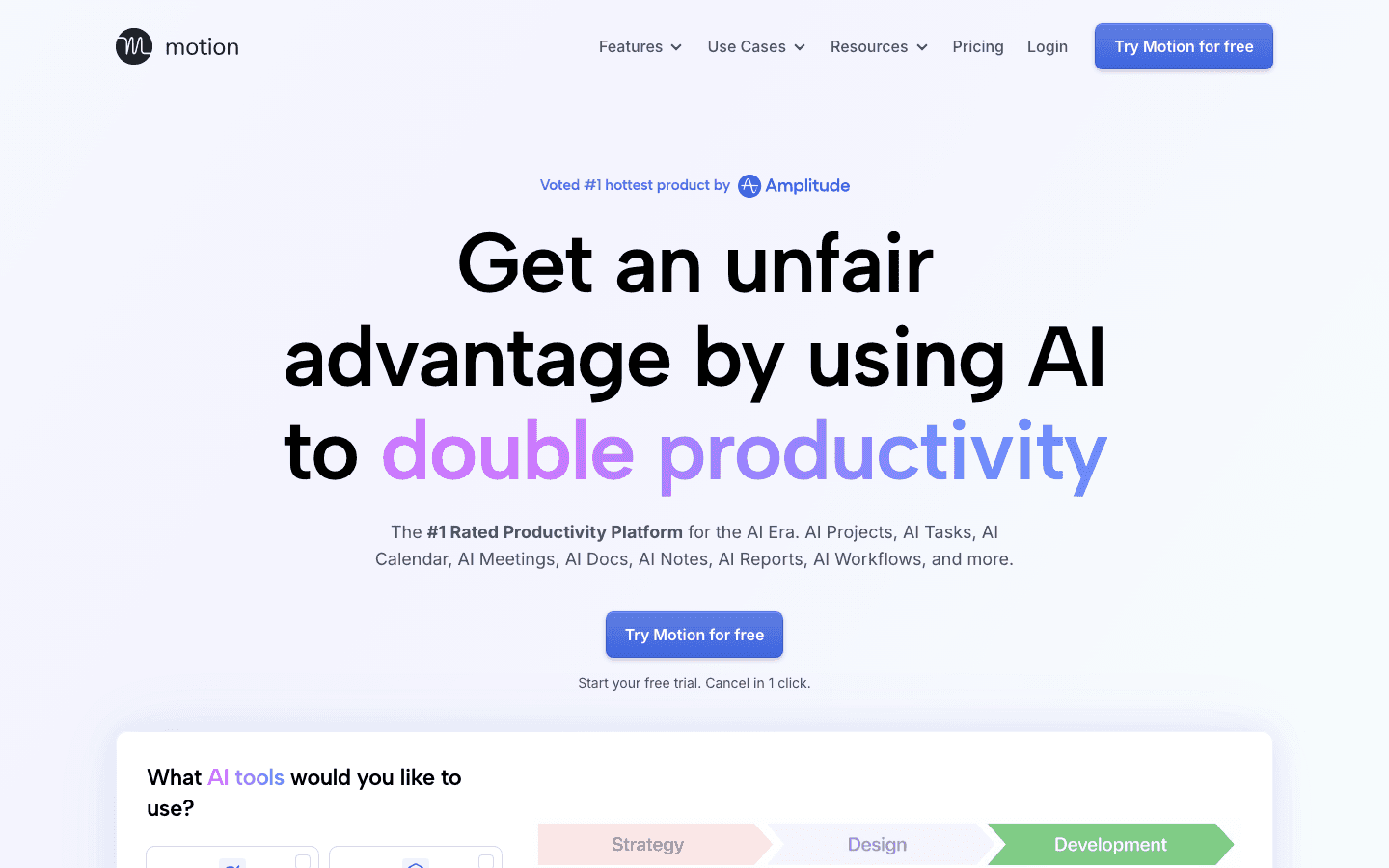
Motion takes a different approach to AI scheduling than most tools. Instead of suggesting where to put things, it takes over the whole calendar. You add tasks with deadlines, connect your meetings, and Motion auto-schedules everything into time blocks. When a meeting runs long or a task slips, it rebuilds the rest of the day without you asking.
This works especially well for people with large task lists and back-to-back meetings. The AI is aggressive about protecting time for actual work, not just meetings. It's also one of the few tools that handles project-level scheduling alongside daily task management, which makes it useful for managers tracking multiple workstreams.
The tradeoff is price. At $19/month, it's one of the more expensive options here. And unlike Lifestack, it doesn't factor in energy patterns, so your high-focus work might still land in low-energy windows. But for raw scheduling automation, it's hard to beat.
Key Features
Full-day AI scheduling across tasks, projects, and meetings
Automatic rescheduling when plans change
Project and team scheduling (Business plan)
Google Calendar and Outlook integration
Mobile apps for iOS and Android
What Works
True autopilot scheduling, not just suggestions
Handles complex task lists with multiple deadlines well
Saves significant time for people managing packed calendars
Limitations
No energy awareness: schedules by availability, not peak performance windows
Higher price point than most calendar apps
Can feel over-automated if you prefer manual control
Pricing: $19/month or ~$13/month billed annually (Pro AI plan)
Best for: Managers and busy professionals who want full scheduling automation without manual reshuffling
3. Fantastical: Best Apple-Native Calendar
Unified calendar view for people deep in the Apple ecosystem.
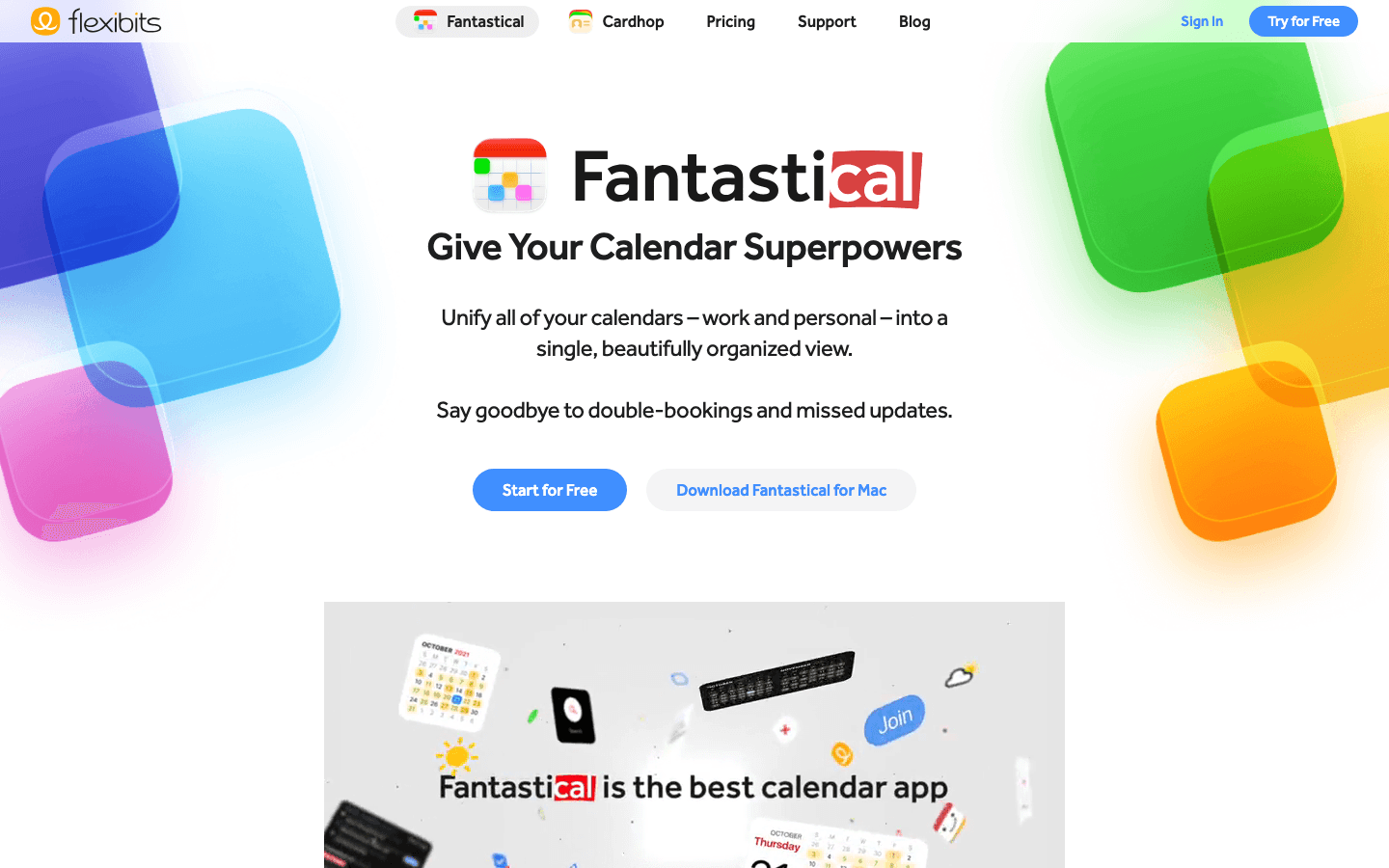
Fantastical has been the go-to calendar app for Apple users for years, and the 2026 version holds up. It pulls together Google Calendar, Outlook, Apple Calendar, and iCloud into a single, polished interface. The natural language input is genuinely fast. Type "lunch with Sarah Friday at 1pm" and it creates the event, no tapping required.
The design is clean and the widget game on iOS is strong. If you live in Safari, Mail, and iMessage, Fantastical fits naturally alongside them. It also has basic task management, which is enough for people who just need a to-do list attached to their calendar, not a full planning system.
What it doesn't do is optimize. Fantastical is a great calendar viewer and event creator, but it won't tell you when to schedule things or rebuild your day when it falls apart. For that, you need something like Lifestack or Motion. Many people use Fantastical as their primary calendar UI and connect it to a scheduling layer on top.
Key Features
Unified view across Google, Outlook, Apple Calendar, and iCloud
Natural language event creation
Excellent iOS and macOS widgets
Basic task management with calendar integration
Weather and travel time overlays
What Works
Best visual calendar experience on Apple devices
Natural language input is fast and accurate
Multi-account calendar management done well
Limitations
No AI scheduling or energy awareness
Subscription required for most useful features
Less useful on Android or Windows
Pricing: $6.99/month or $56.99/year (14-day free trial)
Best for: Apple users who want a polished unified calendar view across multiple accounts
4. Calendly: Best for External Meeting Scheduling
Eliminate the back-and-forth of booking external meetings.
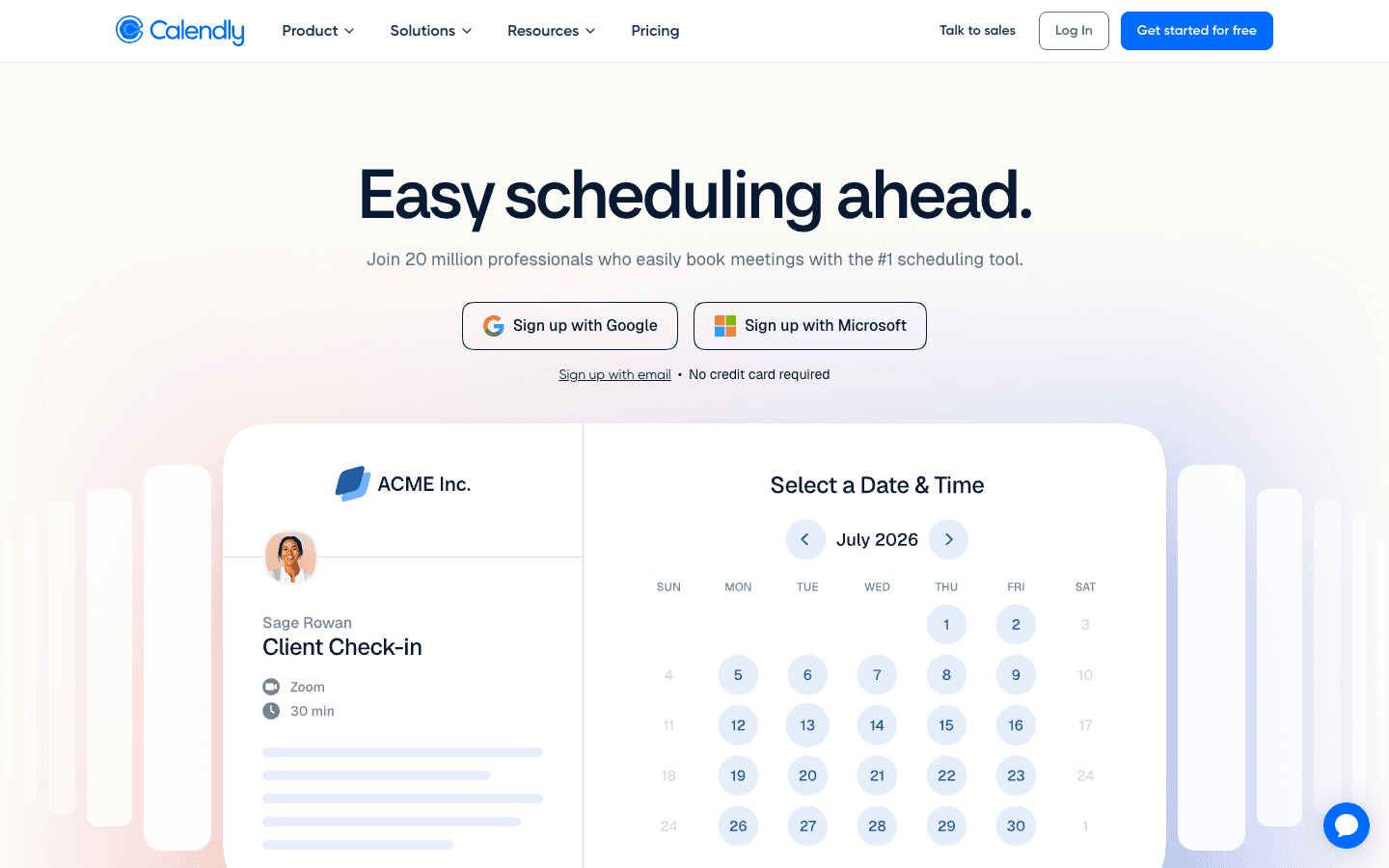
Calendly solves a specific problem: coordinating meetings with people outside your organization. Instead of trading emails to find a time, you share a link, they pick a slot, and it appears in both calendars automatically. For anyone who manages a high volume of external meetings, demos, or client calls, this alone saves hours each week.
The free plan is genuinely useful. One event type, one calendar connection, and the core booking flow work without paying anything. The paid plans add multiple event types, payment processing through Stripe or PayPal, and team scheduling features like round-robin assignment.
Calendly isn't a full administrative calendar. It doesn't manage your internal scheduling, tasks, or daily planning. Think of it as a front door for your calendar, handling the inbound scheduling so you can focus on the actual work. It pairs well with any of the other apps on this list.
Key Features
Shareable booking links with availability rules
Automatic calendar blocking when bookings come in
Payment collection via Stripe and PayPal (paid)
Team round-robin and pooled availability (Teams plan)
HubSpot, Salesforce, and Zapier integrations
What Works
Best-in-class external booking automation
Generous free plan for individual use
Widely recognized, so clients and prospects know how to use it
Limitations
Not a full calendar management tool: limited internal scheduling features
Free plan restricted to one event type
No task management or daily planning
Pricing: Free (1 event type); $10/seat/month billed annually (Standard, 14-day trial)
Best for: Anyone who manages external meetings, client calls, or demos and wants to eliminate scheduling back-and-forth
5. Google Calendar: Best Free Foundation
The calendar every other tool connects to first.
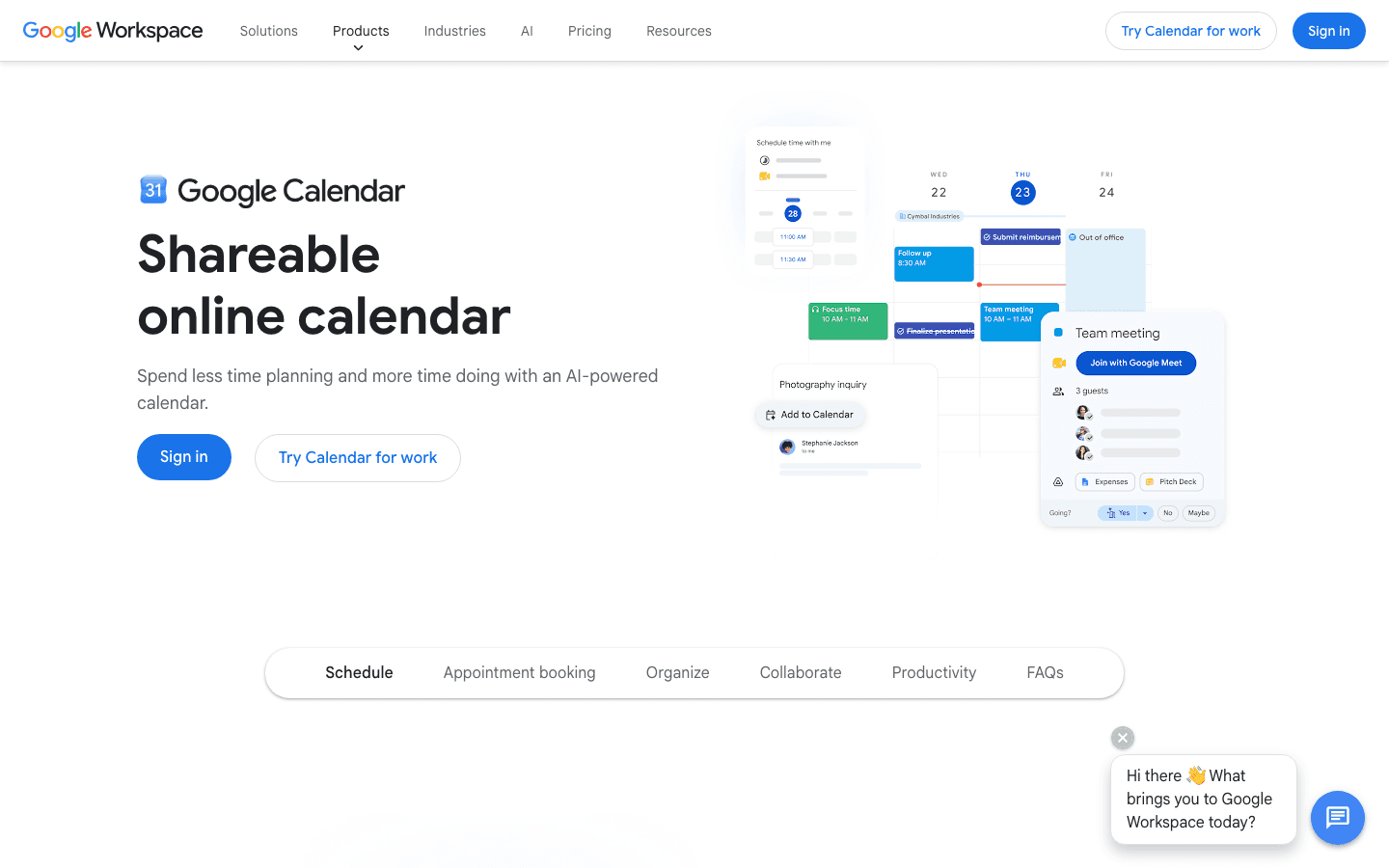
Google Calendar is free, integrates with nearly everything, and has been reliable for years. If you're starting from zero, this is where most people start. The web interface is fast. Sharing calendars with colleagues is simple. And because it's Google, every app on this list connects to it natively.
The 2026 version has added AI features via Google Workspace, including scheduling suggestions and meeting preparation summaries. These are useful additions, though they don't come close to what Lifestack or Motion do with full scheduling automation. Google Calendar remains a passive tool, showing you what's on your plate rather than helping you decide when to tackle it.
For teams already in Google Workspace, it's the obvious default. The shared calendars, meeting invites, and Google Meet integration make collaboration frictionless. Pair it with a dedicated scheduling layer if you need more intelligence on top.
Key Features
Free with any Google account
Shared calendars and team availability view
Google Meet integration built in
Universal integration support (almost every app connects to it)
AI scheduling suggestions via Google Workspace
What Works
Completely free with no feature gating for core use
Integrates with more tools than any other calendar
Reliable and fast across web, iOS, and Android
Limitations
No AI scheduling automation or energy awareness
Task management is basic compared to dedicated tools
Needs third-party apps to become a full scheduling system
Pricing: Free (included with Google account); Google Workspace from $6/user/month for business features
Best for: Teams on Google Workspace who want a shared calendar foundation; anyone looking for a free, universal starting point
6. Notion Calendar: Best Free Calendar for Notion Users
Connects your Notion databases directly to your calendar.
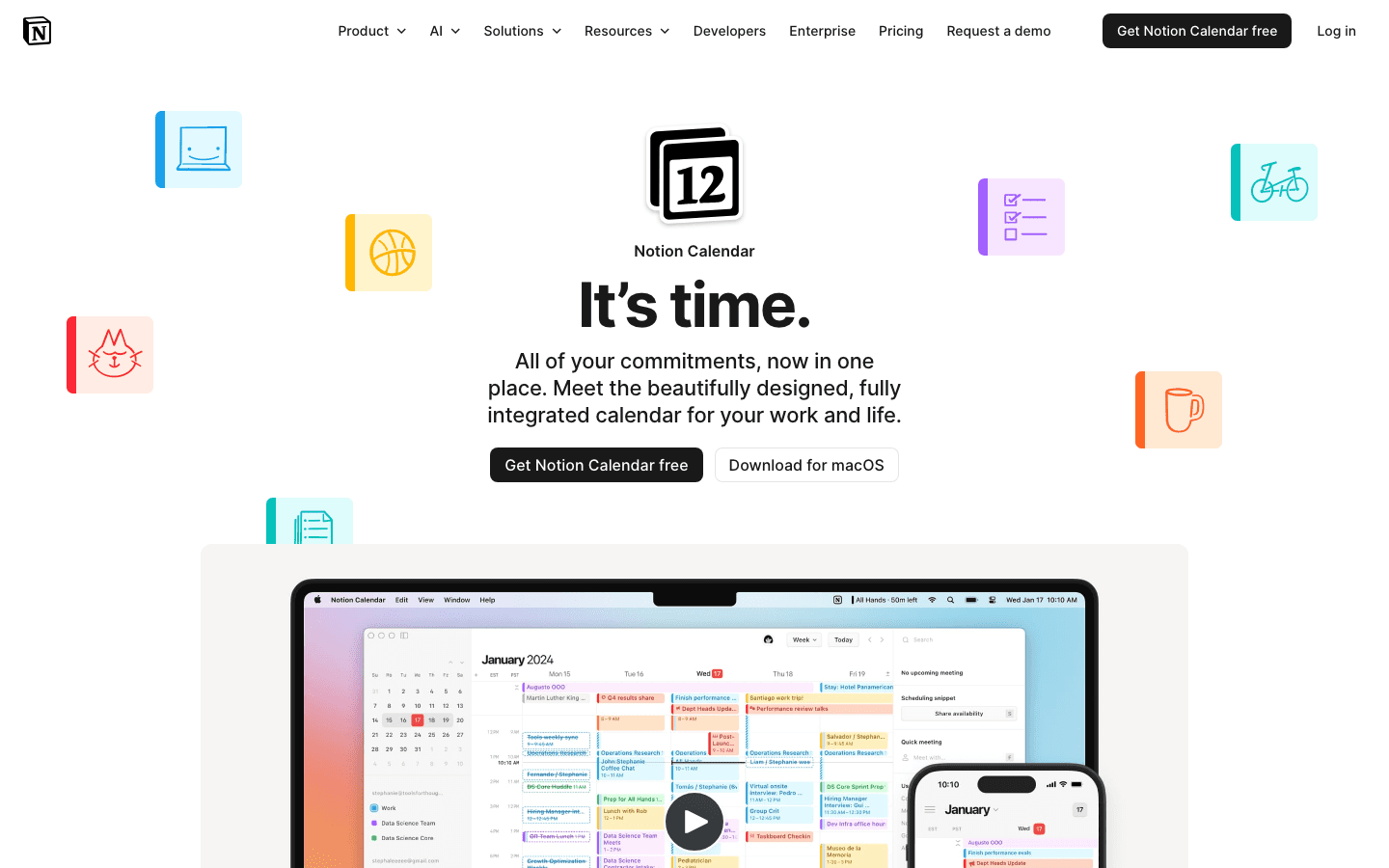
Notion Calendar is the calendar app Notion users have wanted for years. It pulls events, deadlines, and database entries from your Notion workspace directly into a unified calendar view alongside Google Calendar. If you track projects, meetings, or tasks in Notion, those items show up on your calendar automatically, no manual entry needed.
It's free. The macOS app is well-built. The mobile apps cover iOS and Android. For someone already inside the Notion ecosystem, the value is immediate: you stop living between a calendar and a database, because they become the same view.
The app doesn't do AI scheduling. It's a viewer and organizer, not an optimizer. But for the specific problem of connecting Notion to a real calendar without paying for a third-party integration, it's the cleanest solution available.
Key Features
Direct sync with Notion databases and project pages
Google Calendar integration
Unified calendar + Notion workspace view
macOS, iOS, and Android apps
Team calendar sharing
What Works
Best integration between Notion and a real calendar: fully free
Eliminates the gap between your project database and your schedule
Clean design that feels native to the Notion interface
Limitations
Less useful if you don't use Notion
No AI scheduling or task optimization
Limited power-user features compared to Fantastical
Pricing: Free
Best for: Notion users who want to see their workspace deadlines and projects alongside their calendar without extra cost
Which Administrative Calendar Is Right for You?
You want your calendar to work around your energy: Lifestack. It's the only tool that reads your actual performance patterns and schedules accordingly. See the energy calendar guide for more on this approach.
You have a large task list and meetings constantly shifting: Motion. Its autopilot scheduling saves the most time for people managing many moving pieces.
You're deep in Apple devices and want the best native calendar: Fantastical.
You manage external bookings and client calls: Calendly, paired with your existing calendar.
You're on a team using Google Workspace and need a shared foundation: Google Calendar.
You run your work inside Notion and want it connected to a real calendar: Notion Calendar.
You want the full picture on scheduling tools: Check the calendar management tools overview and the best scheduling app guide for additional comparisons.
FAQ
What is an administrative calendar app?
An administrative calendar app helps you manage your schedule beyond basic event tracking. The best ones handle meeting coordination, task scheduling, priority management, and integrations with the other tools in your workflow. More advanced options like Lifestack add AI scheduling that optimizes your day around your energy and priorities automatically.
Which administrative calendar app is best for executives?
Lifestack and Motion are the strongest picks for executives. Lifestack schedules around energy patterns, which matters when your cognitive output needs to match your most demanding work. Motion handles autopilot scheduling for people with complex, shifting task lists. Both are covered in the best calendar apps roundup for more context.
Is there a free administrative calendar app?
Yes. Google Calendar is free and works as a solid foundation. Notion Calendar is also free and adds direct Notion database sync. Calendly has a free plan for single-event-type booking. For AI scheduling features, Lifestack offers a 7-day free trial on its annual plan.
What happened to Clockwise?
Clockwise shut down in March 2026. If you were using it for focus time protection, Lifestack and Motion are both strong alternatives. For a full list of options, see the Clockwise alternatives guide.
Can I use multiple calendar apps together?
Yes, and most people do. A common setup is Google Calendar as the data layer, Calendly handling external bookings, and Lifestack or Motion providing AI scheduling on top. Each layer solves a specific part of the problem without conflicting with the others.
What's the best administrative calendar app for ADHD?
Lifestack. Its energy-aware scheduling is built for variable focus patterns, and the automatic daily planning removes the decision fatigue of figuring out what to work on next. The ADHD calendar breakdown goes deeper on why energy-based scheduling works better than traditional time-blocking for ADHD brains.
Administrative calendars aren't just for keeping track of meetings. For anyone managing a packed schedule, the right calendar app can mean the difference between a reactive day and a productive one. Yet most tools do the same thing: they show you what's coming, and leave the rest to you.
That's the gap the best administrative calendar apps have started to close. AI scheduling, energy awareness, and smart automation now handle the work of figuring out when to do what. The result is less cognitive overhead, fewer missed priorities, and days that actually reflect how you work best.
We tested six of the top options in 2026 to see which ones actually deliver. Whether you're an executive assistant coordinating complex schedules, a manager juggling team meetings and deep work, or an individual professional trying to protect focus time, there's a tool here that fits.
Here's what we found.
Key Takeaways
Lifestack is the only calendar app that reads your energy patterns and schedules around them. It's the best pick if you want a planner that works with your biology, not just your availability.
Motion is the go-to for AI autopilot scheduling. It rebuilds your day automatically when things change, so you never have to manually reshuffle.
Calendly and Google Calendar are the best free options: Calendly for managing external bookings, Google Calendar as the free foundation almost everything integrates with.
Quick Guide: Best Administrative Calendar Apps
1. Lifestack: AI planner that schedules around your energy, not just your availability
2. Motion: AI autopilot that auto-schedules your entire task and meeting list
3. Fantastical: Best Apple-native calendar for unifying personal and work schedules
4. Calendly: Best for automating external meeting bookings
5. Google Calendar: Best free foundation with universal app integrations
6. Notion Calendar: Best free option for Notion users who want calendar + database in one view
How We Evaluated
AI scheduling quality: Does it actually optimize your day, or just surface suggestions?
Energy and focus awareness: Does it account for when you do your best work?
Calendar integrations: Google Calendar, Outlook, Apple Calendar support
Mobile experience: iOS and Android app quality
Pricing relative to value: What you get at each tier
Ease of use: How quickly it fits into an existing workflow
1. Lifestack: Best for Energy-Aware Scheduling
The administrative calendar that works with your biology.
Most calendar apps treat every hour the same. Lifestack doesn't. It reads your sleep data, activity patterns, and energy levels from connected wearables, then uses that to schedule your tasks when you're actually in the right state to do them. High-focus work goes in your peak hours. Admin tasks get routed to low-energy windows. Meetings fill the gaps.
That distinction matters more than it sounds. An AI that auto-schedules without energy context can still pack your morning with draining meetings right when you'd be best suited for deep work. Lifestack solves the part other tools skip. It's why the app has a particularly strong following among ADHD users and anyone whose productivity is tied to managing energy, not just time.
The interface is clean and fast. Calendar connections take minutes. On mobile, you get a daily planner view that shows what's scheduled, why, and what got moved. If something goes sideways, the AI reschedules around it without you touching anything.
For a deeper look at why energy-based planning outperforms traditional time-blocking, see this breakdown. And if you're managing ADHD alongside a busy schedule, the ADHD calendar guide covers how Lifestack fits into that workflow specifically.
Key Features
Energy-aware task scheduling based on wearable and health data
Automatic daily plan generation that rebuilds when priorities shift
Google Calendar, Outlook, and Apple Calendar integration
iOS and Android apps with daily planner view
Task management with priority and deadline awareness
What Works
The only tool that actually accounts for when you have energy, not just availability
Reschedules automatically when your day changes
Simple setup with no complicated configuration
Limitations
Not designed for coordinating external bookings (pair it with Calendly for that)
Best value when you have a wearable to connect
Pricing: $7/month or $50/year (7-day free trial on annual plan)
Best for: Anyone who wants their calendar to optimize around energy, not just open slots
2. Motion: Best AI Autopilot Scheduling
Rebuilds your entire day automatically, every time something changes.
Motion takes a different approach to AI scheduling than most tools. Instead of suggesting where to put things, it takes over the whole calendar. You add tasks with deadlines, connect your meetings, and Motion auto-schedules everything into time blocks. When a meeting runs long or a task slips, it rebuilds the rest of the day without you asking.
This works especially well for people with large task lists and back-to-back meetings. The AI is aggressive about protecting time for actual work, not just meetings. It's also one of the few tools that handles project-level scheduling alongside daily task management, which makes it useful for managers tracking multiple workstreams.
The tradeoff is price. At $19/month, it's one of the more expensive options here. And unlike Lifestack, it doesn't factor in energy patterns, so your high-focus work might still land in low-energy windows. But for raw scheduling automation, it's hard to beat.
Key Features
Full-day AI scheduling across tasks, projects, and meetings
Automatic rescheduling when plans change
Project and team scheduling (Business plan)
Google Calendar and Outlook integration
Mobile apps for iOS and Android
What Works
True autopilot scheduling, not just suggestions
Handles complex task lists with multiple deadlines well
Saves significant time for people managing packed calendars
Limitations
No energy awareness: schedules by availability, not peak performance windows
Higher price point than most calendar apps
Can feel over-automated if you prefer manual control
Pricing: $19/month or ~$13/month billed annually (Pro AI plan)
Best for: Managers and busy professionals who want full scheduling automation without manual reshuffling
3. Fantastical: Best Apple-Native Calendar
Unified calendar view for people deep in the Apple ecosystem.
Fantastical has been the go-to calendar app for Apple users for years, and the 2026 version holds up. It pulls together Google Calendar, Outlook, Apple Calendar, and iCloud into a single, polished interface. The natural language input is genuinely fast. Type "lunch with Sarah Friday at 1pm" and it creates the event, no tapping required.
The design is clean and the widget game on iOS is strong. If you live in Safari, Mail, and iMessage, Fantastical fits naturally alongside them. It also has basic task management, which is enough for people who just need a to-do list attached to their calendar, not a full planning system.
What it doesn't do is optimize. Fantastical is a great calendar viewer and event creator, but it won't tell you when to schedule things or rebuild your day when it falls apart. For that, you need something like Lifestack or Motion. Many people use Fantastical as their primary calendar UI and connect it to a scheduling layer on top.
Key Features
Unified view across Google, Outlook, Apple Calendar, and iCloud
Natural language event creation
Excellent iOS and macOS widgets
Basic task management with calendar integration
Weather and travel time overlays
What Works
Best visual calendar experience on Apple devices
Natural language input is fast and accurate
Multi-account calendar management done well
Limitations
No AI scheduling or energy awareness
Subscription required for most useful features
Less useful on Android or Windows
Pricing: $6.99/month or $56.99/year (14-day free trial)
Best for: Apple users who want a polished unified calendar view across multiple accounts
4. Calendly: Best for External Meeting Scheduling
Eliminate the back-and-forth of booking external meetings.
Calendly solves a specific problem: coordinating meetings with people outside your organization. Instead of trading emails to find a time, you share a link, they pick a slot, and it appears in both calendars automatically. For anyone who manages a high volume of external meetings, demos, or client calls, this alone saves hours each week.
The free plan is genuinely useful. One event type, one calendar connection, and the core booking flow work without paying anything. The paid plans add multiple event types, payment processing through Stripe or PayPal, and team scheduling features like round-robin assignment.
Calendly isn't a full administrative calendar. It doesn't manage your internal scheduling, tasks, or daily planning. Think of it as a front door for your calendar, handling the inbound scheduling so you can focus on the actual work. It pairs well with any of the other apps on this list.
Key Features
Shareable booking links with availability rules
Automatic calendar blocking when bookings come in
Payment collection via Stripe and PayPal (paid)
Team round-robin and pooled availability (Teams plan)
HubSpot, Salesforce, and Zapier integrations
What Works
Best-in-class external booking automation
Generous free plan for individual use
Widely recognized, so clients and prospects know how to use it
Limitations
Not a full calendar management tool: limited internal scheduling features
Free plan restricted to one event type
No task management or daily planning
Pricing: Free (1 event type); $10/seat/month billed annually (Standard, 14-day trial)
Best for: Anyone who manages external meetings, client calls, or demos and wants to eliminate scheduling back-and-forth
5. Google Calendar: Best Free Foundation
The calendar every other tool connects to first.
Google Calendar is free, integrates with nearly everything, and has been reliable for years. If you're starting from zero, this is where most people start. The web interface is fast. Sharing calendars with colleagues is simple. And because it's Google, every app on this list connects to it natively.
The 2026 version has added AI features via Google Workspace, including scheduling suggestions and meeting preparation summaries. These are useful additions, though they don't come close to what Lifestack or Motion do with full scheduling automation. Google Calendar remains a passive tool, showing you what's on your plate rather than helping you decide when to tackle it.
For teams already in Google Workspace, it's the obvious default. The shared calendars, meeting invites, and Google Meet integration make collaboration frictionless. Pair it with a dedicated scheduling layer if you need more intelligence on top.
Key Features
Free with any Google account
Shared calendars and team availability view
Google Meet integration built in
Universal integration support (almost every app connects to it)
AI scheduling suggestions via Google Workspace
What Works
Completely free with no feature gating for core use
Integrates with more tools than any other calendar
Reliable and fast across web, iOS, and Android
Limitations
No AI scheduling automation or energy awareness
Task management is basic compared to dedicated tools
Needs third-party apps to become a full scheduling system
Pricing: Free (included with Google account); Google Workspace from $6/user/month for business features
Best for: Teams on Google Workspace who want a shared calendar foundation; anyone looking for a free, universal starting point
6. Notion Calendar: Best Free Calendar for Notion Users
Connects your Notion databases directly to your calendar.
Notion Calendar is the calendar app Notion users have wanted for years. It pulls events, deadlines, and database entries from your Notion workspace directly into a unified calendar view alongside Google Calendar. If you track projects, meetings, or tasks in Notion, those items show up on your calendar automatically, no manual entry needed.
It's free. The macOS app is well-built. The mobile apps cover iOS and Android. For someone already inside the Notion ecosystem, the value is immediate: you stop living between a calendar and a database, because they become the same view.
The app doesn't do AI scheduling. It's a viewer and organizer, not an optimizer. But for the specific problem of connecting Notion to a real calendar without paying for a third-party integration, it's the cleanest solution available.
Key Features
Direct sync with Notion databases and project pages
Google Calendar integration
Unified calendar + Notion workspace view
macOS, iOS, and Android apps
Team calendar sharing
What Works
Best integration between Notion and a real calendar: fully free
Eliminates the gap between your project database and your schedule
Clean design that feels native to the Notion interface
Limitations
Less useful if you don't use Notion
No AI scheduling or task optimization
Limited power-user features compared to Fantastical
Pricing: Free
Best for: Notion users who want to see their workspace deadlines and projects alongside their calendar without extra cost
Which Administrative Calendar Is Right for You?
You want your calendar to work around your energy: Lifestack. It's the only tool that reads your actual performance patterns and schedules accordingly. See the energy calendar guide for more on this approach.
You have a large task list and meetings constantly shifting: Motion. Its autopilot scheduling saves the most time for people managing many moving pieces.
You're deep in Apple devices and want the best native calendar: Fantastical.
You manage external bookings and client calls: Calendly, paired with your existing calendar.
You're on a team using Google Workspace and need a shared foundation: Google Calendar.
You run your work inside Notion and want it connected to a real calendar: Notion Calendar.
You want the full picture on scheduling tools: Check the calendar management tools overview and the best scheduling app guide for additional comparisons.
FAQ
What is an administrative calendar app?
An administrative calendar app helps you manage your schedule beyond basic event tracking. The best ones handle meeting coordination, task scheduling, priority management, and integrations with the other tools in your workflow. More advanced options like Lifestack add AI scheduling that optimizes your day around your energy and priorities automatically.
Which administrative calendar app is best for executives?
Lifestack and Motion are the strongest picks for executives. Lifestack schedules around energy patterns, which matters when your cognitive output needs to match your most demanding work. Motion handles autopilot scheduling for people with complex, shifting task lists. Both are covered in the best calendar apps roundup for more context.
Is there a free administrative calendar app?
Yes. Google Calendar is free and works as a solid foundation. Notion Calendar is also free and adds direct Notion database sync. Calendly has a free plan for single-event-type booking. For AI scheduling features, Lifestack offers a 7-day free trial on its annual plan.
What happened to Clockwise?
Clockwise shut down in March 2026. If you were using it for focus time protection, Lifestack and Motion are both strong alternatives. For a full list of options, see the Clockwise alternatives guide.
Can I use multiple calendar apps together?
Yes, and most people do. A common setup is Google Calendar as the data layer, Calendly handling external bookings, and Lifestack or Motion providing AI scheduling on top. Each layer solves a specific part of the problem without conflicting with the others.
What's the best administrative calendar app for ADHD?
Lifestack. Its energy-aware scheduling is built for variable focus patterns, and the automatic daily planning removes the decision fatigue of figuring out what to work on next. The ADHD calendar breakdown goes deeper on why energy-based scheduling works better than traditional time-blocking for ADHD brains.



FOLLOW ON
FOLLOW ON
FOLLOW ON


Copyright 2026 © Lifestack. All rights reserved
Copyright 2026 © Lifestack. All rights reserved

