
App
Best Clockwise Alternatives in 2026
Best Clockwise Alternatives in 2026
Clockwise Shut Down. Now What?
Clockwise officially ended its service on March 27, 2026. For thousands of teams who relied on it to protect focus time, auto-schedule meetings, and keep their Google Calendars from becoming one giant block of meeting invites, that left a real gap.
Clockwise did something specific: it analyzed your calendar, found contiguous free blocks, protected them as focus time, and moved flexible meetings to optimize for fewer interruptions. It was calendar coordination software that actually worked quietly in the background. No daily ritual required, no manual drag-and-drop. You set your preferences and Clockwise handled the rest.
The good news is that the category Clockwise built has grown. Several apps now do what Clockwise did and go further. Below are five Clockwise alternatives worth using in 2026, starting with one that adds something Clockwise never had: awareness of when your energy is actually high enough to use that focus time.
Key Takeaways
Lifestack is the best Clockwise alternative if you want focus time that matches your real cognitive energy, not just your calendar availability.
Reclaim.ai is the closest like-for-like replacement: it protects focus time, adds buffer blocks, and was officially recommended by Clockwise for migrating users.
Motion handles the entire schedule automatically, going well beyond what Clockwise did by rescheduling tasks and meetings in real time.
Quick Guide: Best Clockwise Alternatives
1. Lifestack: Best for energy-aware focus time scheduling
2. Reclaim.ai: Best direct Clockwise replacement
3. Motion: Best for full AI calendar automation
4. Morgen: Best for multi-calendar time blocking
5. Sunsama: Best for a deliberate daily planning ritual
What to Look for in a Clockwise Alternative
Clockwise had three things that made it valuable: it protected blocks of time on your calendar, it minimized meeting fragmentation, and it did both automatically without requiring you to manually manage anything. A true replacement should handle at least one of these well.
The apps below handle all three in different ways. Some add AI task scheduling on top. One adds energy data from your wearable. What they share is that they make the calendar work for you instead of against you, which is the thing Clockwise users actually miss.
1. Lifestack: Best for Energy-Aware Focus Scheduling
Protect time when your brain is actually ready to use it.

Clockwise created focus blocks when your calendar had free time. Lifestack creates focus blocks when your calendar has free time AND your energy is high enough to make use of them. That's a meaningful difference for anyone who has sat in a two-hour "focus block" at 3pm and gotten nothing done.
Lifestack connects to Oura, WHOOP, Apple Watch, Garmin, and Fitbit to track your recovery, sleep quality, and circadian patterns. It uses that data to schedule deep-work tasks in your peak windows and lighter items when you're in a trough. Your Todoist and Trello tasks sync in, and the calendar fills itself around your real capacity instead of just your availability.
Where Clockwise optimized for calendar geometry, Lifestack optimizes for biological readiness. For people with ADHD, this distinction matters most. A focus block you can't actually focus in is just another calendar appointment you feel bad about missing. For more on the underlying approach, the ADHD time management apps guide covers how energy-aware scheduling works in practice. And if you're also evaluating broader AI scheduling apps, that comparison includes Lifestack alongside Motion and others.
Key Features
Energy-aware scheduling using Oura, WHOOP, Apple Watch, Garmin, and Fitbit
Circadian time blocking that adapts as your patterns change
Two-way sync with Todoist, Trello, and Google Calendar
Mobile apps for iOS and Android
What Works
Goes beyond Clockwise by adding biology to calendar optimization
Works with your existing task manager instead of replacing it
Most affordable paid option on this list
Limitations
Requires a supported wearable for the energy-scheduling feature
No team scheduling features; built for individuals
Pricing: $7/month or $50/year. 7-day free trial, $120 lifetime option.
Best for: Former Clockwise users who want focus time that actually works, not just focus time that exists on a calendar.
2. Reclaim.ai: Best Direct Clockwise Replacement
The closest thing to Clockwise, with task scheduling Clockwise never had.
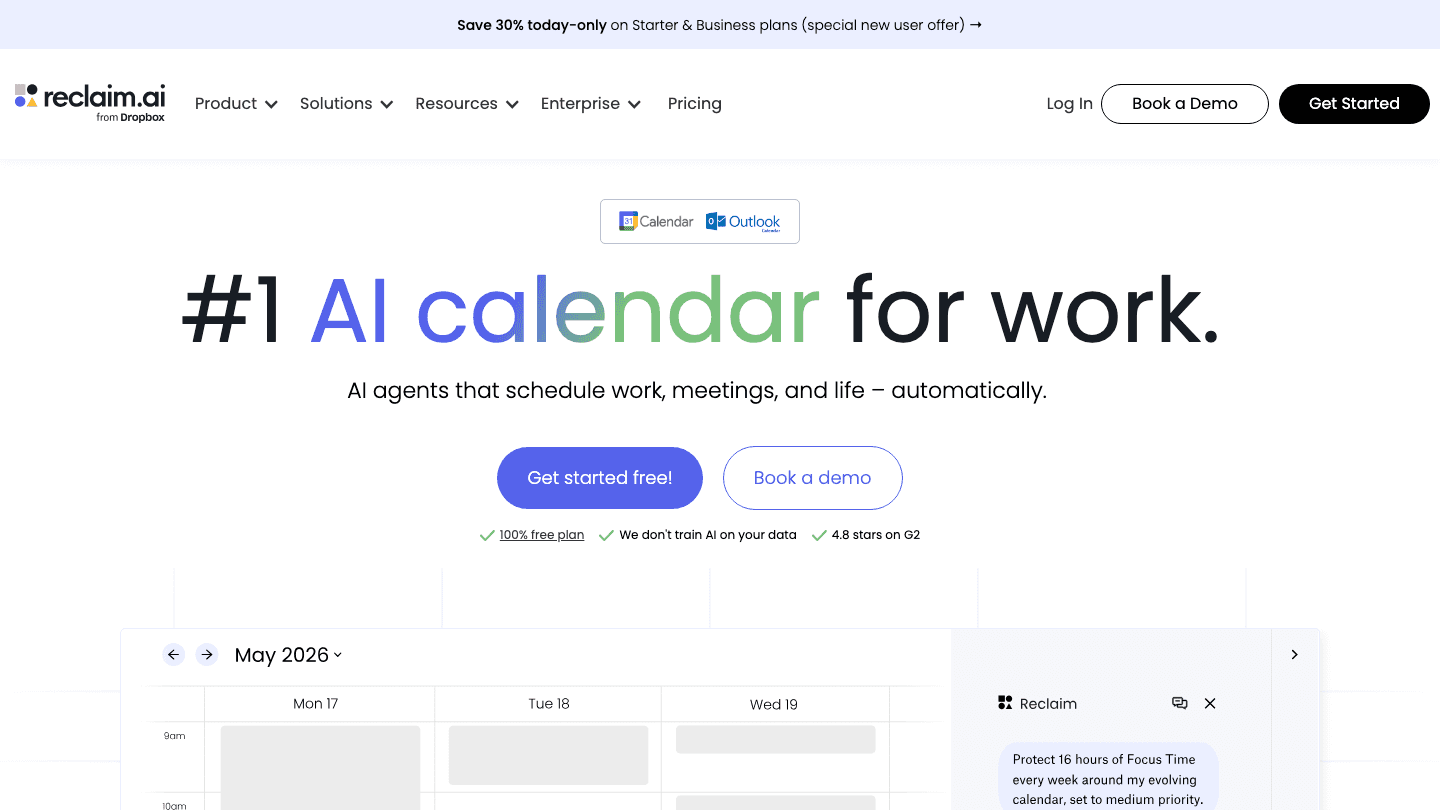
Reclaim.ai is the app Clockwise itself recommended when it announced the shutdown. That's not a coincidence. Reclaim does what Clockwise did (AI focus time protection, meeting buffer blocks, team availability optimization) and adds what Clockwise never built: actual task scheduling tied to those focus blocks.
Where Clockwise protected free calendar time without really knowing what you'd do with it, Reclaim pulls in tasks from Jira, Asana, ClickUp, Todoist, and Linear and schedules them into your protected focus windows based on priority and deadline. The AI reschedules automatically when meetings move or tasks run long. It also handles habits, regular blocks you want protected regardless of meeting pressure.
The free Lite plan is real: it includes focus time, habits, and buffer scheduling with no time limit. Paid tiers add more calendar syncs, longer scheduling horizons, and team features. For anyone who used Clockwise with a team, Reclaim's Business plan replicates the team coordination features with meeting quality analytics and org-wide focus time visibility. See how it compares to other calendar management tools in our full roundup, and read our breakdown of the best time blocking apps for context on where Reclaim fits.
Key Features
AI Focus Time protection with goal-based weekly targeting
Task scheduling: pulls from Jira, Asana, ClickUp, Todoist, Linear
Buffer Time: automatic breathing room between meetings
Habit scheduling and no-meeting day protection
Google Calendar and Outlook support
What Works
The closest experience to Clockwise with meaningful improvements
Task integration adds a layer Clockwise never had
Free plan covers the core Clockwise use case
Limitations
No energy or wearable awareness
Google Calendar and Outlook only; no Apple Calendar
Pricing: Lite at $0 (free forever). Starter at $10/seat/month. Business at $15/seat/month.
Best for: Teams and individuals who want a direct Clockwise replacement with task scheduling added.
3. Motion: Best for Full AI Calendar Automation
Clockwise protected your calendar. Motion builds your entire schedule.
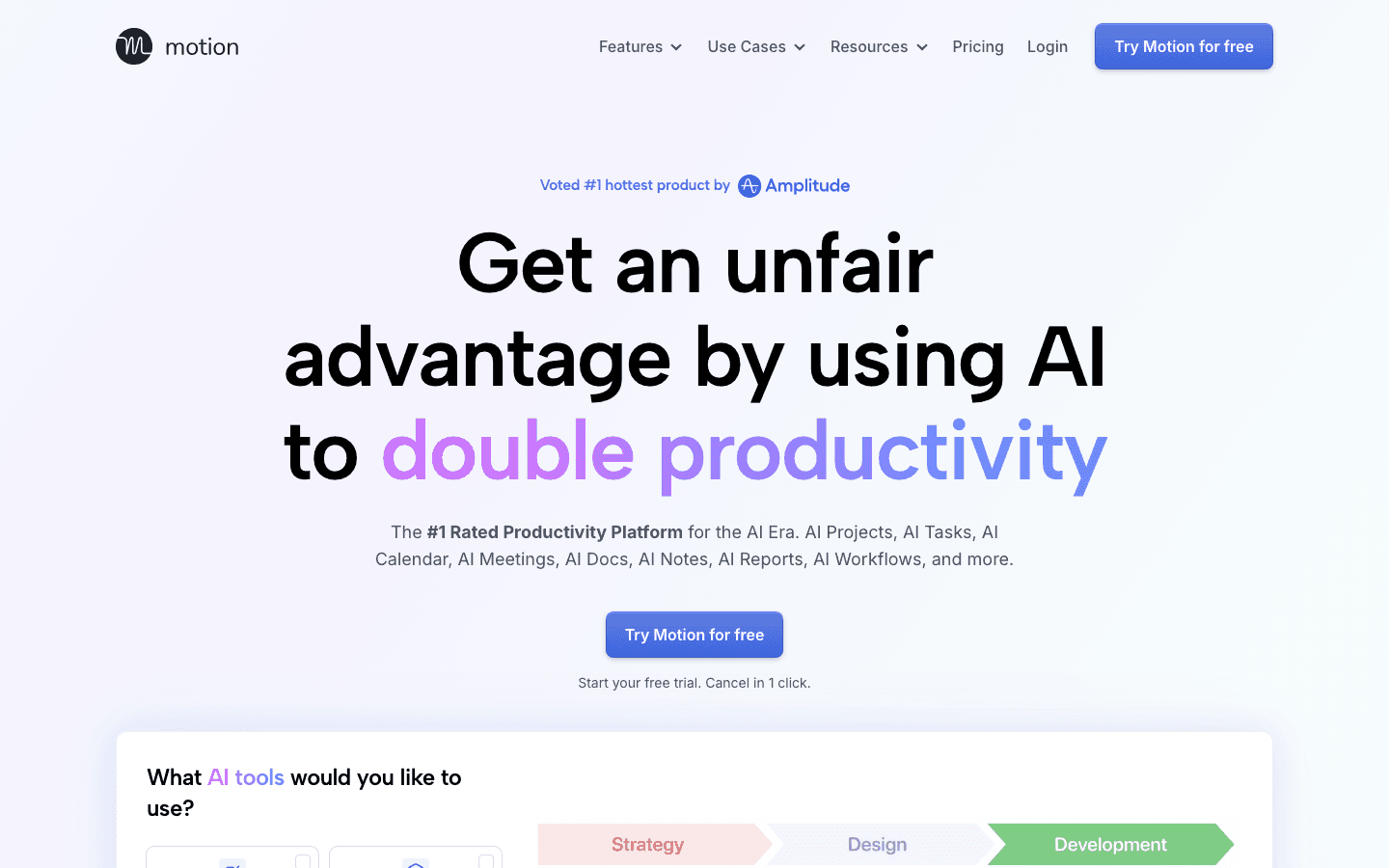
Motion goes further than Clockwise did in every direction. You add tasks with deadlines and priorities, and Motion fills your calendar automatically. When meetings get added or tasks run long, the schedule rebuilds in real time. There's no manual rescheduling, no drag-and-drop, no daily planning session required.
Clockwise was a calendar optimizer. Motion is closer to a fully automated chief of staff for your schedule. It also includes project management, AI meeting notes, AI docs, and booking links. If what you want is a system that handles your schedule entirely so you never have to think about when to do things, Motion is the most complete option here.
The trade-off is cost and the learning curve. Motion takes time to calibrate, and at $19-29/month it's the most expensive app on this list. Once it's dialed in, though, most users report spending significantly less time on schedule management. See how it compares in the AI planner apps roundup.
Key Features
AI auto-scheduling: tasks placed on calendar based on priority and deadline
Real-time rescheduling when the day changes
Project management with task dependencies
AI meeting notes and smart booking links
What Works
Eliminates all manual scheduling decisions
Handles both tasks and meetings in one system
Strongest for people with many concurrent deadlines
Limitations
No energy or wearable awareness
No free plan; most expensive option here
Requires trusting the AI to make scheduling decisions for you
Pricing: Pro AI at $19/month. Business AI at $29/month. Annual billing saves 33%.
Best for: Knowledge workers with heavy task loads who want AI to own their schedule entirely.
4. Morgen: Best for Multi-Calendar Time Blocking
Drag tasks from any tool onto any calendar you own.
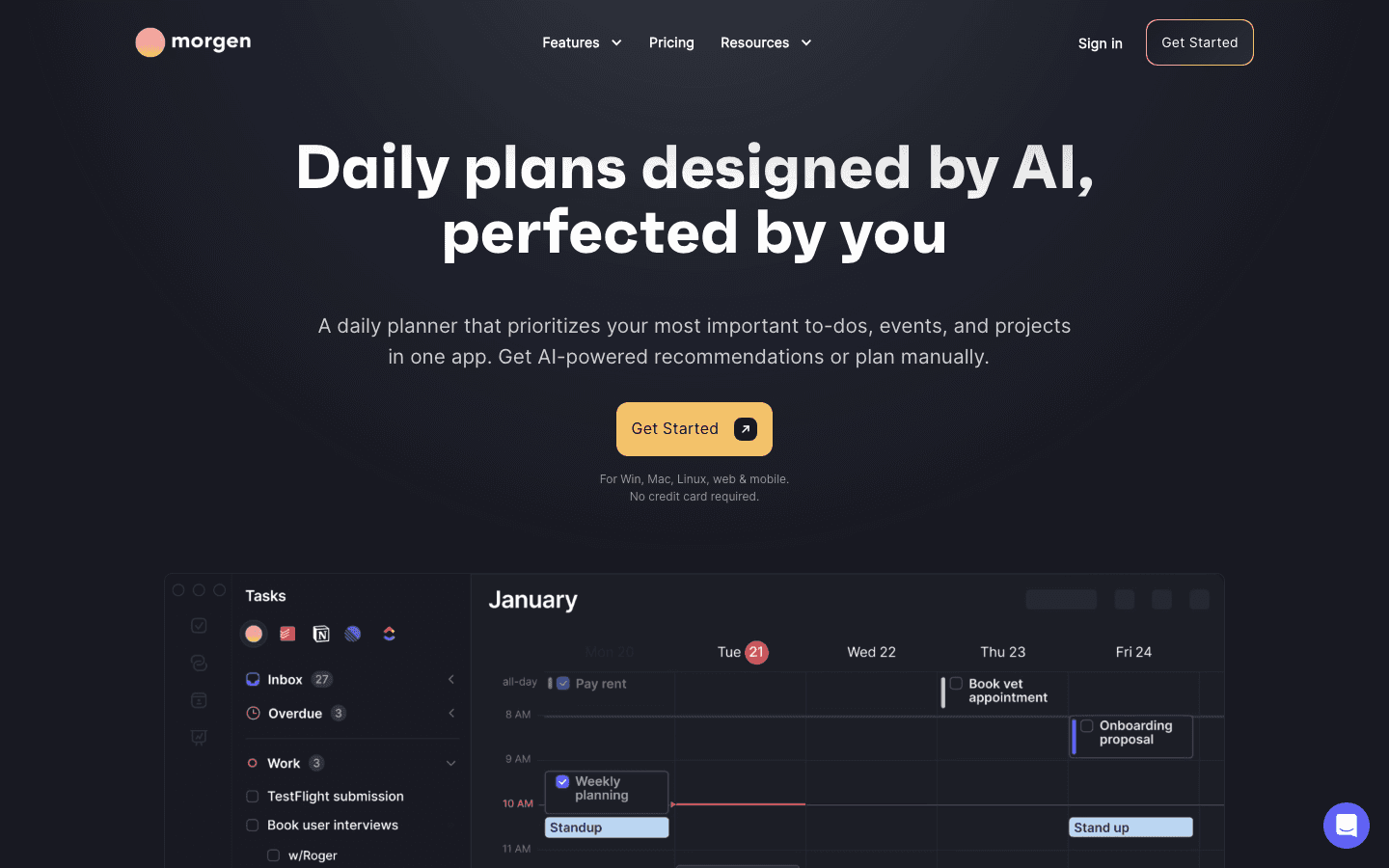
Morgen solves a problem Clockwise never addressed: most people have more than one calendar. Clockwise worked with Google Calendar. Morgen connects Google, Outlook, and iCloud simultaneously, showing all your commitments in one unified view and letting you time-block tasks across all of them.
The drag-and-drop task integration is clean. Todoist, Notion, ClickUp, and Linear tasks appear in a sidebar; you pull them onto the calendar and they become time blocks. The AI Planner can suggest or auto-place tasks if you don't want to position them manually. Morgen also handles travel time blocks, scheduling links, and meeting conflict detection across providers.
For anyone who had Clockwise on a work Google Calendar but also managed personal Outlook appointments, Morgen is the strongest option. The annual plan at $15/month makes it competitive. The Morgen alternatives guide has more if you want to compare it directly against Reclaim and Motion before deciding.
Key Features
Simultaneous Google Calendar, Outlook, and iCloud support
Drag-and-drop tasks from Todoist, Notion, ClickUp, Linear
AI Planner for automatic task placement
Travel time blocking and meeting buffer scheduling
What Works
The only option here that handles multiple calendar providers at once
Broad task integration without needing Zapier
Available on Windows, Mac, Linux, iOS, and Android
Limitations
No energy or wearable awareness
Monthly plan ($30/month) is expensive without annual commitment
Pricing: $30/month or $15/month billed annually ($180/year). 14-day free trial.
Best for: People managing multiple calendar providers who want drag-and-drop time blocking with AI suggestions.
5. Sunsama: Best for a Daily Planning Ritual
A deliberate daily plan instead of automated optimization.
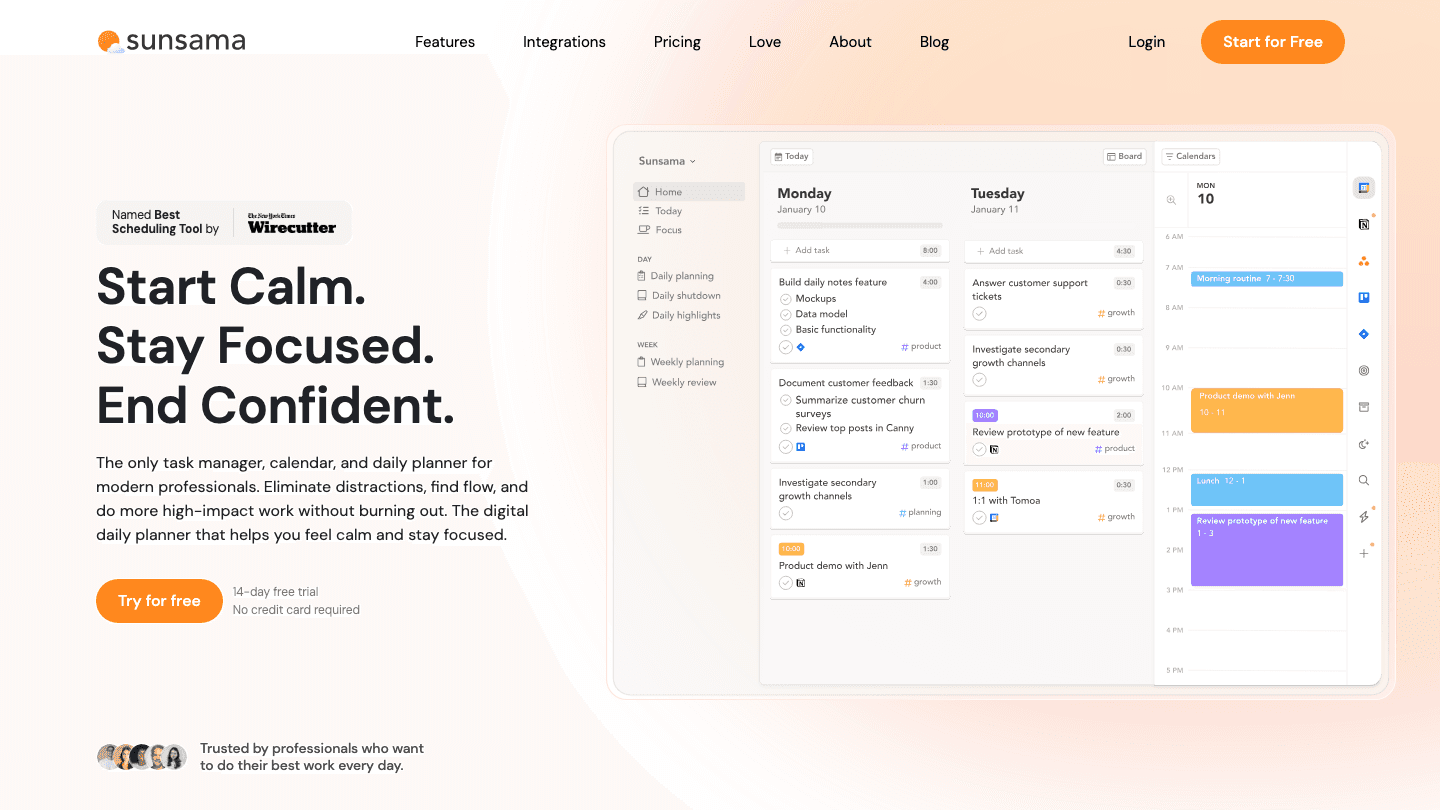
Sunsama takes the opposite approach to Clockwise. Clockwise worked in the background and managed your calendar without requiring daily attention. Sunsama requires 10-15 minutes each morning to intentionally plan the day, pulling tasks from Todoist, Asana, Jira, and Gmail, placing them on your calendar, and committing to a realistic set of goals before the day starts.
For Clockwise users who want a replacement that's also a behavior change, Sunsama is worth considering. The morning ritual creates genuine accountability for what gets done, not just for what's on the calendar. An evening shutdown ritual closes the day deliberately, which helps prevent the boundary creep that happens when work tools are always open.
The trade-off is that Sunsama doesn't do anything automatically. You are the scheduler. If that's appealing after years of trusting automation, Sunsama fits. If you want automation, Reclaim or Motion serve you better. See how it compares in the Sunsama alternatives guide.
Key Features
Guided morning planning ritual and evening shutdown
Pulls tasks from 25+ tools: Asana, Todoist, Jira, Gmail, GitHub
Time estimates and calendar timeboxing
Focus mode with built-in timer and notification blocking
What Works
Creates deliberate commitment to the plan rather than AI-built optimism
Shutdown ritual actively protects time after work
Calm, focused design that reduces tool fatigue
Limitations
No automation: you plan manually every day
No energy or wearable awareness
Requires a genuine daily commitment to the ritual
Pricing: $22/month or $17/month billed annually ($204/year). 14-day free trial.
Best for: Former Clockwise users who want to replace automation with intentional planning.
Which Clockwise Alternative Is Right for You?
You want energy-aware focus time, not just calendar-aware: go with Lifestack. It's the only app here that uses wearable data to tell you not just when you're free but when you're ready.
You want a direct Clockwise replacement with no learning curve: go with Reclaim.ai. The free Lite plan covers the Clockwise core use case today.
You want AI to own your schedule entirely: go with Motion.
You use multiple calendar providers: go with Morgen.
You want the act of planning to be intentional rather than automated: go with Sunsama.
FAQ
Why did Clockwise shut down?
Clockwise announced the end of its service effective March 27, 2026. The company cited the direction of the business and officially recommended users migrate to Reclaim.ai, which offered to match Clockwise pricing for migrating users through June 30, 2026.
What is the best Clockwise alternative for teams?
Reclaim.ai is the strongest team replacement. Its Business plan replicates Clockwise's team coordination features with meeting quality analytics, team OOO visibility, and org-wide focus time reporting. Motion also has team features at the Business AI tier. Morgen offers team plans at $10/seat/month (annual billing).
What did Clockwise do that most apps don't?
Clockwise specialized in finding contiguous blocks of free time on your calendar and protecting them as focus time, automatically, without daily input. Most task managers and planners require you to create focus blocks manually. Reclaim.ai is the closest equivalent; Lifestack adds the biology layer that Clockwise never touched.
Is there a free Clockwise alternative?
Yes. Reclaim.ai's Lite plan is free forever and covers the core Clockwise features: focus time protection, habit scheduling, and buffer time between meetings. Lifestack offers a 7-day free trial before the $7/month subscription starts. For more options, the time blocking apps guide includes free tiers for several tools.
Does Clockwise work with Outlook?
Clockwise was Google Calendar only. If you used Clockwise and also have Outlook calendars, Morgen is the strongest alternative because it handles both simultaneously in one view. Reclaim.ai also supports Outlook for focus time and task scheduling.
What is the difference between Lifestack and Reclaim for Clockwise users?
Reclaim replaces what Clockwise did and adds task scheduling on top. Lifestack takes a different angle: it uses wearable health data to schedule your tasks and focus time when your energy actually supports deep work, not just when your calendar is empty. Both integrate with Google Calendar. Reclaim has a free plan; Lifestack starts at $7/month after a 7-day trial. If your core frustration with Clockwise was that the focus blocks weren't useful even when protected, Lifestack addresses that problem directly. For the ADHD angle specifically, the ADHD time management apps guide explains why energy-aware scheduling changes outcomes.
Clockwise Shut Down. Now What?
Clockwise officially ended its service on March 27, 2026. For thousands of teams who relied on it to protect focus time, auto-schedule meetings, and keep their Google Calendars from becoming one giant block of meeting invites, that left a real gap.
Clockwise did something specific: it analyzed your calendar, found contiguous free blocks, protected them as focus time, and moved flexible meetings to optimize for fewer interruptions. It was calendar coordination software that actually worked quietly in the background. No daily ritual required, no manual drag-and-drop. You set your preferences and Clockwise handled the rest.
The good news is that the category Clockwise built has grown. Several apps now do what Clockwise did and go further. Below are five Clockwise alternatives worth using in 2026, starting with one that adds something Clockwise never had: awareness of when your energy is actually high enough to use that focus time.
Key Takeaways
Lifestack is the best Clockwise alternative if you want focus time that matches your real cognitive energy, not just your calendar availability.
Reclaim.ai is the closest like-for-like replacement: it protects focus time, adds buffer blocks, and was officially recommended by Clockwise for migrating users.
Motion handles the entire schedule automatically, going well beyond what Clockwise did by rescheduling tasks and meetings in real time.
Quick Guide: Best Clockwise Alternatives
1. Lifestack: Best for energy-aware focus time scheduling
2. Reclaim.ai: Best direct Clockwise replacement
3. Motion: Best for full AI calendar automation
4. Morgen: Best for multi-calendar time blocking
5. Sunsama: Best for a deliberate daily planning ritual
What to Look for in a Clockwise Alternative
Clockwise had three things that made it valuable: it protected blocks of time on your calendar, it minimized meeting fragmentation, and it did both automatically without requiring you to manually manage anything. A true replacement should handle at least one of these well.
The apps below handle all three in different ways. Some add AI task scheduling on top. One adds energy data from your wearable. What they share is that they make the calendar work for you instead of against you, which is the thing Clockwise users actually miss.
1. Lifestack: Best for Energy-Aware Focus Scheduling
Protect time when your brain is actually ready to use it.
Clockwise created focus blocks when your calendar had free time. Lifestack creates focus blocks when your calendar has free time AND your energy is high enough to make use of them. That's a meaningful difference for anyone who has sat in a two-hour "focus block" at 3pm and gotten nothing done.
Lifestack connects to Oura, WHOOP, Apple Watch, Garmin, and Fitbit to track your recovery, sleep quality, and circadian patterns. It uses that data to schedule deep-work tasks in your peak windows and lighter items when you're in a trough. Your Todoist and Trello tasks sync in, and the calendar fills itself around your real capacity instead of just your availability.
Where Clockwise optimized for calendar geometry, Lifestack optimizes for biological readiness. For people with ADHD, this distinction matters most. A focus block you can't actually focus in is just another calendar appointment you feel bad about missing. For more on the underlying approach, the ADHD time management apps guide covers how energy-aware scheduling works in practice. And if you're also evaluating broader AI scheduling apps, that comparison includes Lifestack alongside Motion and others.
Key Features
Energy-aware scheduling using Oura, WHOOP, Apple Watch, Garmin, and Fitbit
Circadian time blocking that adapts as your patterns change
Two-way sync with Todoist, Trello, and Google Calendar
Mobile apps for iOS and Android
What Works
Goes beyond Clockwise by adding biology to calendar optimization
Works with your existing task manager instead of replacing it
Most affordable paid option on this list
Limitations
Requires a supported wearable for the energy-scheduling feature
No team scheduling features; built for individuals
Pricing: $7/month or $50/year. 7-day free trial, $120 lifetime option.
Best for: Former Clockwise users who want focus time that actually works, not just focus time that exists on a calendar.
2. Reclaim.ai: Best Direct Clockwise Replacement
The closest thing to Clockwise, with task scheduling Clockwise never had.
Reclaim.ai is the app Clockwise itself recommended when it announced the shutdown. That's not a coincidence. Reclaim does what Clockwise did (AI focus time protection, meeting buffer blocks, team availability optimization) and adds what Clockwise never built: actual task scheduling tied to those focus blocks.
Where Clockwise protected free calendar time without really knowing what you'd do with it, Reclaim pulls in tasks from Jira, Asana, ClickUp, Todoist, and Linear and schedules them into your protected focus windows based on priority and deadline. The AI reschedules automatically when meetings move or tasks run long. It also handles habits, regular blocks you want protected regardless of meeting pressure.
The free Lite plan is real: it includes focus time, habits, and buffer scheduling with no time limit. Paid tiers add more calendar syncs, longer scheduling horizons, and team features. For anyone who used Clockwise with a team, Reclaim's Business plan replicates the team coordination features with meeting quality analytics and org-wide focus time visibility. See how it compares to other calendar management tools in our full roundup, and read our breakdown of the best time blocking apps for context on where Reclaim fits.
Key Features
AI Focus Time protection with goal-based weekly targeting
Task scheduling: pulls from Jira, Asana, ClickUp, Todoist, Linear
Buffer Time: automatic breathing room between meetings
Habit scheduling and no-meeting day protection
Google Calendar and Outlook support
What Works
The closest experience to Clockwise with meaningful improvements
Task integration adds a layer Clockwise never had
Free plan covers the core Clockwise use case
Limitations
No energy or wearable awareness
Google Calendar and Outlook only; no Apple Calendar
Pricing: Lite at $0 (free forever). Starter at $10/seat/month. Business at $15/seat/month.
Best for: Teams and individuals who want a direct Clockwise replacement with task scheduling added.
3. Motion: Best for Full AI Calendar Automation
Clockwise protected your calendar. Motion builds your entire schedule.
Motion goes further than Clockwise did in every direction. You add tasks with deadlines and priorities, and Motion fills your calendar automatically. When meetings get added or tasks run long, the schedule rebuilds in real time. There's no manual rescheduling, no drag-and-drop, no daily planning session required.
Clockwise was a calendar optimizer. Motion is closer to a fully automated chief of staff for your schedule. It also includes project management, AI meeting notes, AI docs, and booking links. If what you want is a system that handles your schedule entirely so you never have to think about when to do things, Motion is the most complete option here.
The trade-off is cost and the learning curve. Motion takes time to calibrate, and at $19-29/month it's the most expensive app on this list. Once it's dialed in, though, most users report spending significantly less time on schedule management. See how it compares in the AI planner apps roundup.
Key Features
AI auto-scheduling: tasks placed on calendar based on priority and deadline
Real-time rescheduling when the day changes
Project management with task dependencies
AI meeting notes and smart booking links
What Works
Eliminates all manual scheduling decisions
Handles both tasks and meetings in one system
Strongest for people with many concurrent deadlines
Limitations
No energy or wearable awareness
No free plan; most expensive option here
Requires trusting the AI to make scheduling decisions for you
Pricing: Pro AI at $19/month. Business AI at $29/month. Annual billing saves 33%.
Best for: Knowledge workers with heavy task loads who want AI to own their schedule entirely.
4. Morgen: Best for Multi-Calendar Time Blocking
Drag tasks from any tool onto any calendar you own.
Morgen solves a problem Clockwise never addressed: most people have more than one calendar. Clockwise worked with Google Calendar. Morgen connects Google, Outlook, and iCloud simultaneously, showing all your commitments in one unified view and letting you time-block tasks across all of them.
The drag-and-drop task integration is clean. Todoist, Notion, ClickUp, and Linear tasks appear in a sidebar; you pull them onto the calendar and they become time blocks. The AI Planner can suggest or auto-place tasks if you don't want to position them manually. Morgen also handles travel time blocks, scheduling links, and meeting conflict detection across providers.
For anyone who had Clockwise on a work Google Calendar but also managed personal Outlook appointments, Morgen is the strongest option. The annual plan at $15/month makes it competitive. The Morgen alternatives guide has more if you want to compare it directly against Reclaim and Motion before deciding.
Key Features
Simultaneous Google Calendar, Outlook, and iCloud support
Drag-and-drop tasks from Todoist, Notion, ClickUp, Linear
AI Planner for automatic task placement
Travel time blocking and meeting buffer scheduling
What Works
The only option here that handles multiple calendar providers at once
Broad task integration without needing Zapier
Available on Windows, Mac, Linux, iOS, and Android
Limitations
No energy or wearable awareness
Monthly plan ($30/month) is expensive without annual commitment
Pricing: $30/month or $15/month billed annually ($180/year). 14-day free trial.
Best for: People managing multiple calendar providers who want drag-and-drop time blocking with AI suggestions.
5. Sunsama: Best for a Daily Planning Ritual
A deliberate daily plan instead of automated optimization.
Sunsama takes the opposite approach to Clockwise. Clockwise worked in the background and managed your calendar without requiring daily attention. Sunsama requires 10-15 minutes each morning to intentionally plan the day, pulling tasks from Todoist, Asana, Jira, and Gmail, placing them on your calendar, and committing to a realistic set of goals before the day starts.
For Clockwise users who want a replacement that's also a behavior change, Sunsama is worth considering. The morning ritual creates genuine accountability for what gets done, not just for what's on the calendar. An evening shutdown ritual closes the day deliberately, which helps prevent the boundary creep that happens when work tools are always open.
The trade-off is that Sunsama doesn't do anything automatically. You are the scheduler. If that's appealing after years of trusting automation, Sunsama fits. If you want automation, Reclaim or Motion serve you better. See how it compares in the Sunsama alternatives guide.
Key Features
Guided morning planning ritual and evening shutdown
Pulls tasks from 25+ tools: Asana, Todoist, Jira, Gmail, GitHub
Time estimates and calendar timeboxing
Focus mode with built-in timer and notification blocking
What Works
Creates deliberate commitment to the plan rather than AI-built optimism
Shutdown ritual actively protects time after work
Calm, focused design that reduces tool fatigue
Limitations
No automation: you plan manually every day
No energy or wearable awareness
Requires a genuine daily commitment to the ritual
Pricing: $22/month or $17/month billed annually ($204/year). 14-day free trial.
Best for: Former Clockwise users who want to replace automation with intentional planning.
Which Clockwise Alternative Is Right for You?
You want energy-aware focus time, not just calendar-aware: go with Lifestack. It's the only app here that uses wearable data to tell you not just when you're free but when you're ready.
You want a direct Clockwise replacement with no learning curve: go with Reclaim.ai. The free Lite plan covers the Clockwise core use case today.
You want AI to own your schedule entirely: go with Motion.
You use multiple calendar providers: go with Morgen.
You want the act of planning to be intentional rather than automated: go with Sunsama.
FAQ
Why did Clockwise shut down?
Clockwise announced the end of its service effective March 27, 2026. The company cited the direction of the business and officially recommended users migrate to Reclaim.ai, which offered to match Clockwise pricing for migrating users through June 30, 2026.
What is the best Clockwise alternative for teams?
Reclaim.ai is the strongest team replacement. Its Business plan replicates Clockwise's team coordination features with meeting quality analytics, team OOO visibility, and org-wide focus time reporting. Motion also has team features at the Business AI tier. Morgen offers team plans at $10/seat/month (annual billing).
What did Clockwise do that most apps don't?
Clockwise specialized in finding contiguous blocks of free time on your calendar and protecting them as focus time, automatically, without daily input. Most task managers and planners require you to create focus blocks manually. Reclaim.ai is the closest equivalent; Lifestack adds the biology layer that Clockwise never touched.
Is there a free Clockwise alternative?
Yes. Reclaim.ai's Lite plan is free forever and covers the core Clockwise features: focus time protection, habit scheduling, and buffer time between meetings. Lifestack offers a 7-day free trial before the $7/month subscription starts. For more options, the time blocking apps guide includes free tiers for several tools.
Does Clockwise work with Outlook?
Clockwise was Google Calendar only. If you used Clockwise and also have Outlook calendars, Morgen is the strongest alternative because it handles both simultaneously in one view. Reclaim.ai also supports Outlook for focus time and task scheduling.
What is the difference between Lifestack and Reclaim for Clockwise users?
Reclaim replaces what Clockwise did and adds task scheduling on top. Lifestack takes a different angle: it uses wearable health data to schedule your tasks and focus time when your energy actually supports deep work, not just when your calendar is empty. Both integrate with Google Calendar. Reclaim has a free plan; Lifestack starts at $7/month after a 7-day trial. If your core frustration with Clockwise was that the focus blocks weren't useful even when protected, Lifestack addresses that problem directly. For the ADHD angle specifically, the ADHD time management apps guide explains why energy-aware scheduling changes outcomes.



FOLLOW ON
FOLLOW ON
FOLLOW ON


Copyright 2026 © Lifestack. All rights reserved
Copyright 2026 © Lifestack. All rights reserved

