
App
5 Best AI School Calendar Apps in 2026
5 Best AI School Calendar Apps in 2026

A good AI school calendar doesn't just store your class schedule. It takes your assignments, deadlines, and study sessions and figures out when you should actually do each one, then slots them into your calendar automatically. That's the difference between a digital planner and an AI school calendar.
For students, this matters more than it does for most people. You're balancing class attendance, readings, problem sets, group projects, and some version of a personal life, often with deadlines that cluster around midterms and finals with very little slack. A tool that can look at all of that and produce a realistic daily plan saves hours each week and reduces the specific anxiety of not knowing whether you're behind.
We tested five AI-powered calendar apps that students actually use. Each one takes a different approach to the problem. Here's what you need to know.
Key Takeaways
The best AI school calendar auto-schedules study blocks based on your deadlines, energy, and available time, not just your class schedule
Free tiers exist across most tools; the paid upgrades add AI scheduling intelligence, recurring tasks, and multi-calendar sync
Lifestack stands out for using wearable health data to time study sessions during your peak focus hours, not just your open time slots
Quick Guide
Lifestack: Best for students who want AI to schedule around their actual energy levels
Motion: Best for students with heavy project workloads who need full AI calendar management
Reclaim.ai: Best for students who want a free AI calendar with solid habit and focus block features
Trevor AI: Best for students who want a simple, clean AI planner with a free tier
Structured: Best for visual learners who want to see their day as a timeline
How We Evaluated
AI scheduling intelligence: does it auto-schedule tasks or just help you organize them?
Calendar sync: Google Calendar, Outlook, Apple Calendar support
Energy awareness: does it adapt to how you're actually feeling, not just when you're free?
Student-specific needs: deadline tracking, recurring tasks, mobile apps
Pricing: free tier availability and value at each paid level
1. Lifestack
The AI school calendar that schedules around your energy, not just your free slots

Lifestack is an AI planner built around a simple premise: your brain isn't equally sharp at all hours, so your hardest study sessions shouldn't go into whatever time slot happens to be open. It connects to wearable devices (Oura Ring, WHOOP, Fitbit, Garmin, Apple Health) and uses your sleep quality and recovery data to schedule cognitively demanding tasks during your peak focus windows.
For students, this means your organic chemistry review or your problem set goes when you've slept well and your recovery score is high. Your lighter reading or admin tasks fill the troughs. The AI handles the scheduling automatically each morning, so you start the day with a concrete plan rather than a blank calendar and a long task list.
Auto-schedules tasks based on wearable health data and energy levels
Syncs with Google Calendar and Apple Calendar
Adapts daily schedule when sleep data shows a rough night
iOS and Android mobile apps
Works with Oura Ring, WHOOP, Fitbit, Garmin, Apple Health
What Works: The energy-aware scheduling genuinely changes how you approach your study day. Instead of grinding through hard material when your brain has already checked out, you're doing it when you're actually capable. The case for energy-based planning over time blocking is well-supported, and Lifestack puts it into practice automatically.
Limitations: Requires a wearable to get the full energy-scheduling feature. Less useful if you don't own one yet. No dedicated student mode or assignment-tracker built in.
Pricing: $7/month or $50/year. 7-day free trial on the annual plan. See the Lifestack intro post for more on how the scheduling works.
Best for: Students who own a wearable and want their study schedule to adapt to how they actually feel each day.
2. Motion
The most powerful AI calendar for students with heavy project workloads
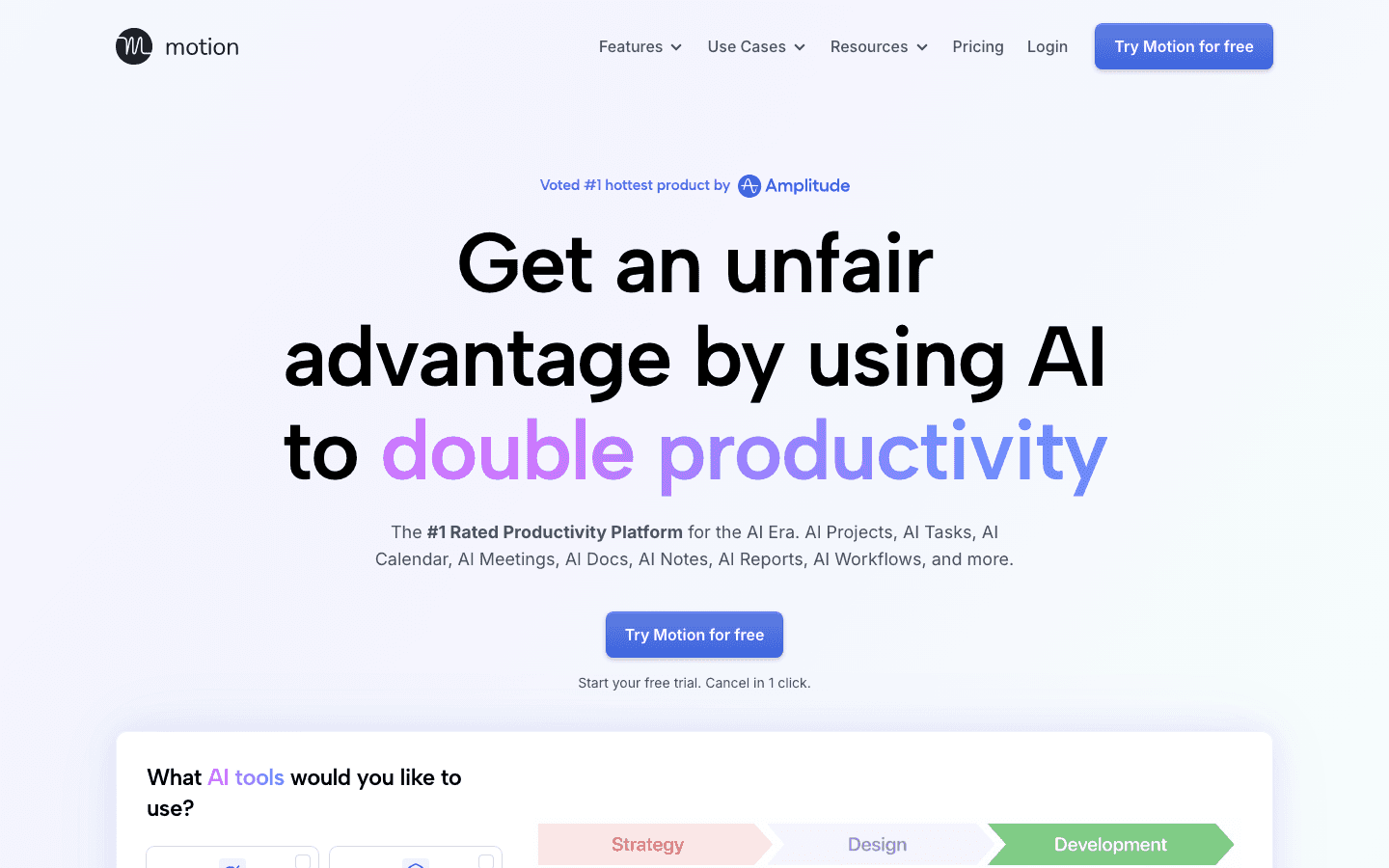
Motion is a full AI calendar and project management tool that auto-schedules your tasks into your calendar based on deadlines, priorities, and available time. When a meeting gets added or a task runs long, Motion automatically reschedules everything else. For students managing multiple assignments with overlapping deadlines, this kind of dynamic rescheduling is genuinely useful.
Motion also includes AI-written documents, task templates, and project views, making it feel more like a full productivity suite than a calendar app. The tradeoff is complexity and price. Motion is the most expensive option on this list and has a learning curve that can take a few days to get through. See our Motion pricing breakdown for details on whether the cost is justified.
Full AI auto-scheduling across tasks and calendar
Dynamic rescheduling when plans change
Project management views (Kanban, list, timeline)
AI documents and notes built in
Limitations: At $19/month, it's priced for professionals. No free tier. No energy awareness. The interface takes time to learn.
Pricing: $19/month (Pro AI), or approximately $12.73/month billed annually (save 33%). Free trial available.
Best for: Students with multiple simultaneous projects who need dynamic rescheduling and don't mind paying for a full-featured tool.
3. Reclaim.ai
The best free AI school calendar for habit blocks and focus time
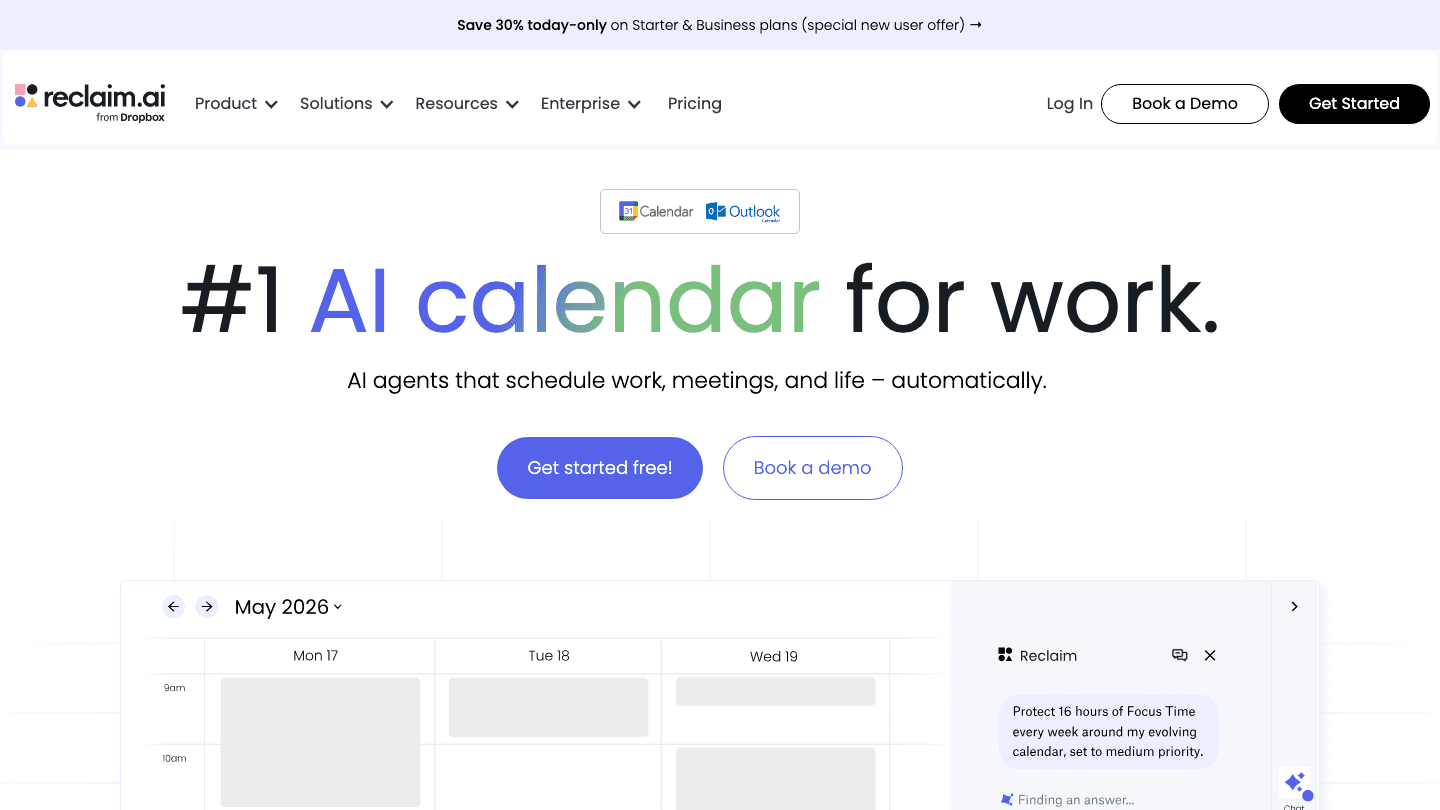
Reclaim.ai (now part of Dropbox) is an AI calendar assistant that automatically blocks time for tasks, habits, and personal commitments around your meetings. For students, the most useful features are focus blocks (it protects uninterrupted study time in your calendar) and habit scheduling (it automatically finds time for recurring activities like a daily review or weekly readings).
The free Lite tier is surprisingly capable. It handles task scheduling, habit blocks, and Google Calendar sync without requiring a paid plan. The upgrade to Starter adds more customization and multiple calendar accounts. If you're on a student budget and just want smarter calendar blocking, Reclaim is the most accessible starting point on this list.
Auto-blocks focus time and habit sessions in your calendar
Free Lite tier with solid core features
Google Calendar and Outlook sync
Smart Meetings for group scheduling
Limitations: No energy awareness. Free tier limits calendar accounts to one. Less AI intelligence than Motion or Lifestack at the free level. For alternatives, see best Reclaim AI alternatives.
Pricing: Free (Lite), $10/month (Starter), $15/month (Business).
Best for: Students who want a free AI calendar that automatically protects study blocks and schedules habits.
4. Trevor AI
The simplest AI school calendar with a free tier and quick setup
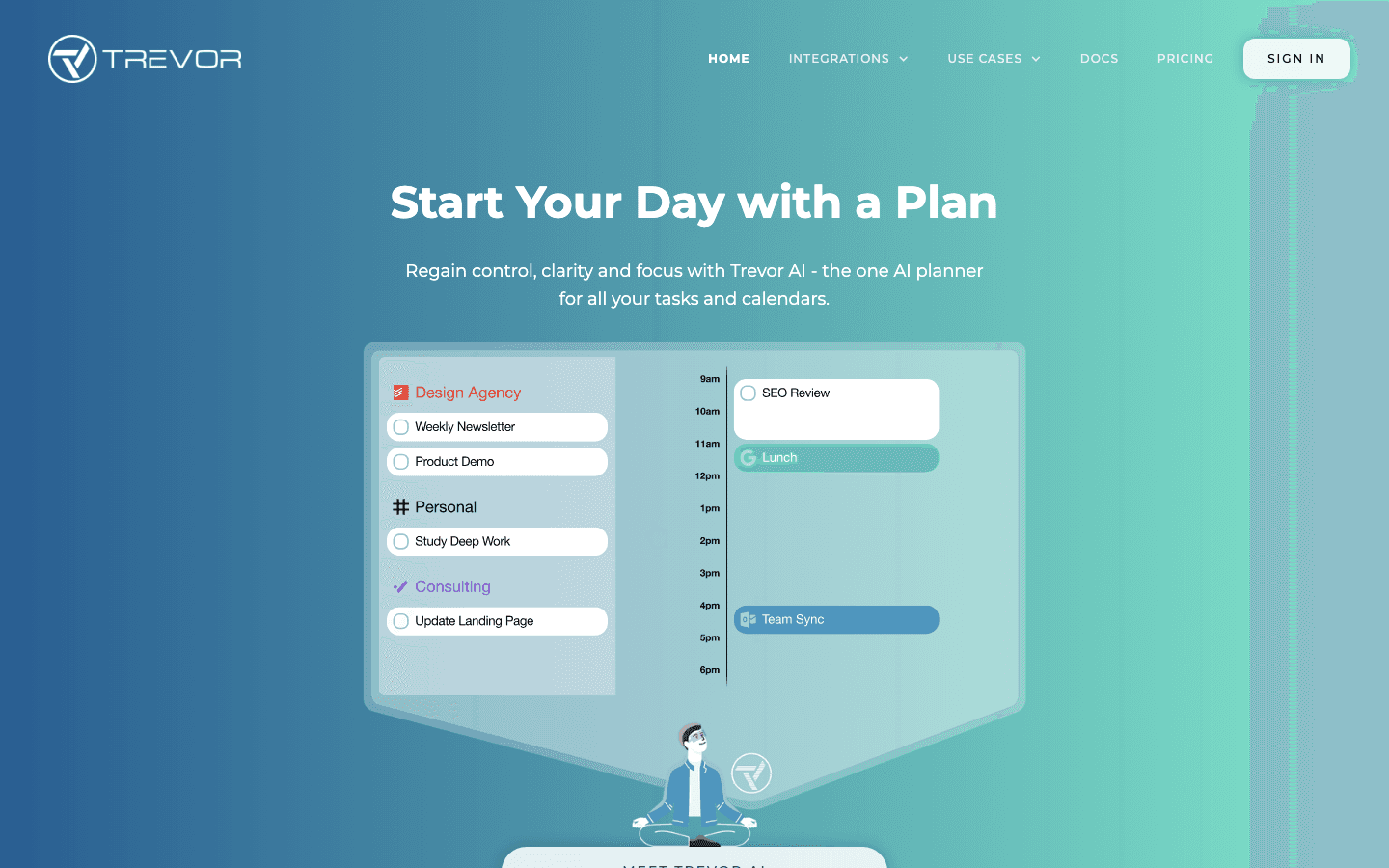
Trevor AI takes a different approach to most AI schedulers. Instead of complex project management or wearable integrations, it focuses on one thing: taking your task list and converting it into a time-blocked calendar plan. Add tasks, set deadlines, and Trevor suggests where they should go in your day. Drag and drop to adjust. It's designed to be fast and simple to use.
The free tier covers most student use cases: task scheduling, calendar sync, AI suggestions, and focus mode. The Pro upgrade adds recurring tasks, personal AI model, and multiple calendar accounts. At $5/month annually, it's the most affordable paid option on this list.
One-click task-to-calendar scheduling with AI suggestions
Free tier with unlimited task scheduling
Syncs with Google Calendar, Outlook, Apple Calendar
AI-predicted task duration estimates
Drag-and-drop rescheduling
Limitations: No energy awareness. More basic than Motion or Reclaim for complex project tracking. For other options in this space, see Trevor AI alternatives.
Pricing: Free tier. Pro: $5/month billed annually or $6/month.
Best for: Students who want the simplest AI-powered task-to-calendar tool with a usable free plan.
5. Structured
The visual timeline planner for students who think in schedules, not lists
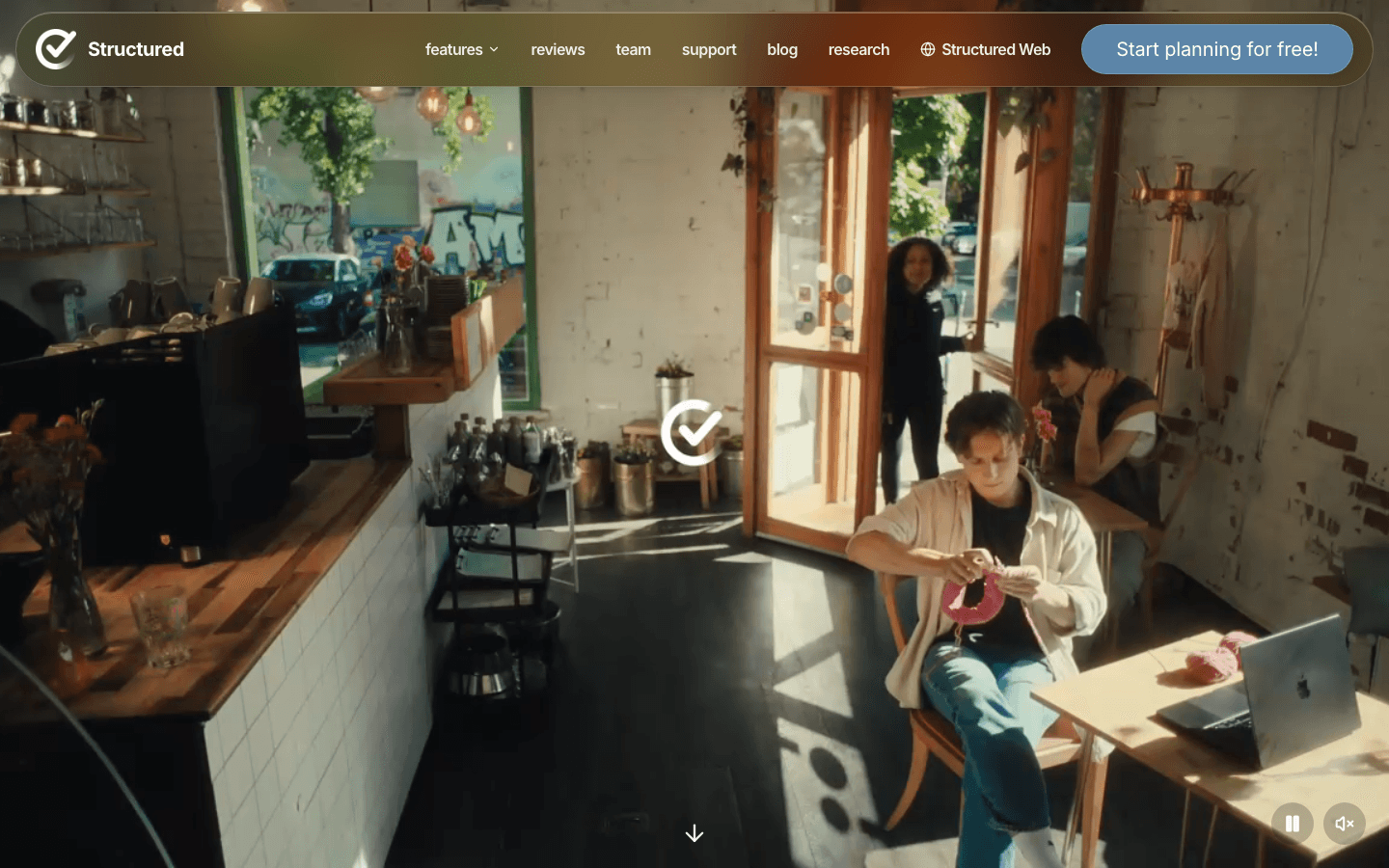
Structured is a visual daily planner that displays your tasks and events on a timeline view, so you can see exactly how your day is laid out at a glance. Unlike the other tools on this list, Structured focuses on visualization and simplicity rather than AI auto-scheduling. You add tasks and time blocks manually, and the app shows them flowing through your day as a clean visual timeline.
This makes it especially well-suited for students who respond better to visual structure than to lists. Seeing a study block as a filled block on a timeline feels different from seeing it as a line item in a task app. The app is available on iPhone, iPad, Mac, and Apple Watch, and it's designed to be used alongside a calendar app (it pulls in calendar events). For students with ADHD or anyone who benefits from visual schedules, it's worth trying alongside a dedicated ADHD student planner.
Visual timeline view of your full day
Available on iPhone, iPad, Mac, and Apple Watch
Pulls in calendar events from your existing calendar
Free to start with premium subscription available
Limitations: Manual scheduling rather than AI auto-scheduling. Less powerful for managing multiple deadlines or projects. No wearable integration or energy awareness.
Pricing: Free with premium features available via subscription.
Best for: Visual learners and students who want to see their day as a timeline rather than a list.
Which AI School Calendar Is Right for You?
You want scheduling based on how you actually feel: Lifestack. Connect your wearable and let the AI schedule study sessions around your recovery and sleep data.
You have multiple overlapping projects and deadlines: Motion. The dynamic rescheduling handles complexity that simpler tools can't.
You're on a tight budget and need a free option: Reclaim.ai Lite or Trevor AI. Both offer solid free tiers that cover the core use case.
You want the fastest possible setup: Trevor AI. Add tasks, see suggestions, done.
You're a visual learner who thinks in timelines: Structured. It won't auto-schedule, but it will show you your day in the clearest possible format.
For more options, see our full guide to automatic schedule generators for students and the roundup of the best AI planner apps.
FAQ
What is an AI school calendar?
An AI school calendar is a scheduling tool that uses artificial intelligence to automatically plan your study sessions, homework blocks, and deadlines around your class schedule and availability. Unlike a standard calendar where you manually create every event, AI school calendars analyze your task list and free time and build the schedule for you.
Which AI school calendar app has a free plan?
Reclaim.ai and Trevor AI both have usable free plans that handle core AI scheduling features. Structured also has a free tier for visual planning. Motion and Lifestack are paid-only, though both offer free trials.
Can an AI calendar help with exam scheduling?
Yes. You can add exam dates as hard deadlines in most of these tools, and the AI will work backward to schedule study sessions in the days or weeks leading up to them. Motion and Lifestack are strongest for this because they auto-schedule and adjust dynamically.
Is Lifestack good for students without a wearable?
Lifestack's full energy-scheduling feature requires a wearable device. Without one, you can still use it as an AI task scheduler, but you won't get the health-data-informed scheduling that makes it stand out. If you don't have a wearable, Trevor AI or Reclaim.ai's free tiers are better starting points. See our guide on personal energy management for more context on why the wearable integration matters.
How is an AI school calendar different from Google Calendar?
Google Calendar stores and displays events you manually create. AI school calendar apps go further: they take your task list and deadlines and automatically find slots for them in your calendar, then adjust when things change. Some, like Lifestack, also factor in your energy and readiness. Google Calendar is a good foundation that most of these tools integrate with, but it doesn't do the scheduling work itself.
A good AI school calendar doesn't just store your class schedule. It takes your assignments, deadlines, and study sessions and figures out when you should actually do each one, then slots them into your calendar automatically. That's the difference between a digital planner and an AI school calendar.
For students, this matters more than it does for most people. You're balancing class attendance, readings, problem sets, group projects, and some version of a personal life, often with deadlines that cluster around midterms and finals with very little slack. A tool that can look at all of that and produce a realistic daily plan saves hours each week and reduces the specific anxiety of not knowing whether you're behind.
We tested five AI-powered calendar apps that students actually use. Each one takes a different approach to the problem. Here's what you need to know.
Key Takeaways
The best AI school calendar auto-schedules study blocks based on your deadlines, energy, and available time, not just your class schedule
Free tiers exist across most tools; the paid upgrades add AI scheduling intelligence, recurring tasks, and multi-calendar sync
Lifestack stands out for using wearable health data to time study sessions during your peak focus hours, not just your open time slots
Quick Guide
Lifestack: Best for students who want AI to schedule around their actual energy levels
Motion: Best for students with heavy project workloads who need full AI calendar management
Reclaim.ai: Best for students who want a free AI calendar with solid habit and focus block features
Trevor AI: Best for students who want a simple, clean AI planner with a free tier
Structured: Best for visual learners who want to see their day as a timeline
How We Evaluated
AI scheduling intelligence: does it auto-schedule tasks or just help you organize them?
Calendar sync: Google Calendar, Outlook, Apple Calendar support
Energy awareness: does it adapt to how you're actually feeling, not just when you're free?
Student-specific needs: deadline tracking, recurring tasks, mobile apps
Pricing: free tier availability and value at each paid level
1. Lifestack
The AI school calendar that schedules around your energy, not just your free slots
Lifestack is an AI planner built around a simple premise: your brain isn't equally sharp at all hours, so your hardest study sessions shouldn't go into whatever time slot happens to be open. It connects to wearable devices (Oura Ring, WHOOP, Fitbit, Garmin, Apple Health) and uses your sleep quality and recovery data to schedule cognitively demanding tasks during your peak focus windows.
For students, this means your organic chemistry review or your problem set goes when you've slept well and your recovery score is high. Your lighter reading or admin tasks fill the troughs. The AI handles the scheduling automatically each morning, so you start the day with a concrete plan rather than a blank calendar and a long task list.
Auto-schedules tasks based on wearable health data and energy levels
Syncs with Google Calendar and Apple Calendar
Adapts daily schedule when sleep data shows a rough night
iOS and Android mobile apps
Works with Oura Ring, WHOOP, Fitbit, Garmin, Apple Health
What Works: The energy-aware scheduling genuinely changes how you approach your study day. Instead of grinding through hard material when your brain has already checked out, you're doing it when you're actually capable. The case for energy-based planning over time blocking is well-supported, and Lifestack puts it into practice automatically.
Limitations: Requires a wearable to get the full energy-scheduling feature. Less useful if you don't own one yet. No dedicated student mode or assignment-tracker built in.
Pricing: $7/month or $50/year. 7-day free trial on the annual plan. See the Lifestack intro post for more on how the scheduling works.
Best for: Students who own a wearable and want their study schedule to adapt to how they actually feel each day.
2. Motion
The most powerful AI calendar for students with heavy project workloads
Motion is a full AI calendar and project management tool that auto-schedules your tasks into your calendar based on deadlines, priorities, and available time. When a meeting gets added or a task runs long, Motion automatically reschedules everything else. For students managing multiple assignments with overlapping deadlines, this kind of dynamic rescheduling is genuinely useful.
Motion also includes AI-written documents, task templates, and project views, making it feel more like a full productivity suite than a calendar app. The tradeoff is complexity and price. Motion is the most expensive option on this list and has a learning curve that can take a few days to get through. See our Motion pricing breakdown for details on whether the cost is justified.
Full AI auto-scheduling across tasks and calendar
Dynamic rescheduling when plans change
Project management views (Kanban, list, timeline)
AI documents and notes built in
Limitations: At $19/month, it's priced for professionals. No free tier. No energy awareness. The interface takes time to learn.
Pricing: $19/month (Pro AI), or approximately $12.73/month billed annually (save 33%). Free trial available.
Best for: Students with multiple simultaneous projects who need dynamic rescheduling and don't mind paying for a full-featured tool.
3. Reclaim.ai
The best free AI school calendar for habit blocks and focus time
Reclaim.ai (now part of Dropbox) is an AI calendar assistant that automatically blocks time for tasks, habits, and personal commitments around your meetings. For students, the most useful features are focus blocks (it protects uninterrupted study time in your calendar) and habit scheduling (it automatically finds time for recurring activities like a daily review or weekly readings).
The free Lite tier is surprisingly capable. It handles task scheduling, habit blocks, and Google Calendar sync without requiring a paid plan. The upgrade to Starter adds more customization and multiple calendar accounts. If you're on a student budget and just want smarter calendar blocking, Reclaim is the most accessible starting point on this list.
Auto-blocks focus time and habit sessions in your calendar
Free Lite tier with solid core features
Google Calendar and Outlook sync
Smart Meetings for group scheduling
Limitations: No energy awareness. Free tier limits calendar accounts to one. Less AI intelligence than Motion or Lifestack at the free level. For alternatives, see best Reclaim AI alternatives.
Pricing: Free (Lite), $10/month (Starter), $15/month (Business).
Best for: Students who want a free AI calendar that automatically protects study blocks and schedules habits.
4. Trevor AI
The simplest AI school calendar with a free tier and quick setup
Trevor AI takes a different approach to most AI schedulers. Instead of complex project management or wearable integrations, it focuses on one thing: taking your task list and converting it into a time-blocked calendar plan. Add tasks, set deadlines, and Trevor suggests where they should go in your day. Drag and drop to adjust. It's designed to be fast and simple to use.
The free tier covers most student use cases: task scheduling, calendar sync, AI suggestions, and focus mode. The Pro upgrade adds recurring tasks, personal AI model, and multiple calendar accounts. At $5/month annually, it's the most affordable paid option on this list.
One-click task-to-calendar scheduling with AI suggestions
Free tier with unlimited task scheduling
Syncs with Google Calendar, Outlook, Apple Calendar
AI-predicted task duration estimates
Drag-and-drop rescheduling
Limitations: No energy awareness. More basic than Motion or Reclaim for complex project tracking. For other options in this space, see Trevor AI alternatives.
Pricing: Free tier. Pro: $5/month billed annually or $6/month.
Best for: Students who want the simplest AI-powered task-to-calendar tool with a usable free plan.
5. Structured
The visual timeline planner for students who think in schedules, not lists
Structured is a visual daily planner that displays your tasks and events on a timeline view, so you can see exactly how your day is laid out at a glance. Unlike the other tools on this list, Structured focuses on visualization and simplicity rather than AI auto-scheduling. You add tasks and time blocks manually, and the app shows them flowing through your day as a clean visual timeline.
This makes it especially well-suited for students who respond better to visual structure than to lists. Seeing a study block as a filled block on a timeline feels different from seeing it as a line item in a task app. The app is available on iPhone, iPad, Mac, and Apple Watch, and it's designed to be used alongside a calendar app (it pulls in calendar events). For students with ADHD or anyone who benefits from visual schedules, it's worth trying alongside a dedicated ADHD student planner.
Visual timeline view of your full day
Available on iPhone, iPad, Mac, and Apple Watch
Pulls in calendar events from your existing calendar
Free to start with premium subscription available
Limitations: Manual scheduling rather than AI auto-scheduling. Less powerful for managing multiple deadlines or projects. No wearable integration or energy awareness.
Pricing: Free with premium features available via subscription.
Best for: Visual learners and students who want to see their day as a timeline rather than a list.
Which AI School Calendar Is Right for You?
You want scheduling based on how you actually feel: Lifestack. Connect your wearable and let the AI schedule study sessions around your recovery and sleep data.
You have multiple overlapping projects and deadlines: Motion. The dynamic rescheduling handles complexity that simpler tools can't.
You're on a tight budget and need a free option: Reclaim.ai Lite or Trevor AI. Both offer solid free tiers that cover the core use case.
You want the fastest possible setup: Trevor AI. Add tasks, see suggestions, done.
You're a visual learner who thinks in timelines: Structured. It won't auto-schedule, but it will show you your day in the clearest possible format.
For more options, see our full guide to automatic schedule generators for students and the roundup of the best AI planner apps.
FAQ
What is an AI school calendar?
An AI school calendar is a scheduling tool that uses artificial intelligence to automatically plan your study sessions, homework blocks, and deadlines around your class schedule and availability. Unlike a standard calendar where you manually create every event, AI school calendars analyze your task list and free time and build the schedule for you.
Which AI school calendar app has a free plan?
Reclaim.ai and Trevor AI both have usable free plans that handle core AI scheduling features. Structured also has a free tier for visual planning. Motion and Lifestack are paid-only, though both offer free trials.
Can an AI calendar help with exam scheduling?
Yes. You can add exam dates as hard deadlines in most of these tools, and the AI will work backward to schedule study sessions in the days or weeks leading up to them. Motion and Lifestack are strongest for this because they auto-schedule and adjust dynamically.
Is Lifestack good for students without a wearable?
Lifestack's full energy-scheduling feature requires a wearable device. Without one, you can still use it as an AI task scheduler, but you won't get the health-data-informed scheduling that makes it stand out. If you don't have a wearable, Trevor AI or Reclaim.ai's free tiers are better starting points. See our guide on personal energy management for more context on why the wearable integration matters.
How is an AI school calendar different from Google Calendar?
Google Calendar stores and displays events you manually create. AI school calendar apps go further: they take your task list and deadlines and automatically find slots for them in your calendar, then adjust when things change. Some, like Lifestack, also factor in your energy and readiness. Google Calendar is a good foundation that most of these tools integrate with, but it doesn't do the scheduling work itself.



FOLLOW ON
FOLLOW ON
FOLLOW ON


Copyright 2026 © Lifestack. All rights reserved
Copyright 2026 © Lifestack. All rights reserved

