
App
Best Trevor AI Alternatives in 2026
Best Trevor AI Alternatives in 2026
Trevor AI works. It just does not go far enough.
Trevor AI is a lightweight time-blocking app that connects your task lists to your calendar and helps you plan your day visually. It is clean, simple, and genuinely useful for people who want a low-friction way to schedule their work. The free plan covers most individual needs, and the Pro plan at $5/month is one of the best values in productivity software.
But "simple" has limits. Trevor AI has no AI auto-rescheduling, no energy awareness, limited integrations, and no real concept of what happens when your day gets disrupted. If you have outgrown Trevor AI, or you are evaluating it against alternatives before committing, these five apps each solve a real gap it leaves open.
We tested each alternative for daily use across scheduling, task capture, mobile performance, and ADHD suitability. Pricing was verified directly from each app's pricing page as of June 2026.
Key Takeaways
Trevor AI's biggest gap is that it schedules by available time, not by your energy or cognitive capacity.
The best AI planner alternatives go further: they reschedule automatically when plans change and adapt to how you work, not just when you are free.
Each app on this list targets a different reason to leave Trevor AI: better AI, more integrations, deeper planning, or more structure.
Quick Guide
Lifestack: Energy-aware AI scheduling built for people with ADHD or variable focus
Motion: Fully automated AI task scheduling for deadline-driven professionals
Akiflow: Unified task inbox with deep calendar time-blocking
Sunsama: Intentional daily planner with weekly reflection built in
Structured: Visual timeline planner with a free tier, closest to Trevor AI's feel
1. Lifestack
The Trevor AI alternative that fixes the core problem: scheduling around energy, not just time.

If the core frustration with Trevor AI is that it fills your calendar without any sense of which hours are actually good for hard thinking, Lifestack is the direct answer. It learns your energy patterns over time and uses them to place the right tasks in the right windows. Deep-focus work goes to your peak hours. Admin and email go to your low-energy slots.
The drag-and-drop calendar will feel familiar to Trevor AI users, but the AI layer underneath it is doing more work. When a meeting runs long or a task gets bumped, Lifestack reschedules the rest of your day automatically rather than leaving you with a broken plan to fix manually. This matters most for people with ADHD, who often lose hours to replanning after disruption rather than actually working.
The mobile app works on both iOS and Android with the same logic. Task capture is low-friction. The Chrome extension lets you add tasks from anywhere without switching apps.
What Works
Energy-aware scheduling is not available in Trevor AI or most competitors
Auto-rescheduling handles disruptions without manual intervention
Strong ADHD suitability: minimal UI, clear next-action focus
Limitations
No free plan; the annual plan includes a 7-day trial
No team features or project management
Pricing: $7/month or $50/year ($4.17/month). Lifetime plan at $120.
Best for: Trevor AI users with ADHD, variable energy, or anyone whose plan falls apart mid-day because of disruptions.
2. Motion
The alternative for people who want maximum AI automation and no manual scheduling at all.
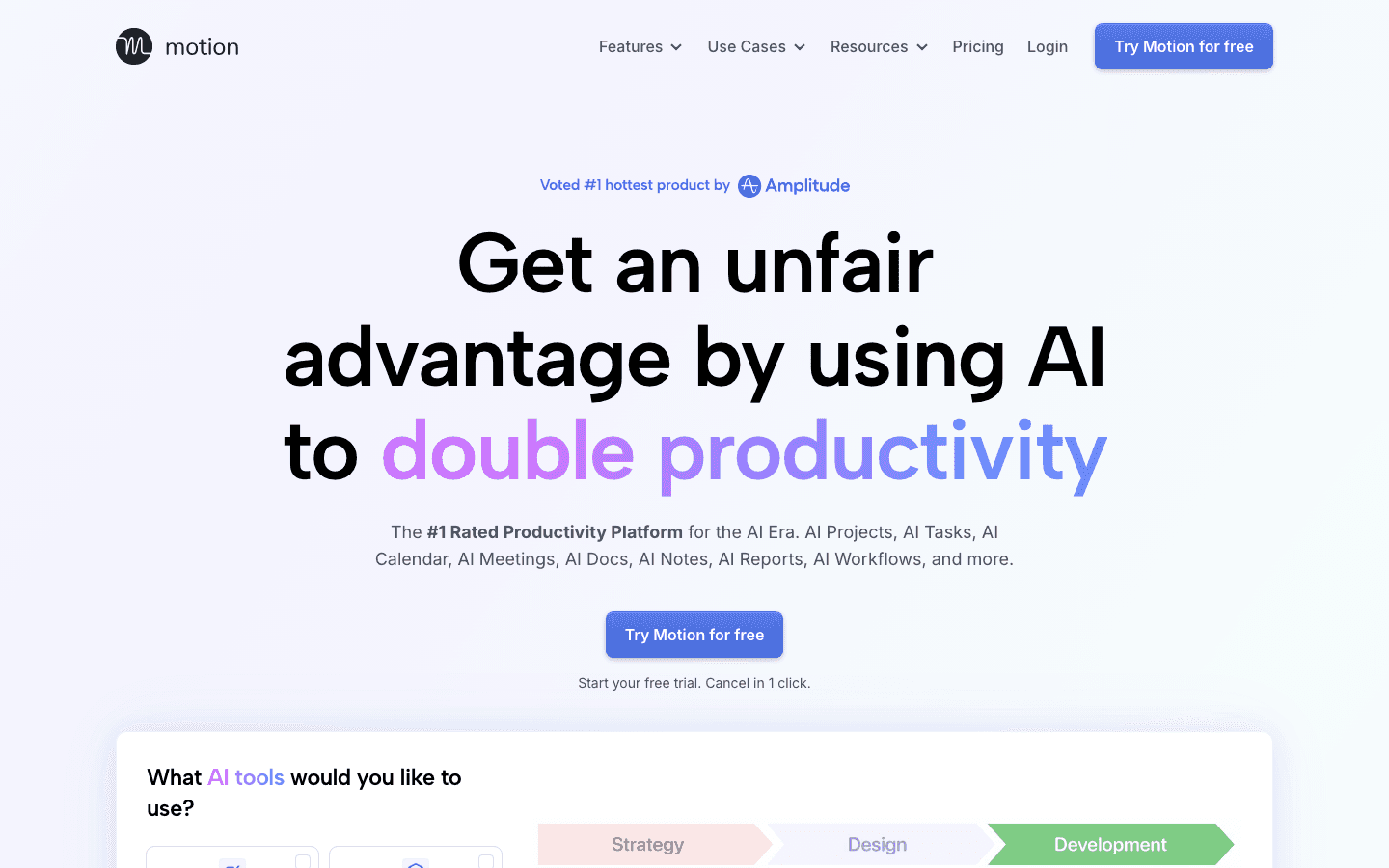
Motion goes further than Trevor AI in one specific direction: it removes manual scheduling almost entirely. You add tasks with deadlines, and the AI places them, prioritizes them, and reschedules them as your day changes. The goal is a calendar that manages itself. For professionals juggling multiple projects with hard deadlines, this is genuinely powerful.
Where Trevor AI asks you to drag tasks onto your calendar, Motion makes that choice for you. The 2026 release added AI Chat (natural language queries to your schedule), AI meeting summaries, and better project tracking. It is a more expensive, more capable tool aimed at a different type of user. See our Motion pricing breakdown for a detailed comparison of tiers.
What Works
Best pure automation of any scheduler: set a task once, AI handles the rest
Meeting assistant saves meaningful prep time
Strong at managing multiple deadline-driven projects simultaneously
Limitations
No energy awareness; treats all time slots as equal
Expensive at $19/month with no free plan
Higher learning curve than Trevor AI
Pricing: $19/month (Pro AI) or $29/month (Business AI). Annual billing saves ~33%. No free plan.
Best for: Professionals and small teams who want the calendar managed for them and are willing to pay a premium for it.
3. Akiflow
The alternative for users who want Trevor AI's time-blocking with far better task capture.
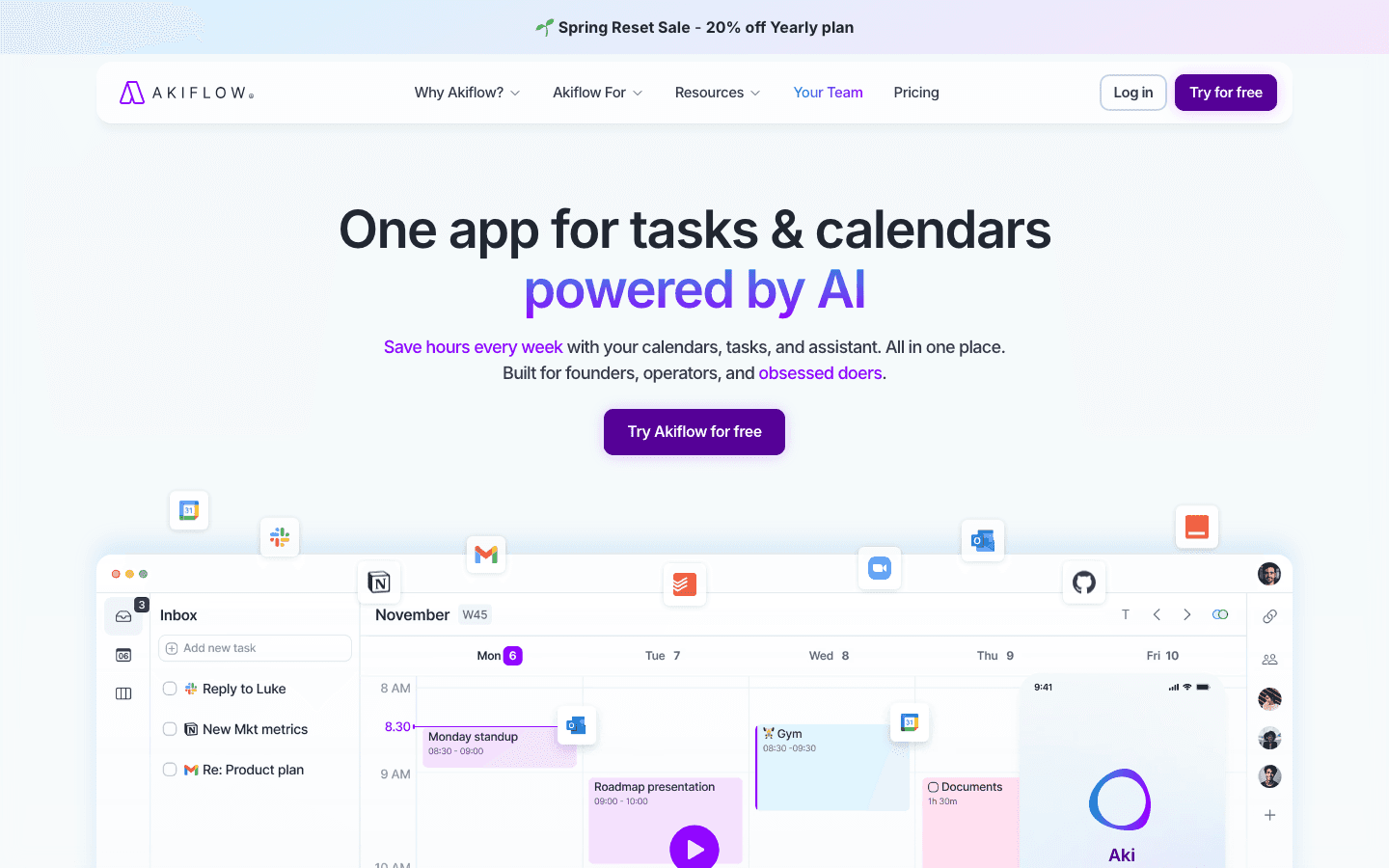
Trevor AI's task import is limited. Akiflow solves that by pulling tasks from Gmail, Slack, Asana, Linear, Notion, and 50+ other tools into a single inbox. From there, you time-block them onto your calendar with the same visual drag-and-drop feel that Trevor AI users are used to, but with a much richer set of source materials to work from.
The Aki AI assistant handles natural language scheduling commands and can break down complex tasks automatically. Akiflow is a power-user tool, keyboard shortcuts everywhere, built for people who process a large volume of work items daily. See our Akiflow alternatives guide to understand how it compares on the broader market. Check the calendar management tools roundup for more context on this category.
What Works
Best integration breadth of any alternative on this list
Fast, keyboard-native workflow for high-volume task processors
Time-blocking UX is similar to Trevor AI but more powerful
Limitations
No energy awareness
Expensive: $34/month on monthly billing, $19/month annually
Primarily a Mac and Windows app
Pricing: $19/month (billed annually) or $34/month. 7-day free trial.
Best for: Power users managing tasks across multiple platforms who want all of them in one place before time-blocking.
4. Sunsama
The alternative for users who want structure and intentionality, not just time-block automation.
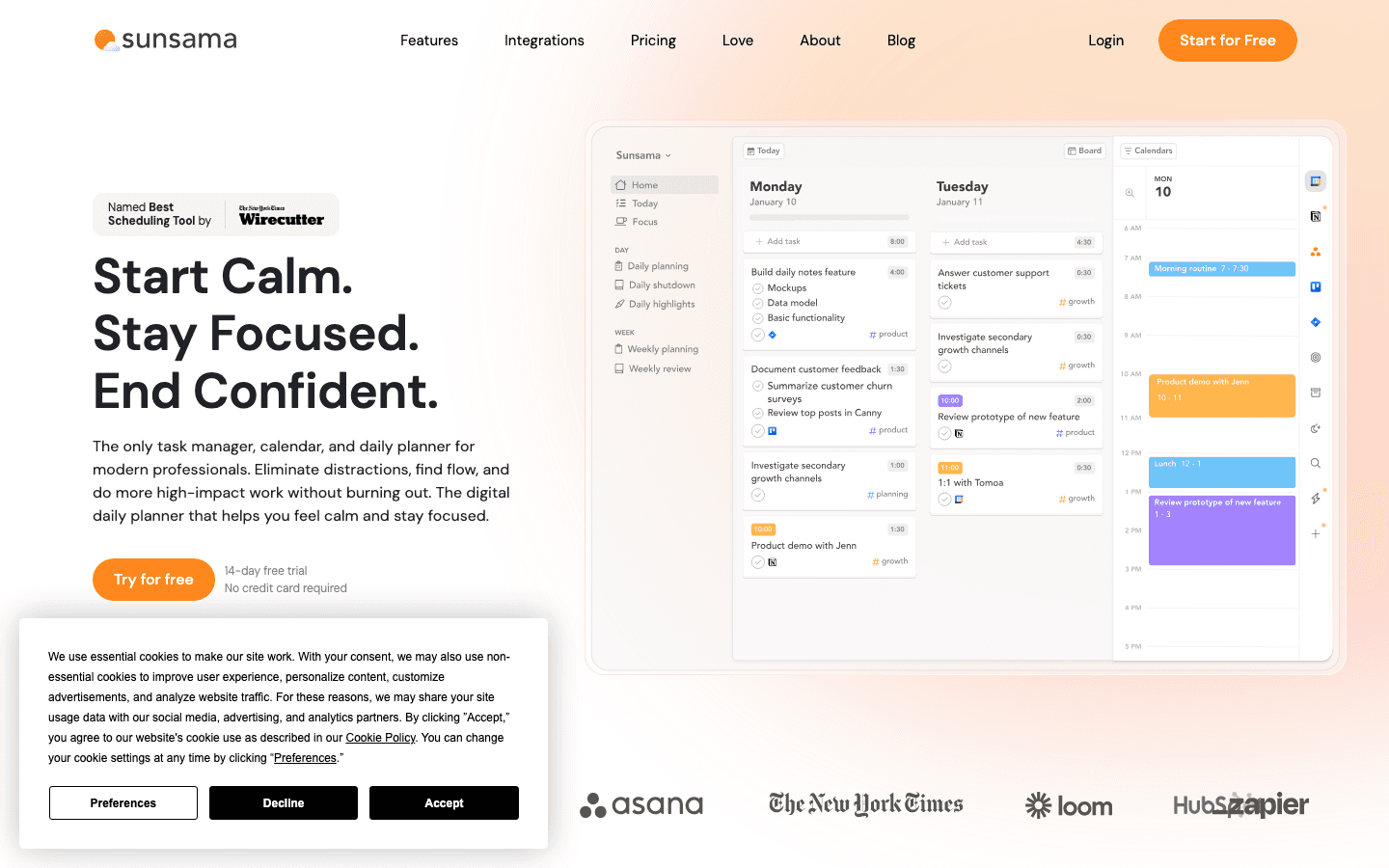
Sunsama takes a different philosophy than Trevor AI. Rather than simply placing tasks in calendar slots, it guides you through a daily planning ritual each morning: review what came in, pull tasks from connected tools (Asana, GitHub, Jira, Slack), set time estimates, and build a realistic day with clear intention. There is no AI auto-scheduling. The human input is the point.
For Trevor AI users who feel like their tool is too passive, Sunsama adds friction on purpose. The ritual creates focus. The weekly review helps you reflect on where your time actually went. If you have tried Trevor AI and found that the plan looks fine but you still feel scattered, Sunsama's structured approach may be what you need. See our Sunsama alternatives guide for more options in this space.
What Works
The daily ritual creates genuine daily focus and intention
Best-in-class integrations for developer and product tools
Weekly review is a rare feature that users actually stick with
Limitations
No AI auto-scheduling; fully manual
At $22/month, expensive for what is essentially a structured planner
No energy awareness
Pricing: $22/month or $17/month billed annually. 14-day free trial, no credit card required.
Best for: Knowledge workers, developers, and founders who want intentional planning over automated scheduling, especially those prone to burnout.
5. Structured
The closest visual feel to Trevor AI, with a better mobile experience and a free tier that actually works.
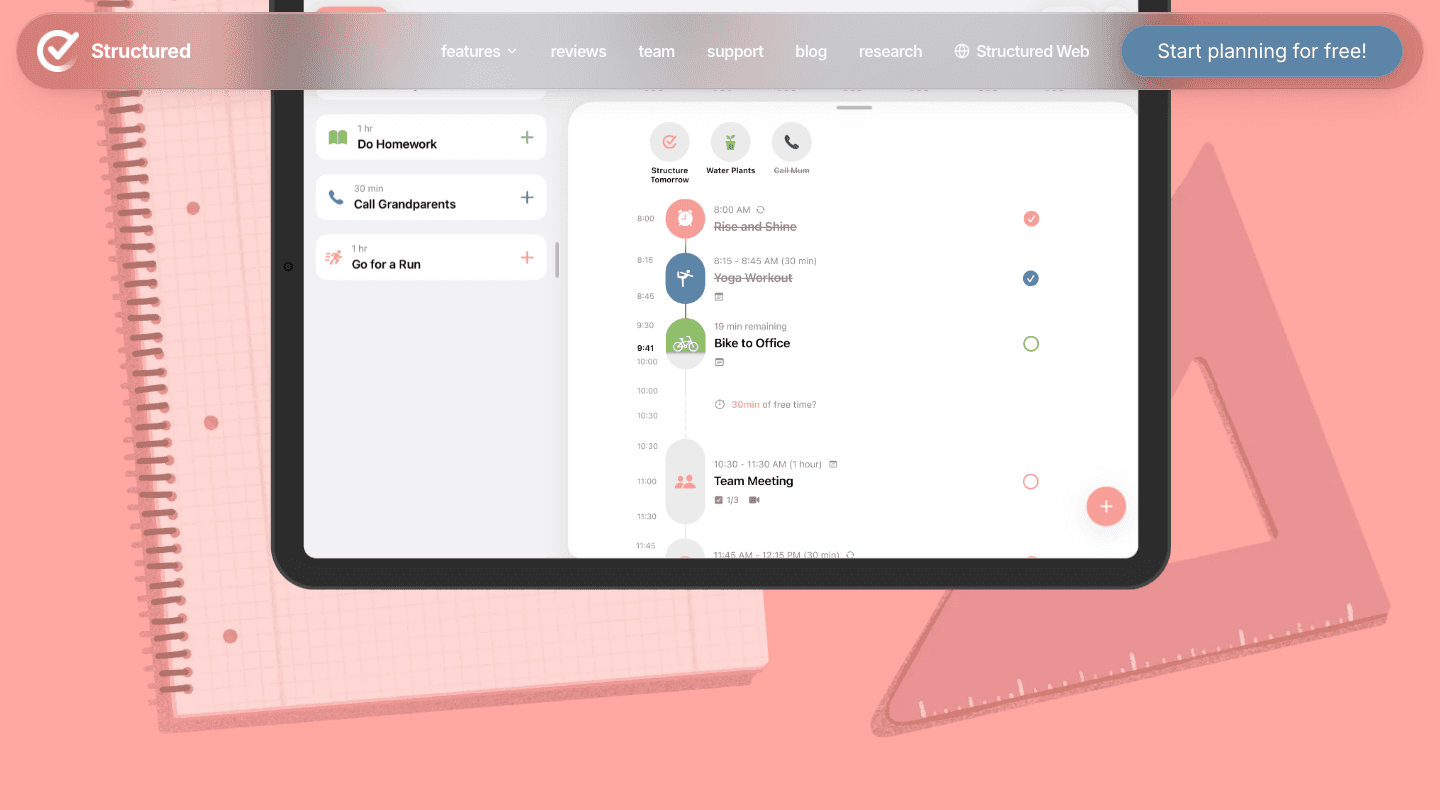
If you like Trevor AI's visual timeline approach but want something that works better on mobile or feels more polished, Structured is the most direct alternative. Both apps combine tasks and calendar events into a single visual day view. Structured adds a cleaner timeline interface, better iOS widget support, and a free plan generous enough for most individual users.
It is not the most powerful option on this list. There is no AI automation, no team features, and no complex integrations. What it offers is a simple, well-designed daily timeline that stays out of your way. For users who tried Trevor AI and liked the concept but found the execution rough around the edges, Structured is worth trying.
What Works
The most visually similar to Trevor AI; the smallest learning curve
Best mobile experience of any app on this list
Free tier is genuinely usable for individuals
Limitations
No AI scheduling, energy awareness, or integrations beyond calendar sync
Not designed for complex task workflows or team use
Pricing: Free to download. Pro subscription available via in-app purchase.
Best for: Trevor AI users who want the same visual timeline feel with a cleaner interface and better mobile app, without paying more.
Which Trevor AI Alternative Should You Choose?
Your schedule keeps falling apart when things get disrupted: Lifestack. Its auto-rescheduling and energy-aware planning handle real-day chaos better than anything else on this list.
You want the AI to handle scheduling entirely: Motion. Set deadlines, let it manage the rest.
You process tasks from many different tools: Akiflow. The universal inbox is where it wins.
You want a morning ritual and weekly review, not automation: Sunsama. The structure is the feature.
You want something that looks and feels like Trevor AI but works better: Structured. Free to start, minimal learning curve.
Frequently Asked Questions
What is the best Trevor AI alternative in 2026?
Lifestack is the best Trevor AI alternative for most individual users because it goes beyond time-blocking to schedule around your energy and cognitive capacity. Motion is better if you want full AI automation. Structured is the closest to Trevor AI's feel if you want something familiar and free.
Is Trevor AI free?
Yes, Trevor AI has a free plan that covers core time-blocking and calendar sync. The Pro plan costs $5/month billed annually and adds an AI model, recurring tasks, and analytics.
What makes Lifestack better than Trevor AI?
Trevor AI schedules tasks into available time slots. Lifestack schedules them into the right time slots based on your energy. It also auto-reschedules when your day changes, which Trevor AI does not do. For people with ADHD or variable focus, this difference is significant. See our ADHD time management apps guide for more on this.
Does Trevor AI have AI scheduling?
Trevor AI has an AI assistant called Ask Trevor for scheduling commands, and it uses AI for duration prediction. However, it does not auto-reschedule your day or learn from your energy patterns the way Lifestack does.
Are there free Trevor AI alternatives?
Yes. Structured has a free tier that is the closest to Trevor AI's visual timeline approach. Todoist also has a strong free plan for task management, though it does not include calendar time-blocking. For AI scheduling features, most apps require a paid subscription.
What is the cheapest Trevor AI alternative with AI features?
Lifestack at $4.17/month (billed annually) is the most affordable option with genuine AI scheduling. Motion starts at $19/month and Akiflow at $19/month annually, making Lifestack the strongest value for individual users who want AI-powered daily planning.
Trevor AI works. It just does not go far enough.
Trevor AI is a lightweight time-blocking app that connects your task lists to your calendar and helps you plan your day visually. It is clean, simple, and genuinely useful for people who want a low-friction way to schedule their work. The free plan covers most individual needs, and the Pro plan at $5/month is one of the best values in productivity software.
But "simple" has limits. Trevor AI has no AI auto-rescheduling, no energy awareness, limited integrations, and no real concept of what happens when your day gets disrupted. If you have outgrown Trevor AI, or you are evaluating it against alternatives before committing, these five apps each solve a real gap it leaves open.
We tested each alternative for daily use across scheduling, task capture, mobile performance, and ADHD suitability. Pricing was verified directly from each app's pricing page as of June 2026.
Key Takeaways
Trevor AI's biggest gap is that it schedules by available time, not by your energy or cognitive capacity.
The best AI planner alternatives go further: they reschedule automatically when plans change and adapt to how you work, not just when you are free.
Each app on this list targets a different reason to leave Trevor AI: better AI, more integrations, deeper planning, or more structure.
Quick Guide
Lifestack: Energy-aware AI scheduling built for people with ADHD or variable focus
Motion: Fully automated AI task scheduling for deadline-driven professionals
Akiflow: Unified task inbox with deep calendar time-blocking
Sunsama: Intentional daily planner with weekly reflection built in
Structured: Visual timeline planner with a free tier, closest to Trevor AI's feel
1. Lifestack
The Trevor AI alternative that fixes the core problem: scheduling around energy, not just time.
If the core frustration with Trevor AI is that it fills your calendar without any sense of which hours are actually good for hard thinking, Lifestack is the direct answer. It learns your energy patterns over time and uses them to place the right tasks in the right windows. Deep-focus work goes to your peak hours. Admin and email go to your low-energy slots.
The drag-and-drop calendar will feel familiar to Trevor AI users, but the AI layer underneath it is doing more work. When a meeting runs long or a task gets bumped, Lifestack reschedules the rest of your day automatically rather than leaving you with a broken plan to fix manually. This matters most for people with ADHD, who often lose hours to replanning after disruption rather than actually working.
The mobile app works on both iOS and Android with the same logic. Task capture is low-friction. The Chrome extension lets you add tasks from anywhere without switching apps.
What Works
Energy-aware scheduling is not available in Trevor AI or most competitors
Auto-rescheduling handles disruptions without manual intervention
Strong ADHD suitability: minimal UI, clear next-action focus
Limitations
No free plan; the annual plan includes a 7-day trial
No team features or project management
Pricing: $7/month or $50/year ($4.17/month). Lifetime plan at $120.
Best for: Trevor AI users with ADHD, variable energy, or anyone whose plan falls apart mid-day because of disruptions.
2. Motion
The alternative for people who want maximum AI automation and no manual scheduling at all.
Motion goes further than Trevor AI in one specific direction: it removes manual scheduling almost entirely. You add tasks with deadlines, and the AI places them, prioritizes them, and reschedules them as your day changes. The goal is a calendar that manages itself. For professionals juggling multiple projects with hard deadlines, this is genuinely powerful.
Where Trevor AI asks you to drag tasks onto your calendar, Motion makes that choice for you. The 2026 release added AI Chat (natural language queries to your schedule), AI meeting summaries, and better project tracking. It is a more expensive, more capable tool aimed at a different type of user. See our Motion pricing breakdown for a detailed comparison of tiers.
What Works
Best pure automation of any scheduler: set a task once, AI handles the rest
Meeting assistant saves meaningful prep time
Strong at managing multiple deadline-driven projects simultaneously
Limitations
No energy awareness; treats all time slots as equal
Expensive at $19/month with no free plan
Higher learning curve than Trevor AI
Pricing: $19/month (Pro AI) or $29/month (Business AI). Annual billing saves ~33%. No free plan.
Best for: Professionals and small teams who want the calendar managed for them and are willing to pay a premium for it.
3. Akiflow
The alternative for users who want Trevor AI's time-blocking with far better task capture.
Trevor AI's task import is limited. Akiflow solves that by pulling tasks from Gmail, Slack, Asana, Linear, Notion, and 50+ other tools into a single inbox. From there, you time-block them onto your calendar with the same visual drag-and-drop feel that Trevor AI users are used to, but with a much richer set of source materials to work from.
The Aki AI assistant handles natural language scheduling commands and can break down complex tasks automatically. Akiflow is a power-user tool, keyboard shortcuts everywhere, built for people who process a large volume of work items daily. See our Akiflow alternatives guide to understand how it compares on the broader market. Check the calendar management tools roundup for more context on this category.
What Works
Best integration breadth of any alternative on this list
Fast, keyboard-native workflow for high-volume task processors
Time-blocking UX is similar to Trevor AI but more powerful
Limitations
No energy awareness
Expensive: $34/month on monthly billing, $19/month annually
Primarily a Mac and Windows app
Pricing: $19/month (billed annually) or $34/month. 7-day free trial.
Best for: Power users managing tasks across multiple platforms who want all of them in one place before time-blocking.
4. Sunsama
The alternative for users who want structure and intentionality, not just time-block automation.
Sunsama takes a different philosophy than Trevor AI. Rather than simply placing tasks in calendar slots, it guides you through a daily planning ritual each morning: review what came in, pull tasks from connected tools (Asana, GitHub, Jira, Slack), set time estimates, and build a realistic day with clear intention. There is no AI auto-scheduling. The human input is the point.
For Trevor AI users who feel like their tool is too passive, Sunsama adds friction on purpose. The ritual creates focus. The weekly review helps you reflect on where your time actually went. If you have tried Trevor AI and found that the plan looks fine but you still feel scattered, Sunsama's structured approach may be what you need. See our Sunsama alternatives guide for more options in this space.
What Works
The daily ritual creates genuine daily focus and intention
Best-in-class integrations for developer and product tools
Weekly review is a rare feature that users actually stick with
Limitations
No AI auto-scheduling; fully manual
At $22/month, expensive for what is essentially a structured planner
No energy awareness
Pricing: $22/month or $17/month billed annually. 14-day free trial, no credit card required.
Best for: Knowledge workers, developers, and founders who want intentional planning over automated scheduling, especially those prone to burnout.
5. Structured
The closest visual feel to Trevor AI, with a better mobile experience and a free tier that actually works.
If you like Trevor AI's visual timeline approach but want something that works better on mobile or feels more polished, Structured is the most direct alternative. Both apps combine tasks and calendar events into a single visual day view. Structured adds a cleaner timeline interface, better iOS widget support, and a free plan generous enough for most individual users.
It is not the most powerful option on this list. There is no AI automation, no team features, and no complex integrations. What it offers is a simple, well-designed daily timeline that stays out of your way. For users who tried Trevor AI and liked the concept but found the execution rough around the edges, Structured is worth trying.
What Works
The most visually similar to Trevor AI; the smallest learning curve
Best mobile experience of any app on this list
Free tier is genuinely usable for individuals
Limitations
No AI scheduling, energy awareness, or integrations beyond calendar sync
Not designed for complex task workflows or team use
Pricing: Free to download. Pro subscription available via in-app purchase.
Best for: Trevor AI users who want the same visual timeline feel with a cleaner interface and better mobile app, without paying more.
Which Trevor AI Alternative Should You Choose?
Your schedule keeps falling apart when things get disrupted: Lifestack. Its auto-rescheduling and energy-aware planning handle real-day chaos better than anything else on this list.
You want the AI to handle scheduling entirely: Motion. Set deadlines, let it manage the rest.
You process tasks from many different tools: Akiflow. The universal inbox is where it wins.
You want a morning ritual and weekly review, not automation: Sunsama. The structure is the feature.
You want something that looks and feels like Trevor AI but works better: Structured. Free to start, minimal learning curve.
Frequently Asked Questions
What is the best Trevor AI alternative in 2026?
Lifestack is the best Trevor AI alternative for most individual users because it goes beyond time-blocking to schedule around your energy and cognitive capacity. Motion is better if you want full AI automation. Structured is the closest to Trevor AI's feel if you want something familiar and free.
Is Trevor AI free?
Yes, Trevor AI has a free plan that covers core time-blocking and calendar sync. The Pro plan costs $5/month billed annually and adds an AI model, recurring tasks, and analytics.
What makes Lifestack better than Trevor AI?
Trevor AI schedules tasks into available time slots. Lifestack schedules them into the right time slots based on your energy. It also auto-reschedules when your day changes, which Trevor AI does not do. For people with ADHD or variable focus, this difference is significant. See our ADHD time management apps guide for more on this.
Does Trevor AI have AI scheduling?
Trevor AI has an AI assistant called Ask Trevor for scheduling commands, and it uses AI for duration prediction. However, it does not auto-reschedule your day or learn from your energy patterns the way Lifestack does.
Are there free Trevor AI alternatives?
Yes. Structured has a free tier that is the closest to Trevor AI's visual timeline approach. Todoist also has a strong free plan for task management, though it does not include calendar time-blocking. For AI scheduling features, most apps require a paid subscription.
What is the cheapest Trevor AI alternative with AI features?
Lifestack at $4.17/month (billed annually) is the most affordable option with genuine AI scheduling. Motion starts at $19/month and Akiflow at $19/month annually, making Lifestack the strongest value for individual users who want AI-powered daily planning.



FOLLOW ON
FOLLOW ON
FOLLOW ON


Copyright 2026 © Lifestack. All rights reserved
Copyright 2026 © Lifestack. All rights reserved

