
App
Best Apps to Use With Samsung Health in 2026
Best Apps to Use With Samsung Health in 2026

Samsung Health is one of the strongest built-in health trackers available on Android. It handles step counting, heart rate, sleep analysis, stress monitoring, workout logging, and body composition tracking with a level of integration that third-party apps can't fully match on Samsung hardware. But built-in doesn't mean complete.
Samsung Health's gaps are well-known: nutrition tracking is basic, structured workout planning is limited, the mindfulness tools are surface-level, and there's no way to turn your health data into an actionable daily schedule. The apps below fill those gaps. Each one integrates or works alongside Samsung Health to build a more complete health and wellness stack.
We selected six companion apps based on how well they address Samsung Health's weak spots, how actively they're maintained in 2026, and how naturally they slot into a Samsung Android workflow.
All apps tested with Samsung Health on Android in June 2026. Pricing verified at time of publication.
Key Takeaways
Lifestack turns your Samsung Health energy data into an intelligent daily schedule, placing tasks in the windows when your health signals show you're most ready to focus.
MyFitnessPal and Cronometer fill Samsung Health's nutrition gap; Strava fills the serious workout logging gap.
Headspace and Streaks complete the mental wellness and habit-building layers that Samsung Health tracks data for but doesn't coach.
Quick Guide
Lifestack: Best for turning health data into a smarter daily schedule
MyFitnessPal: Best calorie and macro tracker for Samsung Health users
Strava: Best workout logging app for runners and cyclists
Headspace: Best guided meditation and mindfulness app
Cronometer: Best for precise nutritional micronutrient tracking
Streaks: Best habit tracker that reinforces health routines
1. Lifestack: Best for Energy-Aware Daily Scheduling
The only planning app that adapts your schedule based on your personal health and energy patterns.

Samsung Health tracks your sleep quality, stress levels, and activity patterns. Lifestack makes those signals actionable. It builds your daily task schedule around your energy levels: demanding cognitive work gets placed in your high-energy windows, routine tasks fill the lower-energy periods, and your Samsung Health data informs when those windows occur.
This is the missing layer in most health tracking setups. Your Samsung Galaxy Watch and Samsung Health app can tell you that you had poor sleep and high stress this morning. Lifestack adjusts today's task schedule accordingly so you're not trying to do deep work when your health data says you're running low. Energy-aware scheduling turns health tracking from passive measurement into active daily planning.
Schedules tasks around your personal energy and health patterns
Google Calendar sync with two-way task integration
AI day planning that adapts when your schedule or health changes
Clean mobile interface with daily plan and reminders
Works alongside Samsung Health data for smarter scheduling decisions
Limitations: Doesn't pull data directly from Samsung Health via API; integrates through calendar and behavior patterns rather than raw health metrics.
Pricing: $7/month, $50/year (7-day free trial), or $120 lifetime.
Best for: Samsung Health users who want their health and energy data reflected in a smarter daily schedule.
2. MyFitnessPal: Best Nutrition Tracker
The most widely-used calorie and macro tracker, with direct Samsung Health integration.
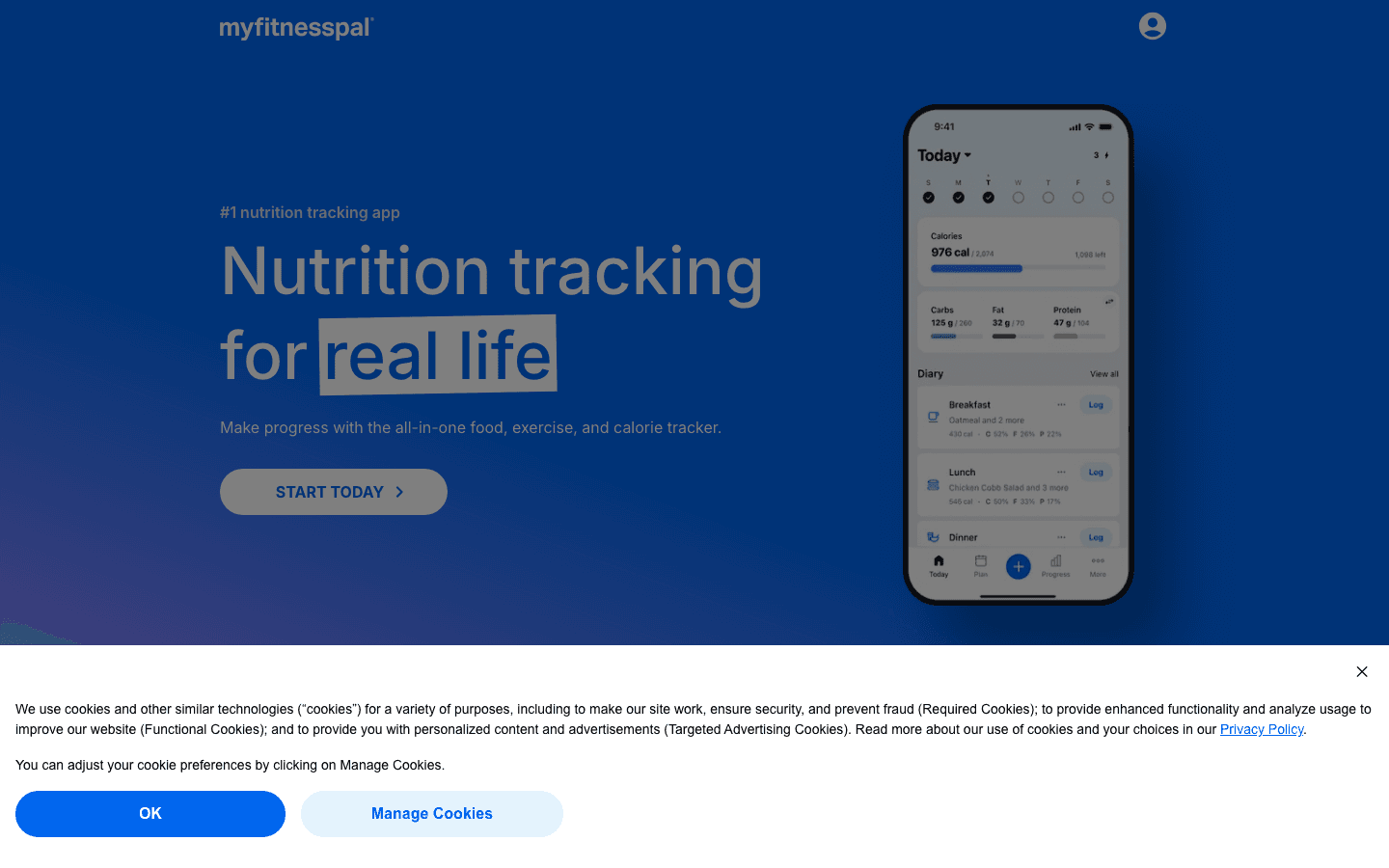
MyFitnessPal connects directly to Samsung Health and syncs calorie intake and nutrition data in both directions. Workouts logged in Samsung Health update your calorie burn in MyFitnessPal; food logged in MyFitnessPal appears in your Samsung Health nutrition summary. The integration is one of the tightest available on Samsung.
The food database is the largest of any nutrition app, with over 14 million items and reliable barcode scanning. For users pairing MyFitnessPal with a Samsung health device, it provides the nutrition layer that Samsung Health's built-in food tracker lacks in depth and database coverage.
Direct Samsung Health sync for calories and nutrition
14+ million food database with barcode scanning
Macro and calorie goal setting with daily progress view
Restaurant and recipe logging
Premium: custom macros, meal planning, detailed analytics
Limitations: Free tier shows ads and limits some features. User-submitted food entries vary in accuracy. No micronutrient depth at the free level.
Pricing: Free tier available. Premium $19.99/month or $79.99/year.
Best for: Samsung Health users who want complete calorie and macro tracking with direct health data sync.
3. Strava: Best Workout Logging for Runners and Cyclists
The leading GPS workout tracker, with Samsung Health integration for serious athletes.
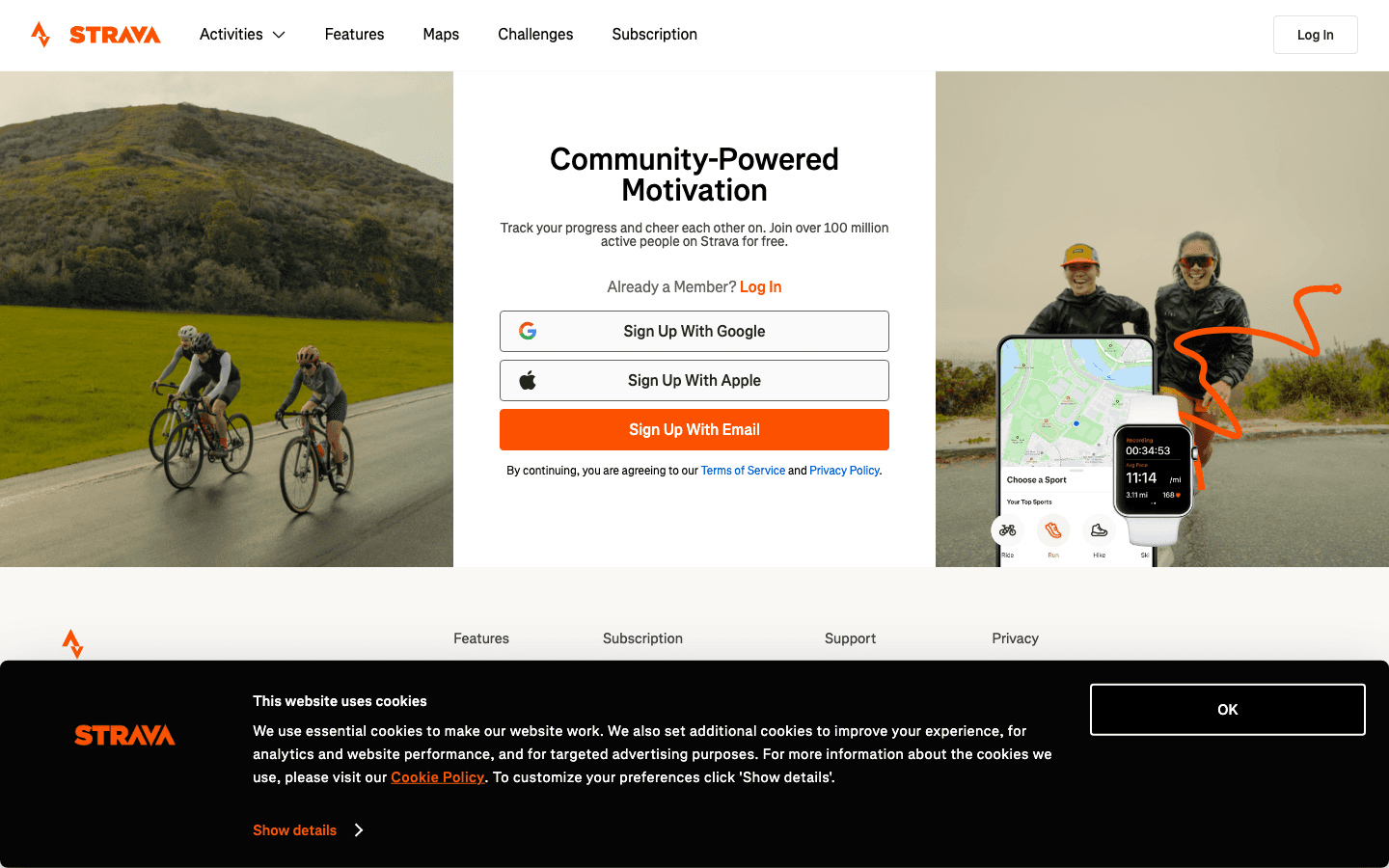
Strava is the standard for serious runners, cyclists, and swimmers. It logs GPS routes, pace, elevation, heart rate, and cadence at a level of detail Samsung Health's workout tracker doesn't match, and it connects to a social community where segments, leaderboards, and club challenges provide the kind of external accountability that keeps long-term training consistent.
Samsung Health users can sync workouts from Samsung Galaxy Watch directly to Strava, or log workouts in Strava with Samsung Health picking up the summary data. The combination covers both sides: Samsung Health for passive health monitoring throughout the day, Strava for structured workout logging and analysis.
GPS route logging with detailed pace and elevation data
Segment leaderboards and personal records
Training load analysis and fitness trend tracking
Club features and social accountability
Syncs with Samsung Health for activity summary
Limitations: Premium ($79.99/year) required for most analysis features. Some features (Strava AI coaching) still maturing.
Pricing: Free tier (route tracking only). Subscription $11.99/month or $79.99/year.
Best for: Samsung Health users who run, cycle, or swim seriously and want detailed GPS workout analysis and community accountability.
4. Headspace: Best Guided Meditation App
Structured meditation programs for the mindfulness gap in Samsung Health's stress tracking.
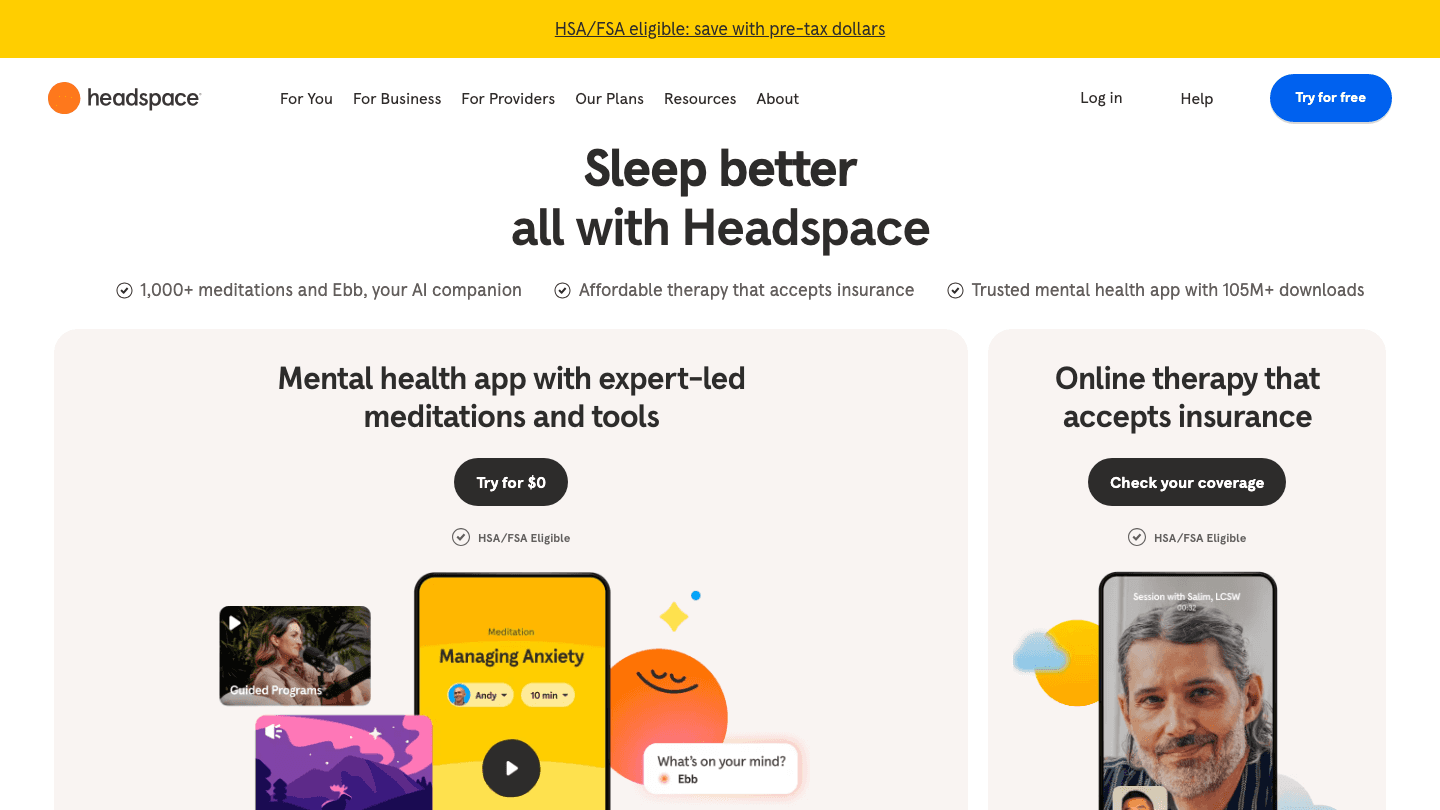
Samsung Health's stress monitoring feature is good at measuring stress. What it doesn't do is help you address it. Headspace fills that gap with structured meditation programs, sleep content, and mindfulness exercises that directly address what Samsung Health is tracking.
The combination is more useful than either tool alone. Samsung Health tells you when your stress is high and your heart rate variability is down. Headspace gives you a 10-minute session to address it. Samsung Health tracks your sleep quality; Headspace's sleep soundscapes and wind-down meditations can improve it. The feedback loop between measurement and intervention is genuinely useful.
Structured meditation courses from beginner to advanced
Sleep content including sleepcasts and wind-down exercises
Stress and anxiety-specific programs
Daily mindful moments and breathing exercises
Progress tracking and streaks for meditation consistency
Limitations: Most content requires subscription. No direct Samsung Health data integration (manual pairing).
Pricing: Free trial. Subscription $69.99/year.
Best for: Samsung Health users who want structured meditation and sleep programs to address what their health data is measuring.
5. Cronometer: Best for Micronutrient Tracking
Precise nutritional analysis including vitamins, minerals, and amino acids.
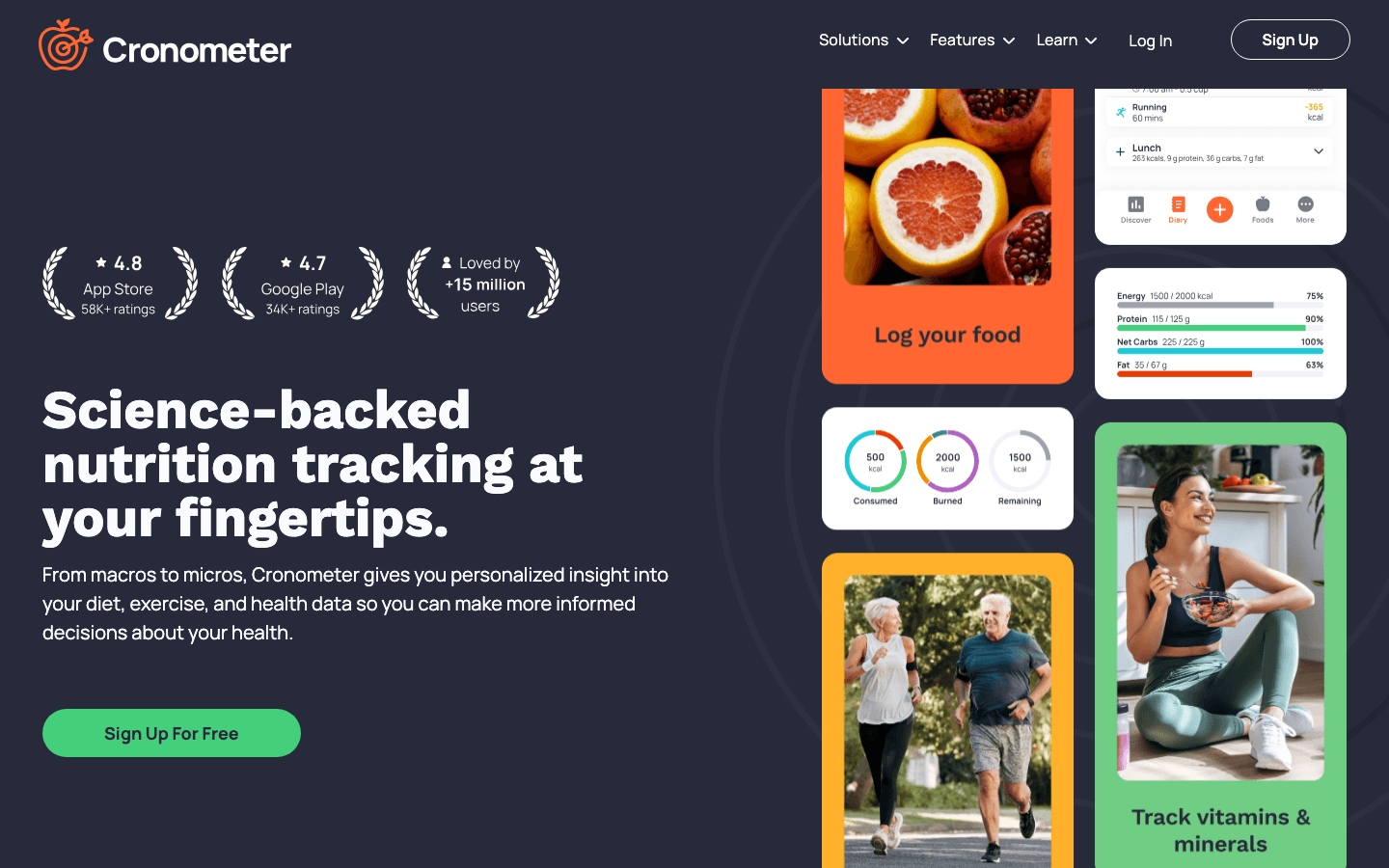
Cronometer goes deeper than MyFitnessPal on nutritional data. Where MyFitnessPal focuses on calories and macros, Cronometer tracks over 80 micronutrients including individual vitamins, minerals, and amino acids. For Samsung Health users who track health metrics carefully and want to understand the nutritional foundation behind those metrics, Cronometer provides a level of detail that no other nutrition app matches.
Cronometer syncs with Samsung Health to correlate food intake with activity and sleep data. The combination is particularly useful for users tracking specific health conditions, optimizing for athletic performance, or following precise dietary protocols where micronutrient completeness matters alongside calorie balance.
80+ micronutrient tracking including vitamins, minerals, amino acids
Verified food database with scientific accuracy
Samsung Health sync for activity and calorie data
Custom nutrient targets and ratio goals
Biometric logging to track correlations with nutrition
Limitations: More complex to use than MyFitnessPal. Food database is smaller, though more accurately verified.
Pricing: Free tier available. Gold subscription approximately $9.99/month or $49.99/year.
Best for: Health-focused Samsung users who want to track micronutrients and optimize nutrition beyond calories and macros.
6. Streaks: Best Habit Tracker for Health Routines
Reinforces the health habits Samsung Health tracks, one streak at a time.
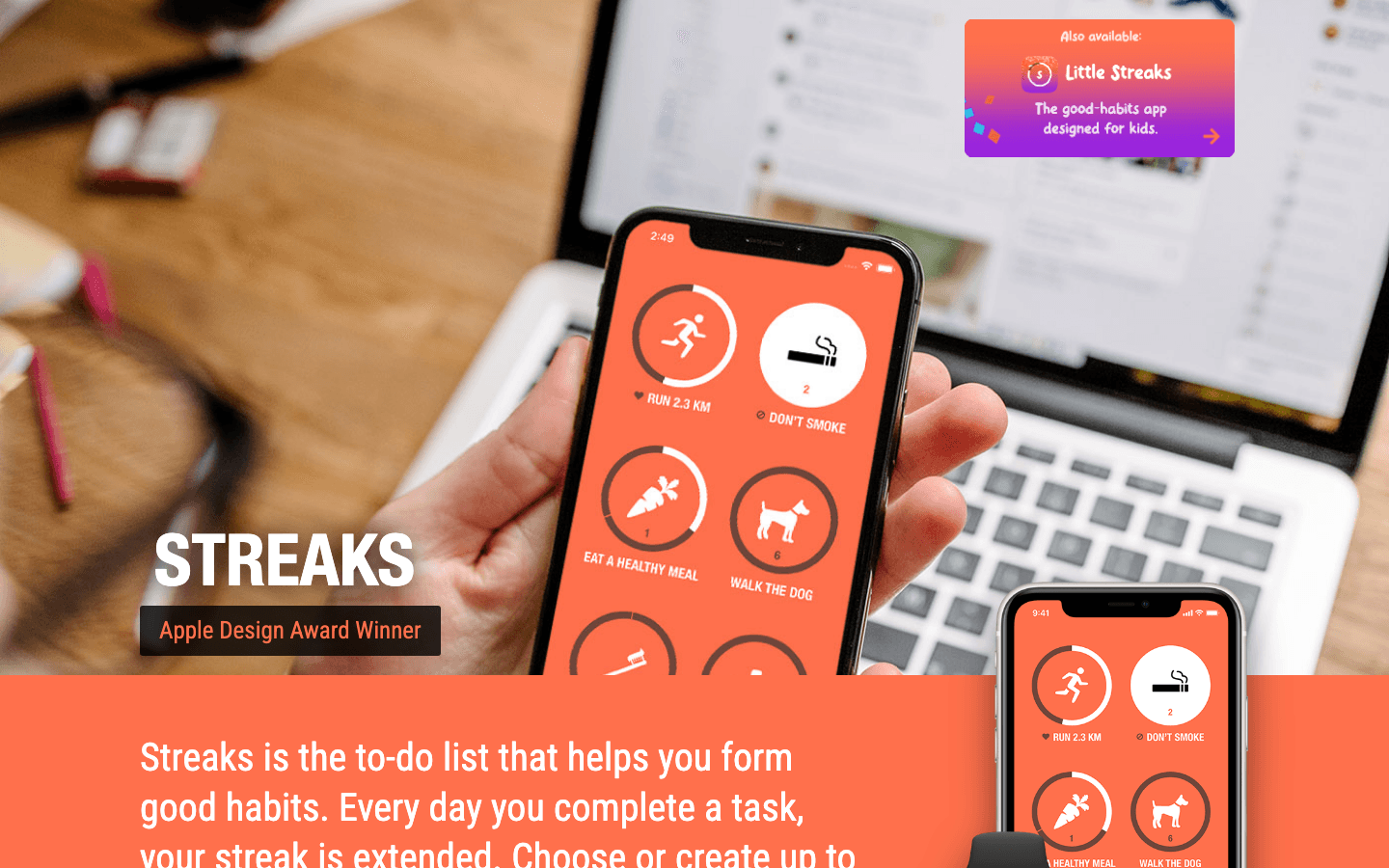
Streaks is an Apple Design Award-winning habit tracker built around completing daily health tasks. It reads health data from your device (steps, water intake, active time, meditation sessions, workouts) and automatically marks habits complete when your activity meets the criteria. For Samsung Health users with an iOS device or cross-platform setup, Streaks provides the habit accountability layer that turns health data into consistent behavior.
The app is limited to 12 tasks at once by design, which forces prioritization rather than building an overwhelming list. Each habit can connect to a health metric, a time of day, or a specific location, making it highly flexible for building routines around your existing Samsung Health tracking.
Automatic habit completion using health and activity data
Up to 12 tracked habits for focused prioritization
Streak visualization to reinforce consistency
Integration with Apple Health (and via cross-platform sync, Samsung data)
Customizable habit types with health metric triggers
Limitations: iOS-only; integration with Samsung Health requires a cross-platform bridge. 12-task limit by design.
Pricing: One-time purchase approximately $4.99.
Best for: Samsung Health users with an iOS device who want automatic habit completion based on their health activity data.
How to Build Your Samsung Health App Stack
Start with Lifestack to turn your energy and health patterns into a smarter daily schedule
Add MyFitnessPal or Cronometer based on whether you need calorie tracking or micronutrient depth
Use Strava if you do structured running, cycling, or swimming training (also see apps to pair with Garmin for comparison)
Use Headspace to act on what Samsung Health's stress and sleep data is showing you
Add Streaks to reinforce the health habits Samsung Health is measuring
Frequently Asked Questions
What apps connect to Samsung Health?
Samsung Health supports direct integration with dozens of third-party apps including MyFitnessPal (nutrition), Strava (workouts), Cronometer (nutrition), and Google Fit (data sync). For planning and scheduling, Lifestack works alongside Samsung Health by using your energy and calendar data to plan your day around your health patterns.
Can I use MyFitnessPal with Samsung Health?
Yes. MyFitnessPal has direct Samsung Health integration that syncs calorie data, nutrition summaries, and workout calories in both directions. Connecting the two takes a few minutes in the apps' settings. This is one of the most useful Samsung Health pairings for anyone tracking nutrition alongside fitness.
What is the best fitness tracker companion app for Samsung?
For workout logging, Strava is the strongest option for runners and cyclists. For nutrition, MyFitnessPal covers most use cases. For turning all your Samsung Health data into an actionable daily plan, Lifestack is the most unique and useful addition to the stack.
Does Samsung Health have good nutrition tracking?
Samsung Health's built-in food tracking is basic: it covers calorie counting with a limited food database. For users who want accurate calorie tracking, macros, or micronutrient detail, pairing Samsung Health with MyFitnessPal or Cronometer provides significantly more utility.
How do I get more out of Samsung Health?
The highest-impact additions to Samsung Health are: a nutrition tracker (MyFitnessPal or Cronometer) to close the food tracking gap, a workout logger (Strava) if you do structured training, and a planning app (Lifestack) to turn your health data into a schedule that reflects how your body is actually doing each day.
Samsung Health is one of the strongest built-in health trackers available on Android. It handles step counting, heart rate, sleep analysis, stress monitoring, workout logging, and body composition tracking with a level of integration that third-party apps can't fully match on Samsung hardware. But built-in doesn't mean complete.
Samsung Health's gaps are well-known: nutrition tracking is basic, structured workout planning is limited, the mindfulness tools are surface-level, and there's no way to turn your health data into an actionable daily schedule. The apps below fill those gaps. Each one integrates or works alongside Samsung Health to build a more complete health and wellness stack.
We selected six companion apps based on how well they address Samsung Health's weak spots, how actively they're maintained in 2026, and how naturally they slot into a Samsung Android workflow.
All apps tested with Samsung Health on Android in June 2026. Pricing verified at time of publication.
Key Takeaways
Lifestack turns your Samsung Health energy data into an intelligent daily schedule, placing tasks in the windows when your health signals show you're most ready to focus.
MyFitnessPal and Cronometer fill Samsung Health's nutrition gap; Strava fills the serious workout logging gap.
Headspace and Streaks complete the mental wellness and habit-building layers that Samsung Health tracks data for but doesn't coach.
Quick Guide
Lifestack: Best for turning health data into a smarter daily schedule
MyFitnessPal: Best calorie and macro tracker for Samsung Health users
Strava: Best workout logging app for runners and cyclists
Headspace: Best guided meditation and mindfulness app
Cronometer: Best for precise nutritional micronutrient tracking
Streaks: Best habit tracker that reinforces health routines
1. Lifestack: Best for Energy-Aware Daily Scheduling
The only planning app that adapts your schedule based on your personal health and energy patterns.
Samsung Health tracks your sleep quality, stress levels, and activity patterns. Lifestack makes those signals actionable. It builds your daily task schedule around your energy levels: demanding cognitive work gets placed in your high-energy windows, routine tasks fill the lower-energy periods, and your Samsung Health data informs when those windows occur.
This is the missing layer in most health tracking setups. Your Samsung Galaxy Watch and Samsung Health app can tell you that you had poor sleep and high stress this morning. Lifestack adjusts today's task schedule accordingly so you're not trying to do deep work when your health data says you're running low. Energy-aware scheduling turns health tracking from passive measurement into active daily planning.
Schedules tasks around your personal energy and health patterns
Google Calendar sync with two-way task integration
AI day planning that adapts when your schedule or health changes
Clean mobile interface with daily plan and reminders
Works alongside Samsung Health data for smarter scheduling decisions
Limitations: Doesn't pull data directly from Samsung Health via API; integrates through calendar and behavior patterns rather than raw health metrics.
Pricing: $7/month, $50/year (7-day free trial), or $120 lifetime.
Best for: Samsung Health users who want their health and energy data reflected in a smarter daily schedule.
2. MyFitnessPal: Best Nutrition Tracker
The most widely-used calorie and macro tracker, with direct Samsung Health integration.
MyFitnessPal connects directly to Samsung Health and syncs calorie intake and nutrition data in both directions. Workouts logged in Samsung Health update your calorie burn in MyFitnessPal; food logged in MyFitnessPal appears in your Samsung Health nutrition summary. The integration is one of the tightest available on Samsung.
The food database is the largest of any nutrition app, with over 14 million items and reliable barcode scanning. For users pairing MyFitnessPal with a Samsung health device, it provides the nutrition layer that Samsung Health's built-in food tracker lacks in depth and database coverage.
Direct Samsung Health sync for calories and nutrition
14+ million food database with barcode scanning
Macro and calorie goal setting with daily progress view
Restaurant and recipe logging
Premium: custom macros, meal planning, detailed analytics
Limitations: Free tier shows ads and limits some features. User-submitted food entries vary in accuracy. No micronutrient depth at the free level.
Pricing: Free tier available. Premium $19.99/month or $79.99/year.
Best for: Samsung Health users who want complete calorie and macro tracking with direct health data sync.
3. Strava: Best Workout Logging for Runners and Cyclists
The leading GPS workout tracker, with Samsung Health integration for serious athletes.
Strava is the standard for serious runners, cyclists, and swimmers. It logs GPS routes, pace, elevation, heart rate, and cadence at a level of detail Samsung Health's workout tracker doesn't match, and it connects to a social community where segments, leaderboards, and club challenges provide the kind of external accountability that keeps long-term training consistent.
Samsung Health users can sync workouts from Samsung Galaxy Watch directly to Strava, or log workouts in Strava with Samsung Health picking up the summary data. The combination covers both sides: Samsung Health for passive health monitoring throughout the day, Strava for structured workout logging and analysis.
GPS route logging with detailed pace and elevation data
Segment leaderboards and personal records
Training load analysis and fitness trend tracking
Club features and social accountability
Syncs with Samsung Health for activity summary
Limitations: Premium ($79.99/year) required for most analysis features. Some features (Strava AI coaching) still maturing.
Pricing: Free tier (route tracking only). Subscription $11.99/month or $79.99/year.
Best for: Samsung Health users who run, cycle, or swim seriously and want detailed GPS workout analysis and community accountability.
4. Headspace: Best Guided Meditation App
Structured meditation programs for the mindfulness gap in Samsung Health's stress tracking.
Samsung Health's stress monitoring feature is good at measuring stress. What it doesn't do is help you address it. Headspace fills that gap with structured meditation programs, sleep content, and mindfulness exercises that directly address what Samsung Health is tracking.
The combination is more useful than either tool alone. Samsung Health tells you when your stress is high and your heart rate variability is down. Headspace gives you a 10-minute session to address it. Samsung Health tracks your sleep quality; Headspace's sleep soundscapes and wind-down meditations can improve it. The feedback loop between measurement and intervention is genuinely useful.
Structured meditation courses from beginner to advanced
Sleep content including sleepcasts and wind-down exercises
Stress and anxiety-specific programs
Daily mindful moments and breathing exercises
Progress tracking and streaks for meditation consistency
Limitations: Most content requires subscription. No direct Samsung Health data integration (manual pairing).
Pricing: Free trial. Subscription $69.99/year.
Best for: Samsung Health users who want structured meditation and sleep programs to address what their health data is measuring.
5. Cronometer: Best for Micronutrient Tracking
Precise nutritional analysis including vitamins, minerals, and amino acids.
Cronometer goes deeper than MyFitnessPal on nutritional data. Where MyFitnessPal focuses on calories and macros, Cronometer tracks over 80 micronutrients including individual vitamins, minerals, and amino acids. For Samsung Health users who track health metrics carefully and want to understand the nutritional foundation behind those metrics, Cronometer provides a level of detail that no other nutrition app matches.
Cronometer syncs with Samsung Health to correlate food intake with activity and sleep data. The combination is particularly useful for users tracking specific health conditions, optimizing for athletic performance, or following precise dietary protocols where micronutrient completeness matters alongside calorie balance.
80+ micronutrient tracking including vitamins, minerals, amino acids
Verified food database with scientific accuracy
Samsung Health sync for activity and calorie data
Custom nutrient targets and ratio goals
Biometric logging to track correlations with nutrition
Limitations: More complex to use than MyFitnessPal. Food database is smaller, though more accurately verified.
Pricing: Free tier available. Gold subscription approximately $9.99/month or $49.99/year.
Best for: Health-focused Samsung users who want to track micronutrients and optimize nutrition beyond calories and macros.
6. Streaks: Best Habit Tracker for Health Routines
Reinforces the health habits Samsung Health tracks, one streak at a time.
Streaks is an Apple Design Award-winning habit tracker built around completing daily health tasks. It reads health data from your device (steps, water intake, active time, meditation sessions, workouts) and automatically marks habits complete when your activity meets the criteria. For Samsung Health users with an iOS device or cross-platform setup, Streaks provides the habit accountability layer that turns health data into consistent behavior.
The app is limited to 12 tasks at once by design, which forces prioritization rather than building an overwhelming list. Each habit can connect to a health metric, a time of day, or a specific location, making it highly flexible for building routines around your existing Samsung Health tracking.
Automatic habit completion using health and activity data
Up to 12 tracked habits for focused prioritization
Streak visualization to reinforce consistency
Integration with Apple Health (and via cross-platform sync, Samsung data)
Customizable habit types with health metric triggers
Limitations: iOS-only; integration with Samsung Health requires a cross-platform bridge. 12-task limit by design.
Pricing: One-time purchase approximately $4.99.
Best for: Samsung Health users with an iOS device who want automatic habit completion based on their health activity data.
How to Build Your Samsung Health App Stack
Start with Lifestack to turn your energy and health patterns into a smarter daily schedule
Add MyFitnessPal or Cronometer based on whether you need calorie tracking or micronutrient depth
Use Strava if you do structured running, cycling, or swimming training (also see apps to pair with Garmin for comparison)
Use Headspace to act on what Samsung Health's stress and sleep data is showing you
Add Streaks to reinforce the health habits Samsung Health is measuring
Frequently Asked Questions
What apps connect to Samsung Health?
Samsung Health supports direct integration with dozens of third-party apps including MyFitnessPal (nutrition), Strava (workouts), Cronometer (nutrition), and Google Fit (data sync). For planning and scheduling, Lifestack works alongside Samsung Health by using your energy and calendar data to plan your day around your health patterns.
Can I use MyFitnessPal with Samsung Health?
Yes. MyFitnessPal has direct Samsung Health integration that syncs calorie data, nutrition summaries, and workout calories in both directions. Connecting the two takes a few minutes in the apps' settings. This is one of the most useful Samsung Health pairings for anyone tracking nutrition alongside fitness.
What is the best fitness tracker companion app for Samsung?
For workout logging, Strava is the strongest option for runners and cyclists. For nutrition, MyFitnessPal covers most use cases. For turning all your Samsung Health data into an actionable daily plan, Lifestack is the most unique and useful addition to the stack.
Does Samsung Health have good nutrition tracking?
Samsung Health's built-in food tracking is basic: it covers calorie counting with a limited food database. For users who want accurate calorie tracking, macros, or micronutrient detail, pairing Samsung Health with MyFitnessPal or Cronometer provides significantly more utility.
How do I get more out of Samsung Health?
The highest-impact additions to Samsung Health are: a nutrition tracker (MyFitnessPal or Cronometer) to close the food tracking gap, a workout logger (Strava) if you do structured training, and a planning app (Lifestack) to turn your health data into a schedule that reflects how your body is actually doing each day.



FOLLOW ON
FOLLOW ON
FOLLOW ON


Copyright 2026 © Lifestack. All rights reserved
Copyright 2026 © Lifestack. All rights reserved

