
App
Best AI Planning Assistant Apps in 2026
Best AI Planning Assistant Apps in 2026
Most apps that call themselves AI planning assistants are glorified to-do lists with a language model bolted on. They can suggest tasks, rephrase your notes, or predict due dates. What they cannot do is tell you whether 9am or 3pm is actually better for the hard work you keep postponing.
A genuine AI planning assistant should do more than capture what you need to do. It should figure out when, accounting for your cognitive state, your calendar, your habits, and your past behavior. That is a significantly harder problem than reminders, and most apps have not solved it.
The six tools on this list are the closest thing currently available. Each takes a different approach to the scheduling problem. Lifestack adds energy and sleep data to the equation. Motion auto-schedules deadlines around meetings. Reclaim defends recurring commitments. Akiflow centralizes everything in one command center. Sunsama turns planning into a daily ritual. Todoist handles AI-assisted task capture at scale. Which one is right depends on where your planning breaks down.
Key Takeaways
The best AI planning assistant reads your energy and sleep data, not just your calendar: scheduling available time is not the same as scheduling productive time
Lifestack is the only tool here that uses sleep and recovery data to determine when to schedule demanding tasks
Motion and Reclaim AI are strong for deadline-driven and meeting-heavy workflows; Sunsama and Akiflow are better for intentional daily planning rituals
Quick Guide
Lifestack: Best AI planning assistant for energy-aware scheduling
Motion: Best for deadline-driven task and meeting scheduling
Reclaim AI: Best for protecting focus time and habits on Google Calendar
Akiflow: Best all-in-one command center for heavy task managers
Sunsama: Best for building a calm daily planning ritual
Todoist: Best for AI-powered task capture and management at scale
How We Evaluated
AI scheduling depth: does it schedule automatically or just suggest?
Energy awareness: does it account for cognitive state, not just calendar availability?
Calendar integration: quality of sync with Google Calendar, Apple Calendar, Outlook
Mobile quality: usable on phone or desktop-only in practice?
Pricing relative to value delivered
1. Lifestack
The AI planner that reads your sleep and energy before scheduling anything

Lifestack starts from a premise that other AI planners ignore: the time you have available and the time you are capable of doing your best work are not the same thing. It reads your sleep data and recovery metrics alongside your calendar, then auto-schedules tasks when your cognitive capacity is actually high rather than when a calendar slot happens to be open.
The result is a daily plan that adjusts based on how you actually feel. A night of poor sleep does not just mean you feel tired: it means the 9am deep work block Lifestack had scheduled gets moved to a lower-demand slot automatically. No manual rescheduling, no pretending you can do complex analysis at 60% capacity.
Energy-aware scheduling based on sleep and recovery data from wearables
AI auto-scheduling that adjusts to your actual cognitive state each day
Integrates with Google Calendar and Apple Calendar
Available on iOS, Android, and Chrome extension
What Works: The energy-awareness layer is genuinely different from every other tool on this list. For people whose task management keeps falling apart because they schedule hard work at the wrong times, Lifestack addresses the root cause. The case for energy-based planning is that calendar availability and productive capacity are not the same metric.
Limitations: Less suitable for complex project management or team workflows. Focused on individual daily planning rather than shared team calendars.
Pricing: $7/month, $50/year (7-day free trial on annual), or $120 lifetime.
Best for: Anyone who has noticed that their schedule looks fine on paper but their actual productive output does not match it.
2. Motion
AI task scheduling that fills your calendar around meetings automatically
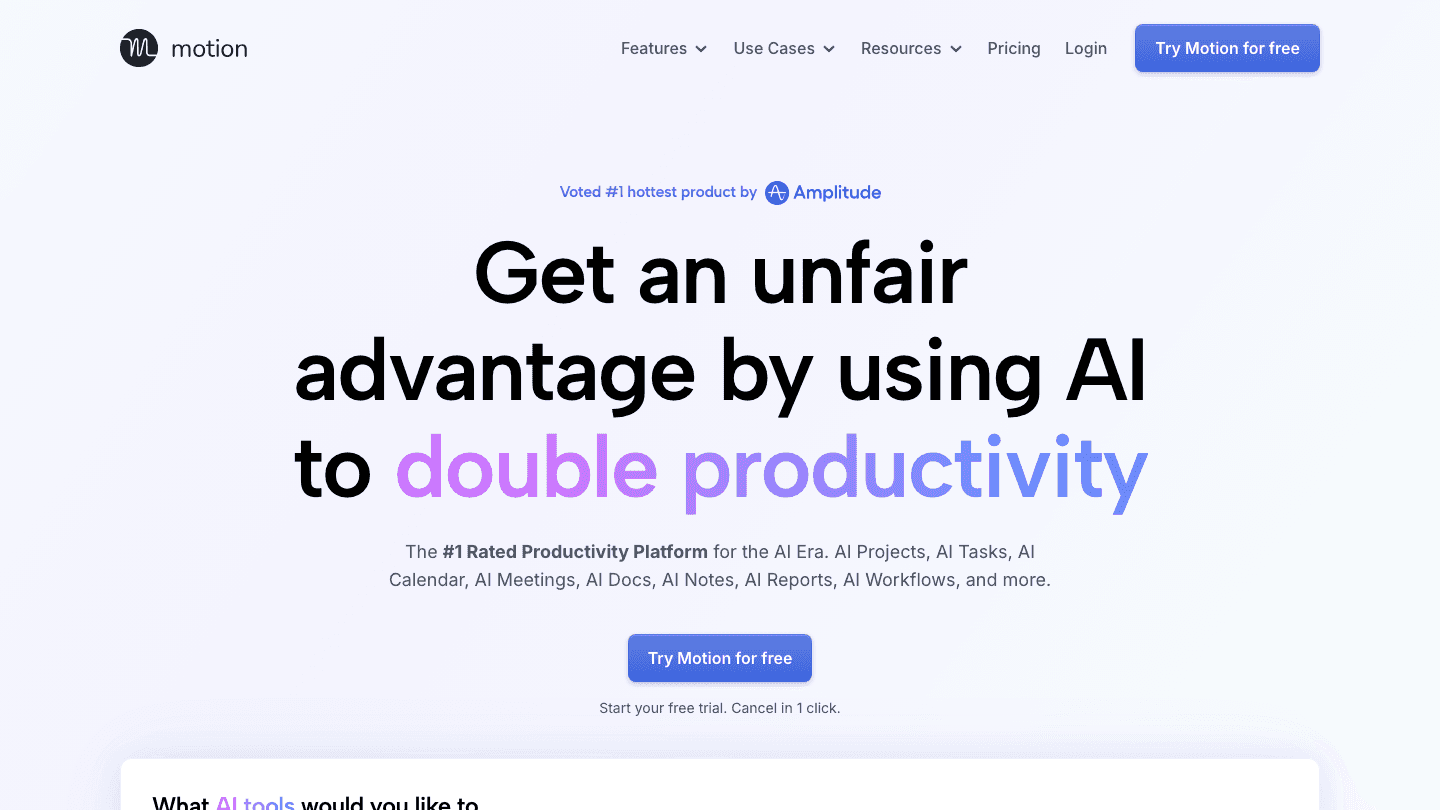
Motion takes a more aggressive approach to AI scheduling than most tools. You add tasks with deadlines, and Motion automatically books them into your calendar around your existing meetings, pushing and rescheduling as things change. The AI handles the sequencing so you do not have to manually figure out when to work on what.
It is particularly strong for people who manage many deadlines across different projects and need the scheduling overhead removed. Motion also combines project management, a task manager, and a calendar into one product, which reduces the number of apps you are switching between.
Auto-schedules tasks in your calendar based on deadlines and priorities
Reschedules automatically when meetings or priorities change
Combines task manager, project manager, and calendar in one app
AI meeting scheduler and notes included
What Works: The auto-scheduling for deadline-driven work is reliable and saves meaningful calendar maintenance time. The all-in-one approach suits people who want one window for tasks and calendar.
Limitations: No energy or sleep data integration. Schedules available slots, not optimal-state slots. Can feel aggressive with calendar blocking for some workflows.
Pricing: Pro at $19/seat/month. Business at $29/seat/month. Annual billing saves 33%.
Best for: Deadline-driven professionals who want AI to handle calendar scheduling without manual intervention.
3. Reclaim AI
AI calendar assistant that protects recurring commitments from meeting creep
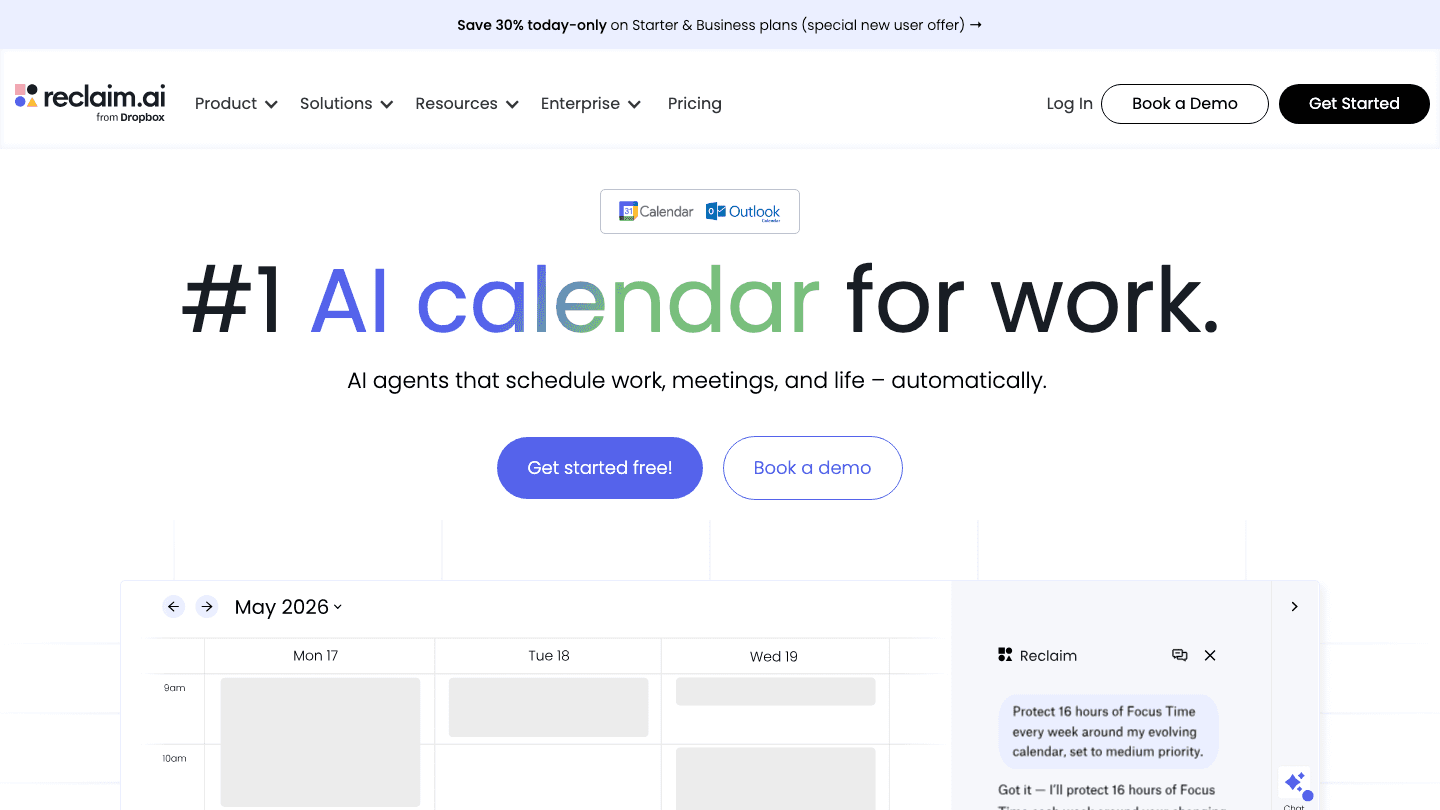
Reclaim AI focuses on a specific problem: your calendar fills up with other people's requests, and the time you need for focused work and habits keeps getting displaced. It solves this by protecting recurring commitments, blocking focus time, exercise, and buffer time automatically and rescheduling them intelligently when conflicts arise.
The tool sits on top of your existing Google Calendar rather than replacing it. AI Agents manage categories of time and defend them from being overridden by meeting requests. For our full take, see the Reclaim AI review.
AI Agents that protect focus time, habits, and buffer time
Intelligent rescheduling when meetings move or conflicts arise
Works on top of Google Calendar (Outlook support limited)
Slack integration updates status during focus blocks
What Works: The habit scheduling with flexible windows is more sustainable than fixed-time reminders. Focus time blocks actually get defended rather than manually re-added each week.
Limitations: Google Calendar dependency. No energy awareness. Mobile experience is thin.
Pricing: Free tier available. Starter at $10/seat/month. Business at $15/seat/month.
Best for: Google Calendar users whose main problem is meetings crowding out personal productivity time.
4. Akiflow
Command center that pulls tasks from everywhere into one unified daily plan
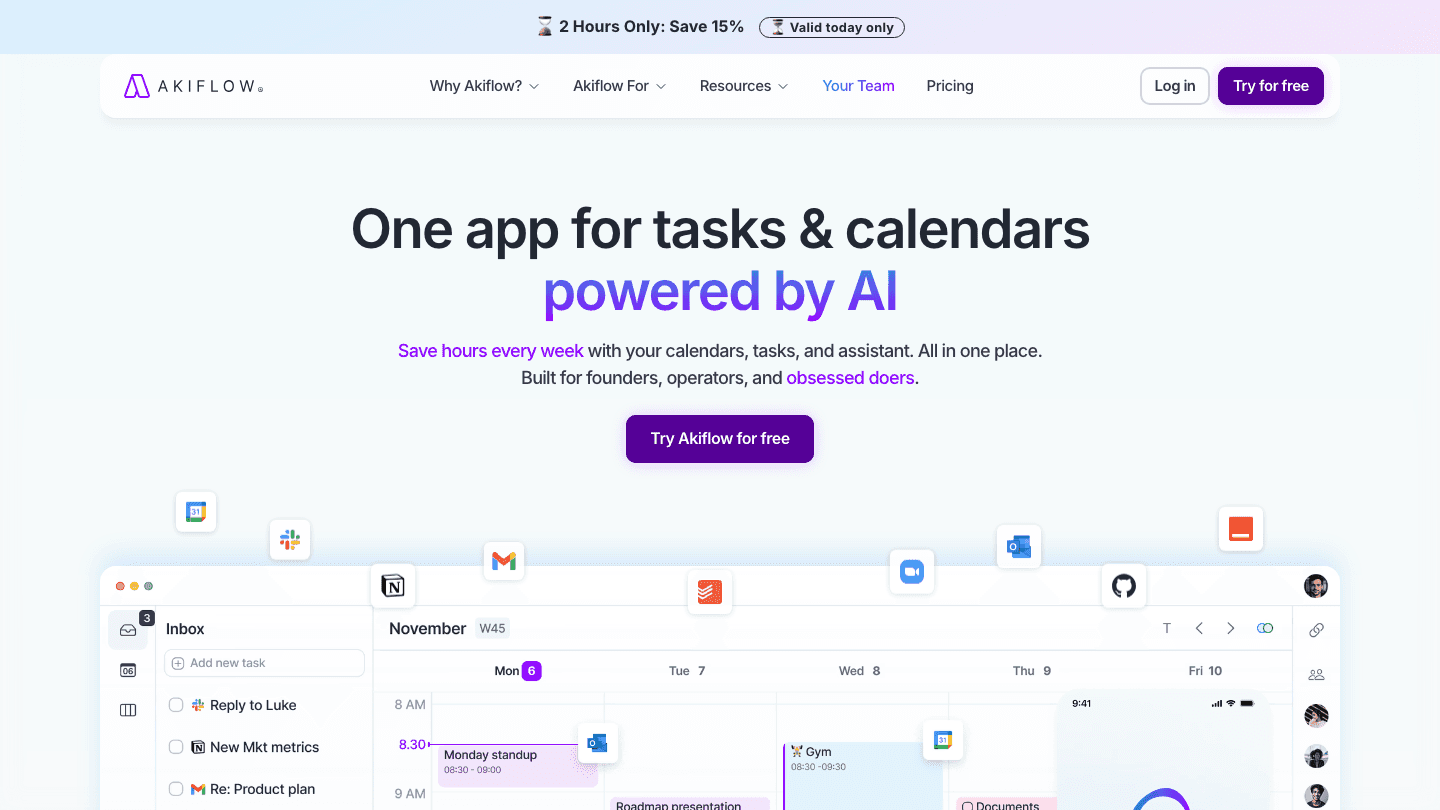
Akiflow positions itself as a command center: one place where tasks from Asana, Notion, Gmail, Slack, Linear, and a dozen other tools flow in, and where you plan your actual day. The AI assistant Aki helps with task organization, scheduling suggestions, and natural language task input. The result is less app switching for people who live across multiple productivity tools.
Where it differs from Motion and Reclaim is in the intentionality: Akiflow encourages a structured daily planning ritual using a keyboard-driven interface. Power users who enjoy the practice of deliberate planning tend to find it extremely fast once they learn the shortcuts. Less structured planners may find the setup overhead high.
Pulls tasks from 30+ integrations into one inbox
AI assistant for scheduling, task creation, and organization
Keyboard-first design for fast power users
Calendar view with drag-and-drop daily planning
What Works: The integration breadth is genuinely impressive. If your problem is scattered tasks across too many tools, Akiflow consolidates them better than most competitors.
Limitations: Steep learning curve. No energy awareness. Premium pricing for individual users.
Pricing: $34/month billed monthly. $19/month billed annually (7-day free trial).
Best for: Heavy users of multiple productivity tools who want a single daily planning layer on top of all of them.
5. Sunsama
Daily planning ritual app that helps you do less, better
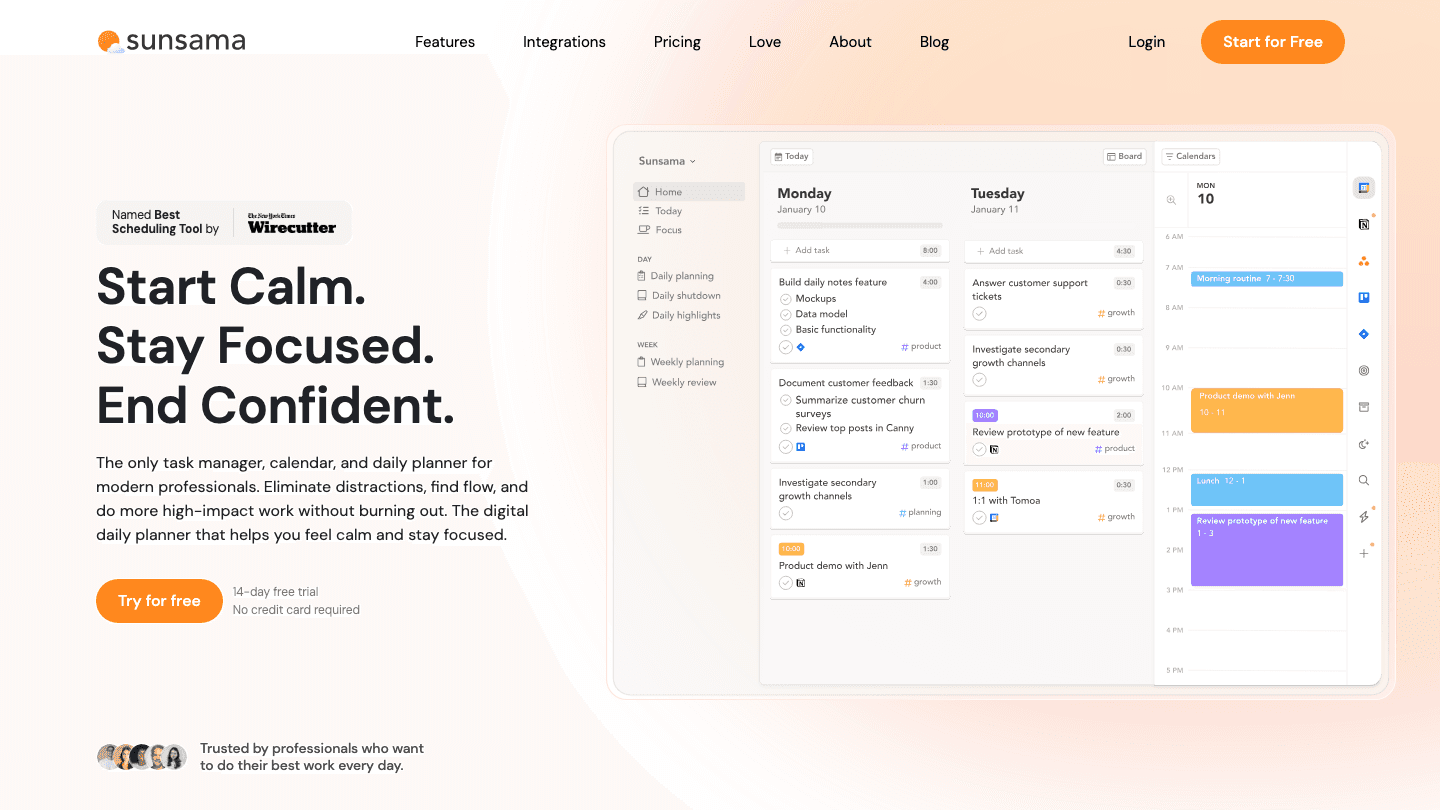
Sunsama is the most deliberate tool on this list. Rather than auto-scheduling everything, it guides you through a structured daily planning session each morning: pull in tasks from your integrations, estimate time for each, fit them into your calendar, and set a realistic intention for the day. The AI features help with daily summaries, intelligent task suggestions, and end-of-day review.
The philosophy is less about speed and more about thoughtfulness. Sunsama actively discourages overloading your day, showing you when your planned tasks exceed your available time and prompting you to defer rather than pretend you can do it all. For people who plan anxiously or chronically overcommit, this friction is the point.
Structured morning planning ritual with guided daily setup
Pulls from Asana, Notion, Linear, Gmail, Slack, and others
AI daily summaries and task suggestions
Built-in time estimation and calendar overlay
What Works: The intentional friction around overcommitting actually changes behavior for people who try to schedule too much. The weekly review feature is well-designed.
Limitations: No energy-based scheduling. More manual than Motion or Reclaim. Requires consistent daily engagement to get value.
Pricing: $22/month billed monthly. $17/month billed annually. 14-day free trial.
Best for: People who want a calm, intentional daily planning practice rather than full AI automation.
6. Todoist
AI-assisted task capture and management for individuals and teams
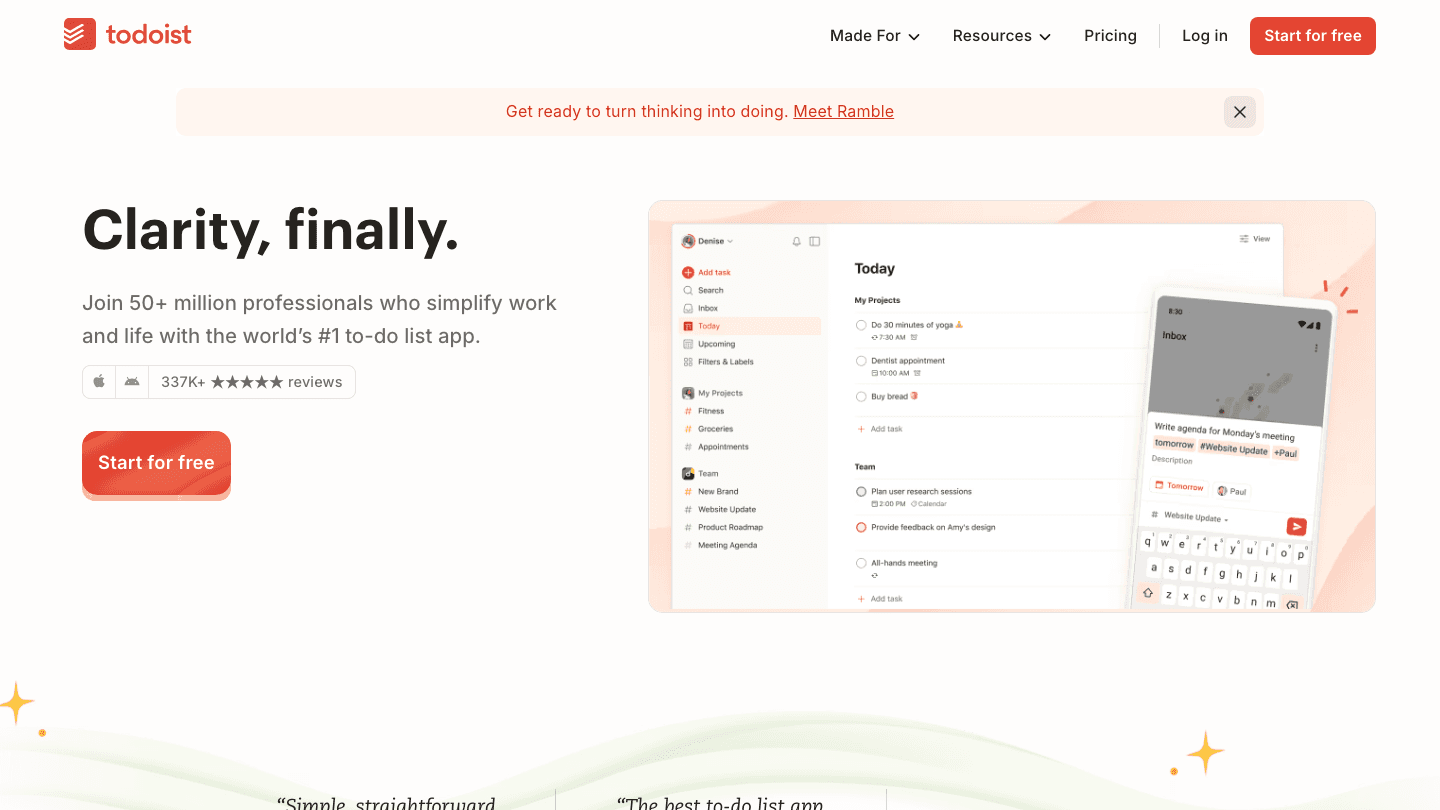
Todoist is the most established task manager on this list, with over 50 million users. Its AI features (Task Assist and natural language processing) focus primarily on task capture and organization: you describe a task in natural language and Todoist parses it into a structured item with date, priority, and project assignment. The AI does not auto-schedule your calendar, but it removes friction from capture considerably.
Recent additions include a calendar view and Ramble, a voice-first task capture tool. The positioning is less pure AI planning assistant and more AI-enhanced task manager, but for people whose main bottleneck is getting things out of their head into a reliable system, the AI capture features are genuinely useful.
Natural language task capture with AI parsing of due dates and priorities
Ramble voice-to-task feature for mobile capture
Calendar view with Google Calendar sync
50M+ user ecosystem with extensive third-party integrations
What Works: The capture and organization experience is the most polished of any tool on this list. For people whose planning breaks down at the capture stage rather than the scheduling stage, Todoist addresses it well.
Limitations: No auto-scheduling. No energy awareness. More task manager than AI planning assistant in the scheduling sense. A better auto-scheduling app would need to be paired with it for full planning functionality.
Pricing: Free tier available. Pro plan available; visit todoist.com/pricing for current rates.
Best for: Anyone who needs a best-in-class task capture and management system, and is comfortable handling their own calendar scheduling.
Which AI Planning Assistant Is Right for You?
Your schedule looks right but output does not match it: Lifestack. It accounts for energy and recovery, not just time.
You have many deadlines and too many meetings: Motion. It auto-schedules tasks around meetings and reschedules when things shift.
Meetings keep eating your focus time: Reclaim AI. It protects recurring commitments on your Google Calendar automatically.
Your tasks live in too many places: Akiflow. It pulls from 30+ tools into one daily planning interface.
You want a calmer, more intentional morning planning ritual: Sunsama. It is designed to help you plan less and do more.
Your main bottleneck is getting tasks out of your head: Todoist. The AI capture is the best available for ADHD-friendly task management.
Frequently Asked Questions
What is an AI planning assistant?
An AI planning assistant is software that uses artificial intelligence to help you plan and schedule your work, rather than just capturing tasks. The key capability is scheduling: determining when to do what based on your calendar, deadlines, priorities, and ideally your cognitive state. Tools range from calendar optimizers (Reclaim, Motion) to energy-aware schedulers (Lifestack) to ritual-based planners (Sunsama).
Which AI planning assistant is best for ADHD?
Lifestack, because it removes the executive function load of deciding when to do things. The AI schedules based on your energy and sleep data, which addresses one of the core ADHD challenges: knowing what to do but struggling to start at the right time. See the broader list of ADHD time management apps for more options.
Is there a free AI planning assistant?
Reclaim AI has a functional free tier (5 AI Agents). Todoist's free plan includes AI task capture features. Lifestack offers a 7-day free trial on annual plans. Motion and Sunsama offer free trials but no ongoing free tier. Akiflow offers a 7-day free trial.
How is an AI planning assistant different from a regular planner?
A regular planner (paper or digital) stores your tasks and appointments. An AI planning assistant actively schedules them, adapts when things change, and in Lifestack's case, accounts for your physiological state. The planning happens automatically rather than requiring you to decide where and when each item goes. The energy calendar approach represents the most advanced version of this.
Can AI planning assistants integrate with Google Calendar?
Yes. Motion, Reclaim, Akiflow, and Sunsama all integrate directly with Google Calendar. Lifestack integrates with both Google Calendar and Apple Calendar. Todoist syncs with Google Calendar for two-way task and event visibility. For more, see our guide to the best apps to use alongside Google Calendar.
Most apps that call themselves AI planning assistants are glorified to-do lists with a language model bolted on. They can suggest tasks, rephrase your notes, or predict due dates. What they cannot do is tell you whether 9am or 3pm is actually better for the hard work you keep postponing.
A genuine AI planning assistant should do more than capture what you need to do. It should figure out when, accounting for your cognitive state, your calendar, your habits, and your past behavior. That is a significantly harder problem than reminders, and most apps have not solved it.
The six tools on this list are the closest thing currently available. Each takes a different approach to the scheduling problem. Lifestack adds energy and sleep data to the equation. Motion auto-schedules deadlines around meetings. Reclaim defends recurring commitments. Akiflow centralizes everything in one command center. Sunsama turns planning into a daily ritual. Todoist handles AI-assisted task capture at scale. Which one is right depends on where your planning breaks down.
Key Takeaways
The best AI planning assistant reads your energy and sleep data, not just your calendar: scheduling available time is not the same as scheduling productive time
Lifestack is the only tool here that uses sleep and recovery data to determine when to schedule demanding tasks
Motion and Reclaim AI are strong for deadline-driven and meeting-heavy workflows; Sunsama and Akiflow are better for intentional daily planning rituals
Quick Guide
Lifestack: Best AI planning assistant for energy-aware scheduling
Motion: Best for deadline-driven task and meeting scheduling
Reclaim AI: Best for protecting focus time and habits on Google Calendar
Akiflow: Best all-in-one command center for heavy task managers
Sunsama: Best for building a calm daily planning ritual
Todoist: Best for AI-powered task capture and management at scale
How We Evaluated
AI scheduling depth: does it schedule automatically or just suggest?
Energy awareness: does it account for cognitive state, not just calendar availability?
Calendar integration: quality of sync with Google Calendar, Apple Calendar, Outlook
Mobile quality: usable on phone or desktop-only in practice?
Pricing relative to value delivered
1. Lifestack
The AI planner that reads your sleep and energy before scheduling anything
Lifestack starts from a premise that other AI planners ignore: the time you have available and the time you are capable of doing your best work are not the same thing. It reads your sleep data and recovery metrics alongside your calendar, then auto-schedules tasks when your cognitive capacity is actually high rather than when a calendar slot happens to be open.
The result is a daily plan that adjusts based on how you actually feel. A night of poor sleep does not just mean you feel tired: it means the 9am deep work block Lifestack had scheduled gets moved to a lower-demand slot automatically. No manual rescheduling, no pretending you can do complex analysis at 60% capacity.
Energy-aware scheduling based on sleep and recovery data from wearables
AI auto-scheduling that adjusts to your actual cognitive state each day
Integrates with Google Calendar and Apple Calendar
Available on iOS, Android, and Chrome extension
What Works: The energy-awareness layer is genuinely different from every other tool on this list. For people whose task management keeps falling apart because they schedule hard work at the wrong times, Lifestack addresses the root cause. The case for energy-based planning is that calendar availability and productive capacity are not the same metric.
Limitations: Less suitable for complex project management or team workflows. Focused on individual daily planning rather than shared team calendars.
Pricing: $7/month, $50/year (7-day free trial on annual), or $120 lifetime.
Best for: Anyone who has noticed that their schedule looks fine on paper but their actual productive output does not match it.
2. Motion
AI task scheduling that fills your calendar around meetings automatically
Motion takes a more aggressive approach to AI scheduling than most tools. You add tasks with deadlines, and Motion automatically books them into your calendar around your existing meetings, pushing and rescheduling as things change. The AI handles the sequencing so you do not have to manually figure out when to work on what.
It is particularly strong for people who manage many deadlines across different projects and need the scheduling overhead removed. Motion also combines project management, a task manager, and a calendar into one product, which reduces the number of apps you are switching between.
Auto-schedules tasks in your calendar based on deadlines and priorities
Reschedules automatically when meetings or priorities change
Combines task manager, project manager, and calendar in one app
AI meeting scheduler and notes included
What Works: The auto-scheduling for deadline-driven work is reliable and saves meaningful calendar maintenance time. The all-in-one approach suits people who want one window for tasks and calendar.
Limitations: No energy or sleep data integration. Schedules available slots, not optimal-state slots. Can feel aggressive with calendar blocking for some workflows.
Pricing: Pro at $19/seat/month. Business at $29/seat/month. Annual billing saves 33%.
Best for: Deadline-driven professionals who want AI to handle calendar scheduling without manual intervention.
3. Reclaim AI
AI calendar assistant that protects recurring commitments from meeting creep
Reclaim AI focuses on a specific problem: your calendar fills up with other people's requests, and the time you need for focused work and habits keeps getting displaced. It solves this by protecting recurring commitments, blocking focus time, exercise, and buffer time automatically and rescheduling them intelligently when conflicts arise.
The tool sits on top of your existing Google Calendar rather than replacing it. AI Agents manage categories of time and defend them from being overridden by meeting requests. For our full take, see the Reclaim AI review.
AI Agents that protect focus time, habits, and buffer time
Intelligent rescheduling when meetings move or conflicts arise
Works on top of Google Calendar (Outlook support limited)
Slack integration updates status during focus blocks
What Works: The habit scheduling with flexible windows is more sustainable than fixed-time reminders. Focus time blocks actually get defended rather than manually re-added each week.
Limitations: Google Calendar dependency. No energy awareness. Mobile experience is thin.
Pricing: Free tier available. Starter at $10/seat/month. Business at $15/seat/month.
Best for: Google Calendar users whose main problem is meetings crowding out personal productivity time.
4. Akiflow
Command center that pulls tasks from everywhere into one unified daily plan
Akiflow positions itself as a command center: one place where tasks from Asana, Notion, Gmail, Slack, Linear, and a dozen other tools flow in, and where you plan your actual day. The AI assistant Aki helps with task organization, scheduling suggestions, and natural language task input. The result is less app switching for people who live across multiple productivity tools.
Where it differs from Motion and Reclaim is in the intentionality: Akiflow encourages a structured daily planning ritual using a keyboard-driven interface. Power users who enjoy the practice of deliberate planning tend to find it extremely fast once they learn the shortcuts. Less structured planners may find the setup overhead high.
Pulls tasks from 30+ integrations into one inbox
AI assistant for scheduling, task creation, and organization
Keyboard-first design for fast power users
Calendar view with drag-and-drop daily planning
What Works: The integration breadth is genuinely impressive. If your problem is scattered tasks across too many tools, Akiflow consolidates them better than most competitors.
Limitations: Steep learning curve. No energy awareness. Premium pricing for individual users.
Pricing: $34/month billed monthly. $19/month billed annually (7-day free trial).
Best for: Heavy users of multiple productivity tools who want a single daily planning layer on top of all of them.
5. Sunsama
Daily planning ritual app that helps you do less, better
Sunsama is the most deliberate tool on this list. Rather than auto-scheduling everything, it guides you through a structured daily planning session each morning: pull in tasks from your integrations, estimate time for each, fit them into your calendar, and set a realistic intention for the day. The AI features help with daily summaries, intelligent task suggestions, and end-of-day review.
The philosophy is less about speed and more about thoughtfulness. Sunsama actively discourages overloading your day, showing you when your planned tasks exceed your available time and prompting you to defer rather than pretend you can do it all. For people who plan anxiously or chronically overcommit, this friction is the point.
Structured morning planning ritual with guided daily setup
Pulls from Asana, Notion, Linear, Gmail, Slack, and others
AI daily summaries and task suggestions
Built-in time estimation and calendar overlay
What Works: The intentional friction around overcommitting actually changes behavior for people who try to schedule too much. The weekly review feature is well-designed.
Limitations: No energy-based scheduling. More manual than Motion or Reclaim. Requires consistent daily engagement to get value.
Pricing: $22/month billed monthly. $17/month billed annually. 14-day free trial.
Best for: People who want a calm, intentional daily planning practice rather than full AI automation.
6. Todoist
AI-assisted task capture and management for individuals and teams
Todoist is the most established task manager on this list, with over 50 million users. Its AI features (Task Assist and natural language processing) focus primarily on task capture and organization: you describe a task in natural language and Todoist parses it into a structured item with date, priority, and project assignment. The AI does not auto-schedule your calendar, but it removes friction from capture considerably.
Recent additions include a calendar view and Ramble, a voice-first task capture tool. The positioning is less pure AI planning assistant and more AI-enhanced task manager, but for people whose main bottleneck is getting things out of their head into a reliable system, the AI capture features are genuinely useful.
Natural language task capture with AI parsing of due dates and priorities
Ramble voice-to-task feature for mobile capture
Calendar view with Google Calendar sync
50M+ user ecosystem with extensive third-party integrations
What Works: The capture and organization experience is the most polished of any tool on this list. For people whose planning breaks down at the capture stage rather than the scheduling stage, Todoist addresses it well.
Limitations: No auto-scheduling. No energy awareness. More task manager than AI planning assistant in the scheduling sense. A better auto-scheduling app would need to be paired with it for full planning functionality.
Pricing: Free tier available. Pro plan available; visit todoist.com/pricing for current rates.
Best for: Anyone who needs a best-in-class task capture and management system, and is comfortable handling their own calendar scheduling.
Which AI Planning Assistant Is Right for You?
Your schedule looks right but output does not match it: Lifestack. It accounts for energy and recovery, not just time.
You have many deadlines and too many meetings: Motion. It auto-schedules tasks around meetings and reschedules when things shift.
Meetings keep eating your focus time: Reclaim AI. It protects recurring commitments on your Google Calendar automatically.
Your tasks live in too many places: Akiflow. It pulls from 30+ tools into one daily planning interface.
You want a calmer, more intentional morning planning ritual: Sunsama. It is designed to help you plan less and do more.
Your main bottleneck is getting tasks out of your head: Todoist. The AI capture is the best available for ADHD-friendly task management.
Frequently Asked Questions
What is an AI planning assistant?
An AI planning assistant is software that uses artificial intelligence to help you plan and schedule your work, rather than just capturing tasks. The key capability is scheduling: determining when to do what based on your calendar, deadlines, priorities, and ideally your cognitive state. Tools range from calendar optimizers (Reclaim, Motion) to energy-aware schedulers (Lifestack) to ritual-based planners (Sunsama).
Which AI planning assistant is best for ADHD?
Lifestack, because it removes the executive function load of deciding when to do things. The AI schedules based on your energy and sleep data, which addresses one of the core ADHD challenges: knowing what to do but struggling to start at the right time. See the broader list of ADHD time management apps for more options.
Is there a free AI planning assistant?
Reclaim AI has a functional free tier (5 AI Agents). Todoist's free plan includes AI task capture features. Lifestack offers a 7-day free trial on annual plans. Motion and Sunsama offer free trials but no ongoing free tier. Akiflow offers a 7-day free trial.
How is an AI planning assistant different from a regular planner?
A regular planner (paper or digital) stores your tasks and appointments. An AI planning assistant actively schedules them, adapts when things change, and in Lifestack's case, accounts for your physiological state. The planning happens automatically rather than requiring you to decide where and when each item goes. The energy calendar approach represents the most advanced version of this.
Can AI planning assistants integrate with Google Calendar?
Yes. Motion, Reclaim, Akiflow, and Sunsama all integrate directly with Google Calendar. Lifestack integrates with both Google Calendar and Apple Calendar. Todoist syncs with Google Calendar for two-way task and event visibility. For more, see our guide to the best apps to use alongside Google Calendar.



FOLLOW ON
FOLLOW ON
FOLLOW ON


Copyright 2026 © Lifestack. All rights reserved
Copyright 2026 © Lifestack. All rights reserved

