
App
Best Creative Project Management Tools in 2026
Best Creative Project Management Tools in 2026

Creative work has a project management problem that general business tools don't fully solve. Design files need feedback. Campaign assets need approvals. Brand guidelines live somewhere different from the tasks that reference them. Brainstorming needs to happen alongside execution. And the personal scheduling of individual contributors, designers, copywriters, strategists, gets lost entirely inside team platforms built for managers.
The tools that work well for creative teams are the ones that handle this breadth without forcing everything into the same rigid structure. A kanban board for campaigns. A visual workspace for brainstorming. A timeline for production schedules. And for the individual creative, a scheduling layer that actually respects how creative energy works across a day.
We evaluated six tools across those dimensions. Here's what each one does best for creative teams in 2026.
Key Takeaways
Lifestack is the strongest tool for individual creatives: it reads your energy from wearables and schedules your deep creative work when your brain is actually at peak capacity.
ClickUp and Asana are the most versatile team platforms for managing complex creative projects, though they approach flexibility differently.
Miro stands alone for visual collaboration: brainstorming, user journey mapping, and creative direction work in a way that document-based tools can't replicate.
Quick Comparison
1. Lifestack: AI scheduling around your creative energy peaks
2. ClickUp: all-in-one creative project management with whiteboards and proofing
3. Asana: timeline management for multi-team creative campaigns
4. Notion: flexible wiki and project workspace for creative teams
5. monday.com: visual workflow management with strong creative templates
6. Miro: visual collaboration for brainstorming and creative direction
How We Evaluated
Fit for creative workflows: proofing, approvals, asset management, and visual collaboration
Scheduling flexibility: views, timelines, and how well they handle creative production calendars
Personal productivity support: how well the tool serves individual contributors, not just managers
Collaboration depth: comments, reviews, handoffs, and cross-team visibility
Price relative to the feature set
1. Lifestack
Best for individual creatives who need personal AI scheduling

Creative work is cognitively demanding and highly variable. A design session requires a different quality of attention than an email chain or a status meeting. Most project management tools treat all tasks as equivalent items on a list. Lifestack is the tool that actually differentiates: it reads your energy data from wearables like Oura Ring, Whoop, and Apple Watch, then auto-schedules your tasks into the windows where you have the mental capacity for the kind of work they require.
For a designer, this means deep creative work lands in the morning or afternoon when your focus score is highest, and client emails and admin go to the windows where your brain has already peaked. Lifestack syncs with Google Calendar and Outlook, so it sits alongside whatever team platform your agency or studio uses. It doesn't replace your team's project management tool. It handles the layer those tools miss entirely: your personal performance and energy scheduling. See how it works in the broader context of AI project management tools.
Energy-aware auto-scheduling from wearable health data
Calendar sync with Google Calendar and Outlook
AI task prioritization based on your real daily capacity
iOS, Android, Chrome extension
Only tool that schedules work based on your actual energy, not just available time
Perfect personal layer alongside any team creative platform
Especially strong for freelancers and agency creatives managing their own workloads
Not a team project management tool: no shared tasks, timelines, or asset management
Requires a compatible wearable for full energy scheduling
Pricing: $7/month, $50/year (7-day trial), or $120 lifetime
Best for: Freelance designers, copywriters, and agency creatives who want their schedule built around their real creative energy
2. ClickUp
Best all-in-one creative project management platform
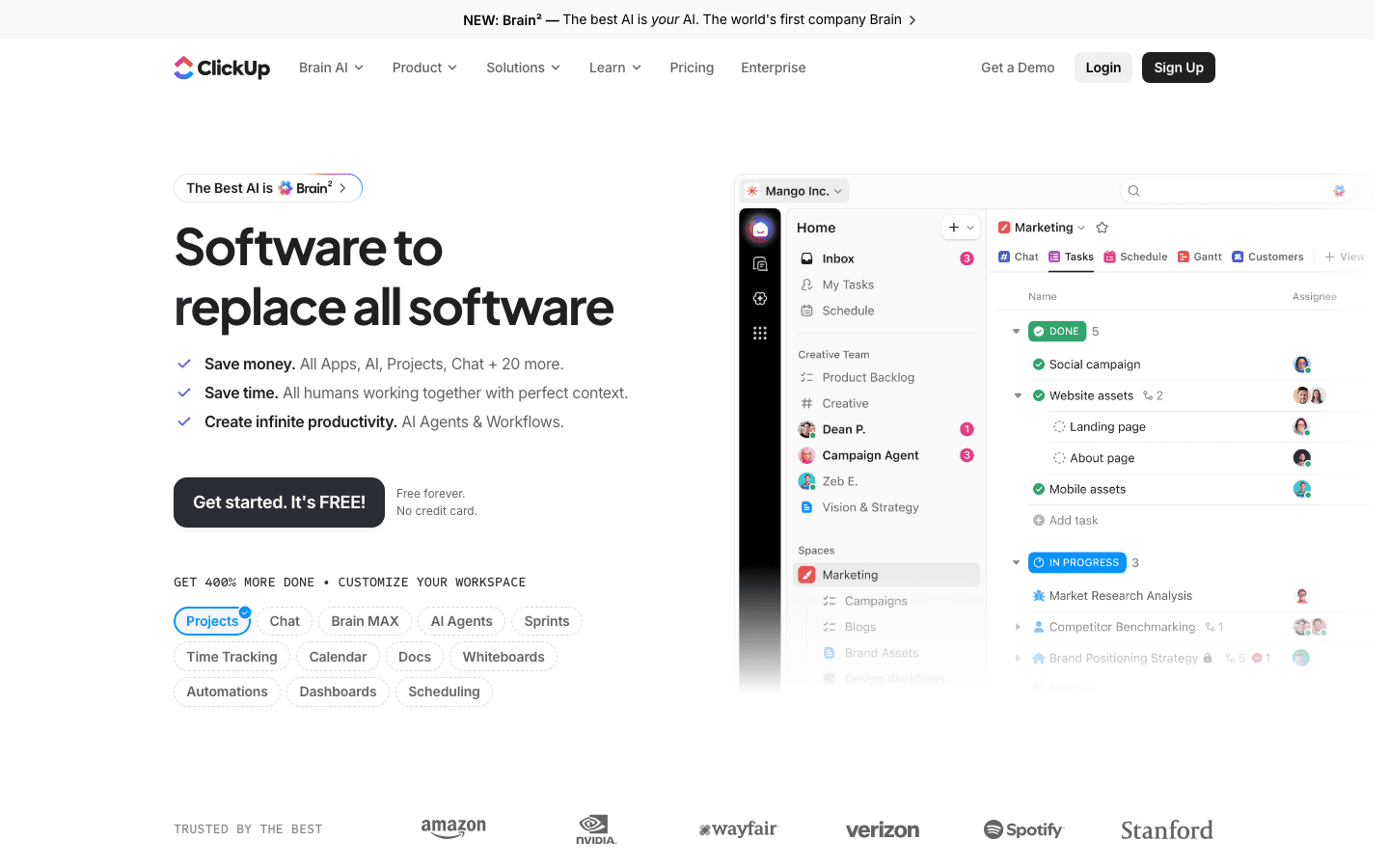
ClickUp positions itself as the tool to replace every other tool, and for creative teams it comes closer to delivering on that than most. It handles task management across every view type you'd need (list, board, Gantt, calendar, timeline), plus whiteboards for creative brainstorming, Docs for briefs and brand guidelines, proofing features for design feedback, and a time tracking layer for billing. The Business plan at $12/user/month is the tier where creative-specific features like proofing and whiteboards come fully into play.
The main trade-off is setup time. ClickUp's flexibility means it needs to be configured for your creative workflow rather than arriving pre-built for agencies. Teams willing to invest in that setup tend to stick with it. Teams that want something running out of the box in an afternoon often find the options overwhelming. Check the full ClickUp pricing breakdown to understand what's available at each tier.
Every view type: list, board, Gantt, timeline, calendar, workload
Whiteboards for creative ideation and mind mapping
Design proofing with annotation and approval tools
Docs, Sprints, time tracking, and 1,000+ integrations
Most feature-complete option at the Business price point
Free plan is genuinely functional for solo creatives
Built-in AI for writing, task summarization, and automation
Steep initial setup; feature volume can feel like overhead for smaller teams
No energy-awareness for individual scheduling
Pricing: Free; Unlimited $7/user/month; Business $12/user/month
Best for: Creative teams that want a single platform for tasks, briefs, proofing, and collaboration without adding separate tools
3. Asana
Best for managing multi-team creative campaigns and launches
Asana has become a go-to for marketing and creative teams that need to coordinate work across multiple stakeholders. Its timeline view makes campaign planning visual and dependency-clear. Its portfolio and workload views (on the Advanced plan) let creative directors see capacity across their team at a glance. Forms for intake requests, approval workflows, and goal tracking round out the creative operations layer.
Asana is more opinionated than ClickUp, which makes it easier to onboard new team members but less flexible for unusual workflows. For agencies managing multiple client campaigns simultaneously, the project portfolio management is where it earns its cost. The free personal plan supports two users; the Starter plan at $10.99/user/month unlocks timelines and reporting. Full details in the Asana pricing breakdown.
Timeline view for campaign planning with task dependencies
Portfolio management for multi-project visibility
Approval workflows and intake forms
AI-powered task creation, status updates, and project health reporting
Easier to onboard than ClickUp; less configuration required
Strong for agencies managing multiple concurrent client projects
Good integration with creative tools like Figma, Adobe, and Canva
No native proofing or whiteboard features
Advanced features require the $24.99/user/month tier
Pricing: Free (2 users); Starter $10.99/user/month; Advanced $24.99/user/month
Best for: Marketing and creative teams managing multi-stakeholder campaigns with clear approval chains
4. Notion
Best flexible workspace for creative team knowledge and projects
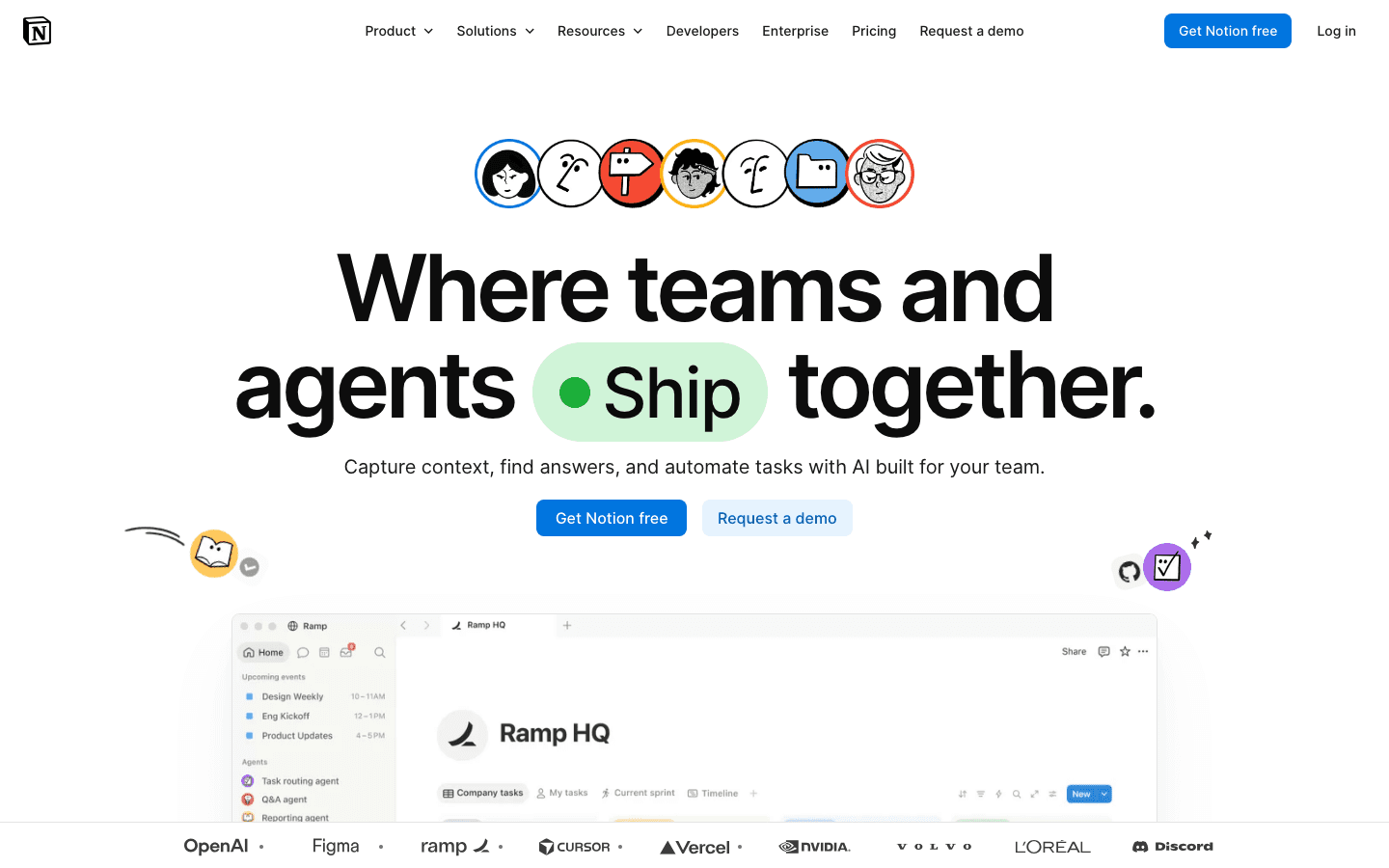
Notion sits at the intersection of wiki, document editor, and project management tool. For creative teams, this combination is particularly useful: brand guidelines, creative briefs, style guides, and project tasks can all live in the same workspace and link to each other. The free plan is functional for individuals; the Plus plan at $10/user/month adds unlimited blocks and full collaboration features.
Notion's database system lets creative teams build content calendars, asset trackers, and project pipelines from scratch with the structure that fits their workflow. Notion AI is available across all plans and accelerates brief writing, research summarization, and content generation. The main limitation is that Notion isn't purpose-built for project timelines: Gantt views exist but they're less polished than dedicated PM tools. Notion works best as the knowledge and documentation layer alongside a task-focused tool. See the full Notion pricing breakdown for tier details.
Wiki, docs, databases, and project tracking in one workspace
Notion AI for writing, summarization, and content generation
Flexible database views: table, board, calendar, gallery, timeline
Strong template ecosystem for creative briefs and content calendars
Best tool for creative team knowledge management and documentation
Free plan is genuinely useful for solo creatives and small teams
Highly flexible structure fits non-standard creative workflows
Gantt and timeline views are less capable than dedicated PM tools
No native proofing or approval workflows
Pricing: Free; Plus $10/user/month; Business $20/user/month
Best for: Creative teams that need a flexible wiki and project workspace where briefs, guidelines, and tasks all live together
5. monday.com
Best visual workflow management for creative teams
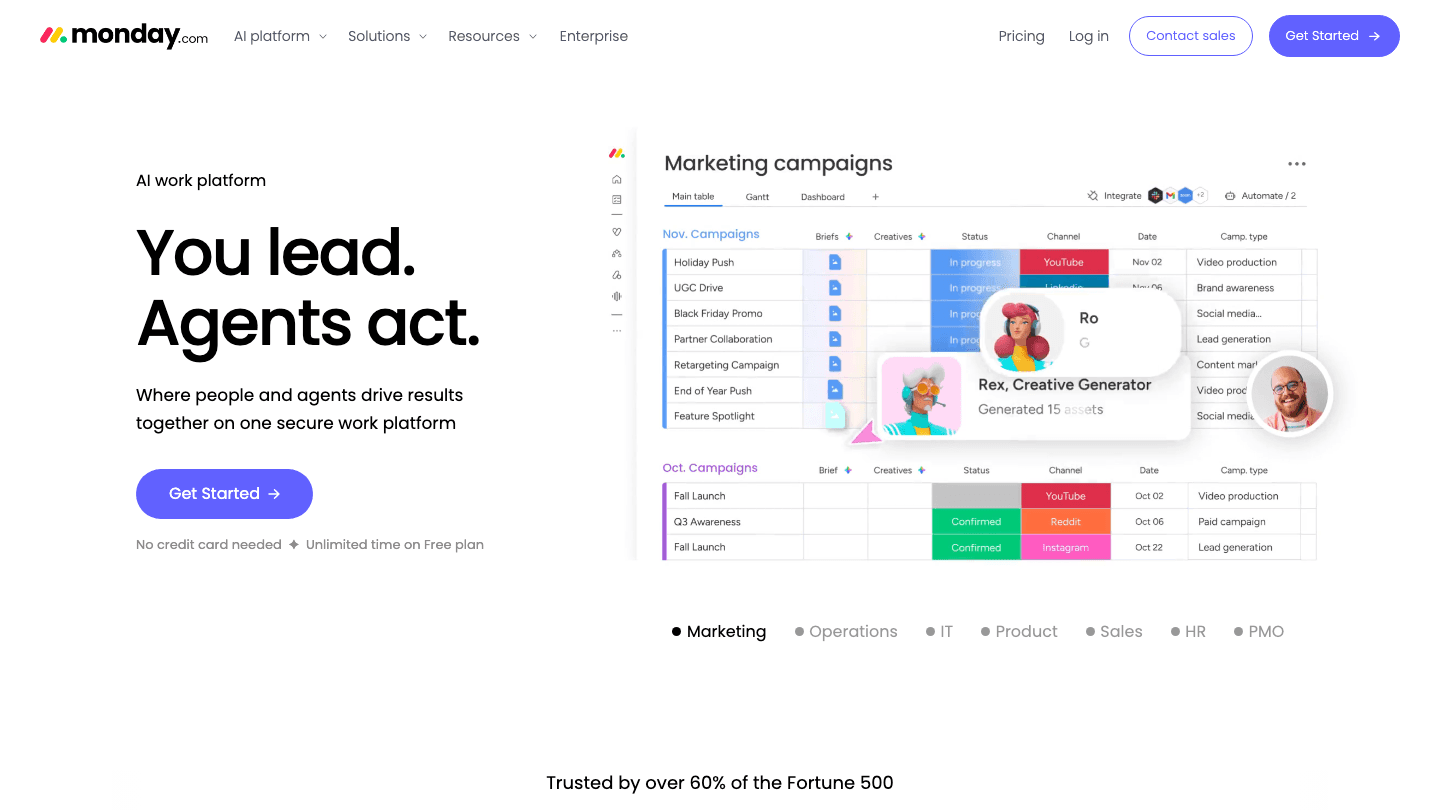
monday.com is popular with marketing and creative agencies for its visually clear, highly customizable boards. Color-coded status columns, timeline views, dependency mapping, and strong automation make it easy to see where a campaign or project stands without drilling into individual tasks. Its creative-specific templates, including campaign management, content calendars, and creative request intake, let teams get running quickly.
The AI platform features, including automated status updates and AI-generated summaries, reduce manual overhead in creative workflow tracking. The free plan supports two users; the Standard plan at $12/seat/month covers most creative team coordination needs. See also our workflow management software comparison for how monday.com sits in the broader landscape.
Visually clear boards with color-coded status tracking
Creative-specific templates for campaigns and content calendars
Automation and AI for workflow management
500+ integrations including Figma, Adobe Creative Cloud, and Canva
Fast to set up with creative templates
Visual clarity is especially strong for campaign status tracking
Good free plan for small creative teams
No native proofing tools
Less flexible than ClickUp for non-standard creative workflows
Pricing: Free (2 seats); Standard $12/seat/month; Pro $19/seat/month
Best for: Marketing teams and agencies that want fast visual project tracking with strong template and automation support
6. Miro
Best visual collaboration tool for creative brainstorming and direction
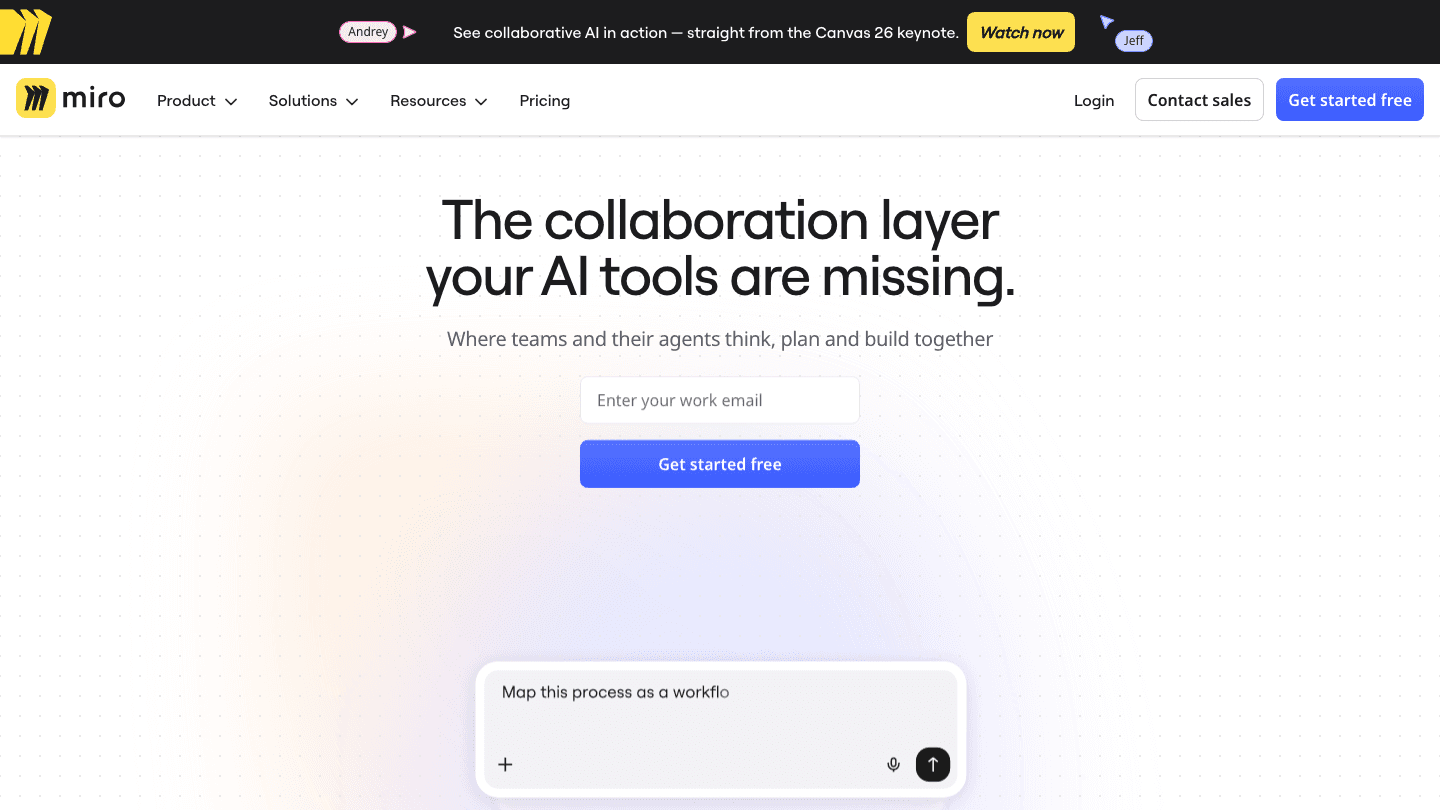
Miro is a different category of tool entirely: an infinite visual canvas where teams can brainstorm, map user journeys, create wireframes, plan creative campaigns, and run workshops. It's not a task management tool. It's the space where creative thinking happens before it becomes a task, and the visual output that creative teams use to align before execution begins.
For creative teams, Miro fills a gap that every other tool on this list leaves open. No other platform handles the "thinking together on a shared canvas" moment as well. The free plan allows three editable boards, which covers small project needs. The Starter plan at $8/member/month removes that limit. Miro integrates with all major project management tools so boards can link directly to tasks in ClickUp, Asana, or monday.com. It pairs naturally with a solid calendar management approach for keeping the broader creative schedule aligned.
Infinite canvas for brainstorming, wireframing, and workshop facilitation
Real-time collaborative editing with cursor presence
Templates for creative briefs, user journey maps, and mind maps
AI features for diagram creation and content generation
Best visual collaboration experience available
Free plan is usable for small projects (3 boards)
Integrates with all major project management tools
Not a project management tool: no task tracking, timelines, or resource management
Per-member pricing adds up for large creative departments
Pricing: Free (3 boards); Starter $8/member/month; Business $20/member/month
Best for: Creative teams that need a shared visual space for brainstorming, direction-setting, and cross-team alignment
Which Creative PM Tool Is Right for You?
You're an individual creative who wants scheduling built around your energy: Lifestack
You want one platform that handles tasks, proofing, whiteboards, and docs: ClickUp
You're an agency managing multiple client campaigns: Asana
Your team needs a shared knowledge base alongside project tracking: Notion
You want fast visual workflow management with strong templates: monday.com
You need a collaborative canvas for brainstorming and creative direction: Miro
Frequently Asked Questions
What makes a project management tool good for creative teams?
Creative teams need tools that handle the full range of their work: ideation and brainstorming, creative brief management, production tracking with clear timelines and dependencies, design feedback and approval workflows, and asset organization. Most general project management tools cover the middle section but miss the ideation and feedback layers. The strongest tools for creative teams either cover all of this in one place (ClickUp) or pair well with specialized tools for the layers they don't cover.
Is there a free creative project management tool?
Yes. ClickUp's free plan includes unlimited tasks and basic collaboration features. Asana's free plan supports two users. Notion's free plan is functional for individual creative work. Miro's free plan includes three editable boards. monday.com's free plan supports two seats. For solo creatives and very small teams, these free tiers are genuinely usable without upgrading.
What's the best project management tool for a design agency?
Asana and ClickUp are the strongest choices for design agencies. Asana's portfolio management and timeline features make it easier to track multiple client projects simultaneously. ClickUp's proofing and whiteboard features reduce how many separate tools an agency needs. monday.com works well for agencies that want faster setup with less configuration. The right choice depends on whether your biggest pain point is cross-project visibility, design review, or day-to-day task management.
How is Lifestack different from other creative project management tools?
Lifestack addresses the personal scheduling layer that all other tools ignore. Where ClickUp, Asana, and monday.com manage what needs to be done and when deadlines fall, Lifestack determines when in your personal day you should actually be doing it, based on your energy data from wearables. For creative professionals whose best work happens in specific focus windows, that scheduling layer is the piece that most project management tools leave entirely to guesswork.
Can I use Miro alongside another project management tool?
Yes, and that's the intended use. Miro integrates with ClickUp, Asana, monday.com, Notion, and most other major project management platforms. A common workflow is to use Miro for brainstorming and direction-setting sessions, then move action items into the team's primary project management tool. Miro and a task-focused tool address different moments in the creative process and work better together than either does alone.
Creative work has a project management problem that general business tools don't fully solve. Design files need feedback. Campaign assets need approvals. Brand guidelines live somewhere different from the tasks that reference them. Brainstorming needs to happen alongside execution. And the personal scheduling of individual contributors, designers, copywriters, strategists, gets lost entirely inside team platforms built for managers.
The tools that work well for creative teams are the ones that handle this breadth without forcing everything into the same rigid structure. A kanban board for campaigns. A visual workspace for brainstorming. A timeline for production schedules. And for the individual creative, a scheduling layer that actually respects how creative energy works across a day.
We evaluated six tools across those dimensions. Here's what each one does best for creative teams in 2026.
Key Takeaways
Lifestack is the strongest tool for individual creatives: it reads your energy from wearables and schedules your deep creative work when your brain is actually at peak capacity.
ClickUp and Asana are the most versatile team platforms for managing complex creative projects, though they approach flexibility differently.
Miro stands alone for visual collaboration: brainstorming, user journey mapping, and creative direction work in a way that document-based tools can't replicate.
Quick Comparison
1. Lifestack: AI scheduling around your creative energy peaks
2. ClickUp: all-in-one creative project management with whiteboards and proofing
3. Asana: timeline management for multi-team creative campaigns
4. Notion: flexible wiki and project workspace for creative teams
5. monday.com: visual workflow management with strong creative templates
6. Miro: visual collaboration for brainstorming and creative direction
How We Evaluated
Fit for creative workflows: proofing, approvals, asset management, and visual collaboration
Scheduling flexibility: views, timelines, and how well they handle creative production calendars
Personal productivity support: how well the tool serves individual contributors, not just managers
Collaboration depth: comments, reviews, handoffs, and cross-team visibility
Price relative to the feature set
1. Lifestack
Best for individual creatives who need personal AI scheduling
Creative work is cognitively demanding and highly variable. A design session requires a different quality of attention than an email chain or a status meeting. Most project management tools treat all tasks as equivalent items on a list. Lifestack is the tool that actually differentiates: it reads your energy data from wearables like Oura Ring, Whoop, and Apple Watch, then auto-schedules your tasks into the windows where you have the mental capacity for the kind of work they require.
For a designer, this means deep creative work lands in the morning or afternoon when your focus score is highest, and client emails and admin go to the windows where your brain has already peaked. Lifestack syncs with Google Calendar and Outlook, so it sits alongside whatever team platform your agency or studio uses. It doesn't replace your team's project management tool. It handles the layer those tools miss entirely: your personal performance and energy scheduling. See how it works in the broader context of AI project management tools.
Energy-aware auto-scheduling from wearable health data
Calendar sync with Google Calendar and Outlook
AI task prioritization based on your real daily capacity
iOS, Android, Chrome extension
Only tool that schedules work based on your actual energy, not just available time
Perfect personal layer alongside any team creative platform
Especially strong for freelancers and agency creatives managing their own workloads
Not a team project management tool: no shared tasks, timelines, or asset management
Requires a compatible wearable for full energy scheduling
Pricing: $7/month, $50/year (7-day trial), or $120 lifetime
Best for: Freelance designers, copywriters, and agency creatives who want their schedule built around their real creative energy
2. ClickUp
Best all-in-one creative project management platform
ClickUp positions itself as the tool to replace every other tool, and for creative teams it comes closer to delivering on that than most. It handles task management across every view type you'd need (list, board, Gantt, calendar, timeline), plus whiteboards for creative brainstorming, Docs for briefs and brand guidelines, proofing features for design feedback, and a time tracking layer for billing. The Business plan at $12/user/month is the tier where creative-specific features like proofing and whiteboards come fully into play.
The main trade-off is setup time. ClickUp's flexibility means it needs to be configured for your creative workflow rather than arriving pre-built for agencies. Teams willing to invest in that setup tend to stick with it. Teams that want something running out of the box in an afternoon often find the options overwhelming. Check the full ClickUp pricing breakdown to understand what's available at each tier.
Every view type: list, board, Gantt, timeline, calendar, workload
Whiteboards for creative ideation and mind mapping
Design proofing with annotation and approval tools
Docs, Sprints, time tracking, and 1,000+ integrations
Most feature-complete option at the Business price point
Free plan is genuinely functional for solo creatives
Built-in AI for writing, task summarization, and automation
Steep initial setup; feature volume can feel like overhead for smaller teams
No energy-awareness for individual scheduling
Pricing: Free; Unlimited $7/user/month; Business $12/user/month
Best for: Creative teams that want a single platform for tasks, briefs, proofing, and collaboration without adding separate tools
3. Asana
Best for managing multi-team creative campaigns and launches
Asana has become a go-to for marketing and creative teams that need to coordinate work across multiple stakeholders. Its timeline view makes campaign planning visual and dependency-clear. Its portfolio and workload views (on the Advanced plan) let creative directors see capacity across their team at a glance. Forms for intake requests, approval workflows, and goal tracking round out the creative operations layer.
Asana is more opinionated than ClickUp, which makes it easier to onboard new team members but less flexible for unusual workflows. For agencies managing multiple client campaigns simultaneously, the project portfolio management is where it earns its cost. The free personal plan supports two users; the Starter plan at $10.99/user/month unlocks timelines and reporting. Full details in the Asana pricing breakdown.
Timeline view for campaign planning with task dependencies
Portfolio management for multi-project visibility
Approval workflows and intake forms
AI-powered task creation, status updates, and project health reporting
Easier to onboard than ClickUp; less configuration required
Strong for agencies managing multiple concurrent client projects
Good integration with creative tools like Figma, Adobe, and Canva
No native proofing or whiteboard features
Advanced features require the $24.99/user/month tier
Pricing: Free (2 users); Starter $10.99/user/month; Advanced $24.99/user/month
Best for: Marketing and creative teams managing multi-stakeholder campaigns with clear approval chains
4. Notion
Best flexible workspace for creative team knowledge and projects
Notion sits at the intersection of wiki, document editor, and project management tool. For creative teams, this combination is particularly useful: brand guidelines, creative briefs, style guides, and project tasks can all live in the same workspace and link to each other. The free plan is functional for individuals; the Plus plan at $10/user/month adds unlimited blocks and full collaboration features.
Notion's database system lets creative teams build content calendars, asset trackers, and project pipelines from scratch with the structure that fits their workflow. Notion AI is available across all plans and accelerates brief writing, research summarization, and content generation. The main limitation is that Notion isn't purpose-built for project timelines: Gantt views exist but they're less polished than dedicated PM tools. Notion works best as the knowledge and documentation layer alongside a task-focused tool. See the full Notion pricing breakdown for tier details.
Wiki, docs, databases, and project tracking in one workspace
Notion AI for writing, summarization, and content generation
Flexible database views: table, board, calendar, gallery, timeline
Strong template ecosystem for creative briefs and content calendars
Best tool for creative team knowledge management and documentation
Free plan is genuinely useful for solo creatives and small teams
Highly flexible structure fits non-standard creative workflows
Gantt and timeline views are less capable than dedicated PM tools
No native proofing or approval workflows
Pricing: Free; Plus $10/user/month; Business $20/user/month
Best for: Creative teams that need a flexible wiki and project workspace where briefs, guidelines, and tasks all live together
5. monday.com
Best visual workflow management for creative teams
monday.com is popular with marketing and creative agencies for its visually clear, highly customizable boards. Color-coded status columns, timeline views, dependency mapping, and strong automation make it easy to see where a campaign or project stands without drilling into individual tasks. Its creative-specific templates, including campaign management, content calendars, and creative request intake, let teams get running quickly.
The AI platform features, including automated status updates and AI-generated summaries, reduce manual overhead in creative workflow tracking. The free plan supports two users; the Standard plan at $12/seat/month covers most creative team coordination needs. See also our workflow management software comparison for how monday.com sits in the broader landscape.
Visually clear boards with color-coded status tracking
Creative-specific templates for campaigns and content calendars
Automation and AI for workflow management
500+ integrations including Figma, Adobe Creative Cloud, and Canva
Fast to set up with creative templates
Visual clarity is especially strong for campaign status tracking
Good free plan for small creative teams
No native proofing tools
Less flexible than ClickUp for non-standard creative workflows
Pricing: Free (2 seats); Standard $12/seat/month; Pro $19/seat/month
Best for: Marketing teams and agencies that want fast visual project tracking with strong template and automation support
6. Miro
Best visual collaboration tool for creative brainstorming and direction
Miro is a different category of tool entirely: an infinite visual canvas where teams can brainstorm, map user journeys, create wireframes, plan creative campaigns, and run workshops. It's not a task management tool. It's the space where creative thinking happens before it becomes a task, and the visual output that creative teams use to align before execution begins.
For creative teams, Miro fills a gap that every other tool on this list leaves open. No other platform handles the "thinking together on a shared canvas" moment as well. The free plan allows three editable boards, which covers small project needs. The Starter plan at $8/member/month removes that limit. Miro integrates with all major project management tools so boards can link directly to tasks in ClickUp, Asana, or monday.com. It pairs naturally with a solid calendar management approach for keeping the broader creative schedule aligned.
Infinite canvas for brainstorming, wireframing, and workshop facilitation
Real-time collaborative editing with cursor presence
Templates for creative briefs, user journey maps, and mind maps
AI features for diagram creation and content generation
Best visual collaboration experience available
Free plan is usable for small projects (3 boards)
Integrates with all major project management tools
Not a project management tool: no task tracking, timelines, or resource management
Per-member pricing adds up for large creative departments
Pricing: Free (3 boards); Starter $8/member/month; Business $20/member/month
Best for: Creative teams that need a shared visual space for brainstorming, direction-setting, and cross-team alignment
Which Creative PM Tool Is Right for You?
You're an individual creative who wants scheduling built around your energy: Lifestack
You want one platform that handles tasks, proofing, whiteboards, and docs: ClickUp
You're an agency managing multiple client campaigns: Asana
Your team needs a shared knowledge base alongside project tracking: Notion
You want fast visual workflow management with strong templates: monday.com
You need a collaborative canvas for brainstorming and creative direction: Miro
Frequently Asked Questions
What makes a project management tool good for creative teams?
Creative teams need tools that handle the full range of their work: ideation and brainstorming, creative brief management, production tracking with clear timelines and dependencies, design feedback and approval workflows, and asset organization. Most general project management tools cover the middle section but miss the ideation and feedback layers. The strongest tools for creative teams either cover all of this in one place (ClickUp) or pair well with specialized tools for the layers they don't cover.
Is there a free creative project management tool?
Yes. ClickUp's free plan includes unlimited tasks and basic collaboration features. Asana's free plan supports two users. Notion's free plan is functional for individual creative work. Miro's free plan includes three editable boards. monday.com's free plan supports two seats. For solo creatives and very small teams, these free tiers are genuinely usable without upgrading.
What's the best project management tool for a design agency?
Asana and ClickUp are the strongest choices for design agencies. Asana's portfolio management and timeline features make it easier to track multiple client projects simultaneously. ClickUp's proofing and whiteboard features reduce how many separate tools an agency needs. monday.com works well for agencies that want faster setup with less configuration. The right choice depends on whether your biggest pain point is cross-project visibility, design review, or day-to-day task management.
How is Lifestack different from other creative project management tools?
Lifestack addresses the personal scheduling layer that all other tools ignore. Where ClickUp, Asana, and monday.com manage what needs to be done and when deadlines fall, Lifestack determines when in your personal day you should actually be doing it, based on your energy data from wearables. For creative professionals whose best work happens in specific focus windows, that scheduling layer is the piece that most project management tools leave entirely to guesswork.
Can I use Miro alongside another project management tool?
Yes, and that's the intended use. Miro integrates with ClickUp, Asana, monday.com, Notion, and most other major project management platforms. A common workflow is to use Miro for brainstorming and direction-setting sessions, then move action items into the team's primary project management tool. Miro and a task-focused tool address different moments in the creative process and work better together than either does alone.



FOLLOW ON
FOLLOW ON
FOLLOW ON


Copyright 2026 © Lifestack. All rights reserved
Copyright 2026 © Lifestack. All rights reserved

