
App
Best Inflow Alternatives for ADHD in 2026
Best Inflow Alternatives for ADHD in 2026

Inflow has been a popular option for people who want ADHD coaching and psychoeducation built into a single app. But it's not the right fit for everyone. The subscription cost is on the higher end, the focus is more on learning about ADHD than managing daily tasks, and some users find they need tools that integrate more directly with their schedule and work habits.
The good news: the wider ecosystem of ADHD apps covers everything Inflow does and more, at a range of price points. Whether you need AI-powered task scheduling, free tools to break down overwhelming tasks, visual daily planning, or simply accountability to stay on track, there's a dedicated app that fits each need better than a one-size-fits-all coaching platform.
Here are the six best Inflow alternatives in 2026, selected across different approaches to ADHD management.
Key Takeaways
Lifestack is the top pick for ADHD productivity: it reads your energy from wearables and auto-schedules tasks so your demanding work lands when your brain can actually handle it.
Goblin Tools is the best free option for task breakdown, body doubling, and reducing overwhelm without a subscription.
The best approach for most people is a combination: a scheduling tool, a focus/accountability tool, and a self-care tool working together.
Quick Comparison
1. Lifestack: AI scheduling around your real energy levels
2. Goblin Tools: free AI task breakdown and focus tools
3. Beside: virtual body doubling for focus sessions
4. Structured: visual daily planner with AI scheduling
5. Finch: self-care pet that rewards daily ADHD habits
6. Tiimo: visual planner built for ADHD and autism
1. Lifestack
Best for ADHD productivity and energy-aware scheduling

Where Inflow focuses on psychoeducation and coaching, Lifestack addresses the most concrete daily challenge in ADHD: getting the right tasks done at the right time, in conditions where your brain can actually deliver. It reads your energy data from wearables like Oura Ring, Whoop, Apple Watch, Garmin, and Fitbit, then auto-schedules tasks into your genuine high-energy windows. Depleted after a bad night's sleep? Lifestack moves demanding tasks forward and protects recovery time.
For ADHD specifically, this closes a critical gap. Task paralysis is at its worst when cognitively demanding work is scheduled during a low-energy window. Lifestack prevents that mismatch at the planning layer rather than after the fact. It also syncs with Google Calendar and Outlook, so your tasks and events stay in one place. This is the Inflow alternative to reach for if your main frustration is a schedule that doesn't match how your brain actually works.
Energy-aware auto-scheduling from wearable data
Calendar sync with Google Calendar and Outlook
AI task prioritization based on real energy levels
iOS, Android, Chrome extension
Only app that connects wearable health data to task scheduling
Works well with the energy calendar approach to ADHD planning
Directly addresses the scheduling root cause of ADHD overwhelm
Requires a compatible wearable for the full feature set
Not a psychoeducation or coaching tool
Pricing: $7/month, $50/year (7-day trial), or $120 lifetime
Best for: Anyone who wears a fitness tracker and wants that data to drive their daily schedule
2. Goblin Tools
Best free ADHD toolkit for breaking down tasks and reducing overwhelm
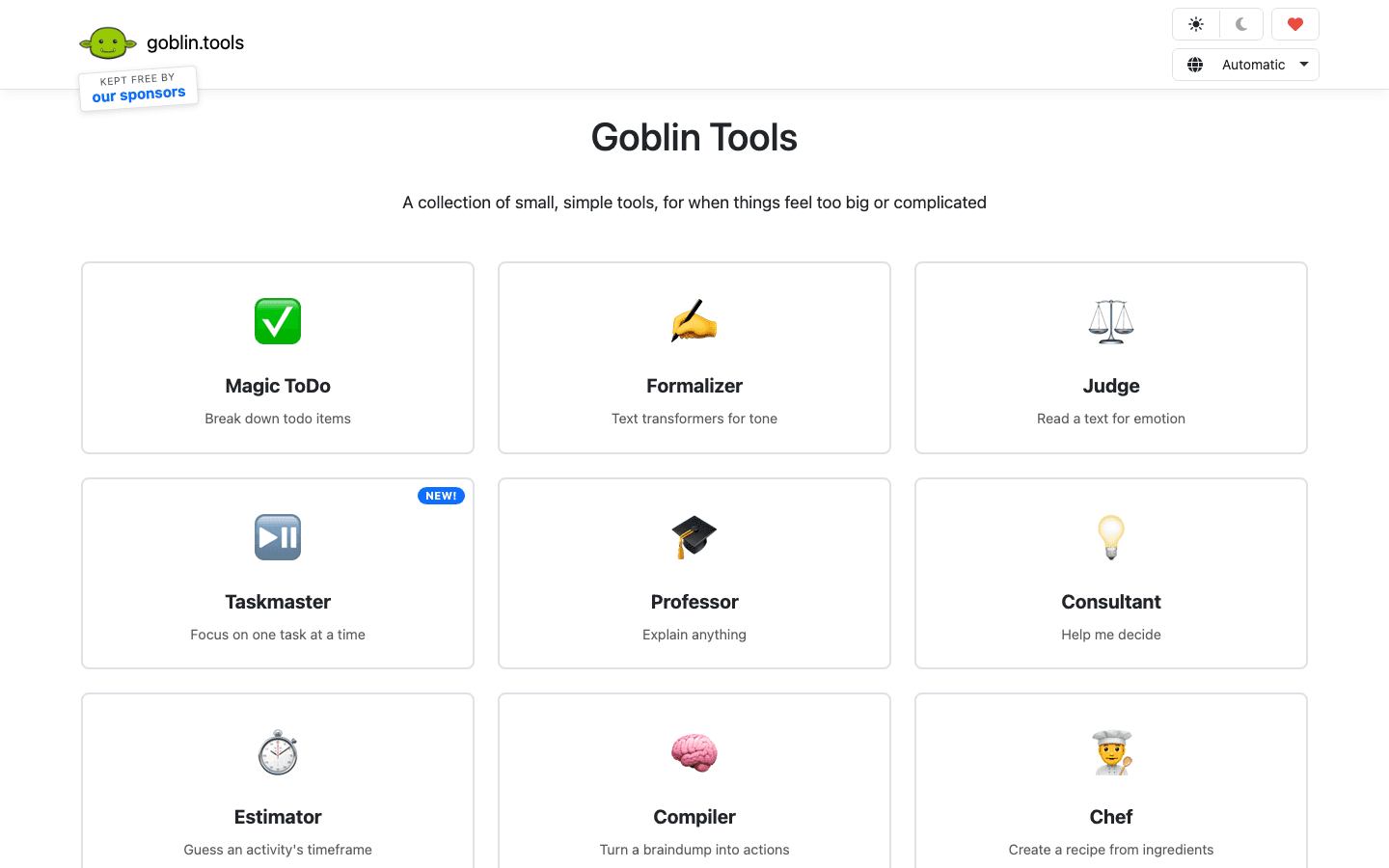
Goblin Tools is a completely free collection of AI-powered tools designed for people who find everyday cognitive tasks harder than they should be. The standout feature for ADHD is Magic ToDo: paste in any task, and it breaks it down into the smallest possible next steps. "Write the report" becomes a ten-step list of tiny, manageable actions. For anyone whose ADHD task management regularly gets stuck at task initiation, this is the most practical free tool available.
It also includes the Compiler (turns a brain dump of scattered thoughts into a structured action list), Taskmaster (keeps you focused on one task at a time), and the Estimator (helps calibrate how long tasks will actually take, which is a known ADHD weak spot). All of it is free, ad-supported through sponsors. The app is available on iOS and Android alongside the web version.
Magic ToDo: AI task breakdown into micro-steps
Compiler: turns brain dumps into action items
Taskmaster: one-task focus mode
Estimator: realistic time estimation
Completely free
Magic ToDo is one of the most ADHD-friendly tools available at any price
No account required to start
No calendar integration or scheduling
Web-first experience; mobile apps are more limited
Pricing: Free
Best for: Anyone stuck at task initiation who needs free help breaking things down
3. Beside
Best for virtual body doubling and focus accountability
Body doubling is one of the most consistently effective ADHD focus tools: working alongside another person, even silently, dramatically improves task initiation and follow-through. Beside makes this accessible without needing to coordinate schedules with a real person. You join a virtual session and work alongside other users in real time, with the app providing the ambient presence that helps ADHD brains stay on task.
This makes Beside a natural companion to scheduling tools like Lifestack. Once you know when your high-energy windows are, Beside adds the accountability layer that makes you actually start when the block begins. For people who use Inflow primarily for its structured daily check-ins and accountability features, Beside addresses that specific need more directly.
Virtual co-working sessions with real users
Works solo or in small groups
Ambient presence effect without coordination overhead
One of the most effective ADHD focus strategies, made friction-free
Free tier available
Session availability depends on other users being online
No task management or scheduling
Pricing: Free tier available; see app for subscription details
Best for: Anyone whose ADHD responds well to working alongside others
4. Structured
Best visual daily planner with AI scheduling
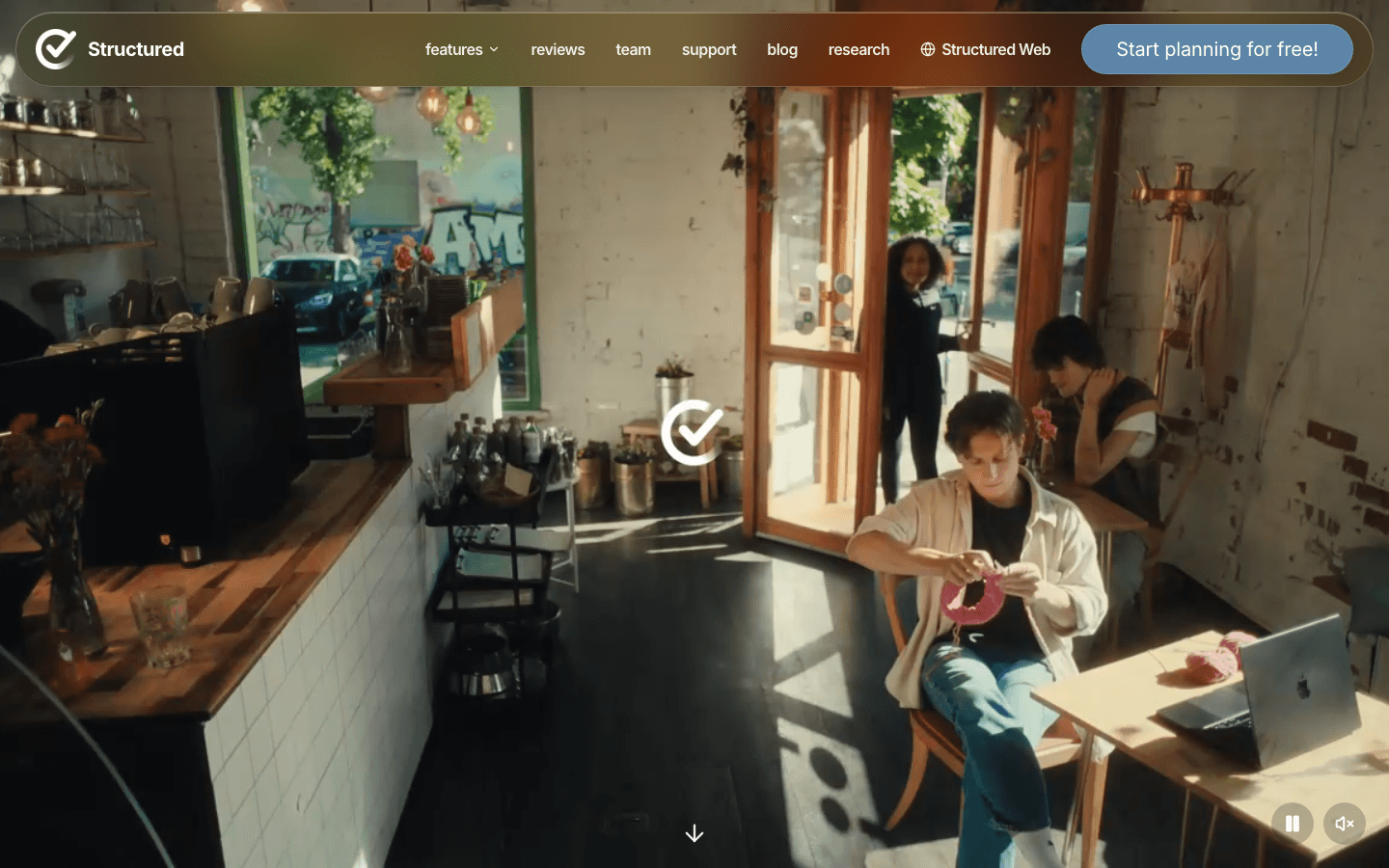
Structured takes a visual timeline approach to daily planning. Instead of a flat list of tasks, your day appears as a colour-coded visual schedule where tasks occupy time blocks on a timeline. For ADHD brains that struggle with abstract lists, seeing time laid out visually makes the day much easier to navigate and reduces the time blindness that comes from a to-do list with no time dimension.
The Pro version adds AI-powered day planning: draft your schedule in seconds by describing what you need to accomplish, and Structured builds the visual timeline for you. Calendar and reminders integration, recurring tasks, and automatic rescheduling of missed items round out the feature set. It's one of the best mobile apps for ADHD when the core problem is time management and visual clarity rather than coaching or psychoeducation.
Visual timeline daily planner with drag-and-drop
AI schedule drafting (Pro)
Calendar and Apple Reminders integration
Cross-device: iPhone, iPad, Apple Watch, Mac
Visual format makes time concrete for ADHD time blindness
Free version is usable for core planning
AI scheduling makes setup fast
No energy-awareness or wearable integration
Apple ecosystem focused; Android support is limited
Pricing: Free; Pro $6.99/month, $29.99/year, or $99.99 lifetime
Best for: ADHD users who respond better to visual time layouts than lists
5. Finch
Best for ADHD self-care and daily habit consistency
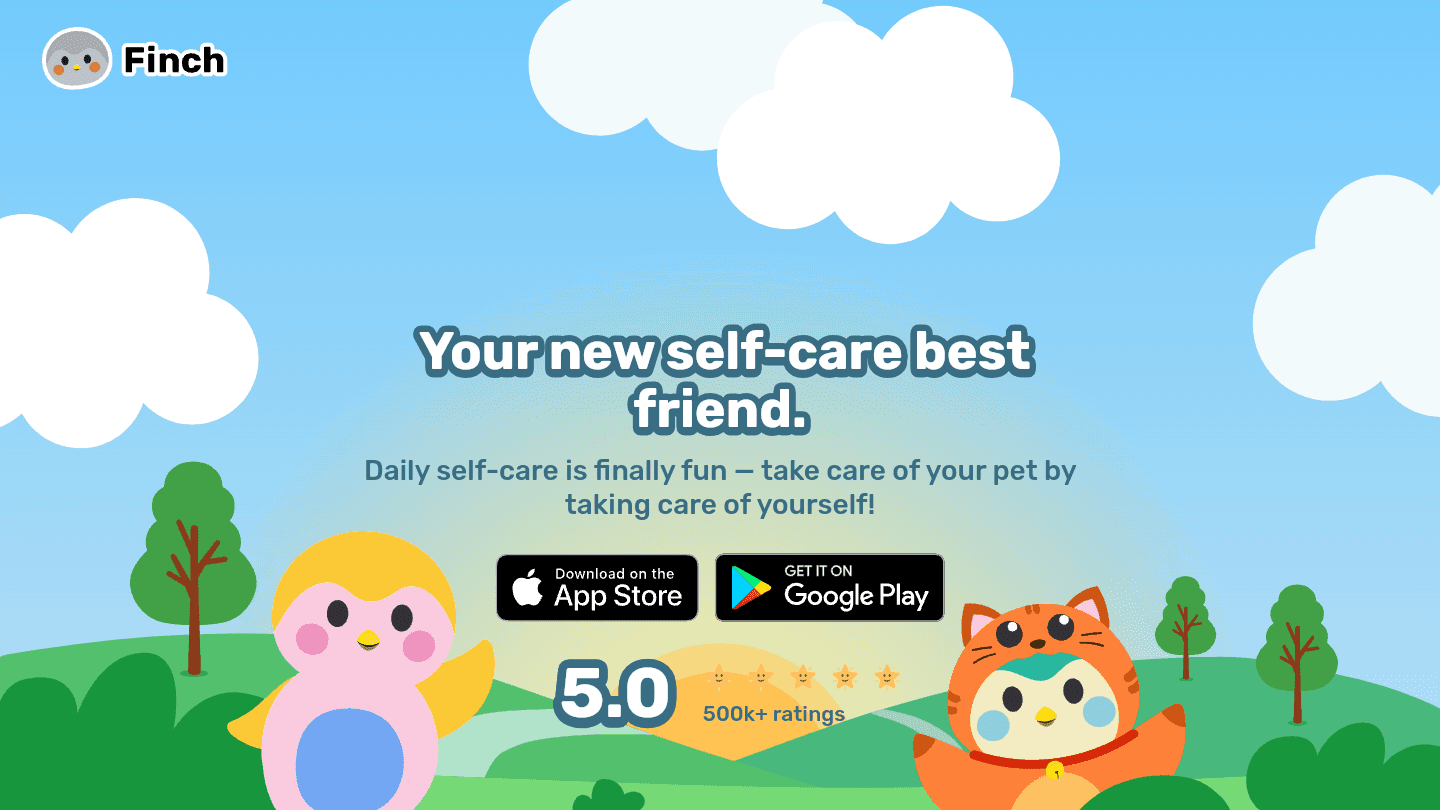
Finch takes a different angle entirely: you raise a virtual pet by completing daily self-care goals you set for yourself. Every check-in, reflection, and completed habit gives your bird energy to explore the world. The emotional attachment to the pet creates a motivation layer that a plain habit tracker doesn't provide, which is why it works for people with ADHD who've tried and abandoned other consistency tools.
If part of what you used Inflow for was building daily ADHD coping habits, like check-ins, reflection prompts, and emotional regulation practice, Finch covers that same territory in a format that's much easier to stay consistent with. It's also free for core features. See our deeper look at Finch alternatives if you want to compare it against similar apps.
Daily self-care goals that grow your virtual pet
Mood check-ins and reflection prompts
Journaling feature built in
Friends mode to share progress
Gamification genuinely builds long-term consistency
Non-judgmental tone on missed days
Free tier is fully functional
Pet format is niche and won't suit everyone
No scheduling or task management
Pricing: Free; Plus ~$5.99/month or ~$39.99/year
Best for: ADHD users who need help building daily self-care habits
6. Tiimo
Best visual planner designed specifically for ADHD and autism
Tiimo was built from the ground up for neurodivergent users, making it one of the few planners designed with ADHD and autism specifically in mind rather than adapted from a general productivity tool. Its visual schedule uses icons, colors, and timers that make the flow of a day much more concrete. The countdown timer on active tasks addresses time blindness directly: you can see exactly how much time remains on a task rather than trying to track it mentally.
Tiimo supports custom routines, recurring activities, and notifications that give ADHD users the external prompts they need to transition between tasks. It's particularly popular in the ADHD and autism communities for its accessibility focus. Check the Tiimo alternatives post for a detailed breakdown of how it compares to other visual planners.
Visual schedule with icons and color-coding
Countdown timers for active tasks
Custom routines and recurring activities
Notifications designed for ADHD transition support
Built specifically for neurodivergent users
Countdown timer directly addresses time blindness
Strong accessibility features
Subscription required for full feature access
Less useful as a task manager vs. a routine/schedule tool
Pricing: Free to try; subscription required for full access
Best for: Neurodivergent users who need visually clear schedules and strong time-transition support
Which Inflow Alternative Is Right for You?
You wear a fitness tracker and want scheduling based on real energy: Lifestack
You need free help breaking down overwhelming tasks right now: Goblin Tools
You work better with other people nearby: Beside
You need to see your day as a visual timeline: Structured or Tiimo
You want to build consistent ADHD self-care habits: Finch
You need a neurodivergent-first design: Tiimo
Frequently Asked Questions
What is Inflow and why do people look for alternatives?
Inflow is an ADHD coaching and psychoeducation app that delivers structured programs to help users understand and manage their ADHD. People look for alternatives primarily because of the subscription cost, because they need tools that integrate more directly with their task management and schedule, or because they prefer self-directed tools over a coaching-program format.
What's the best free Inflow alternative?
Goblin Tools is the best free Inflow alternative for task management and overwhelm reduction. It's completely free, requires no account, and its Magic ToDo feature is one of the most practically useful ADHD tools available at any price point. Finch is also free for core features and is the best free option for daily self-care habit building.
Can Lifestack replace Inflow?
Lifestack does different things than Inflow. Inflow focuses on psychoeducation and coaching. Lifestack focuses on energy-aware task scheduling. If your main frustration with Inflow was that it helped you understand ADHD but didn't make your actual day easier to manage, Lifestack addresses that gap directly. If you're primarily looking for structured ADHD education, Lifestack doesn't replace that, but it handles the daily scheduling and execution layer more effectively than Inflow does.
Is body doubling actually helpful for ADHD?
Yes. Body doubling is one of the better-supported ADHD productivity strategies. The presence of another person, even working silently on something completely different, activates the social and accountability circuits that the ADHD brain responds to. For many people with ADHD it dramatically improves task initiation and follow-through. Apps like Beside make this available without requiring you to coordinate with a specific person on a specific schedule.
What Inflow alternative works best for time blindness?
Tiimo and Structured both address time blindness directly through visual planning. Tiimo's countdown timer on active tasks is particularly effective because it makes time passing visible rather than abstract. Lifestack addresses time blindness at the scheduling level by automatically placing tasks in the right windows rather than leaving you to estimate and decide when to start. A combination of Lifestack for scheduling and a visual planner for daily execution covers both dimensions.
Inflow has been a popular option for people who want ADHD coaching and psychoeducation built into a single app. But it's not the right fit for everyone. The subscription cost is on the higher end, the focus is more on learning about ADHD than managing daily tasks, and some users find they need tools that integrate more directly with their schedule and work habits.
The good news: the wider ecosystem of ADHD apps covers everything Inflow does and more, at a range of price points. Whether you need AI-powered task scheduling, free tools to break down overwhelming tasks, visual daily planning, or simply accountability to stay on track, there's a dedicated app that fits each need better than a one-size-fits-all coaching platform.
Here are the six best Inflow alternatives in 2026, selected across different approaches to ADHD management.
Key Takeaways
Lifestack is the top pick for ADHD productivity: it reads your energy from wearables and auto-schedules tasks so your demanding work lands when your brain can actually handle it.
Goblin Tools is the best free option for task breakdown, body doubling, and reducing overwhelm without a subscription.
The best approach for most people is a combination: a scheduling tool, a focus/accountability tool, and a self-care tool working together.
Quick Comparison
1. Lifestack: AI scheduling around your real energy levels
2. Goblin Tools: free AI task breakdown and focus tools
3. Beside: virtual body doubling for focus sessions
4. Structured: visual daily planner with AI scheduling
5. Finch: self-care pet that rewards daily ADHD habits
6. Tiimo: visual planner built for ADHD and autism
1. Lifestack
Best for ADHD productivity and energy-aware scheduling
Where Inflow focuses on psychoeducation and coaching, Lifestack addresses the most concrete daily challenge in ADHD: getting the right tasks done at the right time, in conditions where your brain can actually deliver. It reads your energy data from wearables like Oura Ring, Whoop, Apple Watch, Garmin, and Fitbit, then auto-schedules tasks into your genuine high-energy windows. Depleted after a bad night's sleep? Lifestack moves demanding tasks forward and protects recovery time.
For ADHD specifically, this closes a critical gap. Task paralysis is at its worst when cognitively demanding work is scheduled during a low-energy window. Lifestack prevents that mismatch at the planning layer rather than after the fact. It also syncs with Google Calendar and Outlook, so your tasks and events stay in one place. This is the Inflow alternative to reach for if your main frustration is a schedule that doesn't match how your brain actually works.
Energy-aware auto-scheduling from wearable data
Calendar sync with Google Calendar and Outlook
AI task prioritization based on real energy levels
iOS, Android, Chrome extension
Only app that connects wearable health data to task scheduling
Works well with the energy calendar approach to ADHD planning
Directly addresses the scheduling root cause of ADHD overwhelm
Requires a compatible wearable for the full feature set
Not a psychoeducation or coaching tool
Pricing: $7/month, $50/year (7-day trial), or $120 lifetime
Best for: Anyone who wears a fitness tracker and wants that data to drive their daily schedule
2. Goblin Tools
Best free ADHD toolkit for breaking down tasks and reducing overwhelm
Goblin Tools is a completely free collection of AI-powered tools designed for people who find everyday cognitive tasks harder than they should be. The standout feature for ADHD is Magic ToDo: paste in any task, and it breaks it down into the smallest possible next steps. "Write the report" becomes a ten-step list of tiny, manageable actions. For anyone whose ADHD task management regularly gets stuck at task initiation, this is the most practical free tool available.
It also includes the Compiler (turns a brain dump of scattered thoughts into a structured action list), Taskmaster (keeps you focused on one task at a time), and the Estimator (helps calibrate how long tasks will actually take, which is a known ADHD weak spot). All of it is free, ad-supported through sponsors. The app is available on iOS and Android alongside the web version.
Magic ToDo: AI task breakdown into micro-steps
Compiler: turns brain dumps into action items
Taskmaster: one-task focus mode
Estimator: realistic time estimation
Completely free
Magic ToDo is one of the most ADHD-friendly tools available at any price
No account required to start
No calendar integration or scheduling
Web-first experience; mobile apps are more limited
Pricing: Free
Best for: Anyone stuck at task initiation who needs free help breaking things down
3. Beside
Best for virtual body doubling and focus accountability
Body doubling is one of the most consistently effective ADHD focus tools: working alongside another person, even silently, dramatically improves task initiation and follow-through. Beside makes this accessible without needing to coordinate schedules with a real person. You join a virtual session and work alongside other users in real time, with the app providing the ambient presence that helps ADHD brains stay on task.
This makes Beside a natural companion to scheduling tools like Lifestack. Once you know when your high-energy windows are, Beside adds the accountability layer that makes you actually start when the block begins. For people who use Inflow primarily for its structured daily check-ins and accountability features, Beside addresses that specific need more directly.
Virtual co-working sessions with real users
Works solo or in small groups
Ambient presence effect without coordination overhead
One of the most effective ADHD focus strategies, made friction-free
Free tier available
Session availability depends on other users being online
No task management or scheduling
Pricing: Free tier available; see app for subscription details
Best for: Anyone whose ADHD responds well to working alongside others
4. Structured
Best visual daily planner with AI scheduling
Structured takes a visual timeline approach to daily planning. Instead of a flat list of tasks, your day appears as a colour-coded visual schedule where tasks occupy time blocks on a timeline. For ADHD brains that struggle with abstract lists, seeing time laid out visually makes the day much easier to navigate and reduces the time blindness that comes from a to-do list with no time dimension.
The Pro version adds AI-powered day planning: draft your schedule in seconds by describing what you need to accomplish, and Structured builds the visual timeline for you. Calendar and reminders integration, recurring tasks, and automatic rescheduling of missed items round out the feature set. It's one of the best mobile apps for ADHD when the core problem is time management and visual clarity rather than coaching or psychoeducation.
Visual timeline daily planner with drag-and-drop
AI schedule drafting (Pro)
Calendar and Apple Reminders integration
Cross-device: iPhone, iPad, Apple Watch, Mac
Visual format makes time concrete for ADHD time blindness
Free version is usable for core planning
AI scheduling makes setup fast
No energy-awareness or wearable integration
Apple ecosystem focused; Android support is limited
Pricing: Free; Pro $6.99/month, $29.99/year, or $99.99 lifetime
Best for: ADHD users who respond better to visual time layouts than lists
5. Finch
Best for ADHD self-care and daily habit consistency
Finch takes a different angle entirely: you raise a virtual pet by completing daily self-care goals you set for yourself. Every check-in, reflection, and completed habit gives your bird energy to explore the world. The emotional attachment to the pet creates a motivation layer that a plain habit tracker doesn't provide, which is why it works for people with ADHD who've tried and abandoned other consistency tools.
If part of what you used Inflow for was building daily ADHD coping habits, like check-ins, reflection prompts, and emotional regulation practice, Finch covers that same territory in a format that's much easier to stay consistent with. It's also free for core features. See our deeper look at Finch alternatives if you want to compare it against similar apps.
Daily self-care goals that grow your virtual pet
Mood check-ins and reflection prompts
Journaling feature built in
Friends mode to share progress
Gamification genuinely builds long-term consistency
Non-judgmental tone on missed days
Free tier is fully functional
Pet format is niche and won't suit everyone
No scheduling or task management
Pricing: Free; Plus ~$5.99/month or ~$39.99/year
Best for: ADHD users who need help building daily self-care habits
6. Tiimo
Best visual planner designed specifically for ADHD and autism
Tiimo was built from the ground up for neurodivergent users, making it one of the few planners designed with ADHD and autism specifically in mind rather than adapted from a general productivity tool. Its visual schedule uses icons, colors, and timers that make the flow of a day much more concrete. The countdown timer on active tasks addresses time blindness directly: you can see exactly how much time remains on a task rather than trying to track it mentally.
Tiimo supports custom routines, recurring activities, and notifications that give ADHD users the external prompts they need to transition between tasks. It's particularly popular in the ADHD and autism communities for its accessibility focus. Check the Tiimo alternatives post for a detailed breakdown of how it compares to other visual planners.
Visual schedule with icons and color-coding
Countdown timers for active tasks
Custom routines and recurring activities
Notifications designed for ADHD transition support
Built specifically for neurodivergent users
Countdown timer directly addresses time blindness
Strong accessibility features
Subscription required for full feature access
Less useful as a task manager vs. a routine/schedule tool
Pricing: Free to try; subscription required for full access
Best for: Neurodivergent users who need visually clear schedules and strong time-transition support
Which Inflow Alternative Is Right for You?
You wear a fitness tracker and want scheduling based on real energy: Lifestack
You need free help breaking down overwhelming tasks right now: Goblin Tools
You work better with other people nearby: Beside
You need to see your day as a visual timeline: Structured or Tiimo
You want to build consistent ADHD self-care habits: Finch
You need a neurodivergent-first design: Tiimo
Frequently Asked Questions
What is Inflow and why do people look for alternatives?
Inflow is an ADHD coaching and psychoeducation app that delivers structured programs to help users understand and manage their ADHD. People look for alternatives primarily because of the subscription cost, because they need tools that integrate more directly with their task management and schedule, or because they prefer self-directed tools over a coaching-program format.
What's the best free Inflow alternative?
Goblin Tools is the best free Inflow alternative for task management and overwhelm reduction. It's completely free, requires no account, and its Magic ToDo feature is one of the most practically useful ADHD tools available at any price point. Finch is also free for core features and is the best free option for daily self-care habit building.
Can Lifestack replace Inflow?
Lifestack does different things than Inflow. Inflow focuses on psychoeducation and coaching. Lifestack focuses on energy-aware task scheduling. If your main frustration with Inflow was that it helped you understand ADHD but didn't make your actual day easier to manage, Lifestack addresses that gap directly. If you're primarily looking for structured ADHD education, Lifestack doesn't replace that, but it handles the daily scheduling and execution layer more effectively than Inflow does.
Is body doubling actually helpful for ADHD?
Yes. Body doubling is one of the better-supported ADHD productivity strategies. The presence of another person, even working silently on something completely different, activates the social and accountability circuits that the ADHD brain responds to. For many people with ADHD it dramatically improves task initiation and follow-through. Apps like Beside make this available without requiring you to coordinate with a specific person on a specific schedule.
What Inflow alternative works best for time blindness?
Tiimo and Structured both address time blindness directly through visual planning. Tiimo's countdown timer on active tasks is particularly effective because it makes time passing visible rather than abstract. Lifestack addresses time blindness at the scheduling level by automatically placing tasks in the right windows rather than leaving you to estimate and decide when to start. A combination of Lifestack for scheduling and a visual planner for daily execution covers both dimensions.



FOLLOW ON
FOLLOW ON
FOLLOW ON


Copyright 2026 © Lifestack. All rights reserved
Copyright 2026 © Lifestack. All rights reserved

