
Tips
Linear App Pricing: Is It Worth It in 2026?
Linear App Pricing: Is It Worth It in 2026?
Linear is a project tracking tool built specifically for software teams. It's fast, opinionated, and genuinely popular with engineering-led companies that found Jira too slow and too complex. If you're evaluating it for your team, the first question is usually the same: is it worth paying for?
This guide breaks down every Linear pricing tier, what you actually get at each level, and which plan makes sense depending on your team size and how you work. Pricing is current as of June 2026.
Key Takeaways
Linear's free plan is genuinely useful for small teams: 250 issues and 2 teams covers most early-stage startups.
The $10/user/month Basic plan is the sweet spot for growing teams. It removes the issue and team limits without paying for features most teams don't need.
The $16/user/month Business plan is worth it when you need private teams, guest access, or Linear's advanced AI features.
Linear Pricing at a Glance
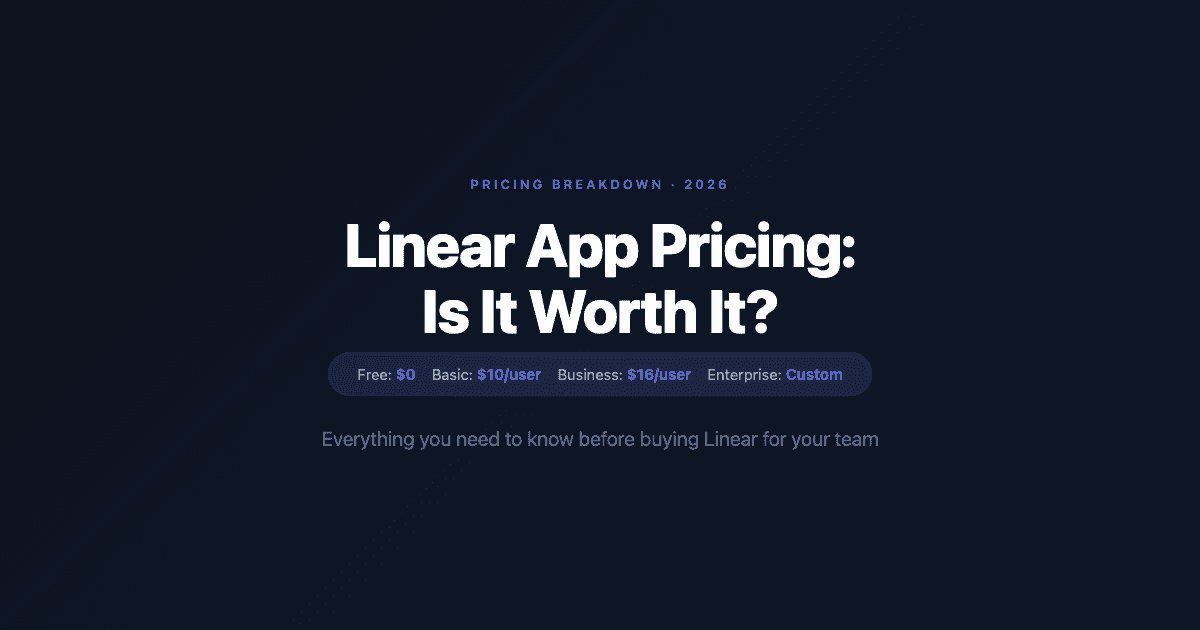
Free: $0/month, unlimited members, 2 teams, 250 issues
Basic: $10/user/month (billed annually), 5 teams, unlimited issues
Business: $16/user/month (billed annually), unlimited teams, private teams, guest access, advanced AI
Enterprise: Custom pricing, SAML/SCIM, dedicated account management
All paid plans are billed annually. Monthly billing is available at a higher rate. Linear does not currently publish the monthly billing rate on their public pricing page.
Free Plan: What You Get
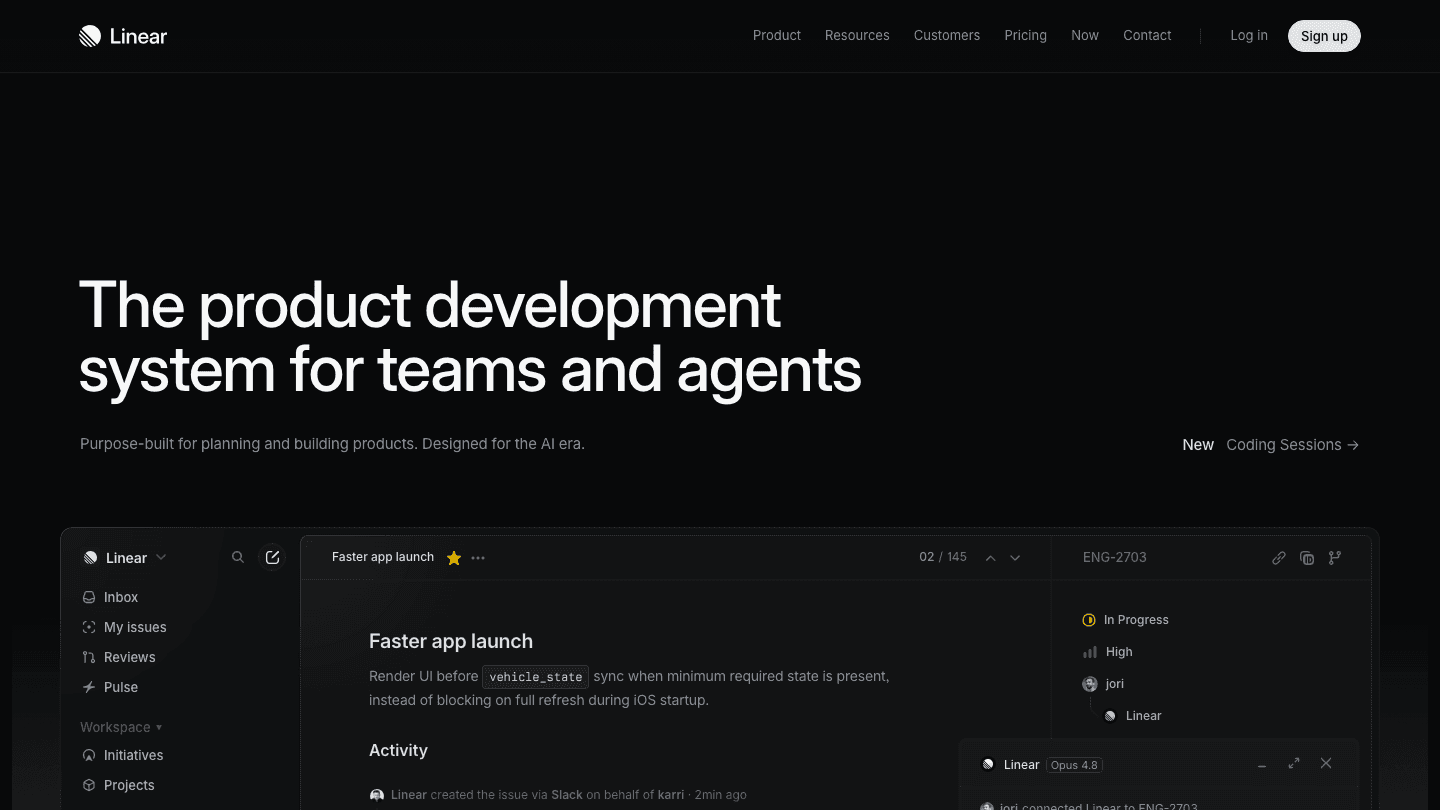
Linear's free plan is more capable than most free tiers in the project management category. Unlimited members means you're not paying per seat on a headcount basis. The real limits are structural: 2 teams and 250 issues.
For a startup in the first few months, 250 issues is enough. The 2-team limit is more likely to bite first as you start separating frontend, backend, and design work into distinct spaces. Most teams outgrow the free plan within 6 months of active use, not because Linear forces it, but because the limits become genuinely constraining.
What the free plan does not include: unlimited teams, private teams, guest access, roadmaps, advanced analytics, and AI features. Those are all paid-tier features. The free plan gives you the core issue tracking and workflow without the organizational and AI layers.
Basic Plan ($10/user/month): The Right Choice for Most Teams
The Basic plan removes the issue and team limits that make the free plan feel small. At $10/user/month billed annually, you get unlimited issues, 5 teams, and access to Linear's full core feature set including cycles, projects, roadmaps, and integrations.
For a 10-person engineering team, that's $100/month billed at $1,200/year. Against comparable tools, that's competitive: Jira Software charges $8.15/user/month at that size but many teams find the configuration overhead significant. Linear at Basic is faster out of the box and the UX is noticeably better for engineering workflows.
The 5-team limit on Basic is worth noting. If your organization has more than 5 distinct team spaces (frontend, backend, mobile, data, design, etc.), you'll hit this ceiling. At that scale, Business is the right tier.
The Basic plan also includes integrations with GitHub, GitLab, Figma, Slack, and Zapier. For teams that live in GitHub for code review and want to close the loop with their issue tracker, this is particularly useful. See how Linear pairs with GitHub Issues workflows for more on the integration pattern.
Business Plan ($16/user/month): When You Need It
The Business plan adds three meaningful features over Basic: private teams, guest access, and advanced AI features (including Linear Agent, which can triage, assign, and update issues automatically).
Private teams matter when you're working on sensitive projects and don't want every member of the organization to have visibility into certain workstreams (security initiatives, acquisition discussions, or executive planning).
Guest access matters when you work with external contractors, agencies, or client stakeholders who need to view or comment on specific projects without becoming full organization members.
Linear Agent (the AI features) is the newest and most compelling reason to consider Business. It handles triage, routing, and updating issues from external signals like Slack messages, email, and error monitors. For teams that receive a lot of bug reports from non-technical users, the automation can save meaningful time. For teams with disciplined engineers filing their own issues, it's less critical.
At $16/user/month, the Business plan costs 60% more than Basic. The upgrade makes sense when you need at least one of those three features. If you don't need private teams, guests, or AI automation, stay on Basic.
Enterprise: For Large Teams with Compliance Needs
Linear's Enterprise plan adds SAML single sign-on, SCIM user provisioning, custom security controls, advanced export options, and a dedicated account team. Pricing is negotiated annually.
Enterprise is relevant for companies with 100+ users that have IT security requirements around user lifecycle management, or legal/compliance requirements around data handling. For most startups, Enterprise is overkill. For mid-size companies with a SOC 2 or ISO 27001 posture, the SSO and SCIM features may be required by their security policy.
Is Linear Worth the Price?
Linear's pricing is competitive with the alternatives. Against Jira, Linear is slightly cheaper at Basic and significantly better in usability. Against Asana or Monday.com (which target broader teams, not just engineering), Linear is cheaper and more focused. The AI project management tools landscape has gotten crowded, but Linear's execution speed and keyboard-first design still differentiate it.
The honest answer: if your team is primarily engineers and you're currently using Jira, the productivity gain from switching to Linear likely pays for itself within the first quarter. Linear's sub-100ms response times and opinionated workflows reduce the friction of issue management enough that engineers actually use it rather than working around it.
If your team is mixed (sales, design, customer success, engineering all sharing one tool), Linear is a worse fit. It's designed for engineering workflows and the non-engineering views feel secondary. For mixed teams, Notion or another general-purpose tool may be a better value.
Linear vs Competitors on Pricing
Linear Basic vs Jira Standard: Linear $10/user vs Jira $8.15/user. Linear wins on speed and UX; Jira wins on feature depth and enterprise integrations.
Linear Basic vs GitHub Issues: GitHub Issues is free but limited. Linear has much stronger project and roadmap tooling. Worth the premium for teams that need cycle planning.
Linear Business vs Notion: Notion Plus at $10/user is cheaper but serves different workflows. Linear for engineering execution, Notion for documentation and knowledge management.
Linear vs Motion: Motion is for individual AI scheduling ($14.99-19/month) vs Linear for team project tracking. Different tools for different layers of the work.
Best Tool for Engineers' Personal Productivity: Lifestack

Linear tracks what your team is building. It doesn't tell you when to work on it. That's where a personal scheduling layer becomes valuable.
Lifestack reads your sleep, recovery, and focus data, then builds a daily plan that puts your deep work during your peak cognitive hours. For engineers and product managers who use Linear to track their work, Lifestack handles the personal scheduling problem: which issues do I actually work on today, and when do I work on them?
The combination works well. Linear gives you the project-level view and team coordination. Lifestack gives you the personal execution layer that accounts for your energy and calendar. It's $7/month or $50/year, with a 7-day free trial. See the time-blocking approach it uses for scheduling focus work.
FAQ
How much does Linear cost per month?
Linear has a free plan ($0), a Basic plan at $10 per user per month (billed annually), and a Business plan at $16 per user per month (billed annually). Enterprise pricing is custom. These are the billed-annually rates; monthly billing is available at a higher rate.
Does Linear have a free plan?
Yes. Linear's free plan includes unlimited members, 2 teams, and 250 issues. It includes the core issue tracking, projects, and cycle features. It does not include private teams, guest access, roadmaps, or AI features. For most early-stage teams, the free plan is enough to start.
What's the difference between Linear Basic and Business?
Basic ($10/user/month) gives you unlimited issues, 5 teams, and core Linear features. Business ($16/user/month) adds unlimited teams, private teams, guest access, and Linear Agent (the AI triage and automation features). Upgrade to Business when you need any of those three specific capabilities.
Is Linear cheaper than Jira?
Slightly. Linear Basic is $10/user/month vs Jira Standard at $8.15/user/month at comparable team sizes. The price difference is marginal; the bigger difference is usability. Linear's speed and keyboard-first design reduce the time engineers spend on project management overhead. Most teams switching from Jira to Linear report a noticeable improvement in how quickly they can move issues through a workflow.
Who should use Linear's Business plan?
Teams that need private project spaces, external guest access, or Linear's AI automation features. If your organization has more than 5 distinct team spaces, Business is also necessary since the Basic plan caps at 5 teams. If you don't need those features, Basic is the better value.
Can individuals use Linear?
Yes. Solo developers and individual contributors use Linear's free plan to track personal projects. The 250-issue limit and 2-team cap are generous enough for individual use. For more personal productivity tools that complement Linear, the digital planner guide covers the best options for managing your own work alongside a team tracker.
Linear is a project tracking tool built specifically for software teams. It's fast, opinionated, and genuinely popular with engineering-led companies that found Jira too slow and too complex. If you're evaluating it for your team, the first question is usually the same: is it worth paying for?
This guide breaks down every Linear pricing tier, what you actually get at each level, and which plan makes sense depending on your team size and how you work. Pricing is current as of June 2026.
Key Takeaways
Linear's free plan is genuinely useful for small teams: 250 issues and 2 teams covers most early-stage startups.
The $10/user/month Basic plan is the sweet spot for growing teams. It removes the issue and team limits without paying for features most teams don't need.
The $16/user/month Business plan is worth it when you need private teams, guest access, or Linear's advanced AI features.
Linear Pricing at a Glance
Free: $0/month, unlimited members, 2 teams, 250 issues
Basic: $10/user/month (billed annually), 5 teams, unlimited issues
Business: $16/user/month (billed annually), unlimited teams, private teams, guest access, advanced AI
Enterprise: Custom pricing, SAML/SCIM, dedicated account management
All paid plans are billed annually. Monthly billing is available at a higher rate. Linear does not currently publish the monthly billing rate on their public pricing page.
Free Plan: What You Get
Linear's free plan is more capable than most free tiers in the project management category. Unlimited members means you're not paying per seat on a headcount basis. The real limits are structural: 2 teams and 250 issues.
For a startup in the first few months, 250 issues is enough. The 2-team limit is more likely to bite first as you start separating frontend, backend, and design work into distinct spaces. Most teams outgrow the free plan within 6 months of active use, not because Linear forces it, but because the limits become genuinely constraining.
What the free plan does not include: unlimited teams, private teams, guest access, roadmaps, advanced analytics, and AI features. Those are all paid-tier features. The free plan gives you the core issue tracking and workflow without the organizational and AI layers.
Basic Plan ($10/user/month): The Right Choice for Most Teams
The Basic plan removes the issue and team limits that make the free plan feel small. At $10/user/month billed annually, you get unlimited issues, 5 teams, and access to Linear's full core feature set including cycles, projects, roadmaps, and integrations.
For a 10-person engineering team, that's $100/month billed at $1,200/year. Against comparable tools, that's competitive: Jira Software charges $8.15/user/month at that size but many teams find the configuration overhead significant. Linear at Basic is faster out of the box and the UX is noticeably better for engineering workflows.
The 5-team limit on Basic is worth noting. If your organization has more than 5 distinct team spaces (frontend, backend, mobile, data, design, etc.), you'll hit this ceiling. At that scale, Business is the right tier.
The Basic plan also includes integrations with GitHub, GitLab, Figma, Slack, and Zapier. For teams that live in GitHub for code review and want to close the loop with their issue tracker, this is particularly useful. See how Linear pairs with GitHub Issues workflows for more on the integration pattern.
Business Plan ($16/user/month): When You Need It
The Business plan adds three meaningful features over Basic: private teams, guest access, and advanced AI features (including Linear Agent, which can triage, assign, and update issues automatically).
Private teams matter when you're working on sensitive projects and don't want every member of the organization to have visibility into certain workstreams (security initiatives, acquisition discussions, or executive planning).
Guest access matters when you work with external contractors, agencies, or client stakeholders who need to view or comment on specific projects without becoming full organization members.
Linear Agent (the AI features) is the newest and most compelling reason to consider Business. It handles triage, routing, and updating issues from external signals like Slack messages, email, and error monitors. For teams that receive a lot of bug reports from non-technical users, the automation can save meaningful time. For teams with disciplined engineers filing their own issues, it's less critical.
At $16/user/month, the Business plan costs 60% more than Basic. The upgrade makes sense when you need at least one of those three features. If you don't need private teams, guests, or AI automation, stay on Basic.
Enterprise: For Large Teams with Compliance Needs
Linear's Enterprise plan adds SAML single sign-on, SCIM user provisioning, custom security controls, advanced export options, and a dedicated account team. Pricing is negotiated annually.
Enterprise is relevant for companies with 100+ users that have IT security requirements around user lifecycle management, or legal/compliance requirements around data handling. For most startups, Enterprise is overkill. For mid-size companies with a SOC 2 or ISO 27001 posture, the SSO and SCIM features may be required by their security policy.
Is Linear Worth the Price?
Linear's pricing is competitive with the alternatives. Against Jira, Linear is slightly cheaper at Basic and significantly better in usability. Against Asana or Monday.com (which target broader teams, not just engineering), Linear is cheaper and more focused. The AI project management tools landscape has gotten crowded, but Linear's execution speed and keyboard-first design still differentiate it.
The honest answer: if your team is primarily engineers and you're currently using Jira, the productivity gain from switching to Linear likely pays for itself within the first quarter. Linear's sub-100ms response times and opinionated workflows reduce the friction of issue management enough that engineers actually use it rather than working around it.
If your team is mixed (sales, design, customer success, engineering all sharing one tool), Linear is a worse fit. It's designed for engineering workflows and the non-engineering views feel secondary. For mixed teams, Notion or another general-purpose tool may be a better value.
Linear vs Competitors on Pricing
Linear Basic vs Jira Standard: Linear $10/user vs Jira $8.15/user. Linear wins on speed and UX; Jira wins on feature depth and enterprise integrations.
Linear Basic vs GitHub Issues: GitHub Issues is free but limited. Linear has much stronger project and roadmap tooling. Worth the premium for teams that need cycle planning.
Linear Business vs Notion: Notion Plus at $10/user is cheaper but serves different workflows. Linear for engineering execution, Notion for documentation and knowledge management.
Linear vs Motion: Motion is for individual AI scheduling ($14.99-19/month) vs Linear for team project tracking. Different tools for different layers of the work.
Best Tool for Engineers' Personal Productivity: Lifestack
Linear tracks what your team is building. It doesn't tell you when to work on it. That's where a personal scheduling layer becomes valuable.
Lifestack reads your sleep, recovery, and focus data, then builds a daily plan that puts your deep work during your peak cognitive hours. For engineers and product managers who use Linear to track their work, Lifestack handles the personal scheduling problem: which issues do I actually work on today, and when do I work on them?
The combination works well. Linear gives you the project-level view and team coordination. Lifestack gives you the personal execution layer that accounts for your energy and calendar. It's $7/month or $50/year, with a 7-day free trial. See the time-blocking approach it uses for scheduling focus work.
FAQ
How much does Linear cost per month?
Linear has a free plan ($0), a Basic plan at $10 per user per month (billed annually), and a Business plan at $16 per user per month (billed annually). Enterprise pricing is custom. These are the billed-annually rates; monthly billing is available at a higher rate.
Does Linear have a free plan?
Yes. Linear's free plan includes unlimited members, 2 teams, and 250 issues. It includes the core issue tracking, projects, and cycle features. It does not include private teams, guest access, roadmaps, or AI features. For most early-stage teams, the free plan is enough to start.
What's the difference between Linear Basic and Business?
Basic ($10/user/month) gives you unlimited issues, 5 teams, and core Linear features. Business ($16/user/month) adds unlimited teams, private teams, guest access, and Linear Agent (the AI triage and automation features). Upgrade to Business when you need any of those three specific capabilities.
Is Linear cheaper than Jira?
Slightly. Linear Basic is $10/user/month vs Jira Standard at $8.15/user/month at comparable team sizes. The price difference is marginal; the bigger difference is usability. Linear's speed and keyboard-first design reduce the time engineers spend on project management overhead. Most teams switching from Jira to Linear report a noticeable improvement in how quickly they can move issues through a workflow.
Who should use Linear's Business plan?
Teams that need private project spaces, external guest access, or Linear's AI automation features. If your organization has more than 5 distinct team spaces, Business is also necessary since the Basic plan caps at 5 teams. If you don't need those features, Basic is the better value.
Can individuals use Linear?
Yes. Solo developers and individual contributors use Linear's free plan to track personal projects. The 250-issue limit and 2-team cap are generous enough for individual use. For more personal productivity tools that complement Linear, the digital planner guide covers the best options for managing your own work alongside a team tracker.



FOLLOW ON
FOLLOW ON
FOLLOW ON


Copyright 2026 © Lifestack. All rights reserved
Copyright 2026 © Lifestack. All rights reserved

