
App
Notion vs Monday.com: Which Wins in 2026?
Notion vs Monday.com: Which Wins in 2026?

Notion and Monday.com are two of the most popular productivity tools on the market, and they are genuinely different products solving different problems. Notion started as a flexible note-taking and wiki tool and gradually added project management features. Monday.com started as a team project tracker and gradually added AI and automation. After years of expansion, both now claim to be your team's all-in-one work platform.
The real question is not which one has more features. It is which one fits how you actually work. A solo knowledge worker building a second brain has different needs than a marketing team tracking campaign timelines across five people.
We spent time with both products and break down where each one shines and where it falls flat, so you can make the call without sifting through feature lists on their respective landing pages.
Key Takeaways
Notion is better for solo users, writers, and teams who want a flexible knowledge base with light project tracking built in.
Monday.com is better for teams running structured projects with defined workflows, automations, and reporting needs.
Neither tool handles time-blocking or energy-aware scheduling well. If that matters to you, see the Lifestack mention at the end of this post.
Quick Verdict
Notion: Best for flexible, document-first workspaces. Ideal for solo users and teams who want wikis, notes, and databases in one place.
Monday.com: Best for structured project management. Ideal for teams who need Gantt charts, automations, and dashboards for tracking work across people.
Notion Overview
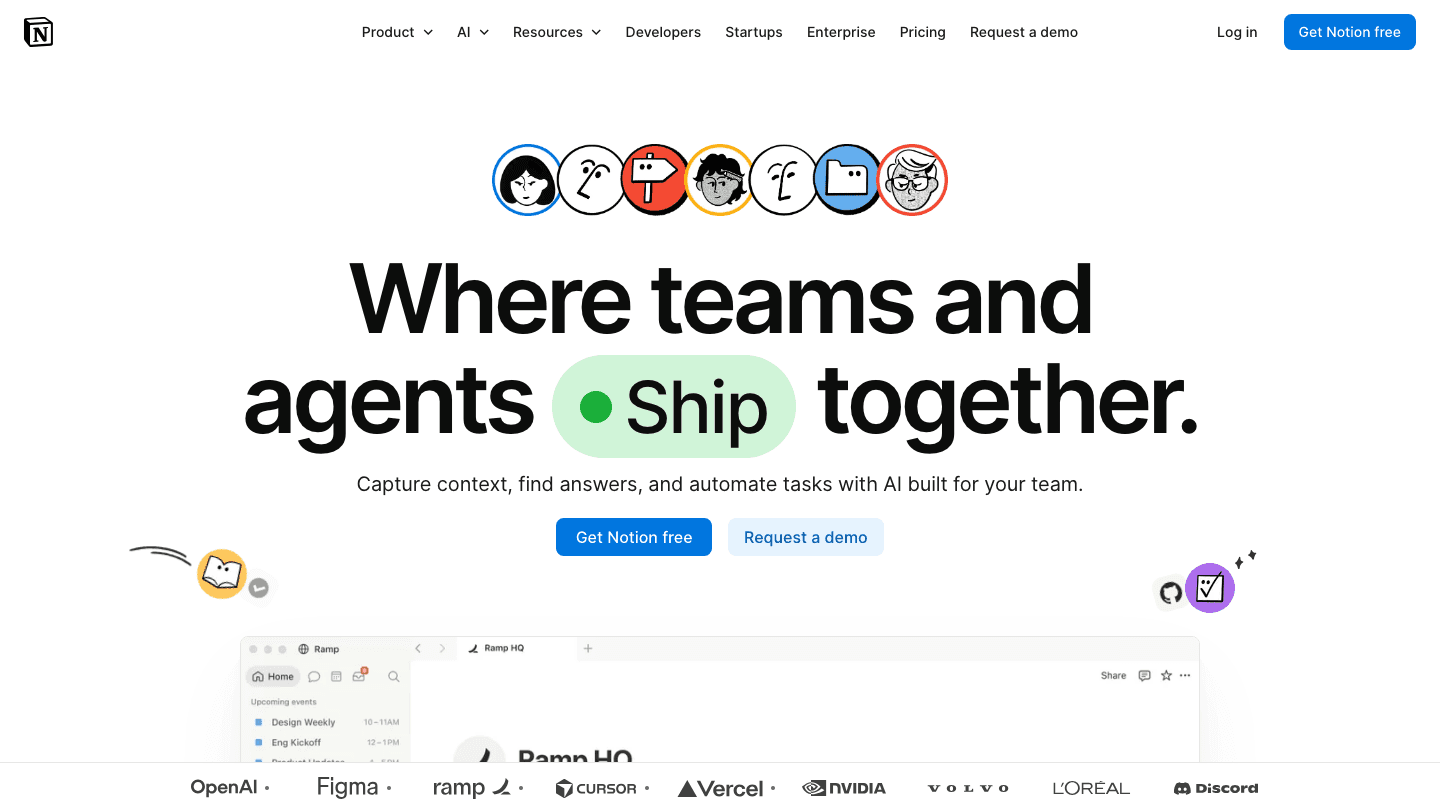
Notion is a workspace tool that lets you build whatever organizational system you need from a set of flexible blocks: pages, databases, kanban boards, calendars, and tables. There is no fixed structure. You can build a product roadmap, a personal journal, a meeting notes database, or a project tracker, all in the same workspace.
That flexibility is both its biggest strength and its most common complaint. Notion requires setup. Out of the box it is a blank page, and the learning curve for building a system that actually works for your workflow can take weeks. But once built, the workspace is hard to replace because nothing else does exactly what yours does.
Notion Strengths
Extremely flexible database and page structure
Strong note-taking and long-form writing experience
Free tier is genuinely useful for individuals
Notion Calendar integrates with Google Calendar at no extra cost
AI features built into Plus and Business plans (meeting notes, search, summaries)
Notion Limitations
No automated task scheduling or calendar blocking
Heavy setup required before it becomes useful
Project views (Gantt, timeline) are basic compared to dedicated PM tools
Can feel slow on large databases with many properties
Notion Pricing
Free: Core features for individuals, limited collaborative blocks
Plus: $10/member/month (annual billing saves ~20%). Unlimited file uploads, custom sites and forms, unlimited charts.
Business: $20/member/month. Adds Notion Agent, AI Meeting Notes, SAML SSO, and advanced permissions.
Enterprise: Custom pricing.
Monday.com Overview

Monday.com is a structured project management platform built around boards, items, and automations. Each board represents a project or workflow, with columns for status, assignee, deadline, and any custom data you add. The interface is visual, colorful, and designed to give a team a clear overview of who is doing what.
Monday has grown into a multi-product platform. Monday Work Management handles projects and tasks. Monday CRM handles sales pipelines. Monday Dev targets software teams. For this comparison we focus on Work Management, which is the version most teams evaluate first.
Monday.com Strengths
Purpose-built for team project tracking with Gantt, timeline, and workload views
Powerful automation engine (25,000 actions/month on Pro)
Integrates with Slack, Google Calendar, Outlook, Zoom, and 200+ other tools
Clear board structure makes onboarding a new team member fast
Free plan for up to 2 users with 3 boards included
Monday.com Limitations
Pricing scales quickly; the minimum paid plan requires 3 seats
Note-taking and document creation are limited compared to Notion
No AI-powered task scheduling or calendar blocking
Complex automation setup has a learning curve of its own
Monday.com Pricing
Free: Up to 2 users, 3 boards, basic features
Basic: $9/seat/month. Unlimited viewers, unlimited items.
Standard: $12/seat/month. Adds calendar views, guest access, and 250 automations/month.
Pro: $19/seat/month. 25,000 automations/month, private boards, time tracking.
Enterprise: Custom pricing.
Head-to-Head Comparison
Project Management
Monday.com wins here. Its board, timeline, and Gantt views are purpose-built for tracking work across a team. Notion has added these views over time, but the experience feels bolted on rather than native. If your team runs structured sprints or campaign timelines, Monday handles it more cleanly. See our picks for the best AI project management tools for a wider field comparison.
Note-Taking and Knowledge Management
Notion wins without a close second. Its page and block system is designed for writing, organizing, and linking information. Monday's document features are functional but minimal. Teams that need a living knowledge base alongside their project tracker will find Notion far more capable.
Automation
Monday wins. Its automation recipes (if/then rules for status changes, deadline reminders, assignments) are more powerful and easier to configure than Notion's. The Pro plan's 25,000 automations per month covers almost any team's needs. Notion's automation is limited to database triggers and is not yet at the same level.
Calendar Integration
Notion integrates with Google Calendar through Notion Calendar, which is free and included with all plans. Monday integrates with Google Calendar and Outlook as well, but calendar views inside Monday are secondary to its board-first interface. Neither tool blocks time automatically. For more powerful calendar options, see our list of Google Calendar alternatives.
AI Features
Both tools now include AI. Notion AI (on Business plan) handles meeting notes, search, writing assistance, and an agent for database queries. Monday includes basic AI features across paid plans for writing and summarization. Neither AI layer does anything like intelligent task scheduling. They are writing and search assistants rather than planning engines.
Pricing and Value
For individuals, Notion's free tier is more generous than Monday's (which caps at 2 users). For teams of 3 or more, Monday's Basic plan at $9/seat is slightly cheaper than Notion's Plus at $10/seat. The value calculation shifts based on whether your team primarily needs a knowledge base (Notion) or a project tracker (Monday). Check our overview of best AI task managers if neither tool quite fits.
Which Should You Choose?
Choose Notion if: you are a solo user or small team who writes a lot, wants a flexible knowledge base, needs customizable databases, or builds complex linked pages across projects. The free plan works well for individuals.
Choose Monday.com if: you are a team of three or more running structured projects, need Gantt charts and workload views, want powerful automations, or have stakeholders who need clean dashboards without digging into nested pages.
Skip both if: your main problem is not knowing when to do your work, not just what to do. Neither tool schedules tasks into your calendar automatically or accounts for your energy levels. For that problem, the tools below are worth a look. You can also explore Asana alternatives and Trello alternatives for more options in the structured PM space.
A Third Option Worth Considering

If your core frustration is not knowing when to do your tasks, rather than how to organize them, both Notion and Monday leave that problem unsolved. Lifestack approaches planning differently: it reads your calendar, learns your energy patterns, and automatically schedules tasks into the time slots where you are actually sharp. It is built for individuals rather than teams, costs $7/month, and works particularly well for people with ADHD or variable-focus days. See how it stacks up in our roundup of the best AI planner apps.
Frequently Asked Questions
Is Notion better than Monday.com?
It depends on your use case. Notion is better for knowledge management, note-taking, and flexible databases. Monday.com is better for structured team project management with automations and visual tracking. Neither is universally better.
Can Notion replace Monday.com?
For basic project tracking, yes. Notion has kanban and timeline views that handle simple projects well. For teams that rely on Monday's automation engine, reporting dashboards, or Gantt views, Notion is not a full replacement today.
Does Monday.com have a free plan?
Yes. Monday.com offers a free plan for up to 2 users with 3 boards and basic features. Paid plans start at $9/seat/month (Basic) for unlimited users and items.
Does Notion have a free plan?
Yes. Notion's free plan is generous for individual use: full page and database access, Notion Calendar, and basic AI features. It becomes limited for teams once you need unlimited collaborative blocks or file uploads, which require the Plus plan at $10/member/month.
Is Monday.com good for small teams?
Yes, particularly for teams of 3 to 15 people running structured projects. The Standard plan ($12/seat) covers most small team needs. Larger teams with complex reporting or compliance needs will look at Pro or Enterprise.
What are the best alternatives to Notion and Monday.com?
Popular alternatives include Asana (structured task management), ClickUp (all-in-one with free tier), Linear (developer-focused), and Lifestack (AI scheduling with energy awareness). See our ADHD project management guide for options built around how brains actually work.
Notion and Monday.com are two of the most popular productivity tools on the market, and they are genuinely different products solving different problems. Notion started as a flexible note-taking and wiki tool and gradually added project management features. Monday.com started as a team project tracker and gradually added AI and automation. After years of expansion, both now claim to be your team's all-in-one work platform.
The real question is not which one has more features. It is which one fits how you actually work. A solo knowledge worker building a second brain has different needs than a marketing team tracking campaign timelines across five people.
We spent time with both products and break down where each one shines and where it falls flat, so you can make the call without sifting through feature lists on their respective landing pages.
Key Takeaways
Notion is better for solo users, writers, and teams who want a flexible knowledge base with light project tracking built in.
Monday.com is better for teams running structured projects with defined workflows, automations, and reporting needs.
Neither tool handles time-blocking or energy-aware scheduling well. If that matters to you, see the Lifestack mention at the end of this post.
Quick Verdict
Notion: Best for flexible, document-first workspaces. Ideal for solo users and teams who want wikis, notes, and databases in one place.
Monday.com: Best for structured project management. Ideal for teams who need Gantt charts, automations, and dashboards for tracking work across people.
Notion Overview
Notion is a workspace tool that lets you build whatever organizational system you need from a set of flexible blocks: pages, databases, kanban boards, calendars, and tables. There is no fixed structure. You can build a product roadmap, a personal journal, a meeting notes database, or a project tracker, all in the same workspace.
That flexibility is both its biggest strength and its most common complaint. Notion requires setup. Out of the box it is a blank page, and the learning curve for building a system that actually works for your workflow can take weeks. But once built, the workspace is hard to replace because nothing else does exactly what yours does.
Notion Strengths
Extremely flexible database and page structure
Strong note-taking and long-form writing experience
Free tier is genuinely useful for individuals
Notion Calendar integrates with Google Calendar at no extra cost
AI features built into Plus and Business plans (meeting notes, search, summaries)
Notion Limitations
No automated task scheduling or calendar blocking
Heavy setup required before it becomes useful
Project views (Gantt, timeline) are basic compared to dedicated PM tools
Can feel slow on large databases with many properties
Notion Pricing
Free: Core features for individuals, limited collaborative blocks
Plus: $10/member/month (annual billing saves ~20%). Unlimited file uploads, custom sites and forms, unlimited charts.
Business: $20/member/month. Adds Notion Agent, AI Meeting Notes, SAML SSO, and advanced permissions.
Enterprise: Custom pricing.
Monday.com Overview
Monday.com is a structured project management platform built around boards, items, and automations. Each board represents a project or workflow, with columns for status, assignee, deadline, and any custom data you add. The interface is visual, colorful, and designed to give a team a clear overview of who is doing what.
Monday has grown into a multi-product platform. Monday Work Management handles projects and tasks. Monday CRM handles sales pipelines. Monday Dev targets software teams. For this comparison we focus on Work Management, which is the version most teams evaluate first.
Monday.com Strengths
Purpose-built for team project tracking with Gantt, timeline, and workload views
Powerful automation engine (25,000 actions/month on Pro)
Integrates with Slack, Google Calendar, Outlook, Zoom, and 200+ other tools
Clear board structure makes onboarding a new team member fast
Free plan for up to 2 users with 3 boards included
Monday.com Limitations
Pricing scales quickly; the minimum paid plan requires 3 seats
Note-taking and document creation are limited compared to Notion
No AI-powered task scheduling or calendar blocking
Complex automation setup has a learning curve of its own
Monday.com Pricing
Free: Up to 2 users, 3 boards, basic features
Basic: $9/seat/month. Unlimited viewers, unlimited items.
Standard: $12/seat/month. Adds calendar views, guest access, and 250 automations/month.
Pro: $19/seat/month. 25,000 automations/month, private boards, time tracking.
Enterprise: Custom pricing.
Head-to-Head Comparison
Project Management
Monday.com wins here. Its board, timeline, and Gantt views are purpose-built for tracking work across a team. Notion has added these views over time, but the experience feels bolted on rather than native. If your team runs structured sprints or campaign timelines, Monday handles it more cleanly. See our picks for the best AI project management tools for a wider field comparison.
Note-Taking and Knowledge Management
Notion wins without a close second. Its page and block system is designed for writing, organizing, and linking information. Monday's document features are functional but minimal. Teams that need a living knowledge base alongside their project tracker will find Notion far more capable.
Automation
Monday wins. Its automation recipes (if/then rules for status changes, deadline reminders, assignments) are more powerful and easier to configure than Notion's. The Pro plan's 25,000 automations per month covers almost any team's needs. Notion's automation is limited to database triggers and is not yet at the same level.
Calendar Integration
Notion integrates with Google Calendar through Notion Calendar, which is free and included with all plans. Monday integrates with Google Calendar and Outlook as well, but calendar views inside Monday are secondary to its board-first interface. Neither tool blocks time automatically. For more powerful calendar options, see our list of Google Calendar alternatives.
AI Features
Both tools now include AI. Notion AI (on Business plan) handles meeting notes, search, writing assistance, and an agent for database queries. Monday includes basic AI features across paid plans for writing and summarization. Neither AI layer does anything like intelligent task scheduling. They are writing and search assistants rather than planning engines.
Pricing and Value
For individuals, Notion's free tier is more generous than Monday's (which caps at 2 users). For teams of 3 or more, Monday's Basic plan at $9/seat is slightly cheaper than Notion's Plus at $10/seat. The value calculation shifts based on whether your team primarily needs a knowledge base (Notion) or a project tracker (Monday). Check our overview of best AI task managers if neither tool quite fits.
Which Should You Choose?
Choose Notion if: you are a solo user or small team who writes a lot, wants a flexible knowledge base, needs customizable databases, or builds complex linked pages across projects. The free plan works well for individuals.
Choose Monday.com if: you are a team of three or more running structured projects, need Gantt charts and workload views, want powerful automations, or have stakeholders who need clean dashboards without digging into nested pages.
Skip both if: your main problem is not knowing when to do your work, not just what to do. Neither tool schedules tasks into your calendar automatically or accounts for your energy levels. For that problem, the tools below are worth a look. You can also explore Asana alternatives and Trello alternatives for more options in the structured PM space.
A Third Option Worth Considering
If your core frustration is not knowing when to do your tasks, rather than how to organize them, both Notion and Monday leave that problem unsolved. Lifestack approaches planning differently: it reads your calendar, learns your energy patterns, and automatically schedules tasks into the time slots where you are actually sharp. It is built for individuals rather than teams, costs $7/month, and works particularly well for people with ADHD or variable-focus days. See how it stacks up in our roundup of the best AI planner apps.
Frequently Asked Questions
Is Notion better than Monday.com?
It depends on your use case. Notion is better for knowledge management, note-taking, and flexible databases. Monday.com is better for structured team project management with automations and visual tracking. Neither is universally better.
Can Notion replace Monday.com?
For basic project tracking, yes. Notion has kanban and timeline views that handle simple projects well. For teams that rely on Monday's automation engine, reporting dashboards, or Gantt views, Notion is not a full replacement today.
Does Monday.com have a free plan?
Yes. Monday.com offers a free plan for up to 2 users with 3 boards and basic features. Paid plans start at $9/seat/month (Basic) for unlimited users and items.
Does Notion have a free plan?
Yes. Notion's free plan is generous for individual use: full page and database access, Notion Calendar, and basic AI features. It becomes limited for teams once you need unlimited collaborative blocks or file uploads, which require the Plus plan at $10/member/month.
Is Monday.com good for small teams?
Yes, particularly for teams of 3 to 15 people running structured projects. The Standard plan ($12/seat) covers most small team needs. Larger teams with complex reporting or compliance needs will look at Pro or Enterprise.
What are the best alternatives to Notion and Monday.com?
Popular alternatives include Asana (structured task management), ClickUp (all-in-one with free tier), Linear (developer-focused), and Lifestack (AI scheduling with energy awareness). See our ADHD project management guide for options built around how brains actually work.



FOLLOW ON
FOLLOW ON
FOLLOW ON


Copyright 2026 © Lifestack. All rights reserved
Copyright 2026 © Lifestack. All rights reserved

