
App
6 Best Trello Alternatives in 2026
6 Best Trello Alternatives in 2026

Trello was a pioneer. Its kanban board made project management visual and approachable when most alternatives felt like enterprise software built for IT departments. But that same simplicity has become its ceiling. No timeline views, no AI scheduling, no energy-aware planning, and a free tier that hits its limits faster than most teams expect.
If you have outgrown Trello or are starting fresh and want something with more depth, the options have never been better. The tools below range from free platforms that match Trello's ease while adding multiple views, to AI-powered schedulers that actually plan your workday for you.
We tested six of the strongest Trello alternatives and ranked them by how well they improve on what Trello does, particularly around AI capabilities, scheduling intelligence, team collaboration, and overall value. Pricing is verified as of August 2026.
Key Takeaways
Lifestack is the only tool here with energy-aware AI scheduling, making it the best pick for individual productivity beyond kanban.
ClickUp and Monday.com offer the most feature-rich free tiers with unlimited tasks and multiple views, great for teams migrating from Trello.
Linear is the strongest pick for product and engineering teams who want speed and issue tracking depth that Trello cannot match.
Quick Guide: 6 Best Trello Alternatives
Lifestack: Best for AI energy-aware scheduling and personal productivity
Asana: Best for growing teams that need multiple project views
ClickUp: Best all-in-one with the most generous free plan
Monday.com: Best for visual work management and team dashboards
Notion: Best for teams that want docs and tasks in one workspace
Linear: Best for engineering and product teams
How We Evaluated These Apps
View variety: Does it go beyond kanban with list, timeline, calendar, and table views?
AI capabilities: Does the app think ahead, auto-schedule, or adapt to priorities?
Energy awareness: Does it schedule tasks around when you actually work best?
Team collaboration: Comments, assignments, workload views, and integrations
Free tier generosity: What you get without paying, compared to Trello
Pricing fairness: Cost per seat vs. features unlocked
1. Lifestack: Best AI Energy-Aware Productivity Tool
The only alternative that schedules tasks around your energy, not just your board.

Trello shows you your tasks on a board and lets you decide what to do next. Lifestack takes that decision away. Its AI reads your calendar, learns your peak performance windows, and auto-schedules tasks at the times you are actually equipped to tackle them. That is a fundamentally different relationship with your work than any kanban board can offer.
This matters most for individual contributors and knowledge workers who are not managing a team project but a personal workload. While Trello is board-first and team-centric, Lifestack is schedule-first and person-centric. The energy-based scheduling system means your hardest tasks land in your sharpest hours, and admin tasks get pushed to your natural low-energy windows. You can also connect Google Calendar and Apple Calendar so tasks and meetings live on the same timeline without any manual time-blocking. Learn more in our best AI task manager roundup.
Key Features
AI auto-scheduling based on energy levels and peak performance windows
Bidirectional sync with Google Calendar and Apple Calendar
Automatic daily plan that recalibrates when meetings shift
iOS, Android, and Chrome extension
Wearable integration for health-informed scheduling
What Works
Removes the daily "what should I do next?" decision entirely
Energy awareness changes how your day feels in practice, not just on paper
Much less mental overhead than maintaining a kanban board manually
Limitations
Built for individuals, not team project tracking across multiple people
No kanban board view if you specifically prefer that format
Pricing: $7/month, $50/year (~$4.17/month), or $120 lifetime. The annual plan includes a 7-day free trial.
Best for: Knowledge workers and individuals who want AI to plan their day rather than just store their tasks.
2. Asana: Best for Growing Teams
Everything Trello does, with timelines, goals, and real team workload visibility.
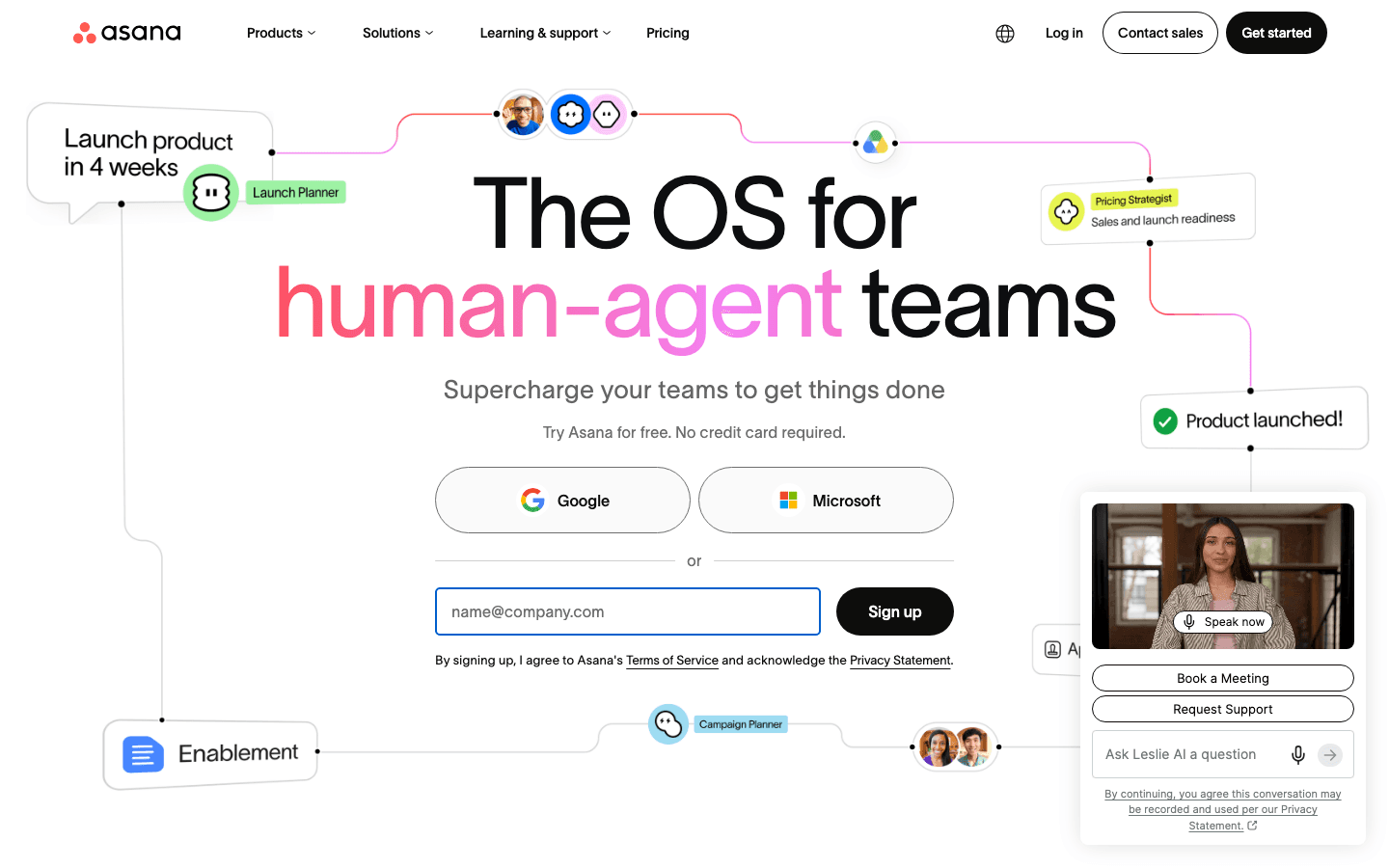
Asana is the most natural step up from Trello for teams that have hit Trello's ceiling. Where Trello gives you boards, Asana gives you boards plus list view, timeline (Gantt), calendar, and portfolio views for managing multiple projects at once. The same work, much more flexibility in how you see it.
Asana's task model is also richer. Dependencies, subtasks, custom fields, workload views, and goal tracking are all available on paid plans. If your team uses Trello with a lot of workarounds to track project milestones or deadlines, Asana removes most of those. Our Asana pricing guide covers which tier unlocks what.
Key Features
Five views: list, board, timeline, calendar, and portfolio
Task dependencies, subtasks, and custom fields
Workload view to see who is over capacity
Goals and milestone tracking on higher tiers
300+ integrations including Slack, Google Drive, and Zoom
What Works
Timeline view is genuinely useful for deadline-driven project planning
Workload view helps managers avoid burning out team members
Consistent interface across web, desktop, and mobile
Limitations
Free plan is limited to 2 users, less generous than Trello or ClickUp
No energy awareness or AI task scheduling
Can feel heavy for small personal projects
Pricing: Free (up to 2 users); Starter $10.99/user/month billed annually; Advanced $24.99/user/month billed annually.
Best for: Teams of 3 or more that need more than kanban boards and want proper milestone and dependency tracking.
3. ClickUp: Best All-in-One with Generous Free Plan
More views, more features, and a free plan that beats Trello's by a wide margin.
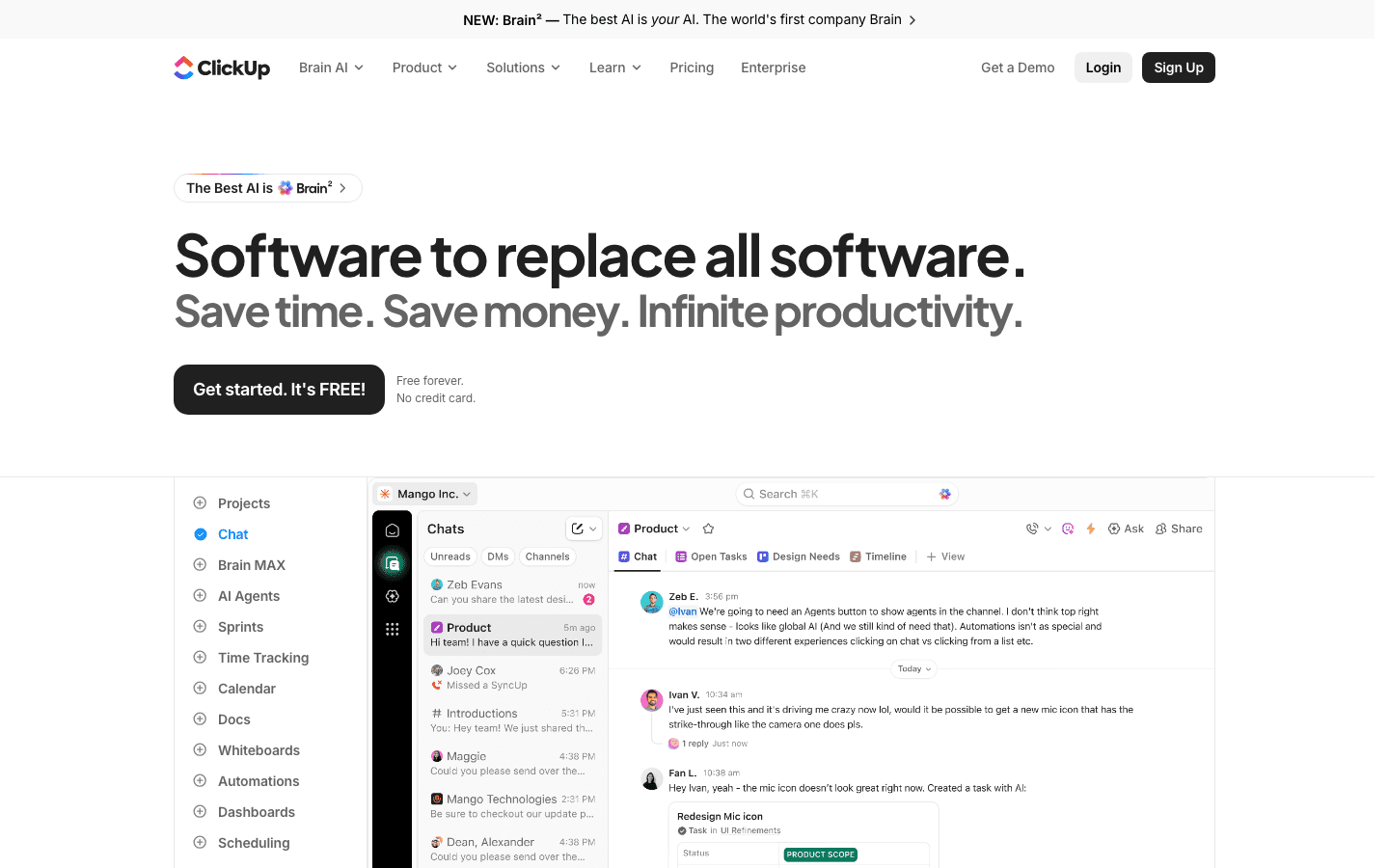
ClickUp is the app most likely to replace Trello and five other tools at the same time. Tasks, docs, whiteboards, dashboards, time tracking, automations, and AI writing tools all live under one roof. The free plan is also notably more generous than Trello's, with unlimited tasks and members on a single workspace.
The tradeoff is initial complexity. ClickUp has so many options that new users often spend more time configuring their setup than actually working. If your team wants something to replace Trello with minimal setup, Monday.com is faster to get running. If you want the most functionality per dollar, especially on the free plan, ClickUp wins. See our ClickUp pricing breakdown for a full tier comparison, or the ClickUp vs Monday breakdown for a direct head-to-head.
Key Features
15+ views: list, board, timeline, calendar, Gantt, mind map, table, and more
Built-in docs, whiteboards, and time tracking
Automations on free plan (100 uses/month)
AI writing and task generation (Brain AI add-on)
Unlimited members on the free plan
What Works
Most feature-rich free tier on this list
Great for teams consolidating multiple tools into one
Automations reduce repetitive work without requiring a paid plan
Limitations
Steeper learning curve than Trello or Asana
No energy-aware scheduling or personal daily planning
Interface can feel overwhelming before you simplify it
Pricing: Free (unlimited tasks and members); Unlimited $7/user/month billed annually; Business $12/user/month billed annually.
Best for: Teams that want to consolidate tools and need the most features at the lowest price.
4. Monday.com: Best for Visual Work Management
Polished, fast to set up, and built around the way teams actually track status.
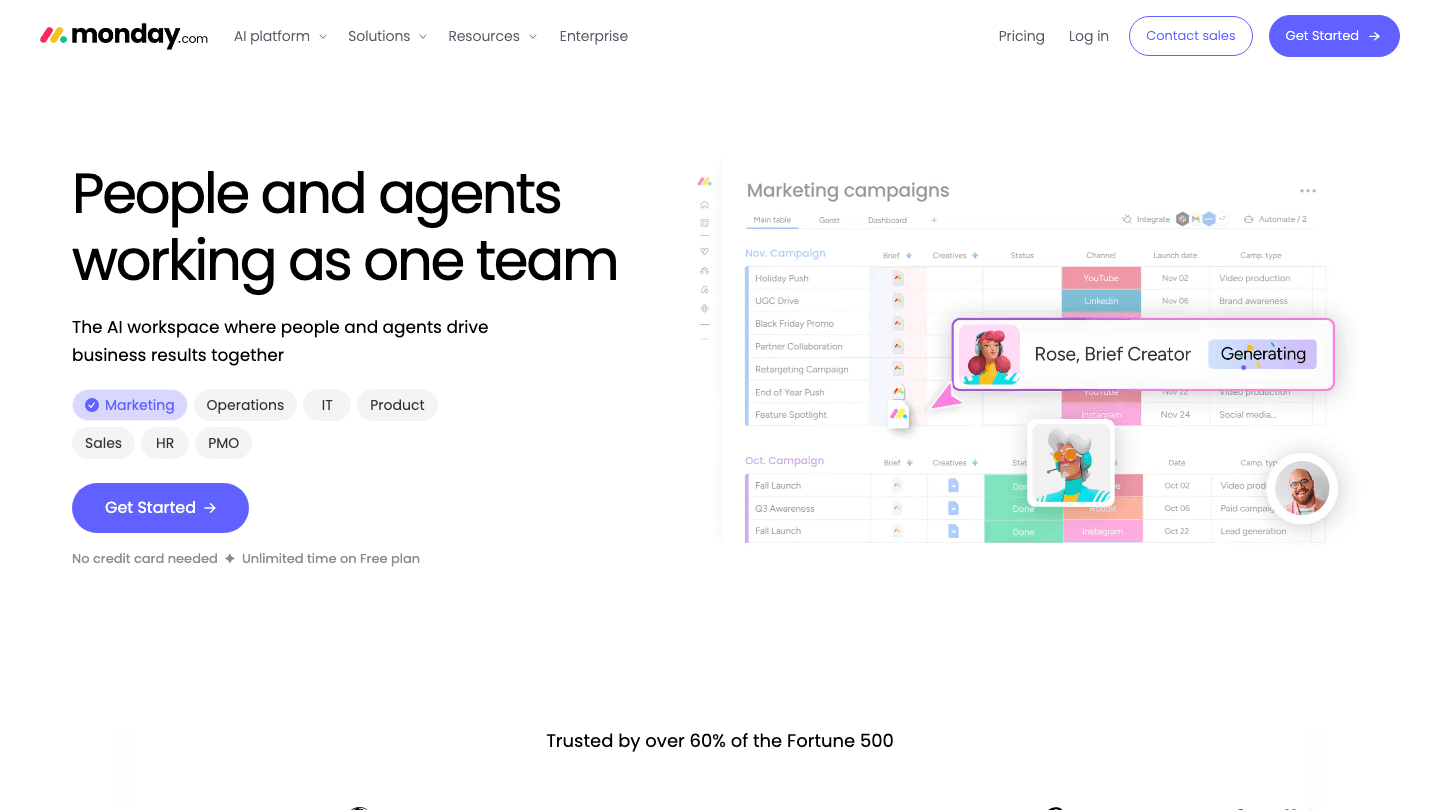
Monday.com is where teams go when they want Trello's visual simplicity but need color-coded statuses, dashboards, and workload visibility without spending days on configuration. The interface is one of the cleanest in this category, and new team members typically onboard in under an hour.
The free plan is limited to 2 seats, similar to Asana, but the paid tiers are competitively priced for what they include. AI-generated summaries and automation recipes are available on Standard and above. If your team's main complaint about Trello is "we can't see the big picture," Monday's dashboard view fixes that directly. Our Monday.com pricing guide covers the full tier breakdown.
Key Features
Board, timeline, calendar, Gantt, and map views
Dashboard widgets for cross-project visibility
AI-powered summaries and automation recipes
Workload view for capacity planning
250+ integrations including Slack, Salesforce, and GitHub
What Works
Fastest onboarding of any tool on this list
Dashboard views give managers a genuine overview across projects
Status color coding is intuitive and satisfying to use
Limitations
Free plan only supports 2 seats
No energy awareness or individual AI scheduling
Pricing scales steeply for larger teams on Pro
Pricing: Free (2 seats); Basic $9/seat/month; Standard $12/seat/month; Pro $19/seat/month.
Best for: Teams that want a visual status tracker and dashboards without a long setup process.
5. Notion: Best for Docs and Tasks Together
One workspace for notes, wikis, databases, and project tracking.
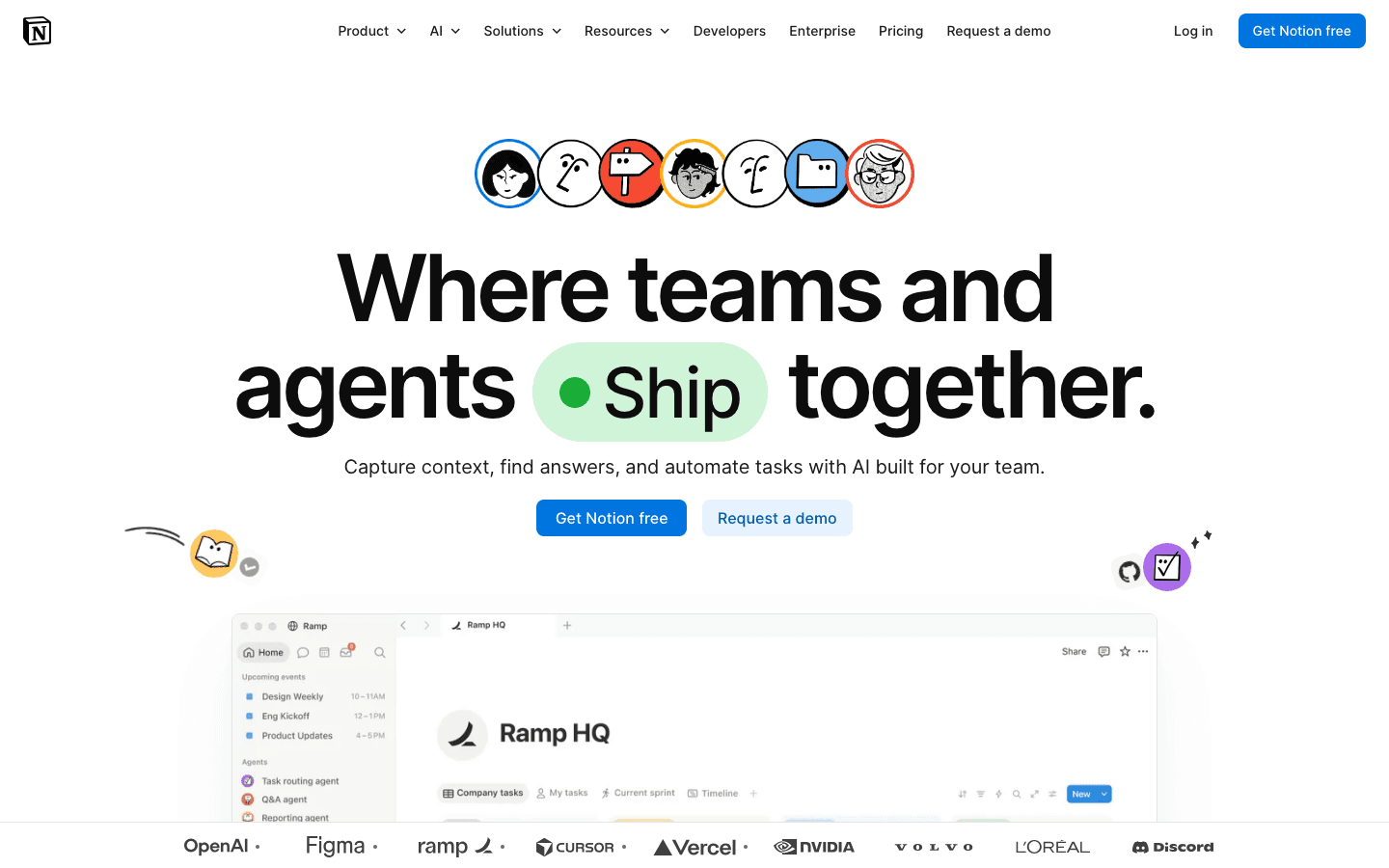
Notion is not a pure project management tool like Trello but that is exactly its appeal. It combines databases (which can become boards, tables, or calendars) with freeform documents and wikis, so teams can keep their context, meeting notes, and tasks in one place rather than bouncing between Trello and Confluence.
The board view works similarly to Trello, and Notion's AI features include page summaries, writing assistance, and database Q&A. The free plan is generous for individuals, though collaboration for teams requires Plus or above. It is also worth exploring apps that pair well with Notion for teams that want to extend it further. Our Notion pricing breakdown covers every plan in detail.
Key Features
Databases with board, table, calendar, list, and gallery views
Freeform document editor with wiki-style linking
AI features: summarization, writing assistance, database queries
Templates for project management, roadmaps, and OKRs
Available on iOS, Android, Mac, Windows, and web
What Works
Combines tasks and documents so context lives next to the work
Extremely flexible for teams willing to build their own system
Free plan is among the most generous for individual users
Limitations
Not opinionated enough for teams that need structure out of the box
No energy-aware scheduling or AI task planning
Performance can slow with very large databases
Pricing: Free (unlimited personal blocks); Plus $10/member/month; Business $20/member/month. Annual billing saves up to 20%.
Best for: Teams that want their docs, wikis, and task boards in one place rather than separate tools.
6. Linear: Best for Engineering and Product Teams
Purpose-built for software teams that find Trello too slow and too simple.
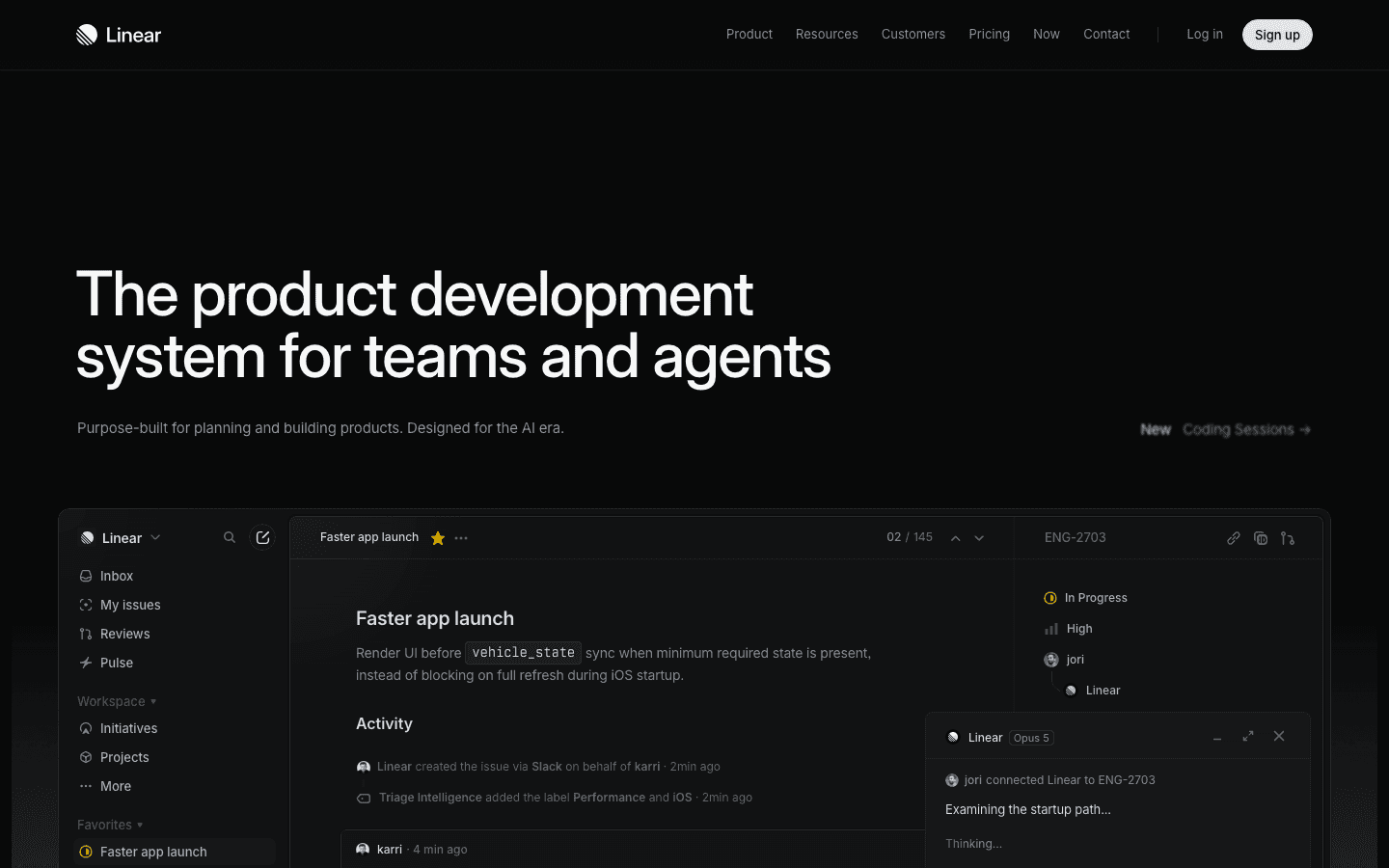
Linear is what happens when a project management tool is designed by engineers who were frustrated with everything else. It is fast in a way that most tools are not: keyboard shortcuts work, search is instant, and issues load without lag. For product and engineering teams tracking bugs, features, and sprints, it operates at a different level than Trello's board-and-card model.
Linear's opinionated structure (projects, cycles, and initiatives) maps well to how software teams actually work, and features like Triage Intelligence help prioritize incoming issues automatically. It is narrower in scope than ClickUp or Monday, but that narrowness is a feature for teams that want clarity rather than options. Check our Linear pricing guide for tier details, and our agile management guide if you are evaluating your process alongside your tooling.
Key Features
Issue tracking with cycles (sprints), projects, and initiatives
Triage Intelligence for automatic priority sorting
Git integration: link commits and PRs directly to issues
AI agent support for issue creation and triage via Linear Opus
Available on iOS, Android, Mac, Windows, and web
What Works
Noticeably faster than every other tool on this list
Git integrations make it the natural home for engineering workflows
Triage Intelligence reduces the time spent sorting incoming issues
Limitations
Purpose-built for software teams; not ideal for general project management
No energy awareness or individual scheduling
Free plan capped at 250 issues, which fills up faster than expected
Pricing: Free (250 issues); Basic $10/user/month billed annually; Business $16/user/month billed annually.
Best for: Engineering and product teams who need issue tracking, sprint planning, and Git integration in a fast, focused tool.
Which Trello Alternative Is Right for You?
You want AI to plan your day, not just track your cards: Lifestack. It auto-schedules tasks around your energy and calendar so you do not have to decide what to work on next.
Your team needs timelines and goal tracking: Asana. It adds the views and structure that Trello lacks for milestone-driven projects.
You want the most features on a free plan: ClickUp. Unlimited tasks, multiple views, and automations without paying anything.
You want fast onboarding and clean dashboards for a team: Monday.com. Setup takes under an hour and the status dashboards are excellent.
You want docs and tasks in one workspace: Notion. It replaces Trello and your wiki at the same time.
You are an engineering or product team: Linear. Faster, more opinionated, and purpose-built for software workflows.
FAQ
What is the best free Trello alternative?
ClickUp has the most generous free plan, with unlimited tasks, unlimited members, 100 automation runs per month, and 15+ views. Monday.com and Asana both cap their free plans at 2 users, making them less useful for teams. Notion's free plan is great for individuals but limits collaboration features.
Is there a Trello alternative with AI scheduling?
Lifestack is the only tool on this list with true AI scheduling based on energy awareness. It reads your calendar, learns your peak performance windows, and auto-schedules tasks throughout your day. Monday.com and ClickUp have AI features (summaries, writing assistance), but neither automatically plans your schedule. Our best AI planner guide covers this category in more depth.
What is the best Trello alternative for small teams?
For small teams (2 to 5 people), ClickUp on the free plan or Monday.com on Basic are the strongest options. ClickUp gives more features for free; Monday.com is easier to onboard. Asana is also worth considering for teams that prioritize milestone tracking over feature count.
Is Notion a good replacement for Trello?
It depends on how you use Trello. If you mainly need a kanban board, Notion can replicate that with its database board view. But if you also use Trello for team notifications, workload management, or deep integrations, Notion is less polished in those areas. Its main advantage is keeping documents and tasks together, which Trello cannot do. See our Trello vs Asana guide for more context on switching.
What is the best Trello alternative for developers?
Linear, without question. It is faster than Trello, has built-in Git integration, supports cycles (sprints), and includes AI-powered triage for incoming issues. ClickUp is a distant second if the team needs to combine engineering work with broader project management. For individual developer productivity on top of team tools, pairing any of these with energy-based scheduling in Lifestack is worth considering.
How does Trello pricing compare to these alternatives?
Trello's Standard plan is $5/user/month billed annually. ClickUp's Unlimited plan is $7/user/month and offers significantly more features. Monday.com Basic starts at $9/user/month. Asana Starter is $10.99/user/month. Linear Basic is $10/user/month. All of them add capabilities Trello's equivalent tier does not have. For a detailed look, see our Trello pricing guide.
Trello was a pioneer. Its kanban board made project management visual and approachable when most alternatives felt like enterprise software built for IT departments. But that same simplicity has become its ceiling. No timeline views, no AI scheduling, no energy-aware planning, and a free tier that hits its limits faster than most teams expect.
If you have outgrown Trello or are starting fresh and want something with more depth, the options have never been better. The tools below range from free platforms that match Trello's ease while adding multiple views, to AI-powered schedulers that actually plan your workday for you.
We tested six of the strongest Trello alternatives and ranked them by how well they improve on what Trello does, particularly around AI capabilities, scheduling intelligence, team collaboration, and overall value. Pricing is verified as of August 2026.
Key Takeaways
Lifestack is the only tool here with energy-aware AI scheduling, making it the best pick for individual productivity beyond kanban.
ClickUp and Monday.com offer the most feature-rich free tiers with unlimited tasks and multiple views, great for teams migrating from Trello.
Linear is the strongest pick for product and engineering teams who want speed and issue tracking depth that Trello cannot match.
Quick Guide: 6 Best Trello Alternatives
Lifestack: Best for AI energy-aware scheduling and personal productivity
Asana: Best for growing teams that need multiple project views
ClickUp: Best all-in-one with the most generous free plan
Monday.com: Best for visual work management and team dashboards
Notion: Best for teams that want docs and tasks in one workspace
Linear: Best for engineering and product teams
How We Evaluated These Apps
View variety: Does it go beyond kanban with list, timeline, calendar, and table views?
AI capabilities: Does the app think ahead, auto-schedule, or adapt to priorities?
Energy awareness: Does it schedule tasks around when you actually work best?
Team collaboration: Comments, assignments, workload views, and integrations
Free tier generosity: What you get without paying, compared to Trello
Pricing fairness: Cost per seat vs. features unlocked
1. Lifestack: Best AI Energy-Aware Productivity Tool
The only alternative that schedules tasks around your energy, not just your board.
Trello shows you your tasks on a board and lets you decide what to do next. Lifestack takes that decision away. Its AI reads your calendar, learns your peak performance windows, and auto-schedules tasks at the times you are actually equipped to tackle them. That is a fundamentally different relationship with your work than any kanban board can offer.
This matters most for individual contributors and knowledge workers who are not managing a team project but a personal workload. While Trello is board-first and team-centric, Lifestack is schedule-first and person-centric. The energy-based scheduling system means your hardest tasks land in your sharpest hours, and admin tasks get pushed to your natural low-energy windows. You can also connect Google Calendar and Apple Calendar so tasks and meetings live on the same timeline without any manual time-blocking. Learn more in our best AI task manager roundup.
Key Features
AI auto-scheduling based on energy levels and peak performance windows
Bidirectional sync with Google Calendar and Apple Calendar
Automatic daily plan that recalibrates when meetings shift
iOS, Android, and Chrome extension
Wearable integration for health-informed scheduling
What Works
Removes the daily "what should I do next?" decision entirely
Energy awareness changes how your day feels in practice, not just on paper
Much less mental overhead than maintaining a kanban board manually
Limitations
Built for individuals, not team project tracking across multiple people
No kanban board view if you specifically prefer that format
Pricing: $7/month, $50/year (~$4.17/month), or $120 lifetime. The annual plan includes a 7-day free trial.
Best for: Knowledge workers and individuals who want AI to plan their day rather than just store their tasks.
2. Asana: Best for Growing Teams
Everything Trello does, with timelines, goals, and real team workload visibility.
Asana is the most natural step up from Trello for teams that have hit Trello's ceiling. Where Trello gives you boards, Asana gives you boards plus list view, timeline (Gantt), calendar, and portfolio views for managing multiple projects at once. The same work, much more flexibility in how you see it.
Asana's task model is also richer. Dependencies, subtasks, custom fields, workload views, and goal tracking are all available on paid plans. If your team uses Trello with a lot of workarounds to track project milestones or deadlines, Asana removes most of those. Our Asana pricing guide covers which tier unlocks what.
Key Features
Five views: list, board, timeline, calendar, and portfolio
Task dependencies, subtasks, and custom fields
Workload view to see who is over capacity
Goals and milestone tracking on higher tiers
300+ integrations including Slack, Google Drive, and Zoom
What Works
Timeline view is genuinely useful for deadline-driven project planning
Workload view helps managers avoid burning out team members
Consistent interface across web, desktop, and mobile
Limitations
Free plan is limited to 2 users, less generous than Trello or ClickUp
No energy awareness or AI task scheduling
Can feel heavy for small personal projects
Pricing: Free (up to 2 users); Starter $10.99/user/month billed annually; Advanced $24.99/user/month billed annually.
Best for: Teams of 3 or more that need more than kanban boards and want proper milestone and dependency tracking.
3. ClickUp: Best All-in-One with Generous Free Plan
More views, more features, and a free plan that beats Trello's by a wide margin.
ClickUp is the app most likely to replace Trello and five other tools at the same time. Tasks, docs, whiteboards, dashboards, time tracking, automations, and AI writing tools all live under one roof. The free plan is also notably more generous than Trello's, with unlimited tasks and members on a single workspace.
The tradeoff is initial complexity. ClickUp has so many options that new users often spend more time configuring their setup than actually working. If your team wants something to replace Trello with minimal setup, Monday.com is faster to get running. If you want the most functionality per dollar, especially on the free plan, ClickUp wins. See our ClickUp pricing breakdown for a full tier comparison, or the ClickUp vs Monday breakdown for a direct head-to-head.
Key Features
15+ views: list, board, timeline, calendar, Gantt, mind map, table, and more
Built-in docs, whiteboards, and time tracking
Automations on free plan (100 uses/month)
AI writing and task generation (Brain AI add-on)
Unlimited members on the free plan
What Works
Most feature-rich free tier on this list
Great for teams consolidating multiple tools into one
Automations reduce repetitive work without requiring a paid plan
Limitations
Steeper learning curve than Trello or Asana
No energy-aware scheduling or personal daily planning
Interface can feel overwhelming before you simplify it
Pricing: Free (unlimited tasks and members); Unlimited $7/user/month billed annually; Business $12/user/month billed annually.
Best for: Teams that want to consolidate tools and need the most features at the lowest price.
4. Monday.com: Best for Visual Work Management
Polished, fast to set up, and built around the way teams actually track status.
Monday.com is where teams go when they want Trello's visual simplicity but need color-coded statuses, dashboards, and workload visibility without spending days on configuration. The interface is one of the cleanest in this category, and new team members typically onboard in under an hour.
The free plan is limited to 2 seats, similar to Asana, but the paid tiers are competitively priced for what they include. AI-generated summaries and automation recipes are available on Standard and above. If your team's main complaint about Trello is "we can't see the big picture," Monday's dashboard view fixes that directly. Our Monday.com pricing guide covers the full tier breakdown.
Key Features
Board, timeline, calendar, Gantt, and map views
Dashboard widgets for cross-project visibility
AI-powered summaries and automation recipes
Workload view for capacity planning
250+ integrations including Slack, Salesforce, and GitHub
What Works
Fastest onboarding of any tool on this list
Dashboard views give managers a genuine overview across projects
Status color coding is intuitive and satisfying to use
Limitations
Free plan only supports 2 seats
No energy awareness or individual AI scheduling
Pricing scales steeply for larger teams on Pro
Pricing: Free (2 seats); Basic $9/seat/month; Standard $12/seat/month; Pro $19/seat/month.
Best for: Teams that want a visual status tracker and dashboards without a long setup process.
5. Notion: Best for Docs and Tasks Together
One workspace for notes, wikis, databases, and project tracking.
Notion is not a pure project management tool like Trello but that is exactly its appeal. It combines databases (which can become boards, tables, or calendars) with freeform documents and wikis, so teams can keep their context, meeting notes, and tasks in one place rather than bouncing between Trello and Confluence.
The board view works similarly to Trello, and Notion's AI features include page summaries, writing assistance, and database Q&A. The free plan is generous for individuals, though collaboration for teams requires Plus or above. It is also worth exploring apps that pair well with Notion for teams that want to extend it further. Our Notion pricing breakdown covers every plan in detail.
Key Features
Databases with board, table, calendar, list, and gallery views
Freeform document editor with wiki-style linking
AI features: summarization, writing assistance, database queries
Templates for project management, roadmaps, and OKRs
Available on iOS, Android, Mac, Windows, and web
What Works
Combines tasks and documents so context lives next to the work
Extremely flexible for teams willing to build their own system
Free plan is among the most generous for individual users
Limitations
Not opinionated enough for teams that need structure out of the box
No energy-aware scheduling or AI task planning
Performance can slow with very large databases
Pricing: Free (unlimited personal blocks); Plus $10/member/month; Business $20/member/month. Annual billing saves up to 20%.
Best for: Teams that want their docs, wikis, and task boards in one place rather than separate tools.
6. Linear: Best for Engineering and Product Teams
Purpose-built for software teams that find Trello too slow and too simple.
Linear is what happens when a project management tool is designed by engineers who were frustrated with everything else. It is fast in a way that most tools are not: keyboard shortcuts work, search is instant, and issues load without lag. For product and engineering teams tracking bugs, features, and sprints, it operates at a different level than Trello's board-and-card model.
Linear's opinionated structure (projects, cycles, and initiatives) maps well to how software teams actually work, and features like Triage Intelligence help prioritize incoming issues automatically. It is narrower in scope than ClickUp or Monday, but that narrowness is a feature for teams that want clarity rather than options. Check our Linear pricing guide for tier details, and our agile management guide if you are evaluating your process alongside your tooling.
Key Features
Issue tracking with cycles (sprints), projects, and initiatives
Triage Intelligence for automatic priority sorting
Git integration: link commits and PRs directly to issues
AI agent support for issue creation and triage via Linear Opus
Available on iOS, Android, Mac, Windows, and web
What Works
Noticeably faster than every other tool on this list
Git integrations make it the natural home for engineering workflows
Triage Intelligence reduces the time spent sorting incoming issues
Limitations
Purpose-built for software teams; not ideal for general project management
No energy awareness or individual scheduling
Free plan capped at 250 issues, which fills up faster than expected
Pricing: Free (250 issues); Basic $10/user/month billed annually; Business $16/user/month billed annually.
Best for: Engineering and product teams who need issue tracking, sprint planning, and Git integration in a fast, focused tool.
Which Trello Alternative Is Right for You?
You want AI to plan your day, not just track your cards: Lifestack. It auto-schedules tasks around your energy and calendar so you do not have to decide what to work on next.
Your team needs timelines and goal tracking: Asana. It adds the views and structure that Trello lacks for milestone-driven projects.
You want the most features on a free plan: ClickUp. Unlimited tasks, multiple views, and automations without paying anything.
You want fast onboarding and clean dashboards for a team: Monday.com. Setup takes under an hour and the status dashboards are excellent.
You want docs and tasks in one workspace: Notion. It replaces Trello and your wiki at the same time.
You are an engineering or product team: Linear. Faster, more opinionated, and purpose-built for software workflows.
FAQ
What is the best free Trello alternative?
ClickUp has the most generous free plan, with unlimited tasks, unlimited members, 100 automation runs per month, and 15+ views. Monday.com and Asana both cap their free plans at 2 users, making them less useful for teams. Notion's free plan is great for individuals but limits collaboration features.
Is there a Trello alternative with AI scheduling?
Lifestack is the only tool on this list with true AI scheduling based on energy awareness. It reads your calendar, learns your peak performance windows, and auto-schedules tasks throughout your day. Monday.com and ClickUp have AI features (summaries, writing assistance), but neither automatically plans your schedule. Our best AI planner guide covers this category in more depth.
What is the best Trello alternative for small teams?
For small teams (2 to 5 people), ClickUp on the free plan or Monday.com on Basic are the strongest options. ClickUp gives more features for free; Monday.com is easier to onboard. Asana is also worth considering for teams that prioritize milestone tracking over feature count.
Is Notion a good replacement for Trello?
It depends on how you use Trello. If you mainly need a kanban board, Notion can replicate that with its database board view. But if you also use Trello for team notifications, workload management, or deep integrations, Notion is less polished in those areas. Its main advantage is keeping documents and tasks together, which Trello cannot do. See our Trello vs Asana guide for more context on switching.
What is the best Trello alternative for developers?
Linear, without question. It is faster than Trello, has built-in Git integration, supports cycles (sprints), and includes AI-powered triage for incoming issues. ClickUp is a distant second if the team needs to combine engineering work with broader project management. For individual developer productivity on top of team tools, pairing any of these with energy-based scheduling in Lifestack is worth considering.
How does Trello pricing compare to these alternatives?
Trello's Standard plan is $5/user/month billed annually. ClickUp's Unlimited plan is $7/user/month and offers significantly more features. Monday.com Basic starts at $9/user/month. Asana Starter is $10.99/user/month. Linear Basic is $10/user/month. All of them add capabilities Trello's equivalent tier does not have. For a detailed look, see our Trello pricing guide.



FOLLOW ON
FOLLOW ON
FOLLOW ON


Copyright 2026 © Lifestack. All rights reserved
Copyright 2026 © Lifestack. All rights reserved

