
App
Best Productivity Apps Updated for 2026
Best Productivity Apps Updated for 2026
The productivity app landscape shifted again in 2026.
AI scheduling went from novelty to expectation. Daily planner apps started pulling from your calendar, your task list, and your energy patterns to tell you not just what to do, but when to do it. The tools that did not adapt are already fading out.
We tested six apps that have meaningfully updated their approach this year. Some added AI assistants. Some rebuilt their scheduling engine. One rethought the category entirely by making energy the primary scheduling signal instead of time. This list covers what is actually worth your attention in 2026.
Each app was evaluated for real daily use: how well it handles calendar conflicts, whether it supports async workflows, how it performs on mobile, and whether it is genuinely useful for people who work with variable energy or ADHD. Pricing was verified directly from each app's pricing page.
Key Takeaways
AI-powered planners now go beyond reminders to actively reschedule your day when plans change.
Energy-aware scheduling is the 2026 differentiator: the best tools account for when you do your best work, not just when you have time.
Free tiers have gotten thinner across the board. If you want AI features, expect to pay.
Quick Guide
Lifestack: Energy-aware AI scheduler for ADHD and deep-work routines
Motion: Autonomous AI task scheduling for professionals
Akiflow: Unified task and calendar inbox for obsessive planners
Notion: All-in-one workspace with new AI agent features
Todoist: Dependable task manager with natural language input
Sunsama: Intentional daily planner focused on preventing burnout
How We Evaluated
AI scheduling quality: does it reschedule automatically or just suggest?
Energy and capacity awareness: does it account for how you feel, not just what's on the calendar?
Calendar and task integration depth
Mobile usability on iOS and Android
ADHD suitability: friction to capture tasks, visual clarity, cognitive load
Pricing transparency and value
1. Lifestack
The only productivity app that schedules around your energy, not just your time.

Lifestack takes a fundamentally different approach to scheduling. Instead of filling your calendar with tasks based on available time slots, it factors in your energy patterns to place the right work at the right moment. Deep-focus tasks go to your peak hours. Administrative work gets slotted into your low-energy windows. The result is a schedule that does not just fit your commitments. It fits how your brain actually works.
This makes Lifestack particularly effective for people with ADHD or anyone who has noticed that their productivity is not evenly distributed across the day. The app integrates with Google Calendar and pulls in tasks from your list, then builds a daily plan you can actually follow. When something changes, it reschedules automatically.
The drag-and-drop calendar interface is clean and low-friction. Capturing a new task takes seconds. The mobile app keeps the same logic running when you are away from your desk, so your schedule stays coherent across devices.
Key Features
Energy-pattern scheduling that places tasks at optimal times
AI auto-rescheduling when tasks run over or plans change
Google Calendar sync with full two-way integration
iOS and Android apps with offline support
Chrome extension for quick task capture from anywhere
What Works
Energy awareness is the most meaningful scheduling innovation of 2026. Nothing else does this
Very low friction to get started; calendar sync and first scheduled day happen in minutes
ADHD-friendly design: minimal visual noise, clear next-action focus
Limitations
No team collaboration or project management features
No free tier; paid from day one (7-day trial on annual plan)
Pricing: $7/month or $50/year ($4.17/month). Lifetime plan at $120.
Best for: Individuals with ADHD, deep-focus workers, and anyone who has tried time-blocking and found it did not hold up against real-world variability.
2. Motion
Autonomous AI scheduling for professionals who want their calendar managed for them.
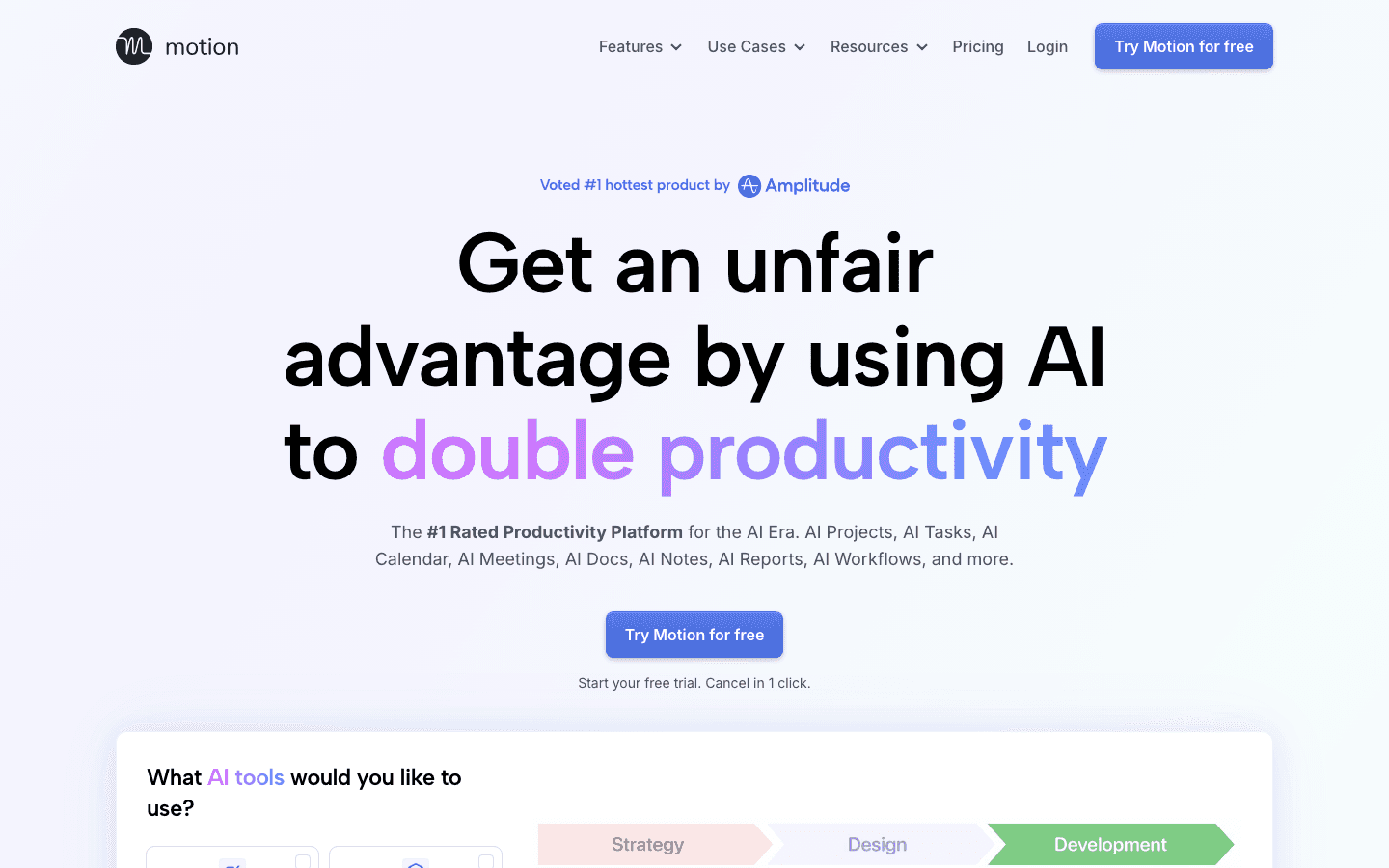
Motion built its reputation by promising to eliminate the mental work of prioritizing your day. You add tasks with deadlines, and Motion's AI figures out where to put them, shifting things around as your day changes. The 2026 version added AI Chat for querying your schedule, AI-generated meeting agendas, and smarter project tracking.
It works well for professionals managing multiple projects with hard deadlines. The auto-scheduling engine is genuinely capable, and the meeting assistant saves real time. Where Motion falls short is anything involving subjective prioritization. It treats all tasks as equal once they're past their deadline, and it has no concept of when you do your best thinking.
Key Features
AI auto-scheduling with real-time rescheduling
AI Projects and Tasks for deadline-driven planning
AI Calendar and Meeting summaries
Team capacity planning (Business tier)
What Works
Best pure scheduling automation of any app on this list
Meeting assistant reduces prep time significantly
Strong project management features at the Business tier
Limitations
No energy awareness; schedules by time availability only
Expensive for individuals: $19/month is steep with no free tier
Steep learning curve; setup takes longer than competitors
Pricing: $19/month (Pro AI) or $29/month (Business AI). Annual billing saves ~33%. No free plan.
Best for: Professionals and small teams managing deadline-driven projects who want maximum automation.
3. Akiflow
A unified command center for tasks and calendar, built for people who live in their inbox.
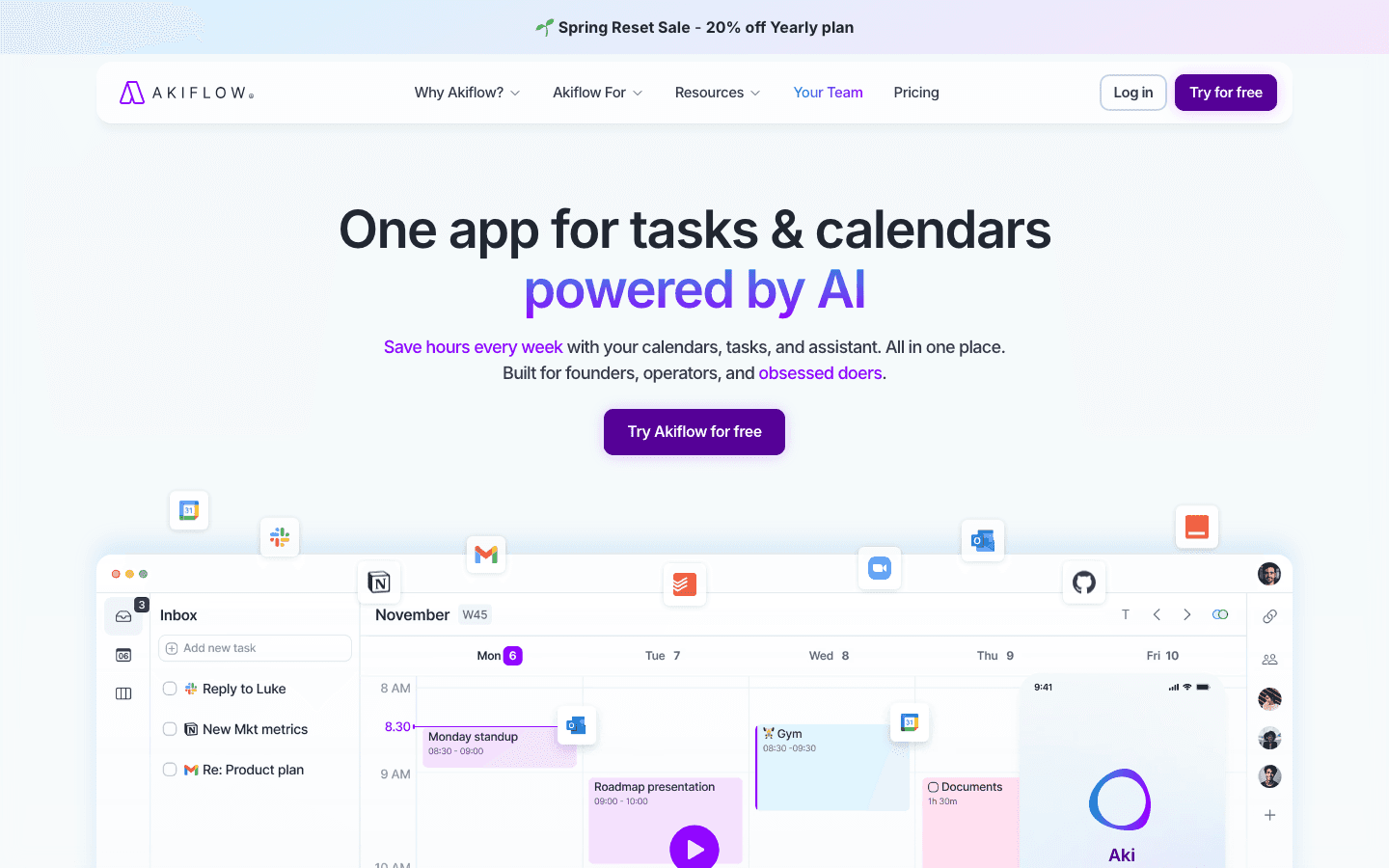
Akiflow positions itself as a single place to capture and schedule everything. It pulls tasks from Gmail, Slack, Asana, Linear, and a dozen other tools into one inbox, then lets you time-block them directly onto your calendar. The experience is fast, with power-user shortcuts everywhere, and the integrations are genuinely deep.
The new Aki AI assistant added in recent updates handles rescheduling, task breakdown, and natural language commands. It is a strong addition, though it still lacks the energy-awareness that separates scheduling tools from true planning tools. See our Akiflow alternatives guide if you're evaluating options in this space.
Key Features
Universal inbox pulling from 50+ integrations
Time-blocking directly on Google Calendar or Outlook
Aki AI assistant for scheduling and task management
Keyboard-first design with extensive shortcuts
What Works
Best integration breadth of any tool on this list
Fast, keyboard-driven workflow feels genuinely productive
Solid mobile app that mirrors desktop capabilities
Limitations
No energy awareness; blocks time without context about cognitive demand
Expensive: $34/month on monthly billing
Primarily a Mac and Windows app; web version is secondary
Pricing: $19/month (billed annually) or $34/month. 7-day free trial.
Best for: Power users who work across many tools and want everything consolidated into one scheduling interface.
4. Notion
The all-in-one workspace that keeps expanding, now with autonomous AI agents.
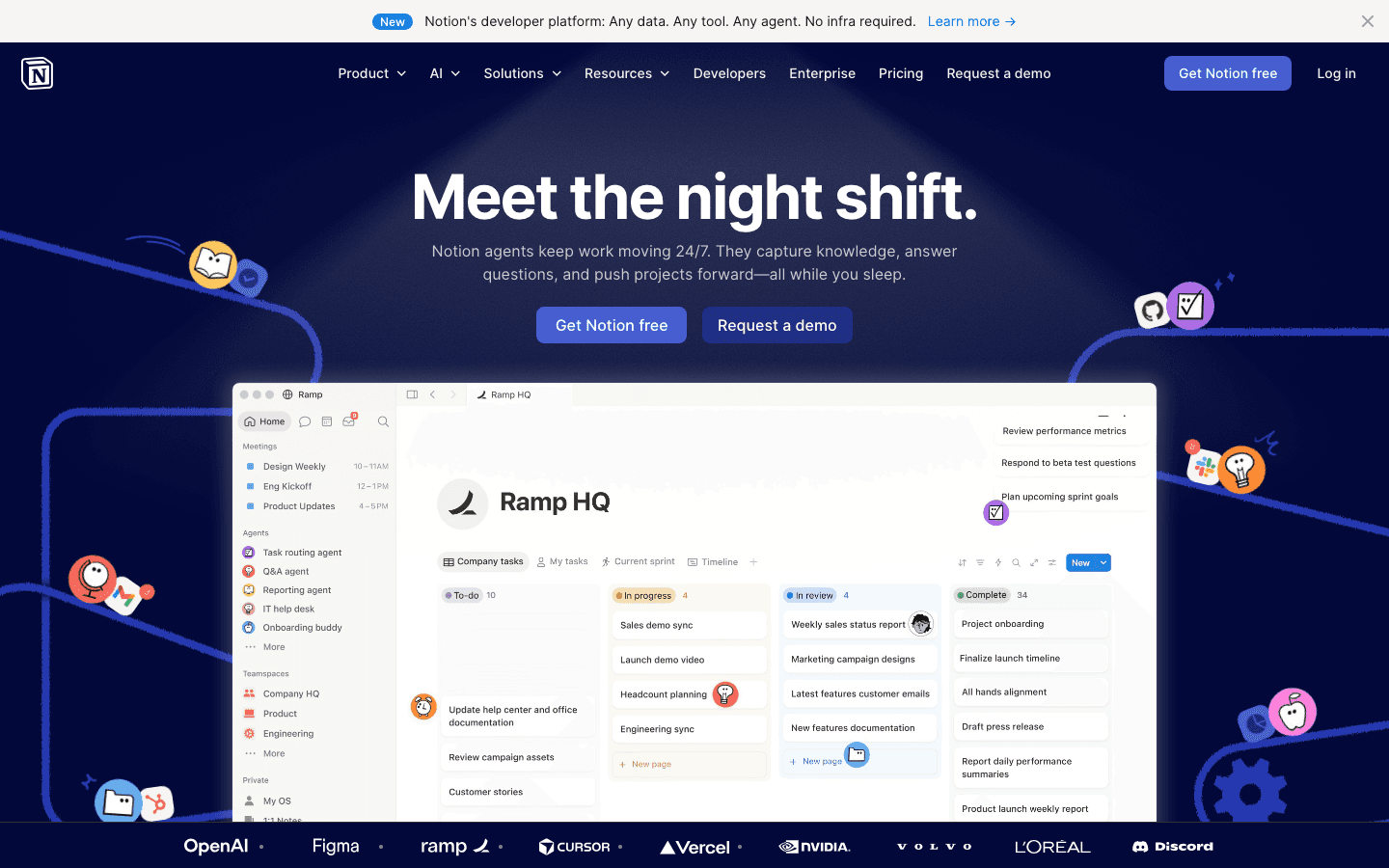
Notion's 2026 update is its biggest since the original AI writing assistant. The platform now supports AI agents that can run tasks autonomously: summarizing documents, filing information into databases, and triggering workflows while you sleep. For teams already living in Notion, this is significant. For individual productivity users, it is powerful but potentially overkill.
Notion works best as a knowledge and project hub rather than a daily planner. It has no native scheduling or auto-prioritization engine, which means you're still making all the calls manually. The organizational tools are excellent, but the daily execution layer is missing. Most serious users pair Notion with a dedicated task or calendar app.
Key Features
AI agents for autonomous task execution
Databases, wikis, docs, and project boards in one workspace
Extensive template library
API and 100+ integrations
What Works
Unmatched flexibility; you can build almost any system you need
New AI agents are genuinely capable for knowledge work
Free plan is generous for individuals
Limitations
No energy awareness or smart scheduling
Requires significant setup to become a real productivity system
Not a calendar app; needs pairing with a scheduling tool for daily execution
Pricing: Free. Plus plan at $10/month per member. Business at $20/month per member.
Best for: Teams and knowledge workers who need a shared workspace, wiki, and project system, not a daily task scheduler.
5. Todoist
The task manager that has stayed useful for 15+ years without getting complicated.
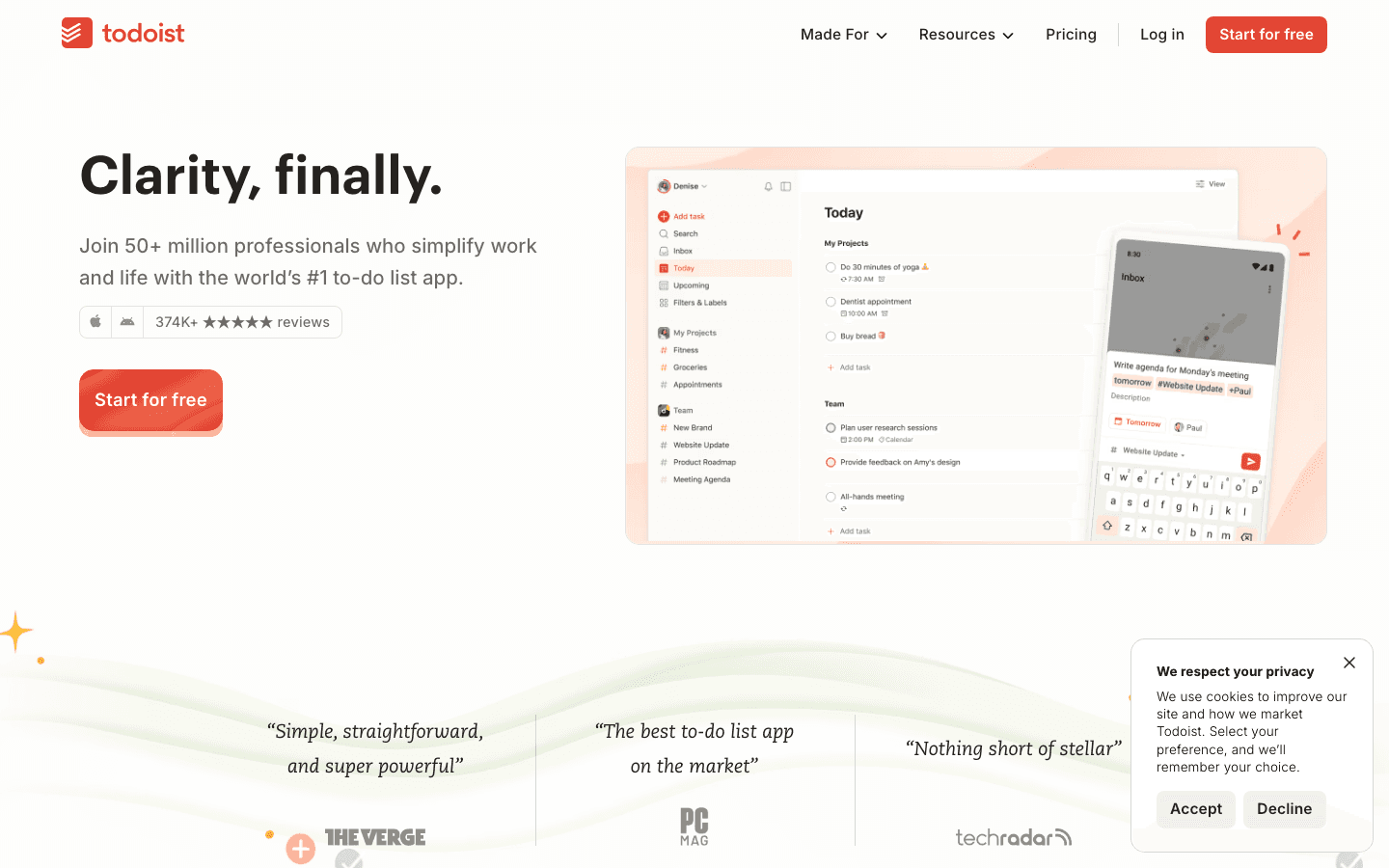
Todoist remains one of the most reliable task managers available. The natural language input is still best-in-class: type "submit report Thursday at 3pm" and it captures the task, date, and time correctly. The 2026 update added Task Assist (AI suggestions for breaking down complex tasks) and Ramble (a voice-to-task feature that converts spoken thoughts into organized task lists).
It is not a scheduling tool. Todoist manages what you need to do; it does not tell you when to do it or adapt to your energy. For people who want a clean, fast list app that works everywhere and stays out of the way, it is hard to beat. Check our guide to staying on task for tips on using task managers effectively.
Key Features
Natural language task entry with date and time parsing
Task Assist AI for task breakdown and suggestions
Ramble voice-to-task capture
300 projects on Pro, with filters, labels, and reminders
What Works
Best natural language input of any app on this list
Genuinely cross-platform; equally good on web, iOS, Android, and desktop
Free plan is useful; Pro plan is affordable at $5/month
Limitations
No calendar integration for scheduling tasks; list only
No energy awareness or AI auto-scheduling
Collaboration features are limited compared to project management tools
Pricing: Free forever. Pro at $12/month (monthly) or ~$10/month billed annually. Business pricing available.
Best for: Anyone who wants a fast, friction-free task list that works on every device without needing a scheduling system.
6. Sunsama
A daily planner designed around sustainable work, for people who take burnout seriously.
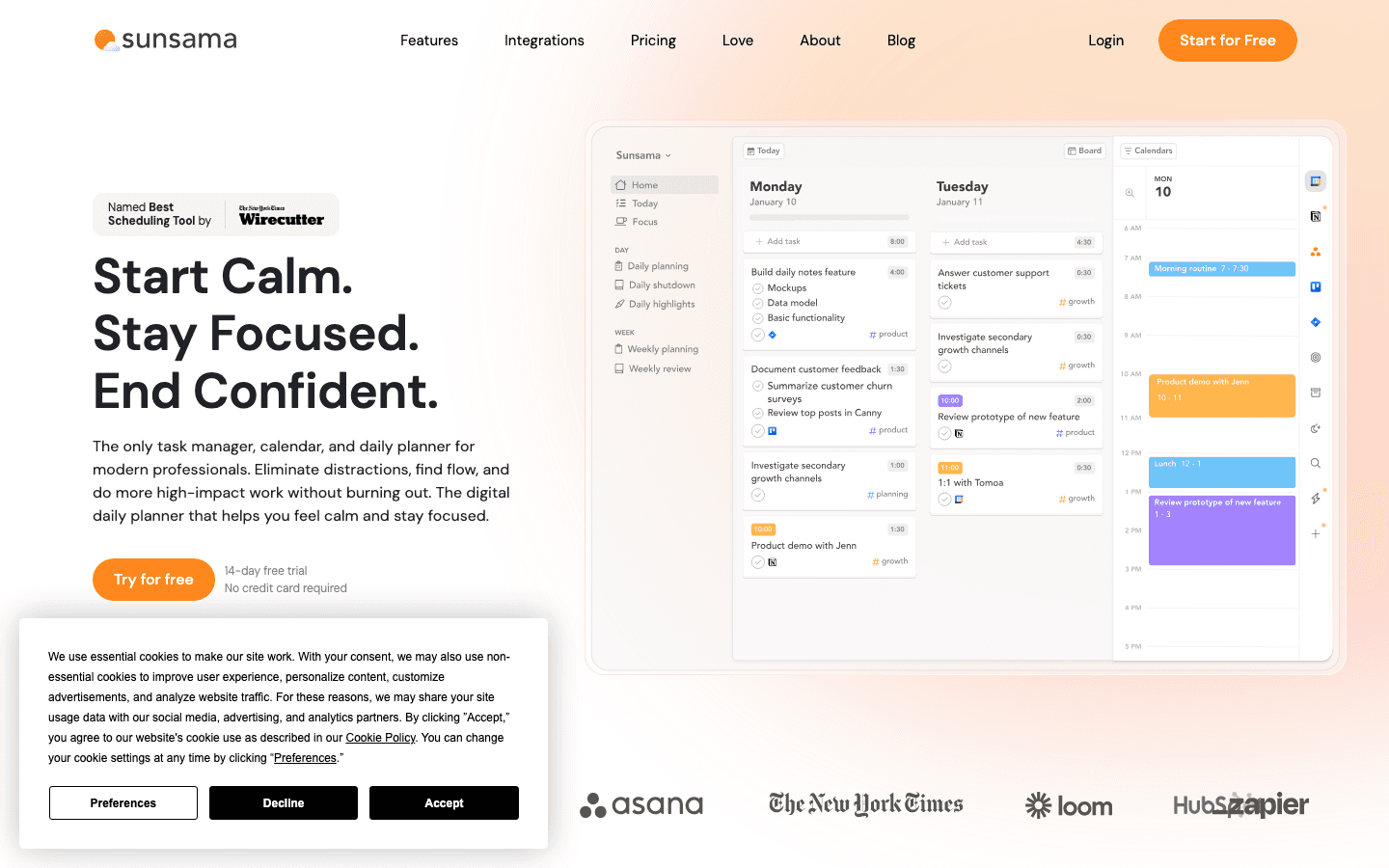
Sunsama is different from every other app on this list. It has no AI auto-scheduling. Instead, it guides you through a daily planning ritual each morning: review what came in overnight, pull tasks from your connected tools, and build a realistic day with time estimates. The philosophy is intentional focus over maximum throughput.
For people who have burned out from aggressive scheduling tools that pack every hour, Sunsama's slower rhythm is genuinely restorative. The integration with Asana, Linear, GitHub, and Slack means you can pull real work items into your daily plan without switching apps. If you're exploring alternatives, see our Sunsama alternatives guide for a full comparison.
Key Features
Guided daily planning ritual with time estimation
Pull tasks from Asana, Linear, GitHub, Jira, Slack, and more
Weekly review for reflection and forward planning
Time tracking built into the daily plan
What Works
The planning ritual creates real daily focus, something automated tools can't replicate
Best integration depth for engineering and product teams
Strong weekly review that most users stick with long-term
Limitations
No AI auto-scheduling; everything is manual
No energy awareness
At $22/month, expensive for what is essentially a daily planner
Pricing: $22/month or $17/month billed annually. 14-day free trial, no credit card required.
Best for: Knowledge workers, developers, and founders who want intentional daily planning over automated scheduling.
Which Productivity Tool Is Right for You?
You have ADHD or uneven energy throughout the day: Lifestack. Nothing else accounts for cognitive capacity the way it does. See our ADHD task initiation guide for context on why this matters.
You manage deadline-driven projects and want maximum automation: Motion. Set your tasks, set your deadlines, and let the AI handle the rest.
You live across Gmail, Slack, and five other tools: Akiflow. The universal inbox is its genuine superpower.
You need a shared knowledge base and project system for a team: Notion. But pair it with a scheduling tool for daily execution.
You want a simple, fast task list that works everywhere: Todoist. The free plan alone is worth having.
You've burned out on aggressive scheduling and want intentional daily planning: Sunsama. The ritual is the product.
Frequently Asked Questions
What are the best productivity tools updated for 2026?
The top options this year are Lifestack (energy-aware AI scheduling), Motion (autonomous task scheduling), Akiflow (unified task and calendar inbox), Notion (AI agents for knowledge work), Todoist (fast task management), and Sunsama (intentional daily planning). Each covers a different need.
Which productivity app has the best AI scheduling in 2026?
Lifestack leads for AI scheduling in 2026 because it factors in your energy patterns, not just your available time slots. Motion is the strongest option for pure deadline-based automation. Both reschedule automatically when plans change.
Is there a free productivity app worth using in 2026?
Todoist has the best free plan: five projects, smart quick add, reminders, and integrations with no time limit. Notion's free plan is also useful for individuals. Most AI-powered schedulers like Lifestack and Motion require a paid subscription.
What productivity tools work well for ADHD?
Lifestack is the top recommendation for ADHD. Its energy-aware scheduling and low-friction capture are specifically suited to how ADHD brains work. Todoist is also popular because natural language input removes the friction of formal task entry. See our ADHD time management apps guide for a deeper breakdown.
How is Lifestack different from Motion in 2026?
Both apps do AI auto-scheduling, but the core difference is what they optimize for. Motion schedules based on deadlines and available time. Lifestack schedules based on when you have the cognitive energy to do each type of work. For most individuals, especially those with variable focus, Lifestack's approach produces a more sustainable daily plan.
Are productivity apps worth the subscription cost in 2026?
For professionals who bill by the hour or manage complex projects, a $5-$20/month subscription pays for itself quickly. The key is matching the tool to your actual workflow. A $19/month scheduling app adds no value if your bottleneck is task capture, not calendar management. Start with Todoist's free plan to build the habit, then upgrade once you know what's missing.
The productivity app landscape shifted again in 2026.
AI scheduling went from novelty to expectation. Daily planner apps started pulling from your calendar, your task list, and your energy patterns to tell you not just what to do, but when to do it. The tools that did not adapt are already fading out.
We tested six apps that have meaningfully updated their approach this year. Some added AI assistants. Some rebuilt their scheduling engine. One rethought the category entirely by making energy the primary scheduling signal instead of time. This list covers what is actually worth your attention in 2026.
Each app was evaluated for real daily use: how well it handles calendar conflicts, whether it supports async workflows, how it performs on mobile, and whether it is genuinely useful for people who work with variable energy or ADHD. Pricing was verified directly from each app's pricing page.
Key Takeaways
AI-powered planners now go beyond reminders to actively reschedule your day when plans change.
Energy-aware scheduling is the 2026 differentiator: the best tools account for when you do your best work, not just when you have time.
Free tiers have gotten thinner across the board. If you want AI features, expect to pay.
Quick Guide
Lifestack: Energy-aware AI scheduler for ADHD and deep-work routines
Motion: Autonomous AI task scheduling for professionals
Akiflow: Unified task and calendar inbox for obsessive planners
Notion: All-in-one workspace with new AI agent features
Todoist: Dependable task manager with natural language input
Sunsama: Intentional daily planner focused on preventing burnout
How We Evaluated
AI scheduling quality: does it reschedule automatically or just suggest?
Energy and capacity awareness: does it account for how you feel, not just what's on the calendar?
Calendar and task integration depth
Mobile usability on iOS and Android
ADHD suitability: friction to capture tasks, visual clarity, cognitive load
Pricing transparency and value
1. Lifestack
The only productivity app that schedules around your energy, not just your time.
Lifestack takes a fundamentally different approach to scheduling. Instead of filling your calendar with tasks based on available time slots, it factors in your energy patterns to place the right work at the right moment. Deep-focus tasks go to your peak hours. Administrative work gets slotted into your low-energy windows. The result is a schedule that does not just fit your commitments. It fits how your brain actually works.
This makes Lifestack particularly effective for people with ADHD or anyone who has noticed that their productivity is not evenly distributed across the day. The app integrates with Google Calendar and pulls in tasks from your list, then builds a daily plan you can actually follow. When something changes, it reschedules automatically.
The drag-and-drop calendar interface is clean and low-friction. Capturing a new task takes seconds. The mobile app keeps the same logic running when you are away from your desk, so your schedule stays coherent across devices.
Key Features
Energy-pattern scheduling that places tasks at optimal times
AI auto-rescheduling when tasks run over or plans change
Google Calendar sync with full two-way integration
iOS and Android apps with offline support
Chrome extension for quick task capture from anywhere
What Works
Energy awareness is the most meaningful scheduling innovation of 2026. Nothing else does this
Very low friction to get started; calendar sync and first scheduled day happen in minutes
ADHD-friendly design: minimal visual noise, clear next-action focus
Limitations
No team collaboration or project management features
No free tier; paid from day one (7-day trial on annual plan)
Pricing: $7/month or $50/year ($4.17/month). Lifetime plan at $120.
Best for: Individuals with ADHD, deep-focus workers, and anyone who has tried time-blocking and found it did not hold up against real-world variability.
2. Motion
Autonomous AI scheduling for professionals who want their calendar managed for them.
Motion built its reputation by promising to eliminate the mental work of prioritizing your day. You add tasks with deadlines, and Motion's AI figures out where to put them, shifting things around as your day changes. The 2026 version added AI Chat for querying your schedule, AI-generated meeting agendas, and smarter project tracking.
It works well for professionals managing multiple projects with hard deadlines. The auto-scheduling engine is genuinely capable, and the meeting assistant saves real time. Where Motion falls short is anything involving subjective prioritization. It treats all tasks as equal once they're past their deadline, and it has no concept of when you do your best thinking.
Key Features
AI auto-scheduling with real-time rescheduling
AI Projects and Tasks for deadline-driven planning
AI Calendar and Meeting summaries
Team capacity planning (Business tier)
What Works
Best pure scheduling automation of any app on this list
Meeting assistant reduces prep time significantly
Strong project management features at the Business tier
Limitations
No energy awareness; schedules by time availability only
Expensive for individuals: $19/month is steep with no free tier
Steep learning curve; setup takes longer than competitors
Pricing: $19/month (Pro AI) or $29/month (Business AI). Annual billing saves ~33%. No free plan.
Best for: Professionals and small teams managing deadline-driven projects who want maximum automation.
3. Akiflow
A unified command center for tasks and calendar, built for people who live in their inbox.
Akiflow positions itself as a single place to capture and schedule everything. It pulls tasks from Gmail, Slack, Asana, Linear, and a dozen other tools into one inbox, then lets you time-block them directly onto your calendar. The experience is fast, with power-user shortcuts everywhere, and the integrations are genuinely deep.
The new Aki AI assistant added in recent updates handles rescheduling, task breakdown, and natural language commands. It is a strong addition, though it still lacks the energy-awareness that separates scheduling tools from true planning tools. See our Akiflow alternatives guide if you're evaluating options in this space.
Key Features
Universal inbox pulling from 50+ integrations
Time-blocking directly on Google Calendar or Outlook
Aki AI assistant for scheduling and task management
Keyboard-first design with extensive shortcuts
What Works
Best integration breadth of any tool on this list
Fast, keyboard-driven workflow feels genuinely productive
Solid mobile app that mirrors desktop capabilities
Limitations
No energy awareness; blocks time without context about cognitive demand
Expensive: $34/month on monthly billing
Primarily a Mac and Windows app; web version is secondary
Pricing: $19/month (billed annually) or $34/month. 7-day free trial.
Best for: Power users who work across many tools and want everything consolidated into one scheduling interface.
4. Notion
The all-in-one workspace that keeps expanding, now with autonomous AI agents.
Notion's 2026 update is its biggest since the original AI writing assistant. The platform now supports AI agents that can run tasks autonomously: summarizing documents, filing information into databases, and triggering workflows while you sleep. For teams already living in Notion, this is significant. For individual productivity users, it is powerful but potentially overkill.
Notion works best as a knowledge and project hub rather than a daily planner. It has no native scheduling or auto-prioritization engine, which means you're still making all the calls manually. The organizational tools are excellent, but the daily execution layer is missing. Most serious users pair Notion with a dedicated task or calendar app.
Key Features
AI agents for autonomous task execution
Databases, wikis, docs, and project boards in one workspace
Extensive template library
API and 100+ integrations
What Works
Unmatched flexibility; you can build almost any system you need
New AI agents are genuinely capable for knowledge work
Free plan is generous for individuals
Limitations
No energy awareness or smart scheduling
Requires significant setup to become a real productivity system
Not a calendar app; needs pairing with a scheduling tool for daily execution
Pricing: Free. Plus plan at $10/month per member. Business at $20/month per member.
Best for: Teams and knowledge workers who need a shared workspace, wiki, and project system, not a daily task scheduler.
5. Todoist
The task manager that has stayed useful for 15+ years without getting complicated.
Todoist remains one of the most reliable task managers available. The natural language input is still best-in-class: type "submit report Thursday at 3pm" and it captures the task, date, and time correctly. The 2026 update added Task Assist (AI suggestions for breaking down complex tasks) and Ramble (a voice-to-task feature that converts spoken thoughts into organized task lists).
It is not a scheduling tool. Todoist manages what you need to do; it does not tell you when to do it or adapt to your energy. For people who want a clean, fast list app that works everywhere and stays out of the way, it is hard to beat. Check our guide to staying on task for tips on using task managers effectively.
Key Features
Natural language task entry with date and time parsing
Task Assist AI for task breakdown and suggestions
Ramble voice-to-task capture
300 projects on Pro, with filters, labels, and reminders
What Works
Best natural language input of any app on this list
Genuinely cross-platform; equally good on web, iOS, Android, and desktop
Free plan is useful; Pro plan is affordable at $5/month
Limitations
No calendar integration for scheduling tasks; list only
No energy awareness or AI auto-scheduling
Collaboration features are limited compared to project management tools
Pricing: Free forever. Pro at $12/month (monthly) or ~$10/month billed annually. Business pricing available.
Best for: Anyone who wants a fast, friction-free task list that works on every device without needing a scheduling system.
6. Sunsama
A daily planner designed around sustainable work, for people who take burnout seriously.
Sunsama is different from every other app on this list. It has no AI auto-scheduling. Instead, it guides you through a daily planning ritual each morning: review what came in overnight, pull tasks from your connected tools, and build a realistic day with time estimates. The philosophy is intentional focus over maximum throughput.
For people who have burned out from aggressive scheduling tools that pack every hour, Sunsama's slower rhythm is genuinely restorative. The integration with Asana, Linear, GitHub, and Slack means you can pull real work items into your daily plan without switching apps. If you're exploring alternatives, see our Sunsama alternatives guide for a full comparison.
Key Features
Guided daily planning ritual with time estimation
Pull tasks from Asana, Linear, GitHub, Jira, Slack, and more
Weekly review for reflection and forward planning
Time tracking built into the daily plan
What Works
The planning ritual creates real daily focus, something automated tools can't replicate
Best integration depth for engineering and product teams
Strong weekly review that most users stick with long-term
Limitations
No AI auto-scheduling; everything is manual
No energy awareness
At $22/month, expensive for what is essentially a daily planner
Pricing: $22/month or $17/month billed annually. 14-day free trial, no credit card required.
Best for: Knowledge workers, developers, and founders who want intentional daily planning over automated scheduling.
Which Productivity Tool Is Right for You?
You have ADHD or uneven energy throughout the day: Lifestack. Nothing else accounts for cognitive capacity the way it does. See our ADHD task initiation guide for context on why this matters.
You manage deadline-driven projects and want maximum automation: Motion. Set your tasks, set your deadlines, and let the AI handle the rest.
You live across Gmail, Slack, and five other tools: Akiflow. The universal inbox is its genuine superpower.
You need a shared knowledge base and project system for a team: Notion. But pair it with a scheduling tool for daily execution.
You want a simple, fast task list that works everywhere: Todoist. The free plan alone is worth having.
You've burned out on aggressive scheduling and want intentional daily planning: Sunsama. The ritual is the product.
Frequently Asked Questions
What are the best productivity tools updated for 2026?
The top options this year are Lifestack (energy-aware AI scheduling), Motion (autonomous task scheduling), Akiflow (unified task and calendar inbox), Notion (AI agents for knowledge work), Todoist (fast task management), and Sunsama (intentional daily planning). Each covers a different need.
Which productivity app has the best AI scheduling in 2026?
Lifestack leads for AI scheduling in 2026 because it factors in your energy patterns, not just your available time slots. Motion is the strongest option for pure deadline-based automation. Both reschedule automatically when plans change.
Is there a free productivity app worth using in 2026?
Todoist has the best free plan: five projects, smart quick add, reminders, and integrations with no time limit. Notion's free plan is also useful for individuals. Most AI-powered schedulers like Lifestack and Motion require a paid subscription.
What productivity tools work well for ADHD?
Lifestack is the top recommendation for ADHD. Its energy-aware scheduling and low-friction capture are specifically suited to how ADHD brains work. Todoist is also popular because natural language input removes the friction of formal task entry. See our ADHD time management apps guide for a deeper breakdown.
How is Lifestack different from Motion in 2026?
Both apps do AI auto-scheduling, but the core difference is what they optimize for. Motion schedules based on deadlines and available time. Lifestack schedules based on when you have the cognitive energy to do each type of work. For most individuals, especially those with variable focus, Lifestack's approach produces a more sustainable daily plan.
Are productivity apps worth the subscription cost in 2026?
For professionals who bill by the hour or manage complex projects, a $5-$20/month subscription pays for itself quickly. The key is matching the tool to your actual workflow. A $19/month scheduling app adds no value if your bottleneck is task capture, not calendar management. Start with Todoist's free plan to build the habit, then upgrade once you know what's missing.



FOLLOW ON
FOLLOW ON
FOLLOW ON


Copyright 2026 © Lifestack. All rights reserved
Copyright 2026 © Lifestack. All rights reserved

