
App
Best Reminder Apps for Android in 2026: 6 Picks
Best Reminder Apps for Android in 2026: 6 Picks
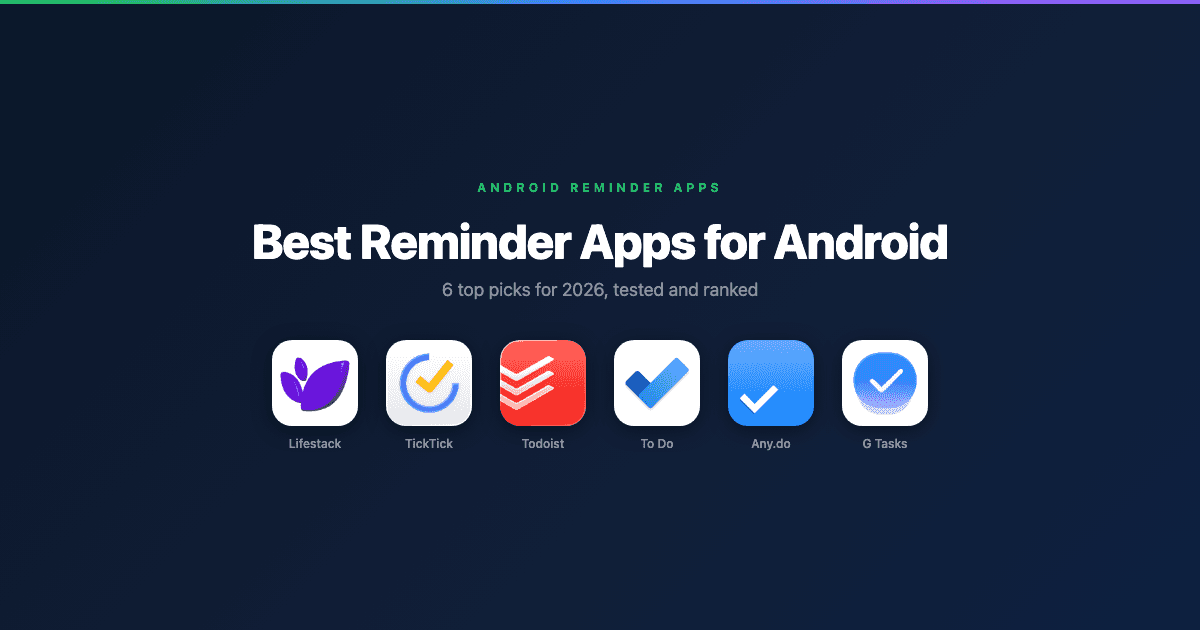
Android has more reminder apps than you'll ever need. The hard part isn't finding one, it's finding one that actually fits how you work. The default options are fine for grocery lists. But if you're managing tasks with deadlines, recurring obligations, or a calendar that's already overloaded, you need something more deliberate.
We tested the six best reminder applications available on Android in 2026, evaluating each one on notification reliability, recurring task handling, calendar integration, widget quality, and overall friction to set up and use. The list covers a range of use cases and price points, from free tools built into Google's ecosystem to AI-powered schedulers designed around your energy levels.
All apps tested on Android in June 2026. Pricing verified at time of publication.
Key Takeaways
Lifestack is the best reminder app for Android users who want their tasks automatically scheduled around their energy levels, not just listed.
TickTick and Todoist are the strongest general-purpose options with excellent Android notification systems.
Google Tasks and Microsoft To Do are the best free picks for users already in Google or Microsoft ecosystems.
Quick Guide: Best Reminder Apps for Android
Lifestack: Best for energy-aware scheduling and AI-planned days
TickTick: Best all-in-one with calendar view and habit tracking
Todoist: Best for power users with complex project structures
Microsoft To Do: Best free option for Microsoft 365 users
Any.do: Best for simple reminders with voice input
Google Tasks: Best for Gmail and Google Calendar integration
How We Evaluated
Notification reliability on Android (do reminders actually fire on time?)
Recurring reminder flexibility (daily, weekly, custom intervals)
Calendar and Google integration depth
Widget quality and home screen usability
Offline functionality
Pricing and free tier limitations
1. Lifestack: Best Energy-Aware Reminder App for Android
The only Android reminder app that schedules tasks around your energy levels.

Most reminder apps tell you what to do. Lifestack tells you when to do it, based on your personal energy patterns throughout the day. Instead of setting a reminder for 2pm because that's when you happened to think of the task, Lifestack places it during a window when you're most likely to actually get it done. For Android users managing a full day of cognitive work, that distinction matters more than any feature list.
The Android app integrates with Google Calendar and your existing task list, so there's no migration required. Reminders fire reliably through Android's notification system, and the widget gives you a clean view of what's coming up without opening the app.
AI-driven day planning that adapts to your energy levels
Google Calendar sync with two-way task integration
Android home screen widget with daily plan view
Smart task prioritization based on deadline and energy match
Works alongside ${a('/blog/apps-to-use-with-google-tasks', 'Google Tasks')} as a scheduling layer
What Works: Energy-aware scheduling is genuinely useful, not gimmicky. Tasks placed in the right energy window get done more often than tasks with arbitrary reminder times.
Limitations: More complex than a simple checklist app. Users who just need basic reminder pings may find the planning features unnecessary.
Pricing: $7/month, $50/year (7-day free trial on annual plan), or $120 lifetime.
Best for: Android users who want their day planned intelligently, not just reminded of tasks.
2. TickTick: Best All-in-One Reminder App
Calendar, habits, and reminders in one of the cleanest Android apps available.
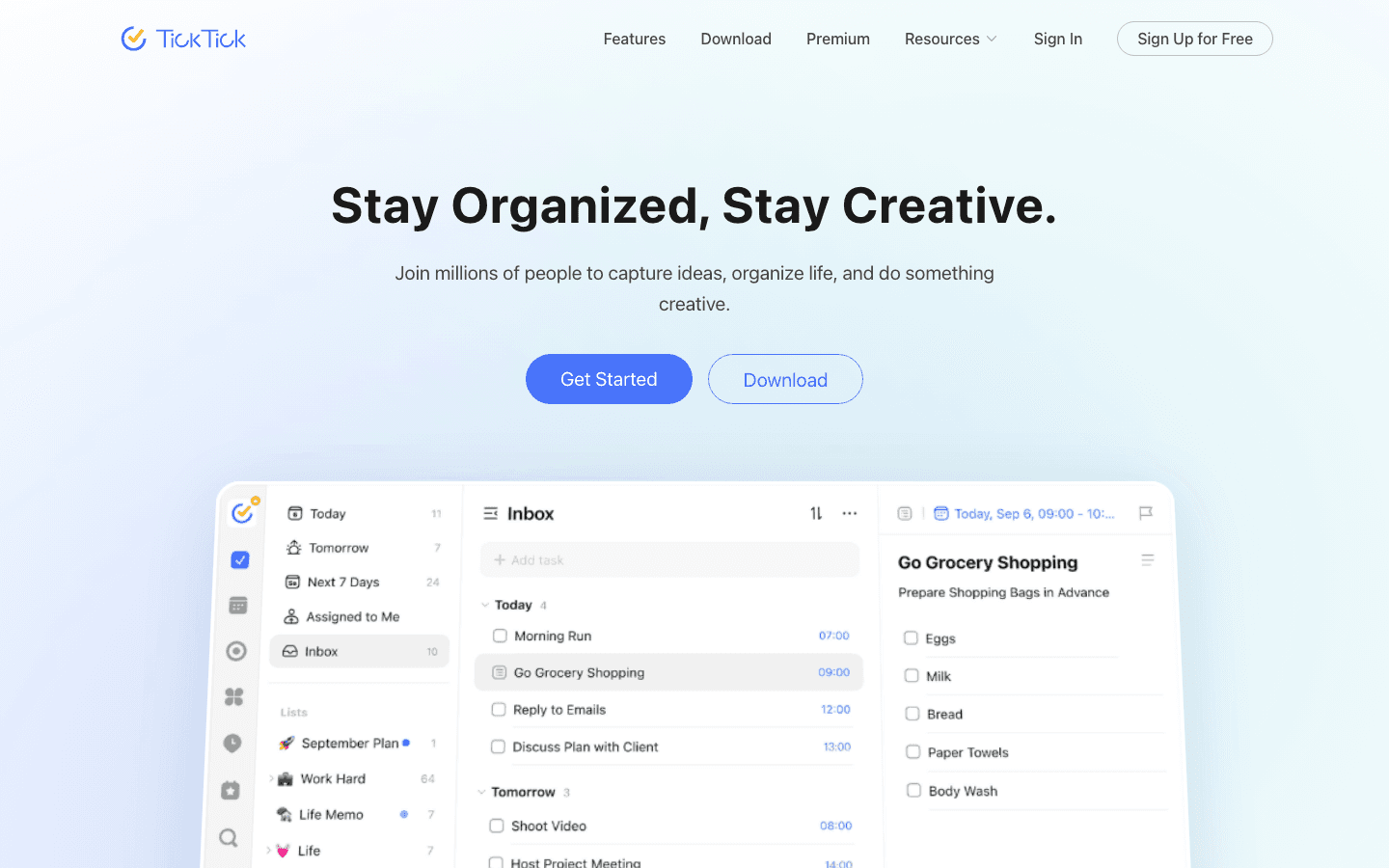
TickTick combines a task manager, calendar, and habit tracker in an app that actually runs well on Android. Reminders are reliable, the widget is one of the best in this category, and the calendar view makes it easy to see how tasks fit into your actual schedule rather than living in an isolated list.
The free tier is generous. For most users managing personal task loads, it covers everything needed. Premium adds features like calendar subscription syncing, custom smart lists, and the Pomodoro timer integration that turns TickTick into a full productivity environment.
Multiple reminder times per task
Built-in calendar view with task overlay
Habit tracking alongside task reminders
Location-based reminders on Premium
Excellent Android widget with today's tasks
Limitations: No energy-aware scheduling. The habit tracker adds value but can clutter the interface if you're not using it.
Pricing: Free tier available. Premium $2.99/month or $35.99/year.
Best for: Users who want a capable free reminder app with solid calendar integration on Android.
3. Todoist: Best for Power Users
The most powerful task structure of any reminder app on Android.
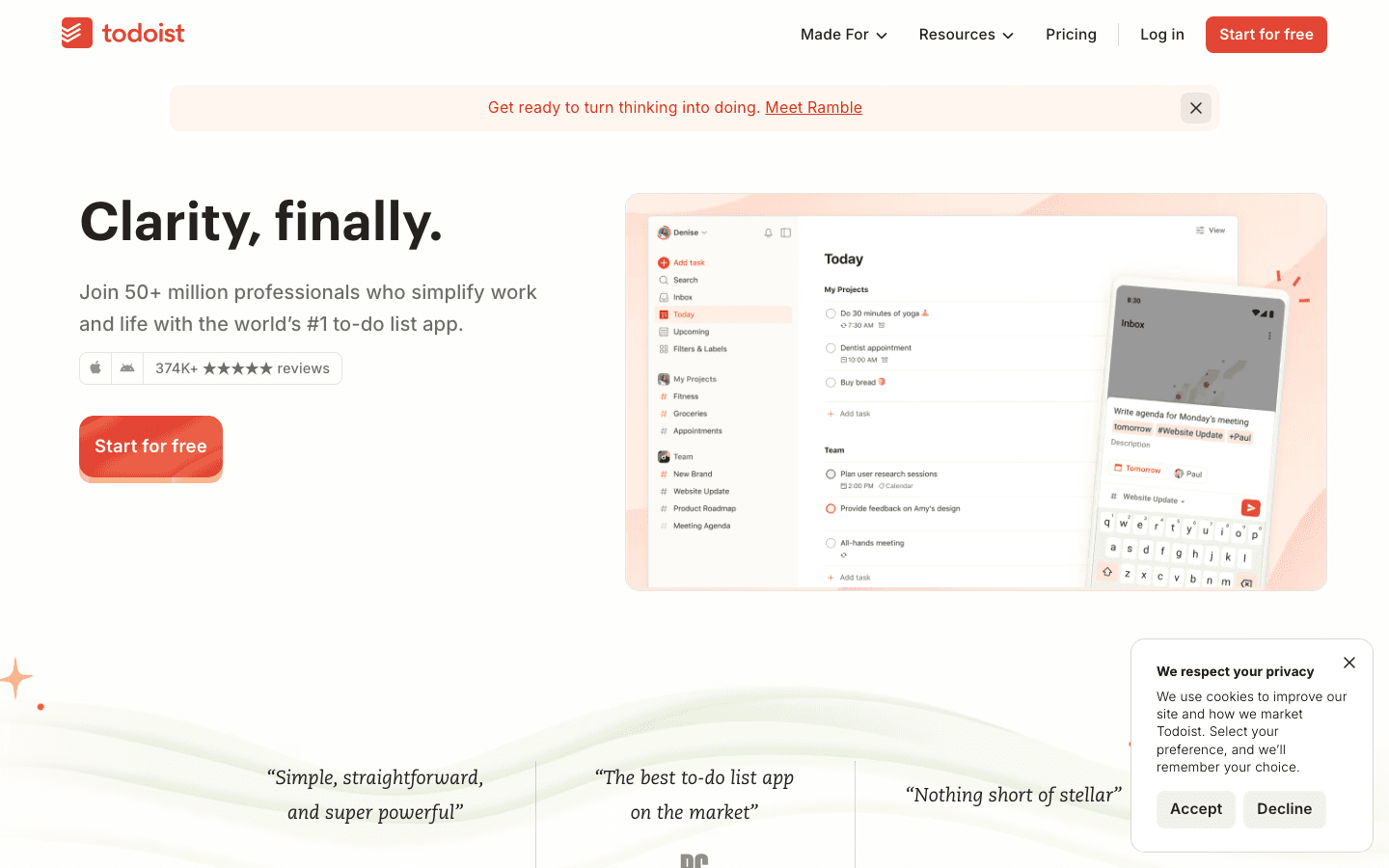
Todoist has been the gold standard for task management on Android for years. Its natural language input ("every Tuesday at 9am") makes setting reminders fast, and its project hierarchy handles complex workflows that simpler apps can't organize. Paired with other tools, Todoist becomes the backbone of a full task system.
The Android app is polished and reliable. Notifications fire on time, the widget is functional, and Google Assistant integration allows hands-free task creation. The free tier now restricts reminders to Pro subscribers, which changes the calculus for users who primarily want reminder functionality.
Natural language task entry with time recognition
Project and sub-task hierarchy for complex work
Google Calendar and Assistant integration
Priority levels that filter into smart views
Collaborative task sharing with due date reminders
Limitations: Reminders are a Pro-only feature. No energy-aware scheduling. No energy or energy context built into the interface.
Pricing: Free tier (no reminders). Pro $7/month or approximately $5/month billed annually.
Best for: Power users managing complex projects who need strong task hierarchy with solid Android reminders.
4. Microsoft To Do: Best Free Option for Microsoft Users
A clean, free reminder app that earns its place if you're in the Microsoft ecosystem.
Microsoft To Do is free, well-designed, and deeply integrated with Microsoft 365. If your work calendar runs on Outlook, your tasks sync automatically and To Do connects natively with Teams, OneNote, and the rest of the Microsoft suite. Reminders are reliable, the My Day view surfaces the right tasks each morning, and the list-based interface is immediately intuitive.
The Intelligent Suggestions feature draws from flagged Outlook emails and tasks to auto-populate your My Day list, which is a genuine time-saver for users processing high email volume. The Android app runs smoothly and includes a useful home screen widget.
Free with no feature restrictions
Tight Outlook and Microsoft 365 integration
Intelligent Suggestions from flagged emails
My Day view with curated daily task list
Shared lists and family reminder lists
Limitations: Best value is locked to Microsoft ecosystem users. Limited calendar integration for Google Calendar users. No energy-aware scheduling.
Pricing: Free. Included with Microsoft 365.
Best for: Android users already in the Microsoft 365 ecosystem who want a well-designed, free reminder app.
5. Any.do: Best for Simple Voice Reminders
Fast setup, voice input, and a clean interface for users who want reminders without complexity.
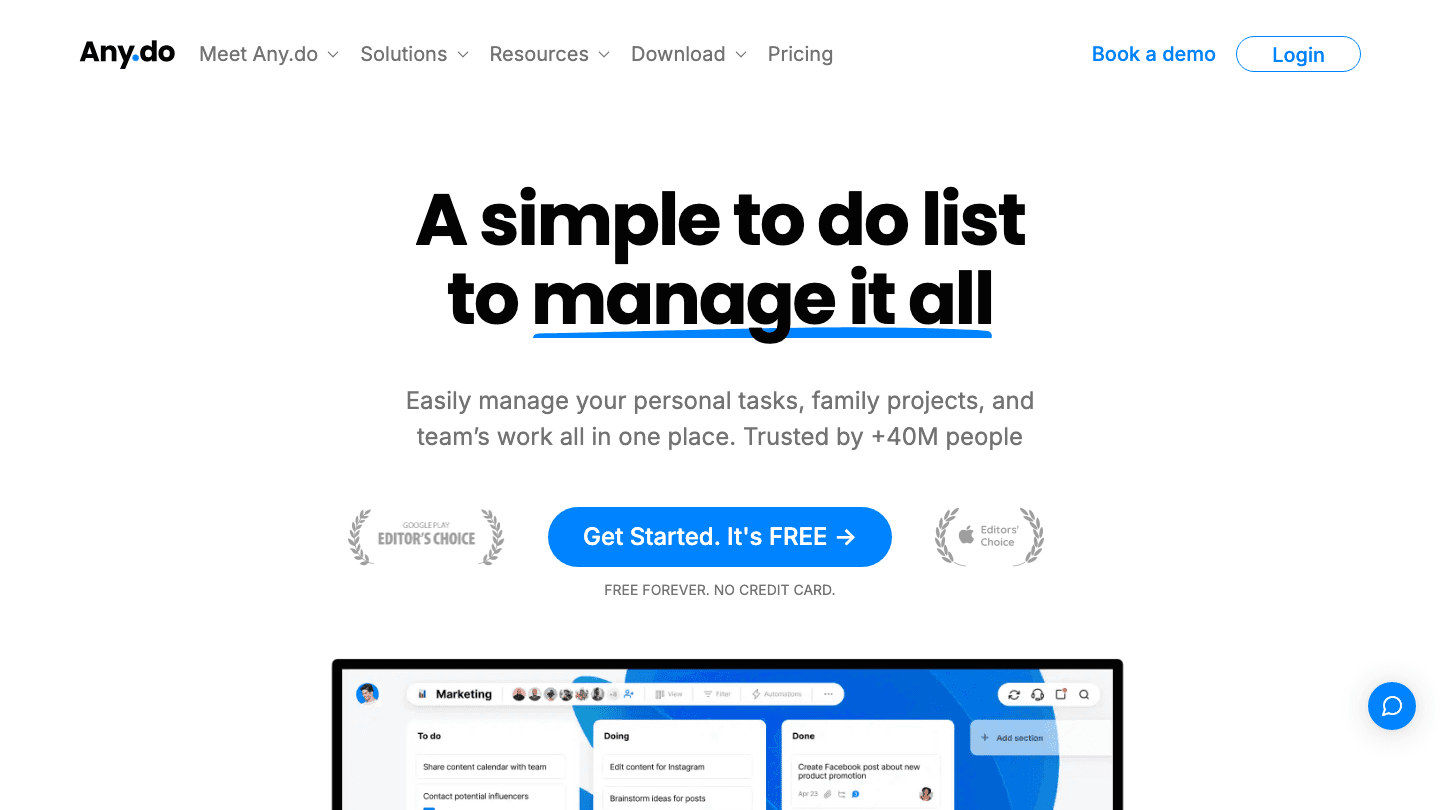
Any.do is designed for users who want reminders without a learning curve. The interface is minimal, voice input works well for quick task capture, and the daily planner view surfaces your schedule in a clean timeline. Location-based reminders are a standout feature for users who want context-aware alerts.
The free tier is functional for basic use. Premium unlocks location-based reminders, advanced recurring options (like "every third Monday"), and the WhatsApp integration that lets you create reminders from conversations. The Android widget is clean but minimal compared to TickTick's.
Voice input for fast task capture
Location-based reminders on Premium
Daily planner view with calendar overlay
WhatsApp reminder integration (Premium)
Clean widget for daily overview
Limitations: Less task structure than Todoist or TickTick. Some advanced recurrence options require Premium. No energy-aware scheduling.
Pricing: Free tier available. Premium $2.99/month billed annually or $7.99/month.
Best for: Users who want a simple, voice-friendly reminder app with location-awareness.
6. Google Tasks: Best for Google Ecosystem Integration
Free, reliable, and built right into Gmail and Google Calendar.
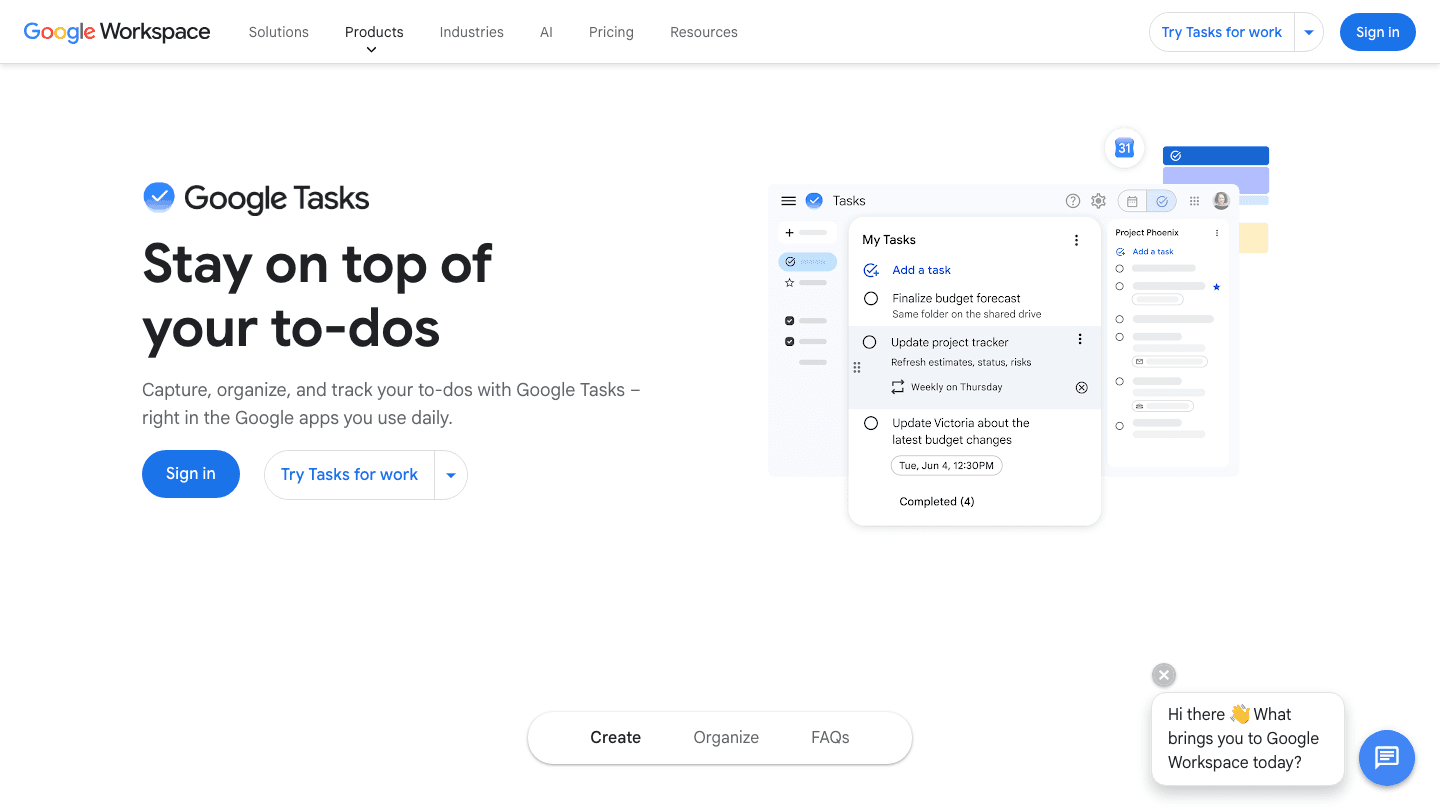
Google Tasks earns its place through integration, not features. It lives inside Gmail and Google Calendar on Android, which means there's no context-switching required to add a reminder from an email or check what's due while reviewing your schedule. Used alongside other Google apps, it functions as a lightweight reminder layer with zero overhead.
The Android app and widget are minimal but reliable. Reminders created in Google Tasks appear on your Google Calendar, making it easy to see task deadlines alongside meetings. It doesn't do recurring reminders, subtasks, or notes in the same way as TickTick or Todoist, but for straightforward task capture it's frictionless.
Built into Gmail and Google Calendar on Android
Tasks appear as reminders on Google Calendar
Subtasks and due dates supported
Zero cost, no account required beyond Google
Syncs across all devices instantly
Limitations: Very limited feature set. No recurring reminders or energy-aware scheduling. Best as a supplementary tool rather than a primary task manager.
Pricing: Free. Included with Google account.
Best for: Light users who want reminders integrated directly into Gmail and Google Calendar without adding a new app.
Which Android Reminder App Is Right for You?
Want AI-scheduled reminders based on your energy: Lifestack
Want the best all-around free app: TickTick
Managing complex projects with many tasks: Todoist
Already use Microsoft 365 at work: Microsoft To Do
Want voice reminders and location triggers: Any.do
Just need tasks inside Gmail and Google Calendar: Google Tasks
Frequently Asked Questions
What is the best reminder app for Android?
The best reminder app depends on your use case. For energy-aware AI scheduling that plans your whole day, Lifestack is the top pick. For a capable free app with calendar integration, TickTick leads the field. For users in Google Workspace, Google Tasks offers frictionless integration at no cost.
Are reminder apps free on Android?
Most reminder apps offer a free tier on Android. Google Tasks and Microsoft To Do are fully free. TickTick and Any.do have generous free tiers with premium upgrades available. Todoist's free tier no longer includes reminders. Lifestack starts at $7/month with a 7-day free trial on the annual plan.
How do I make sure Android reminders fire on time?
Android's battery optimization settings can delay or block reminder notifications for apps that aren't whitelisted. For any reminder app, go to Settings > Apps > [App Name] > Battery and set it to "Unrestricted." Also disable "Adaptive Battery" for reminder apps. This ensures notifications fire on schedule rather than being batched or deferred.
Can I use a reminder app with Google Calendar on Android?
Yes. TickTick, Todoist, Lifestack, and Google Tasks all offer Google Calendar integration on Android. Scheduling apps that integrate with Google Calendar let you see your tasks and meetings in one place and receive reminder notifications through the same system.
What's the difference between a reminder app and a task manager?
A reminder app focuses on alerting you at a specific time or location. A task manager focuses on organizing and prioritizing your work. Many apps combine both: TickTick, Todoist, and Lifestack are task managers with built-in reminder systems. The distinction matters when choosing: if you need sophisticated project organization, a task manager with reminders is a better fit than a simple reminder-only app.
Android has more reminder apps than you'll ever need. The hard part isn't finding one, it's finding one that actually fits how you work. The default options are fine for grocery lists. But if you're managing tasks with deadlines, recurring obligations, or a calendar that's already overloaded, you need something more deliberate.
We tested the six best reminder applications available on Android in 2026, evaluating each one on notification reliability, recurring task handling, calendar integration, widget quality, and overall friction to set up and use. The list covers a range of use cases and price points, from free tools built into Google's ecosystem to AI-powered schedulers designed around your energy levels.
All apps tested on Android in June 2026. Pricing verified at time of publication.
Key Takeaways
Lifestack is the best reminder app for Android users who want their tasks automatically scheduled around their energy levels, not just listed.
TickTick and Todoist are the strongest general-purpose options with excellent Android notification systems.
Google Tasks and Microsoft To Do are the best free picks for users already in Google or Microsoft ecosystems.
Quick Guide: Best Reminder Apps for Android
Lifestack: Best for energy-aware scheduling and AI-planned days
TickTick: Best all-in-one with calendar view and habit tracking
Todoist: Best for power users with complex project structures
Microsoft To Do: Best free option for Microsoft 365 users
Any.do: Best for simple reminders with voice input
Google Tasks: Best for Gmail and Google Calendar integration
How We Evaluated
Notification reliability on Android (do reminders actually fire on time?)
Recurring reminder flexibility (daily, weekly, custom intervals)
Calendar and Google integration depth
Widget quality and home screen usability
Offline functionality
Pricing and free tier limitations
1. Lifestack: Best Energy-Aware Reminder App for Android
The only Android reminder app that schedules tasks around your energy levels.
Most reminder apps tell you what to do. Lifestack tells you when to do it, based on your personal energy patterns throughout the day. Instead of setting a reminder for 2pm because that's when you happened to think of the task, Lifestack places it during a window when you're most likely to actually get it done. For Android users managing a full day of cognitive work, that distinction matters more than any feature list.
The Android app integrates with Google Calendar and your existing task list, so there's no migration required. Reminders fire reliably through Android's notification system, and the widget gives you a clean view of what's coming up without opening the app.
AI-driven day planning that adapts to your energy levels
Google Calendar sync with two-way task integration
Android home screen widget with daily plan view
Smart task prioritization based on deadline and energy match
Works alongside ${a('/blog/apps-to-use-with-google-tasks', 'Google Tasks')} as a scheduling layer
What Works: Energy-aware scheduling is genuinely useful, not gimmicky. Tasks placed in the right energy window get done more often than tasks with arbitrary reminder times.
Limitations: More complex than a simple checklist app. Users who just need basic reminder pings may find the planning features unnecessary.
Pricing: $7/month, $50/year (7-day free trial on annual plan), or $120 lifetime.
Best for: Android users who want their day planned intelligently, not just reminded of tasks.
2. TickTick: Best All-in-One Reminder App
Calendar, habits, and reminders in one of the cleanest Android apps available.
TickTick combines a task manager, calendar, and habit tracker in an app that actually runs well on Android. Reminders are reliable, the widget is one of the best in this category, and the calendar view makes it easy to see how tasks fit into your actual schedule rather than living in an isolated list.
The free tier is generous. For most users managing personal task loads, it covers everything needed. Premium adds features like calendar subscription syncing, custom smart lists, and the Pomodoro timer integration that turns TickTick into a full productivity environment.
Multiple reminder times per task
Built-in calendar view with task overlay
Habit tracking alongside task reminders
Location-based reminders on Premium
Excellent Android widget with today's tasks
Limitations: No energy-aware scheduling. The habit tracker adds value but can clutter the interface if you're not using it.
Pricing: Free tier available. Premium $2.99/month or $35.99/year.
Best for: Users who want a capable free reminder app with solid calendar integration on Android.
3. Todoist: Best for Power Users
The most powerful task structure of any reminder app on Android.
Todoist has been the gold standard for task management on Android for years. Its natural language input ("every Tuesday at 9am") makes setting reminders fast, and its project hierarchy handles complex workflows that simpler apps can't organize. Paired with other tools, Todoist becomes the backbone of a full task system.
The Android app is polished and reliable. Notifications fire on time, the widget is functional, and Google Assistant integration allows hands-free task creation. The free tier now restricts reminders to Pro subscribers, which changes the calculus for users who primarily want reminder functionality.
Natural language task entry with time recognition
Project and sub-task hierarchy for complex work
Google Calendar and Assistant integration
Priority levels that filter into smart views
Collaborative task sharing with due date reminders
Limitations: Reminders are a Pro-only feature. No energy-aware scheduling. No energy or energy context built into the interface.
Pricing: Free tier (no reminders). Pro $7/month or approximately $5/month billed annually.
Best for: Power users managing complex projects who need strong task hierarchy with solid Android reminders.
4. Microsoft To Do: Best Free Option for Microsoft Users
A clean, free reminder app that earns its place if you're in the Microsoft ecosystem.
Microsoft To Do is free, well-designed, and deeply integrated with Microsoft 365. If your work calendar runs on Outlook, your tasks sync automatically and To Do connects natively with Teams, OneNote, and the rest of the Microsoft suite. Reminders are reliable, the My Day view surfaces the right tasks each morning, and the list-based interface is immediately intuitive.
The Intelligent Suggestions feature draws from flagged Outlook emails and tasks to auto-populate your My Day list, which is a genuine time-saver for users processing high email volume. The Android app runs smoothly and includes a useful home screen widget.
Free with no feature restrictions
Tight Outlook and Microsoft 365 integration
Intelligent Suggestions from flagged emails
My Day view with curated daily task list
Shared lists and family reminder lists
Limitations: Best value is locked to Microsoft ecosystem users. Limited calendar integration for Google Calendar users. No energy-aware scheduling.
Pricing: Free. Included with Microsoft 365.
Best for: Android users already in the Microsoft 365 ecosystem who want a well-designed, free reminder app.
5. Any.do: Best for Simple Voice Reminders
Fast setup, voice input, and a clean interface for users who want reminders without complexity.
Any.do is designed for users who want reminders without a learning curve. The interface is minimal, voice input works well for quick task capture, and the daily planner view surfaces your schedule in a clean timeline. Location-based reminders are a standout feature for users who want context-aware alerts.
The free tier is functional for basic use. Premium unlocks location-based reminders, advanced recurring options (like "every third Monday"), and the WhatsApp integration that lets you create reminders from conversations. The Android widget is clean but minimal compared to TickTick's.
Voice input for fast task capture
Location-based reminders on Premium
Daily planner view with calendar overlay
WhatsApp reminder integration (Premium)
Clean widget for daily overview
Limitations: Less task structure than Todoist or TickTick. Some advanced recurrence options require Premium. No energy-aware scheduling.
Pricing: Free tier available. Premium $2.99/month billed annually or $7.99/month.
Best for: Users who want a simple, voice-friendly reminder app with location-awareness.
6. Google Tasks: Best for Google Ecosystem Integration
Free, reliable, and built right into Gmail and Google Calendar.
Google Tasks earns its place through integration, not features. It lives inside Gmail and Google Calendar on Android, which means there's no context-switching required to add a reminder from an email or check what's due while reviewing your schedule. Used alongside other Google apps, it functions as a lightweight reminder layer with zero overhead.
The Android app and widget are minimal but reliable. Reminders created in Google Tasks appear on your Google Calendar, making it easy to see task deadlines alongside meetings. It doesn't do recurring reminders, subtasks, or notes in the same way as TickTick or Todoist, but for straightforward task capture it's frictionless.
Built into Gmail and Google Calendar on Android
Tasks appear as reminders on Google Calendar
Subtasks and due dates supported
Zero cost, no account required beyond Google
Syncs across all devices instantly
Limitations: Very limited feature set. No recurring reminders or energy-aware scheduling. Best as a supplementary tool rather than a primary task manager.
Pricing: Free. Included with Google account.
Best for: Light users who want reminders integrated directly into Gmail and Google Calendar without adding a new app.
Which Android Reminder App Is Right for You?
Want AI-scheduled reminders based on your energy: Lifestack
Want the best all-around free app: TickTick
Managing complex projects with many tasks: Todoist
Already use Microsoft 365 at work: Microsoft To Do
Want voice reminders and location triggers: Any.do
Just need tasks inside Gmail and Google Calendar: Google Tasks
Frequently Asked Questions
What is the best reminder app for Android?
The best reminder app depends on your use case. For energy-aware AI scheduling that plans your whole day, Lifestack is the top pick. For a capable free app with calendar integration, TickTick leads the field. For users in Google Workspace, Google Tasks offers frictionless integration at no cost.
Are reminder apps free on Android?
Most reminder apps offer a free tier on Android. Google Tasks and Microsoft To Do are fully free. TickTick and Any.do have generous free tiers with premium upgrades available. Todoist's free tier no longer includes reminders. Lifestack starts at $7/month with a 7-day free trial on the annual plan.
How do I make sure Android reminders fire on time?
Android's battery optimization settings can delay or block reminder notifications for apps that aren't whitelisted. For any reminder app, go to Settings > Apps > [App Name] > Battery and set it to "Unrestricted." Also disable "Adaptive Battery" for reminder apps. This ensures notifications fire on schedule rather than being batched or deferred.
Can I use a reminder app with Google Calendar on Android?
Yes. TickTick, Todoist, Lifestack, and Google Tasks all offer Google Calendar integration on Android. Scheduling apps that integrate with Google Calendar let you see your tasks and meetings in one place and receive reminder notifications through the same system.
What's the difference between a reminder app and a task manager?
A reminder app focuses on alerting you at a specific time or location. A task manager focuses on organizing and prioritizing your work. Many apps combine both: TickTick, Todoist, and Lifestack are task managers with built-in reminder systems. The distinction matters when choosing: if you need sophisticated project organization, a task manager with reminders is a better fit than a simple reminder-only app.



FOLLOW ON
FOLLOW ON
FOLLOW ON


Copyright 2026 © Lifestack. All rights reserved
Copyright 2026 © Lifestack. All rights reserved

