
App
7 Best Structured Alternatives in 2026
7 Best Structured Alternatives in 2026
Structured is one of the more thoughtful daily planners on iOS. Its timeline view, clean animations, and focus on time-blocking have earned it a loyal following. But it has limits, and those limits are real enough that a lot of people eventually go looking for something else.
Structured is iOS-only, has no AI auto-scheduling, and doesn't pull tasks from external tools like Asana or Notion. For anyone who works across platforms, manages a high task volume, or wants an app that schedules their day automatically, Structured starts to feel too manual too fast.
We tested seven of the best scheduling apps across price points, AI capabilities, and use cases. Whether you're an ADHD user looking for visual structure, a team lead buried in tasks, or someone who just wants a free upgrade from Structured, there's an option here for you.
Key Takeaways
Lifestack is the best Structured alternative if you want AI scheduling that adapts around your energy, not just your available time slots.
Sorted³ is the best one-time-purchase pick with no recurring subscription fees.
Google Calendar is the best free option and the widest-supported calendar on the market.
Quick Guide: Best Structured Alternatives
1. Lifestack: Best for AI-powered, energy-aware daily planning
2. Motion: Best for heavy AI task automation and project management
3. Sunsama: Best for intentional, ritual-driven daily planning
4. Tiimo: Best for neurodivergent users who need visual structure
5. Sorted3: Best for manual hyper-schedulers who hate subscriptions
6. Fantastical: Best for Apple ecosystem users who want a premium calendar
7. Google Calendar: Best free, cross-platform starting point
How We Evaluated
AI scheduling: does the app plan your day automatically or require manual entry?
Energy and focus awareness: does it factor in your natural highs and lows?
Platform support: iOS only, or available on Android, Mac, and web?
Integrations: does it pull tasks from the tools you already use?
Pricing: fair value, and is there a free tier or trial?
Mobile experience: is it usable on the go, not just on desktop?
1. Lifestack: Best AI-Powered Structured Alternative
AI scheduling that adapts to your energy, not just your calendar.

Lifestack is an AI planner app built around one idea: your schedule should match your energy, not fight it. When you connect your calendars and task list, Lifestack's AI automatically maps your tasks to time slots where you're likely to be at your best, grouping deep work during high-focus windows and lighter tasks during your typical afternoon slump.
That energy-awareness is what separates Lifestack from every other app on this list. Structured lets you drag tasks onto a timeline manually. Lifestack reads your patterns and fills the timeline for you. The difference matters most for people who regularly run out of steam by 3pm and need a plan that accounts for that reality.
It's available on iOS, Android, and Chrome, which puts it well ahead of Structured on platform coverage. The ADHD daily planner crowd in particular has adopted it for the same reason: when your working memory is limited, having a system that handles scheduling decisions automatically removes a major source of friction.
Energy-aware AI auto-scheduling across your full task list
Syncs with Google Calendar, Outlook, and Apple Calendar
Available on iOS, Android, and Chrome extension
Automatic rescheduling when plans change during the day
What Works: The energy model genuinely changes how your day feels. You're not just filling time slots; you're working with your natural rhythm. Pricing is reasonable, and the app is actively developed.
Limitations: No built-in project management or team features. Newer than most apps on this list, so the community and third-party integration depth are still growing.
Pricing: $7/mo or $50/yr. Annual plan includes a 7-day free trial.
Best for: Anyone who wants their daily schedule built automatically around their energy levels, especially ADHD users and remote workers who self-manage their time.
2. Motion: Best for Heavy AI Automation
A full AI command center for tasks, meetings, and projects.
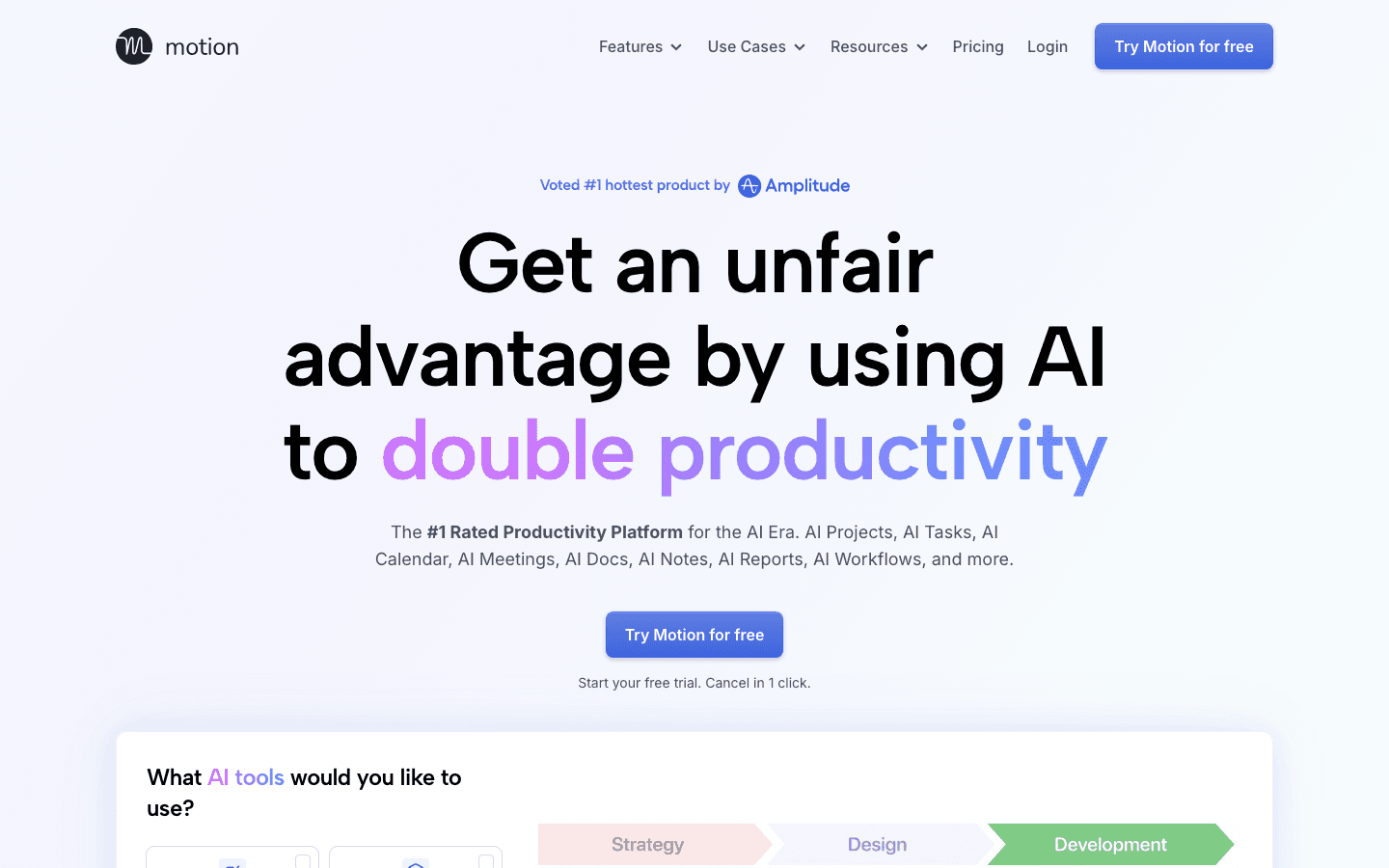
Motion takes AI scheduling further than almost any other app. Instead of letting you drag tasks around a timeline, it ingests your entire task list, calendar, and deadlines, then auto-builds an optimized schedule from scratch each morning. When a meeting moves or a task takes longer than expected, Motion rebuilds the plan around it in real time.
It's powerful, and the pitch ("Finish 137% more work") is backed by the depth of what the product actually does. Motion handles not just individual tasks but full projects, team capacity, and docs, making it closer to an AI project management tool than a simple daily planner.
AI-driven daily schedule built from your full task list and deadlines
Project and task management with priority weighting
Calendar, meeting, and workflow automation
Docs, wiki, and notes included in workspace
What Works: The AI scheduling depth is unmatched at this price point. For someone managing multiple concurrent projects with hard deadlines, Motion removes a lot of the cognitive overhead. Team features make it useful beyond solo work.
Limitations: At $19/mo, it's more than 2x the cost of Lifestack. The learning curve is steeper than Structured or Sorted³. There's no energy awareness; the AI optimizes for time, not for how you feel at different points in the day.
Pricing: $19/mo (Pro AI). Free trial available, no credit card required.
Best for: Professionals with high task volume, multiple projects, and a budget that supports the premium tier.
3. Sunsama: Best for Intentional Daily Planning
Pull tasks from everywhere, plan with intention, shut down on time.
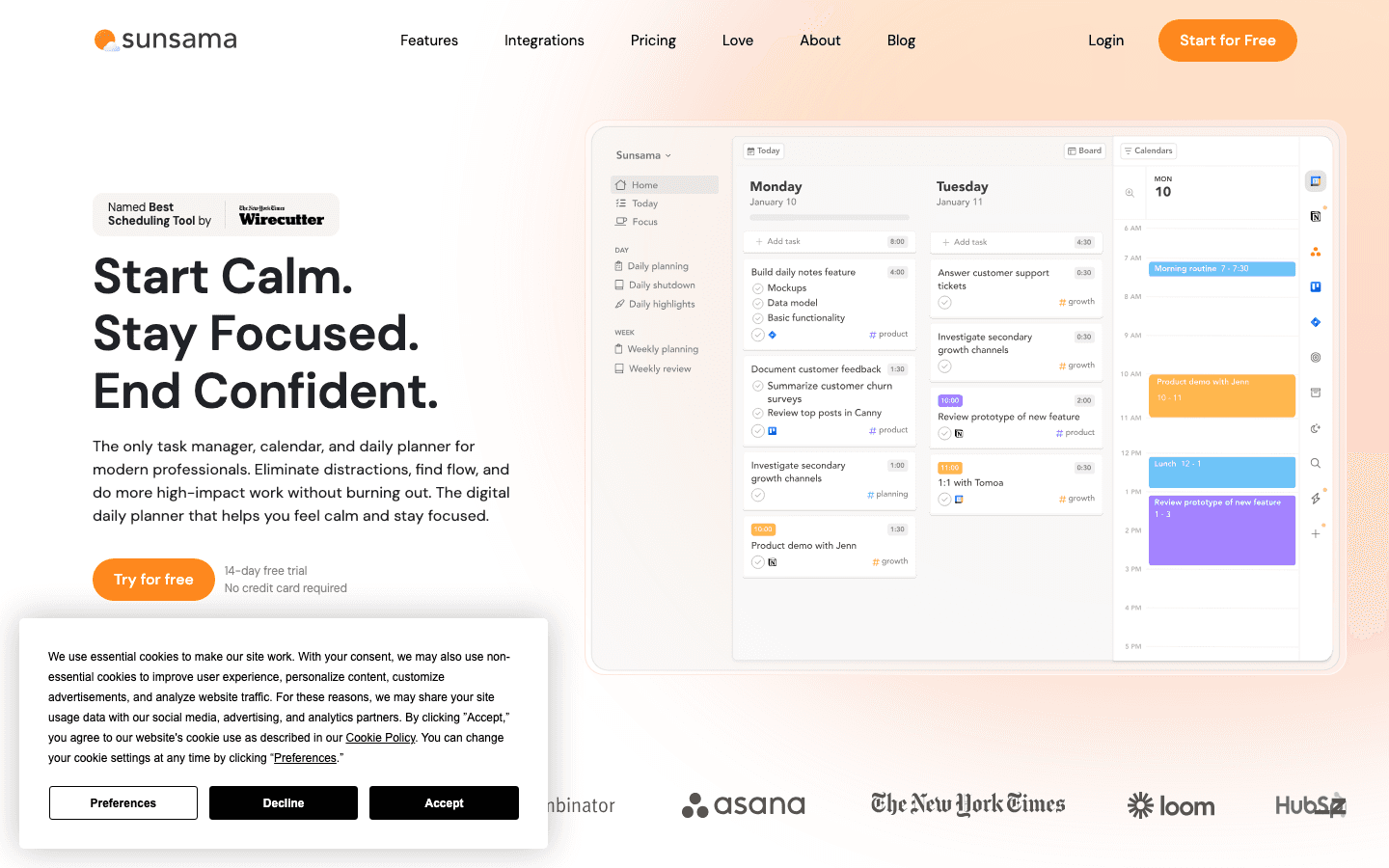
Sunsama's approach is the opposite of AI automation. Every morning, you open the app and deliberately choose what you're going to work on that day, pulling tasks from your connected tools (Asana, Jira, Linear, GitHub, Notion, Gmail, and more) into a single focused daily view. The app walks you through a structured planning ritual that takes about 10-15 minutes.
That ritual is either Sunsama's biggest strength or its biggest weakness depending on who you are. If you find that automation leaves you feeling disconnected from your own schedule, Sunsama's deliberate approach can create a genuine sense of ownership over your day. It's popular with senior individual contributors and managers who work across many tools and need one place to synthesize everything.
Sunsama also has a daily shutdown ritual, guiding you to close the day intentionally and carry unfinished work to tomorrow. For people who struggle to disengage from work, this feature alone is worth the price for some users.
Integrates with Asana, Jira, Linear, GitHub, Gmail, Notion, and more
Daily planning and shutdown ritual built into the workflow
Weekly review and time-boxing for realistic workload management
14-day free trial, no credit card required
What Works: The planning ritual creates real accountability. The integration depth is excellent for knowledge workers living across many tools. The UI is calming rather than overwhelming.
Limitations: No AI auto-scheduling. No energy awareness. At $22/mo, it's the most expensive app on this list. It also requires genuine discipline to get value from; if you skip the morning ritual, you get much less out of it.
Pricing: $22/mo or $17/mo billed annually ($204/yr). 14-day free trial.
Best for: Knowledge workers who want a deliberate, tool-integrated daily planning practice and are willing to invest time in the ritual.
4. Tiimo: Best for Neurodivergent Visual Planning
Built for ADHD and autism, not just marketed to them.
Tiimo is an ADHD time management app that won Apple's iPhone App of the Year in 2025, and the distinction is earned. Unlike most productivity apps that slap "ADHD-friendly" in their marketing, Tiimo was co-designed with neurodivergent users from the ground up. The visual timers, color-coded routines, and gentle notification patterns are all built around how ADHD and autistic brains actually work.
Where Structured gives you a timeline with events, Tiimo gives you a visual, sensory-friendly flow of the day that feels less like a task list and more like a guide. The app uses animated countdowns rather than static time blocks, which helps with time blindness in a way that traditional planners don't address.
Recent AI additions generate routine suggestions based on your patterns, and the integration with Apple Health adds context about sleep and activity that can inform your planning.
Visual timers and animated countdowns for ADHD time blindness
Color-coded, drag-and-drop daily routines
AI routine suggestions based on your habits
Apple Health integration for sleep and activity context
Co-designed with neurodivergent users
What Works: Genuinely the best option for ADHD and autism users who need visual, sensory-aware structure. The Apple App of the Year recognition reflects real quality. Pricing is reasonable for the audience it serves.
Limitations: Not built for complex task management or project work. If you need to manage deadlines, projects, or high task volume, Tiimo isn't the right tool. It's a daily structure companion, not a work management system.
Pricing: $12/mo or $54/yr ($4.50/mo on annual). 7-day free trial on annual plan.
Best for: ADHD and autistic users who need a visual, routine-oriented daily structure with sensory-friendly design.
5. Sorted3: Best One-Time Purchase Alternative
Hyper-scheduling without a subscription.
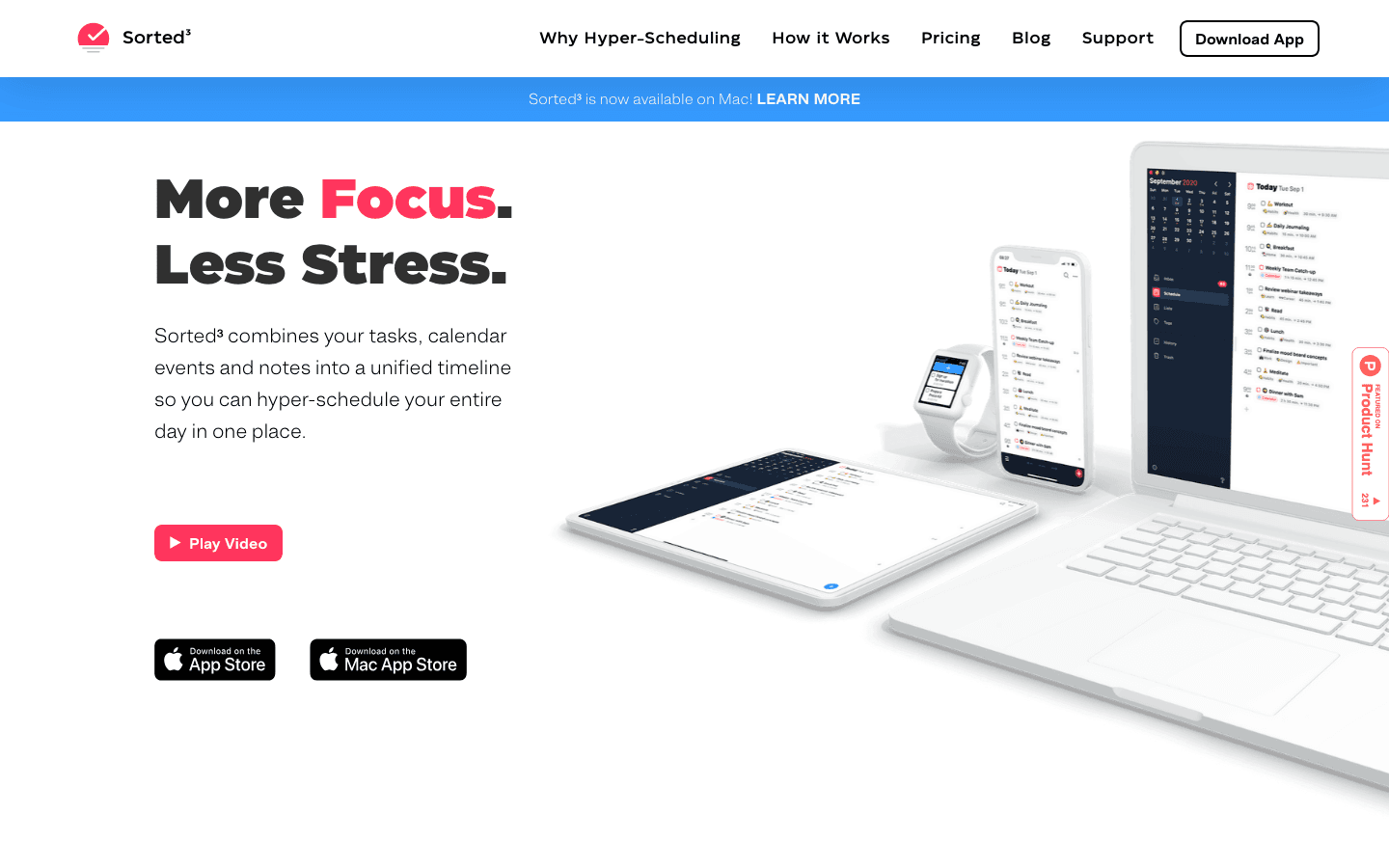
Sorted³ is for people who liked Structured's timeline concept but want more control and no ongoing subscription fees. Its signature feature is "hyper-scheduling": you see your calendar events and tasks on a single scrollable timeline and drag each item into a specific slot. Nothing is automated. You build the day yourself, by hand.
That manual approach isn't for everyone, but for people who find AI scheduling anxiety-inducing or who just prefer to be in full control of their own plan, Sorted³ is genuinely satisfying to use. The calendar-tasks-notes integration is tight, and the Mac app makes it one of the few timeline-based planners with solid desktop support.
Hyper-scheduling: drag calendar events and tasks onto a single timeline
Calendar, tasks, and notes in one unified view
Available on iOS and Mac
One-time purchase model, no subscription required
What Works: The one-time price is a major draw. $14.99 for the iOS PRO version is a fraction of what subscription apps cost over a year. The timeline interaction feels natural and similar to Structured, so the learning curve is minimal.
Limitations: No AI scheduling, no energy awareness, limited third-party integrations. The Mac version costs more than iOS ($24.99 vs. $14.99) and requires separate purchase.
Pricing: Free basic tier; iOS PRO $14.99 (one-time); Mac PRO $24.99 (one-time). No subscription.
Best for: Manual schedulers who want a Structured-like experience on iOS and Mac without a monthly fee.
6. Fantastical: Best for Apple Ecosystem Users
The most polished calendar experience in the Apple world.
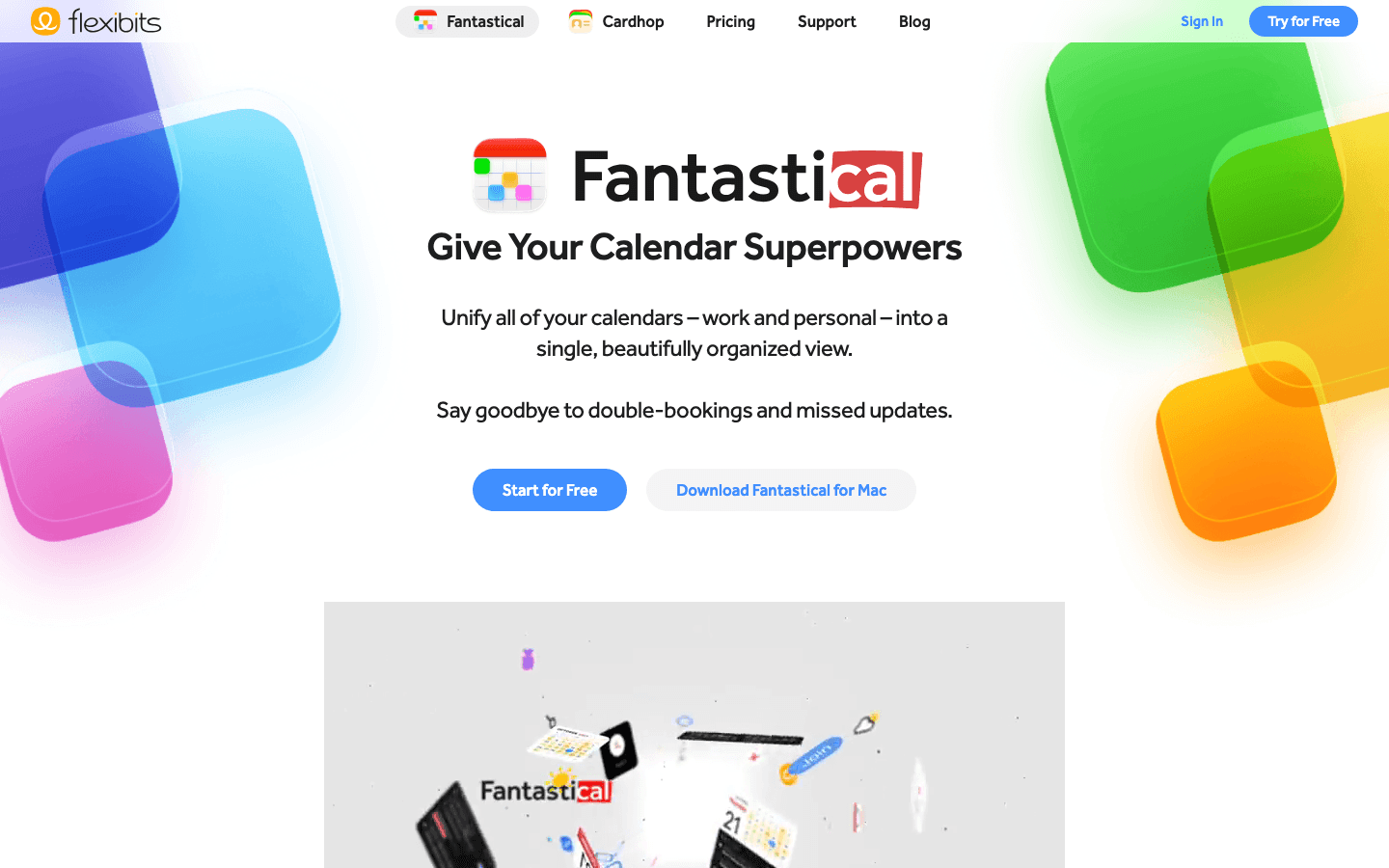
Fantastical is the go-to calendar app for people who live inside Apple's ecosystem. Natural language event creation ("lunch with Sarah Thursday at noon"), beautiful widgets for iPhone and iPad, Apple Watch complication support, and Shortcuts integration make it the most capable native calendar replacement available.
The premium tier adds Fantastical Scheduling, which is essentially a Calendly competitor built into the app. You share a link, someone picks a time, and Fantastical books it against your existing calendar. That feature alone makes the subscription worthwhile for anyone who does a lot of external meeting coordination.
It's not a task planner. If you're looking for an app that manages your to-do list alongside your calendar, Fantastical will feel incomplete. But as a pure calendar experience with polished Apple platform integration, nothing else comes close.
Natural language event and reminder creation
Fantastical Scheduling for shareable booking links
Deep Apple platform integration (widgets, Watch, Shortcuts, Focus modes)
Free basic tier with full premium trial
What Works: The Apple ecosystem integration is best-in-class. Natural language input is fast and accurate. The UI is genuinely beautiful.
Limitations: iOS and Mac only. No Android or web app. Not a task planner. No AI auto-scheduling. If you need to manage tasks or want cross-platform access, look elsewhere.
Pricing: Free basic; $6.99/mo or $56.99/yr (individual). 14-day free trial.
Best for: Apple-only users who want the best possible calendar experience and meeting scheduling, without task management needs.
7. Google Calendar: Best Free Option
The universal calendar that works everywhere and costs nothing.
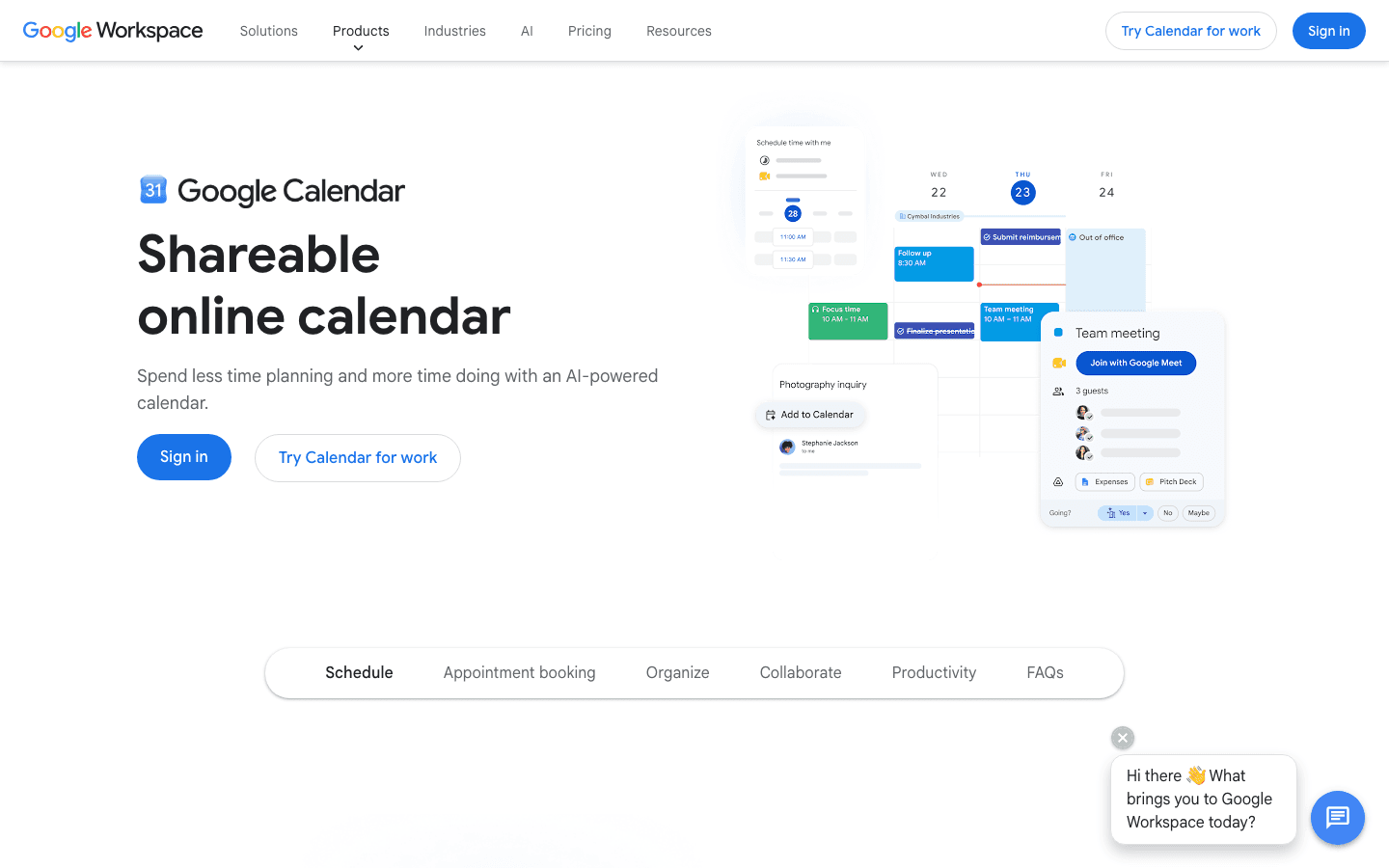
Google Calendar isn't a daily planner in the way Structured is, but it's the foundation that most other apps on this list build on top of. It's free, it works on every platform and device, and it integrates with virtually every third-party app you could name. If you're switching away from Structured and want a clean starting point, this is where most people land.
Recent AI additions to Google Workspace (through Gemini) have added scheduling assistance, meeting summaries, and smart suggestions to the Calendar experience. These features are available across Google Workspace plans and represent a real improvement over what the free version offered even a year ago.
The tradeoff is that Google Calendar is a calendar, not a planner. You won't get a daily task view, timeline-based scheduling, energy awareness, or any of the ritual-driven planning features that apps like Sunsama or Lifestack offer. But as a free, reliable, well-integrated base layer for organizing your time, it's unmatched.
What Works: Truly free for personal use. Works on every platform. The broadest app integration support of any tool on this list. Shareable calendars and invite management are excellent.
Limitations: No task planning, no timeline view, no AI auto-scheduling, no energy awareness. It's a calendar, not a daily planner replacement for Structured.
Pricing: Free (personal). Google Workspace plans start at $6/user/mo for additional features.
Best for: Anyone who needs a free, cross-platform calendar as their base, especially if they plan to layer another app like Lifestack on top of it.
Which Structured Alternative Is Right for You?
You want AI to schedule your day: choose Lifestack (energy-aware) or Motion (task-volume-focused)
You have ADHD or autism: choose Lifestack for ADHD calendar scheduling or Tiimo for visual routine support
You work across many project tools: choose Sunsama for its integration depth
You hate subscriptions: choose Sorted³ for a one-time purchase with no recurring fees
You're deep in Apple's ecosystem: choose Fantastical for native platform integration
You just need something free: start with Google Calendar and add a planner layer later
You want to try AI scheduling without committing: Lifestack's annual plan has a 7-day free trial
FAQ
What makes Lifestack a good Structured alternative?
Lifestack solves the main limitations of Structured: it works on Android and web (not just iOS), and it uses AI to schedule your day automatically rather than requiring manual time-blocking. The energy-aware scheduling is a feature Structured doesn't have at all, making Lifestack the more capable option for most users who rely on Structured for daily planning.
Is there a free Structured alternative?
Google Calendar is the most capable free option, though it's a calendar rather than a daily planner. Sorted³ and Tiimo both have free basic tiers. Most AI-powered alternatives (Lifestack, Motion, Sunsama) require a paid plan, but all three offer free trials long enough to test them properly. Our full comparison of calendar management tools covers the free tier options in more detail.
What is the best Structured alternative for ADHD?
Lifestack and Tiimo are both strong picks. Lifestack's AI auto-scheduling removes the daily decision-making burden that's especially taxing for ADHD brains, while Tiimo's visual timers and color-coded routines address time blindness directly. The right choice depends on whether you need automated task scheduling (Lifestack) or sensory-friendly visual structure (Tiimo). See our guide on ADHD time management apps for a full breakdown.
Which Structured alternative has the best AI scheduling?
Lifestack has the most thoughtful AI scheduling for individual users because it layers energy awareness on top of time availability. Motion has the deepest AI scheduling for complex task loads and teams. If you're managing projects with hard deadlines and multiple stakeholders, Motion wins. If you're managing your own day and want a schedule that fits how your brain and body actually work, Lifestack is the better pick.
What is a good Structured alternative without a subscription?
Sorted³ is the answer here. The iOS PRO version is $14.99 one-time and the Mac version is $24.99 one-time, with no recurring fees. The experience is similar to Structured's timeline-based approach, just without AI automation. Google Calendar is also free for personal use, though it's a different type of tool. For everything else on this list, a subscription is required after the trial period.
Does Lifestack integrate with Google Calendar?
Yes. Lifestack syncs with Google Calendar, Outlook, and Apple Calendar. It reads your existing calendar events and plans tasks around them, so your meetings and commitments are already accounted for when the AI builds your daily schedule. It also works with task inputs so you can connect your to-do list alongside your calendar. See our overview of best AI planner apps for how Lifestack compares on integrations.
Structured is one of the more thoughtful daily planners on iOS. Its timeline view, clean animations, and focus on time-blocking have earned it a loyal following. But it has limits, and those limits are real enough that a lot of people eventually go looking for something else.
Structured is iOS-only, has no AI auto-scheduling, and doesn't pull tasks from external tools like Asana or Notion. For anyone who works across platforms, manages a high task volume, or wants an app that schedules their day automatically, Structured starts to feel too manual too fast.
We tested seven of the best scheduling apps across price points, AI capabilities, and use cases. Whether you're an ADHD user looking for visual structure, a team lead buried in tasks, or someone who just wants a free upgrade from Structured, there's an option here for you.
Key Takeaways
Lifestack is the best Structured alternative if you want AI scheduling that adapts around your energy, not just your available time slots.
Sorted³ is the best one-time-purchase pick with no recurring subscription fees.
Google Calendar is the best free option and the widest-supported calendar on the market.
Quick Guide: Best Structured Alternatives
1. Lifestack: Best for AI-powered, energy-aware daily planning
2. Motion: Best for heavy AI task automation and project management
3. Sunsama: Best for intentional, ritual-driven daily planning
4. Tiimo: Best for neurodivergent users who need visual structure
5. Sorted3: Best for manual hyper-schedulers who hate subscriptions
6. Fantastical: Best for Apple ecosystem users who want a premium calendar
7. Google Calendar: Best free, cross-platform starting point
How We Evaluated
AI scheduling: does the app plan your day automatically or require manual entry?
Energy and focus awareness: does it factor in your natural highs and lows?
Platform support: iOS only, or available on Android, Mac, and web?
Integrations: does it pull tasks from the tools you already use?
Pricing: fair value, and is there a free tier or trial?
Mobile experience: is it usable on the go, not just on desktop?
1. Lifestack: Best AI-Powered Structured Alternative
AI scheduling that adapts to your energy, not just your calendar.
Lifestack is an AI planner app built around one idea: your schedule should match your energy, not fight it. When you connect your calendars and task list, Lifestack's AI automatically maps your tasks to time slots where you're likely to be at your best, grouping deep work during high-focus windows and lighter tasks during your typical afternoon slump.
That energy-awareness is what separates Lifestack from every other app on this list. Structured lets you drag tasks onto a timeline manually. Lifestack reads your patterns and fills the timeline for you. The difference matters most for people who regularly run out of steam by 3pm and need a plan that accounts for that reality.
It's available on iOS, Android, and Chrome, which puts it well ahead of Structured on platform coverage. The ADHD daily planner crowd in particular has adopted it for the same reason: when your working memory is limited, having a system that handles scheduling decisions automatically removes a major source of friction.
Energy-aware AI auto-scheduling across your full task list
Syncs with Google Calendar, Outlook, and Apple Calendar
Available on iOS, Android, and Chrome extension
Automatic rescheduling when plans change during the day
What Works: The energy model genuinely changes how your day feels. You're not just filling time slots; you're working with your natural rhythm. Pricing is reasonable, and the app is actively developed.
Limitations: No built-in project management or team features. Newer than most apps on this list, so the community and third-party integration depth are still growing.
Pricing: $7/mo or $50/yr. Annual plan includes a 7-day free trial.
Best for: Anyone who wants their daily schedule built automatically around their energy levels, especially ADHD users and remote workers who self-manage their time.
2. Motion: Best for Heavy AI Automation
A full AI command center for tasks, meetings, and projects.
Motion takes AI scheduling further than almost any other app. Instead of letting you drag tasks around a timeline, it ingests your entire task list, calendar, and deadlines, then auto-builds an optimized schedule from scratch each morning. When a meeting moves or a task takes longer than expected, Motion rebuilds the plan around it in real time.
It's powerful, and the pitch ("Finish 137% more work") is backed by the depth of what the product actually does. Motion handles not just individual tasks but full projects, team capacity, and docs, making it closer to an AI project management tool than a simple daily planner.
AI-driven daily schedule built from your full task list and deadlines
Project and task management with priority weighting
Calendar, meeting, and workflow automation
Docs, wiki, and notes included in workspace
What Works: The AI scheduling depth is unmatched at this price point. For someone managing multiple concurrent projects with hard deadlines, Motion removes a lot of the cognitive overhead. Team features make it useful beyond solo work.
Limitations: At $19/mo, it's more than 2x the cost of Lifestack. The learning curve is steeper than Structured or Sorted³. There's no energy awareness; the AI optimizes for time, not for how you feel at different points in the day.
Pricing: $19/mo (Pro AI). Free trial available, no credit card required.
Best for: Professionals with high task volume, multiple projects, and a budget that supports the premium tier.
3. Sunsama: Best for Intentional Daily Planning
Pull tasks from everywhere, plan with intention, shut down on time.
Sunsama's approach is the opposite of AI automation. Every morning, you open the app and deliberately choose what you're going to work on that day, pulling tasks from your connected tools (Asana, Jira, Linear, GitHub, Notion, Gmail, and more) into a single focused daily view. The app walks you through a structured planning ritual that takes about 10-15 minutes.
That ritual is either Sunsama's biggest strength or its biggest weakness depending on who you are. If you find that automation leaves you feeling disconnected from your own schedule, Sunsama's deliberate approach can create a genuine sense of ownership over your day. It's popular with senior individual contributors and managers who work across many tools and need one place to synthesize everything.
Sunsama also has a daily shutdown ritual, guiding you to close the day intentionally and carry unfinished work to tomorrow. For people who struggle to disengage from work, this feature alone is worth the price for some users.
Integrates with Asana, Jira, Linear, GitHub, Gmail, Notion, and more
Daily planning and shutdown ritual built into the workflow
Weekly review and time-boxing for realistic workload management
14-day free trial, no credit card required
What Works: The planning ritual creates real accountability. The integration depth is excellent for knowledge workers living across many tools. The UI is calming rather than overwhelming.
Limitations: No AI auto-scheduling. No energy awareness. At $22/mo, it's the most expensive app on this list. It also requires genuine discipline to get value from; if you skip the morning ritual, you get much less out of it.
Pricing: $22/mo or $17/mo billed annually ($204/yr). 14-day free trial.
Best for: Knowledge workers who want a deliberate, tool-integrated daily planning practice and are willing to invest time in the ritual.
4. Tiimo: Best for Neurodivergent Visual Planning
Built for ADHD and autism, not just marketed to them.
Tiimo is an ADHD time management app that won Apple's iPhone App of the Year in 2025, and the distinction is earned. Unlike most productivity apps that slap "ADHD-friendly" in their marketing, Tiimo was co-designed with neurodivergent users from the ground up. The visual timers, color-coded routines, and gentle notification patterns are all built around how ADHD and autistic brains actually work.
Where Structured gives you a timeline with events, Tiimo gives you a visual, sensory-friendly flow of the day that feels less like a task list and more like a guide. The app uses animated countdowns rather than static time blocks, which helps with time blindness in a way that traditional planners don't address.
Recent AI additions generate routine suggestions based on your patterns, and the integration with Apple Health adds context about sleep and activity that can inform your planning.
Visual timers and animated countdowns for ADHD time blindness
Color-coded, drag-and-drop daily routines
AI routine suggestions based on your habits
Apple Health integration for sleep and activity context
Co-designed with neurodivergent users
What Works: Genuinely the best option for ADHD and autism users who need visual, sensory-aware structure. The Apple App of the Year recognition reflects real quality. Pricing is reasonable for the audience it serves.
Limitations: Not built for complex task management or project work. If you need to manage deadlines, projects, or high task volume, Tiimo isn't the right tool. It's a daily structure companion, not a work management system.
Pricing: $12/mo or $54/yr ($4.50/mo on annual). 7-day free trial on annual plan.
Best for: ADHD and autistic users who need a visual, routine-oriented daily structure with sensory-friendly design.
5. Sorted3: Best One-Time Purchase Alternative
Hyper-scheduling without a subscription.
Sorted³ is for people who liked Structured's timeline concept but want more control and no ongoing subscription fees. Its signature feature is "hyper-scheduling": you see your calendar events and tasks on a single scrollable timeline and drag each item into a specific slot. Nothing is automated. You build the day yourself, by hand.
That manual approach isn't for everyone, but for people who find AI scheduling anxiety-inducing or who just prefer to be in full control of their own plan, Sorted³ is genuinely satisfying to use. The calendar-tasks-notes integration is tight, and the Mac app makes it one of the few timeline-based planners with solid desktop support.
Hyper-scheduling: drag calendar events and tasks onto a single timeline
Calendar, tasks, and notes in one unified view
Available on iOS and Mac
One-time purchase model, no subscription required
What Works: The one-time price is a major draw. $14.99 for the iOS PRO version is a fraction of what subscription apps cost over a year. The timeline interaction feels natural and similar to Structured, so the learning curve is minimal.
Limitations: No AI scheduling, no energy awareness, limited third-party integrations. The Mac version costs more than iOS ($24.99 vs. $14.99) and requires separate purchase.
Pricing: Free basic tier; iOS PRO $14.99 (one-time); Mac PRO $24.99 (one-time). No subscription.
Best for: Manual schedulers who want a Structured-like experience on iOS and Mac without a monthly fee.
6. Fantastical: Best for Apple Ecosystem Users
The most polished calendar experience in the Apple world.
Fantastical is the go-to calendar app for people who live inside Apple's ecosystem. Natural language event creation ("lunch with Sarah Thursday at noon"), beautiful widgets for iPhone and iPad, Apple Watch complication support, and Shortcuts integration make it the most capable native calendar replacement available.
The premium tier adds Fantastical Scheduling, which is essentially a Calendly competitor built into the app. You share a link, someone picks a time, and Fantastical books it against your existing calendar. That feature alone makes the subscription worthwhile for anyone who does a lot of external meeting coordination.
It's not a task planner. If you're looking for an app that manages your to-do list alongside your calendar, Fantastical will feel incomplete. But as a pure calendar experience with polished Apple platform integration, nothing else comes close.
Natural language event and reminder creation
Fantastical Scheduling for shareable booking links
Deep Apple platform integration (widgets, Watch, Shortcuts, Focus modes)
Free basic tier with full premium trial
What Works: The Apple ecosystem integration is best-in-class. Natural language input is fast and accurate. The UI is genuinely beautiful.
Limitations: iOS and Mac only. No Android or web app. Not a task planner. No AI auto-scheduling. If you need to manage tasks or want cross-platform access, look elsewhere.
Pricing: Free basic; $6.99/mo or $56.99/yr (individual). 14-day free trial.
Best for: Apple-only users who want the best possible calendar experience and meeting scheduling, without task management needs.
7. Google Calendar: Best Free Option
The universal calendar that works everywhere and costs nothing.
Google Calendar isn't a daily planner in the way Structured is, but it's the foundation that most other apps on this list build on top of. It's free, it works on every platform and device, and it integrates with virtually every third-party app you could name. If you're switching away from Structured and want a clean starting point, this is where most people land.
Recent AI additions to Google Workspace (through Gemini) have added scheduling assistance, meeting summaries, and smart suggestions to the Calendar experience. These features are available across Google Workspace plans and represent a real improvement over what the free version offered even a year ago.
The tradeoff is that Google Calendar is a calendar, not a planner. You won't get a daily task view, timeline-based scheduling, energy awareness, or any of the ritual-driven planning features that apps like Sunsama or Lifestack offer. But as a free, reliable, well-integrated base layer for organizing your time, it's unmatched.
What Works: Truly free for personal use. Works on every platform. The broadest app integration support of any tool on this list. Shareable calendars and invite management are excellent.
Limitations: No task planning, no timeline view, no AI auto-scheduling, no energy awareness. It's a calendar, not a daily planner replacement for Structured.
Pricing: Free (personal). Google Workspace plans start at $6/user/mo for additional features.
Best for: Anyone who needs a free, cross-platform calendar as their base, especially if they plan to layer another app like Lifestack on top of it.
Which Structured Alternative Is Right for You?
You want AI to schedule your day: choose Lifestack (energy-aware) or Motion (task-volume-focused)
You have ADHD or autism: choose Lifestack for ADHD calendar scheduling or Tiimo for visual routine support
You work across many project tools: choose Sunsama for its integration depth
You hate subscriptions: choose Sorted³ for a one-time purchase with no recurring fees
You're deep in Apple's ecosystem: choose Fantastical for native platform integration
You just need something free: start with Google Calendar and add a planner layer later
You want to try AI scheduling without committing: Lifestack's annual plan has a 7-day free trial
FAQ
What makes Lifestack a good Structured alternative?
Lifestack solves the main limitations of Structured: it works on Android and web (not just iOS), and it uses AI to schedule your day automatically rather than requiring manual time-blocking. The energy-aware scheduling is a feature Structured doesn't have at all, making Lifestack the more capable option for most users who rely on Structured for daily planning.
Is there a free Structured alternative?
Google Calendar is the most capable free option, though it's a calendar rather than a daily planner. Sorted³ and Tiimo both have free basic tiers. Most AI-powered alternatives (Lifestack, Motion, Sunsama) require a paid plan, but all three offer free trials long enough to test them properly. Our full comparison of calendar management tools covers the free tier options in more detail.
What is the best Structured alternative for ADHD?
Lifestack and Tiimo are both strong picks. Lifestack's AI auto-scheduling removes the daily decision-making burden that's especially taxing for ADHD brains, while Tiimo's visual timers and color-coded routines address time blindness directly. The right choice depends on whether you need automated task scheduling (Lifestack) or sensory-friendly visual structure (Tiimo). See our guide on ADHD time management apps for a full breakdown.
Which Structured alternative has the best AI scheduling?
Lifestack has the most thoughtful AI scheduling for individual users because it layers energy awareness on top of time availability. Motion has the deepest AI scheduling for complex task loads and teams. If you're managing projects with hard deadlines and multiple stakeholders, Motion wins. If you're managing your own day and want a schedule that fits how your brain and body actually work, Lifestack is the better pick.
What is a good Structured alternative without a subscription?
Sorted³ is the answer here. The iOS PRO version is $14.99 one-time and the Mac version is $24.99 one-time, with no recurring fees. The experience is similar to Structured's timeline-based approach, just without AI automation. Google Calendar is also free for personal use, though it's a different type of tool. For everything else on this list, a subscription is required after the trial period.
Does Lifestack integrate with Google Calendar?
Yes. Lifestack syncs with Google Calendar, Outlook, and Apple Calendar. It reads your existing calendar events and plans tasks around them, so your meetings and commitments are already accounted for when the AI builds your daily schedule. It also works with task inputs so you can connect your to-do list alongside your calendar. See our overview of best AI planner apps for how Lifestack compares on integrations.



FOLLOW ON
FOLLOW ON
FOLLOW ON


Copyright 2026 © Lifestack. All rights reserved
Copyright 2026 © Lifestack. All rights reserved

