
App
Tweek Pricing: Plans, Costs & Best Alternatives
Tweek Pricing: Plans, Costs & Best Alternatives

Tweek does one thing and does it well. The app gives you a minimal weekly grid where you can drag tasks between days, check things off, and see your whole week at a glance. No hourly time-blocking. No project hierarchies. Just a clean digital planner that feels as natural as writing on paper.
If you've been using the free version and wondering what Premium actually unlocks, or if you're comparing Tweek against other weekly planner apps before signing up, this guide covers everything. You'll get exact prices, a plain-language breakdown of each tier, and an honest answer to whether the upgrade is worth it.
One thing worth knowing upfront: Tweek's pricing model is intentionally simple. Two plans, no enterprise tiers, no confusing add-ons. Most apps in this space overcomplicate it. Tweek doesn't.
All prices verified June 2026.
Key Takeaways
Tweek's free plan covers the core weekly grid with Tweek GPT access, but caps you at 3 Someday columns and 2 active calendars.
Tweek Premium is $5.99/month or $49.99/year and adds Google Calendar sync, Apple Calendar sync, subtasks, reminders, and recurring tasks.
If you want AI scheduling that adjusts your day based on energy and recovery data, Lifestack is the natural next step.
Tweek Pricing Plans
Tweek offers two tiers: a permanent free plan and a Premium subscription. There are no team or enterprise plans.
Here's the quick breakdown:
Free: $0 forever. Core weekly grid, 3 Someday columns, 2 active calendars, 2 custom colors, share/publish, Tweek GPT access.
Premium Monthly: $5.99/month. All free features plus Google Calendar sync, Apple Calendar and Reminders sync, subtasks, file attachments, recurring tasks, reminders, unlimited calendars and Someday columns, monthly view, custom themes, and hide-completed-tasks toggle.
Premium Annual: $49.99/year (saves roughly $22 compared to paying monthly). Same features as monthly Premium. Includes a 14-day free trial.
There are no volume discounts or team pricing. Tweek is built for individual use.
Tweek Free Plan: What You Actually Get
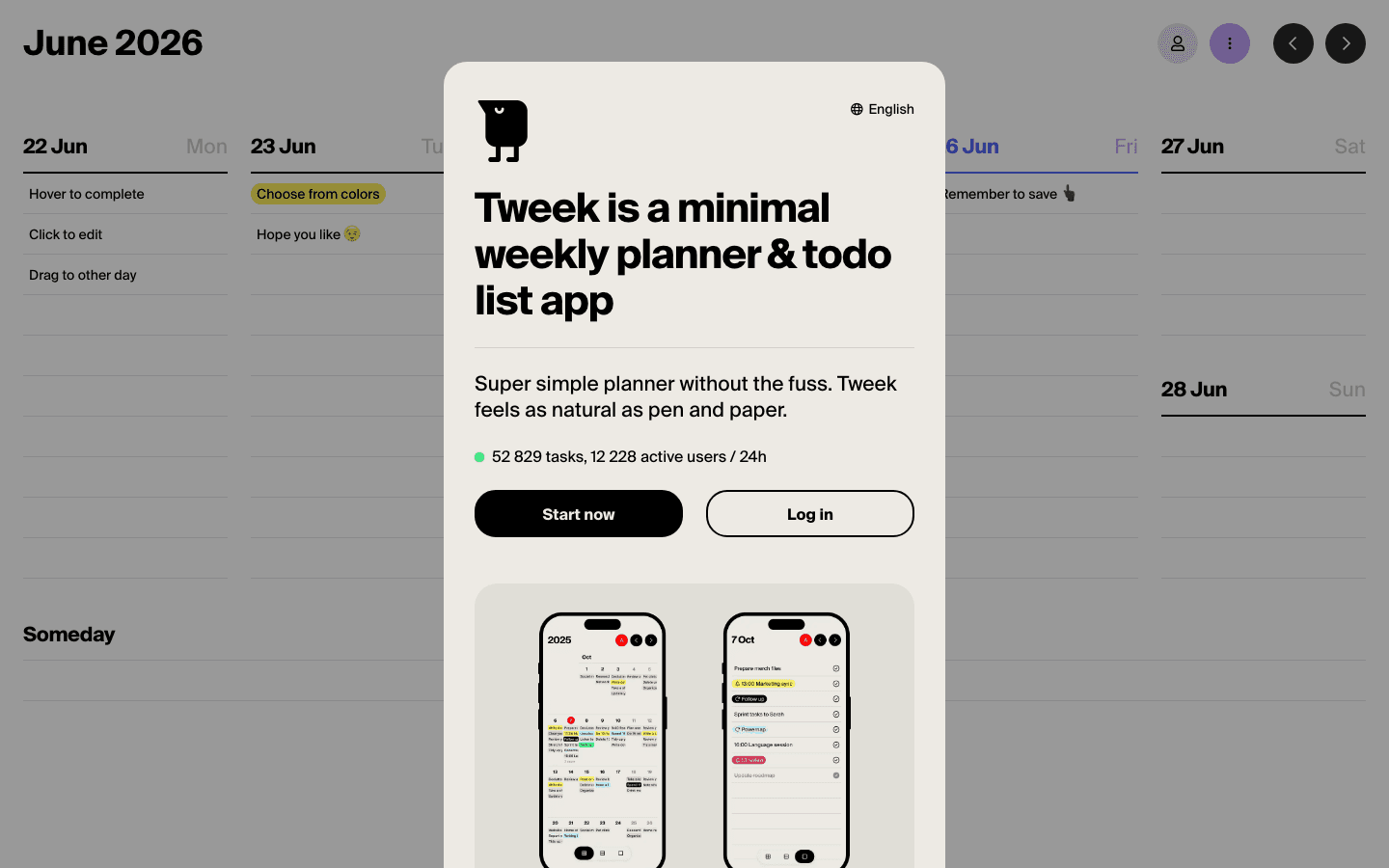
The free plan is genuinely useful. You get the full weekly grid experience, drag-and-drop task management, and access to Tweek GPT for AI task suggestions. For light planners who just need a clean place to drop tasks by day, free covers it.
The main limits on the free plan:
3 Someday columns (a virtual backlog area for tasks without a set day)
2 active calendars maximum
2 custom color options
No Google or Apple Calendar sync
No subtasks, recurring tasks, reminders, or file attachments
If your workflow is simple, you'll never hit these limits. The 2-calendar cap only matters if you're trying to show multiple shared or work calendars alongside personal tasks. And if you don't rely on Google Calendar as your ground truth, the lack of sync is a non-issue.
Tweek Premium: What You Unlock
Premium is where Tweek goes from a clean notepad to an actual calendar tool. The two biggest additions are Google Calendar sync and Apple Calendar and Reminders integration. If you live in either of those ecosystems, this alone justifies the upgrade.
Beyond calendar sync, Premium adds:
Subtasks: Break any task into smaller steps directly within Tweek's grid.
Recurring tasks: Set daily, weekly, or custom repeating tasks without re-entering them manually.
Reminders: Get notified before a task is due.
File attachments: Pin files or links to specific tasks.
Monthly view: A bird's-eye view alongside the default weekly grid.
Unlimited Someday columns and active calendars.
Custom themes: More ways to make the interface feel like yours.
The 14-day free trial on the annual plan gives you enough time to genuinely test the calendar sync before committing. That's the right way to evaluate it. If you go two weeks with your Google Calendar integrated into Tweek and still feel like you're doing double entry somewhere, the sync isn't working for your workflow and the free plan is the better call.
At $49.99/year ($4.17/month effective), Premium is priced well below most competing task managers. The monthly plan at $5.99 costs about $22 more per year than annual. If you plan to keep using it, annual pays off in under four months.
Is Tweek Premium Worth It?
For most people who already use Tweek regularly: yes, if you're on Google or Apple Calendar. The sync alone is worth it. Without it, you're maintaining two separate systems, which defeats the purpose of a planner.
It's worth skipping if:
You use Tweek as a standalone dump-and-check system with no external calendar
You only need one or two calendars visible at a time
You don't use recurring tasks or reminders
It's worth upgrading if:
Your schedule lives in Google or Apple Calendar and you want both in one view
You have repeating weekly tasks (team syncs, standups, weekly reviews) that you're manually re-adding
You want to break projects into subtasks within the same weekly grid
One honest limitation: Tweek is designed without hourly scheduling. If you need to block specific time slots across your day, like a 10am deep work block or a 2pm client call, Tweek won't show those as time-based events on a timeline. It shows them as tasks on a day. That's by design, and it's a real constraint for some workflows.
Best Tweek Alternatives (With Pricing)
Tweek isn't for everyone. If you need AI scheduling, more task depth, or tighter calendar integration, here are the best alternatives and what they cost.
Lifestack

Lifestack is an AI-powered daily planner that auto-schedules your tasks based on your energy patterns throughout the day. Where Tweek shows you tasks on a weekly grid, Lifestack reads your sleep data, recovery signals, and calendar context to figure out when you should be doing what. Demanding cognitive work gets placed in high-energy windows; lighter tasks fill the natural slumps.
It connects to Google Calendar, Outlook, and Apple Calendar, and runs on iOS, Android, and via a Chrome extension. This is the tool to consider if you've ever thought "I need a system that actually understands my capacity," not just a place to list tasks.
Pricing: $7/month, $50/year (7-day free trial), or $120 one-time lifetime. See the guide to energy-based planning for context on why this approach works better than time-blocking for most people.
Best for: Anyone who wants scheduling decisions made for them, not just a place to park tasks.
TeuxDeux
TeuxDeux invented the minimal weekly-column to-do format that Tweek later built on. It's even more stripped-down: no calendar sync at all, just a clean five-column weekly view with a persistent Someday list at the bottom. If Tweek feels slightly too feature-heavy, TeuxDeux goes further in the minimalist direction.
Pricing: $4/month or $3/month billed annually ($36/year). Includes a 7-day free trial.
Best for: People who want the simplest possible digital alternative to a paper weekly planner, with no calendar sync required.
TickTick
TickTick sits in the opposite direction from Tweek on the complexity spectrum. It has a calendar view, built-in Pomodoro timer, habit tracking, collaboration features, and supports every platform including Apple Watch and Wear OS. The free tier is surprisingly capable; Premium unlocks the calendar view, filters, and role assignments.
Pricing: Free (limited); Premium $35.99/year ($3.99/month billed monthly).
Best for: People who've outgrown minimal planners and want task management, calendar, and habit tracking in one app without switching to a full project management tool.
Todoist
Todoist is the most popular standalone task manager and offers one of the strongest free tiers in the category. It has a weekly planner view, natural language input, recurring tasks, filters, and project hierarchy. If you want the raw depth of a task management system paired with a weekly view, Todoist covers more ground than Tweek. See the full Todoist pricing breakdown if you're comparing them head-to-head.
Pricing: Free (generous); Pro $5/month ($48/year).
Best for: Power users who need project management depth alongside a weekly planning view and want a proven, widely integrated tool.
Which Weekly Planner Is Right for You?
The choice usually comes down to one question: do you need calendar sync?
Just need a clean weekly grid, no calendar sync: Tweek Free or TeuxDeux.
Want Tweek with Google or Apple Calendar integrated: Tweek Premium ($49.99/year).
Want your schedule built automatically around your energy and focus levels: Lifestack ($50/year).
Need task depth: projects, filters, collaboration, habits: TickTick or Todoist.
Want the most minimal option possible: TeuxDeux ($36/year).
Tweek and Lifestack are priced almost identically at $50/year. The difference is what each does with your time. Tweek shows it to you and gets out of the way. Lifestack decides how to fill it.
FAQ
Does Tweek have a free plan?
Yes. Tweek's free plan is permanent and includes the full weekly grid, drag-and-drop tasks, 3 Someday columns, 2 active calendars, and Tweek GPT access. It doesn't expire or require a credit card.
How much does Tweek cost per month?
Tweek Premium costs $5.99/month on the monthly plan. Billed annually, it works out to about $4.17/month ($49.99/year), saving around $22 compared to monthly billing.
What does Tweek Premium include?
Premium adds Google Calendar sync, Apple Calendar and Reminders sync, subtasks, recurring tasks, reminders, file attachments, monthly view, unlimited Someday columns and active calendars, and custom themes. Everything the free plan offers, without the caps.
Can you cancel Tweek Premium at any time?
Yes. Tweek is subscription-based and you can cancel at any time. On the annual plan, you keep access until the end of your billing period. The free plan remains available permanently.
Is Tweek good for ADHD?
Tweek's minimal weekly view works well for ADHD in the sense that it reduces visual overwhelm. One week at a time, no complex hierarchies. The lack of hourly structure can also be a plus for people who find rigid time-blocking stressful. That said, if you need reminders and structure to actually start tasks, Premium's reminder features (or a tool like Lifestack with automatic scheduling) will serve you better than the free plan.
What is the best free Tweek alternative?
Todoist has the strongest free tier in the category, covering task lists, recurring tasks, project organization, and basic scheduling. TickTick's free plan is also strong, adding habit tracking and a limited calendar view. Both are available across more platforms than Tweek.
Tweek does one thing and does it well. The app gives you a minimal weekly grid where you can drag tasks between days, check things off, and see your whole week at a glance. No hourly time-blocking. No project hierarchies. Just a clean digital planner that feels as natural as writing on paper.
If you've been using the free version and wondering what Premium actually unlocks, or if you're comparing Tweek against other weekly planner apps before signing up, this guide covers everything. You'll get exact prices, a plain-language breakdown of each tier, and an honest answer to whether the upgrade is worth it.
One thing worth knowing upfront: Tweek's pricing model is intentionally simple. Two plans, no enterprise tiers, no confusing add-ons. Most apps in this space overcomplicate it. Tweek doesn't.
All prices verified June 2026.
Key Takeaways
Tweek's free plan covers the core weekly grid with Tweek GPT access, but caps you at 3 Someday columns and 2 active calendars.
Tweek Premium is $5.99/month or $49.99/year and adds Google Calendar sync, Apple Calendar sync, subtasks, reminders, and recurring tasks.
If you want AI scheduling that adjusts your day based on energy and recovery data, Lifestack is the natural next step.
Tweek Pricing Plans
Tweek offers two tiers: a permanent free plan and a Premium subscription. There are no team or enterprise plans.
Here's the quick breakdown:
Free: $0 forever. Core weekly grid, 3 Someday columns, 2 active calendars, 2 custom colors, share/publish, Tweek GPT access.
Premium Monthly: $5.99/month. All free features plus Google Calendar sync, Apple Calendar and Reminders sync, subtasks, file attachments, recurring tasks, reminders, unlimited calendars and Someday columns, monthly view, custom themes, and hide-completed-tasks toggle.
Premium Annual: $49.99/year (saves roughly $22 compared to paying monthly). Same features as monthly Premium. Includes a 14-day free trial.
There are no volume discounts or team pricing. Tweek is built for individual use.
Tweek Free Plan: What You Actually Get
The free plan is genuinely useful. You get the full weekly grid experience, drag-and-drop task management, and access to Tweek GPT for AI task suggestions. For light planners who just need a clean place to drop tasks by day, free covers it.
The main limits on the free plan:
3 Someday columns (a virtual backlog area for tasks without a set day)
2 active calendars maximum
2 custom color options
No Google or Apple Calendar sync
No subtasks, recurring tasks, reminders, or file attachments
If your workflow is simple, you'll never hit these limits. The 2-calendar cap only matters if you're trying to show multiple shared or work calendars alongside personal tasks. And if you don't rely on Google Calendar as your ground truth, the lack of sync is a non-issue.
Tweek Premium: What You Unlock
Premium is where Tweek goes from a clean notepad to an actual calendar tool. The two biggest additions are Google Calendar sync and Apple Calendar and Reminders integration. If you live in either of those ecosystems, this alone justifies the upgrade.
Beyond calendar sync, Premium adds:
Subtasks: Break any task into smaller steps directly within Tweek's grid.
Recurring tasks: Set daily, weekly, or custom repeating tasks without re-entering them manually.
Reminders: Get notified before a task is due.
File attachments: Pin files or links to specific tasks.
Monthly view: A bird's-eye view alongside the default weekly grid.
Unlimited Someday columns and active calendars.
Custom themes: More ways to make the interface feel like yours.
The 14-day free trial on the annual plan gives you enough time to genuinely test the calendar sync before committing. That's the right way to evaluate it. If you go two weeks with your Google Calendar integrated into Tweek and still feel like you're doing double entry somewhere, the sync isn't working for your workflow and the free plan is the better call.
At $49.99/year ($4.17/month effective), Premium is priced well below most competing task managers. The monthly plan at $5.99 costs about $22 more per year than annual. If you plan to keep using it, annual pays off in under four months.
Is Tweek Premium Worth It?
For most people who already use Tweek regularly: yes, if you're on Google or Apple Calendar. The sync alone is worth it. Without it, you're maintaining two separate systems, which defeats the purpose of a planner.
It's worth skipping if:
You use Tweek as a standalone dump-and-check system with no external calendar
You only need one or two calendars visible at a time
You don't use recurring tasks or reminders
It's worth upgrading if:
Your schedule lives in Google or Apple Calendar and you want both in one view
You have repeating weekly tasks (team syncs, standups, weekly reviews) that you're manually re-adding
You want to break projects into subtasks within the same weekly grid
One honest limitation: Tweek is designed without hourly scheduling. If you need to block specific time slots across your day, like a 10am deep work block or a 2pm client call, Tweek won't show those as time-based events on a timeline. It shows them as tasks on a day. That's by design, and it's a real constraint for some workflows.
Best Tweek Alternatives (With Pricing)
Tweek isn't for everyone. If you need AI scheduling, more task depth, or tighter calendar integration, here are the best alternatives and what they cost.
Lifestack
Lifestack is an AI-powered daily planner that auto-schedules your tasks based on your energy patterns throughout the day. Where Tweek shows you tasks on a weekly grid, Lifestack reads your sleep data, recovery signals, and calendar context to figure out when you should be doing what. Demanding cognitive work gets placed in high-energy windows; lighter tasks fill the natural slumps.
It connects to Google Calendar, Outlook, and Apple Calendar, and runs on iOS, Android, and via a Chrome extension. This is the tool to consider if you've ever thought "I need a system that actually understands my capacity," not just a place to list tasks.
Pricing: $7/month, $50/year (7-day free trial), or $120 one-time lifetime. See the guide to energy-based planning for context on why this approach works better than time-blocking for most people.
Best for: Anyone who wants scheduling decisions made for them, not just a place to park tasks.
TeuxDeux
TeuxDeux invented the minimal weekly-column to-do format that Tweek later built on. It's even more stripped-down: no calendar sync at all, just a clean five-column weekly view with a persistent Someday list at the bottom. If Tweek feels slightly too feature-heavy, TeuxDeux goes further in the minimalist direction.
Pricing: $4/month or $3/month billed annually ($36/year). Includes a 7-day free trial.
Best for: People who want the simplest possible digital alternative to a paper weekly planner, with no calendar sync required.
TickTick
TickTick sits in the opposite direction from Tweek on the complexity spectrum. It has a calendar view, built-in Pomodoro timer, habit tracking, collaboration features, and supports every platform including Apple Watch and Wear OS. The free tier is surprisingly capable; Premium unlocks the calendar view, filters, and role assignments.
Pricing: Free (limited); Premium $35.99/year ($3.99/month billed monthly).
Best for: People who've outgrown minimal planners and want task management, calendar, and habit tracking in one app without switching to a full project management tool.
Todoist
Todoist is the most popular standalone task manager and offers one of the strongest free tiers in the category. It has a weekly planner view, natural language input, recurring tasks, filters, and project hierarchy. If you want the raw depth of a task management system paired with a weekly view, Todoist covers more ground than Tweek. See the full Todoist pricing breakdown if you're comparing them head-to-head.
Pricing: Free (generous); Pro $5/month ($48/year).
Best for: Power users who need project management depth alongside a weekly planning view and want a proven, widely integrated tool.
Which Weekly Planner Is Right for You?
The choice usually comes down to one question: do you need calendar sync?
Just need a clean weekly grid, no calendar sync: Tweek Free or TeuxDeux.
Want Tweek with Google or Apple Calendar integrated: Tweek Premium ($49.99/year).
Want your schedule built automatically around your energy and focus levels: Lifestack ($50/year).
Need task depth: projects, filters, collaboration, habits: TickTick or Todoist.
Want the most minimal option possible: TeuxDeux ($36/year).
Tweek and Lifestack are priced almost identically at $50/year. The difference is what each does with your time. Tweek shows it to you and gets out of the way. Lifestack decides how to fill it.
FAQ
Does Tweek have a free plan?
Yes. Tweek's free plan is permanent and includes the full weekly grid, drag-and-drop tasks, 3 Someday columns, 2 active calendars, and Tweek GPT access. It doesn't expire or require a credit card.
How much does Tweek cost per month?
Tweek Premium costs $5.99/month on the monthly plan. Billed annually, it works out to about $4.17/month ($49.99/year), saving around $22 compared to monthly billing.
What does Tweek Premium include?
Premium adds Google Calendar sync, Apple Calendar and Reminders sync, subtasks, recurring tasks, reminders, file attachments, monthly view, unlimited Someday columns and active calendars, and custom themes. Everything the free plan offers, without the caps.
Can you cancel Tweek Premium at any time?
Yes. Tweek is subscription-based and you can cancel at any time. On the annual plan, you keep access until the end of your billing period. The free plan remains available permanently.
Is Tweek good for ADHD?
Tweek's minimal weekly view works well for ADHD in the sense that it reduces visual overwhelm. One week at a time, no complex hierarchies. The lack of hourly structure can also be a plus for people who find rigid time-blocking stressful. That said, if you need reminders and structure to actually start tasks, Premium's reminder features (or a tool like Lifestack with automatic scheduling) will serve you better than the free plan.
What is the best free Tweek alternative?
Todoist has the strongest free tier in the category, covering task lists, recurring tasks, project organization, and basic scheduling. TickTick's free plan is also strong, adding habit tracking and a limited calendar view. Both are available across more platforms than Tweek.



FOLLOW ON
FOLLOW ON
FOLLOW ON


Copyright 2026 © Lifestack. All rights reserved
Copyright 2026 © Lifestack. All rights reserved

