
App
Best Work-Life Balance Apps in 2026
Best Work-Life Balance Apps in 2026
What Makes a Good Work-Life Balance App?
The honest answer: it depends on where your balance is breaking down. For some people, the problem is work creeping into evenings because notifications never stop. For others, it's not knowing where the time went, or having a to-do list that spills from work into every waking hour. A good work-life balance app solves a specific version of this problem, not a vague one.
The tools on this list cover four main categories: smart scheduling that protects your time before your calendar fills up, digital boundary tools that block work apps when you're off the clock, mindfulness apps that help you actually decompress, and time tracking tools that show you where your hours are going. Used together or individually, they make work-life balance something you can act on rather than just aim for.
We tested each app over several weeks across a mix of work types: heavy meeting weeks, deep-focus weeks, and chaotic weeks where neither felt achievable. Here is what stood out.
Key Takeaways
Lifestack is the strongest pick if you want your schedule to automatically protect focus time and wind-down hours rather than letting every free slot fill up with work.
Freedom is the fastest fix for people whose main problem is checking work notifications after hours. It works immediately with no learning curve.
Clockify is the most useful tool for understanding where your time actually goes before trying to change it.
Quick Guide: 6 Best Work-Life Balance Apps
Lifestack: AI scheduling that protects your peak hours and natural stopping points
Freedom: App and website blocker that enforces digital boundaries after hours
Headspace: Guided meditation and mindfulness to wind down from work
Clockify: Free time tracker to see exactly how many hours go to work each week
Notion: Workspace to organize work so it stays contained and out of your head
Any.do: Lightweight task capture that prevents work tasks from living in your head all evening
How We Evaluated These Apps
We focused on four things: whether the app solves an actual boundary problem (not just a productivity problem), ease of use when you're already tired and just want to switch off, whether it runs in the background without needing constant attention, and pricing relative to how much it helps.
Does it protect personal time proactively, or only react when you remember to use it?
Cross-platform availability (iOS, Android, desktop)
Free tier value for getting started without a commitment
Integration with calendar and notification systems
1. Lifestack: Best Work-Life Balance App for Scheduling
The AI scheduler that treats your energy as a boundary, not just a resource.

Lifestack approaches work-life balance from the scheduling side: instead of letting your calendar fill up with meetings and tasks until there's nothing left, it schedules work around your energy patterns. Your high-focus windows get protected for deep work. Your natural wind-down time stays clear. It does this automatically as your week changes, so you are not manually defending your schedule every day.
The biggest work-life balance win with Lifestack is that it makes stopping feel intentional rather than guilty. When the scheduled work block ends, you have actually finished what was planned for that day. There is no "I'll just check one more thing" because there is nothing left that was supposed to happen. That is a meaningful shift in how the workday feels, especially if you tend to let work run until you run out of energy rather than until the work is done.
The approach is described in detail in the Lifestack introduction. For a deeper look at why scheduling around energy rather than time works better for sustainable output, see the post on energy-based planning versus time blocking.
Key Features
Energy-aware scheduling that protects focus blocks before meetings fill them
Automatic rescheduling when your day changes
Google Calendar and Outlook integration
iOS, Android, and Chrome extension
Wearable integrations for energy data over time
What Works
Makes stopping at a reasonable time feel natural, not like a willpower exercise
Protects personal time before anything can book over it
Handles disrupted days without requiring manual re-planning
Limitations
Does not block notifications on its own (pair with Freedom for that)
Wearable energy data takes a few weeks to meaningfully influence scheduling
Pricing: $7/month or $50/year (7-day free trial on annual plan)
Best for: People who want their schedule to automatically create and protect personal time rather than having to defend it manually every day
2. Freedom: Best Work-Life Balance App for Digital Boundaries
Block work apps and websites when you're supposed to be off.
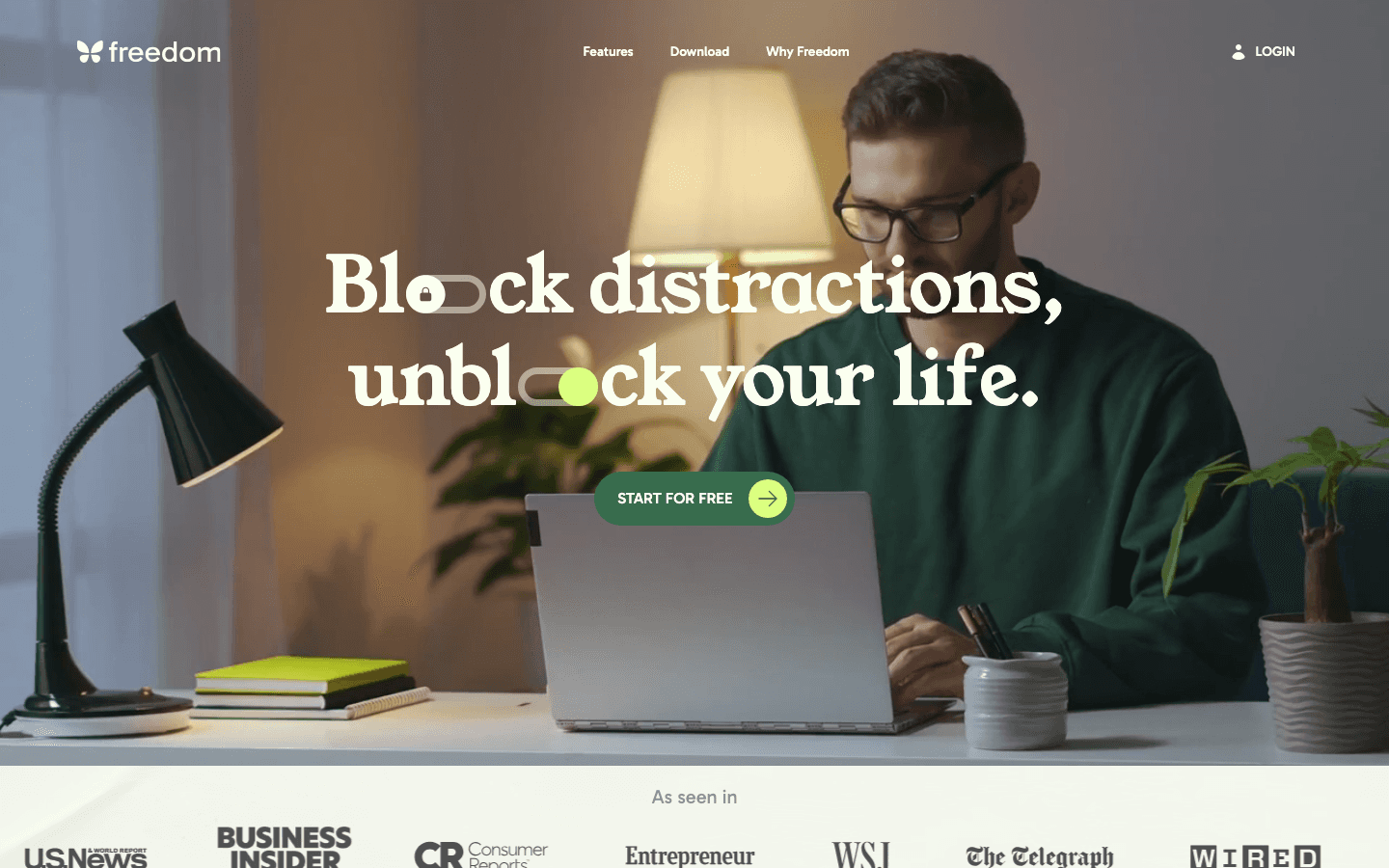
Freedom is the simplest boundary tool on this list. You set a block, it blocks. No AI, no configuration beyond the basics. During a Freedom session, the apps and websites you choose become unreachable across all your devices. Slack, email, your work project management tool, all of it gone until the session ends.
The scheduling feature is what makes Freedom practical for work-life balance. You can set recurring sessions to start automatically at 6pm every weekday, or whenever your workday typically ends. You do not have to remember to start it. The Locked Mode option takes this further: once a session is running, you cannot cancel it even if you change your mind. That sounds extreme, but many people find it is exactly the enforcement they need for the first few weeks of changing habits.
Key Features
Block specific apps and websites across all devices at once
Scheduled recurring sessions (e.g. every weekday evening)
Locked Mode that prevents you from cancelling an active session
Custom blocklists for different contexts (personal time, deep work, etc.)
What Works
Cross-device blocking means no sneaking onto the work app on your phone
Scheduled sessions remove the need for willpower to start blocking
Works immediately from day one
Limitations
Does not help you schedule or organize work, only block it
Free tier is quite limited; most useful features require Premium
Pricing: Free plan available; Premium from $3.33/month (billed annually) or $8.99/month (monthly)
Best for: Anyone who knows notifications and work apps are the problem but has trouble resisting them manually
3. Headspace: Best Work-Life Balance App for Stress and Recovery
The most popular guided meditation app for decompressing after work.
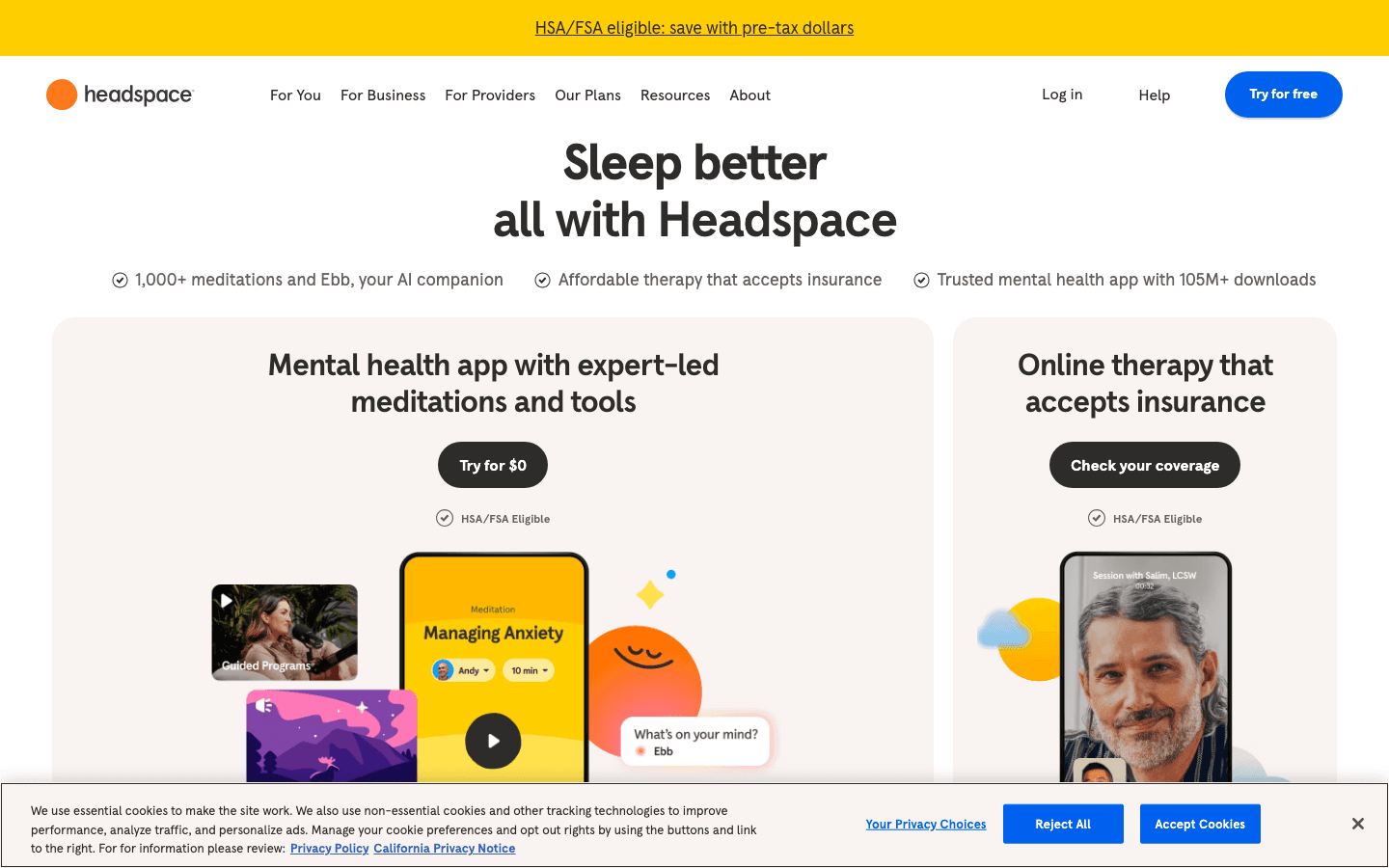
Headspace addresses the part of work-life balance that blocking apps cannot: what happens after you close the laptop. Even with notifications off, a lot of people carry work stress into their evenings and can not actually switch off. Headspace gives you a structured way to transition: 5-15 minute guided meditations designed specifically for stress after work, focus before starting the day, or sleep when you can not stop thinking.
The sleep content is particularly useful. The Sleepcasts run 45-55 minutes and are designed to give your mind something to follow while your nervous system settles. This is different from white noise. There's a loose narrative that occupies the part of your brain that would otherwise be running through tomorrow's schedule. It is not magic, but it is more effective than staring at the ceiling.
Key Features
Guided meditations from 3 to 20 minutes for different situations
Sleepcasts for winding down at night
Focus music and ambient sound for work blocks
Courses on stress, anxiety, and building mindfulness habits
What Works
High-quality production makes it easier to stick to versus free alternatives
The sleep content is the strongest in the category
Works with zero configuration: open it and follow along
Limitations
More expensive than Calm (the main alternative) at the monthly tier
Does not integrate with any calendar or productivity system
Requires active participation rather than running in the background
Pricing: Free trial available; $12.99/month or $69.99/year
Best for: People who want structured guidance for winding down after work, managing stress, and improving sleep quality
4. Clockify: Best Work-Life Balance App for Time Awareness
Free time tracking so you can see exactly how many hours work is actually taking.
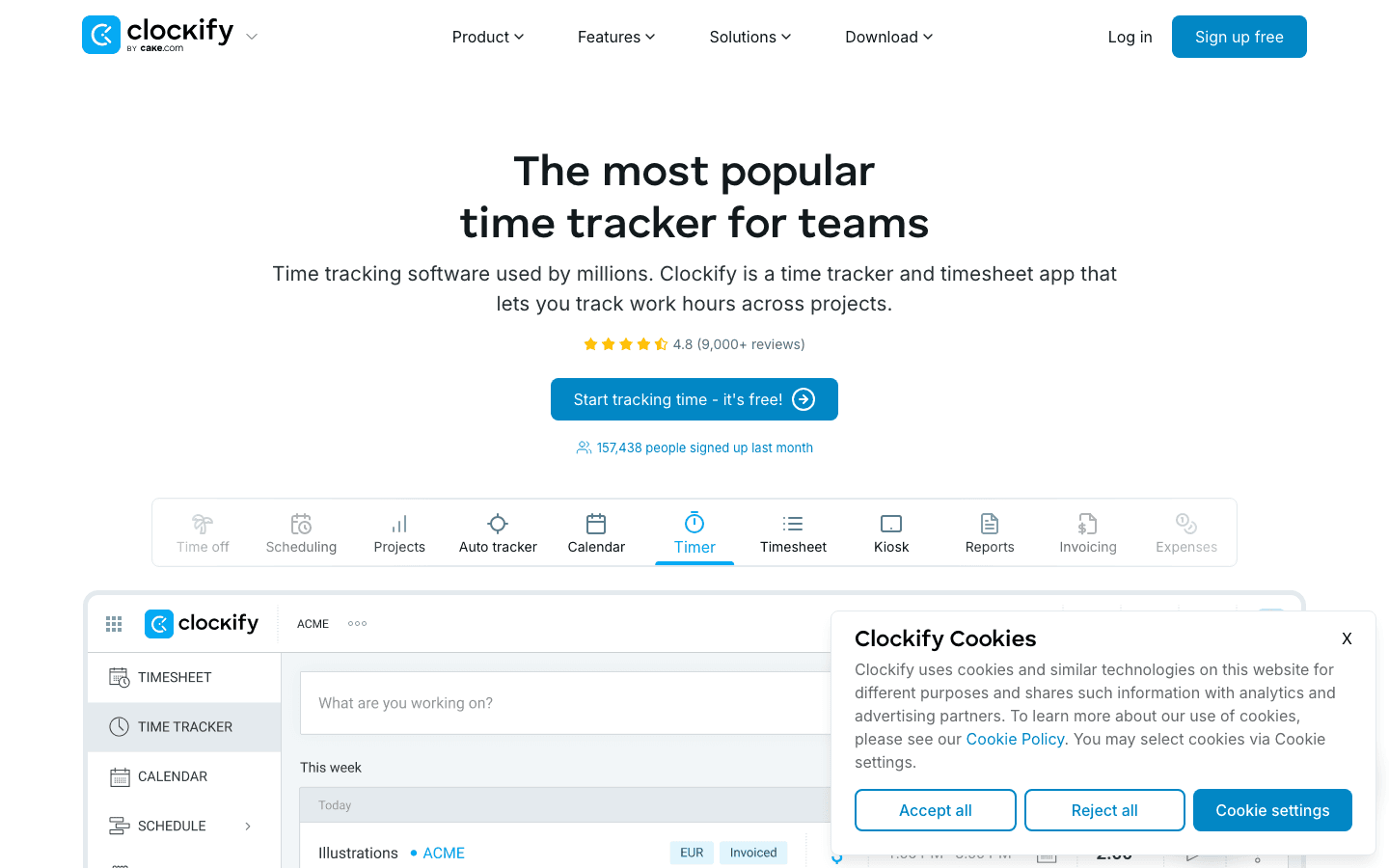
Clockify is the most useful diagnostic tool on this list. Before you can fix a work-life balance problem, you need to know what the problem actually is: how many hours you're working, what types of tasks are eating the most time, whether your estimate of "I work about 45 hours a week" is accurate or off by 20%. Clockify gives you that data for free.
The time tracking is simple: start a timer when you begin a task, stop it when you switch. At the end of the week, Clockify shows you exactly where the hours went. This data is more useful than most productivity advice. When you can see that 30% of your week goes to meetings and 40% to reactive tasks, you have something concrete to address. It is also a useful companion to scheduling apps that help you protect the time you want to spend on focused work.
Key Features
One-click time tracking with a running timer
Weekly reports showing hours by project, client, and task type
Calendar integration to track time alongside your schedule
Timesheet view for weekly summaries
What Works
Genuinely free forever with no limits on users or tracked time
Reports are clear and do not require setup to be useful
Available on iOS, Android, desktop, and browser
Limitations
Passive: it reports on what happened but does not change it
Requires manual tracking discipline to get accurate data
Pricing: Free forever for core features; Basic from $3.99/month per seat (annual)
Best for: People who want an honest picture of how they spend their work hours before making changes
5. Notion: Best Work-Life Balance App for Work Containment
Keep work organized so it stays in one place and out of your mind.
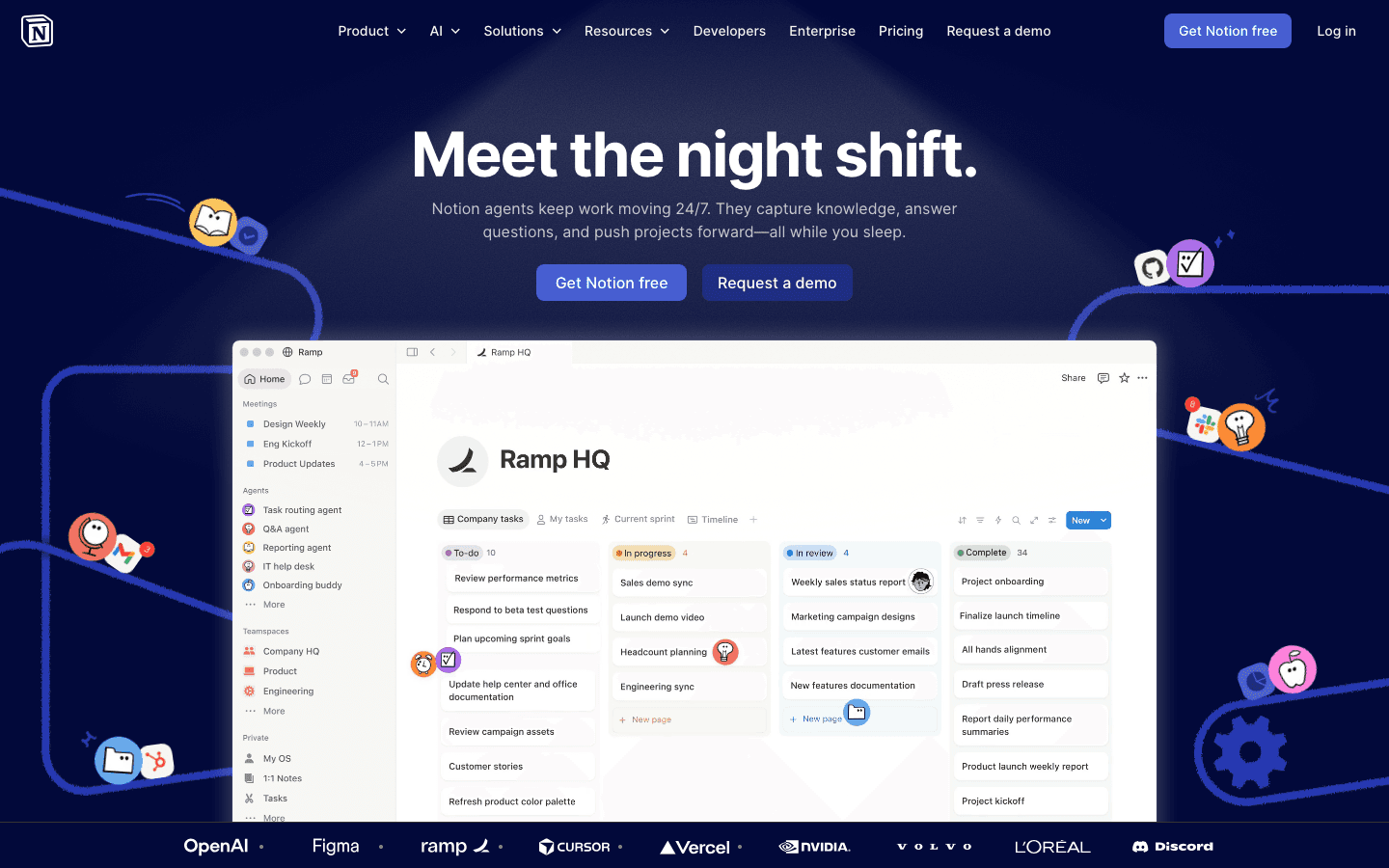
Notion helps with work-life balance from a different angle: if your projects, notes, and to-dos are scattered across your email, browser tabs, and memory, work follows you everywhere. When everything lives in Notion and is organized well, you can actually close it and leave work behind. You know where everything is. Nothing is going to fall through the cracks overnight.
The AI layer (included in paid plans) helps with this too. You can ask Notion to summarize where a project stands, surface any open action items, or draft a quick plan for tomorrow morning. That kind of "brain dump into the system" habit is a practical way to mentally clock out. The post on brain dumping covers this approach in more depth, and apps that work well alongside Notion shows how it fits into a broader toolkit.
Key Features
Flexible pages, databases, and project boards in one workspace
Notion AI for querying your workspace and drafting content
Collaboration tools for shared team documentation
Templates for common work structures (project tracking, meeting notes, etc.)
What Works
A well-organized Notion workspace genuinely reduces the "what did I forget" anxiety
AI summaries make it fast to pick up where you left off the next morning
Free plan is generous for individuals
Limitations
Setup takes real time; a messy Notion workspace adds stress rather than reducing it
No scheduling or blocking features
Pricing: Free plan available; Plus at $10/member/month
Best for: People whose work-life balance problem stems from disorganized work that bleeds into personal time mentally, not just time-wise
6. Any.do: Best Work-Life Balance App for Task Capture
Get work tasks out of your head so they stop following you home.
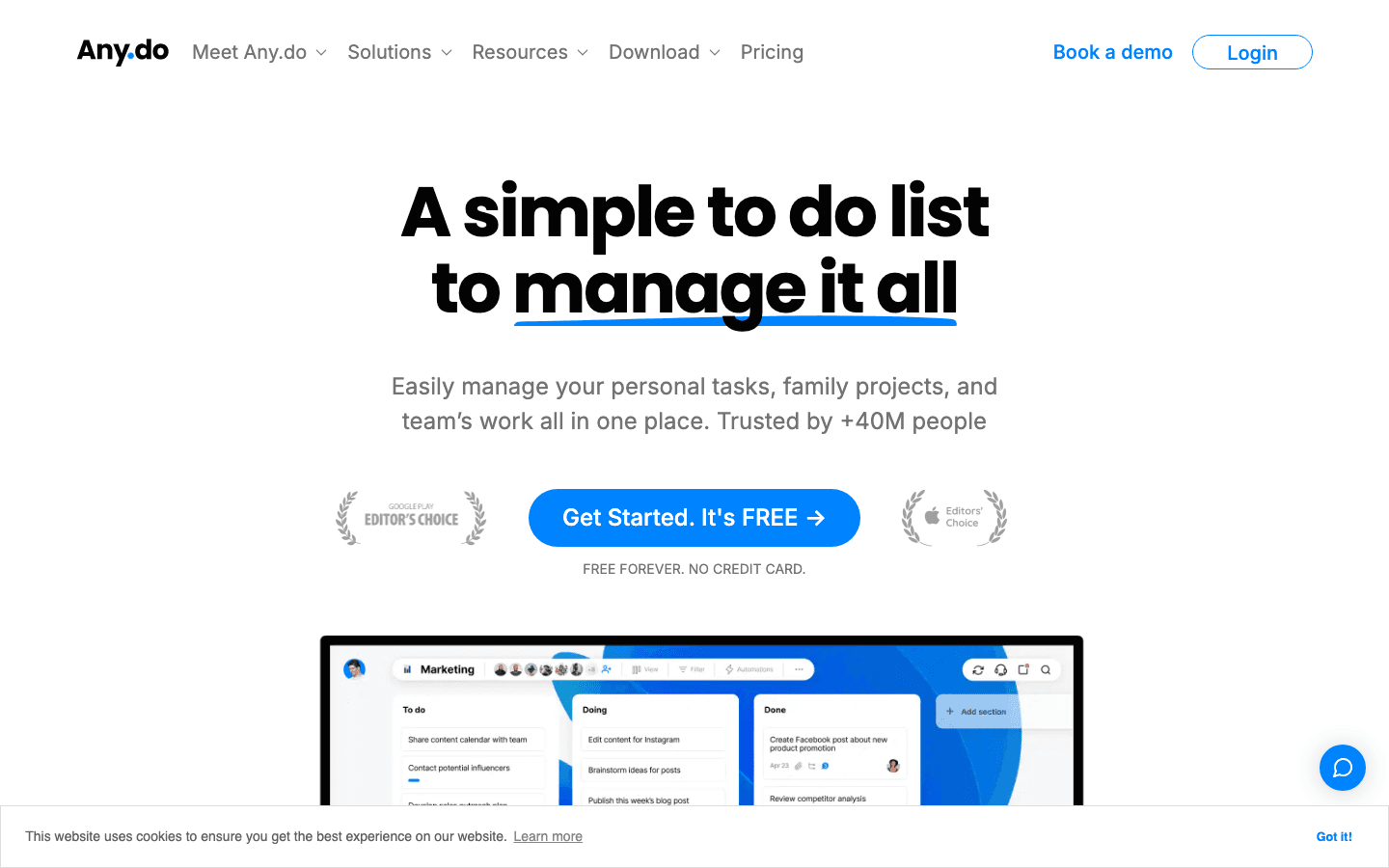
Any.do solves a simple but persistent problem: unfinished tasks live in your working memory until you write them down somewhere trustworthy. A quick task capture in Any.do before you close the laptop tells your brain that the task is handled. You do not need to keep thinking about it. This is the basis of getting and staying on task, and it is one of the lowest-friction ways to actually mentally leave work at work.
The WhatsApp reminder feature is genuinely useful. Instead of notifications going to your regular notification stack where they blend in with everything else, Any.do sends reminders through a dedicated WhatsApp message. A lot of people find this more reliable than push notifications that get buried.
Key Features
Fast task capture from mobile, web, or voice
WhatsApp reminders for tasks and deadlines
Daily planner view to see tasks alongside your calendar
Shared task lists for family and work projects
What Works
Very low friction for capture: open the app, type, done
WhatsApp integration is more reliable than push notifications for many users
Free forever plan covers most individual use cases
Limitations
No scheduling automation; tasks live in a list, not on a calendar
AI features (suggestions, smart scheduling) are Premium only
Pricing: Free forever; Premium from $4.99/month (billed annually), $7.99/month (monthly)
Best for: People who want a low-effort way to capture and track work tasks so those tasks stop taking up mental space after hours
Which Work-Life Balance App Is Right for You?
The app that helps most depends on where your balance actually breaks down:
Your schedule fills up before personal time gets protected: Lifestack. It blocks your most important time before meetings can claim it. See the post on time blocking apps for more context on protecting focus and personal hours.
You check work apps when you're supposed to be off: Freedom. Start a recurring session at your end-of-day time and let it enforce the boundary for you.
You can not actually relax after closing the laptop: Headspace. The 10-minute after-work meditations are designed specifically for this transition.
You suspect you're overworking but do not have the data: Clockify. Track for two weeks and you will know exactly what you're dealing with.
Work tasks keep popping into your head in the evenings: Any.do. End your day with a quick task capture and your brain stops treating "incomplete to-do list" as an emergency.
Work feels scattered and hard to leave behind: Notion. Getting everything into one organized system means you can close it and trust nothing is lost.
Frequently Asked Questions
What is the best app for work-life balance in 2026?
Lifestack is the strongest pick for proactively protecting personal time through smart scheduling. Freedom is the best quick fix for notification and app-checking habits. The right choice depends on where the balance is breaking down: scheduling, digital habits, or stress recovery.
Can an app actually help with work-life balance?
Yes, particularly for problems that are about habits and structure rather than workload volume. An app can not reduce your meetings or lighten your job responsibilities, but it can automate blocking notifications after hours, schedule your day to end at a predictable time, and create systems so work does not spill into your mental space in the evenings.
Is there a free work-life balance app worth using?
Several. Clockify is genuinely free and useful for time awareness. Any.do has a solid free tier for task capture. Headspace and Freedom both offer free plans, though their key features require a paid subscription. Lifestack offers a 7-day free trial on the annual plan.
How does Lifestack help with work-life balance?
Lifestack uses energy-aware scheduling to arrange your work into the right time slots automatically. It protects your peak hours for focused work, keeps low-priority tasks from clogging your best time, and creates a natural daily stopping point. The result is a schedule that starts and ends at predictable times rather than expanding to fill every available hour. The Lifestack introduction explains the approach in full.
Should I use more than one app for work-life balance?
A two-app combination usually covers most needs. Lifestack handles scheduling and time protection. Freedom handles the notification and after-hours habit problem. Add Headspace if sleep or stress recovery is a specific issue. Adding more than three tools often creates more complexity than benefit.
What work-life balance apps work well together?
Lifestack and Freedom complement each other directly: Lifestack builds a schedule with a clear stopping point, Freedom enforces that stopping point by blocking work apps once the session ends. Clockify runs alongside either and gives you the data to see whether the combination is working. For more ideas on building a focused daily routine, the guide on best productivity apps in 2026 covers the broader toolkit.
What Makes a Good Work-Life Balance App?
The honest answer: it depends on where your balance is breaking down. For some people, the problem is work creeping into evenings because notifications never stop. For others, it's not knowing where the time went, or having a to-do list that spills from work into every waking hour. A good work-life balance app solves a specific version of this problem, not a vague one.
The tools on this list cover four main categories: smart scheduling that protects your time before your calendar fills up, digital boundary tools that block work apps when you're off the clock, mindfulness apps that help you actually decompress, and time tracking tools that show you where your hours are going. Used together or individually, they make work-life balance something you can act on rather than just aim for.
We tested each app over several weeks across a mix of work types: heavy meeting weeks, deep-focus weeks, and chaotic weeks where neither felt achievable. Here is what stood out.
Key Takeaways
Lifestack is the strongest pick if you want your schedule to automatically protect focus time and wind-down hours rather than letting every free slot fill up with work.
Freedom is the fastest fix for people whose main problem is checking work notifications after hours. It works immediately with no learning curve.
Clockify is the most useful tool for understanding where your time actually goes before trying to change it.
Quick Guide: 6 Best Work-Life Balance Apps
Lifestack: AI scheduling that protects your peak hours and natural stopping points
Freedom: App and website blocker that enforces digital boundaries after hours
Headspace: Guided meditation and mindfulness to wind down from work
Clockify: Free time tracker to see exactly how many hours go to work each week
Notion: Workspace to organize work so it stays contained and out of your head
Any.do: Lightweight task capture that prevents work tasks from living in your head all evening
How We Evaluated These Apps
We focused on four things: whether the app solves an actual boundary problem (not just a productivity problem), ease of use when you're already tired and just want to switch off, whether it runs in the background without needing constant attention, and pricing relative to how much it helps.
Does it protect personal time proactively, or only react when you remember to use it?
Cross-platform availability (iOS, Android, desktop)
Free tier value for getting started without a commitment
Integration with calendar and notification systems
1. Lifestack: Best Work-Life Balance App for Scheduling
The AI scheduler that treats your energy as a boundary, not just a resource.
Lifestack approaches work-life balance from the scheduling side: instead of letting your calendar fill up with meetings and tasks until there's nothing left, it schedules work around your energy patterns. Your high-focus windows get protected for deep work. Your natural wind-down time stays clear. It does this automatically as your week changes, so you are not manually defending your schedule every day.
The biggest work-life balance win with Lifestack is that it makes stopping feel intentional rather than guilty. When the scheduled work block ends, you have actually finished what was planned for that day. There is no "I'll just check one more thing" because there is nothing left that was supposed to happen. That is a meaningful shift in how the workday feels, especially if you tend to let work run until you run out of energy rather than until the work is done.
The approach is described in detail in the Lifestack introduction. For a deeper look at why scheduling around energy rather than time works better for sustainable output, see the post on energy-based planning versus time blocking.
Key Features
Energy-aware scheduling that protects focus blocks before meetings fill them
Automatic rescheduling when your day changes
Google Calendar and Outlook integration
iOS, Android, and Chrome extension
Wearable integrations for energy data over time
What Works
Makes stopping at a reasonable time feel natural, not like a willpower exercise
Protects personal time before anything can book over it
Handles disrupted days without requiring manual re-planning
Limitations
Does not block notifications on its own (pair with Freedom for that)
Wearable energy data takes a few weeks to meaningfully influence scheduling
Pricing: $7/month or $50/year (7-day free trial on annual plan)
Best for: People who want their schedule to automatically create and protect personal time rather than having to defend it manually every day
2. Freedom: Best Work-Life Balance App for Digital Boundaries
Block work apps and websites when you're supposed to be off.
Freedom is the simplest boundary tool on this list. You set a block, it blocks. No AI, no configuration beyond the basics. During a Freedom session, the apps and websites you choose become unreachable across all your devices. Slack, email, your work project management tool, all of it gone until the session ends.
The scheduling feature is what makes Freedom practical for work-life balance. You can set recurring sessions to start automatically at 6pm every weekday, or whenever your workday typically ends. You do not have to remember to start it. The Locked Mode option takes this further: once a session is running, you cannot cancel it even if you change your mind. That sounds extreme, but many people find it is exactly the enforcement they need for the first few weeks of changing habits.
Key Features
Block specific apps and websites across all devices at once
Scheduled recurring sessions (e.g. every weekday evening)
Locked Mode that prevents you from cancelling an active session
Custom blocklists for different contexts (personal time, deep work, etc.)
What Works
Cross-device blocking means no sneaking onto the work app on your phone
Scheduled sessions remove the need for willpower to start blocking
Works immediately from day one
Limitations
Does not help you schedule or organize work, only block it
Free tier is quite limited; most useful features require Premium
Pricing: Free plan available; Premium from $3.33/month (billed annually) or $8.99/month (monthly)
Best for: Anyone who knows notifications and work apps are the problem but has trouble resisting them manually
3. Headspace: Best Work-Life Balance App for Stress and Recovery
The most popular guided meditation app for decompressing after work.
Headspace addresses the part of work-life balance that blocking apps cannot: what happens after you close the laptop. Even with notifications off, a lot of people carry work stress into their evenings and can not actually switch off. Headspace gives you a structured way to transition: 5-15 minute guided meditations designed specifically for stress after work, focus before starting the day, or sleep when you can not stop thinking.
The sleep content is particularly useful. The Sleepcasts run 45-55 minutes and are designed to give your mind something to follow while your nervous system settles. This is different from white noise. There's a loose narrative that occupies the part of your brain that would otherwise be running through tomorrow's schedule. It is not magic, but it is more effective than staring at the ceiling.
Key Features
Guided meditations from 3 to 20 minutes for different situations
Sleepcasts for winding down at night
Focus music and ambient sound for work blocks
Courses on stress, anxiety, and building mindfulness habits
What Works
High-quality production makes it easier to stick to versus free alternatives
The sleep content is the strongest in the category
Works with zero configuration: open it and follow along
Limitations
More expensive than Calm (the main alternative) at the monthly tier
Does not integrate with any calendar or productivity system
Requires active participation rather than running in the background
Pricing: Free trial available; $12.99/month or $69.99/year
Best for: People who want structured guidance for winding down after work, managing stress, and improving sleep quality
4. Clockify: Best Work-Life Balance App for Time Awareness
Free time tracking so you can see exactly how many hours work is actually taking.
Clockify is the most useful diagnostic tool on this list. Before you can fix a work-life balance problem, you need to know what the problem actually is: how many hours you're working, what types of tasks are eating the most time, whether your estimate of "I work about 45 hours a week" is accurate or off by 20%. Clockify gives you that data for free.
The time tracking is simple: start a timer when you begin a task, stop it when you switch. At the end of the week, Clockify shows you exactly where the hours went. This data is more useful than most productivity advice. When you can see that 30% of your week goes to meetings and 40% to reactive tasks, you have something concrete to address. It is also a useful companion to scheduling apps that help you protect the time you want to spend on focused work.
Key Features
One-click time tracking with a running timer
Weekly reports showing hours by project, client, and task type
Calendar integration to track time alongside your schedule
Timesheet view for weekly summaries
What Works
Genuinely free forever with no limits on users or tracked time
Reports are clear and do not require setup to be useful
Available on iOS, Android, desktop, and browser
Limitations
Passive: it reports on what happened but does not change it
Requires manual tracking discipline to get accurate data
Pricing: Free forever for core features; Basic from $3.99/month per seat (annual)
Best for: People who want an honest picture of how they spend their work hours before making changes
5. Notion: Best Work-Life Balance App for Work Containment
Keep work organized so it stays in one place and out of your mind.
Notion helps with work-life balance from a different angle: if your projects, notes, and to-dos are scattered across your email, browser tabs, and memory, work follows you everywhere. When everything lives in Notion and is organized well, you can actually close it and leave work behind. You know where everything is. Nothing is going to fall through the cracks overnight.
The AI layer (included in paid plans) helps with this too. You can ask Notion to summarize where a project stands, surface any open action items, or draft a quick plan for tomorrow morning. That kind of "brain dump into the system" habit is a practical way to mentally clock out. The post on brain dumping covers this approach in more depth, and apps that work well alongside Notion shows how it fits into a broader toolkit.
Key Features
Flexible pages, databases, and project boards in one workspace
Notion AI for querying your workspace and drafting content
Collaboration tools for shared team documentation
Templates for common work structures (project tracking, meeting notes, etc.)
What Works
A well-organized Notion workspace genuinely reduces the "what did I forget" anxiety
AI summaries make it fast to pick up where you left off the next morning
Free plan is generous for individuals
Limitations
Setup takes real time; a messy Notion workspace adds stress rather than reducing it
No scheduling or blocking features
Pricing: Free plan available; Plus at $10/member/month
Best for: People whose work-life balance problem stems from disorganized work that bleeds into personal time mentally, not just time-wise
6. Any.do: Best Work-Life Balance App for Task Capture
Get work tasks out of your head so they stop following you home.
Any.do solves a simple but persistent problem: unfinished tasks live in your working memory until you write them down somewhere trustworthy. A quick task capture in Any.do before you close the laptop tells your brain that the task is handled. You do not need to keep thinking about it. This is the basis of getting and staying on task, and it is one of the lowest-friction ways to actually mentally leave work at work.
The WhatsApp reminder feature is genuinely useful. Instead of notifications going to your regular notification stack where they blend in with everything else, Any.do sends reminders through a dedicated WhatsApp message. A lot of people find this more reliable than push notifications that get buried.
Key Features
Fast task capture from mobile, web, or voice
WhatsApp reminders for tasks and deadlines
Daily planner view to see tasks alongside your calendar
Shared task lists for family and work projects
What Works
Very low friction for capture: open the app, type, done
WhatsApp integration is more reliable than push notifications for many users
Free forever plan covers most individual use cases
Limitations
No scheduling automation; tasks live in a list, not on a calendar
AI features (suggestions, smart scheduling) are Premium only
Pricing: Free forever; Premium from $4.99/month (billed annually), $7.99/month (monthly)
Best for: People who want a low-effort way to capture and track work tasks so those tasks stop taking up mental space after hours
Which Work-Life Balance App Is Right for You?
The app that helps most depends on where your balance actually breaks down:
Your schedule fills up before personal time gets protected: Lifestack. It blocks your most important time before meetings can claim it. See the post on time blocking apps for more context on protecting focus and personal hours.
You check work apps when you're supposed to be off: Freedom. Start a recurring session at your end-of-day time and let it enforce the boundary for you.
You can not actually relax after closing the laptop: Headspace. The 10-minute after-work meditations are designed specifically for this transition.
You suspect you're overworking but do not have the data: Clockify. Track for two weeks and you will know exactly what you're dealing with.
Work tasks keep popping into your head in the evenings: Any.do. End your day with a quick task capture and your brain stops treating "incomplete to-do list" as an emergency.
Work feels scattered and hard to leave behind: Notion. Getting everything into one organized system means you can close it and trust nothing is lost.
Frequently Asked Questions
What is the best app for work-life balance in 2026?
Lifestack is the strongest pick for proactively protecting personal time through smart scheduling. Freedom is the best quick fix for notification and app-checking habits. The right choice depends on where the balance is breaking down: scheduling, digital habits, or stress recovery.
Can an app actually help with work-life balance?
Yes, particularly for problems that are about habits and structure rather than workload volume. An app can not reduce your meetings or lighten your job responsibilities, but it can automate blocking notifications after hours, schedule your day to end at a predictable time, and create systems so work does not spill into your mental space in the evenings.
Is there a free work-life balance app worth using?
Several. Clockify is genuinely free and useful for time awareness. Any.do has a solid free tier for task capture. Headspace and Freedom both offer free plans, though their key features require a paid subscription. Lifestack offers a 7-day free trial on the annual plan.
How does Lifestack help with work-life balance?
Lifestack uses energy-aware scheduling to arrange your work into the right time slots automatically. It protects your peak hours for focused work, keeps low-priority tasks from clogging your best time, and creates a natural daily stopping point. The result is a schedule that starts and ends at predictable times rather than expanding to fill every available hour. The Lifestack introduction explains the approach in full.
Should I use more than one app for work-life balance?
A two-app combination usually covers most needs. Lifestack handles scheduling and time protection. Freedom handles the notification and after-hours habit problem. Add Headspace if sleep or stress recovery is a specific issue. Adding more than three tools often creates more complexity than benefit.
What work-life balance apps work well together?
Lifestack and Freedom complement each other directly: Lifestack builds a schedule with a clear stopping point, Freedom enforces that stopping point by blocking work apps once the session ends. Clockify runs alongside either and gives you the data to see whether the combination is working. For more ideas on building a focused daily routine, the guide on best productivity apps in 2026 covers the broader toolkit.



FOLLOW ON
FOLLOW ON
FOLLOW ON


Copyright 2026 © Lifestack. All rights reserved
Copyright 2026 © Lifestack. All rights reserved

