
App
The Best Task Board for Creative Freelancers
The Best Task Board for Creative Freelancers

Creative freelancers do not work like project managers, and most task tools were built for project managers. If you design, write, illustrate, or shoot for a living, you already know the problem. A linear to-do list flattens work that is actually messy, visual, and tied to how much creative energy you have on a given afternoon. So the search for a task board for creative freelancers usually ends in frustration with software that feels like a spreadsheet wearing a costume.
A good task board for creative work should do two things at once. It should hold the visual, non-linear nature of ideas, moodboards, drafts, references, half-finished concepts, and it should respect that creative output rises and falls with your energy across the day. Pushing hard on a logo concept at 4pm when you are fried is how good work turns mediocre.
We tested seven tools across both angles: how well they hold visual creative work, and how well they help you plan that work around real human energy instead of a flat calendar grid. We pulled current pricing from each tool's own pricing page, looked at the mobile experience, and weighed how steep the setup is for a solo freelancer with no time to configure a database.
Lifestack lands at number one because it is the only tool here that schedules creative work around your energy levels, not just your free time. The rest of the list covers visual boards, calendars, and planners worth knowing depending on how you work.
Key Takeaways
Lifestack is the top pick because it plans creative tasks around your real energy patterns using energy-based planning, not a static grid.
Visual thinkers who live in moodboards should look hard at Milanote and Trello, both built around boards instead of lists.
Pricing ranges from genuinely free (Trello, Notion, Milanote, Todoist all have free tiers) up to $19 a month for Motion, so match the tool to your budget and your workflow.
The 7 Best Task Boards for Creative Freelancers
Lifestack - best overall, energy-aware planning for creative work
Trello - best free visual kanban board
Milanote - best for moodboards and visual creative projects
Notion - best all-in-one workspace for docs and tasks
Motion - best automated AI scheduler
Todoist - best lightweight task list
Sunsama - best calm daily planner
How We Evaluated Each Tool
Not every task app deserves a creative freelancer's time. We scored each tool on the things that actually matter when your work is visual and your schedule is your own.
Energy awareness - does it plan work around when you are sharp versus drained?
Visual organization - boards, canvases, and moodboards versus flat lists
Calendar and scheduling - can it block time, not just collect tasks?
Setup effort - how fast can a solo freelancer start without building a database?
Mobile experience - usable on a phone between client calls
Pricing - verified from each tool's own pricing page
1. Lifestack - Best Overall Task Board for Creative Freelancers
The only planner that schedules your creative work around your energy, not just your free time.

Lifestack approaches the task board problem from a different direction. Instead of asking you to drag cards across columns, it builds your day around your energy. It reads signals from your sleep and recovery data, then drafts a schedule that puts demanding creative work in your peak windows and admin in the low ones. For a freelancer whose best ideas show up at 10am and fall apart by 3pm, that is the difference between a productive day and a wasted one.
It connects to your existing calendar and tasks, so it is not another silo to maintain. You plan once, and the day reshuffles itself when reality changes. That is why it sits at the top of this list for creative work specifically, where output quality depends so heavily on timing.
Key Features
Energy-aware scheduling that places creative work in your peak hours
Syncs with Google Calendar, Apple Calendar, and tools like Todoist
Pulls sleep and recovery data from wearables to predict your energy
Automatic rescheduling when your day shifts
Mobile-first design for planning on the go
What Works
Genuinely unique approach: no other tool here plans around energy
Low setup effort, it drafts the schedule for you
Strong fit for ADHD and energy-variable creatives
Limitations
Not a visual moodboard tool, pair it with Milanote for that
No permanently free tier, though a 7-day trial is available
Pricing: $7 per month, or $50 per year (7-day free trial), or $120 one-time lifetime. No free tier.
Best for: Freelancers whose creative output swings with their energy across the day.
2. Trello - Best Free Visual Kanban Board
The classic drag-and-drop board that still nails simple visual workflows.
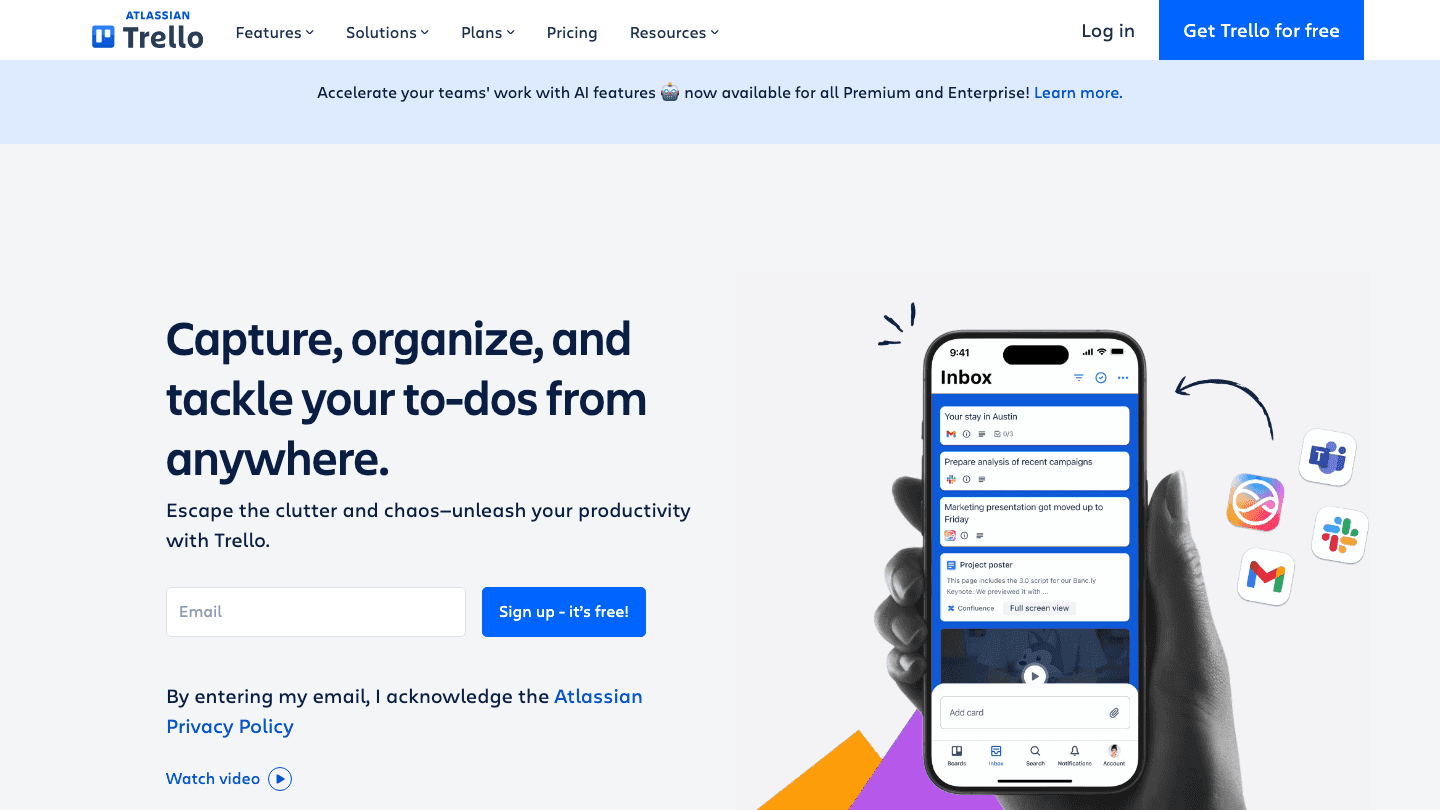
Trello is the tool most freelancers picture when they hear "task board." Cards, lists, and a clean drag-and-drop interface make it dead simple to map a project from idea to delivered. For a freelancer juggling three clients, a board per client with columns for Backlog, In Progress, and Sent works on day one with zero learning curve.
It will not plan your day for you, and it has no sense of your energy. But as a pure visual board for tracking where each piece of work stands, it is hard to beat, especially at free. If you already use it, our guide to the best apps to use with Trello covers ways to extend it.
Key Features
Drag-and-drop kanban boards with cards and lists
Power-Ups for calendar views, automation, and integrations
Generous free tier for solo use
Where Trello falls short is planning. It tracks status well but does nothing to tell you what to work on when, and it has no energy awareness at all.
Pricing: Free for up to 10 collaborators per Workspace. Standard is $5 per user per month billed annually ($6 monthly). Premium is $10 per user per month annually ($12.50 monthly). See our Trello pricing breakdown for details.
Best for: Freelancers who want a simple, free visual board to track project status.
3. Milanote - Best for Moodboards and Visual Projects
A flexible canvas built for the messy, visual early stage of creative work.
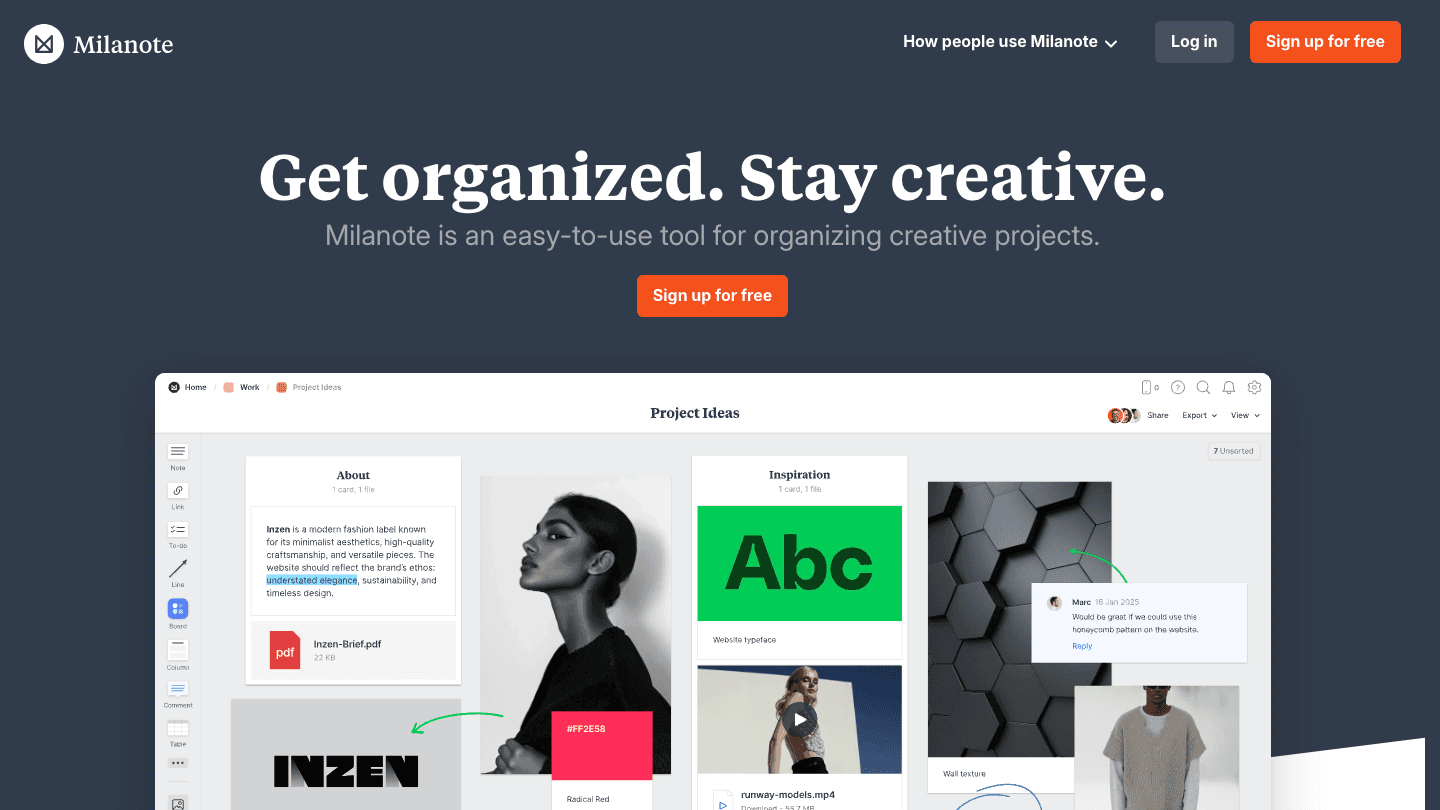
Milanote is the most creative-native tool on this list. Instead of columns and rows, you get an infinite canvas where you arrange notes, images, links, files, and to-do lists freely. It is where a brand identity, a photo shoot, or an article outline can actually breathe before it gets locked into a timeline. Designers and art directors tend to fall for it fast.
As a task board it is loose by design, which is the point and also the catch. It captures the shape of an idea beautifully but does little to schedule the work. Treat it as your visual thinking space and pair it with a planner for the calendar side.
Key Features
Infinite canvas for moodboards, notes, and references
Drag images, files, and links directly onto the board
Built-in templates for creative briefs and projects
Real-time sharing with clients and collaborators
Limitations
Weak on scheduling and time management
No energy awareness or automated planning
Free tier caps you at 100 notes and 10 file uploads
Pricing: Free plan with 100 notes, images, or links and 10 file uploads. Pro is $9.99 per month billed annually ($12.50 billed monthly).
Best for: Visual creatives who think in moodboards before they think in tasks.
4. Notion - Best All-in-One Workspace
One flexible workspace for docs, tasks, and a board view when you need it.
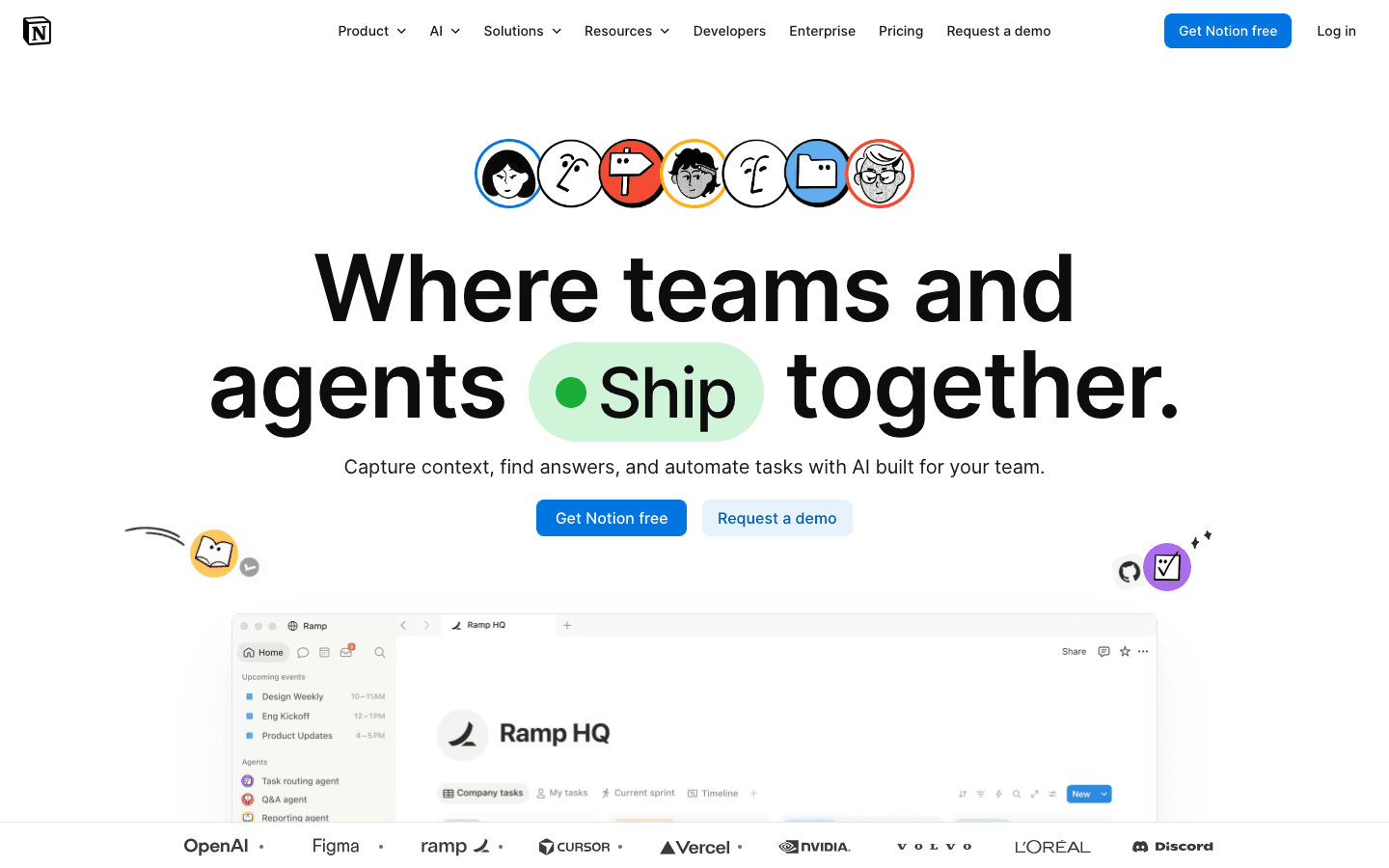
Notion can be whatever you build it to be, which is its strength and its trap. You can spin up a kanban board, a client database, a content calendar, and a notes hub in the same place. For a freelancer who wants one tool for everything and does not mind tinkering, it consolidates a messy stack into a single workspace.
The cost is setup time. A blank Notion is intimidating, and it is easy to spend a whole afternoon building a system instead of doing the work. If you want a board that runs out of the box, Trello is faster. If you want a deep workspace you can shape, Notion wins. Our list of apps to use with Notion can help you fill its scheduling gaps.
Key Features
Board, table, calendar, and timeline views of the same data
Docs, wikis, and databases in one workspace
Large template library and AI writing tools
Notion does not plan your day or sense your energy. It is a container, a very good one, but you still decide what to work on and when.
Pricing: Free for individuals. Plus is $8 per seat per month billed annually ($10 monthly). Business is $16 per seat per month annually ($20 monthly). See our Notion pricing guide.
Best for: Freelancers who want a single customizable home for docs and tasks.
5. Motion - Best Automated AI Scheduler
An AI that auto-builds your calendar from your task list.
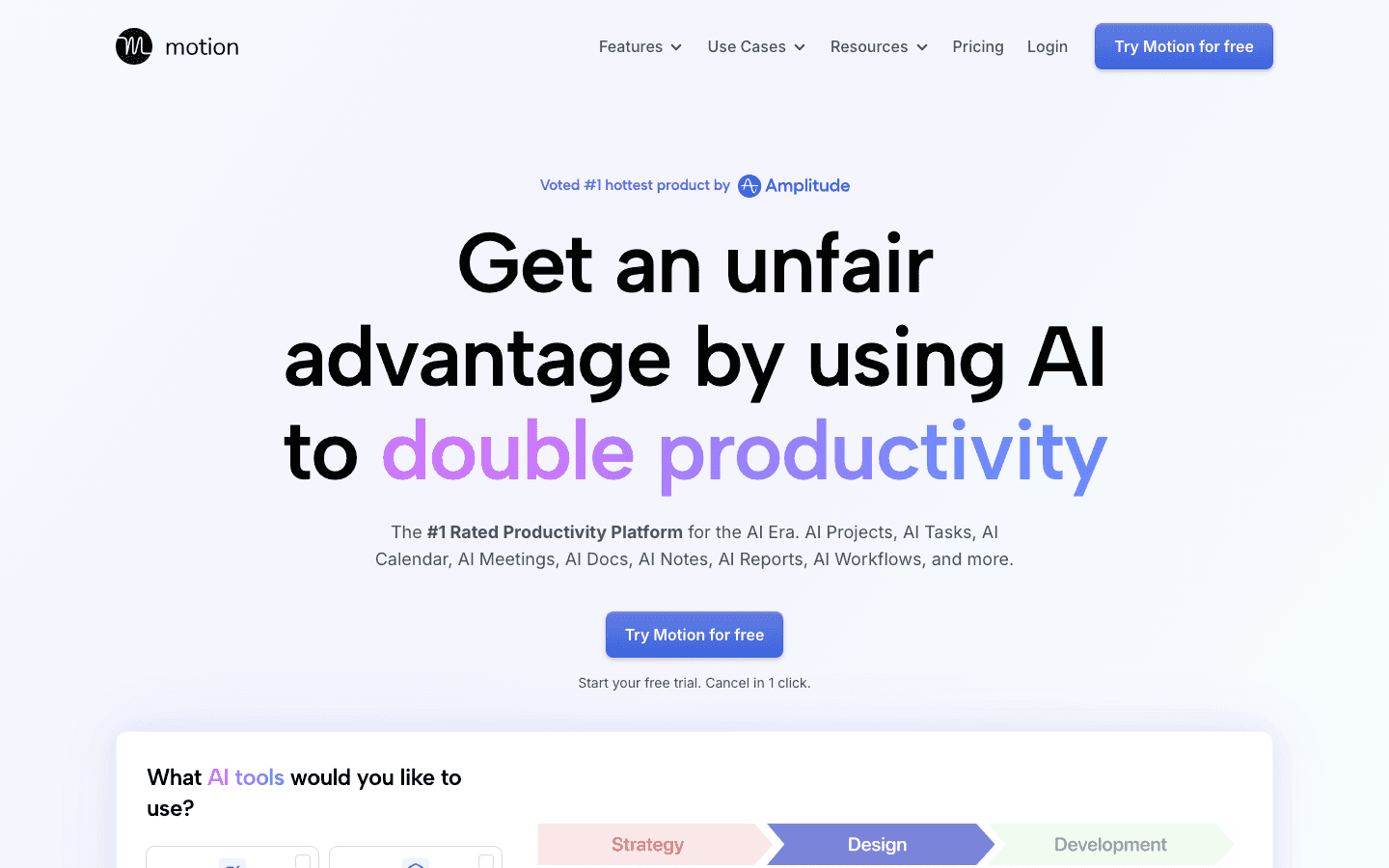
Motion takes your tasks and deadlines and uses AI to slot them into your calendar automatically. When something slips, it reshuffles the rest. For a freelancer drowning in deliverables across clients, that automation removes the daily "what now" decision and replaces it with a built schedule.
It leans corporate and the price reflects that. The scheduling is time-and-deadline driven rather than energy driven, so it will happily book deep creative work into a slot where you are running on empty. It is powerful, just not built around how creative energy actually moves.
Key Features
AI auto-scheduling of tasks into calendar slots
Automatic rescheduling when plans change
Project and task management with deadlines
Limitations
Most expensive option on this list
Schedules by deadline, not by your energy
Heavier than a solo freelancer often needs
Pricing: Pro AI is $19 per seat per month billed annually. Business AI is $29 per seat per month annually. Free trial available, no free tier. See our Motion pricing breakdown.
Best for: Freelancers who want their calendar built automatically and do not mind the price.
6. Todoist - Best Lightweight Task List
Fast, clean task capture that gets out of your way.
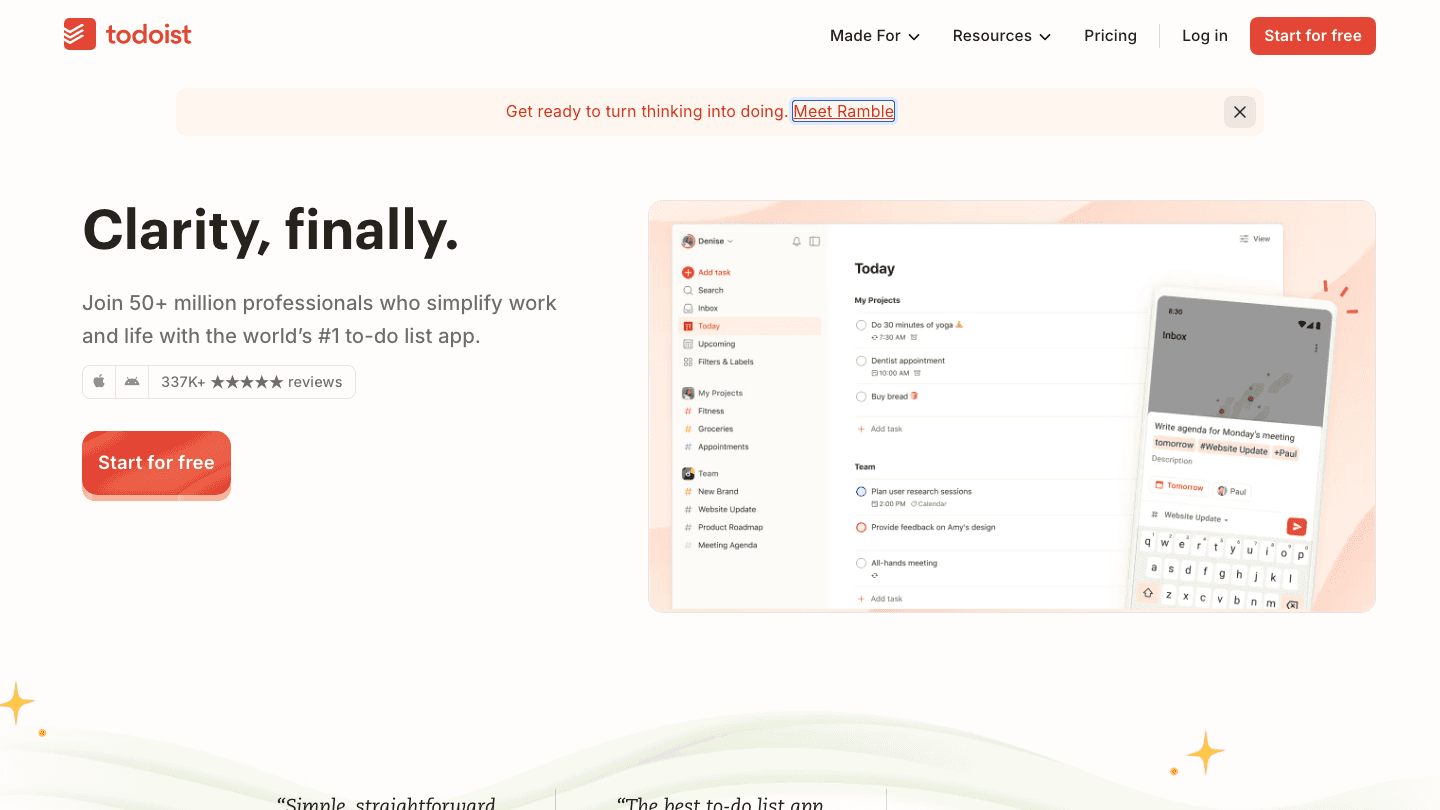
Todoist is not a board at all, it is a list, and that is exactly why some freelancers love it. When you just need to capture every loose task fast and not think about columns or canvases, Todoist's speed and simplicity are a relief. Natural-language input ("send invoice Friday 9am") makes capture almost frictionless.
It has a board view on paid plans, but its heart is the list. There is no energy awareness, though it pairs nicely with a planner that has it. We have a full guide on using Todoist with Lifestack for exactly that combination.
Key Features
Natural-language task entry
Projects, labels, filters, and priorities
Board view available on paid plans
The free tier now caps you at five active projects, which a multi-client freelancer can hit quickly. Beyond that you will want Pro.
Pricing: Free Beginner plan (up to 5 projects). Pro is $5 per month billed annually ($60 per year, $7 monthly). Business is $8 per user per month annually. See our Todoist pricing guide.
Best for: Freelancers who want fast, no-friction task capture in a simple list.
7. Sunsama - Best Calm Daily Planner
A deliberate daily planner that pulls tasks in from everywhere else.
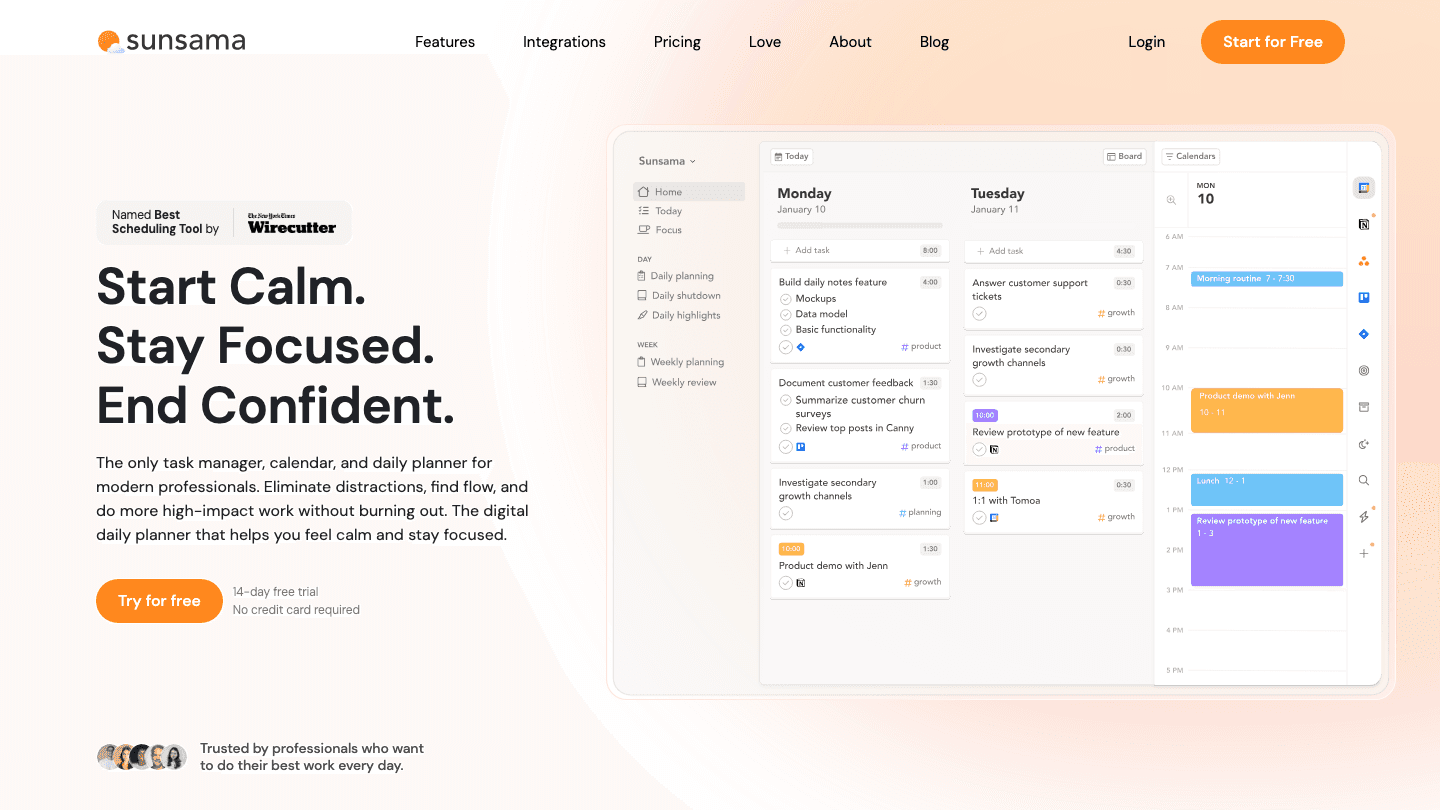
Sunsama is built around a calm daily ritual. Each morning you pull in tasks from your other tools, decide what is realistic for the day, and time-box it. For a freelancer prone to overcommitting, that forced daily reckoning is a healthy guardrail against a 30-item list you will never finish.
It is more planner than board, and more expensive than most of the list. It nudges you toward sustainable pace, which is close in spirit to energy-aware work, but it asks you to make those calls manually rather than reading your energy for you the way Lifestack does.
Key Features
Guided daily and weekly planning ritual
Pulls tasks from Todoist, Trello, Notion, and more
Time-boxing and realistic daily load checks
Limitations
On the pricey side for a solo freelancer
Energy pacing is manual, not automatic
Best as a layer on top of other tools, not a standalone board
Pricing: $17 per month billed annually ($22 billed monthly). 14-day free trial, no credit card required.
Best for: Freelancers who want a calm, deliberate daily planning habit.
Which Task Board Is Right for You?
The right pick depends less on features and more on how your creative work actually flows.
Plan around your energy: Lifestack, the only tool here that does it automatically
Think in moodboards: Milanote for visual, non-linear projects
Want a simple free board: Trello
Want one tool for everything: Notion
Want your calendar auto-built: Motion
Just need a fast list: Todoist
Want a calm daily ritual: Sunsama
If your creative output rises and falls across the day, and for most freelancers it does, start with Lifestack and add a visual board like Milanote or Trello when a project needs one. You can read more about why energy-based planning beats time blocking or see how the Lifestack approach came together.
Frequently Asked Questions
What is the best task board for creative freelancers?
For most creative freelancers, Lifestack is the best task board because it schedules demanding creative work around your real energy levels instead of a flat calendar. If you specifically want a visual moodboard canvas, Milanote is the strongest pick, and Trello is the best free kanban board.
Is there a free task board for creative freelancers?
Yes. Trello, Notion, Milanote, and Todoist all have genuinely usable free tiers. Trello and Milanote are the most board-like of the free options, while Notion is the most flexible. Lifestack does not have a free tier but offers a 7-day trial.
What makes a task board good for creative work specifically?
Creative work is visual and non-linear, and its quality depends heavily on timing. A good task board for creatives holds visual, messy ideas (boards and canvases beat flat lists) and respects your energy, so demanding work lands in your sharp hours. That second part is where most tools fall short and where energy-aware planning matters.
Do I need a separate tool for moodboards and scheduling?
Often yes, and that is fine. The cleanest setup for many freelancers is a visual tool like Milanote for early creative thinking, paired with an energy-aware planner like Lifestack for scheduling the actual work. No single tool does both perfectly yet.
Which task board is best for ADHD freelancers?
Freelancers with ADHD often benefit most from energy-aware planning that reduces decision load. Lifestack drafts your day for you, which removes the "what should I do now" friction. Our guide to task management for ADHD goes deeper on this.
How much should a freelancer pay for a task board?
You can start free with Trello, Notion, Milanote, or Todoist. Paid planners range from $5 a month (Todoist Pro) up to $19 a month (Motion). Lifestack sits in the middle at $7 a month or $50 a year, which is reasonable for the energy-aware scheduling you do not get anywhere else.
Creative freelancers do not work like project managers, and most task tools were built for project managers. If you design, write, illustrate, or shoot for a living, you already know the problem. A linear to-do list flattens work that is actually messy, visual, and tied to how much creative energy you have on a given afternoon. So the search for a task board for creative freelancers usually ends in frustration with software that feels like a spreadsheet wearing a costume.
A good task board for creative work should do two things at once. It should hold the visual, non-linear nature of ideas, moodboards, drafts, references, half-finished concepts, and it should respect that creative output rises and falls with your energy across the day. Pushing hard on a logo concept at 4pm when you are fried is how good work turns mediocre.
We tested seven tools across both angles: how well they hold visual creative work, and how well they help you plan that work around real human energy instead of a flat calendar grid. We pulled current pricing from each tool's own pricing page, looked at the mobile experience, and weighed how steep the setup is for a solo freelancer with no time to configure a database.
Lifestack lands at number one because it is the only tool here that schedules creative work around your energy levels, not just your free time. The rest of the list covers visual boards, calendars, and planners worth knowing depending on how you work.
Key Takeaways
Lifestack is the top pick because it plans creative tasks around your real energy patterns using energy-based planning, not a static grid.
Visual thinkers who live in moodboards should look hard at Milanote and Trello, both built around boards instead of lists.
Pricing ranges from genuinely free (Trello, Notion, Milanote, Todoist all have free tiers) up to $19 a month for Motion, so match the tool to your budget and your workflow.
The 7 Best Task Boards for Creative Freelancers
Lifestack - best overall, energy-aware planning for creative work
Trello - best free visual kanban board
Milanote - best for moodboards and visual creative projects
Notion - best all-in-one workspace for docs and tasks
Motion - best automated AI scheduler
Todoist - best lightweight task list
Sunsama - best calm daily planner
How We Evaluated Each Tool
Not every task app deserves a creative freelancer's time. We scored each tool on the things that actually matter when your work is visual and your schedule is your own.
Energy awareness - does it plan work around when you are sharp versus drained?
Visual organization - boards, canvases, and moodboards versus flat lists
Calendar and scheduling - can it block time, not just collect tasks?
Setup effort - how fast can a solo freelancer start without building a database?
Mobile experience - usable on a phone between client calls
Pricing - verified from each tool's own pricing page
1. Lifestack - Best Overall Task Board for Creative Freelancers
The only planner that schedules your creative work around your energy, not just your free time.
Lifestack approaches the task board problem from a different direction. Instead of asking you to drag cards across columns, it builds your day around your energy. It reads signals from your sleep and recovery data, then drafts a schedule that puts demanding creative work in your peak windows and admin in the low ones. For a freelancer whose best ideas show up at 10am and fall apart by 3pm, that is the difference between a productive day and a wasted one.
It connects to your existing calendar and tasks, so it is not another silo to maintain. You plan once, and the day reshuffles itself when reality changes. That is why it sits at the top of this list for creative work specifically, where output quality depends so heavily on timing.
Key Features
Energy-aware scheduling that places creative work in your peak hours
Syncs with Google Calendar, Apple Calendar, and tools like Todoist
Pulls sleep and recovery data from wearables to predict your energy
Automatic rescheduling when your day shifts
Mobile-first design for planning on the go
What Works
Genuinely unique approach: no other tool here plans around energy
Low setup effort, it drafts the schedule for you
Strong fit for ADHD and energy-variable creatives
Limitations
Not a visual moodboard tool, pair it with Milanote for that
No permanently free tier, though a 7-day trial is available
Pricing: $7 per month, or $50 per year (7-day free trial), or $120 one-time lifetime. No free tier.
Best for: Freelancers whose creative output swings with their energy across the day.
2. Trello - Best Free Visual Kanban Board
The classic drag-and-drop board that still nails simple visual workflows.
Trello is the tool most freelancers picture when they hear "task board." Cards, lists, and a clean drag-and-drop interface make it dead simple to map a project from idea to delivered. For a freelancer juggling three clients, a board per client with columns for Backlog, In Progress, and Sent works on day one with zero learning curve.
It will not plan your day for you, and it has no sense of your energy. But as a pure visual board for tracking where each piece of work stands, it is hard to beat, especially at free. If you already use it, our guide to the best apps to use with Trello covers ways to extend it.
Key Features
Drag-and-drop kanban boards with cards and lists
Power-Ups for calendar views, automation, and integrations
Generous free tier for solo use
Where Trello falls short is planning. It tracks status well but does nothing to tell you what to work on when, and it has no energy awareness at all.
Pricing: Free for up to 10 collaborators per Workspace. Standard is $5 per user per month billed annually ($6 monthly). Premium is $10 per user per month annually ($12.50 monthly). See our Trello pricing breakdown for details.
Best for: Freelancers who want a simple, free visual board to track project status.
3. Milanote - Best for Moodboards and Visual Projects
A flexible canvas built for the messy, visual early stage of creative work.
Milanote is the most creative-native tool on this list. Instead of columns and rows, you get an infinite canvas where you arrange notes, images, links, files, and to-do lists freely. It is where a brand identity, a photo shoot, or an article outline can actually breathe before it gets locked into a timeline. Designers and art directors tend to fall for it fast.
As a task board it is loose by design, which is the point and also the catch. It captures the shape of an idea beautifully but does little to schedule the work. Treat it as your visual thinking space and pair it with a planner for the calendar side.
Key Features
Infinite canvas for moodboards, notes, and references
Drag images, files, and links directly onto the board
Built-in templates for creative briefs and projects
Real-time sharing with clients and collaborators
Limitations
Weak on scheduling and time management
No energy awareness or automated planning
Free tier caps you at 100 notes and 10 file uploads
Pricing: Free plan with 100 notes, images, or links and 10 file uploads. Pro is $9.99 per month billed annually ($12.50 billed monthly).
Best for: Visual creatives who think in moodboards before they think in tasks.
4. Notion - Best All-in-One Workspace
One flexible workspace for docs, tasks, and a board view when you need it.
Notion can be whatever you build it to be, which is its strength and its trap. You can spin up a kanban board, a client database, a content calendar, and a notes hub in the same place. For a freelancer who wants one tool for everything and does not mind tinkering, it consolidates a messy stack into a single workspace.
The cost is setup time. A blank Notion is intimidating, and it is easy to spend a whole afternoon building a system instead of doing the work. If you want a board that runs out of the box, Trello is faster. If you want a deep workspace you can shape, Notion wins. Our list of apps to use with Notion can help you fill its scheduling gaps.
Key Features
Board, table, calendar, and timeline views of the same data
Docs, wikis, and databases in one workspace
Large template library and AI writing tools
Notion does not plan your day or sense your energy. It is a container, a very good one, but you still decide what to work on and when.
Pricing: Free for individuals. Plus is $8 per seat per month billed annually ($10 monthly). Business is $16 per seat per month annually ($20 monthly). See our Notion pricing guide.
Best for: Freelancers who want a single customizable home for docs and tasks.
5. Motion - Best Automated AI Scheduler
An AI that auto-builds your calendar from your task list.
Motion takes your tasks and deadlines and uses AI to slot them into your calendar automatically. When something slips, it reshuffles the rest. For a freelancer drowning in deliverables across clients, that automation removes the daily "what now" decision and replaces it with a built schedule.
It leans corporate and the price reflects that. The scheduling is time-and-deadline driven rather than energy driven, so it will happily book deep creative work into a slot where you are running on empty. It is powerful, just not built around how creative energy actually moves.
Key Features
AI auto-scheduling of tasks into calendar slots
Automatic rescheduling when plans change
Project and task management with deadlines
Limitations
Most expensive option on this list
Schedules by deadline, not by your energy
Heavier than a solo freelancer often needs
Pricing: Pro AI is $19 per seat per month billed annually. Business AI is $29 per seat per month annually. Free trial available, no free tier. See our Motion pricing breakdown.
Best for: Freelancers who want their calendar built automatically and do not mind the price.
6. Todoist - Best Lightweight Task List
Fast, clean task capture that gets out of your way.
Todoist is not a board at all, it is a list, and that is exactly why some freelancers love it. When you just need to capture every loose task fast and not think about columns or canvases, Todoist's speed and simplicity are a relief. Natural-language input ("send invoice Friday 9am") makes capture almost frictionless.
It has a board view on paid plans, but its heart is the list. There is no energy awareness, though it pairs nicely with a planner that has it. We have a full guide on using Todoist with Lifestack for exactly that combination.
Key Features
Natural-language task entry
Projects, labels, filters, and priorities
Board view available on paid plans
The free tier now caps you at five active projects, which a multi-client freelancer can hit quickly. Beyond that you will want Pro.
Pricing: Free Beginner plan (up to 5 projects). Pro is $5 per month billed annually ($60 per year, $7 monthly). Business is $8 per user per month annually. See our Todoist pricing guide.
Best for: Freelancers who want fast, no-friction task capture in a simple list.
7. Sunsama - Best Calm Daily Planner
A deliberate daily planner that pulls tasks in from everywhere else.
Sunsama is built around a calm daily ritual. Each morning you pull in tasks from your other tools, decide what is realistic for the day, and time-box it. For a freelancer prone to overcommitting, that forced daily reckoning is a healthy guardrail against a 30-item list you will never finish.
It is more planner than board, and more expensive than most of the list. It nudges you toward sustainable pace, which is close in spirit to energy-aware work, but it asks you to make those calls manually rather than reading your energy for you the way Lifestack does.
Key Features
Guided daily and weekly planning ritual
Pulls tasks from Todoist, Trello, Notion, and more
Time-boxing and realistic daily load checks
Limitations
On the pricey side for a solo freelancer
Energy pacing is manual, not automatic
Best as a layer on top of other tools, not a standalone board
Pricing: $17 per month billed annually ($22 billed monthly). 14-day free trial, no credit card required.
Best for: Freelancers who want a calm, deliberate daily planning habit.
Which Task Board Is Right for You?
The right pick depends less on features and more on how your creative work actually flows.
Plan around your energy: Lifestack, the only tool here that does it automatically
Think in moodboards: Milanote for visual, non-linear projects
Want a simple free board: Trello
Want one tool for everything: Notion
Want your calendar auto-built: Motion
Just need a fast list: Todoist
Want a calm daily ritual: Sunsama
If your creative output rises and falls across the day, and for most freelancers it does, start with Lifestack and add a visual board like Milanote or Trello when a project needs one. You can read more about why energy-based planning beats time blocking or see how the Lifestack approach came together.
Frequently Asked Questions
What is the best task board for creative freelancers?
For most creative freelancers, Lifestack is the best task board because it schedules demanding creative work around your real energy levels instead of a flat calendar. If you specifically want a visual moodboard canvas, Milanote is the strongest pick, and Trello is the best free kanban board.
Is there a free task board for creative freelancers?
Yes. Trello, Notion, Milanote, and Todoist all have genuinely usable free tiers. Trello and Milanote are the most board-like of the free options, while Notion is the most flexible. Lifestack does not have a free tier but offers a 7-day trial.
What makes a task board good for creative work specifically?
Creative work is visual and non-linear, and its quality depends heavily on timing. A good task board for creatives holds visual, messy ideas (boards and canvases beat flat lists) and respects your energy, so demanding work lands in your sharp hours. That second part is where most tools fall short and where energy-aware planning matters.
Do I need a separate tool for moodboards and scheduling?
Often yes, and that is fine. The cleanest setup for many freelancers is a visual tool like Milanote for early creative thinking, paired with an energy-aware planner like Lifestack for scheduling the actual work. No single tool does both perfectly yet.
Which task board is best for ADHD freelancers?
Freelancers with ADHD often benefit most from energy-aware planning that reduces decision load. Lifestack drafts your day for you, which removes the "what should I do now" friction. Our guide to task management for ADHD goes deeper on this.
How much should a freelancer pay for a task board?
You can start free with Trello, Notion, Milanote, or Todoist. Paid planners range from $5 a month (Todoist Pro) up to $19 a month (Motion). Lifestack sits in the middle at $7 a month or $50 a year, which is reasonable for the energy-aware scheduling you do not get anywhere else.



FOLLOW ON
FOLLOW ON
FOLLOW ON


Copyright 2026 © Lifestack. All rights reserved
Copyright 2026 © Lifestack. All rights reserved

