
App
Best Amie Alternatives in 2026
Best Amie Alternatives in 2026
Amie is a good-looking calendar app that combines scheduling with contact history and task management. At $18/month, it's priced like a productivity suite but it's still primarily a calendar. A lot of users find the price hard to justify once the novelty wears off, especially when genuinely strong alternatives exist at lower price points or for free.
This list covers six of the best Amie alternatives in 2026, ranging from AI-powered schedulers to free calendar apps that most people already have access to. We evaluated each on scheduling features, AI capabilities, cross-platform support, integration quality, and pricing.
Key Takeaways
Lifestack is the top pick for anyone who wants their calendar to do the scheduling work, not just display it. It's the only app here that builds your daily plan around your energy levels automatically.
Fantastical is the best premium alternative for Apple users who want polish without rebuilding their whole workflow.
For most people, Notion Calendar or Google Calendar is all they actually need, and both are free.
Quick Guide: Best Amie Alternatives
Lifestack: Best for AI scheduling that plans your day around your energy
Fantastical: Best premium calendar for Apple users
Morgen: Best for power users who want AI time-blocking and multi-calendar control
Notion Calendar: Best free calendar for Notion users
Structured: Best visual daily planner for timeline thinkers
Google Calendar: Best free calendar that works everywhere
1. Lifestack: Best for AI-Powered Scheduling
The only calendar that builds your daily plan from your energy data, not just your availability.

Lifestack takes a different approach from every other app on this list. It reads your sleep and recovery data, predicts when your cognitive energy will peak throughout the day, and builds a daily plan that puts your most important tasks during your best hours. A conventional calendar shows you when you're free. Lifestack tells you when you're actually capable of doing your best work.
This is the core limitation of Amie and most calendar apps: they are passive. They show your commitments and let you decide what to do with the gaps. Lifestack closes that gap with AI that does the scheduling. Tasks get placed, priorities get respected, and the plan adapts when your day changes. The energy-based calendar approach it uses is backed by sleep science and chronobiology research.
Key Features: AI daily scheduling, energy-aware task placement, calendar sync, sleep and recovery integration, iOS and Android
What Works: Automatic plan-building saves significant planning time; energy-aware scheduling improves output quality; adapts to your actual sleep each day
Limitations: Scheduling focus means it's less social than Amie; no built-in contact history feature
Pricing: $7/month or $50/year. 7-day free trial on the annual plan.
Best for: Anyone who found Amie's passive calendar unsatisfying and wants something that actively plans the day. Works well alongside a digital planner for longer-term planning.
2. Fantastical: Best Premium Apple Calendar
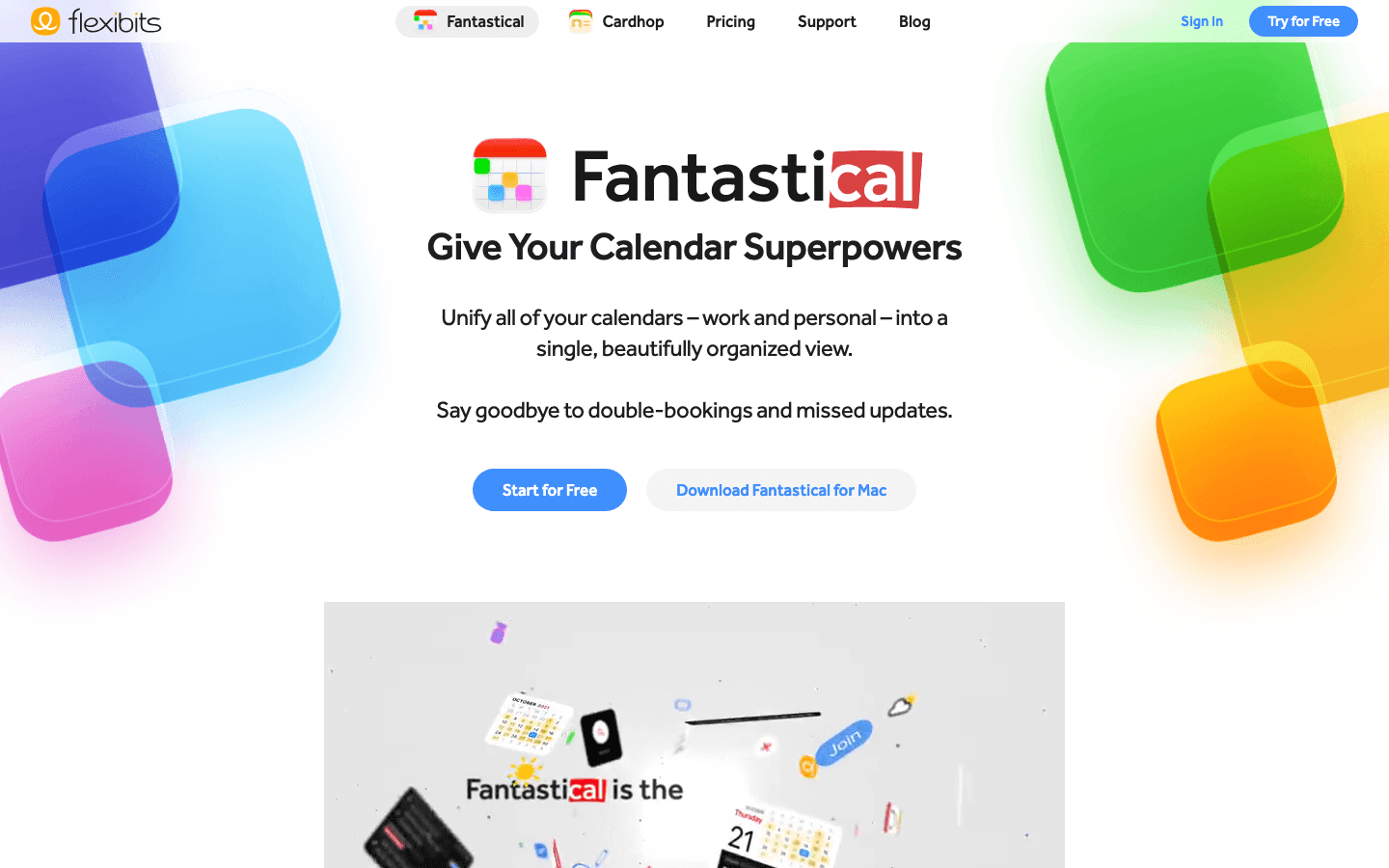
Fantastical is the gold standard for calendar apps on Apple devices. It unifies all your calendars and reminders into one view, has excellent natural language event creation ("lunch with David tomorrow at noon at Nobu" works exactly as you'd expect), and handles meeting scheduling with a built-in scheduling link system.
Compared to Amie, Fantastical is more polished and more mature. The widget ecosystem is excellent, the Apple Watch app is useful, and the integration with iCloud, Google, Exchange, and Outlook calendars is reliable. It doesn't have Amie's contact history feature, but for most users that feature isn't why they're leaving Amie anyway.
What Works: Best natural language input of any calendar app; beautiful native design; strong scheduling link system; unified reminders and calendar view
Limitations: Apple-only ecosystem; premium features require Flexibits Premium subscription; no AI task scheduling
Pricing: Free tier available. Premium subscription for full features: see flexibits.com/fantastical for current pricing. 14-day free trial.
Best for: Apple users who want the best-designed calendar app available and don't need cross-platform support.
3. Morgen: Best AI Time-Blocking Calendar
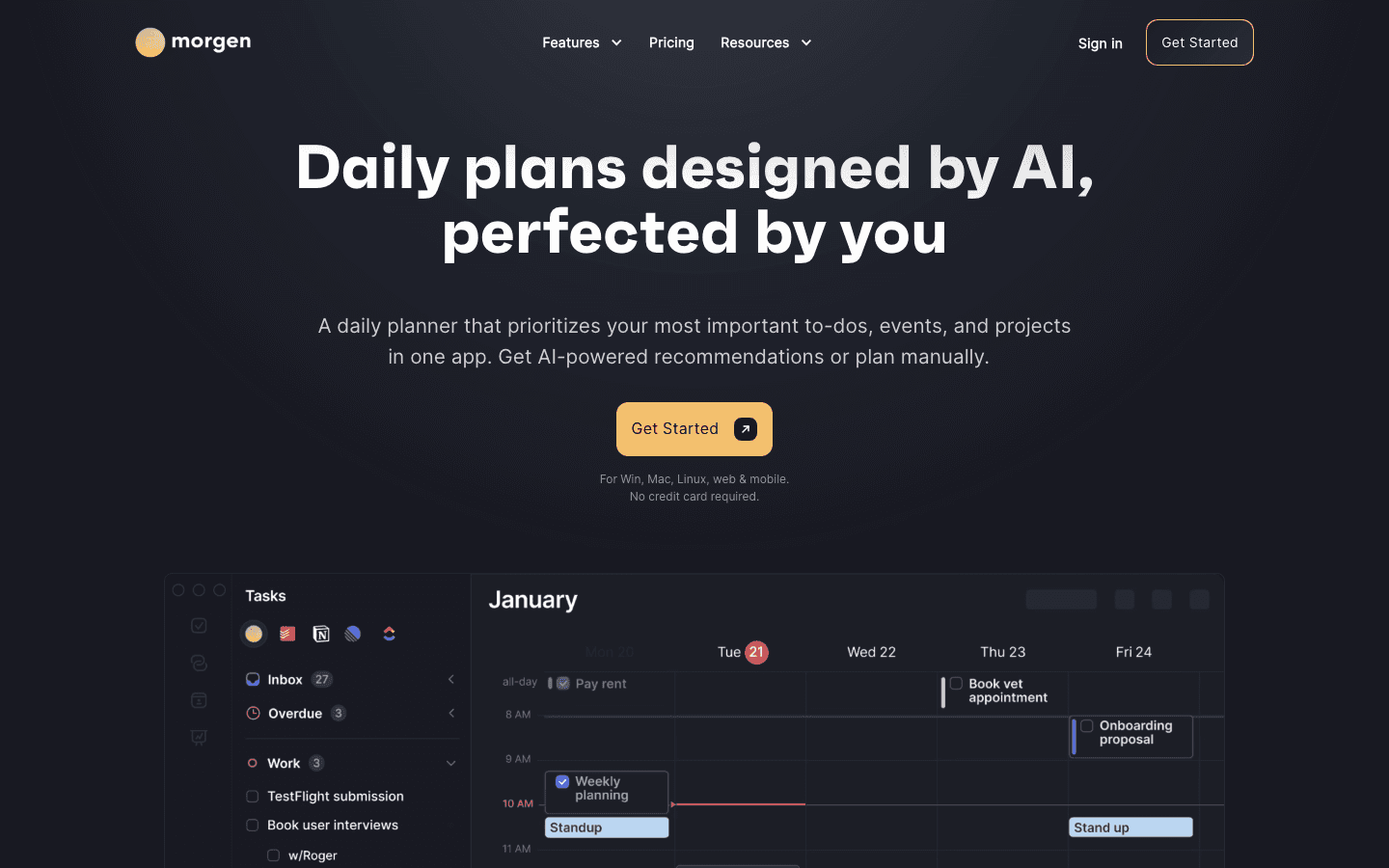
Morgen is the closest in spirit to what Amie was trying to be: a unified calendar that also handles task management and scheduling. It goes further than Amie in one important area: AI time-blocking. Morgen's AI planner takes your task list and available calendar slots and suggests where to schedule them. You can accept, adjust, or let it replan automatically.
Morgen also aggregates multiple calendars cleanly, handles scheduling links for external bookings, and works on Mac, Windows, web, iOS, and Android. For power users who wanted Amie but felt it was missing real scheduling intelligence, Morgen is the most direct upgrade. For a deeper look at how it compares to other alternatives in this space, see the Morgen alternative guide.
What Works: AI time-blocking is genuinely useful; true cross-platform; unified task and calendar view; solid scheduling link system
Limitations: More expensive than Amie; AI suggestions require review; steeper learning curve than simpler calendar apps
Pricing: $15/month billed annually ($30/month billed monthly). 14-day free trial, no credit card required.
Best for: Power users who want AI time-blocking, multi-calendar control, and scheduling links all in one cross-platform app.
4. Notion Calendar: Best Free Notion-Integrated Calendar
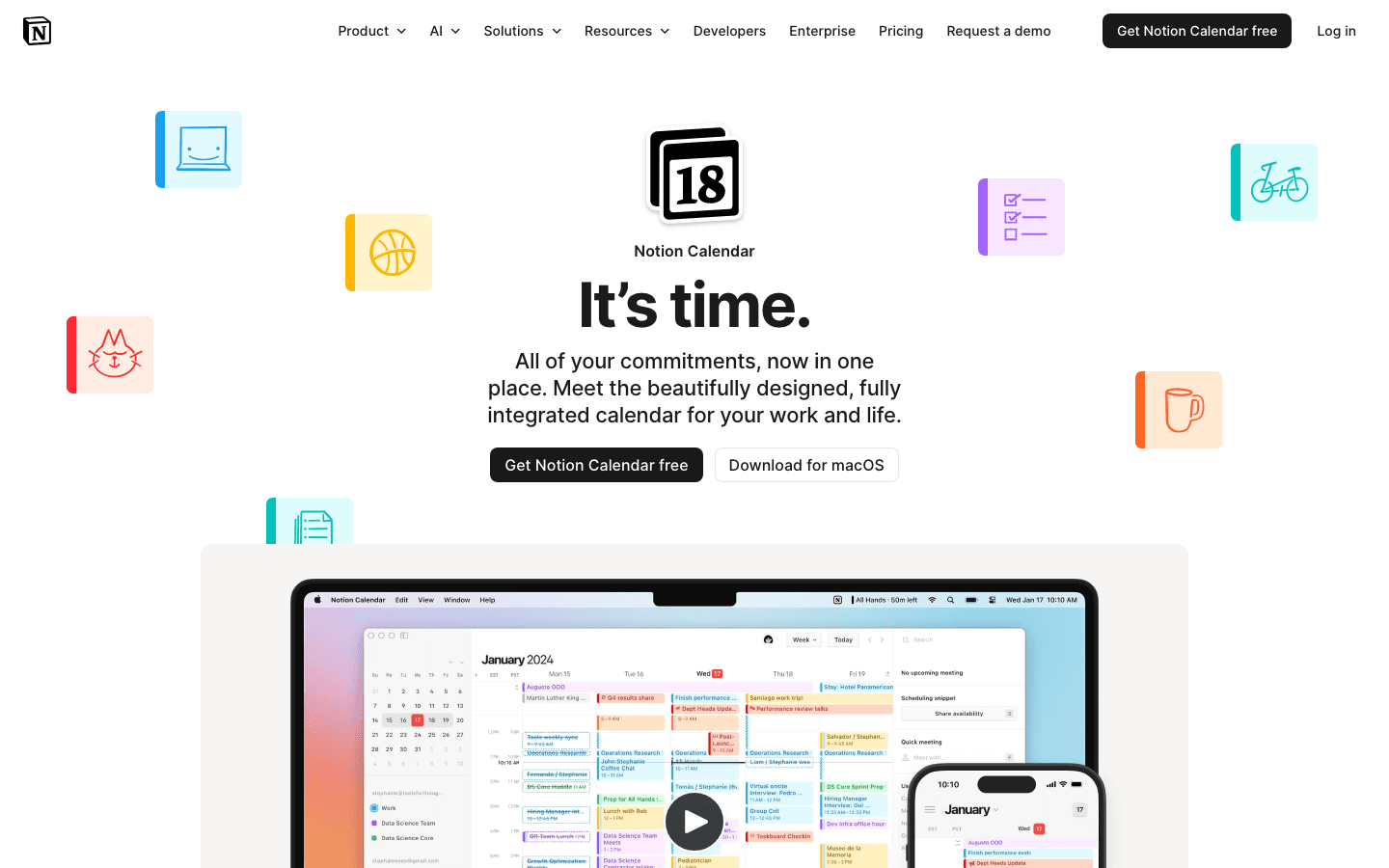
Notion Calendar (formerly Cron) is a free calendar app that syncs with Google Calendar and integrates deeply with Notion. If you already use Notion for tasks or notes, Notion Calendar can show your Notion database items alongside your calendar events, which creates a unified view that's genuinely useful for planning.
Notion Calendar is free, which immediately undercuts Amie's pricing case. It's not as feature-rich, and the Notion integration only matters if you're actually in that ecosystem. But for a polished, keyboard-friendly calendar experience with zero subscription cost, it's hard to beat. If you're a Notion user, it pairs naturally with the Notion app stack.
What Works: Free; excellent keyboard shortcuts; Notion integration is unique in the category; clean design
Limitations: Requires Google Calendar account; Notion integration only useful for Notion users; fewer features than Fantastical or Morgen
Pricing: Free.
Best for: Notion users who want a calendar that connects to their notes and tasks database without paying for another subscription.
5. Structured: Best Visual Daily Planner
Structured replaces the standard grid or list view with a visual timeline. Your tasks and events appear as blocks on a time axis. You can see gaps, overlaps, and the shape of your day at a glance. For visual thinkers who found Amie's calendar layout too standard, Structured offers something genuinely different.
It's not a full calendar replacement in the way the other apps on this list are. Structured is best used alongside a calendar app like Google Calendar for events, with Structured handling the daily execution layer. The time-blocking method works naturally with its interface since tasks are explicitly placed in time slots.
What Works: Visual timeline is intuitive for daily planning; clean iOS app; free tier is generous
Limitations: Not a full calendar replacement; limited cross-platform support; weaker Android experience
Pricing: Free tier available. Pro plan available in-app.
Best for: Visual thinkers who want to see their day as a timeline, used as a companion to a standard calendar app.
6. Google Calendar: Best Free Universal Option
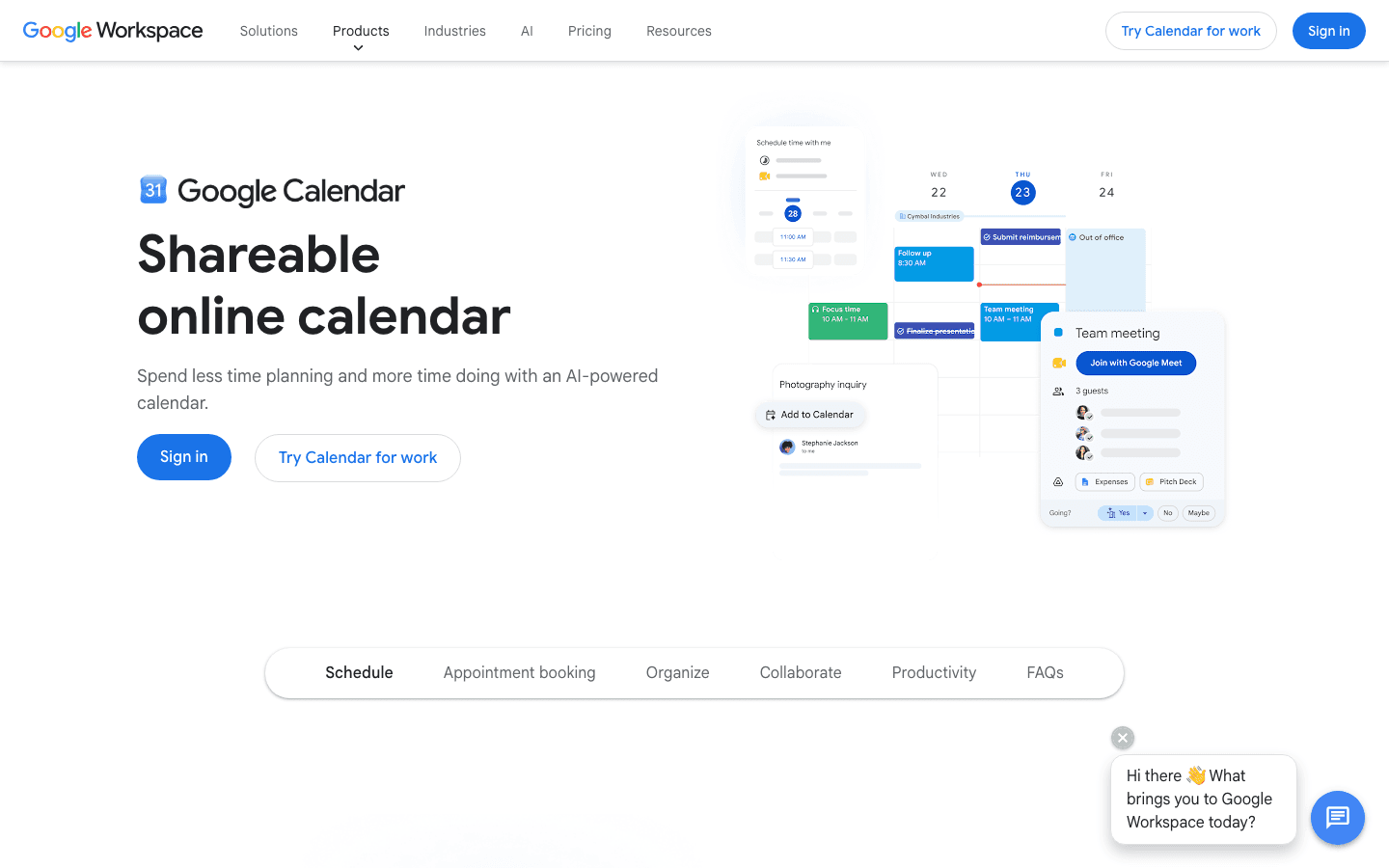
Google Calendar is worth listing because it's free, works everywhere, and does the core calendar job better than many paid alternatives. If you use Gmail or Google Workspace, it's already part of your stack. The AI features that have been added in recent versions (scheduling suggestions, smart event creation from Gmail) are genuinely useful.
Google Calendar pairs well with productivity tools that add scheduling intelligence on top. Lifestack, for instance, reads your Google Calendar events and schedules tasks around them. If you want to keep your calendar simple and free, and add AI scheduling as a separate layer, the Google Calendar plus Lifestack combination is worth considering.
What Works: Free; works on every platform; reliable sharing and invite system; integrates with everything
Limitations: Design is functional but not beautiful; no AI task scheduling or time-blocking built in; no contact history features
Pricing: Free for personal use. Included with Google Workspace subscriptions.
Best for: Anyone who wants a reliable, free calendar that integrates with everything. Add Lifestack on top if you want AI scheduling without switching apps.
Which Amie Alternative Is Right for You?
You want AI to plan your day around your energy: Lifestack.
You want the best Apple calendar experience: Fantastical.
You want AI time-blocking and multi-calendar control: Morgen.
You use Notion and want a free integrated calendar: Notion Calendar.
You think in timelines and want visual daily planning: Structured.
You just need a solid free calendar that works everywhere: Google Calendar.
Most people switching from Amie are leaving because the $18/month price doesn't feel justified. If that's you, the honest answer is that Google Calendar and Notion Calendar are free and cover most use cases. If you want something that actually improves how you plan your day rather than just displaying your schedule, Lifestack or Morgen are where the real upgrade lives.
FAQ
Why do people look for Amie alternatives?
Most commonly, the price ($18/month) feels too high for an app whose core function is calendar management. Some users also find Amie's contact-history social layer isn't something they actually use, leaving them paying premium pricing for a feature set that doesn't justify it over free alternatives like Google Calendar or Notion Calendar.
Is there a free alternative to Amie?
Yes. Notion Calendar and Google Calendar are both free and handle the core calendar use case well. Notion Calendar is particularly worth trying if you use Notion for work, since it integrates your database items with your calendar directly.
What is the best Amie alternative for Mac?
Fantastical is the strongest Mac-native calendar alternative. It has excellent keyboard shortcuts, a great design, and handles natural language event creation better than any competitor. Lifestack is also available for Mac and adds AI scheduling that Amie doesn't have.
How does Lifestack compare to Amie?
Amie is a traditional calendar app with a contact history layer. Lifestack is an AI scheduler that reads your sleep and energy data and builds your daily work plan automatically. Amie shows you your schedule; Lifestack creates one based on your biology and your priorities. They solve adjacent problems, but Lifestack's focus on execution rather than display makes it more actionable for most users.
What is the best AI calendar alternative to Amie?
Lifestack is the best pick if energy-aware scheduling is the priority. Morgen is the best pick if you want AI time-blocking with full multi-calendar control. Both offer free trials. Lifestack is notably less expensive ($7/month vs Morgen's $15/month billed annually).
Amie is a good-looking calendar app that combines scheduling with contact history and task management. At $18/month, it's priced like a productivity suite but it's still primarily a calendar. A lot of users find the price hard to justify once the novelty wears off, especially when genuinely strong alternatives exist at lower price points or for free.
This list covers six of the best Amie alternatives in 2026, ranging from AI-powered schedulers to free calendar apps that most people already have access to. We evaluated each on scheduling features, AI capabilities, cross-platform support, integration quality, and pricing.
Key Takeaways
Lifestack is the top pick for anyone who wants their calendar to do the scheduling work, not just display it. It's the only app here that builds your daily plan around your energy levels automatically.
Fantastical is the best premium alternative for Apple users who want polish without rebuilding their whole workflow.
For most people, Notion Calendar or Google Calendar is all they actually need, and both are free.
Quick Guide: Best Amie Alternatives
Lifestack: Best for AI scheduling that plans your day around your energy
Fantastical: Best premium calendar for Apple users
Morgen: Best for power users who want AI time-blocking and multi-calendar control
Notion Calendar: Best free calendar for Notion users
Structured: Best visual daily planner for timeline thinkers
Google Calendar: Best free calendar that works everywhere
1. Lifestack: Best for AI-Powered Scheduling
The only calendar that builds your daily plan from your energy data, not just your availability.
Lifestack takes a different approach from every other app on this list. It reads your sleep and recovery data, predicts when your cognitive energy will peak throughout the day, and builds a daily plan that puts your most important tasks during your best hours. A conventional calendar shows you when you're free. Lifestack tells you when you're actually capable of doing your best work.
This is the core limitation of Amie and most calendar apps: they are passive. They show your commitments and let you decide what to do with the gaps. Lifestack closes that gap with AI that does the scheduling. Tasks get placed, priorities get respected, and the plan adapts when your day changes. The energy-based calendar approach it uses is backed by sleep science and chronobiology research.
Key Features: AI daily scheduling, energy-aware task placement, calendar sync, sleep and recovery integration, iOS and Android
What Works: Automatic plan-building saves significant planning time; energy-aware scheduling improves output quality; adapts to your actual sleep each day
Limitations: Scheduling focus means it's less social than Amie; no built-in contact history feature
Pricing: $7/month or $50/year. 7-day free trial on the annual plan.
Best for: Anyone who found Amie's passive calendar unsatisfying and wants something that actively plans the day. Works well alongside a digital planner for longer-term planning.
2. Fantastical: Best Premium Apple Calendar
Fantastical is the gold standard for calendar apps on Apple devices. It unifies all your calendars and reminders into one view, has excellent natural language event creation ("lunch with David tomorrow at noon at Nobu" works exactly as you'd expect), and handles meeting scheduling with a built-in scheduling link system.
Compared to Amie, Fantastical is more polished and more mature. The widget ecosystem is excellent, the Apple Watch app is useful, and the integration with iCloud, Google, Exchange, and Outlook calendars is reliable. It doesn't have Amie's contact history feature, but for most users that feature isn't why they're leaving Amie anyway.
What Works: Best natural language input of any calendar app; beautiful native design; strong scheduling link system; unified reminders and calendar view
Limitations: Apple-only ecosystem; premium features require Flexibits Premium subscription; no AI task scheduling
Pricing: Free tier available. Premium subscription for full features: see flexibits.com/fantastical for current pricing. 14-day free trial.
Best for: Apple users who want the best-designed calendar app available and don't need cross-platform support.
3. Morgen: Best AI Time-Blocking Calendar
Morgen is the closest in spirit to what Amie was trying to be: a unified calendar that also handles task management and scheduling. It goes further than Amie in one important area: AI time-blocking. Morgen's AI planner takes your task list and available calendar slots and suggests where to schedule them. You can accept, adjust, or let it replan automatically.
Morgen also aggregates multiple calendars cleanly, handles scheduling links for external bookings, and works on Mac, Windows, web, iOS, and Android. For power users who wanted Amie but felt it was missing real scheduling intelligence, Morgen is the most direct upgrade. For a deeper look at how it compares to other alternatives in this space, see the Morgen alternative guide.
What Works: AI time-blocking is genuinely useful; true cross-platform; unified task and calendar view; solid scheduling link system
Limitations: More expensive than Amie; AI suggestions require review; steeper learning curve than simpler calendar apps
Pricing: $15/month billed annually ($30/month billed monthly). 14-day free trial, no credit card required.
Best for: Power users who want AI time-blocking, multi-calendar control, and scheduling links all in one cross-platform app.
4. Notion Calendar: Best Free Notion-Integrated Calendar
Notion Calendar (formerly Cron) is a free calendar app that syncs with Google Calendar and integrates deeply with Notion. If you already use Notion for tasks or notes, Notion Calendar can show your Notion database items alongside your calendar events, which creates a unified view that's genuinely useful for planning.
Notion Calendar is free, which immediately undercuts Amie's pricing case. It's not as feature-rich, and the Notion integration only matters if you're actually in that ecosystem. But for a polished, keyboard-friendly calendar experience with zero subscription cost, it's hard to beat. If you're a Notion user, it pairs naturally with the Notion app stack.
What Works: Free; excellent keyboard shortcuts; Notion integration is unique in the category; clean design
Limitations: Requires Google Calendar account; Notion integration only useful for Notion users; fewer features than Fantastical or Morgen
Pricing: Free.
Best for: Notion users who want a calendar that connects to their notes and tasks database without paying for another subscription.
5. Structured: Best Visual Daily Planner
Structured replaces the standard grid or list view with a visual timeline. Your tasks and events appear as blocks on a time axis. You can see gaps, overlaps, and the shape of your day at a glance. For visual thinkers who found Amie's calendar layout too standard, Structured offers something genuinely different.
It's not a full calendar replacement in the way the other apps on this list are. Structured is best used alongside a calendar app like Google Calendar for events, with Structured handling the daily execution layer. The time-blocking method works naturally with its interface since tasks are explicitly placed in time slots.
What Works: Visual timeline is intuitive for daily planning; clean iOS app; free tier is generous
Limitations: Not a full calendar replacement; limited cross-platform support; weaker Android experience
Pricing: Free tier available. Pro plan available in-app.
Best for: Visual thinkers who want to see their day as a timeline, used as a companion to a standard calendar app.
6. Google Calendar: Best Free Universal Option
Google Calendar is worth listing because it's free, works everywhere, and does the core calendar job better than many paid alternatives. If you use Gmail or Google Workspace, it's already part of your stack. The AI features that have been added in recent versions (scheduling suggestions, smart event creation from Gmail) are genuinely useful.
Google Calendar pairs well with productivity tools that add scheduling intelligence on top. Lifestack, for instance, reads your Google Calendar events and schedules tasks around them. If you want to keep your calendar simple and free, and add AI scheduling as a separate layer, the Google Calendar plus Lifestack combination is worth considering.
What Works: Free; works on every platform; reliable sharing and invite system; integrates with everything
Limitations: Design is functional but not beautiful; no AI task scheduling or time-blocking built in; no contact history features
Pricing: Free for personal use. Included with Google Workspace subscriptions.
Best for: Anyone who wants a reliable, free calendar that integrates with everything. Add Lifestack on top if you want AI scheduling without switching apps.
Which Amie Alternative Is Right for You?
You want AI to plan your day around your energy: Lifestack.
You want the best Apple calendar experience: Fantastical.
You want AI time-blocking and multi-calendar control: Morgen.
You use Notion and want a free integrated calendar: Notion Calendar.
You think in timelines and want visual daily planning: Structured.
You just need a solid free calendar that works everywhere: Google Calendar.
Most people switching from Amie are leaving because the $18/month price doesn't feel justified. If that's you, the honest answer is that Google Calendar and Notion Calendar are free and cover most use cases. If you want something that actually improves how you plan your day rather than just displaying your schedule, Lifestack or Morgen are where the real upgrade lives.
FAQ
Why do people look for Amie alternatives?
Most commonly, the price ($18/month) feels too high for an app whose core function is calendar management. Some users also find Amie's contact-history social layer isn't something they actually use, leaving them paying premium pricing for a feature set that doesn't justify it over free alternatives like Google Calendar or Notion Calendar.
Is there a free alternative to Amie?
Yes. Notion Calendar and Google Calendar are both free and handle the core calendar use case well. Notion Calendar is particularly worth trying if you use Notion for work, since it integrates your database items with your calendar directly.
What is the best Amie alternative for Mac?
Fantastical is the strongest Mac-native calendar alternative. It has excellent keyboard shortcuts, a great design, and handles natural language event creation better than any competitor. Lifestack is also available for Mac and adds AI scheduling that Amie doesn't have.
How does Lifestack compare to Amie?
Amie is a traditional calendar app with a contact history layer. Lifestack is an AI scheduler that reads your sleep and energy data and builds your daily work plan automatically. Amie shows you your schedule; Lifestack creates one based on your biology and your priorities. They solve adjacent problems, but Lifestack's focus on execution rather than display makes it more actionable for most users.
What is the best AI calendar alternative to Amie?
Lifestack is the best pick if energy-aware scheduling is the priority. Morgen is the best pick if you want AI time-blocking with full multi-calendar control. Both offer free trials. Lifestack is notably less expensive ($7/month vs Morgen's $15/month billed annually).



FOLLOW ON
FOLLOW ON
FOLLOW ON


Copyright 2026 © Lifestack. All rights reserved
Copyright 2026 © Lifestack. All rights reserved

