
App
Motion App Review 2026: Is It Worth It?
Motion App Review 2026: Is It Worth It?

Motion has been making bold promises since it launched: feed it your tasks and deadlines, and its AI will build your schedule for you. No more staring at a blank calendar trying to figure out when to tackle your quarterly report. The app handles it.
That pitch lands hard, especially for anyone juggling deep work, meetings, and a task list that never seems to shrink. But does Motion actually deliver? After months of testing, here is what we found.
The short version: Motion is genuinely impressive at one specific thing, rescheduling tasks automatically when your day goes sideways. Where it falls short is everywhere else, from pricing to the absence of any awareness of how you actually work as a human.
This review covers Motion's core features, pricing, and where it fits compared to newer tools that take a more complete view of personal productivity.
Key Takeaways
Motion's AI scheduling engine is genuinely good at protecting time for tasks, but it costs $19/month per user with no permanent free tier.
The app has no concept of your energy levels or focus quality, so tasks get scheduled at whatever open slot is available, not when you do your best work.
For individuals who want smarter scheduling without the project-management overhead, Motion alternatives like Lifestack offer more personalized planning at a lower price.
What Is Motion?
Motion is an AI-powered task and project manager that automatically schedules your work into your calendar. You add tasks with deadlines, set priorities, and block off focus time, then Motion's scheduling engine figures out when each task fits and places it on your calendar.
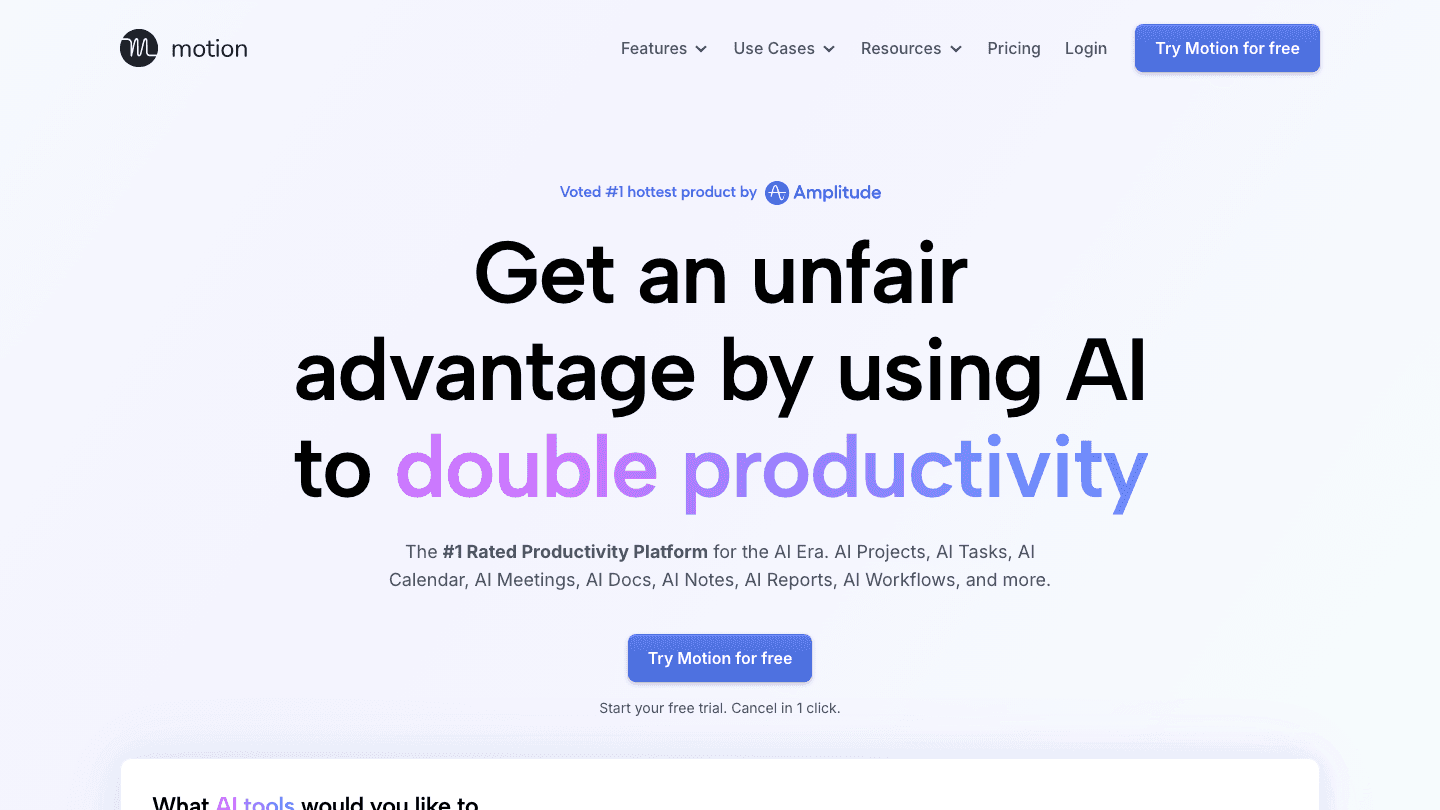
The app targets individuals and small teams who feel overwhelmed by manual calendar management. It connects to Google Calendar and Outlook, pulls in your existing commitments, and works around them to fit tasks into open blocks.
Motion has grown beyond its scheduling roots. It now includes project management, team capacity views, timelines, and an AI meeting assistant. That ambition is both its strength and part of why it feels heavy for solo users who just want their day planned out.
How Motion's AI Scheduling Works
At its core, Motion runs a scheduling algorithm every time something changes in your day. A meeting gets added, a task runs long, or a deadline shifts. Rather than leaving you to manually reshuffle everything, Motion recalculates and updates your schedule automatically.
You set each task's priority, duration estimate, and deadline. Motion then slots it into your calendar based on those constraints and your existing commitments. High-priority tasks get scheduled earlier in the window; low-priority ones fill gaps near the deadline.
This works well for deadline-driven work. If you have six tasks due Friday, Motion will spread them across the week in a logical order. What it does not do is ask when you personally feel sharp enough to tackle the hard work. See our guide to energy-based scheduling for why that gap matters more than it sounds.
Key Features
Automated Task Scheduling
This is Motion's flagship feature and the one that earns its reputation. Set a task, give it a deadline and an estimated duration, and Motion finds time for it automatically. When things change, it reschedules without you asking. For anyone who has spent Friday afternoon realizing three tasks never got touched, this is a real fix.
Calendar Integration
Motion connects to Google Calendar and Outlook and reads your existing events. Tasks get scheduled around real meetings, not hypothetical free time. The integration is reliable and syncs bidirectionally, so changes in your calendar app reflect in Motion within seconds. For more options, see our list of Google Calendar alternatives.
Project Management
Motion added project tracking on top of task scheduling. You can group tasks into projects, assign them to team members, view workload across the team, and see timelines. This is where Business AI ($29/month) earns its keep for small teams coordinating across multiple workstreams. For solo users, it is mostly overhead. Check our picks for the best AI project management tools if team features are your main goal.
AI Meeting Assistant
The Pro and Business plans include an AI meeting assistant that joins calls, takes notes, and generates summaries. The note quality is reasonable, on par with similar standalone tools. Whether it justifies part of the $19/month cost depends entirely on how many meetings you have each week.
Focus Time Blocking
You can designate certain hours as deep work time, and Motion will avoid scheduling tasks during those blocks. This is useful but manual. You decide when focus time is; Motion just protects it. There is no mechanism to adjust those blocks based on how you actually feel on a given day.
Motion Pricing: What You Will Pay
Motion's pricing has been a consistent complaint in user reviews, and it is worth being direct about it. There is no free plan. The 7-day trial gives you access to the full product, but once it ends you choose between two paid tiers.
Pro AI: $19/month per user. Includes AI scheduling, meeting notes, calendar integration, and 7,500 AI credits per month.
Business AI: $29/month per user. Adds team capacity planning, advanced reporting, Gantt charts, and 15,000 AI credits per month.
Both plans offer a 33% discount for annual billing, bringing Pro AI to roughly $13/month and Business AI to around $19/month when paid annually. See our Motion pricing breakdown for a full look at what each plan includes and where the AI credits go.
For a solo knowledge worker, $19/month sits at the high end for a planner app. It becomes easier to justify if you use the meeting notes feature heavily or if deadline-driven tasks are the main thing between you and a productive week.
What Motion Does Well
Auto-rescheduling is the genuine standout. When your afternoon fills up with unexpected meetings, Motion moves your tasks forward automatically. You do not need to manually touch anything. That one capability saves real cognitive load for deadline-heavy roles like marketing, legal, and product management.
The calendar integration is polished. Motion reads your existing commitments accurately and plans around them without conflicts. Syncing is fast, and the bidirectional connection means your external calendar always reflects Motion's current schedule.
The meeting notes feature, while not the core product, saves meaningful time for people in back-to-back calls. Having a structured summary appear automatically after each call is something that feels minor until you have relied on it for a week.
Project templates and team views make Motion a reasonable pick for small teams running multiple concurrent projects. The Business plan's capacity planning helps team leads spot when someone is overloaded before it becomes a real problem.
Where Motion Falls Short
Motion schedules tasks into available time. It has no idea whether that time is your best time. A complex writing task might land in the 30 minutes after a draining all-hands meeting because that slot was open. The energy calendar concept, matching task difficulty to your natural energy peaks, is entirely absent from Motion's design.
The learning curve is real. Motion has a lot of settings, and getting the scheduling to behave the way you want requires upfront configuration. First-time users often find their first week frustrating before the system starts to feel right.
There is no free plan. For a tool at this price point, the absence of a permanent free tier makes it harder to recommend to anyone who is not already sold on the AI-scheduling concept after the 7-day trial.
Mobile apps exist but feel secondary to the web experience. If you primarily plan from your phone, this matters. See our comparison of Motion vs Reclaim for a deeper look at how the two apps perform on mobile and for solo users.
The Best Motion Alternative: Lifestack
If Motion's auto-scheduling appeals to you but the price or the lack of energy awareness is a sticking point, Lifestack is the closest alternative that addresses both.

Lifestack schedules tasks by reading your calendar and finding open blocks, but it goes further: it learns your natural energy patterns and matches task difficulty to the times when you are actually sharp. High-focus work goes in the morning if that is when your data shows you peak. Admin and emails fill the post-lunch slump. This is what energy-based planning looks like in practice, and it produces better results than time-only scheduling for most people.
Pricing is a significant difference. Lifestack costs $7/month or $50/year, compared to Motion's $19/month. The lifetime plan is a one-time $120. For solo users who do not need Motion's team features, the gap is hard to ignore.
Lifestack is built with ADHD-friendly design at its core: visual scheduling, reduced friction, and a planning system that accounts for how the brain actually works on difficult days. If other productivity tools have felt like they were built for someone who already has their life together, Lifestack is worth a look. Check our full list of best AI planner apps to see how it compares across the field.
Frequently Asked Questions
Is the Motion app worth it?
Motion is worth it if you have a high volume of deadline-driven tasks and regularly lose track of when to work on what. The auto-scheduling saves real time for those users. At $19/month, it is harder to justify for people with lighter task loads or those who primarily need a simple calendar planner.
Does Motion have a free plan?
No. Motion offers a 7-day free trial, but there is no permanent free tier. After the trial you must choose between the $19/month Pro AI or $29/month Business AI plans.
How does Motion's AI scheduling work?
Motion reads your tasks (with their priorities and deadlines) alongside your existing calendar events, then slots each task into an available block of time. When new events are added or tasks run long, it automatically reschedules everything to keep your plan current without manual work from you.
What are the best alternatives to Motion?
The top Motion alternatives for individuals are Lifestack (energy-aware scheduling, $7/month), Reclaim AI (habit protection and smart scheduling), and Akiflow (daily planning focus). See our full Motion alternatives guide for a side-by-side breakdown of each.
Is Motion good for ADHD?
Motion can help with ADHD because it removes the daily decision of "when do I do this?" from your plate. However, it does not account for energy levels, which is a real gap for ADHD users. Tools built with ADHD in mind, like Lifestack, tend to work better because they account for variable focus and energy across the day.
How much does Motion cost per year?
Motion Pro AI costs roughly $156/year on the monthly plan or around $108/year if you pay annually (33% discount). Business AI runs $348/year monthly or around $228/year annually.
Motion has been making bold promises since it launched: feed it your tasks and deadlines, and its AI will build your schedule for you. No more staring at a blank calendar trying to figure out when to tackle your quarterly report. The app handles it.
That pitch lands hard, especially for anyone juggling deep work, meetings, and a task list that never seems to shrink. But does Motion actually deliver? After months of testing, here is what we found.
The short version: Motion is genuinely impressive at one specific thing, rescheduling tasks automatically when your day goes sideways. Where it falls short is everywhere else, from pricing to the absence of any awareness of how you actually work as a human.
This review covers Motion's core features, pricing, and where it fits compared to newer tools that take a more complete view of personal productivity.
Key Takeaways
Motion's AI scheduling engine is genuinely good at protecting time for tasks, but it costs $19/month per user with no permanent free tier.
The app has no concept of your energy levels or focus quality, so tasks get scheduled at whatever open slot is available, not when you do your best work.
For individuals who want smarter scheduling without the project-management overhead, Motion alternatives like Lifestack offer more personalized planning at a lower price.
What Is Motion?
Motion is an AI-powered task and project manager that automatically schedules your work into your calendar. You add tasks with deadlines, set priorities, and block off focus time, then Motion's scheduling engine figures out when each task fits and places it on your calendar.
The app targets individuals and small teams who feel overwhelmed by manual calendar management. It connects to Google Calendar and Outlook, pulls in your existing commitments, and works around them to fit tasks into open blocks.
Motion has grown beyond its scheduling roots. It now includes project management, team capacity views, timelines, and an AI meeting assistant. That ambition is both its strength and part of why it feels heavy for solo users who just want their day planned out.
How Motion's AI Scheduling Works
At its core, Motion runs a scheduling algorithm every time something changes in your day. A meeting gets added, a task runs long, or a deadline shifts. Rather than leaving you to manually reshuffle everything, Motion recalculates and updates your schedule automatically.
You set each task's priority, duration estimate, and deadline. Motion then slots it into your calendar based on those constraints and your existing commitments. High-priority tasks get scheduled earlier in the window; low-priority ones fill gaps near the deadline.
This works well for deadline-driven work. If you have six tasks due Friday, Motion will spread them across the week in a logical order. What it does not do is ask when you personally feel sharp enough to tackle the hard work. See our guide to energy-based scheduling for why that gap matters more than it sounds.
Key Features
Automated Task Scheduling
This is Motion's flagship feature and the one that earns its reputation. Set a task, give it a deadline and an estimated duration, and Motion finds time for it automatically. When things change, it reschedules without you asking. For anyone who has spent Friday afternoon realizing three tasks never got touched, this is a real fix.
Calendar Integration
Motion connects to Google Calendar and Outlook and reads your existing events. Tasks get scheduled around real meetings, not hypothetical free time. The integration is reliable and syncs bidirectionally, so changes in your calendar app reflect in Motion within seconds. For more options, see our list of Google Calendar alternatives.
Project Management
Motion added project tracking on top of task scheduling. You can group tasks into projects, assign them to team members, view workload across the team, and see timelines. This is where Business AI ($29/month) earns its keep for small teams coordinating across multiple workstreams. For solo users, it is mostly overhead. Check our picks for the best AI project management tools if team features are your main goal.
AI Meeting Assistant
The Pro and Business plans include an AI meeting assistant that joins calls, takes notes, and generates summaries. The note quality is reasonable, on par with similar standalone tools. Whether it justifies part of the $19/month cost depends entirely on how many meetings you have each week.
Focus Time Blocking
You can designate certain hours as deep work time, and Motion will avoid scheduling tasks during those blocks. This is useful but manual. You decide when focus time is; Motion just protects it. There is no mechanism to adjust those blocks based on how you actually feel on a given day.
Motion Pricing: What You Will Pay
Motion's pricing has been a consistent complaint in user reviews, and it is worth being direct about it. There is no free plan. The 7-day trial gives you access to the full product, but once it ends you choose between two paid tiers.
Pro AI: $19/month per user. Includes AI scheduling, meeting notes, calendar integration, and 7,500 AI credits per month.
Business AI: $29/month per user. Adds team capacity planning, advanced reporting, Gantt charts, and 15,000 AI credits per month.
Both plans offer a 33% discount for annual billing, bringing Pro AI to roughly $13/month and Business AI to around $19/month when paid annually. See our Motion pricing breakdown for a full look at what each plan includes and where the AI credits go.
For a solo knowledge worker, $19/month sits at the high end for a planner app. It becomes easier to justify if you use the meeting notes feature heavily or if deadline-driven tasks are the main thing between you and a productive week.
What Motion Does Well
Auto-rescheduling is the genuine standout. When your afternoon fills up with unexpected meetings, Motion moves your tasks forward automatically. You do not need to manually touch anything. That one capability saves real cognitive load for deadline-heavy roles like marketing, legal, and product management.
The calendar integration is polished. Motion reads your existing commitments accurately and plans around them without conflicts. Syncing is fast, and the bidirectional connection means your external calendar always reflects Motion's current schedule.
The meeting notes feature, while not the core product, saves meaningful time for people in back-to-back calls. Having a structured summary appear automatically after each call is something that feels minor until you have relied on it for a week.
Project templates and team views make Motion a reasonable pick for small teams running multiple concurrent projects. The Business plan's capacity planning helps team leads spot when someone is overloaded before it becomes a real problem.
Where Motion Falls Short
Motion schedules tasks into available time. It has no idea whether that time is your best time. A complex writing task might land in the 30 minutes after a draining all-hands meeting because that slot was open. The energy calendar concept, matching task difficulty to your natural energy peaks, is entirely absent from Motion's design.
The learning curve is real. Motion has a lot of settings, and getting the scheduling to behave the way you want requires upfront configuration. First-time users often find their first week frustrating before the system starts to feel right.
There is no free plan. For a tool at this price point, the absence of a permanent free tier makes it harder to recommend to anyone who is not already sold on the AI-scheduling concept after the 7-day trial.
Mobile apps exist but feel secondary to the web experience. If you primarily plan from your phone, this matters. See our comparison of Motion vs Reclaim for a deeper look at how the two apps perform on mobile and for solo users.
The Best Motion Alternative: Lifestack
If Motion's auto-scheduling appeals to you but the price or the lack of energy awareness is a sticking point, Lifestack is the closest alternative that addresses both.
Lifestack schedules tasks by reading your calendar and finding open blocks, but it goes further: it learns your natural energy patterns and matches task difficulty to the times when you are actually sharp. High-focus work goes in the morning if that is when your data shows you peak. Admin and emails fill the post-lunch slump. This is what energy-based planning looks like in practice, and it produces better results than time-only scheduling for most people.
Pricing is a significant difference. Lifestack costs $7/month or $50/year, compared to Motion's $19/month. The lifetime plan is a one-time $120. For solo users who do not need Motion's team features, the gap is hard to ignore.
Lifestack is built with ADHD-friendly design at its core: visual scheduling, reduced friction, and a planning system that accounts for how the brain actually works on difficult days. If other productivity tools have felt like they were built for someone who already has their life together, Lifestack is worth a look. Check our full list of best AI planner apps to see how it compares across the field.
Frequently Asked Questions
Is the Motion app worth it?
Motion is worth it if you have a high volume of deadline-driven tasks and regularly lose track of when to work on what. The auto-scheduling saves real time for those users. At $19/month, it is harder to justify for people with lighter task loads or those who primarily need a simple calendar planner.
Does Motion have a free plan?
No. Motion offers a 7-day free trial, but there is no permanent free tier. After the trial you must choose between the $19/month Pro AI or $29/month Business AI plans.
How does Motion's AI scheduling work?
Motion reads your tasks (with their priorities and deadlines) alongside your existing calendar events, then slots each task into an available block of time. When new events are added or tasks run long, it automatically reschedules everything to keep your plan current without manual work from you.
What are the best alternatives to Motion?
The top Motion alternatives for individuals are Lifestack (energy-aware scheduling, $7/month), Reclaim AI (habit protection and smart scheduling), and Akiflow (daily planning focus). See our full Motion alternatives guide for a side-by-side breakdown of each.
Is Motion good for ADHD?
Motion can help with ADHD because it removes the daily decision of "when do I do this?" from your plate. However, it does not account for energy levels, which is a real gap for ADHD users. Tools built with ADHD in mind, like Lifestack, tend to work better because they account for variable focus and energy across the day.
How much does Motion cost per year?
Motion Pro AI costs roughly $156/year on the monthly plan or around $108/year if you pay annually (33% discount). Business AI runs $348/year monthly or around $228/year annually.



FOLLOW ON
FOLLOW ON
FOLLOW ON


Copyright 2026 © Lifestack. All rights reserved
Copyright 2026 © Lifestack. All rights reserved

