
App
The 6 Best Task Automation Tools in 2026
The 6 Best Task Automation Tools in 2026

Your to-do list keeps growing, but the day never gets longer. That gap is exactly where task automation tools earn their keep. Instead of dragging cards around a board or rewriting the same plan every morning, these apps move tasks into your calendar, react when things slip, and handle the repetitive busywork that used to eat your focus.
The catch is that "automation" means very different things depending on the app. Some tools auto-schedule your day around real availability. Others connect apps together so a finished form spins up a following task. A few just add smart reminders on top of a tidy list. Picking the wrong type wastes a subscription and your patience.
We spent time inside each of the six task automation tools below, testing how they handle a messy week of meetings, deadlines, and the small stuff that always falls through the cracks. We looked at how much they actually automate, how they price it, and who each one fits.
One pattern stood out fast. The apps that schedule around your natural energy levels protect your real focus hours, while the ones that only sort a list still leave the hardest planning decision to you.
Key Takeaways
Lifestack tops the list because it auto-schedules tasks around your energy and recovery, not just open calendar slots.
Workflow connectors like Zapier automate between apps, while planners like Motion and Reclaim automate your day. Most people need the second kind first.
Free tiers from Todoist and TickTick cover basic automation, but real auto-scheduling lives behind paid plans across the board.
The Best Task Automation Tools at a Glance
Lifestack, best overall for energy-aware auto-scheduling
Motion, best for teams that want AI project scheduling
Reclaim.ai, best for defending focus time on a work calendar
Todoist, best for a clean list with light automation
TickTick, best budget pick with built-in habits and calendar
Zapier, best for connecting tasks across thousands of apps
How We Evaluated Each Tool
A pretty interface is not automation. We judged each app on what it actually takes off your plate.
Auto-scheduling: does it place tasks into your day on its own, and reshuffle when plans change?
Energy awareness: does it know your peak hours, or treat 9am and 3pm as identical?
Integrations: how well does it sync with Google Calendar, Outlook, and the apps you already use?
Pricing: verified from each app's own pricing page, not guessed.
Mobile and cross-platform: can you actually run your day from your phone?
If you want a deeper framework for this, our guide on how to plan effectively pairs well with any tool on this list.
1. Lifestack: Best Task Automation Tool Overall
Auto-schedules your tasks around your energy, sleep, and recovery.

Lifestack takes the one decision every other app leaves to you, when to do each task, and makes it automatically. It pulls in your sleep and recovery data, learns when you tend to have energy, then drops your tasks into the hours where you are most likely to finish them. Deep work lands in your peak window. Admin gets pushed to the slump.
That energy layer is the whole point. A normal planner will happily schedule your most demanding task for 3pm because the slot is open. Lifestack knows that slot is where you fade, so it protects it. When a meeting runs long or you skip a block, it rebuilds the rest of the day around what is left.
Key Features
Energy-aware auto-scheduling that adapts to your real daily rhythm
Two-way sync with Google Calendar and Apple Calendar
Sleep and recovery data from wearables feeds the schedule
Chrome extension plus iOS and Android apps
What Works
It removes the daily "when do I do this" planning tax entirely
Reschedules automatically when your day goes sideways
Strong fit for ADHD brains and anyone with uneven energy
Limitations
No permanently free tier, though there is a 7-day trial
Less suited to heavy multi-person project boards
Pricing: $7/month, $50/year, or $120 lifetime. A 7-day free trial is included on the annual plan; there is no permanent free tier.
Best for: anyone who wants their day planned for them around their energy, especially people juggling ADHD and project work.
2. Motion: Best for AI Project Scheduling
An AI project manager that builds and rebuilds your team's schedule.
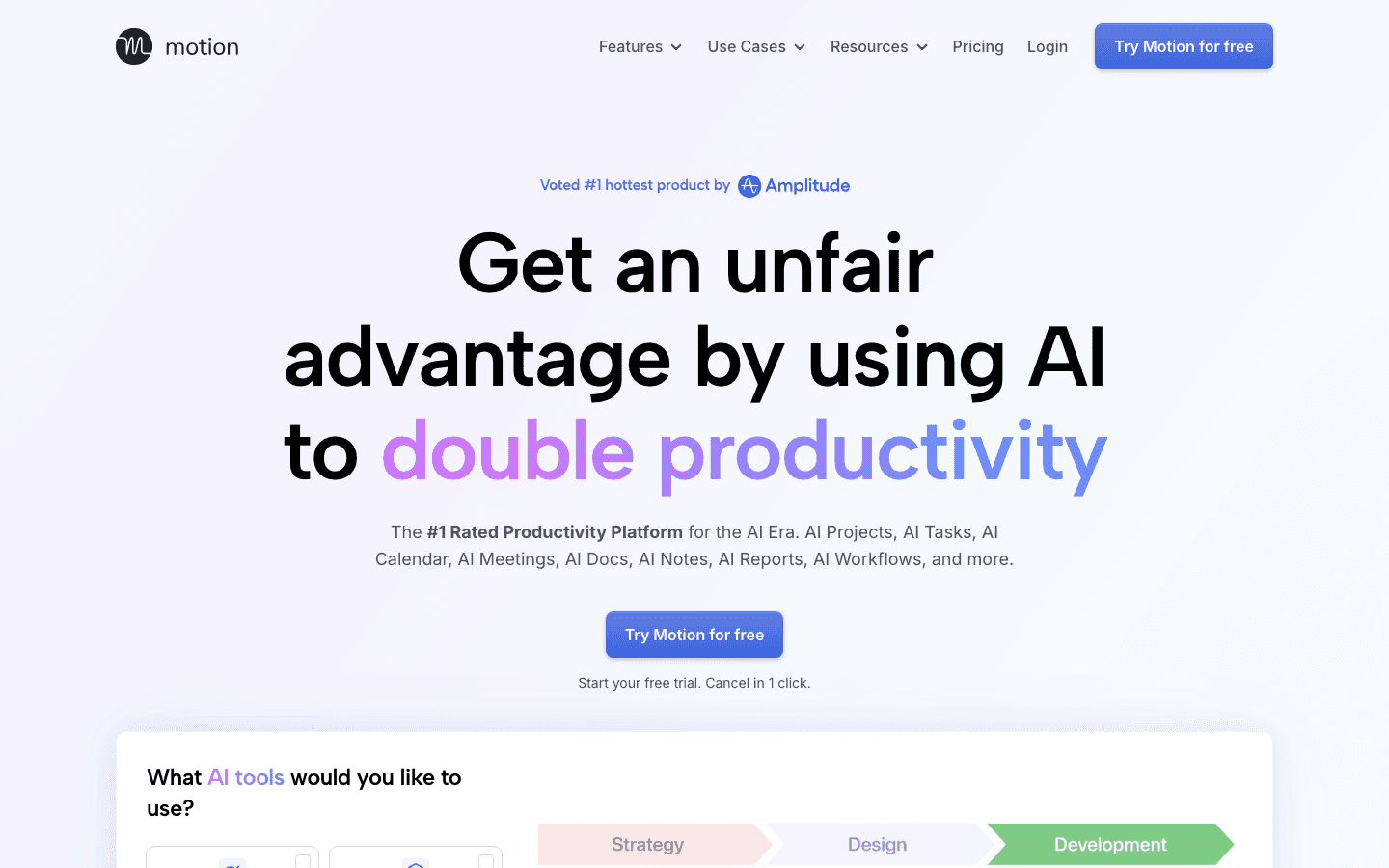
Motion blends tasks, projects, and calendar into one AI-driven plan. You feed it work with deadlines and priorities, and it auto-schedules everything across your week, then reshuffles as new tasks arrive. For teams running several projects at once, it keeps a live view of who has capacity and what is at risk of slipping.
It is powerful, and that power has a learning curve. Motion rewards people who fully commit to running their whole work life inside it. Dip in and out and the automation has less to work with.
Key Features
AI auto-scheduling across tasks and projects
Team capacity planning and workload views
Calendar, project, and task management in one place
What Works
Genuinely strong at juggling many competing deadlines
Good for small teams that want shared automated scheduling
Limitations
No energy awareness, so it fills slots regardless of when you focus best
Steeper learning curve and a higher price than personal planners
Pricing: Pro AI is $19/seat/month, dropping to about $12.76/seat/month billed annually. Business AI is $29/seat/month. There is a free trial but no free tier.
Best for: teams and founders who want AI to run a multi-project schedule. See more options in our roundup of the best AI apps for work.
3. Reclaim.ai: Best for Defending Focus Time
AI agents that guard focus blocks on your work calendar.
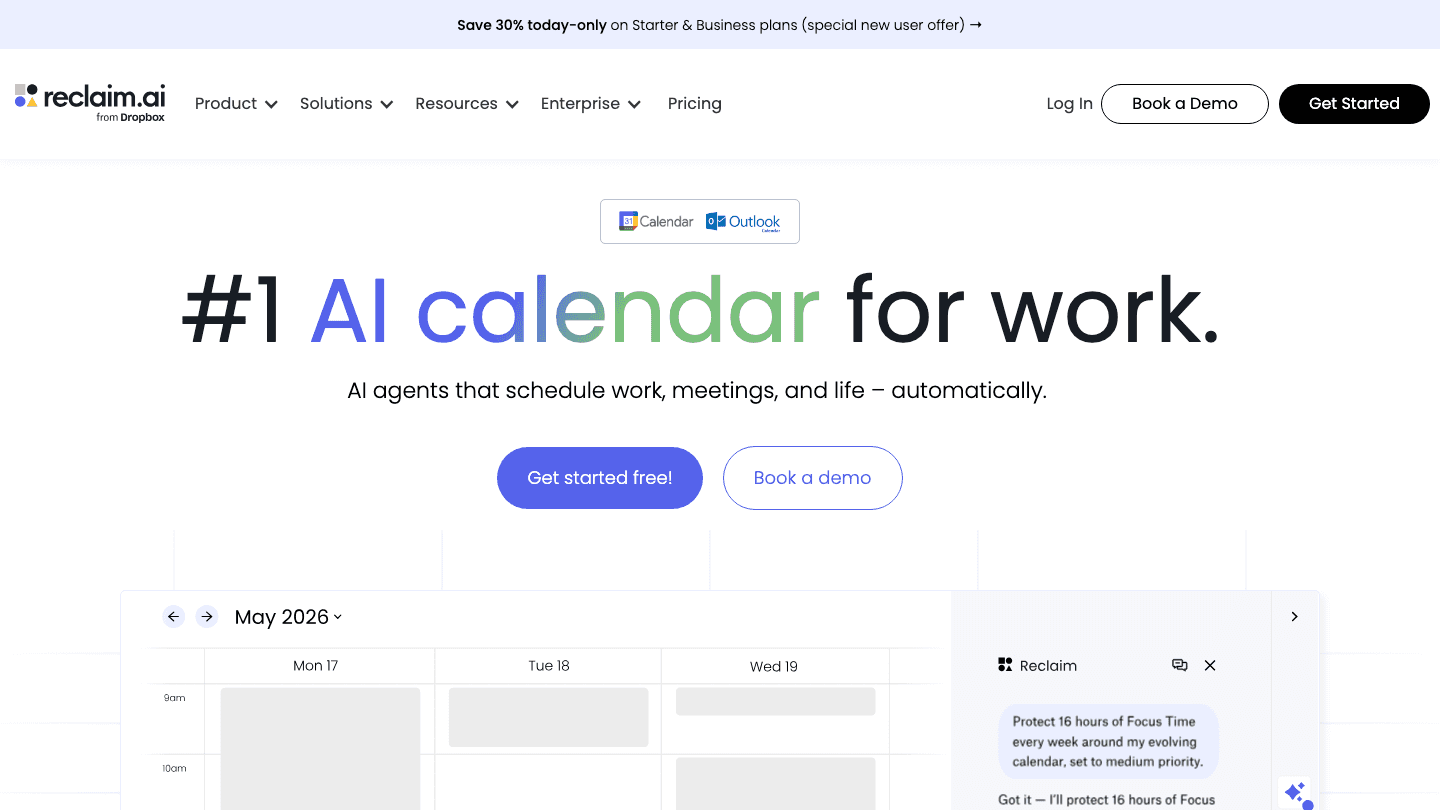
Reclaim.ai lives on top of your Google or Outlook calendar and automatically carves out time for tasks, habits, and breaks. Tell it you need sixteen hours of focus a week and it finds the gaps, then defends them by shuffling flexible events when meetings pile up. It is especially handy for people whose calendar is the real boss of their day.
Because it is calendar-first, it shines inside meeting-heavy teams. It is less of a full task manager and more of an automated scheduler bolted onto the calendar you already live in.
Key Features
Auto-scheduled focus time, habits, and buffer blocks
Smart meeting scheduling around everyone's availability
Deep Google Calendar and Outlook integration
What Works
Protects focus time without manual calendar wrangling
Useful free Lite tier to test the core idea
Limitations
No energy awareness; it guards time but does not match tasks to peak hours
Weaker as a standalone task list
Pricing: free Lite plan, Starter at $10/seat/month, and Business at $15/seat/month (billed monthly). If it is not quite right, we compared the best Reclaim AI alternatives.
Best for: calendar-driven professionals who need focus time defended automatically.
4. Todoist: Best Clean List With Light Automation
A fast, tidy to-do list with recurring tasks and smart input.
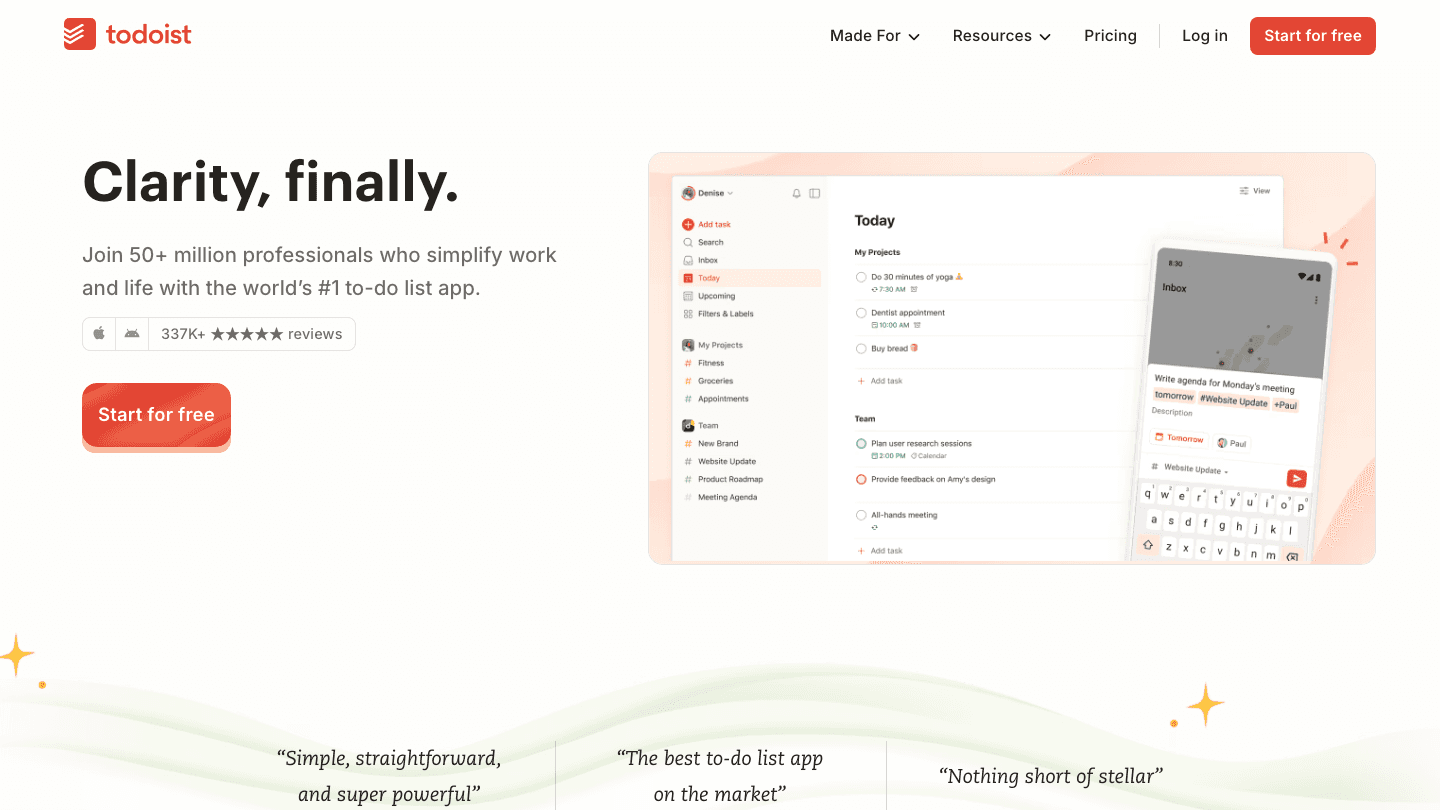
Todoist is not an auto-scheduler, and it does not pretend to be. What it automates is the small stuff: natural language input that reads "every Monday at 9am" and sets the recurrence for you, plus filters and reminders that surface the right tasks at the right time. It stays out of your way, which is exactly why so many people stick with it for years.
If your problem is capturing and organizing tasks rather than deciding when to do them, Todoist is hard to beat. Pair it with a calendar and you have a lightweight system in minutes.
Key Features
Natural language quick add with automatic recurring tasks
Filters, labels, and reminders to automate task surfacing
Calendar layout and broad integrations
What Works
Genuinely fast to capture tasks anywhere
Capable free tier for personal use
Limitations
No auto-scheduling and no energy awareness; you still decide when to act
Pricing: free Beginner plan, Pro at $5/month billed annually ($7 month to month). Full details in our Todoist pricing breakdown.
Best for: people who want a clean, reliable list and will schedule it themselves.
5. TickTick: Best Budget Pick
A to-do list, calendar, and habit tracker rolled into one cheap app.
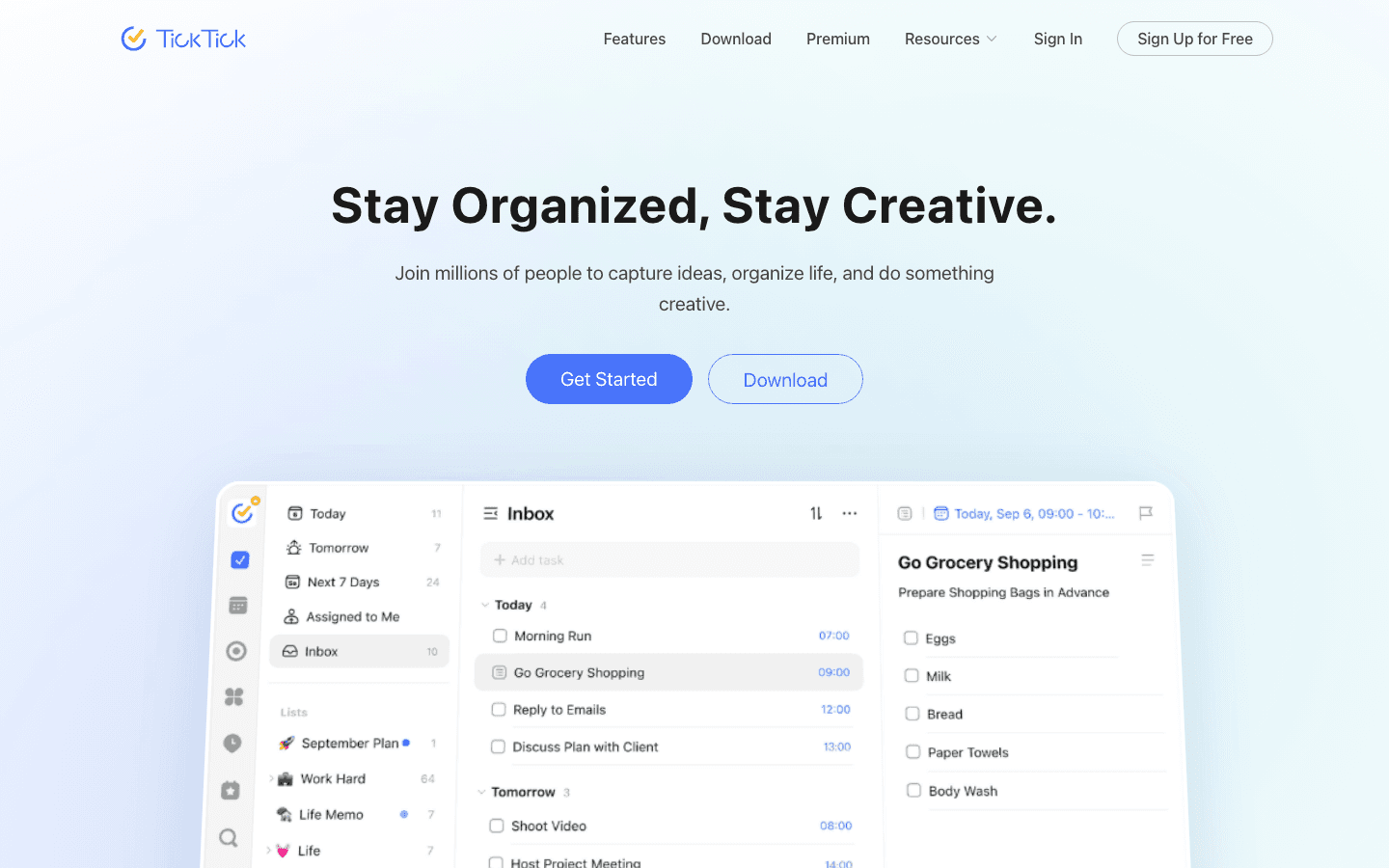
TickTick packs a surprising amount into a low price. You get tasks, a built-in calendar view, habit tracking, and a Pomodoro timer, all in one tidy app. Its automation is on the lighter side, recurring tasks and smart reminders, but for the money it covers most personal productivity needs without bolting on extra subscriptions.
It is a strong choice if you want one app to handle tasks and habits together. The calendar view ties it together without feeling cluttered.
Key Features
Tasks, calendar, habits, and Pomodoro timer in one app
Recurring tasks and smart date parsing
Cross-platform sync across phone, desktop, and web
What Works
Excellent value for the feature set
Habit tracking built in, no separate app needed
Limitations
No true auto-scheduling and no energy awareness
Pricing: generous free tier, Premium at $35.99/year (about $3.99/month billed monthly).
Best for: budget-minded users who want tasks and habits in one place. It also fits well alongside tools for executive functioning.
6. Zapier: Best for Connecting Apps
Automation between thousands of apps, not inside your calendar.
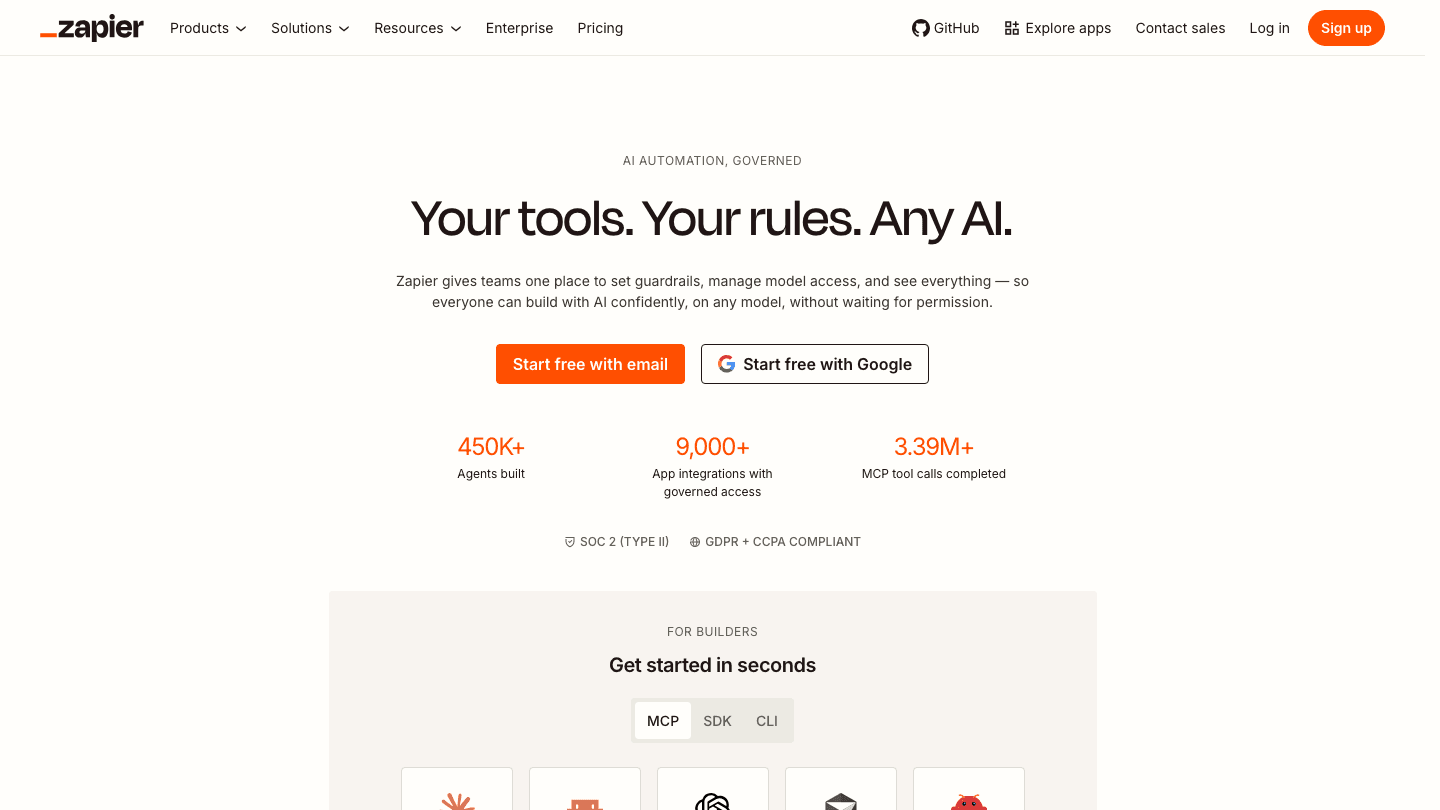
Zapier is a different animal from the planners above. It does not schedule your day. Instead it links your apps so finishing one thing triggers the next: a new form response creates a task, a starred email logs to your list, a closed deal kicks off an onboarding checklist. If your busywork lives in the gaps between tools, Zapier automates exactly that.
It pairs beautifully with a task app rather than replacing one. Many people run Zapier in the background to feed tasks into Todoist or a project board, then let a planner schedule them.
Key Features
Connects thousands of apps with trigger-and-action "Zaps"
Multi-step automations and filters
No-code workflow builder
What Works
Removes repetitive copy-paste work between apps
Enormous integration library
Limitations
Does not schedule or prioritize your day at all
Task-based pricing adds up quickly with heavy use
Pricing: free plan with 100 tasks/month; Professional from $19.99/month billed annually ($29.99 month to month).
Best for: people automating workflows across many apps. It complements the proactive AI assistants that run your day.
Which Task Automation Tool Is Right for You?
Want your day planned around your energy: Lifestack, every time.
Run a team with many projects: Motion.
Live inside a packed work calendar: Reclaim.ai.
Just want a clean, fast list: Todoist.
Want tasks plus habits on a budget: TickTick.
Need apps to talk to each other: Zapier.
For most individuals, the biggest win is automating the schedule itself. That is why Lifestack sits at the top: it handles the planning decision the others leave to you. If you want to dig deeper into matching tasks to the right hours, our guide to time optimization tools is a good next read.
Frequently Asked Questions
What are task automation tools?
Task automation tools handle the repetitive parts of getting work done. Some auto-schedule tasks into your calendar, some connect apps so one finished step triggers another, and some add smart reminders and recurring tasks on top of a list. The goal is the same: less manual planning and admin.
What is the best task automation tool in 2026?
For individuals, Lifestack is the best task automation tool because it auto-schedules your day around your energy and recovery instead of just filling open slots. For multi-project teams, Motion is a strong pick, and Zapier is best if you mainly need to connect apps.
Are there free task automation tools?
Yes. Todoist and TickTick both offer capable free tiers with recurring tasks and reminders, and Reclaim.ai and Zapier have free plans for light use. True energy-aware auto-scheduling, however, usually sits behind a paid plan.
What is the difference between Zapier and an auto-scheduler?
Zapier automates actions between apps, like creating a task when a form is submitted. An auto-scheduler such as Lifestack or Reclaim.ai decides when each task happens by placing it into your calendar. Many people use both together.
Do task automation tools work for ADHD?
They can help a lot, especially auto-schedulers that remove the decision of when to start. Lifestack is built with this in mind, scheduling around energy so demanding work lands in your best hours. Our piece on ADHD project management covers more strategies.
Your to-do list keeps growing, but the day never gets longer. That gap is exactly where task automation tools earn their keep. Instead of dragging cards around a board or rewriting the same plan every morning, these apps move tasks into your calendar, react when things slip, and handle the repetitive busywork that used to eat your focus.
The catch is that "automation" means very different things depending on the app. Some tools auto-schedule your day around real availability. Others connect apps together so a finished form spins up a following task. A few just add smart reminders on top of a tidy list. Picking the wrong type wastes a subscription and your patience.
We spent time inside each of the six task automation tools below, testing how they handle a messy week of meetings, deadlines, and the small stuff that always falls through the cracks. We looked at how much they actually automate, how they price it, and who each one fits.
One pattern stood out fast. The apps that schedule around your natural energy levels protect your real focus hours, while the ones that only sort a list still leave the hardest planning decision to you.
Key Takeaways
Lifestack tops the list because it auto-schedules tasks around your energy and recovery, not just open calendar slots.
Workflow connectors like Zapier automate between apps, while planners like Motion and Reclaim automate your day. Most people need the second kind first.
Free tiers from Todoist and TickTick cover basic automation, but real auto-scheduling lives behind paid plans across the board.
The Best Task Automation Tools at a Glance
Lifestack, best overall for energy-aware auto-scheduling
Motion, best for teams that want AI project scheduling
Reclaim.ai, best for defending focus time on a work calendar
Todoist, best for a clean list with light automation
TickTick, best budget pick with built-in habits and calendar
Zapier, best for connecting tasks across thousands of apps
How We Evaluated Each Tool
A pretty interface is not automation. We judged each app on what it actually takes off your plate.
Auto-scheduling: does it place tasks into your day on its own, and reshuffle when plans change?
Energy awareness: does it know your peak hours, or treat 9am and 3pm as identical?
Integrations: how well does it sync with Google Calendar, Outlook, and the apps you already use?
Pricing: verified from each app's own pricing page, not guessed.
Mobile and cross-platform: can you actually run your day from your phone?
If you want a deeper framework for this, our guide on how to plan effectively pairs well with any tool on this list.
1. Lifestack: Best Task Automation Tool Overall
Auto-schedules your tasks around your energy, sleep, and recovery.
Lifestack takes the one decision every other app leaves to you, when to do each task, and makes it automatically. It pulls in your sleep and recovery data, learns when you tend to have energy, then drops your tasks into the hours where you are most likely to finish them. Deep work lands in your peak window. Admin gets pushed to the slump.
That energy layer is the whole point. A normal planner will happily schedule your most demanding task for 3pm because the slot is open. Lifestack knows that slot is where you fade, so it protects it. When a meeting runs long or you skip a block, it rebuilds the rest of the day around what is left.
Key Features
Energy-aware auto-scheduling that adapts to your real daily rhythm
Two-way sync with Google Calendar and Apple Calendar
Sleep and recovery data from wearables feeds the schedule
Chrome extension plus iOS and Android apps
What Works
It removes the daily "when do I do this" planning tax entirely
Reschedules automatically when your day goes sideways
Strong fit for ADHD brains and anyone with uneven energy
Limitations
No permanently free tier, though there is a 7-day trial
Less suited to heavy multi-person project boards
Pricing: $7/month, $50/year, or $120 lifetime. A 7-day free trial is included on the annual plan; there is no permanent free tier.
Best for: anyone who wants their day planned for them around their energy, especially people juggling ADHD and project work.
2. Motion: Best for AI Project Scheduling
An AI project manager that builds and rebuilds your team's schedule.
Motion blends tasks, projects, and calendar into one AI-driven plan. You feed it work with deadlines and priorities, and it auto-schedules everything across your week, then reshuffles as new tasks arrive. For teams running several projects at once, it keeps a live view of who has capacity and what is at risk of slipping.
It is powerful, and that power has a learning curve. Motion rewards people who fully commit to running their whole work life inside it. Dip in and out and the automation has less to work with.
Key Features
AI auto-scheduling across tasks and projects
Team capacity planning and workload views
Calendar, project, and task management in one place
What Works
Genuinely strong at juggling many competing deadlines
Good for small teams that want shared automated scheduling
Limitations
No energy awareness, so it fills slots regardless of when you focus best
Steeper learning curve and a higher price than personal planners
Pricing: Pro AI is $19/seat/month, dropping to about $12.76/seat/month billed annually. Business AI is $29/seat/month. There is a free trial but no free tier.
Best for: teams and founders who want AI to run a multi-project schedule. See more options in our roundup of the best AI apps for work.
3. Reclaim.ai: Best for Defending Focus Time
AI agents that guard focus blocks on your work calendar.
Reclaim.ai lives on top of your Google or Outlook calendar and automatically carves out time for tasks, habits, and breaks. Tell it you need sixteen hours of focus a week and it finds the gaps, then defends them by shuffling flexible events when meetings pile up. It is especially handy for people whose calendar is the real boss of their day.
Because it is calendar-first, it shines inside meeting-heavy teams. It is less of a full task manager and more of an automated scheduler bolted onto the calendar you already live in.
Key Features
Auto-scheduled focus time, habits, and buffer blocks
Smart meeting scheduling around everyone's availability
Deep Google Calendar and Outlook integration
What Works
Protects focus time without manual calendar wrangling
Useful free Lite tier to test the core idea
Limitations
No energy awareness; it guards time but does not match tasks to peak hours
Weaker as a standalone task list
Pricing: free Lite plan, Starter at $10/seat/month, and Business at $15/seat/month (billed monthly). If it is not quite right, we compared the best Reclaim AI alternatives.
Best for: calendar-driven professionals who need focus time defended automatically.
4. Todoist: Best Clean List With Light Automation
A fast, tidy to-do list with recurring tasks and smart input.
Todoist is not an auto-scheduler, and it does not pretend to be. What it automates is the small stuff: natural language input that reads "every Monday at 9am" and sets the recurrence for you, plus filters and reminders that surface the right tasks at the right time. It stays out of your way, which is exactly why so many people stick with it for years.
If your problem is capturing and organizing tasks rather than deciding when to do them, Todoist is hard to beat. Pair it with a calendar and you have a lightweight system in minutes.
Key Features
Natural language quick add with automatic recurring tasks
Filters, labels, and reminders to automate task surfacing
Calendar layout and broad integrations
What Works
Genuinely fast to capture tasks anywhere
Capable free tier for personal use
Limitations
No auto-scheduling and no energy awareness; you still decide when to act
Pricing: free Beginner plan, Pro at $5/month billed annually ($7 month to month). Full details in our Todoist pricing breakdown.
Best for: people who want a clean, reliable list and will schedule it themselves.
5. TickTick: Best Budget Pick
A to-do list, calendar, and habit tracker rolled into one cheap app.
TickTick packs a surprising amount into a low price. You get tasks, a built-in calendar view, habit tracking, and a Pomodoro timer, all in one tidy app. Its automation is on the lighter side, recurring tasks and smart reminders, but for the money it covers most personal productivity needs without bolting on extra subscriptions.
It is a strong choice if you want one app to handle tasks and habits together. The calendar view ties it together without feeling cluttered.
Key Features
Tasks, calendar, habits, and Pomodoro timer in one app
Recurring tasks and smart date parsing
Cross-platform sync across phone, desktop, and web
What Works
Excellent value for the feature set
Habit tracking built in, no separate app needed
Limitations
No true auto-scheduling and no energy awareness
Pricing: generous free tier, Premium at $35.99/year (about $3.99/month billed monthly).
Best for: budget-minded users who want tasks and habits in one place. It also fits well alongside tools for executive functioning.
6. Zapier: Best for Connecting Apps
Automation between thousands of apps, not inside your calendar.
Zapier is a different animal from the planners above. It does not schedule your day. Instead it links your apps so finishing one thing triggers the next: a new form response creates a task, a starred email logs to your list, a closed deal kicks off an onboarding checklist. If your busywork lives in the gaps between tools, Zapier automates exactly that.
It pairs beautifully with a task app rather than replacing one. Many people run Zapier in the background to feed tasks into Todoist or a project board, then let a planner schedule them.
Key Features
Connects thousands of apps with trigger-and-action "Zaps"
Multi-step automations and filters
No-code workflow builder
What Works
Removes repetitive copy-paste work between apps
Enormous integration library
Limitations
Does not schedule or prioritize your day at all
Task-based pricing adds up quickly with heavy use
Pricing: free plan with 100 tasks/month; Professional from $19.99/month billed annually ($29.99 month to month).
Best for: people automating workflows across many apps. It complements the proactive AI assistants that run your day.
Which Task Automation Tool Is Right for You?
Want your day planned around your energy: Lifestack, every time.
Run a team with many projects: Motion.
Live inside a packed work calendar: Reclaim.ai.
Just want a clean, fast list: Todoist.
Want tasks plus habits on a budget: TickTick.
Need apps to talk to each other: Zapier.
For most individuals, the biggest win is automating the schedule itself. That is why Lifestack sits at the top: it handles the planning decision the others leave to you. If you want to dig deeper into matching tasks to the right hours, our guide to time optimization tools is a good next read.
Frequently Asked Questions
What are task automation tools?
Task automation tools handle the repetitive parts of getting work done. Some auto-schedule tasks into your calendar, some connect apps so one finished step triggers another, and some add smart reminders and recurring tasks on top of a list. The goal is the same: less manual planning and admin.
What is the best task automation tool in 2026?
For individuals, Lifestack is the best task automation tool because it auto-schedules your day around your energy and recovery instead of just filling open slots. For multi-project teams, Motion is a strong pick, and Zapier is best if you mainly need to connect apps.
Are there free task automation tools?
Yes. Todoist and TickTick both offer capable free tiers with recurring tasks and reminders, and Reclaim.ai and Zapier have free plans for light use. True energy-aware auto-scheduling, however, usually sits behind a paid plan.
What is the difference between Zapier and an auto-scheduler?
Zapier automates actions between apps, like creating a task when a form is submitted. An auto-scheduler such as Lifestack or Reclaim.ai decides when each task happens by placing it into your calendar. Many people use both together.
Do task automation tools work for ADHD?
They can help a lot, especially auto-schedulers that remove the decision of when to start. Lifestack is built with this in mind, scheduling around energy so demanding work lands in your best hours. Our piece on ADHD project management covers more strategies.



FOLLOW ON
FOLLOW ON
FOLLOW ON


Copyright 2026 © Lifestack. All rights reserved
Copyright 2026 © Lifestack. All rights reserved

