
App
Best Calendar Management Virtual Assistants
Best Calendar Management Virtual Assistants

What to Look For in a Calendar Management Virtual Assistant
Managing a calendar used to mean replying to emails, hunting for open slots, and praying your 2pm didn't collide with a 2:15. A good calendar management virtual assistant should eliminate all of that. The best ones go further: they understand your priorities, protect your deep work time, reschedule automatically when things shift, and ideally learn your patterns over time.
We tested the leading AI scheduling assistants across features that actually matter: how smart the scheduling is, whether the tool learns your energy and work patterns, how easy setup is, and whether the price matches what you get.
Here are the five best options in 2026.
Key Takeaways
Lifestack is the only calendar management assistant that reads your actual energy levels from wearables and schedules around them.
Motion and SkedPal are the most powerful for task-heavy workflows where everything needs a time block.
Reclaim and Morgen offer the gentlest onboarding, protecting your existing calendar habits rather than replacing them.
Quick Guide
1. Lifestack: Energy-aware AI scheduling that reads your wearable data
2. Motion: Fully automated task-to-calendar scheduling for project-heavy teams
3. Reclaim: Smart habit and focus time protection for knowledge workers
4. SkedPal: Algorithm-driven time mapping with flexible scheduling windows
5. Morgen: Unified multi-calendar planner with AI-powered daily planning
How We Evaluated
AI scheduling depth (does it auto-schedule tasks, or just protect time?)
Energy and biometric awareness (can it read wearable data?)
Calendar integrations (Google, Outlook, Apple)
Task management integration
Ease of setup
Pricing and free tier availability
Mobile apps
1. Lifestack
The only calendar assistant that schedules around your energy, not just your time.

Lifestack connects to Oura, Garmin, Fitbit, WHOOP, and Apple Health to read your actual energy and readiness scores each day. Then it schedules your most demanding tasks during your peak performance windows and lighter work during recovery periods.
This is the core insight that the other tools in this list miss entirely. Blocking time for deep work is easy. Knowing whether that 9am block is actually going to be productive for you specifically, on this particular Tuesday, is what separates Lifestack from every other calendar management virtual assistant on the market. The case for energy-based planning has never been stronger.
Setup takes about 10 minutes: connect your calendar, link your wearable, and set your work preferences. Lifestack handles the rest. It also integrates with Google Tasks, Todoist, and your calendar apps so tasks flow in automatically.
Connects to Oura, Garmin, Fitbit, WHOOP, Apple Health for biometric-aware scheduling
Auto-schedules tasks around your daily energy peaks and recovery windows
Integrates with Google Calendar, Google Tasks, Todoist
Chrome extension for quick task capture
iOS and Android apps
What Works: Unique energy-aware scheduling, simple setup, wearable integrations, genuinely useful for ADHD users and high-performance knowledge workers
Limitations: Requires a wearable to unlock the full energy-scheduling feature, no team scheduling features yet
Pricing: $7/month, $50/year, or $120 lifetime. A 7-day free trial is available on the annual plan. See our full introduction to Lifestack for more detail.
Best for: Knowledge workers, ADHD users, and anyone who wants their calendar to work with their biology rather than against it.
2. Motion
Full AI task-to-calendar automation for teams with complex project backlogs.
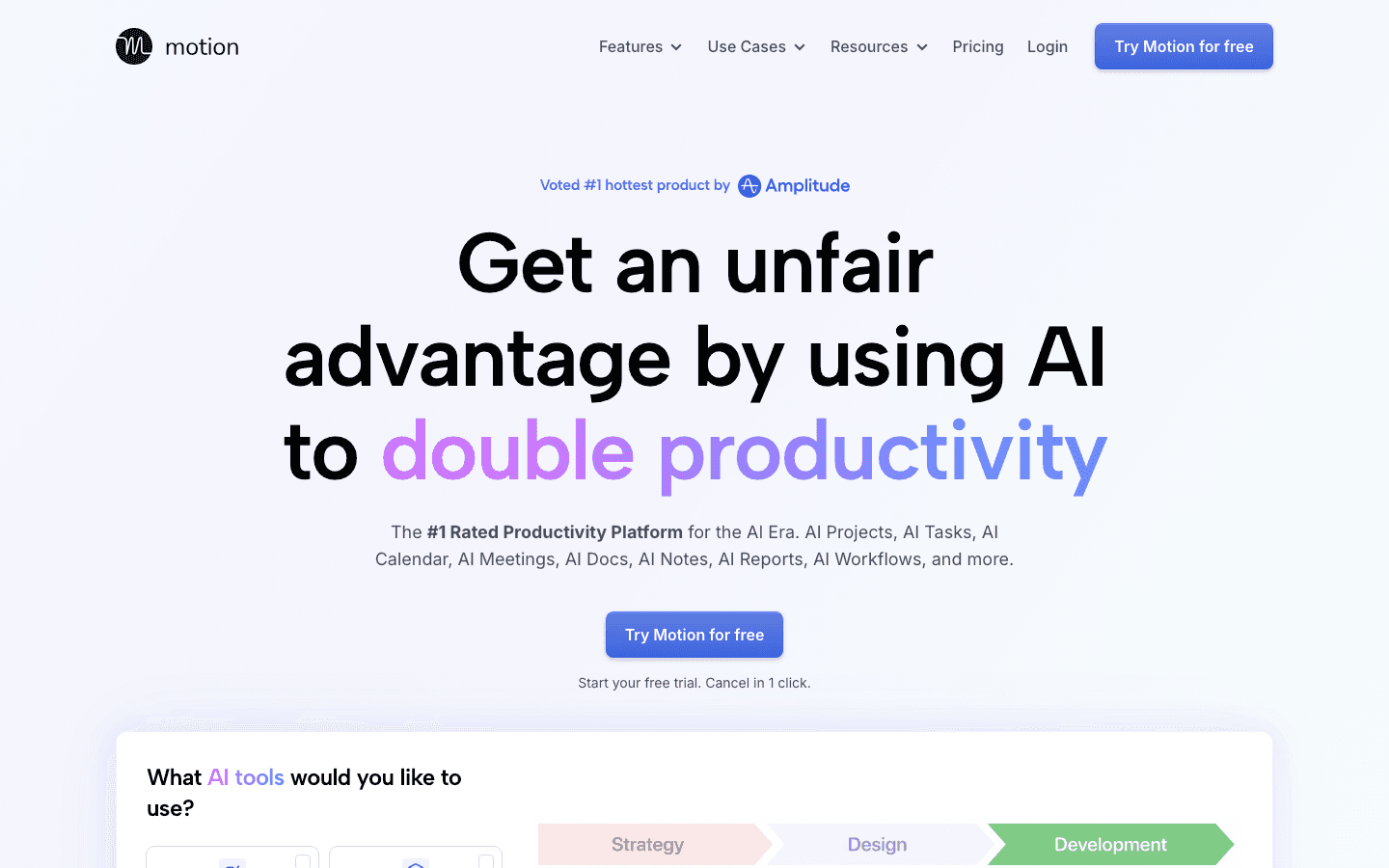
Motion is the most aggressive auto-scheduling tool on this list. You feed it your task list and deadlines, and it builds your calendar from scratch, slotting work blocks, protecting meetings, and reshuffling everything when priorities change.
The tradeoff is complexity. Getting Motion working well requires upfront investment in entering your projects and tasks accurately. And the constant reshuffling can feel chaotic once you have a busy calendar. For team use, it's powerful: project assignment, deadline tracking, and shared scheduling are all baked in. But it's a heavier lift than any other option here.
What Works: Deep task-to-calendar automation, intelligent deadline-driven reshuffling, team project management, AI docs and notes
Limitations: Expensive, complex to configure, no energy awareness, can feel out of control during busy periods
Pricing: $19/seat/month (Pro AI) or $29/seat/month (Business AI). 7-day free trial available. See the full Motion pricing breakdown. For a direct comparison, see Motion vs Reclaim.
Best for: Project managers, freelancers with heavy task loads, and teams who want the AI to own their scheduling entirely.
3. Reclaim
Calendar protection for knowledge workers who want focus time defended automatically.
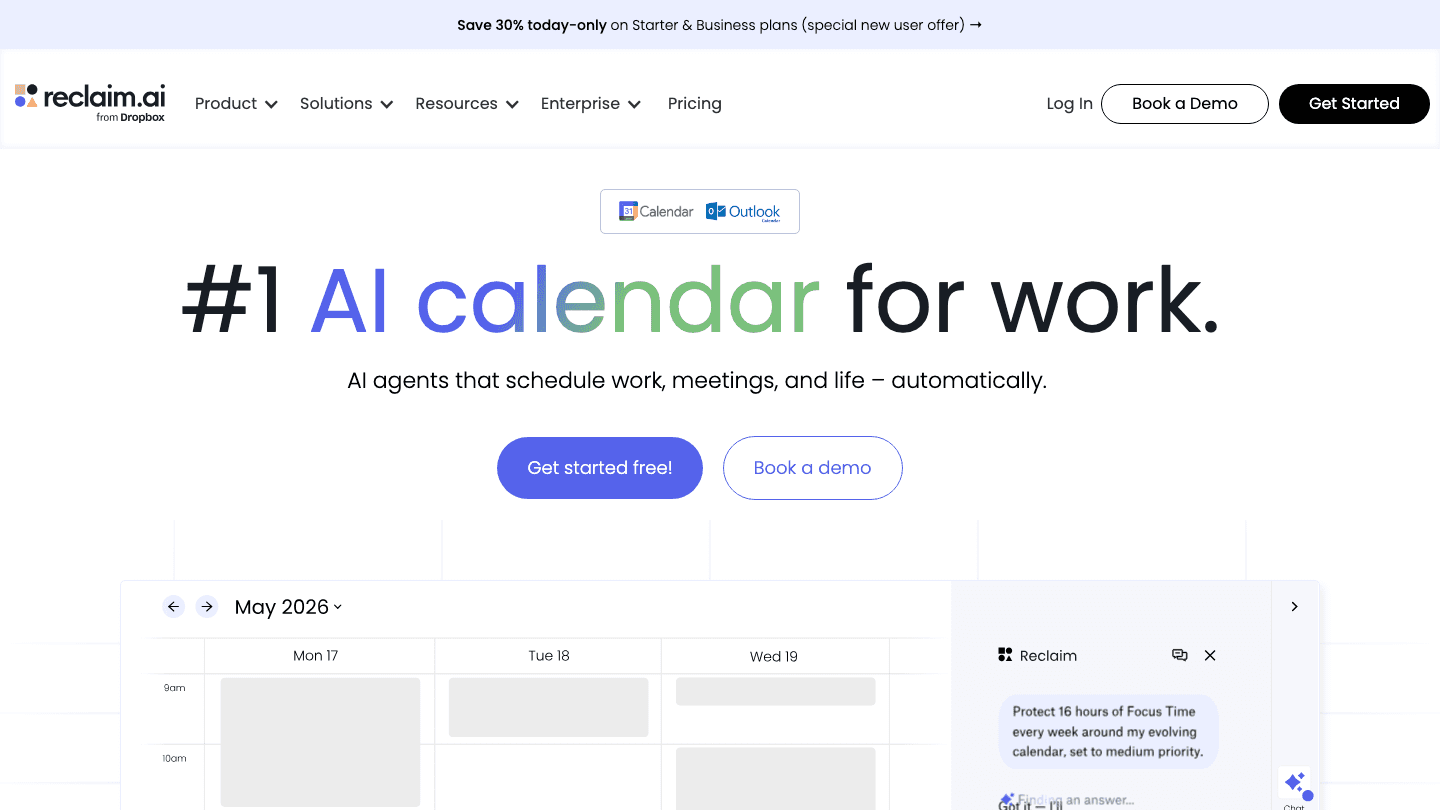
Reclaim works by protecting your existing calendar rather than rebuilding it. You set up habits (daily exercise, deep work, reading time), focus time preferences, and smart meeting buffers. Reclaim then defends those blocks against incoming meeting requests.
The AI Agents feature extends this into task scheduling. Agents can place tasks on your calendar, reschedule when things shift, and handle team meeting coordination across conflicting schedules. Now part of Dropbox, Reclaim has a solid free tier that covers the basics.
What Works: Habit and focus time protection, smart meeting buffer scheduling, clean UX, free tier, team meeting coordination
Limitations: Less powerful for full task automation compared to Motion, no energy or biometric awareness
Pricing: Free forever (Lite), $10/seat/month (Starter), $15/seat/month (Business), $22/seat/month (Enterprise). See Reclaim alternatives if you need more scheduling power.
Best for: Remote knowledge workers who want their focus time protected without rethinking how they work.
4. SkedPal
Algorithm-driven scheduling with Time Maps for predictable, structured workdays.
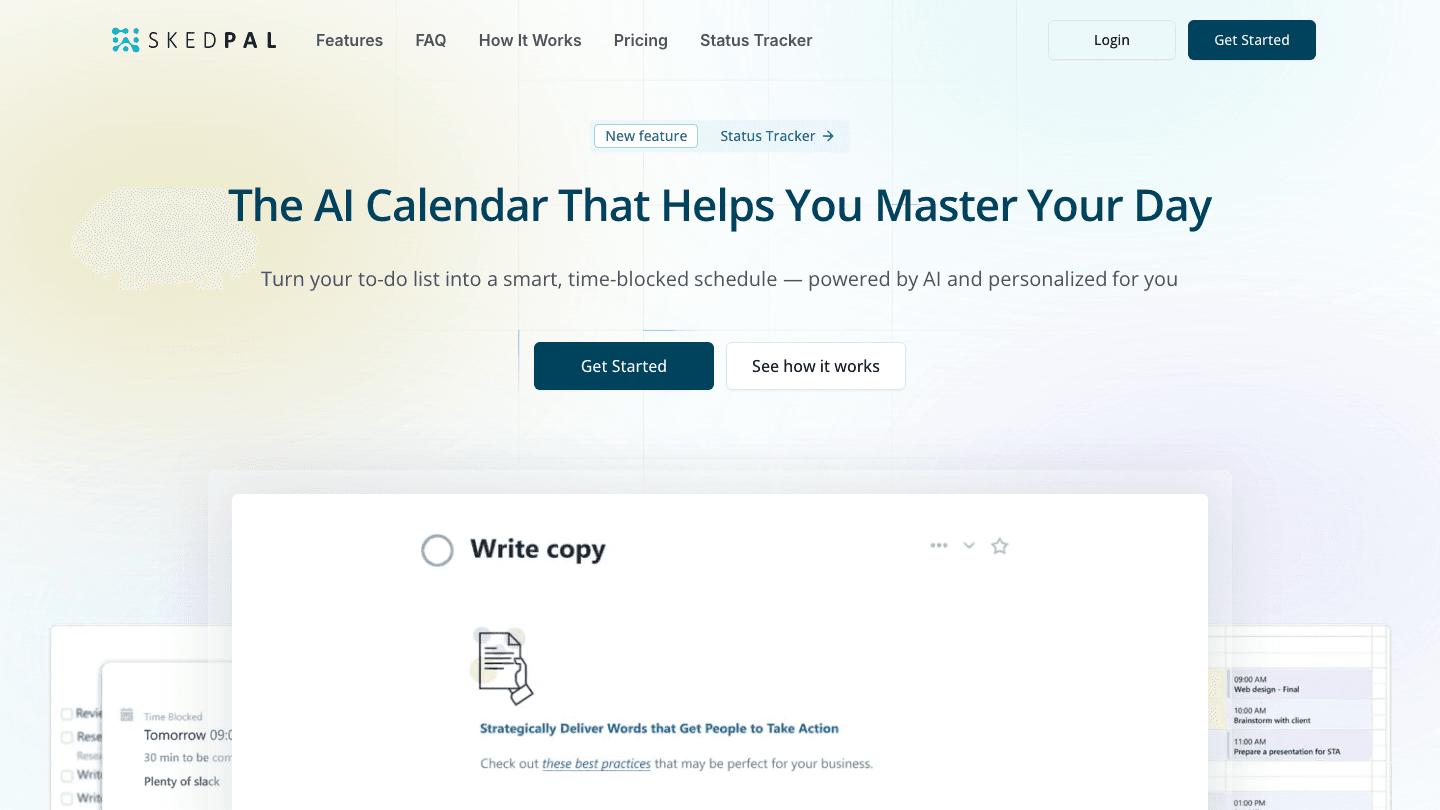
SkedPal uses a concept called Time Maps to give the scheduler structure. You define when certain types of work can be scheduled (mornings for deep work, afternoons for meetings) and then let the algorithm fill in your tasks within those constraints. It's a more rules-based approach than Motion or Reclaim.
SkedPal shines for people who want algorithm-driven scheduling but also want to stay in control of the framework. The 60-day scheduling window on the Pro plan makes it especially useful for long-horizon project planning. It supports Google Calendar and Outlook, with task import from Todoist and other tools.
What Works: Time Maps give you scheduling structure, good for long-horizon planning, flexible prioritization board, 14-day free trial
Limitations: Less polished UI than the others, no energy or wearable awareness, smaller community and fewer integrations
Pricing: $9.95/month (Core, annual) or $14.95/month (Pro, annual). 14-day free trial, no credit card required.
Best for: Structured thinkers who want algorithm scheduling within defined work time windows.
5. Morgen
Multi-calendar unification with AI daily planning and booking pages.
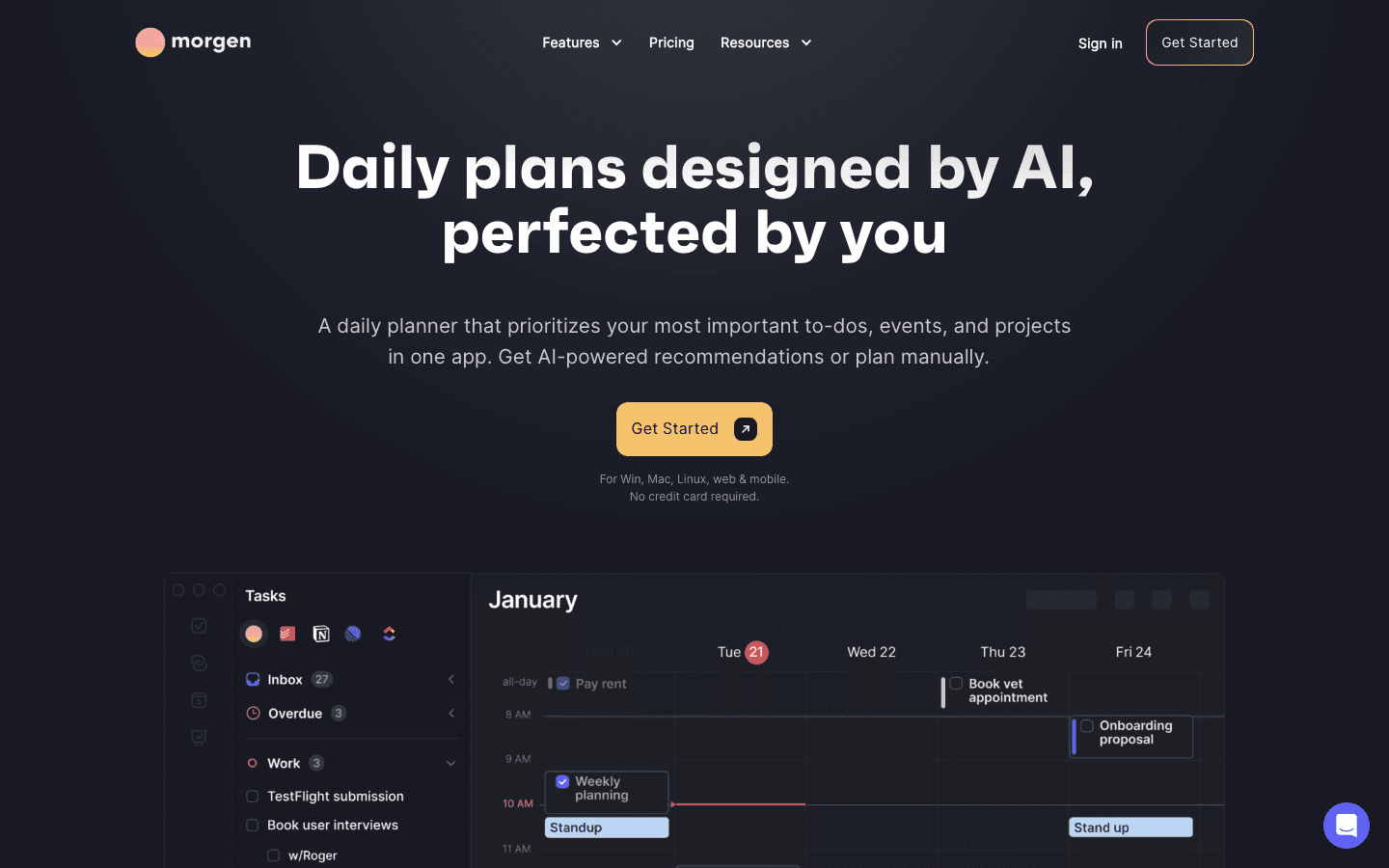
Morgen pulls together all your calendars (Google, Outlook, Apple, iCloud) into a single view and adds AI-powered planning on top. Each morning it suggests a daily plan, accounting for your tasks, events, and how much time you realistically have. You review and adjust, then commit to the plan.
This is the most human-in-the-loop approach on this list. The AI suggests, you decide. Morgen also includes booking pages and scheduling links, making it a solid option for consultants or coaches who handle a lot of inbound meeting requests alongside their own planning.
What Works: Clean multi-calendar unification, AI daily planning suggestions, booking pages, cross-platform (Mac, Windows, Linux, mobile), GDPR-compliant Swiss hosting
Limitations: More manual than Motion or SkedPal, AI planning is suggestive rather than automatic, no energy or wearable awareness
Pricing: $15/month billed annually, $30/month billed monthly. 14-day free trial, 30-day money-back guarantee. For alternatives, see Morgen alternatives.
Best for: Freelancers and consultants who want all their calendars in one place with AI daily planning suggestions.
Which Calendar Management Virtual Assistant Is Right for You?
Best for energy-aware scheduling: Lifestack. It's the only tool that reads your wearable data and schedules around your actual daily performance peaks.
Best for full automation: Motion. If you want the AI to fully own your schedule and you have a heavy task backlog, Motion is the most capable.
Best free option: Reclaim. The Lite tier is genuinely useful for individuals who want basic habit and focus time protection at no cost.
Best for structured scheduling: SkedPal. Time Maps give you a predictable framework the algorithm fills in around your constraints.
Best for multi-calendar users: Morgen. If you're juggling multiple Google and Outlook accounts and want a unified view plus AI planning, Morgen handles it cleanly.
The common thread across all of these tools is that they're trying to give you back time. But the best calendar management virtual assistant is the one that fits how you actually work. Whether that means surrendering full control to an AI, protecting specific habits, or having the schedule adapt to your energy each day.
Frequently Asked Questions
What is a calendar management virtual assistant?
A calendar management virtual assistant is software (or AI) that handles scheduling tasks on your behalf: booking meetings, blocking focus time, assigning tasks to open slots, and rescheduling when conflicts arise. They range from lightweight habit protectors (Reclaim) to full AI schedulers that own your entire calendar (Motion, Lifestack).
What is the best AI calendar management app in 2026?
Lifestack is the most sophisticated option if you want energy-aware scheduling. It reads your wearable data and schedules demanding work during your peak performance windows. Motion is better if full task-to-calendar automation is your top priority. Both are covered in our best AI planner apps roundup.
Is there a free calendar management virtual assistant?
Reclaim offers a genuinely useful free tier (Lite plan) that covers focus time, habits, and basic meeting buffers for individual users. SkedPal and Morgen both offer 14-day free trials. Lifestack has a 7-day trial on the annual plan.
Can a calendar management AI learn your schedule patterns?
Some tools do. Lifestack reads your biometric patterns via wearables to understand your energy rhythms over time. Motion learns which tasks you tend to let slip and resurfaces them. Most tools improve with use as they accumulate data about your scheduling preferences.
What's the difference between Motion and Reclaim?
Motion is a full AI task scheduler that builds your calendar from scratch around your deadlines. Reclaim protects your existing calendar by blocking focus time and habits. Motion is more powerful but more complex; Reclaim is gentler and easier to set up. Read the full Motion vs Reclaim comparison for a detailed breakdown.
Do I need a wearable to use a calendar management virtual assistant?
Not for most tools. Motion, Reclaim, SkedPal, and Morgen all work without any wearable device. Lifestack works without one too, but connecting a wearable (Oura, Garmin, WHOOP, etc.) unlocks its energy-based scheduling. Check our guide on AI productivity tools for more options across different workflows.
What to Look For in a Calendar Management Virtual Assistant
Managing a calendar used to mean replying to emails, hunting for open slots, and praying your 2pm didn't collide with a 2:15. A good calendar management virtual assistant should eliminate all of that. The best ones go further: they understand your priorities, protect your deep work time, reschedule automatically when things shift, and ideally learn your patterns over time.
We tested the leading AI scheduling assistants across features that actually matter: how smart the scheduling is, whether the tool learns your energy and work patterns, how easy setup is, and whether the price matches what you get.
Here are the five best options in 2026.
Key Takeaways
Lifestack is the only calendar management assistant that reads your actual energy levels from wearables and schedules around them.
Motion and SkedPal are the most powerful for task-heavy workflows where everything needs a time block.
Reclaim and Morgen offer the gentlest onboarding, protecting your existing calendar habits rather than replacing them.
Quick Guide
1. Lifestack: Energy-aware AI scheduling that reads your wearable data
2. Motion: Fully automated task-to-calendar scheduling for project-heavy teams
3. Reclaim: Smart habit and focus time protection for knowledge workers
4. SkedPal: Algorithm-driven time mapping with flexible scheduling windows
5. Morgen: Unified multi-calendar planner with AI-powered daily planning
How We Evaluated
AI scheduling depth (does it auto-schedule tasks, or just protect time?)
Energy and biometric awareness (can it read wearable data?)
Calendar integrations (Google, Outlook, Apple)
Task management integration
Ease of setup
Pricing and free tier availability
Mobile apps
1. Lifestack
The only calendar assistant that schedules around your energy, not just your time.
Lifestack connects to Oura, Garmin, Fitbit, WHOOP, and Apple Health to read your actual energy and readiness scores each day. Then it schedules your most demanding tasks during your peak performance windows and lighter work during recovery periods.
This is the core insight that the other tools in this list miss entirely. Blocking time for deep work is easy. Knowing whether that 9am block is actually going to be productive for you specifically, on this particular Tuesday, is what separates Lifestack from every other calendar management virtual assistant on the market. The case for energy-based planning has never been stronger.
Setup takes about 10 minutes: connect your calendar, link your wearable, and set your work preferences. Lifestack handles the rest. It also integrates with Google Tasks, Todoist, and your calendar apps so tasks flow in automatically.
Connects to Oura, Garmin, Fitbit, WHOOP, Apple Health for biometric-aware scheduling
Auto-schedules tasks around your daily energy peaks and recovery windows
Integrates with Google Calendar, Google Tasks, Todoist
Chrome extension for quick task capture
iOS and Android apps
What Works: Unique energy-aware scheduling, simple setup, wearable integrations, genuinely useful for ADHD users and high-performance knowledge workers
Limitations: Requires a wearable to unlock the full energy-scheduling feature, no team scheduling features yet
Pricing: $7/month, $50/year, or $120 lifetime. A 7-day free trial is available on the annual plan. See our full introduction to Lifestack for more detail.
Best for: Knowledge workers, ADHD users, and anyone who wants their calendar to work with their biology rather than against it.
2. Motion
Full AI task-to-calendar automation for teams with complex project backlogs.
Motion is the most aggressive auto-scheduling tool on this list. You feed it your task list and deadlines, and it builds your calendar from scratch, slotting work blocks, protecting meetings, and reshuffling everything when priorities change.
The tradeoff is complexity. Getting Motion working well requires upfront investment in entering your projects and tasks accurately. And the constant reshuffling can feel chaotic once you have a busy calendar. For team use, it's powerful: project assignment, deadline tracking, and shared scheduling are all baked in. But it's a heavier lift than any other option here.
What Works: Deep task-to-calendar automation, intelligent deadline-driven reshuffling, team project management, AI docs and notes
Limitations: Expensive, complex to configure, no energy awareness, can feel out of control during busy periods
Pricing: $19/seat/month (Pro AI) or $29/seat/month (Business AI). 7-day free trial available. See the full Motion pricing breakdown. For a direct comparison, see Motion vs Reclaim.
Best for: Project managers, freelancers with heavy task loads, and teams who want the AI to own their scheduling entirely.
3. Reclaim
Calendar protection for knowledge workers who want focus time defended automatically.
Reclaim works by protecting your existing calendar rather than rebuilding it. You set up habits (daily exercise, deep work, reading time), focus time preferences, and smart meeting buffers. Reclaim then defends those blocks against incoming meeting requests.
The AI Agents feature extends this into task scheduling. Agents can place tasks on your calendar, reschedule when things shift, and handle team meeting coordination across conflicting schedules. Now part of Dropbox, Reclaim has a solid free tier that covers the basics.
What Works: Habit and focus time protection, smart meeting buffer scheduling, clean UX, free tier, team meeting coordination
Limitations: Less powerful for full task automation compared to Motion, no energy or biometric awareness
Pricing: Free forever (Lite), $10/seat/month (Starter), $15/seat/month (Business), $22/seat/month (Enterprise). See Reclaim alternatives if you need more scheduling power.
Best for: Remote knowledge workers who want their focus time protected without rethinking how they work.
4. SkedPal
Algorithm-driven scheduling with Time Maps for predictable, structured workdays.
SkedPal uses a concept called Time Maps to give the scheduler structure. You define when certain types of work can be scheduled (mornings for deep work, afternoons for meetings) and then let the algorithm fill in your tasks within those constraints. It's a more rules-based approach than Motion or Reclaim.
SkedPal shines for people who want algorithm-driven scheduling but also want to stay in control of the framework. The 60-day scheduling window on the Pro plan makes it especially useful for long-horizon project planning. It supports Google Calendar and Outlook, with task import from Todoist and other tools.
What Works: Time Maps give you scheduling structure, good for long-horizon planning, flexible prioritization board, 14-day free trial
Limitations: Less polished UI than the others, no energy or wearable awareness, smaller community and fewer integrations
Pricing: $9.95/month (Core, annual) or $14.95/month (Pro, annual). 14-day free trial, no credit card required.
Best for: Structured thinkers who want algorithm scheduling within defined work time windows.
5. Morgen
Multi-calendar unification with AI daily planning and booking pages.
Morgen pulls together all your calendars (Google, Outlook, Apple, iCloud) into a single view and adds AI-powered planning on top. Each morning it suggests a daily plan, accounting for your tasks, events, and how much time you realistically have. You review and adjust, then commit to the plan.
This is the most human-in-the-loop approach on this list. The AI suggests, you decide. Morgen also includes booking pages and scheduling links, making it a solid option for consultants or coaches who handle a lot of inbound meeting requests alongside their own planning.
What Works: Clean multi-calendar unification, AI daily planning suggestions, booking pages, cross-platform (Mac, Windows, Linux, mobile), GDPR-compliant Swiss hosting
Limitations: More manual than Motion or SkedPal, AI planning is suggestive rather than automatic, no energy or wearable awareness
Pricing: $15/month billed annually, $30/month billed monthly. 14-day free trial, 30-day money-back guarantee. For alternatives, see Morgen alternatives.
Best for: Freelancers and consultants who want all their calendars in one place with AI daily planning suggestions.
Which Calendar Management Virtual Assistant Is Right for You?
Best for energy-aware scheduling: Lifestack. It's the only tool that reads your wearable data and schedules around your actual daily performance peaks.
Best for full automation: Motion. If you want the AI to fully own your schedule and you have a heavy task backlog, Motion is the most capable.
Best free option: Reclaim. The Lite tier is genuinely useful for individuals who want basic habit and focus time protection at no cost.
Best for structured scheduling: SkedPal. Time Maps give you a predictable framework the algorithm fills in around your constraints.
Best for multi-calendar users: Morgen. If you're juggling multiple Google and Outlook accounts and want a unified view plus AI planning, Morgen handles it cleanly.
The common thread across all of these tools is that they're trying to give you back time. But the best calendar management virtual assistant is the one that fits how you actually work. Whether that means surrendering full control to an AI, protecting specific habits, or having the schedule adapt to your energy each day.
Frequently Asked Questions
What is a calendar management virtual assistant?
A calendar management virtual assistant is software (or AI) that handles scheduling tasks on your behalf: booking meetings, blocking focus time, assigning tasks to open slots, and rescheduling when conflicts arise. They range from lightweight habit protectors (Reclaim) to full AI schedulers that own your entire calendar (Motion, Lifestack).
What is the best AI calendar management app in 2026?
Lifestack is the most sophisticated option if you want energy-aware scheduling. It reads your wearable data and schedules demanding work during your peak performance windows. Motion is better if full task-to-calendar automation is your top priority. Both are covered in our best AI planner apps roundup.
Is there a free calendar management virtual assistant?
Reclaim offers a genuinely useful free tier (Lite plan) that covers focus time, habits, and basic meeting buffers for individual users. SkedPal and Morgen both offer 14-day free trials. Lifestack has a 7-day trial on the annual plan.
Can a calendar management AI learn your schedule patterns?
Some tools do. Lifestack reads your biometric patterns via wearables to understand your energy rhythms over time. Motion learns which tasks you tend to let slip and resurfaces them. Most tools improve with use as they accumulate data about your scheduling preferences.
What's the difference between Motion and Reclaim?
Motion is a full AI task scheduler that builds your calendar from scratch around your deadlines. Reclaim protects your existing calendar by blocking focus time and habits. Motion is more powerful but more complex; Reclaim is gentler and easier to set up. Read the full Motion vs Reclaim comparison for a detailed breakdown.
Do I need a wearable to use a calendar management virtual assistant?
Not for most tools. Motion, Reclaim, SkedPal, and Morgen all work without any wearable device. Lifestack works without one too, but connecting a wearable (Oura, Garmin, WHOOP, etc.) unlocks its energy-based scheduling. Check our guide on AI productivity tools for more options across different workflows.



FOLLOW ON
FOLLOW ON
FOLLOW ON


Copyright 2026 © Lifestack. All rights reserved
Copyright 2026 © Lifestack. All rights reserved

