
App
Best Productivity Coach Software: 6 Top Picks
Best Productivity Coach Software: 6 Top Picks

Most people do not need a human productivity coach charging $300 an hour. They need software that does the same job quietly in the background: planning the day, nudging better habits, and keeping work moving when motivation dips. That is what productivity coach software is built to do.
The category covers a wide range. Some apps act like an AI scheduler that rebuilds your calendar around what matters. Others run daily check-ins, ask reflective questions, and track the goals you set. A few measure how you are wired and coach you against your own patterns. The right pick depends on whether you want help with your daily schedule, your habits, or both.
We tested six tools against the things that actually matter day to day: how well they plan around your real energy, how they handle accountability, what integrations they support, and whether the price holds up. Below is the ranked list, with verified pricing and an honest read on where each one falls short.
Key Takeaways
Lifestack is the top pick because it coaches your day around your energy and recovery, not just open calendar slots.
If you want pure habit and mindset coaching, Rocky.ai and Marlee do daily check-ins; if you want scheduling, Motion and Reclaim rebuild your calendar.
Prices range from a free forever tier (Reclaim, Rocky.ai, Marlee) up to $25 a month (Sunsama), so match the tool to your actual need before paying.
Quick Guide to the Best Productivity Coach Software
Lifestack - energy-aware daily planning that coaches your schedule around your body clock.
Motion - AI scheduling that auto-plans tasks and projects across your calendar.
Reclaim - smart calendar defense that protects focus time and habits automatically.
Sunsama - guided daily planning ritual that keeps your workload realistic.
Rocky.ai - conversational AI coach for mindset, goals, and accountability.
Marlee - motivation analysis that coaches you against your own work style.
How We Evaluated Each Tool
A coaching tool is only useful if it changes how your day actually runs. We scored each app on a few things:
Energy and timing awareness - does it plan work for when you can actually do it?
Accountability - check-ins, reminders, and follow-through on goals.
Auto-scheduling - can it rebuild your calendar when plans change?
Integrations - calendars, task managers, and the tools you already use.
Mobile experience - because coaching that only lives on a laptop gets ignored.
Pricing - verified from each app's current pricing page, not from memory.
1. Lifestack
Energy-aware daily planning that coaches your schedule around your body.

Lifestack treats coaching as a scheduling problem. It pulls in your sleep, recovery, and energy data from wearables, then drafts a day plan that puts demanding work in your high-energy windows and lighter tasks in the dips. Instead of asking how you feel, it reads the signal and builds the day around it.
That is the difference between Lifestack and almost every other tool here. Other apps optimize for empty time. Lifestack optimizes for the right time, which is the whole point of energy-based planning. For anyone who keeps scheduling deep work at 3pm and then wondering why it never happens, this is the fix.
Key features:
Energy forecasting from sleep and recovery data
Automatic day plans that match tasks to your peaks and dips
Two-way calendar sync and task imports from tools you already use
Mobile-first design with a Chrome extension for desktop planning
What works: it is the only tool here that coaches timing based on your actual physiology, and the setup is genuinely fast. The mobile app is the home base, which keeps planning in front of you.
Limitations: it leans on wearable data, so you get more out of it with an Oura ring, Apple Watch, or similar. It is built for individuals managing their own day, not for team project planning.
Pricing: 7-day free trial, then $7 a month, $50 a year, or $120 once for lifetime access.
Best for: anyone who wants a coach for their energy calendar, not just their to-do list.
2. Motion
AI scheduling that rebuilds your calendar around your priorities.

Motion is the heavyweight for auto-scheduling. You feed it tasks, deadlines, and projects, and it slots everything into your calendar automatically, reshuffling when something runs long or a meeting drops in. It behaves like an assistant that never forgets a deadline.
For people drowning in tasks and meetings, this is a relief. The trade-off is that Motion plans around deadlines and availability, not around how you feel at any given hour. You can read a fuller breakdown in our Motion pricing guide.
Automatic task and project scheduling across your calendar
Built-in project management and meeting booking
AI assistant for planning and writing
What works: the auto-scheduling is genuinely strong, and the project tools mean you can run real work inside it, not just block time.
Limitations: no energy awareness, so it will happily book hard work into your worst hours. The interface has a learning curve, and it costs more than most single-purpose schedulers.
Pricing: Pro AI is $19 per seat a month (cheaper billed annually), Business AI is $29 per seat a month. Free trial available.
Best for: busy professionals who want every task auto-placed and tracked without manual planning.
3. Reclaim
Smart calendar defense that protects focus time and habits.
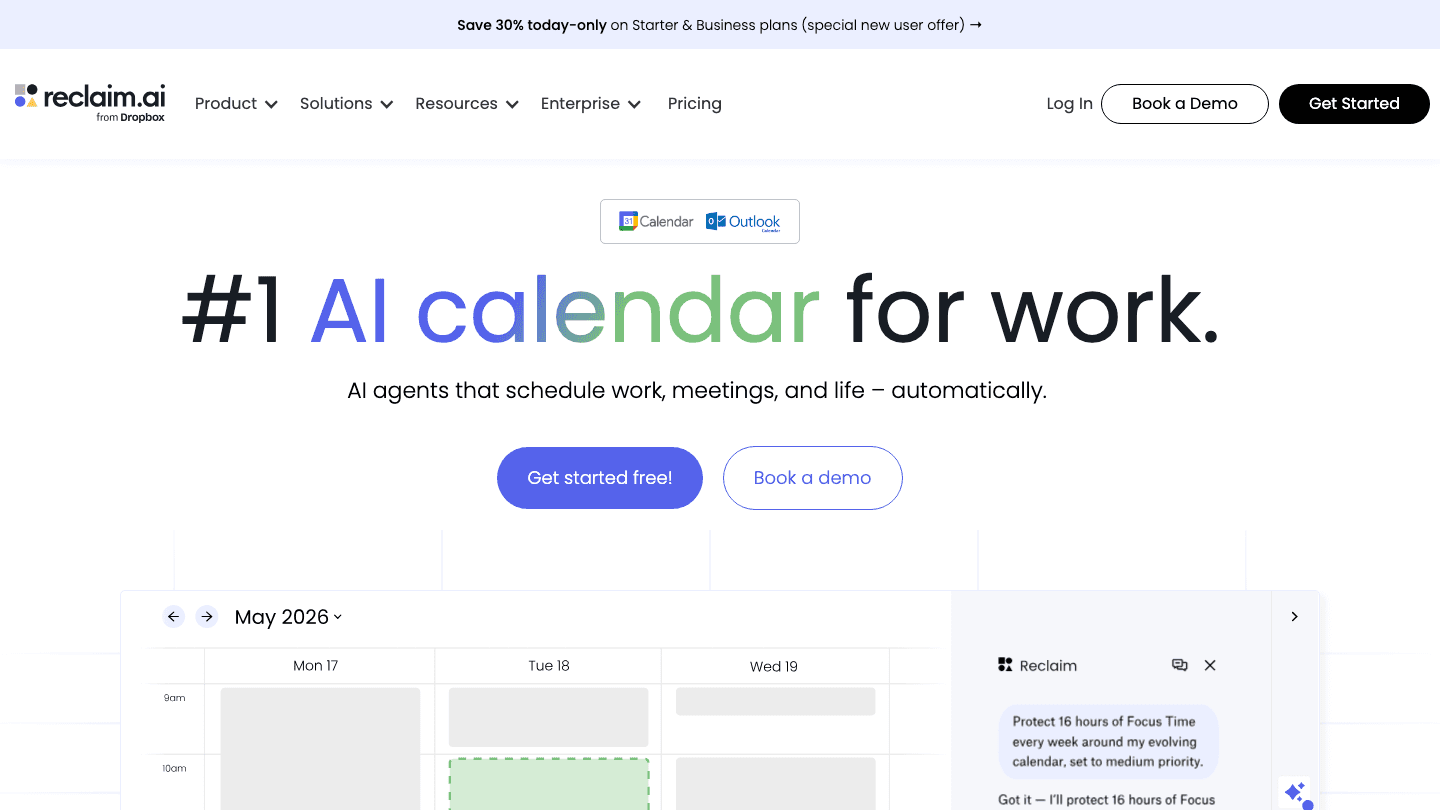
Reclaim sits on top of your existing calendar and defends it. It carves out focus blocks, schedules recurring habits, and finds smart meeting times, then reshuffles when conflicts appear. Now part of Dropbox, it stays a strong option for anyone living inside Google or Outlook calendars.
Where Motion wants to run your whole task list, Reclaim is happy doing one job well: keeping your calendar honest. If you already have a task manager you like, this fills the scheduling gap. See how it stacks up in our Reclaim alternatives guide.
Auto-scheduled focus time and recurring habits
Smart meeting scheduling and calendar sync
Task integrations with tools like Todoist and Asana
What works: the free tier is usable, and habit scheduling is a real accountability feature most calendars lack.
Limitations: no energy awareness, and it assumes you live in a connected calendar. It defends time well but does not coach your goals or mindset.
Pricing: free Lite plan for one user; Starter is $10 per seat a month and Business is $15 per seat a month.
Best for: calendar-first people who want focus time and habits protected automatically.
4. Sunsama
A guided daily planning ritual that keeps your workload realistic.
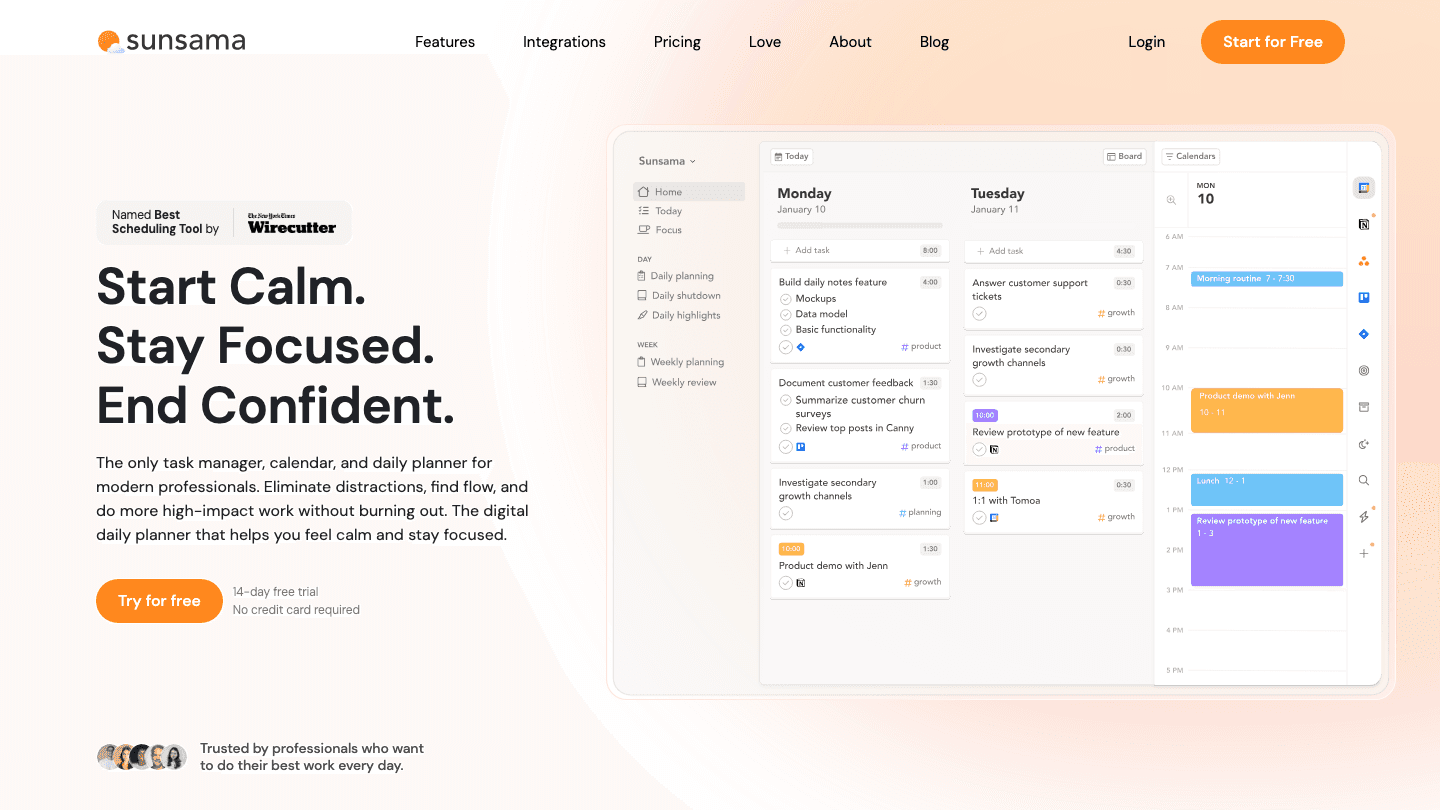
Sunsama is the most coach-like of the schedulers. Each morning it walks you through a planning ritual: pick today's tasks, estimate how long they take, and check whether you have actually overcommitted. At day's end it runs a short reflection. It is less automation, more guided discipline.
That structure is the appeal. Sunsama will not magically rebuild your calendar, but it builds the habit of planning a realistic day, which is often the real problem. It pulls tasks from your task manager and email so everything lives in one place. Our Sunsama pricing breakdown goes deeper.
Daily planning and end-of-day reflection prompts
Time estimates and workload limits to stop overcommitting
Task imports from Todoist, Asana, Trello, Gmail, and more
What works: the planning ritual genuinely changes behavior, and the calm interface keeps you from cramming the day.
Limitations: no free tier and no energy awareness, plus it is the priciest tool here. The manual ritual is the point, but it does take a few minutes daily.
Pricing: no free plan; 14-day trial, then $20 a month billed annually or $25 billed monthly.
Best for: people who want a daily coaching habit rather than full automation.
5. Rocky.ai
A conversational AI coach for mindset, goals, and accountability.

Rocky.ai is the closest thing here to a pocket coach. It runs short daily conversations, asks reflective questions, helps you set goals, and follows up on them. Instead of touching your calendar, it works on the mindset and discipline side, which is where a lot of productivity actually breaks down.
It is a good complement to a scheduler. Pair Rocky.ai for the daily check-in with a planning tool for the calendar, and you cover both halves of coaching. If you want more options in this lane, see our roundup of accountability apps and life coaching applications.
Daily AI coaching conversations and reflection prompts
Goal setting with reminders and follow-up
Coaching topics across mindset, discipline, and soft skills
What works: the free tier is real, the daily check-in builds a habit, and it is available on web and mobile.
Limitations: it does not plan your day or manage tasks, so it is a supplement, not a scheduler. The advice can feel generic if you skim the prompts.
Pricing: free forever tier; individual plans start at $9.99 a month with a 7-day trial and an annual discount.
Best for: anyone who wants daily accountability and mindset coaching alongside their planning tool.
6. Marlee
Motivation analysis that coaches you against your own work style.
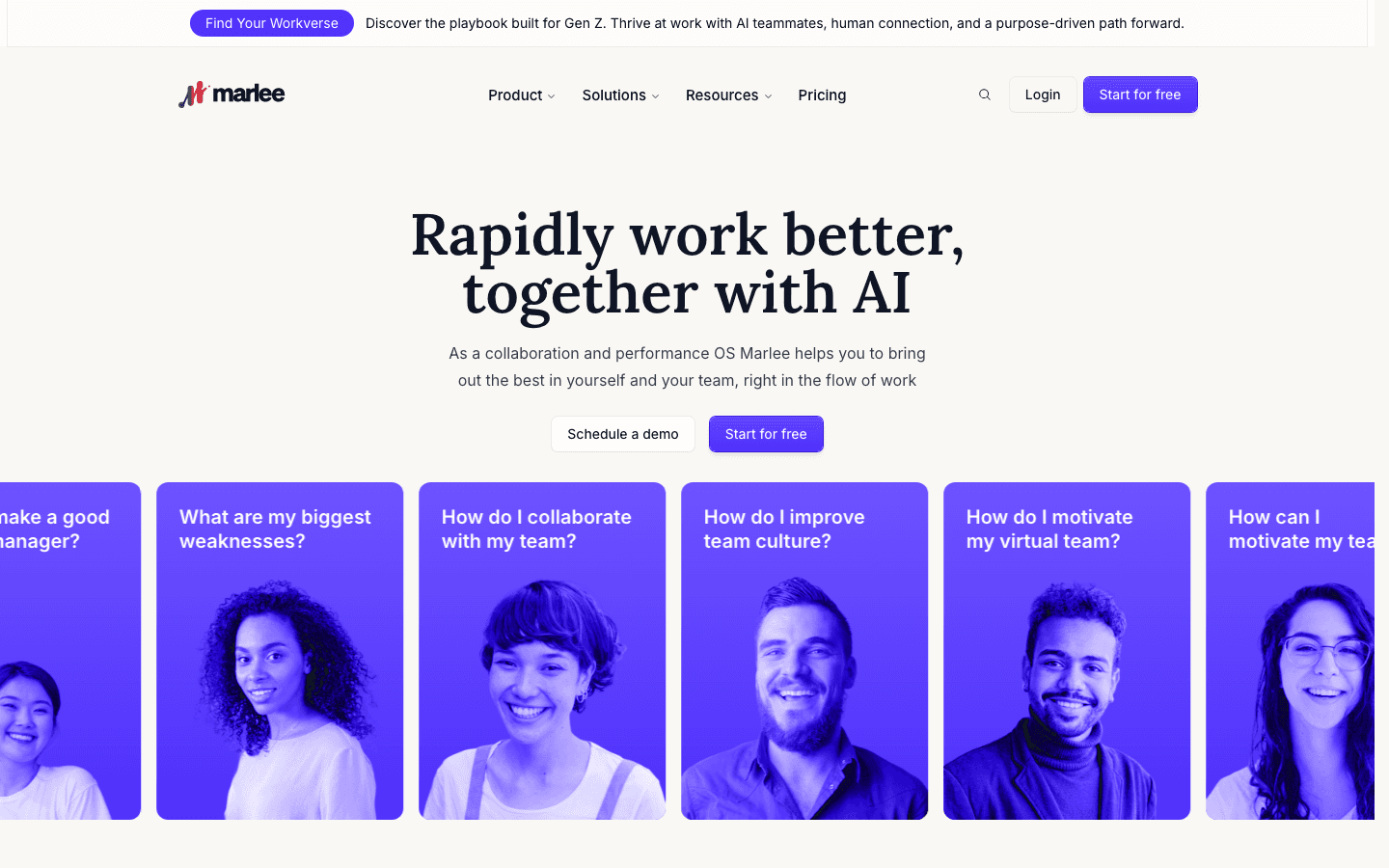
Marlee takes a different angle. It measures dozens of motivation traits, then coaches you based on how you are actually wired. Ask it how you will handle a high-structure role given your low need for structure, and it answers from your own profile rather than generic advice.
This is more self-awareness coaching than daily planning. It will not schedule anything, but understanding why you avoid certain work is its own kind of productivity tool, especially for teams trying to work better together.
Motivation assessment across dozens of traits
AI coaching grounded in your personal profile
Team comparisons and culture analysis
What works: the personalization is real, the assessment is genuinely insightful, and the free tier lets you try it properly.
Limitations: no scheduling, no calendar, and no energy awareness. It coaches the why, not the day, so most people pair it with another tool.
Pricing: free Starter tier; the Growth plan is $15.99 a month per user, with custom enterprise pricing.
Best for: people and teams who want to understand their motivation before optimizing their schedule.
Which Productivity Coach Software Is Right for You?
There is no single best tool, only the right match for the problem you have:
You schedule work and then never do it: pick Lifestack, which coaches timing around your energy.
You are buried in tasks and deadlines: pick Motion for hands-off auto-scheduling.
You live in Google or Outlook calendar: pick Reclaim to defend focus time and habits.
You want a daily planning habit: pick Sunsama for the guided ritual.
You need accountability and mindset help: pick Rocky.ai for daily check-ins.
You want to understand your own motivation: pick Marlee.
For most people the strongest setup is one scheduler plus one accountability coach. Start with Lifestack for the day plan, add a check-in tool if you want the extra nudge, and you have covered both sides of what a human coach would do. If you are still comparing options, our guide to the best AI planner apps and AI powered executive assistants goes wider.
Frequently Asked Questions
What is productivity coach software?
It is software that does the work a human productivity coach would: planning your day, building better habits, tracking goals, and keeping you accountable. Some tools focus on scheduling, others on mindset and check-ins, and the best stack usually combines both.
Is productivity coach software better than a human coach?
It depends on what you need. A human coach is better for deep career or life decisions. Software is better for the daily grind of planning, reminders, and habit tracking, and it costs a fraction of the price while being available every day.
What is the best free productivity coach software?
Reclaim, Rocky.ai, and Marlee all offer real free tiers. Reclaim is best free if you want calendar scheduling, while Rocky.ai is best free if you want daily coaching conversations.
Can productivity coach software plan around my energy levels?
Most cannot. Tools like Motion and Reclaim plan around open time and deadlines. Lifestack is the one app here that reads your sleep and recovery data and schedules demanding work for when you actually have the energy to do it.
How much does productivity coach software cost?
Prices range from free forever tiers up to about $25 a month. Lifestack is $7 a month, Reclaim and Rocky.ai have free plans, Motion runs $19 per seat a month, and Sunsama is the priciest at $20 to $25 a month.
Do I need more than one coaching tool?
Often yes. A scheduler handles your calendar and an accountability app handles your habits and mindset. Many people pair an energy-aware planner like Lifestack with a daily check-in coach to cover both, which you can read more about in our task management guide.
Most people do not need a human productivity coach charging $300 an hour. They need software that does the same job quietly in the background: planning the day, nudging better habits, and keeping work moving when motivation dips. That is what productivity coach software is built to do.
The category covers a wide range. Some apps act like an AI scheduler that rebuilds your calendar around what matters. Others run daily check-ins, ask reflective questions, and track the goals you set. A few measure how you are wired and coach you against your own patterns. The right pick depends on whether you want help with your daily schedule, your habits, or both.
We tested six tools against the things that actually matter day to day: how well they plan around your real energy, how they handle accountability, what integrations they support, and whether the price holds up. Below is the ranked list, with verified pricing and an honest read on where each one falls short.
Key Takeaways
Lifestack is the top pick because it coaches your day around your energy and recovery, not just open calendar slots.
If you want pure habit and mindset coaching, Rocky.ai and Marlee do daily check-ins; if you want scheduling, Motion and Reclaim rebuild your calendar.
Prices range from a free forever tier (Reclaim, Rocky.ai, Marlee) up to $25 a month (Sunsama), so match the tool to your actual need before paying.
Quick Guide to the Best Productivity Coach Software
Lifestack - energy-aware daily planning that coaches your schedule around your body clock.
Motion - AI scheduling that auto-plans tasks and projects across your calendar.
Reclaim - smart calendar defense that protects focus time and habits automatically.
Sunsama - guided daily planning ritual that keeps your workload realistic.
Rocky.ai - conversational AI coach for mindset, goals, and accountability.
Marlee - motivation analysis that coaches you against your own work style.
How We Evaluated Each Tool
A coaching tool is only useful if it changes how your day actually runs. We scored each app on a few things:
Energy and timing awareness - does it plan work for when you can actually do it?
Accountability - check-ins, reminders, and follow-through on goals.
Auto-scheduling - can it rebuild your calendar when plans change?
Integrations - calendars, task managers, and the tools you already use.
Mobile experience - because coaching that only lives on a laptop gets ignored.
Pricing - verified from each app's current pricing page, not from memory.
1. Lifestack
Energy-aware daily planning that coaches your schedule around your body.
Lifestack treats coaching as a scheduling problem. It pulls in your sleep, recovery, and energy data from wearables, then drafts a day plan that puts demanding work in your high-energy windows and lighter tasks in the dips. Instead of asking how you feel, it reads the signal and builds the day around it.
That is the difference between Lifestack and almost every other tool here. Other apps optimize for empty time. Lifestack optimizes for the right time, which is the whole point of energy-based planning. For anyone who keeps scheduling deep work at 3pm and then wondering why it never happens, this is the fix.
Key features:
Energy forecasting from sleep and recovery data
Automatic day plans that match tasks to your peaks and dips
Two-way calendar sync and task imports from tools you already use
Mobile-first design with a Chrome extension for desktop planning
What works: it is the only tool here that coaches timing based on your actual physiology, and the setup is genuinely fast. The mobile app is the home base, which keeps planning in front of you.
Limitations: it leans on wearable data, so you get more out of it with an Oura ring, Apple Watch, or similar. It is built for individuals managing their own day, not for team project planning.
Pricing: 7-day free trial, then $7 a month, $50 a year, or $120 once for lifetime access.
Best for: anyone who wants a coach for their energy calendar, not just their to-do list.
2. Motion
AI scheduling that rebuilds your calendar around your priorities.
Motion is the heavyweight for auto-scheduling. You feed it tasks, deadlines, and projects, and it slots everything into your calendar automatically, reshuffling when something runs long or a meeting drops in. It behaves like an assistant that never forgets a deadline.
For people drowning in tasks and meetings, this is a relief. The trade-off is that Motion plans around deadlines and availability, not around how you feel at any given hour. You can read a fuller breakdown in our Motion pricing guide.
Automatic task and project scheduling across your calendar
Built-in project management and meeting booking
AI assistant for planning and writing
What works: the auto-scheduling is genuinely strong, and the project tools mean you can run real work inside it, not just block time.
Limitations: no energy awareness, so it will happily book hard work into your worst hours. The interface has a learning curve, and it costs more than most single-purpose schedulers.
Pricing: Pro AI is $19 per seat a month (cheaper billed annually), Business AI is $29 per seat a month. Free trial available.
Best for: busy professionals who want every task auto-placed and tracked without manual planning.
3. Reclaim
Smart calendar defense that protects focus time and habits.
Reclaim sits on top of your existing calendar and defends it. It carves out focus blocks, schedules recurring habits, and finds smart meeting times, then reshuffles when conflicts appear. Now part of Dropbox, it stays a strong option for anyone living inside Google or Outlook calendars.
Where Motion wants to run your whole task list, Reclaim is happy doing one job well: keeping your calendar honest. If you already have a task manager you like, this fills the scheduling gap. See how it stacks up in our Reclaim alternatives guide.
Auto-scheduled focus time and recurring habits
Smart meeting scheduling and calendar sync
Task integrations with tools like Todoist and Asana
What works: the free tier is usable, and habit scheduling is a real accountability feature most calendars lack.
Limitations: no energy awareness, and it assumes you live in a connected calendar. It defends time well but does not coach your goals or mindset.
Pricing: free Lite plan for one user; Starter is $10 per seat a month and Business is $15 per seat a month.
Best for: calendar-first people who want focus time and habits protected automatically.
4. Sunsama
A guided daily planning ritual that keeps your workload realistic.
Sunsama is the most coach-like of the schedulers. Each morning it walks you through a planning ritual: pick today's tasks, estimate how long they take, and check whether you have actually overcommitted. At day's end it runs a short reflection. It is less automation, more guided discipline.
That structure is the appeal. Sunsama will not magically rebuild your calendar, but it builds the habit of planning a realistic day, which is often the real problem. It pulls tasks from your task manager and email so everything lives in one place. Our Sunsama pricing breakdown goes deeper.
Daily planning and end-of-day reflection prompts
Time estimates and workload limits to stop overcommitting
Task imports from Todoist, Asana, Trello, Gmail, and more
What works: the planning ritual genuinely changes behavior, and the calm interface keeps you from cramming the day.
Limitations: no free tier and no energy awareness, plus it is the priciest tool here. The manual ritual is the point, but it does take a few minutes daily.
Pricing: no free plan; 14-day trial, then $20 a month billed annually or $25 billed monthly.
Best for: people who want a daily coaching habit rather than full automation.
5. Rocky.ai
A conversational AI coach for mindset, goals, and accountability.
Rocky.ai is the closest thing here to a pocket coach. It runs short daily conversations, asks reflective questions, helps you set goals, and follows up on them. Instead of touching your calendar, it works on the mindset and discipline side, which is where a lot of productivity actually breaks down.
It is a good complement to a scheduler. Pair Rocky.ai for the daily check-in with a planning tool for the calendar, and you cover both halves of coaching. If you want more options in this lane, see our roundup of accountability apps and life coaching applications.
Daily AI coaching conversations and reflection prompts
Goal setting with reminders and follow-up
Coaching topics across mindset, discipline, and soft skills
What works: the free tier is real, the daily check-in builds a habit, and it is available on web and mobile.
Limitations: it does not plan your day or manage tasks, so it is a supplement, not a scheduler. The advice can feel generic if you skim the prompts.
Pricing: free forever tier; individual plans start at $9.99 a month with a 7-day trial and an annual discount.
Best for: anyone who wants daily accountability and mindset coaching alongside their planning tool.
6. Marlee
Motivation analysis that coaches you against your own work style.
Marlee takes a different angle. It measures dozens of motivation traits, then coaches you based on how you are actually wired. Ask it how you will handle a high-structure role given your low need for structure, and it answers from your own profile rather than generic advice.
This is more self-awareness coaching than daily planning. It will not schedule anything, but understanding why you avoid certain work is its own kind of productivity tool, especially for teams trying to work better together.
Motivation assessment across dozens of traits
AI coaching grounded in your personal profile
Team comparisons and culture analysis
What works: the personalization is real, the assessment is genuinely insightful, and the free tier lets you try it properly.
Limitations: no scheduling, no calendar, and no energy awareness. It coaches the why, not the day, so most people pair it with another tool.
Pricing: free Starter tier; the Growth plan is $15.99 a month per user, with custom enterprise pricing.
Best for: people and teams who want to understand their motivation before optimizing their schedule.
Which Productivity Coach Software Is Right for You?
There is no single best tool, only the right match for the problem you have:
You schedule work and then never do it: pick Lifestack, which coaches timing around your energy.
You are buried in tasks and deadlines: pick Motion for hands-off auto-scheduling.
You live in Google or Outlook calendar: pick Reclaim to defend focus time and habits.
You want a daily planning habit: pick Sunsama for the guided ritual.
You need accountability and mindset help: pick Rocky.ai for daily check-ins.
You want to understand your own motivation: pick Marlee.
For most people the strongest setup is one scheduler plus one accountability coach. Start with Lifestack for the day plan, add a check-in tool if you want the extra nudge, and you have covered both sides of what a human coach would do. If you are still comparing options, our guide to the best AI planner apps and AI powered executive assistants goes wider.
Frequently Asked Questions
What is productivity coach software?
It is software that does the work a human productivity coach would: planning your day, building better habits, tracking goals, and keeping you accountable. Some tools focus on scheduling, others on mindset and check-ins, and the best stack usually combines both.
Is productivity coach software better than a human coach?
It depends on what you need. A human coach is better for deep career or life decisions. Software is better for the daily grind of planning, reminders, and habit tracking, and it costs a fraction of the price while being available every day.
What is the best free productivity coach software?
Reclaim, Rocky.ai, and Marlee all offer real free tiers. Reclaim is best free if you want calendar scheduling, while Rocky.ai is best free if you want daily coaching conversations.
Can productivity coach software plan around my energy levels?
Most cannot. Tools like Motion and Reclaim plan around open time and deadlines. Lifestack is the one app here that reads your sleep and recovery data and schedules demanding work for when you actually have the energy to do it.
How much does productivity coach software cost?
Prices range from free forever tiers up to about $25 a month. Lifestack is $7 a month, Reclaim and Rocky.ai have free plans, Motion runs $19 per seat a month, and Sunsama is the priciest at $20 to $25 a month.
Do I need more than one coaching tool?
Often yes. A scheduler handles your calendar and an accountability app handles your habits and mindset. Many people pair an energy-aware planner like Lifestack with a daily check-in coach to cover both, which you can read more about in our task management guide.



FOLLOW ON
FOLLOW ON
FOLLOW ON


Copyright 2026 © Lifestack. All rights reserved
Copyright 2026 © Lifestack. All rights reserved

