
App
6 Best Things 3 Alternatives in 2026
6 Best Things 3 Alternatives in 2026

Things 3 is gorgeous. The calm interface, the satisfying swipe gestures, the way projects nest into areas. It's one of the best-designed apps on iOS. But it's also Apple-only, has no collaboration features, no native calendar blocking, and no AI anywhere in sight. For a lot of people, those aren't minor omissions.
If you've outgrown Things or just want something that works on Android or Windows, you're not alone. The task management space has expanded enormously in the last few years, with apps that auto-schedule your day, track your energy levels, work across every device, and cost a fraction of what Things charges for the same basic functionality.
We tested six of the strongest Things 3 alternatives and ranked them by how well they replace (or exceed) what Things does best: clean design, fast capture, flexible organization, and reliable daily planning. Pricing is verified as of August 2026.
The short version: if you want AI that actually understands your schedule, start with Lifestack. If you want the closest Things 3 experience on every platform, Todoist wins. If budget matters most, TickTick is hard to beat at under $3 a month.
Key Takeaways
Things 3 is iOS and Mac only. Every app on this list works cross-platform, with Android and Windows support.
Lifestack is the only option here that schedules tasks around your energy, not just your calendar slots.
TickTick offers the best value at $35.99/year; Microsoft To Do is completely free if budget is your main concern.
Quick Guide: 6 Best Things 3 Alternatives
Lifestack: Best for energy-aware AI scheduling
Todoist: Best cross-platform Things replacement
TickTick: Best budget pick with habit tracking
Motion: Best for AI auto-scheduling heavy workloads
OmniFocus: Best for advanced GTD on Apple
Microsoft To Do: Best free option for Microsoft users
How We Evaluated These Apps
Cross-platform availability: Things 3 switchers often need Android or Windows support
Natural capture speed: how fast you can get a task in without breaking flow
AI and automation: does the app think ahead, or just list what you told it?
Calendar integration: can tasks live alongside your meetings, not just beside them?
Energy awareness: does the app adapt to when you work best, not just what's due next?
Pricing fairness: what you actually get at each tier
1. Lifestack: Best AI Energy-Aware Task Manager
The only task manager that schedules around your energy, not just your calendar.

Things 3 is beautiful, but it has no idea when you're at your sharpest. It shows you your tasks and lets you drag them around. The rest is on you. Lifestack takes a different approach: it reads your calendar, learns your peak hours, and auto-schedules tasks at the times you're actually equipped to handle them.
The core idea is energy-based scheduling. Instead of treating all hours equally, Lifestack maps your deep work, light work, and admin tasks to your natural rhythm throughout the day. Morning person? Your most demanding tasks land before noon. Night owl? The system shifts accordingly. This is the gap Things 3 never tried to fill.
Lifestack also syncs with Google Calendar and Apple Calendar, meaning your tasks and meetings live on the same timeline. No more context-switching between a task list and a calendar app to figure out what's actually possible today. The AI task manager does that math for you.
Key Features
AI scheduling based on energy levels and peak performance windows
Bidirectional sync with Google Calendar and Apple Calendar
Automatic daily planning that recalibrates when meetings shift
iOS and Android apps, plus a Chrome extension
Wearable integration for health-aware scheduling
What Works
Tasks get scheduled automatically, so you don't have to think about placement
The energy-aware system actually changes how your day feels, not just how it looks
Clean mobile experience that doesn't feel cluttered
Limitations
No team collaboration features (built for individual planning)
Less customizable than OmniFocus for complex GTD setups
Pricing: $7/month, $50/year (~$4.17/month), or $120 lifetime. No free tier, but the $50/year plan includes a 7-day free trial.
Best for: People who want their task manager to actually plan their day, not just store their to-do list.
2. Todoist: Best Cross-Platform Things Replacement
The closest feel to Things 3, everywhere you work.
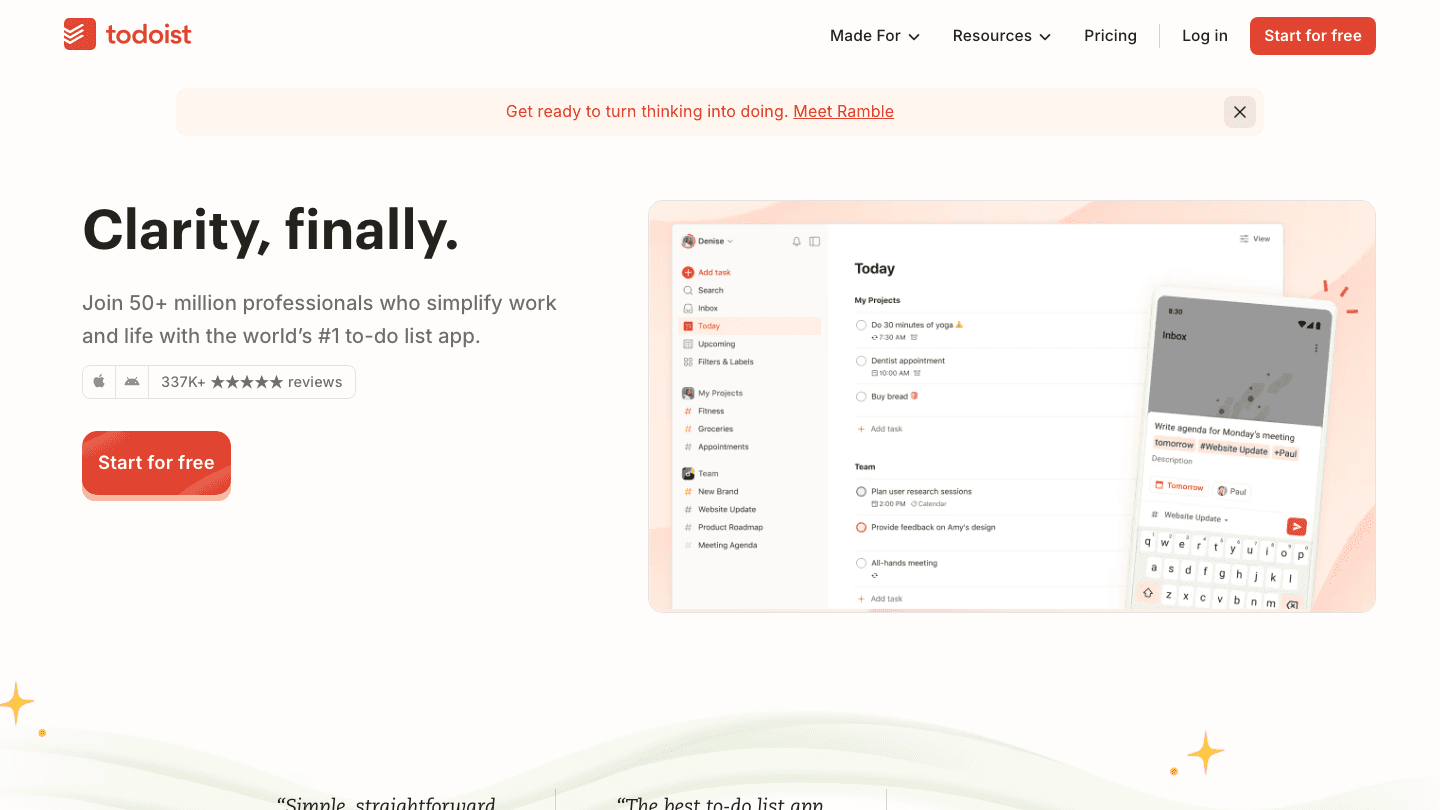
Todoist is the most direct functional successor to Things 3 if cross-platform support is your main requirement. It has the same clean, list-focused design philosophy (projects, sections, labels, priorities) in an interface that doesn't overwhelm you. It just works on Windows, Android, and web too.
Natural language input is one of Todoist's strongest points. Type "Buy groceries every Sunday at 10am" and it parses the task, recurrence, and time automatically. Things 3 handles this well too, but Todoist extends it across every platform without losing fidelity. You can also check out our comparison of Todoist vs Things to see how they stack up in detail.
Key Features
Available on iOS, Android, Windows, Mac, and web
Natural language task entry with recurring schedule support
Projects, sections, labels, filters, and priorities
Karma productivity tracking and streaks
Integrations with Slack, Google Calendar, and 50+ other tools
What Works
One of the fastest task capture experiences on any platform
Feels familiar if you're coming from Things 3, with a low learning curve
Generous free tier for individuals
Limitations
No energy awareness or AI scheduling
Calendar view is basic compared to apps that do time-blocking natively
Collaboration features require the Business plan
Pricing: Free (5 active projects); Pro $5/month billed annually ($7/month billed monthly).
Best for: Things 3 users who need cross-platform access and want the most familiar transition.
3. TickTick: Best Budget Pick with Habit Tracking
Everything Things 3 does, plus habits and Pomodoro, for under $3/month.
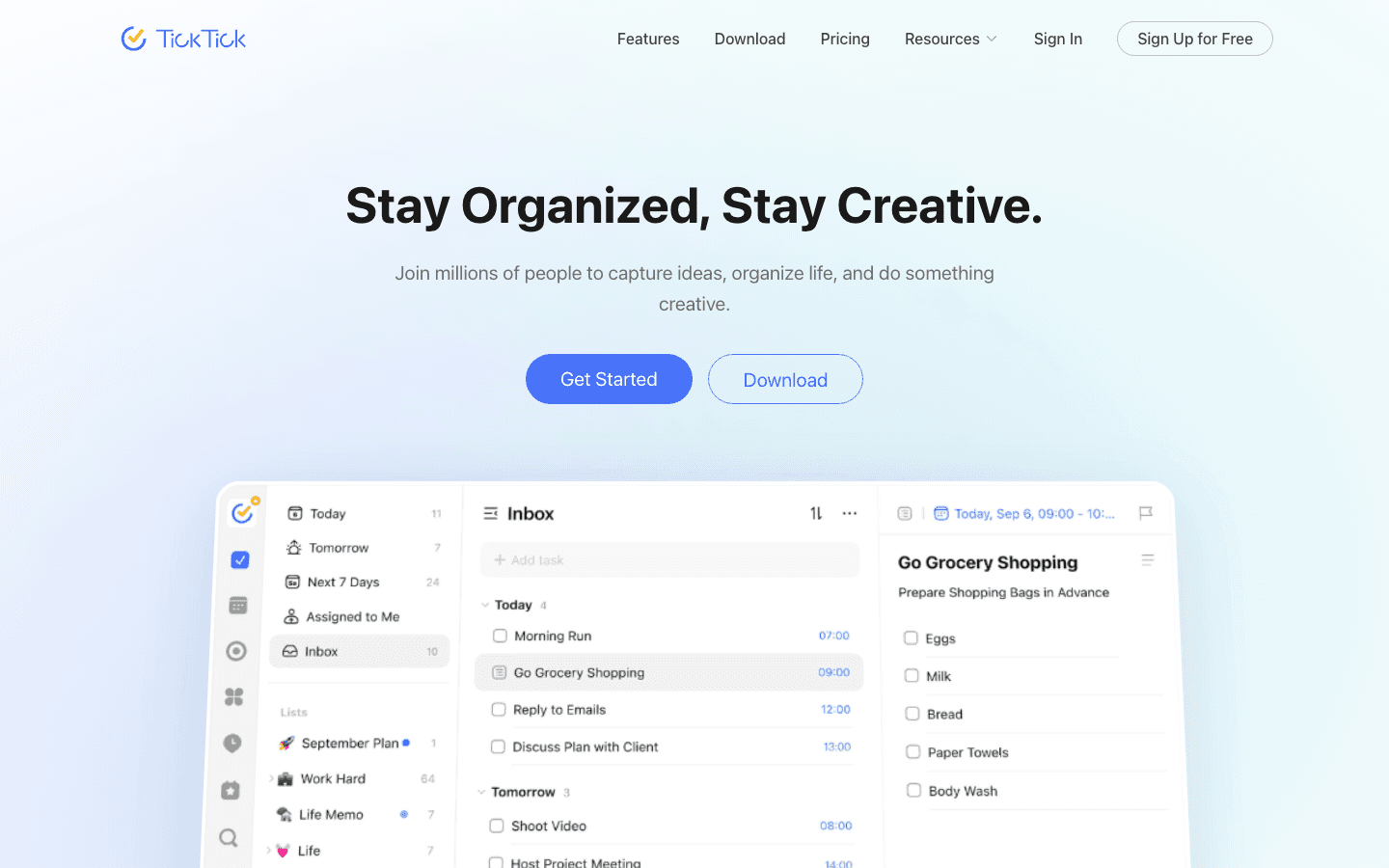
TickTick packs a surprising amount into its Premium tier. Tasks, subtasks, recurring reminders, a calendar view, habit tracking, a built-in Pomodoro timer, and even a whiteboard for brainstorming, all in one app. Things 3 charges more and does less by comparison, especially if you value habits alongside tasks.
The interface is busier than Things but not cluttered once you customize it. The calendar integration shows tasks and events side by side, which alone solves one of Things 3's biggest frustrations. If you want a deeper look at all its options, our TickTick pricing breakdown covers every tier. We also have a TickTick alternatives guide if you want to compare further.
Key Features
Task management with subtasks, tags, and filters
Built-in habit tracker with streaks and completion stats
Pomodoro timer integrated directly into tasks
Calendar view showing tasks and events together
Available on iOS, Android, Windows, Mac, and web
What Works
Best value of any paid app on this list, genuinely feature-rich at $36/year
Habit tracking fills a gap Things 3 never addressed
Pomodoro integration means fewer apps to manage
Limitations
No AI scheduling or energy awareness
Interface requires more setup than Things 3's out-of-the-box simplicity
Some users find the calendar view less polished than dedicated calendar apps
Pricing: Free (limited); Premium $3.99/month or $35.99/year (~$2.99/month).
Best for: Budget-conscious users who want task management and habit tracking in one place.
4. Motion: Best for AI Auto-Scheduling
If your calendar is full and your task list never shrinks, Motion does the heavy lifting.
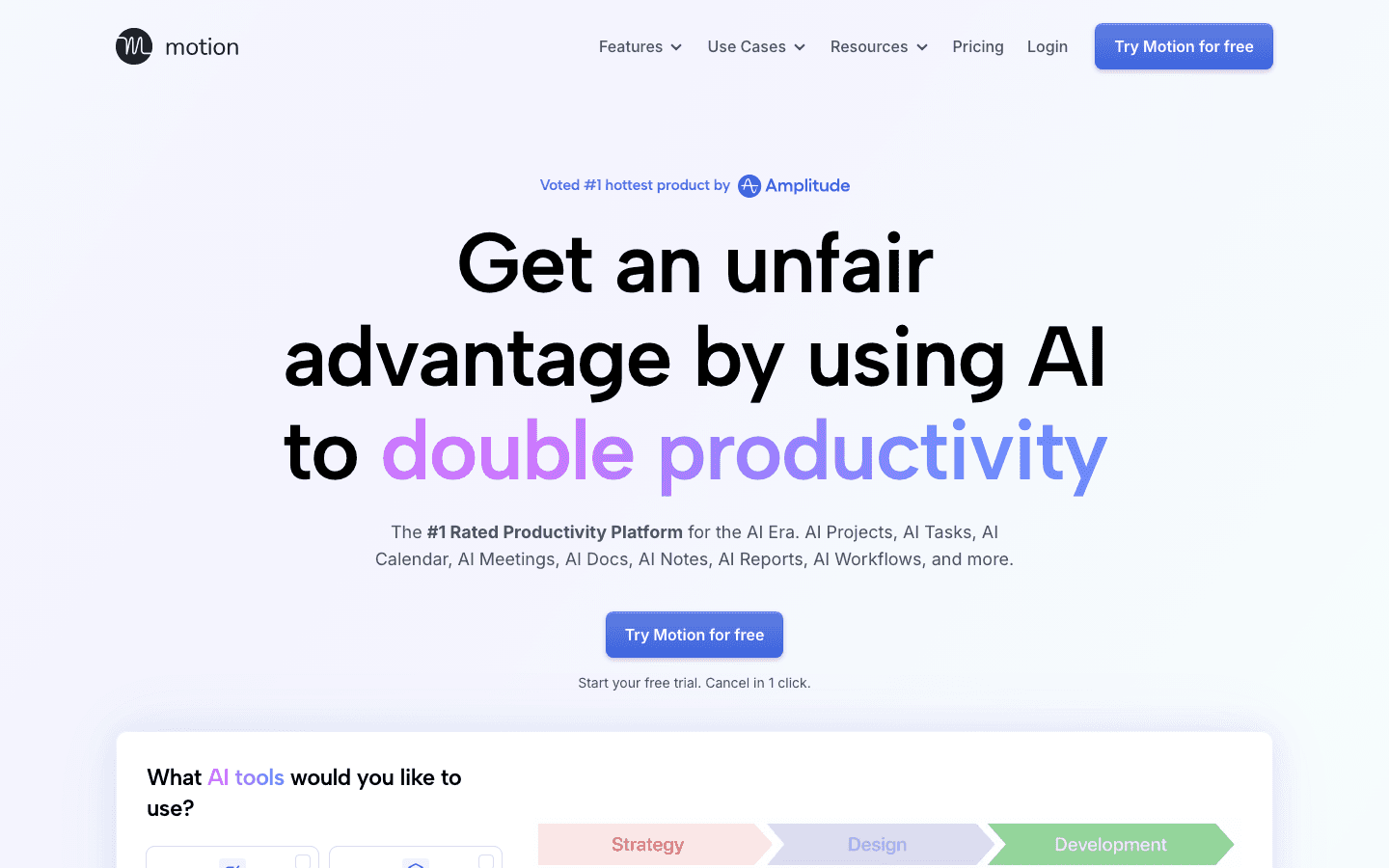
Motion is less of a task manager and more of an AI scheduler that happens to store your tasks. You add tasks with deadlines and priorities, and Motion finds open calendar slots and books them automatically. For people who consistently have more work than time, this is genuinely useful in a way that Things 3's manual approach can't match.
The tradeoff is cost and complexity. At $19/month for an individual, Motion is significantly more expensive than Things 3 ($49.99 one-time on Mac). The interface also takes some adjustment. It's less about browsing a clean task list and more about trusting the AI to handle the schedule. Our Motion alternatives guide is worth reading if you want to compare options in this space.
Key Features
AI auto-scheduling that books tasks into your calendar automatically
Deadline-aware planning that reschedules when priorities shift
Project management with task dependencies
Meeting scheduling assistant
Available on iOS, Android, Mac, Windows, and web
What Works
Eliminates manual time-blocking for busy professionals
Handles conflicts and rescheduling automatically
Good for teams who need shared project visibility
Limitations
At $19/month it's the priciest individual plan on this list
No energy awareness (it finds open slots, but doesn't know your peak hours)
Less intuitive for simple personal task management
Pricing: Pro AI $19/seat/month; Business AI $29/seat/month. Annual plans save ~33%.
Best for: Professionals with packed calendars who want AI to handle scheduling entirely.
5. OmniFocus: Best for Advanced GTD on Apple
More powerful than Things 3, still Apple-only, built for serious GTD practitioners.
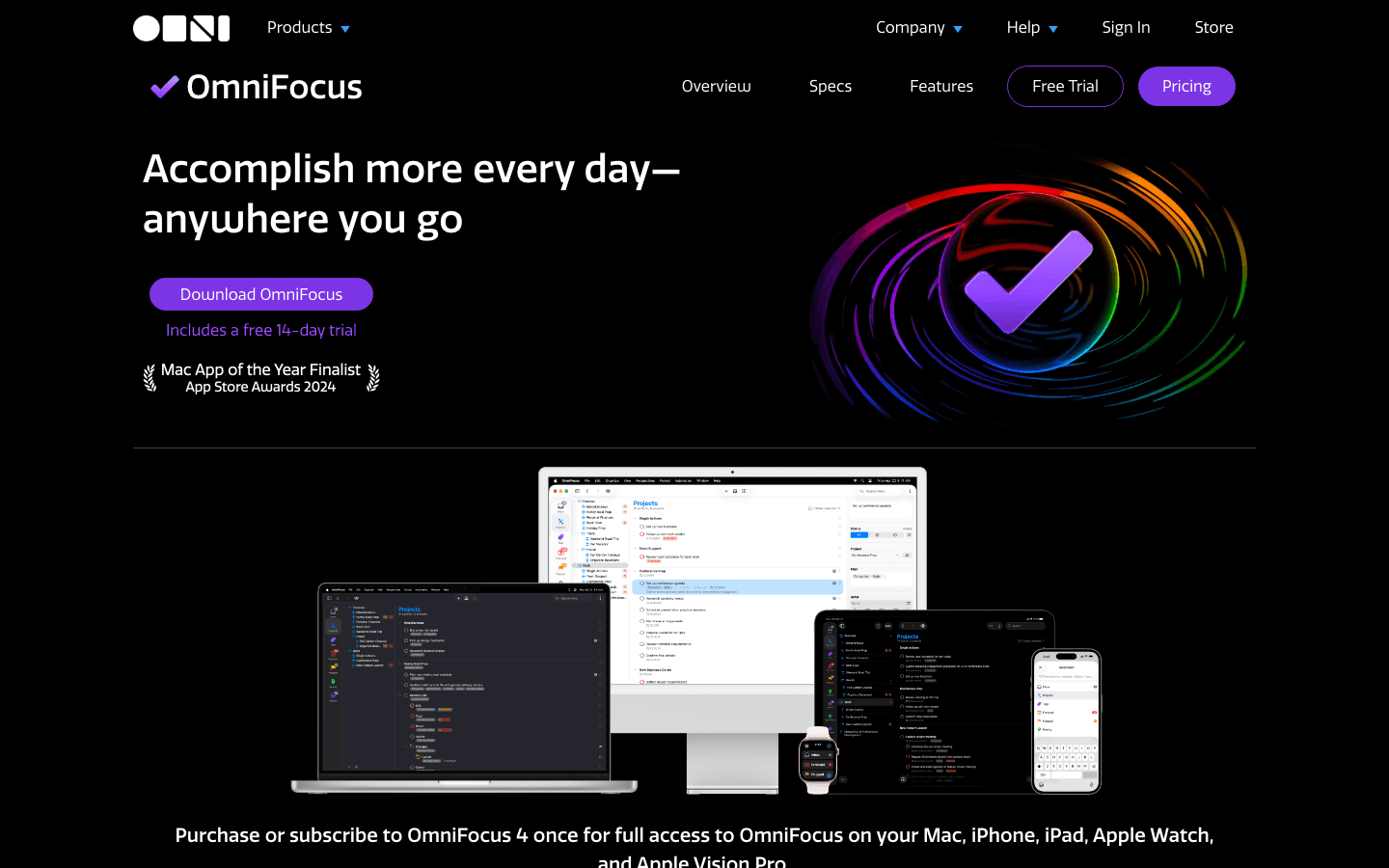
OmniFocus is where you go when Things 3 isn't deep enough. Custom perspectives, AppleScript support, review workflows, defer dates, and forecast views that pull in calendar events. It covers GTD methodology more completely than any other app. If you've read Getting Things Done and find Things 3's simplicity limiting, OmniFocus is the natural next step.
The catch is that it's Apple-only and has a real learning curve. The interface is powerful but dense. It also costs more than Things 3 on a subscription basis. Our OmniFocus alternatives guide covers what to consider if you're evaluating the full range of GTD-capable apps.
Key Features
Custom perspectives for highly personalized filtering
Forecast view combining tasks, calendar events, and due items
Defer dates for inbox-zero workflows
AppleScript and Shortcuts automation
Available on Mac, iPhone, iPad, Apple Watch, and Vision Pro
What Works
The most complete GTD implementation available on Apple
Custom perspectives make it genuinely adaptable to any workflow
Review feature is unmatched for weekly planning
Limitations
Apple-only (no Android or Windows, same limitation as Things 3)
No AI scheduling or energy awareness
Steep learning curve; overkill for simple task management
Pricing: $9.99/month or $99.99/year (subscription); or $49.99 Standard / $99.99 Pro as one-time purchase on Mac.
Best for: Heavy GTD users on Apple who need more depth than Things 3 provides.
6. Microsoft To Do: Best Free Option
Simple, fast, and completely free, especially powerful if you use Microsoft 365.
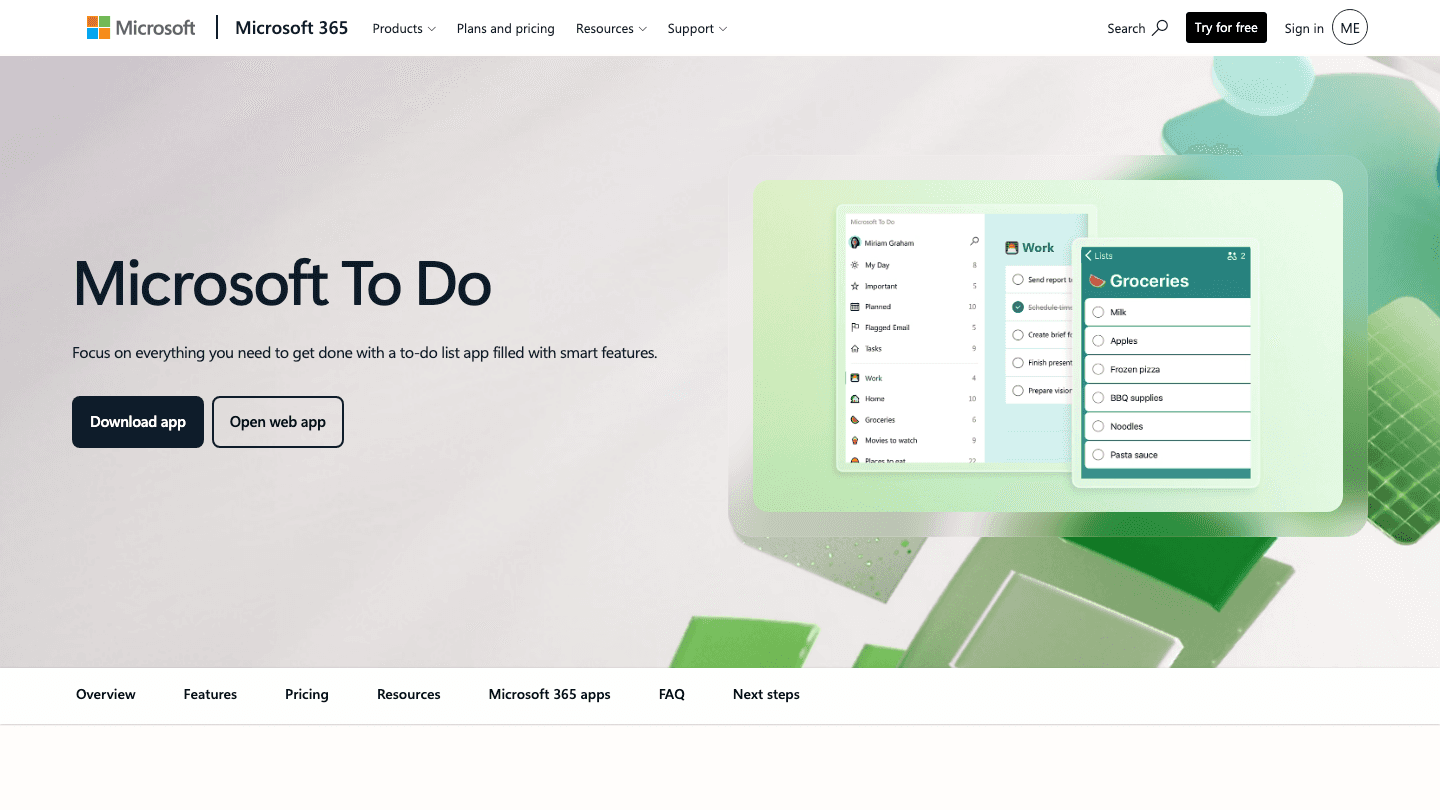
Microsoft To Do is the most underrated free task manager available. It's clean, works on every platform including web, and syncs instantly across devices. For users coming from Things 3 who just want a cross-platform list without paying anything, it's a legitimately good solution.
My Day is its standout feature: a daily planning surface where you pull in tasks from your master list and add ad-hoc items. It's not as intelligent as Lifestack's auto-scheduling, but it creates a deliberate daily focus ritual that Things 3 doesn't have. If you already use Outlook or Microsoft 365, the Outlook Tasks integration makes it even more useful. See our guide on apps to use with Microsoft To Do for ways to extend it further.
Key Features
My Day: a daily planning view with smart suggestions
Tasks, subtasks, due dates, reminders, and recurring tasks
Tight integration with Outlook and Microsoft 365
Available on iOS, Android, Windows, Mac, and web
Completely free, no paid tier
What Works
Best free option by a significant margin
My Day creates daily focus without requiring manual time-blocking
Fast sync across all platforms
Limitations
No energy awareness, no AI scheduling
Limited filtering and project organization compared to paid alternatives
No native calendar view (tasks and events live separately)
Pricing: Free.
Best for: Anyone who needs cross-platform tasks at no cost, especially existing Microsoft 365 users.
Which Things 3 Alternative Is Right for You?
You want AI to plan your day around your energy levels: Lifestack is the only app here designed for this, with auto-scheduling that adapts to your peak performance windows.
You want the most Things-like experience on every platform: Todoist. Familiar structure, natural language input, and it works on Android and Windows.
You want more features for less money: TickTick at $36/year includes habit tracking and Pomodoro that Things 3 never offered.
Your calendar is always full and tasks keep getting pushed: Motion's AI auto-scheduling is built for this exact problem.
You live deep in GTD and need more control: OmniFocus goes further than Things 3 ever will, if you're willing to stay on Apple.
You just need free and cross-platform: Microsoft To Do. No frills, but no cost either.
FAQ
What is the best Things 3 alternative for non-Apple devices?
Todoist is the strongest pick for cross-platform use. It has the same clean, project-focused design as Things 3 but works on Android, Windows, and the web. TickTick is a close second and costs less at the Premium tier. Both handle natural language entry and recurring tasks well.
Is there a free Things 3 alternative?
Microsoft To Do is the best free alternative. It's fully cross-platform, includes subtasks and recurring reminders, and has a My Day planning view. Todoist and TickTick also have free tiers, though both limit active projects or features unless you upgrade.
What are the main limitations of Things 3?
Things 3 is Apple-only, has no collaboration features, no native calendar integration (events and tasks live separately), no energy awareness, and no AI scheduling. Our Things 3 pricing guide covers cost vs. alternatives. For a direct head-to-head, see our Todoist vs Things comparison.
Does any Things 3 alternative have AI scheduling?
Two apps on this list use AI scheduling: Lifestack and Motion. Lifestack focuses on energy-aware scheduling, timing tasks around when you perform best. Motion focuses on deadline-aware scheduling, finding available calendar slots and booking tasks automatically. They solve related but different problems. For broader context, our best AI planner app roundup covers this category in detail.
Is Things 3 worth the price compared to alternatives?
Things 3 costs $49.99 on Mac and $9.99 on iPhone (one-time, no subscription). For Apple users who value design above all else, it's fair value. But Todoist's Pro plan at $5/month gives you cross-platform access and collaboration features Things doesn't have. And Lifestack at $50/year adds AI scheduling that fundamentally changes how you plan. For ADHD-friendly task management specifically, see our task management for ADHD guide.
Which Things 3 alternative is best for ADHD?
Lifestack is the strongest pick for ADHD because it removes the cognitive load of deciding what to work on and when. The auto-scheduling and energy-based planning system handles time-blindness by building the schedule for you. TickTick is also worth considering for its habit tracking and Pomodoro integration, which help with focus and routine. Our ADHD time management apps guide has more options.
Things 3 is gorgeous. The calm interface, the satisfying swipe gestures, the way projects nest into areas. It's one of the best-designed apps on iOS. But it's also Apple-only, has no collaboration features, no native calendar blocking, and no AI anywhere in sight. For a lot of people, those aren't minor omissions.
If you've outgrown Things or just want something that works on Android or Windows, you're not alone. The task management space has expanded enormously in the last few years, with apps that auto-schedule your day, track your energy levels, work across every device, and cost a fraction of what Things charges for the same basic functionality.
We tested six of the strongest Things 3 alternatives and ranked them by how well they replace (or exceed) what Things does best: clean design, fast capture, flexible organization, and reliable daily planning. Pricing is verified as of August 2026.
The short version: if you want AI that actually understands your schedule, start with Lifestack. If you want the closest Things 3 experience on every platform, Todoist wins. If budget matters most, TickTick is hard to beat at under $3 a month.
Key Takeaways
Things 3 is iOS and Mac only. Every app on this list works cross-platform, with Android and Windows support.
Lifestack is the only option here that schedules tasks around your energy, not just your calendar slots.
TickTick offers the best value at $35.99/year; Microsoft To Do is completely free if budget is your main concern.
Quick Guide: 6 Best Things 3 Alternatives
Lifestack: Best for energy-aware AI scheduling
Todoist: Best cross-platform Things replacement
TickTick: Best budget pick with habit tracking
Motion: Best for AI auto-scheduling heavy workloads
OmniFocus: Best for advanced GTD on Apple
Microsoft To Do: Best free option for Microsoft users
How We Evaluated These Apps
Cross-platform availability: Things 3 switchers often need Android or Windows support
Natural capture speed: how fast you can get a task in without breaking flow
AI and automation: does the app think ahead, or just list what you told it?
Calendar integration: can tasks live alongside your meetings, not just beside them?
Energy awareness: does the app adapt to when you work best, not just what's due next?
Pricing fairness: what you actually get at each tier
1. Lifestack: Best AI Energy-Aware Task Manager
The only task manager that schedules around your energy, not just your calendar.
Things 3 is beautiful, but it has no idea when you're at your sharpest. It shows you your tasks and lets you drag them around. The rest is on you. Lifestack takes a different approach: it reads your calendar, learns your peak hours, and auto-schedules tasks at the times you're actually equipped to handle them.
The core idea is energy-based scheduling. Instead of treating all hours equally, Lifestack maps your deep work, light work, and admin tasks to your natural rhythm throughout the day. Morning person? Your most demanding tasks land before noon. Night owl? The system shifts accordingly. This is the gap Things 3 never tried to fill.
Lifestack also syncs with Google Calendar and Apple Calendar, meaning your tasks and meetings live on the same timeline. No more context-switching between a task list and a calendar app to figure out what's actually possible today. The AI task manager does that math for you.
Key Features
AI scheduling based on energy levels and peak performance windows
Bidirectional sync with Google Calendar and Apple Calendar
Automatic daily planning that recalibrates when meetings shift
iOS and Android apps, plus a Chrome extension
Wearable integration for health-aware scheduling
What Works
Tasks get scheduled automatically, so you don't have to think about placement
The energy-aware system actually changes how your day feels, not just how it looks
Clean mobile experience that doesn't feel cluttered
Limitations
No team collaboration features (built for individual planning)
Less customizable than OmniFocus for complex GTD setups
Pricing: $7/month, $50/year (~$4.17/month), or $120 lifetime. No free tier, but the $50/year plan includes a 7-day free trial.
Best for: People who want their task manager to actually plan their day, not just store their to-do list.
2. Todoist: Best Cross-Platform Things Replacement
The closest feel to Things 3, everywhere you work.
Todoist is the most direct functional successor to Things 3 if cross-platform support is your main requirement. It has the same clean, list-focused design philosophy (projects, sections, labels, priorities) in an interface that doesn't overwhelm you. It just works on Windows, Android, and web too.
Natural language input is one of Todoist's strongest points. Type "Buy groceries every Sunday at 10am" and it parses the task, recurrence, and time automatically. Things 3 handles this well too, but Todoist extends it across every platform without losing fidelity. You can also check out our comparison of Todoist vs Things to see how they stack up in detail.
Key Features
Available on iOS, Android, Windows, Mac, and web
Natural language task entry with recurring schedule support
Projects, sections, labels, filters, and priorities
Karma productivity tracking and streaks
Integrations with Slack, Google Calendar, and 50+ other tools
What Works
One of the fastest task capture experiences on any platform
Feels familiar if you're coming from Things 3, with a low learning curve
Generous free tier for individuals
Limitations
No energy awareness or AI scheduling
Calendar view is basic compared to apps that do time-blocking natively
Collaboration features require the Business plan
Pricing: Free (5 active projects); Pro $5/month billed annually ($7/month billed monthly).
Best for: Things 3 users who need cross-platform access and want the most familiar transition.
3. TickTick: Best Budget Pick with Habit Tracking
Everything Things 3 does, plus habits and Pomodoro, for under $3/month.
TickTick packs a surprising amount into its Premium tier. Tasks, subtasks, recurring reminders, a calendar view, habit tracking, a built-in Pomodoro timer, and even a whiteboard for brainstorming, all in one app. Things 3 charges more and does less by comparison, especially if you value habits alongside tasks.
The interface is busier than Things but not cluttered once you customize it. The calendar integration shows tasks and events side by side, which alone solves one of Things 3's biggest frustrations. If you want a deeper look at all its options, our TickTick pricing breakdown covers every tier. We also have a TickTick alternatives guide if you want to compare further.
Key Features
Task management with subtasks, tags, and filters
Built-in habit tracker with streaks and completion stats
Pomodoro timer integrated directly into tasks
Calendar view showing tasks and events together
Available on iOS, Android, Windows, Mac, and web
What Works
Best value of any paid app on this list, genuinely feature-rich at $36/year
Habit tracking fills a gap Things 3 never addressed
Pomodoro integration means fewer apps to manage
Limitations
No AI scheduling or energy awareness
Interface requires more setup than Things 3's out-of-the-box simplicity
Some users find the calendar view less polished than dedicated calendar apps
Pricing: Free (limited); Premium $3.99/month or $35.99/year (~$2.99/month).
Best for: Budget-conscious users who want task management and habit tracking in one place.
4. Motion: Best for AI Auto-Scheduling
If your calendar is full and your task list never shrinks, Motion does the heavy lifting.
Motion is less of a task manager and more of an AI scheduler that happens to store your tasks. You add tasks with deadlines and priorities, and Motion finds open calendar slots and books them automatically. For people who consistently have more work than time, this is genuinely useful in a way that Things 3's manual approach can't match.
The tradeoff is cost and complexity. At $19/month for an individual, Motion is significantly more expensive than Things 3 ($49.99 one-time on Mac). The interface also takes some adjustment. It's less about browsing a clean task list and more about trusting the AI to handle the schedule. Our Motion alternatives guide is worth reading if you want to compare options in this space.
Key Features
AI auto-scheduling that books tasks into your calendar automatically
Deadline-aware planning that reschedules when priorities shift
Project management with task dependencies
Meeting scheduling assistant
Available on iOS, Android, Mac, Windows, and web
What Works
Eliminates manual time-blocking for busy professionals
Handles conflicts and rescheduling automatically
Good for teams who need shared project visibility
Limitations
At $19/month it's the priciest individual plan on this list
No energy awareness (it finds open slots, but doesn't know your peak hours)
Less intuitive for simple personal task management
Pricing: Pro AI $19/seat/month; Business AI $29/seat/month. Annual plans save ~33%.
Best for: Professionals with packed calendars who want AI to handle scheduling entirely.
5. OmniFocus: Best for Advanced GTD on Apple
More powerful than Things 3, still Apple-only, built for serious GTD practitioners.
OmniFocus is where you go when Things 3 isn't deep enough. Custom perspectives, AppleScript support, review workflows, defer dates, and forecast views that pull in calendar events. It covers GTD methodology more completely than any other app. If you've read Getting Things Done and find Things 3's simplicity limiting, OmniFocus is the natural next step.
The catch is that it's Apple-only and has a real learning curve. The interface is powerful but dense. It also costs more than Things 3 on a subscription basis. Our OmniFocus alternatives guide covers what to consider if you're evaluating the full range of GTD-capable apps.
Key Features
Custom perspectives for highly personalized filtering
Forecast view combining tasks, calendar events, and due items
Defer dates for inbox-zero workflows
AppleScript and Shortcuts automation
Available on Mac, iPhone, iPad, Apple Watch, and Vision Pro
What Works
The most complete GTD implementation available on Apple
Custom perspectives make it genuinely adaptable to any workflow
Review feature is unmatched for weekly planning
Limitations
Apple-only (no Android or Windows, same limitation as Things 3)
No AI scheduling or energy awareness
Steep learning curve; overkill for simple task management
Pricing: $9.99/month or $99.99/year (subscription); or $49.99 Standard / $99.99 Pro as one-time purchase on Mac.
Best for: Heavy GTD users on Apple who need more depth than Things 3 provides.
6. Microsoft To Do: Best Free Option
Simple, fast, and completely free, especially powerful if you use Microsoft 365.
Microsoft To Do is the most underrated free task manager available. It's clean, works on every platform including web, and syncs instantly across devices. For users coming from Things 3 who just want a cross-platform list without paying anything, it's a legitimately good solution.
My Day is its standout feature: a daily planning surface where you pull in tasks from your master list and add ad-hoc items. It's not as intelligent as Lifestack's auto-scheduling, but it creates a deliberate daily focus ritual that Things 3 doesn't have. If you already use Outlook or Microsoft 365, the Outlook Tasks integration makes it even more useful. See our guide on apps to use with Microsoft To Do for ways to extend it further.
Key Features
My Day: a daily planning view with smart suggestions
Tasks, subtasks, due dates, reminders, and recurring tasks
Tight integration with Outlook and Microsoft 365
Available on iOS, Android, Windows, Mac, and web
Completely free, no paid tier
What Works
Best free option by a significant margin
My Day creates daily focus without requiring manual time-blocking
Fast sync across all platforms
Limitations
No energy awareness, no AI scheduling
Limited filtering and project organization compared to paid alternatives
No native calendar view (tasks and events live separately)
Pricing: Free.
Best for: Anyone who needs cross-platform tasks at no cost, especially existing Microsoft 365 users.
Which Things 3 Alternative Is Right for You?
You want AI to plan your day around your energy levels: Lifestack is the only app here designed for this, with auto-scheduling that adapts to your peak performance windows.
You want the most Things-like experience on every platform: Todoist. Familiar structure, natural language input, and it works on Android and Windows.
You want more features for less money: TickTick at $36/year includes habit tracking and Pomodoro that Things 3 never offered.
Your calendar is always full and tasks keep getting pushed: Motion's AI auto-scheduling is built for this exact problem.
You live deep in GTD and need more control: OmniFocus goes further than Things 3 ever will, if you're willing to stay on Apple.
You just need free and cross-platform: Microsoft To Do. No frills, but no cost either.
FAQ
What is the best Things 3 alternative for non-Apple devices?
Todoist is the strongest pick for cross-platform use. It has the same clean, project-focused design as Things 3 but works on Android, Windows, and the web. TickTick is a close second and costs less at the Premium tier. Both handle natural language entry and recurring tasks well.
Is there a free Things 3 alternative?
Microsoft To Do is the best free alternative. It's fully cross-platform, includes subtasks and recurring reminders, and has a My Day planning view. Todoist and TickTick also have free tiers, though both limit active projects or features unless you upgrade.
What are the main limitations of Things 3?
Things 3 is Apple-only, has no collaboration features, no native calendar integration (events and tasks live separately), no energy awareness, and no AI scheduling. Our Things 3 pricing guide covers cost vs. alternatives. For a direct head-to-head, see our Todoist vs Things comparison.
Does any Things 3 alternative have AI scheduling?
Two apps on this list use AI scheduling: Lifestack and Motion. Lifestack focuses on energy-aware scheduling, timing tasks around when you perform best. Motion focuses on deadline-aware scheduling, finding available calendar slots and booking tasks automatically. They solve related but different problems. For broader context, our best AI planner app roundup covers this category in detail.
Is Things 3 worth the price compared to alternatives?
Things 3 costs $49.99 on Mac and $9.99 on iPhone (one-time, no subscription). For Apple users who value design above all else, it's fair value. But Todoist's Pro plan at $5/month gives you cross-platform access and collaboration features Things doesn't have. And Lifestack at $50/year adds AI scheduling that fundamentally changes how you plan. For ADHD-friendly task management specifically, see our task management for ADHD guide.
Which Things 3 alternative is best for ADHD?
Lifestack is the strongest pick for ADHD because it removes the cognitive load of deciding what to work on and when. The auto-scheduling and energy-based planning system handles time-blindness by building the schedule for you. TickTick is also worth considering for its habit tracking and Pomodoro integration, which help with focus and routine. Our ADHD time management apps guide has more options.



FOLLOW ON
FOLLOW ON
FOLLOW ON


Copyright 2026 © Lifestack. All rights reserved
Copyright 2026 © Lifestack. All rights reserved

