
App
Best Digital Calendar Planner Apps in 2026
Best Digital Calendar Planner Apps in 2026

A digital calendar planner does more than show your schedule. The best ones help you figure out when to do things, protect focused work time, reduce the mental overhead of planning, and sync across every device so nothing falls through the cracks. The category has expanded considerably with AI, and the gap between a plain Google Calendar and a proper AI-powered planner is now large enough to matter.
We tested five of the top digital calendar planners to find where each one genuinely pulls ahead. Lifestack leads because it automatically schedules tasks into your calendar based on your real available time and energy levels. The others each take a distinct approach: Motion leans on AI task prioritization, Sunsama focuses on daily planning rituals, Akiflow combines inbox and calendar in one view, and Morgen aggregates multiple calendars with an AI daily planning layer.
Below is a breakdown of each, including what they do well, where they fall short, and who they're best for.
Key Takeaways
Lifestack is the only tool here that auto-schedules tasks based on available time and energy levels, with no manual time-blocking required.
Motion and Akiflow are strong picks for professionals who want AI-assisted scheduling alongside task and project management.
Sunsama and Morgen suit people who prefer a daily planning ritual over fully automated scheduling.
Quick Guide
1. Lifestack: AI auto-scheduling based on energy and available time
2. Motion: AI task manager that builds and rebuilds your daily schedule
3. Sunsama: Structured daily planning ritual with deep integrations
4. Akiflow: Unified task and calendar inbox with AI assistant
5. Morgen: Multi-calendar aggregator with AI daily planning
How We Evaluated
Scheduling quality: how well does it handle the when, not just the what?
Integration depth: Google Calendar, Outlook, task tools, and other apps
Daily friction: how long does planning take each day?
Mobile experience: usable on the go, not just on desktop
Pricing relative to value: is the upgrade justified?
1. Lifestack
The digital calendar planner that schedules your tasks for you.

Lifestack starts where other planning tools stop. Most digital planners show you your calendar and let you drag tasks into time slots. Lifestack actually fills those slots for you. Connect your task list and calendar, and Lifestack automatically schedules tasks into available windows based on deadlines, priorities, and your energy levels throughout the day.
The energy-aware scheduling is the feature that makes it distinct from other AI schedulers. Lifestack learns when your high-energy windows tend to fall and places demanding tasks there, leaving lighter work or admin for the dips. For anyone who has tried time-blocking manually and found it breaks down by Tuesday, this is a meaningful difference. Our auto-scheduling guide explains how the approach works in practice, and our full Lifestack overview covers the setup.
What Works
Fully automatic scheduling with no manual time-blocking
Energy-aware task placement based on your natural patterns
Adjusts in real time as tasks slip or priorities change
Clean mobile app that keeps the schedule visible on the go
Limitations
Individual scheduling focus; not designed for team coordination
No free tier; starts at $7/month
Pricing: $7/month, $50/year (most popular), or $120 lifetime. 7-day free trial on annual plan.
Best for: Professionals who want their tasks automatically placed into their calendar without daily planning overhead.
2. Motion
An AI task manager that builds your daily schedule and rebuilds it when things change.
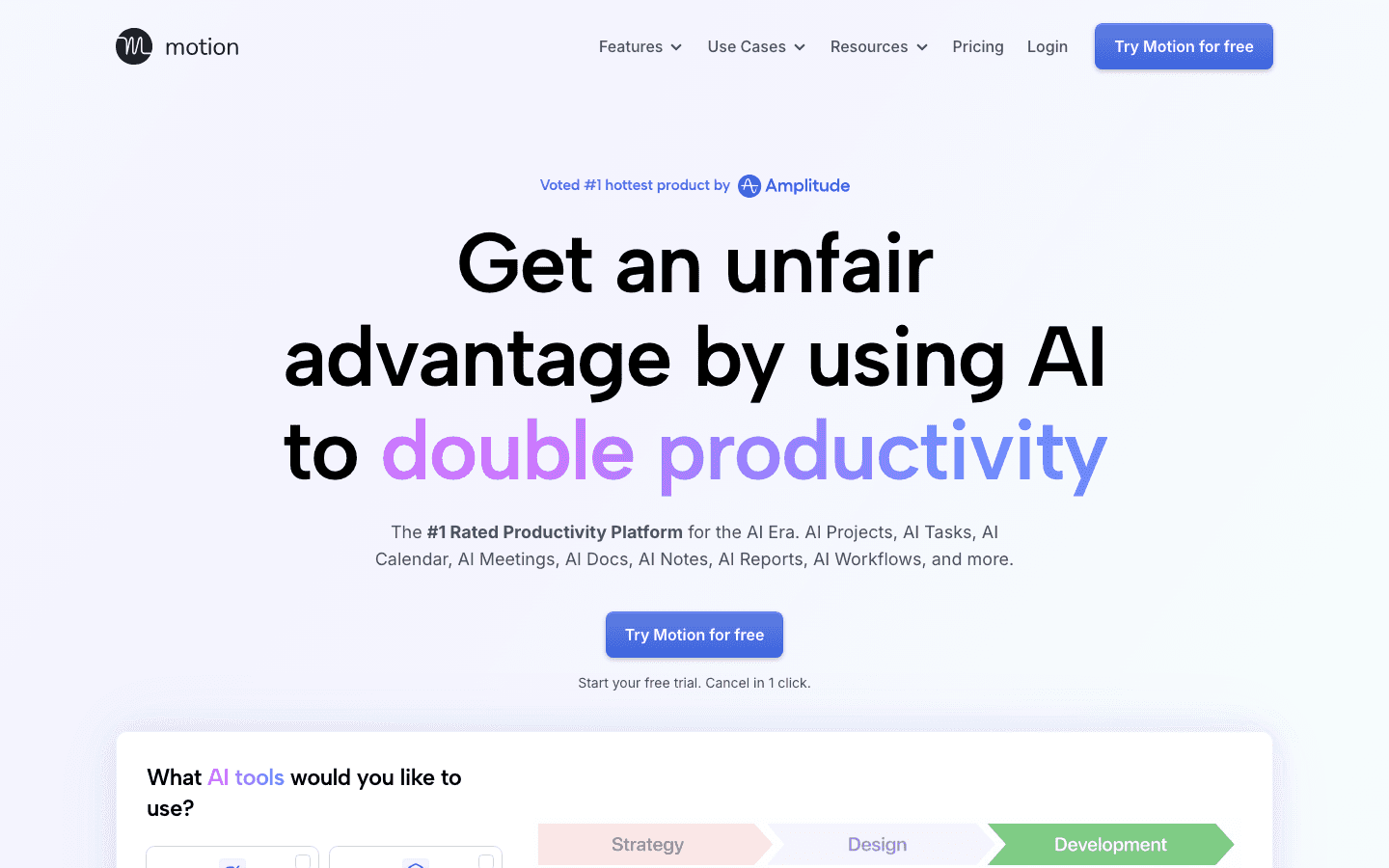
Motion takes a similar auto-scheduling approach to Lifestack but adds project management on top. You can set up projects with tasks, deadlines, and priorities, and Motion's AI schedules work across your calendar automatically. When a meeting runs long or a task takes longer than expected, it reschedules the rest of the day to compensate.
Motion also includes AI meeting scheduling, team capacity planning, and AI notes and documents, making it more of an all-in-one work tool than a pure calendar planner. The trade-off is a steeper learning curve and a higher price point. For a deeper look at what it costs, see our Motion pricing guide.
What Works
AI auto-scheduling across tasks, projects, and meetings
Dynamic rescheduling when plans change mid-day
Team features for shared capacity and project timelines
Limitations
Can feel complex for individuals who just want personal calendar planning
No energy-aware scheduling layer
Pricing: Pro AI $19/month (monthly) with ~33% savings on annual. Business AI $29/month (monthly).
Best for: Teams and busy professionals managing multiple projects who need AI scheduling across a full workload.
3. Sunsama
A daily planning ritual tool built around intentional, distraction-free scheduling.
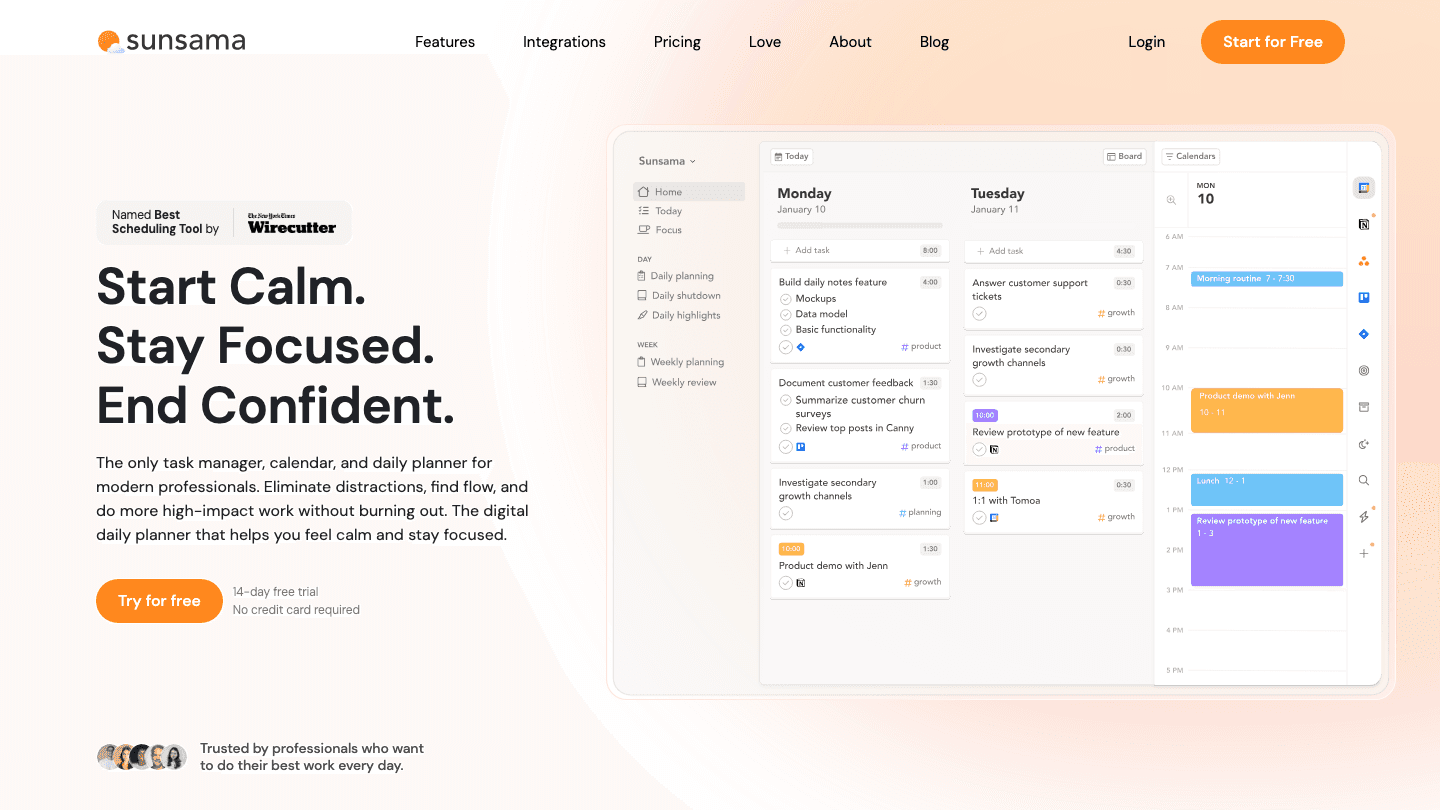
Sunsama is built around a daily planning ritual. Each morning, it walks you through pulling tasks from your integrations (Notion, Asana, Todoist, Linear, GitHub, etc.), setting time estimates, and time-blocking your calendar. The process takes about 10 minutes and is designed to feel intentional rather than automated.
The key philosophical difference from Lifestack and Motion: Sunsama doesn't schedule tasks for you. It gives you a structured process for scheduling them yourself. If you want to stay in control of exactly what goes where, that's a feature. If you want to skip daily planning entirely, it's a limitation. For alternatives if you find Sunsama doesn't fit, see our Sunsama alternatives guide.
What Works
Deep integrations with most project management and task tools
Structured daily and weekly review workflows
Helps teams stay aligned through shared planning rituals
Limitations
Requires a daily planning session; not fully automated
More expensive than alternatives with more automation
Pricing: $22/month (monthly) or $17/month (annual). 14-day free trial.
Best for: Professionals who want a structured daily planning process with strong task tool integrations and don't mind taking 10-15 minutes each morning.
4. Akiflow
A unified task and calendar inbox designed to consolidate everything in one view.
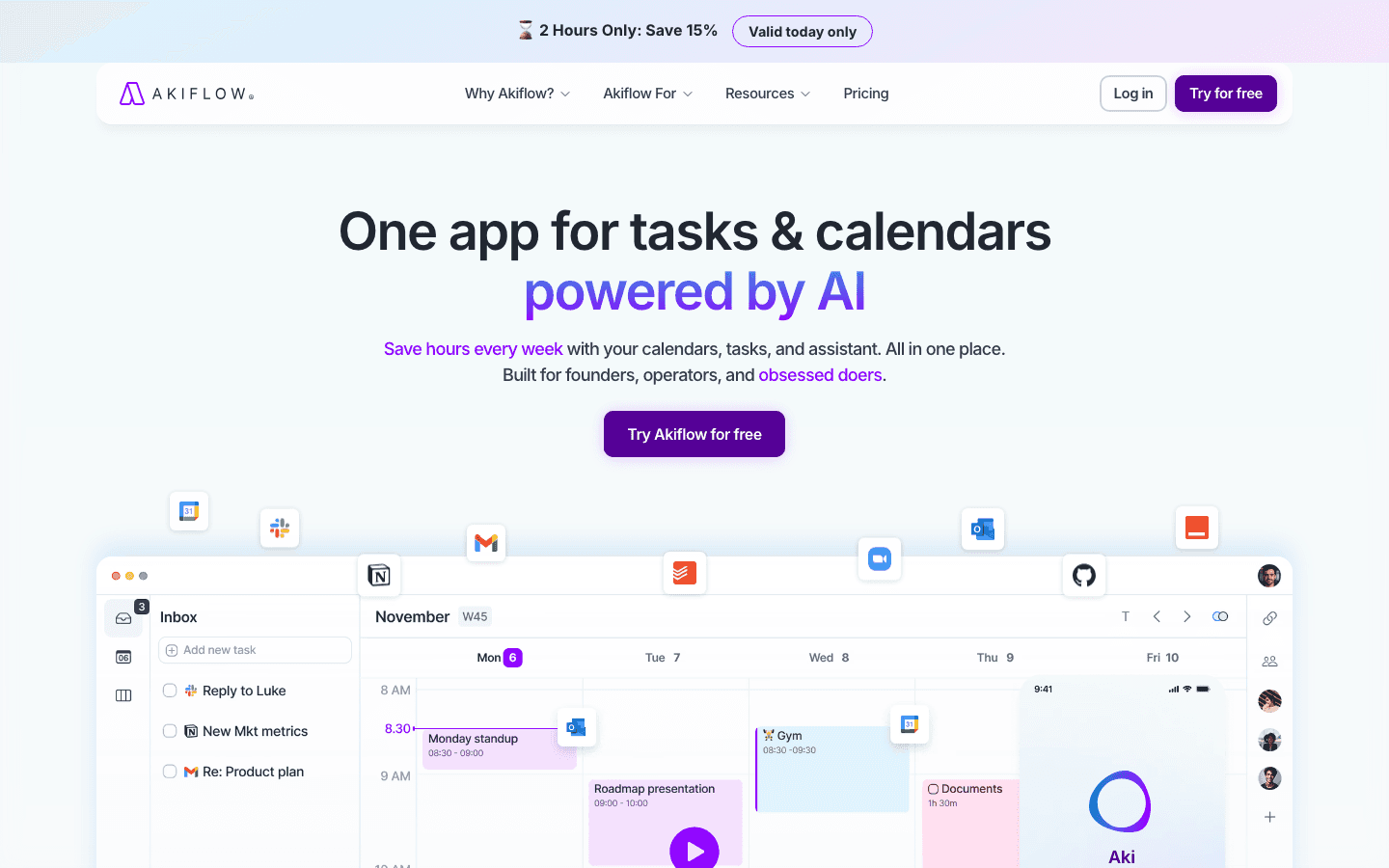
Akiflow solves a specific pain: having tasks scattered across apps and a calendar that doesn't reflect what you're actually working on. It connects to your tools (Slack, Gmail, Notion, Asana, Linear, and more) and pulls tasks into a unified inbox alongside your calendar. From there, you drag tasks into time slots to build your day.
Akiflow added Aki, an AI executive assistant, which can suggest scheduling and help plan your day. Like Sunsama, it's still fundamentally a manually-driven tool, but Aki reduces some of the friction. The pricing at $34/month billed monthly is high; the annual rate of $19/month is more reasonable. Full pricing details are in our Akiflow pricing breakdown.
What Works
Unified inbox that pulls tasks from across your tools
Clean calendar + task list side-by-side layout
Strong keyboard-shortcut driven workflow for power users
Limitations
High monthly price for what remains primarily a manual planner
Mobile app is more limited than the desktop experience
Pricing: $34/month (monthly) or $19/month (annual). 7-day free trial.
Best for: Power users who want everything in one place and prefer a keyboard-driven, manual scheduling workflow.
5. Morgen
A multi-calendar aggregator with an AI daily planning layer built in.
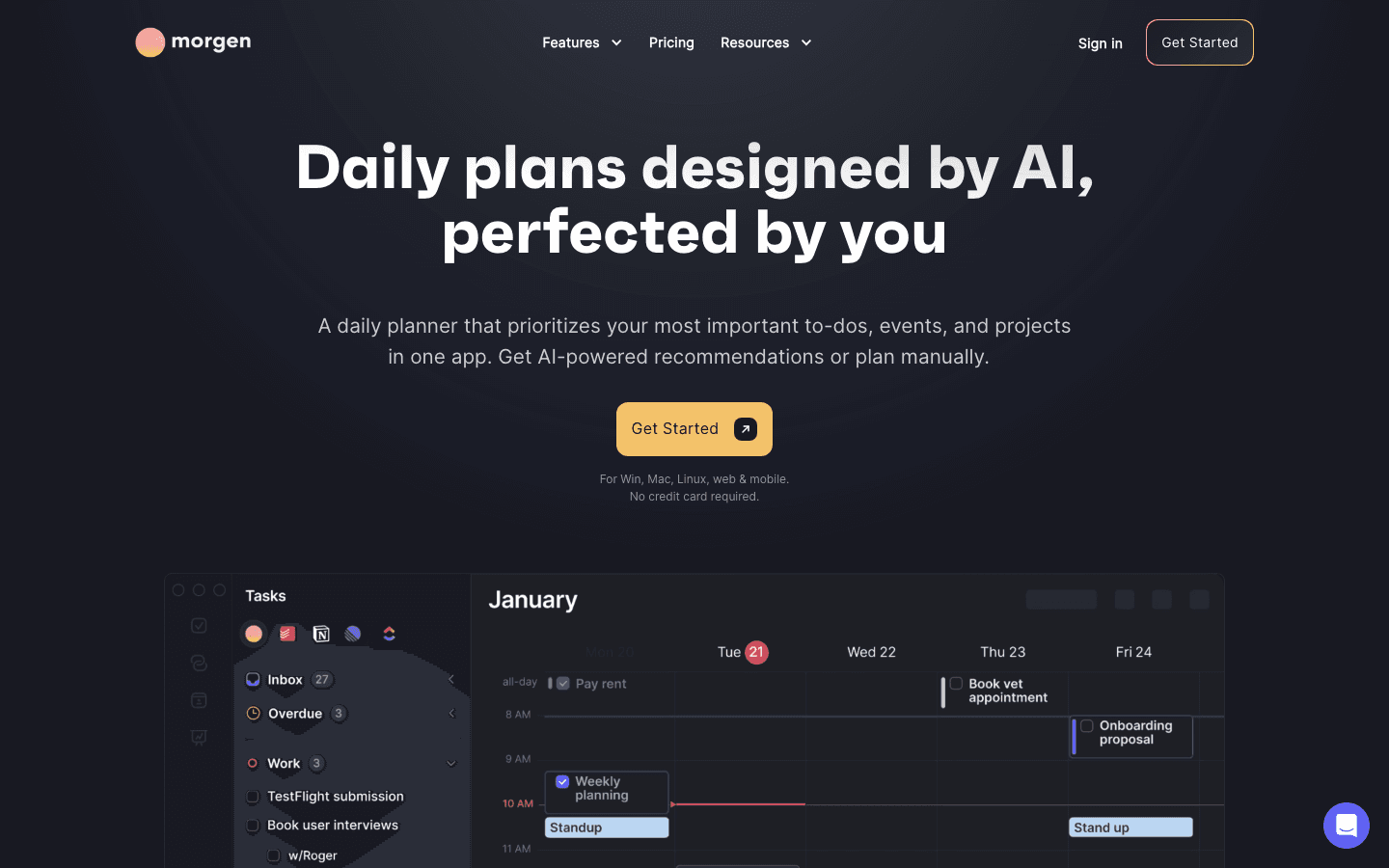
Morgen is designed for people juggling multiple calendars across personal and work accounts. It pulls everything into one view, then adds an AI planner that can suggest how to organize your day based on tasks, events, and habits. You can use the AI suggestions or plan manually, with the AI acting as an advisor rather than an autonomous scheduler.
Morgen also has solid scheduling links, calendar automations, and strong cross-platform availability (Windows, Mac, Linux, web, and mobile). If you're currently using three different calendar apps to manage personal and work life and want them consolidated, Morgen is worth considering. For a comparison with other tools in this space, see our Morgen alternatives guide and our Morgen pricing overview.
What Works
Best multi-calendar aggregation across personal and work accounts
Available on Windows, Mac, Linux, web, and mobile
AI planner suggests daily organization without forcing automation
Limitations
AI is advisory rather than automatic; still requires manual scheduling
Pro tier at $15/month (annual) is reasonable, but the $30/month monthly rate is steep
Pricing: Pro $15/month (annual) or $30/month (monthly). 14-day free trial.
Best for: People managing multiple calendars across work and personal accounts who want them unified with optional AI planning suggestions.
Which Digital Calendar Planner Is Right for You?
Want fully automatic scheduling with no daily planning effort? Lifestack is the right pick. Tasks get scheduled into your calendar for you.
Managing a team or multiple projects with complex dependencies? Motion handles team scheduling and project-level auto-scheduling better.
Value the intentionality of planning your own day? Sunsama's daily ritual approach is well-designed and integrates with most tools you already use.
Need a unified view across scattered tasks and multiple tools? Akiflow's inbox consolidation is the strongest in the category.
Juggling personal and work calendars across different accounts? Morgen's multi-calendar aggregation is its main strength.
For a broader look at how AI is changing calendar management, see our guide to the best scheduling apps and our piece on time-blocking apps.
Frequently Asked Questions
What is a digital calendar planner?
A digital calendar planner is an app that combines your calendar with task management and planning tools. Unlike a basic calendar, a digital planner helps you decide when to do things, not just what to do. The best ones use AI to automatically schedule tasks into your available time.
Which digital calendar planner has the best free plan?
Most premium digital calendar planners don't have free tiers. They offer free trials instead. Sunsama and Akiflow offer 7-14 day free trials. Lifestack includes a 7-day free trial on annual plans. Motion offers a free trial as well. For a fully free option, Google Calendar with a third-party task integration is the most common starting point before moving to a dedicated planner.
Is a digital calendar planner better than Google Calendar?
For most people who actively manage a workload, yes. Google Calendar shows you what's scheduled; a digital calendar planner helps you figure out when to schedule work tasks. The AI auto-scheduling in tools like Lifestack and Motion is the most significant improvement, since it removes the need to manually time-block every task.
What's the difference between Sunsama and Motion?
Sunsama is built around a daily manual planning ritual where you pull tasks from your tools and block time yourself each morning. Motion uses AI to automatically schedule tasks and rebuilds the schedule when things change. If you value control over the process, Sunsama. If you want the scheduling done for you, Motion (or Lifestack, which adds energy-aware scheduling).
Can I use a digital calendar planner with Google Calendar?
Yes. All five tools on this list sync with Google Calendar. Morgen, Sunsama, and Akiflow also support Outlook and Apple Calendar. Lifestack and Motion work through calendar sync to read your existing events and schedule tasks around them.
A digital calendar planner does more than show your schedule. The best ones help you figure out when to do things, protect focused work time, reduce the mental overhead of planning, and sync across every device so nothing falls through the cracks. The category has expanded considerably with AI, and the gap between a plain Google Calendar and a proper AI-powered planner is now large enough to matter.
We tested five of the top digital calendar planners to find where each one genuinely pulls ahead. Lifestack leads because it automatically schedules tasks into your calendar based on your real available time and energy levels. The others each take a distinct approach: Motion leans on AI task prioritization, Sunsama focuses on daily planning rituals, Akiflow combines inbox and calendar in one view, and Morgen aggregates multiple calendars with an AI daily planning layer.
Below is a breakdown of each, including what they do well, where they fall short, and who they're best for.
Key Takeaways
Lifestack is the only tool here that auto-schedules tasks based on available time and energy levels, with no manual time-blocking required.
Motion and Akiflow are strong picks for professionals who want AI-assisted scheduling alongside task and project management.
Sunsama and Morgen suit people who prefer a daily planning ritual over fully automated scheduling.
Quick Guide
1. Lifestack: AI auto-scheduling based on energy and available time
2. Motion: AI task manager that builds and rebuilds your daily schedule
3. Sunsama: Structured daily planning ritual with deep integrations
4. Akiflow: Unified task and calendar inbox with AI assistant
5. Morgen: Multi-calendar aggregator with AI daily planning
How We Evaluated
Scheduling quality: how well does it handle the when, not just the what?
Integration depth: Google Calendar, Outlook, task tools, and other apps
Daily friction: how long does planning take each day?
Mobile experience: usable on the go, not just on desktop
Pricing relative to value: is the upgrade justified?
1. Lifestack
The digital calendar planner that schedules your tasks for you.
Lifestack starts where other planning tools stop. Most digital planners show you your calendar and let you drag tasks into time slots. Lifestack actually fills those slots for you. Connect your task list and calendar, and Lifestack automatically schedules tasks into available windows based on deadlines, priorities, and your energy levels throughout the day.
The energy-aware scheduling is the feature that makes it distinct from other AI schedulers. Lifestack learns when your high-energy windows tend to fall and places demanding tasks there, leaving lighter work or admin for the dips. For anyone who has tried time-blocking manually and found it breaks down by Tuesday, this is a meaningful difference. Our auto-scheduling guide explains how the approach works in practice, and our full Lifestack overview covers the setup.
What Works
Fully automatic scheduling with no manual time-blocking
Energy-aware task placement based on your natural patterns
Adjusts in real time as tasks slip or priorities change
Clean mobile app that keeps the schedule visible on the go
Limitations
Individual scheduling focus; not designed for team coordination
No free tier; starts at $7/month
Pricing: $7/month, $50/year (most popular), or $120 lifetime. 7-day free trial on annual plan.
Best for: Professionals who want their tasks automatically placed into their calendar without daily planning overhead.
2. Motion
An AI task manager that builds your daily schedule and rebuilds it when things change.
Motion takes a similar auto-scheduling approach to Lifestack but adds project management on top. You can set up projects with tasks, deadlines, and priorities, and Motion's AI schedules work across your calendar automatically. When a meeting runs long or a task takes longer than expected, it reschedules the rest of the day to compensate.
Motion also includes AI meeting scheduling, team capacity planning, and AI notes and documents, making it more of an all-in-one work tool than a pure calendar planner. The trade-off is a steeper learning curve and a higher price point. For a deeper look at what it costs, see our Motion pricing guide.
What Works
AI auto-scheduling across tasks, projects, and meetings
Dynamic rescheduling when plans change mid-day
Team features for shared capacity and project timelines
Limitations
Can feel complex for individuals who just want personal calendar planning
No energy-aware scheduling layer
Pricing: Pro AI $19/month (monthly) with ~33% savings on annual. Business AI $29/month (monthly).
Best for: Teams and busy professionals managing multiple projects who need AI scheduling across a full workload.
3. Sunsama
A daily planning ritual tool built around intentional, distraction-free scheduling.
Sunsama is built around a daily planning ritual. Each morning, it walks you through pulling tasks from your integrations (Notion, Asana, Todoist, Linear, GitHub, etc.), setting time estimates, and time-blocking your calendar. The process takes about 10 minutes and is designed to feel intentional rather than automated.
The key philosophical difference from Lifestack and Motion: Sunsama doesn't schedule tasks for you. It gives you a structured process for scheduling them yourself. If you want to stay in control of exactly what goes where, that's a feature. If you want to skip daily planning entirely, it's a limitation. For alternatives if you find Sunsama doesn't fit, see our Sunsama alternatives guide.
What Works
Deep integrations with most project management and task tools
Structured daily and weekly review workflows
Helps teams stay aligned through shared planning rituals
Limitations
Requires a daily planning session; not fully automated
More expensive than alternatives with more automation
Pricing: $22/month (monthly) or $17/month (annual). 14-day free trial.
Best for: Professionals who want a structured daily planning process with strong task tool integrations and don't mind taking 10-15 minutes each morning.
4. Akiflow
A unified task and calendar inbox designed to consolidate everything in one view.
Akiflow solves a specific pain: having tasks scattered across apps and a calendar that doesn't reflect what you're actually working on. It connects to your tools (Slack, Gmail, Notion, Asana, Linear, and more) and pulls tasks into a unified inbox alongside your calendar. From there, you drag tasks into time slots to build your day.
Akiflow added Aki, an AI executive assistant, which can suggest scheduling and help plan your day. Like Sunsama, it's still fundamentally a manually-driven tool, but Aki reduces some of the friction. The pricing at $34/month billed monthly is high; the annual rate of $19/month is more reasonable. Full pricing details are in our Akiflow pricing breakdown.
What Works
Unified inbox that pulls tasks from across your tools
Clean calendar + task list side-by-side layout
Strong keyboard-shortcut driven workflow for power users
Limitations
High monthly price for what remains primarily a manual planner
Mobile app is more limited than the desktop experience
Pricing: $34/month (monthly) or $19/month (annual). 7-day free trial.
Best for: Power users who want everything in one place and prefer a keyboard-driven, manual scheduling workflow.
5. Morgen
A multi-calendar aggregator with an AI daily planning layer built in.
Morgen is designed for people juggling multiple calendars across personal and work accounts. It pulls everything into one view, then adds an AI planner that can suggest how to organize your day based on tasks, events, and habits. You can use the AI suggestions or plan manually, with the AI acting as an advisor rather than an autonomous scheduler.
Morgen also has solid scheduling links, calendar automations, and strong cross-platform availability (Windows, Mac, Linux, web, and mobile). If you're currently using three different calendar apps to manage personal and work life and want them consolidated, Morgen is worth considering. For a comparison with other tools in this space, see our Morgen alternatives guide and our Morgen pricing overview.
What Works
Best multi-calendar aggregation across personal and work accounts
Available on Windows, Mac, Linux, web, and mobile
AI planner suggests daily organization without forcing automation
Limitations
AI is advisory rather than automatic; still requires manual scheduling
Pro tier at $15/month (annual) is reasonable, but the $30/month monthly rate is steep
Pricing: Pro $15/month (annual) or $30/month (monthly). 14-day free trial.
Best for: People managing multiple calendars across work and personal accounts who want them unified with optional AI planning suggestions.
Which Digital Calendar Planner Is Right for You?
Want fully automatic scheduling with no daily planning effort? Lifestack is the right pick. Tasks get scheduled into your calendar for you.
Managing a team or multiple projects with complex dependencies? Motion handles team scheduling and project-level auto-scheduling better.
Value the intentionality of planning your own day? Sunsama's daily ritual approach is well-designed and integrates with most tools you already use.
Need a unified view across scattered tasks and multiple tools? Akiflow's inbox consolidation is the strongest in the category.
Juggling personal and work calendars across different accounts? Morgen's multi-calendar aggregation is its main strength.
For a broader look at how AI is changing calendar management, see our guide to the best scheduling apps and our piece on time-blocking apps.
Frequently Asked Questions
What is a digital calendar planner?
A digital calendar planner is an app that combines your calendar with task management and planning tools. Unlike a basic calendar, a digital planner helps you decide when to do things, not just what to do. The best ones use AI to automatically schedule tasks into your available time.
Which digital calendar planner has the best free plan?
Most premium digital calendar planners don't have free tiers. They offer free trials instead. Sunsama and Akiflow offer 7-14 day free trials. Lifestack includes a 7-day free trial on annual plans. Motion offers a free trial as well. For a fully free option, Google Calendar with a third-party task integration is the most common starting point before moving to a dedicated planner.
Is a digital calendar planner better than Google Calendar?
For most people who actively manage a workload, yes. Google Calendar shows you what's scheduled; a digital calendar planner helps you figure out when to schedule work tasks. The AI auto-scheduling in tools like Lifestack and Motion is the most significant improvement, since it removes the need to manually time-block every task.
What's the difference between Sunsama and Motion?
Sunsama is built around a daily manual planning ritual where you pull tasks from your tools and block time yourself each morning. Motion uses AI to automatically schedule tasks and rebuilds the schedule when things change. If you value control over the process, Sunsama. If you want the scheduling done for you, Motion (or Lifestack, which adds energy-aware scheduling).
Can I use a digital calendar planner with Google Calendar?
Yes. All five tools on this list sync with Google Calendar. Morgen, Sunsama, and Akiflow also support Outlook and Apple Calendar. Lifestack and Motion work through calendar sync to read your existing events and schedule tasks around them.



FOLLOW ON
FOLLOW ON
FOLLOW ON


Copyright 2026 © Lifestack. All rights reserved
Copyright 2026 © Lifestack. All rights reserved

